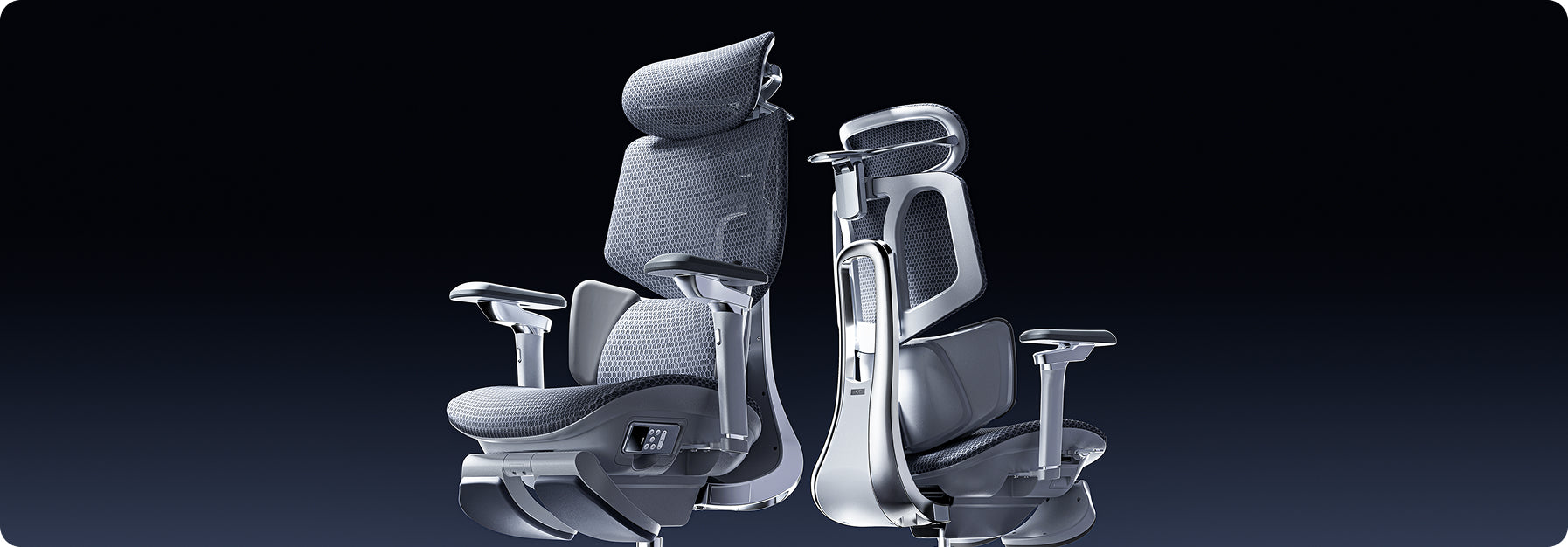


Hbada E3 Ergonomischer Bürostuhl: 17 Jahre ergonomische Spitzenleistung für euren Rücken

Hbada E3 Ergonomischer Bürostuhl: 17 Jahre ergonomische Spitzenleistung für euren Rücken

Hbada E3 Ergonomic Office Chair: Der innovative Bürostuhl

Hbada ist eine professionelle, auf technologische Innovation ausgerichtete Marke für das Gesundheitswesen. Durch die Anwendung neuer Technologien und Materialien bietet Hbada bereits seit 16 Jahren seinen Kunden weltweit professionell gestaltete ergonomische Produkte und Lösungen, die die körperlichen und gesundheitlichen Bedingungen verbessern.

Eine dieser innovativen Lösungen ist der Hbada E3, der mit nur einer einzigen Anpassungen dabei hilft, die drei typischen Arten von Schmerzen bei langem Sitzen zu verringern: Nacken-, Taillen und Schulterschmerzen.

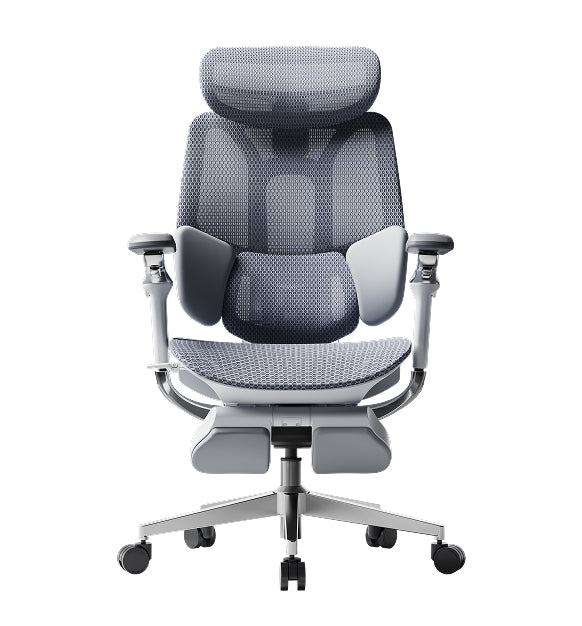
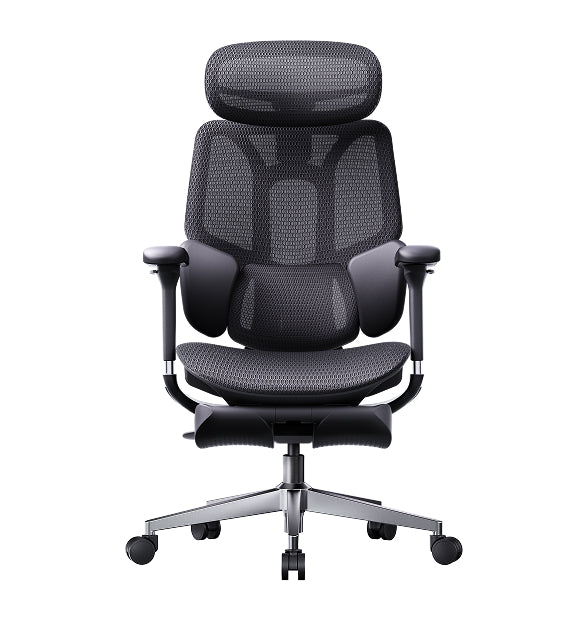
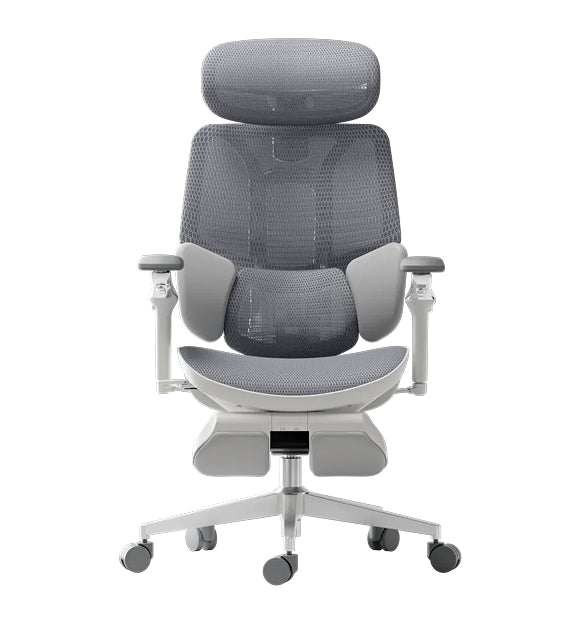
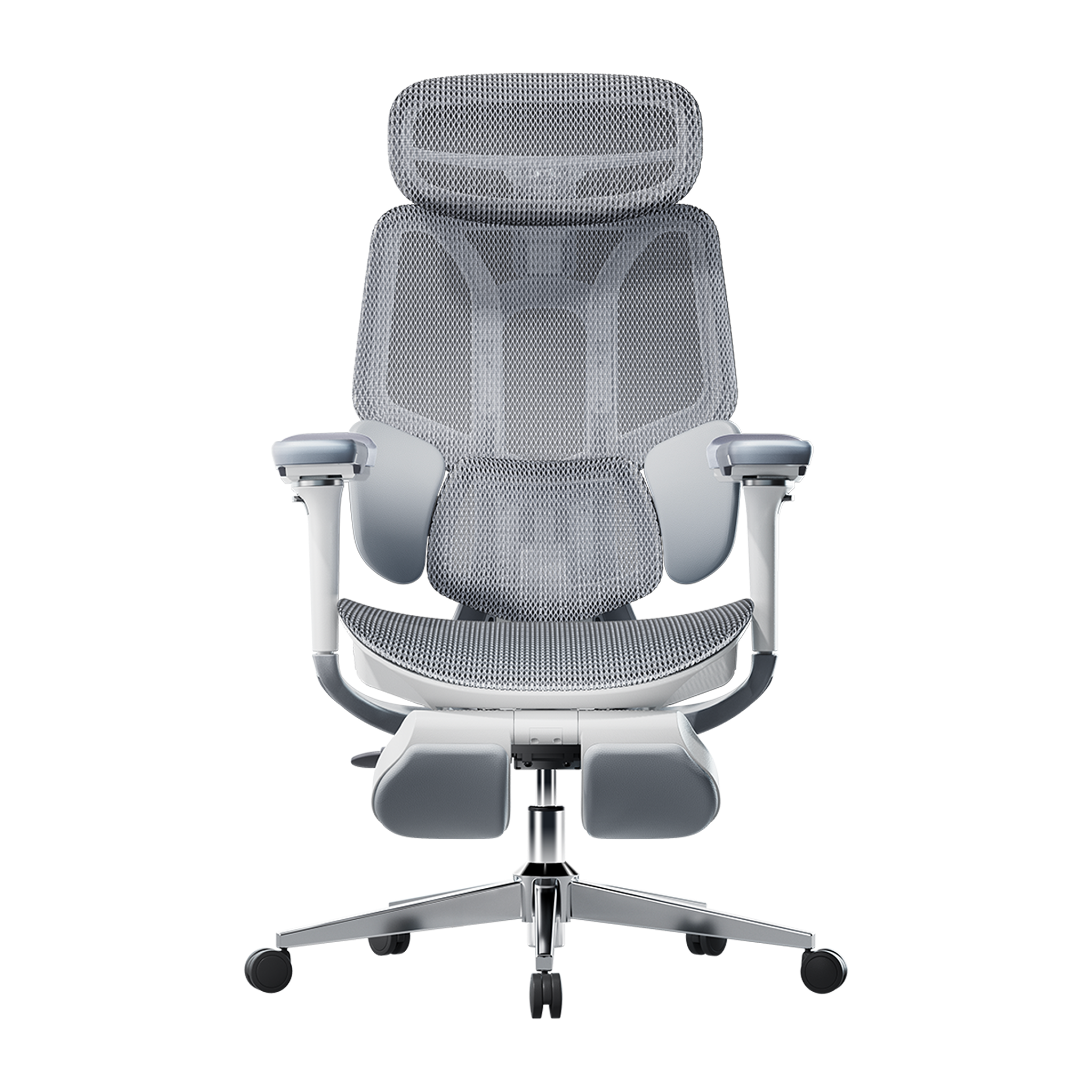
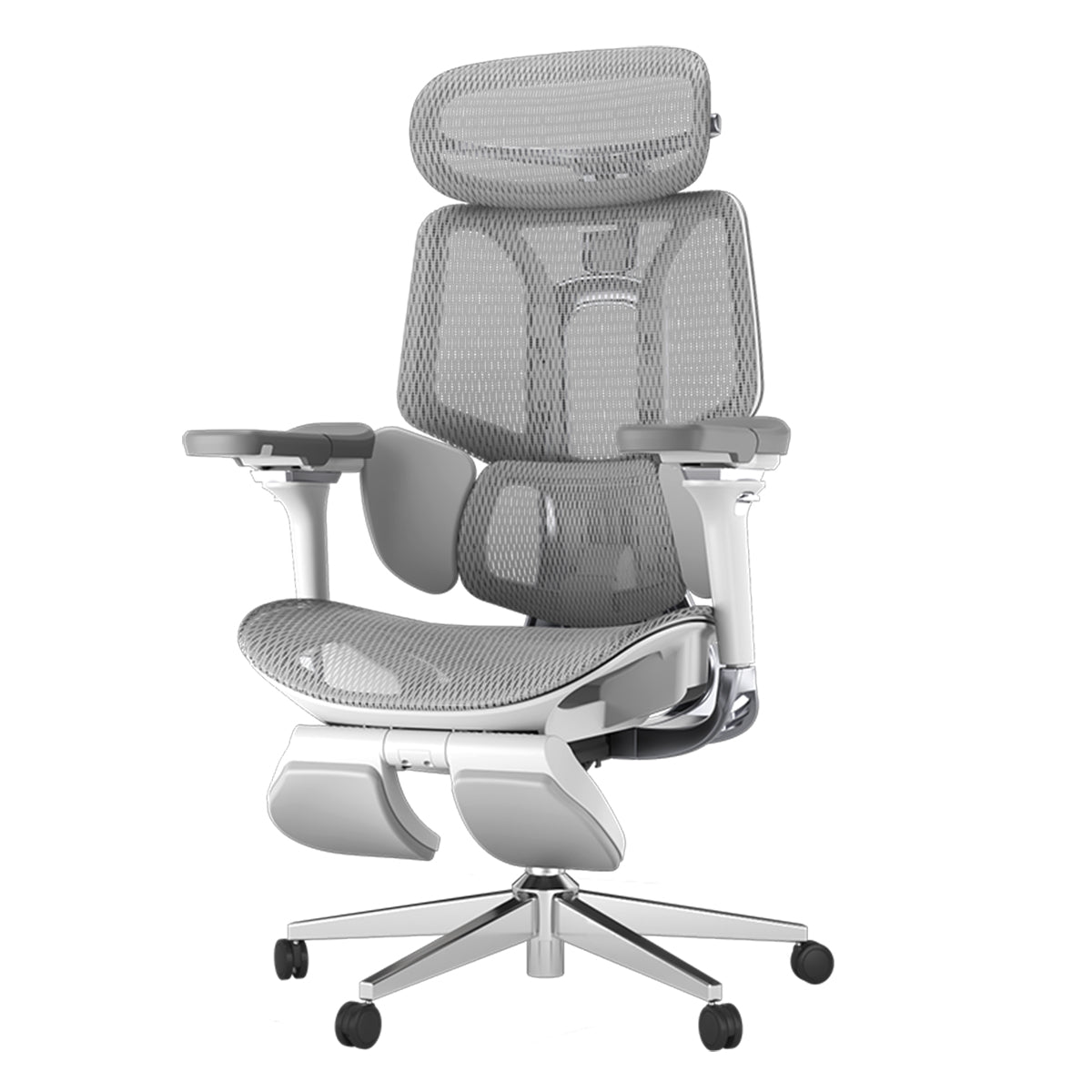
Ermöglicht wird das durch das einzigartige T-förmige Stützsystem des E3, das individuell an den Körper der Nutzerin beziehungsweise des Nutzers angepasst werden kann. Eine elastische Dreizonen-Lendenwirbelstütze sorgt dabei für einen hohen Komfort, auch an den längsten Arbeitstagen.
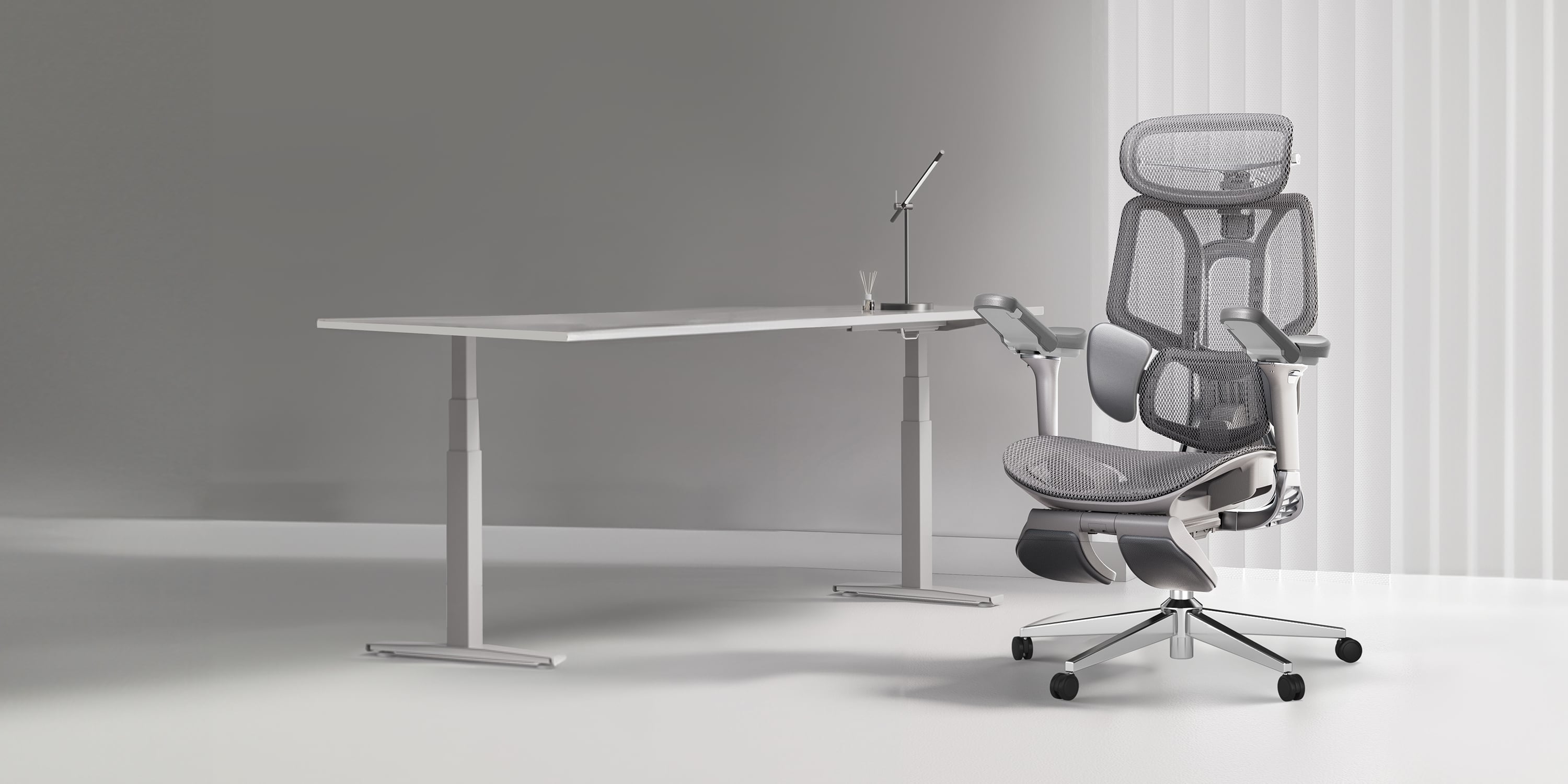
Hbada E3 Pro
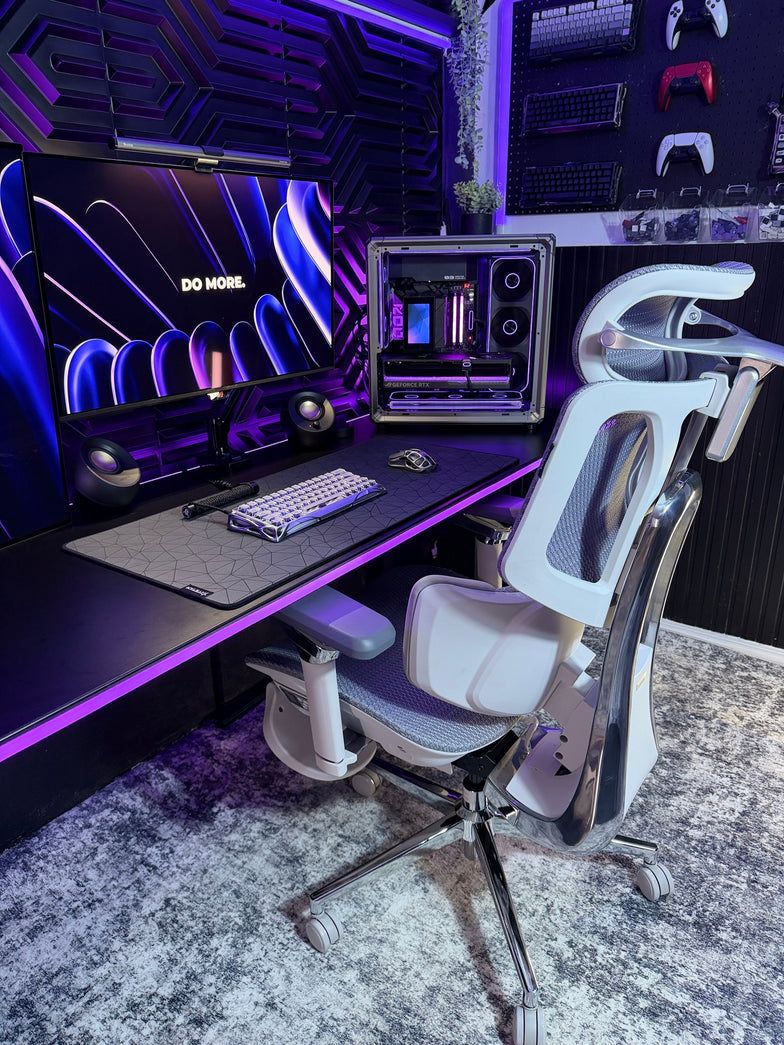
Der Hbada E3 Ergonomic Office Chair sorgt für einen unvergleichlichen Komfort. (Bild: Hbada)

Die Lendenwirbelstütze ist 8-fach verstellbar. So lassen sich die seitlichen Flügel um bis zu 140 Grad nach innen und außen drehen, während die Lordosenstütze um bis zu 14 Grad angepasst werden kann. Außerdem könnt ihr die Polsterung nach vorne und hinten, sowie nach oben und unten justieren und so an euren individuellen Körper anpassen.

4D-Kopfstütze im Hbada E3 Ergonomic Office Chair

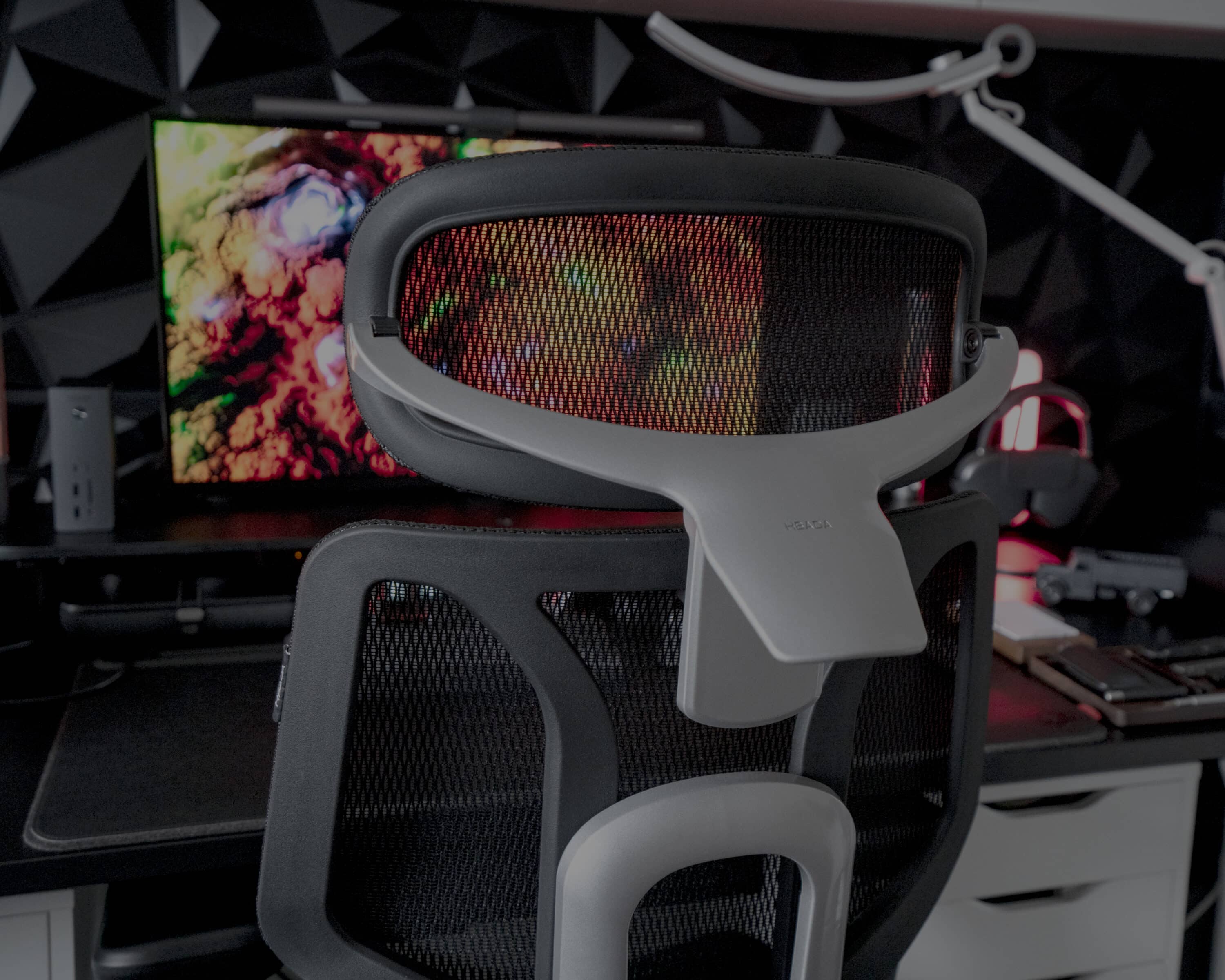
Um den Kopf und Nacken zu entlasten, verfügt der Hbada E3 Ergonomic Office Chair über eine 4D-Kopfstütze, die punktgenau an verschiedene Körpergrößen und Sitzhaltungen angepasst werden kann.

Egal ob ihr euch nach vorne beugt, aufrecht sitzt oder euch bequem zurücklehnt: Die Kopfstütze stellt immer sicher, dass der Nacken entlastet wird, was Nacken- und Kopfschmerzen vorbeugt. So lässt sich der Rahmen der Stütze um bis zu 70 Grad drehen und neigen, nach oben und unten justieren und um 2,2 Zoll nach vorne oder hinten anpassen, um so jeder Sitzhaltung und Körperbewegung gewachsen zu sein.
Hbada E3 Ergonomic Office Chair
Die 4D-Kopfstütze lässt sich individuell einstellen (Bild: Hbada)

Die Armlehnen sind natürlich ebenfalls von entscheidender Bedeutung für den Komfort eines Stuhls. So setzt der E3 sogar auf mechanische 6D-Armlehnen, die nicht nur in der Höhe verstellt, nach vorne und hinten, sowie links und rechts bewegt werden können, sondern auch in drei Stufen drehbar und um 6 Grad neigbar sind. Zusätzlich bieten die mechanischen Armlehnen eine Flip-Up-Funktion, mit der sich der vordere Teil um bis zu 40 Grad anwinkeln lässt. Perfekt, um entspannt ein Buch zu lesen, das Smartphone zu bedienen oder auf dem Tablet Einstellungen vorzunehmen.

Hochelastisches Mesh-Gewebe mit adaptivem, schwerkraftabhängigem Fahrgestell

Der Hbada E3 Ergonomic Office Chair ist mit hochelastischem Mesh-Stoff ausgestattet, der dafür sorgt, dass ihr im Sommer am Schreibtisch nicht schwitzt. Gleichzeitig entlastet der Stoff die Beine und beugt so einem Taubheitsgefühl vor.

Der E3 besteht zu 16,5 Prozent aus atmungsaktivem Mesh, der einen höchstmöglichen Komfort mit einer dauerhaften Unterstützung beim Sitzen kombiniert. Nylon und Garn sorgen für einen hervorragenden Halt.
Hbada E3 Ergonomic Office Chair
Bild: Hbada

Zusätzlich verfügt der ergonomische Bürostuhl über ein Gestell mit automatischer Schwerkrafterkennung. Ein verbauter Sensor erkennt intuitiv Veränderungen im Gewicht und in der Körperhaltung des Benutzers und passt unter anderem den Widerstand beim Kippen des E3 automatisch an. Das ermöglicht nicht nur einen konstant hohen Sitzkomfort sondern sorgt auch dafür, dass sich der Bürostuhl schnell und mühelos in eine gerade Position zurückbewegt.

Rückenlehne um 140 Grad neigbar

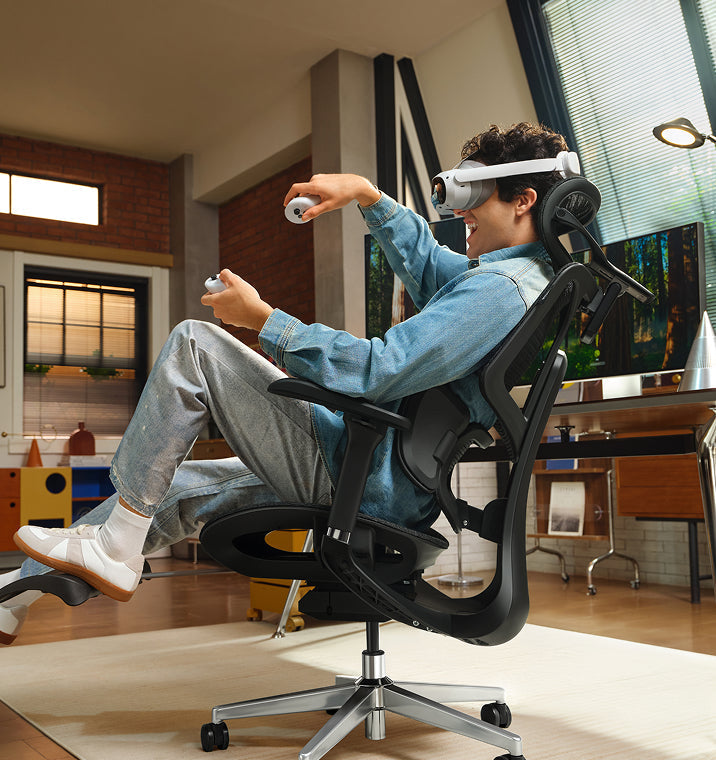
Außerdem ist der Hbada E3 in der Lage, die Rückenlehne um bis zu 140 Grad nach hinten anzuwinkeln. Diese Position ist ideal für ein Nickerchen oder zum Entspannen und erlaubt so eine bequeme Platzierung für tiefe Ruhe.
Hbada E3 Ergonomic Office Chair
Bild: Hbada

Unterstützt wird dies durch die integrierte und weich gepolsterte Fußstütze, die den Komfort beim Zurücklehnen erhöht und so eine angenehm weiche Fläche für den ganzen Körper bildet. Das robuste Gestell des Hbada E3 Ergonomic Office Chair stellt dabei sicher, dass auch in der liegenden Position zurückgelehnt für maximale Sicherheit und Stabilität gesorgt ist.

Qualität bis ins kleinste Detail

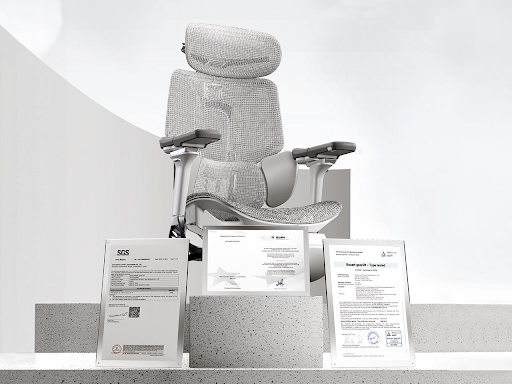
Der Hbada E3 Ergonomic Office Chair ist bis ins kleinste Detail durchdacht und hochwertig verarbeitet. So setzt der Bürostuhl auf eine SGS Klasse-4-Gasfeder, die unter härtesten Bedingungen in über 120.000 Zyklen getestet wurde und so maximale Sicherheit und Zuverlässigkeit garantiert.

Die Laufrollen verüfgen über besonders leise Räder, die beim Arbeiten oder Konzentrieren nicht ablenken, da sie auch bei Bewegungen des Stuhls nahezu unhörbar über sämtliche Oberflächen gleiten und enorm sanft rollen.

Hbada E3 Ergonomic Office Chair
Bild: Hbada

Due Basis des E3 besteht auf einem hochwertigen Stahlsockel, der ein besonders hohes Gewicht von bis zu ca. 136 kg (300 Pfund) tragen kann und dabei duch seine verbesserte Haltbarkeit und Stabilität überzeugt.
Relevant Product

You May Also Like

Ergonomic Chair Buying Guide | How to Choose an Ergonomic Chair? Top Picks for 2026 Ergonomic Chair Buying Guide | How to Choose an Ergonomic Chair? Top Picks for 2026 The Essence of Ergonomics — Ergonomic Technology   As the demand for health solutions for prolonged sitting grows, the Hbada E3 Ergonomic Office Chair has gained significant popularity. The key to effective ergonomics lies in scientifically designed supports that conform to the spinal curve, alleviate lumbar and back pressure, and prevent health issues caused by poor sitting postures. In office, academic, and home settings, ergonomic chairs have increasingly become essential tools for improving posture, enhancing work efficiency, and safeguarding spinal health.   The lumbar and back support technology is also a critical measure of an ergonomic chair's effectiveness. The Hbada E3 Ergonomic Office Chair features a unique T-shaped support system that provides effective support to the lumbar, shoulders, and neck, conforming to the body’s curves. The design of different support modules allows for independent multi-directional adjustments, ensuring precise support while offering a comprehensive comfort experience for the lumbar, shoulders, and neck, catering to varying support needs.   Features of the Hbada E3 Ergonomic Office Chair: • Three-Zone Floating Wing Lumbar Support: For targeted lumbar support, the Hbada E3 features a central mesh hard support flanked by soft support wings on either side. This combination, along with molded foam and protein leather, ensures that every point of the lumbar region is effectively supported, with each zone performing its function optimally. • 4D Dual-Axis Neck Pillow: Supports vertical and horizontal adjustments, as well as dual-axis rotation, providing tailored support for different body shapes and conditions. This feature helps alleviate neck strain and reduce the pressure on cervical vertebrae from prolonged sitting. • 6D Mechanical Armrests: Offer multidimensional adjustments to support the arms during various activities. They can be adjusted up and down, in and out, and forward and backward, easily aligning with any desk height to provide support while working, or comfort during gaming or watching movies. The armrests are designed to synchronize with the backrest’s tilt, ensuring support even when reclined. • Seat Depth and Height Adjustment: The Hbada E3 includes detailed settings with multiple adjustment points to suit various body sizes and weights, providing the perfect lumbar and back support position. • 140° Recline with Auto-Adaptive Gravity-Sensing Base: Allows for easy reclining for individuals of all sizes, making it effortless to lean back at work or take a comfortable nap during breaks, truly making it an excellent office companion.     If you've been sitting at your desk for long periods and are starting to feel various aches and pains, it's definitely time to consider an ergonomic chair tailored to your needs. The Hbada E3 encompasses all the excellent features of a professional ergonomic chair. Not only is it equipped with precise ergonomic technology, but it also offers diverse functional adjustments and a high-elastic mesh fabric design. The entire chair is designed for high-elastic support and pressure distribution during prolonged sitting, greatly alleviating body pain and enhancing comfort at work.   Product Purchase Information: Link: https://www.hbada.eu/products/hbada-e3-pro-ergonomic-office-chair-white Dimensions: 27.6" Depth x 27.6" Width x 44.5-47.6" Height Weight: 69lbs What Is the 20-8-2 Rule? Everything You Need to Know About Healthier Sitting and Productive Work What Is the 20-8-2 Rule? Everything You Need to Know About Healthier Sitting and Productive Work Sitting at your desk all day can quietly harm your health, making it harder to focus and putting stress on your lower back. Some people think standing all day is the answer, but too much standing can also lead to tired muscles and poor circulation. The key to keeping your spine healthy is to keep changing your position throughout the day. Dr. Alan Hedge, an ergonomics professor at Cornell University, created the 20-8-2 rule to help you add movement to your work routine and boost your energy.   Deconstructing the Formula: The 30-Minute Ergonomic Cycle The 20-8-2 rule divides each half hour of your workday into three easy steps. Following this routine helps keep your muscles loose and your blood flowing. 20 Minutes: Focused Sitting ➔ 8 Minutes: Active Standing ➔ 2 Minutes: Dynamic Movement   The 20 Minutes: Focused Sitting (With Proper Alignment) Start with 20 minutes of focused work while sitting. Make sure your feet are flat on the floor, your elbows are at 90 degrees, and your lower back is well supported. The 8 Minutes: Active Standing After 20 minutes, stand up for the next 8 minutes. Standing changes the pressure on your spine, activates your core, and helps your body work better. This is a good time to take calls, review documents, or check your email. The 2 minutes: Dynamic Movement For the last 2 minutes, leave your desk. Use this time to walk around, get some water, or do light stretches. This short break helps relax your muscles and refresh your mind for the next round.   Architectural Pairing: Selecting the Right Desk Environment To follow this movement routine easily, your workspace should let you change positions quickly. Manual crank desks can slow you down and make it harder to stick with the routine. A premium adjustable desk system makes transitioning effortless. For example, pairing this cycle with a high-end Herman Miller standing desk provides programmable, single-touch height adjustments that move to your exact standing and sitting heights in seconds. This speed allows you to transition between positions seamlessly without interrupting your train of thought or slowing down your output.   Seating Engineering: Maximizing Your 20-Minute Sitting Window The 20-minute sitting phase of this rule is only effective if your chair provides active support for your body. If you spend those 20 minutes slouching in a rigid, unyielding chair, your muscles will tighten before you even begin the standing phase. Our advanced seating designs align with this movement philosophy by replacing manual levers with responsive, automated engineering: Adaptive Structural Control: HBADA E3 Pro The HBADA E3 Pro 2026 Edition is designed for users who move frequently while working. Its 3-zone lumbar support system features a central section for spinal support and side wings that adjust up to 40 degrees to accommodate lower back movement. When you change positions or lean forward, the chair’s tracking system moves with you and fills the gap in your lower back, so you don’t have to adjust anything yourself. Smart Automated Wellness: Hbada AI-Powered x7 For posture support, the Hbada AI-Powered x7 functions as a smart wellness assistant. It uses sensors to monitor your sitting position and adjusts in real time. When you start your 20-minute work session, the chair automatically adjusts its support to fit your body. If you begin to slouch, it shifts its support to keep your posture straight and comfortable.   Feature Synergy Matrix: Enhancing the 20-8-2 Workflow Workspace Component Core Function in the Cycle Mechanical Option (E3 Pro) Advanced Active Option (X7) Lumbar Support Strategy Protects the spine during the 20-minute focus window 3-Zone Adaptive Wings with 5° Elastic Tracking Motorized AI Smart Tracking with Real-Time Adjustments Armrest Integration Unloads weight from neck and shoulders while typing 720° Omni-Mechanical Positioning 720° Bio-Sync Robotic Tracking Muscle Relief Systems Relieves deep tissue tension during transitions Breathable, High-Elasticity CloudMesh 8D Bionic Massage & Graphene Heat Therapy Movement Compatibility Adapts to changing postures without manual levers Auto-Balance Gravity-Sensing Chassis Posture Memory with Sensor-Driven Adjustment   Practical Checklist: Tips and Guides to Automate Your Routine Starting a new routine can seem tough at first. Here are some simple tips to help you add the 20-8-2 method to your day: · Deploy Digital Triggers: Use a browser extension or a smartwatch application to manage your intervals. Set a recurring 20-minute alert to prompt your transition to standing, followed by an 8-minute reminder to start your movement break. · Batch Your Work Tasks: Align your daily tasks with your physical positions. Use your 20-minute sitting window for deep, focused work, such as coding or writing. Save your 8-minute standing window for low-intensity tasks, such as checking team updates or reviewing presentations. · Utilize Thermal Therapy: If you feel muscle stiffness during your sitting window, activating the built-in heat settings on an advanced chair can help soothe lower back muscles, keeping your body limber for the upcoming movement phases.   Frequently Asked Questions (FAQ) Can I stand for 20 minutes and sit for 8 minutes instead? No. Dr. Hedge’s research shows that standing still for more than 10 minutes can cause blood to pool in your lower extremities, increasing static strain on your veins and feet. Keeping your standing window to 8 minutes provides the ideal vascular reset without creating structural discomfort. How does an adaptive lumbar support chair help with the 20-8-2 rule? A standard office chair stays locked in a single position, forcing your body to adapt to the frame. An adaptive chair automatically moves with you, keeping your lower back continuously supported throughout your sitting window so you can transition to standing without muscle stiffness. What should I do during the 2-minute movement window? Use this time for light, active movement to boost your circulation. You can walk down the hall, refill your water, or perform simple stretches like shoulder rolls and gentle calf extensions. Avoid looking at your phone during this phase to give your eyes a much-needed break. Is a standing desk absolutely mandatory to use the 20-8-2 rule? While a high-quality motorized desk makes changing positions effortless, you can start without one. You can use your 8-minute standing phase to take phone calls at a high counter or use a portable laptop riser on a standard table to keep your workflow moving smoothly.   Conclusion The right workspace configuration depends on how much manual control you want over your daily routine. If you prefer a robust mechanical setup that uses your body weight to instantly adjust its support zones, the HBADA E3 Pro offers an incredibly effective foundation for active ergonomics. However, if you want a workspace that automatically tracks your posture, adjusts in real time with built-in sensors, and includes built-in massage therapy to relieve muscle tension between tasks, upgrading your office with the HBADA AI-Powered x7 is the ultimate investment for your health and daily focus. 5 Reasons Why More Europeans Are Switching to Ergonomic Chairs 5 Reasons Why More Europeans Are Switching to Ergonomic Chairs Office spaces across Europe are changing fast. More and more professionals are leaving behind old, stiff office furniture and choosing chairs that offer better support. Sitting for eight to ten hours a day takes a real toll on your body, making it harder to focus and putting extra strain on your lower back. To address this, companies are now prioritizing employee health over cheap, basic furniture. Upgrading to an ergonomic chair helps protect your spine, reduces daily fatigue, and keeps you productive during long workdays.   1. Compliance with Stricter Health and Safety Laws The primary driver behind this continent-wide change is the strict enforcement of updated workplace safety regulations. In the United Kingdom, employers must strictly follow the Health and Safety (Display Screen Equipment) Regulations 1992. These strict laws require that any employee who uses display screen equipment for an hour or more per day have a workstation assessment. The regulations require that seating must be completely stable, allow freedom of movement, and feature adjustable seat height and backrest tilt. Furthermore, under the Equality Act 2010, UK organizations must provide specialized ergonomic equipment as reasonable adjustments for employees with chronic back conditions. These clear legal mandates require employers to provide highly adjustable, health-focused chairs to protect workers from long-term musculoskeletal disorders.   2. Moving Away from Restrictive, Outdated Desk Layouts Many offices still use basic, rigid furniture that isn't good for your health. When setting up a modern workspace, buyers often wonder why so many office chairs come with fixed arms. · Fixed Armrests: These parts restrict natural movement, block the chair from sliding close to the desk, and force users into a forward slouch. · Multi-Axial Tracking Arms: These modules align perfectly with your desk height, keeping your elbows supported and reducing strain on your neck and shoulders. Fixed armrests are still common because they're cheaper to make with simple plastic molds. But they make you sit too far from your keyboard, which strains your arms and upper back. That's why many Europeans now prefer chairs with adjustable armrests that fit different tasks.   3. Targeted Lower Back Care for Sciatica Relief Sitting for long periods can apply uneven pressure to your lower intervertebral discs. When a chair lacks proper spinal support, your pelvis tilts backward, pinching nerve pathways and triggering deep, radiating aches across your lower body. · Continuous Spinal Tracking: Prevents the dangerous pelvic tilting that compresses nerves. · Even Pressure Distribution: Spreads your upper body weight safely across the seat cushion. · Muscle Tension Reduction: Relaxes the deep gluteal muscles that can irritate the sciatic nerve pathway. If you want real relief from sciatica, switching to a chair that responds to your movements is key. Instead of hard plastic backs, our ergonomic chairs use flexible support zones that move with you, spread your weight evenly, and take pressure off your sciatic nerve.   4. Embracing Proactive Health and Dynamic Engineering People in Europe now prefer smart wellness tools instead of old-fashioned, manual furniture. Most want their office chairs to adjust automatically as they move during the day. Our advanced seating lineup reflects this shift by replacing manual control levers with responsive, automated engineering: The Mechanical Choice: Hbada E3 Pro The HBADA E3 Pro is designed for people who want great support without needing power or many adjustments. It has a special 3-zone lumbar support system. The middle part keeps your spine steady, and the two side wings can rotate up to 40 degrees to support your lower back. As you move, the chair follows your posture to keep you comfortable. The Automated Frontier: Hbada AI-Powered x7 If you want the latest in automated health tech, the Hbada AI-Powered x7 gives you a smart, responsive chair. It uses built-in sensors to watch your posture in real time. The chair’s system automatically adjusts the lumbar support to fit your lower back. If you start to slouch during a long day, it changes shape to support you before you feel any discomfort.   Product Comparison Matrix for Corporate Seating · Hbada E3 Air: Designed for compact spaces and daily hybrid work, featuring 3D adjustable armrests and responsive elastic lumbar support. · HBADA E3 Pro: Built for long shifts and power users, utilizing 720° omni-mechanical armrests and a 3-zone adaptive floating wing system. · Hbada AI-Powered x7: Engineered for premium executive suites, offering active AI automated smart tracking, 8D bionic massage, and infrared heat therapy.   5. Optimal Airflow and Temperature Regulation Old-style foam chairs retain heat and moisture, leaving you tired and uncomfortable for long hours. Modern European offices now focus on using breathable materials and advanced fabrics. Chairs with mesh seats and backs let air move freely around you. This keeps your body cool and dry, so you can stay focused even when work gets busy.   Technical Guides: Setting Up Your Workstation Geometry Getting a good chair works best when you also set up your workspace properly. Here’s a checklist to help you get started: · Align Your Line of Sight: Adjust your monitor height so the top third of your display is at eye level, reducing neck strain. · Ground Your Feet: Adjust your seat height so your feet rest flat on the floor with your knees bent at a comfortable 90-degree angle. · Match Armrest Heights: Set your armrest heights to align perfectly with your desk surface, keeping your wrists straight while typing. · Activate Onboard Heat: If your chair includes built-in thermal heating, turn it on during cooler morning hours to keep your lower back muscles flexible.   Frequently Asked Questions (FAQ) How does an ergonomic posture chair help prevent daily physical fatigue? A standard office chair forces your back and neck muscles to work overtime to keep you upright, leading to exhaustion. An ergonomic posture chair cradles your spine’s natural curves, distributing your body weight and allowing your muscles to relax, helping you maintain higher energy levels all day. Why do so many office chairs have fixed arms on cheap models? Fixed armrests are common on cheap chairs because they are inexpensive to manufacture using a single plastic mold. However, they block the chair from rolling close to a desk, forcing you to lean forward and strain your spine, whereas adjustable arms support healthy alignment. Can an adjustable office chair provide dependable sciatica relief during long shifts? Yes. An adjustable chair provides sciatica relief by using flexible support zones that adapt to your movements. This adaptive pressure management prevents pelvic tilt, reduces direct pressure on your lower intervertebral discs, and prevents your lumbar nerves from getting pinched while sitting. How long does it take to adjust to a professional ergonomic chair? Most users experience an adjustment period of 7 to 14 days. During this time, your muscles are adapting to proper posture and unlearning years of slouching. Once this adjustment phase passes, sitting in correct alignment feels completely natural, comfortable, and supportive.   Conclusion The right model depends on your daily workflow and the level of control you want over your setup. If you want a reliable, heavy-duty mechanical chair with highly flexible manual adjustments, the HBADA E3 Pro offers an exceptional balance of performance and value. If you want to experience the future of workplace wellness, with automated posture tracking, built-in thermal relief, and deep-kneading massage therapy, upgrading to the HBADA AI-Powered x7 is an excellent investment for your long-term health and daily focus.