
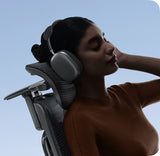

Why Traditional Gaming Chairs Are Wrecking Your Back (and the Ergonomic Fix You Need)

Why Traditional Gaming Chairs Are Wrecking Your Back (and the Ergonomic Fix You Need)

Ready to revolutionize your competitive performance? Advance to elite dynamic posture.

Traditional bucket seats cage you; HBADA technology actively stabilizes your core. Patented T-Shaped Systems and multi-zone lumbar mechanics neutralize neck and L1-L5 stress, allowing you to execute peak plays across marathon sessions. Stop fighting gravity. Secure the win; we’ll handle the alignment.

When you are deep in a high-stakes gaming session or pulling an all-nighter to smash a project deadline, the chair you sit in is doing one of two things: it is either actively supporting your body, or it is silently breaking it down.

For years, the gaming community and Home Office setup enthusiasts have been captivated by the flashy look of 'racing-style bucket seats.' But let's be honest about the reality after a few hours: chronic lower back pain, tight shoulders, an aching neck, and a sweaty, suffocating seat. Today, we dive deep into the anatomical science of why traditional gaming chairs are a liability to your health, and how global seating innovator HBADA is erasing fatigue to rewrite the rules of elite performance.

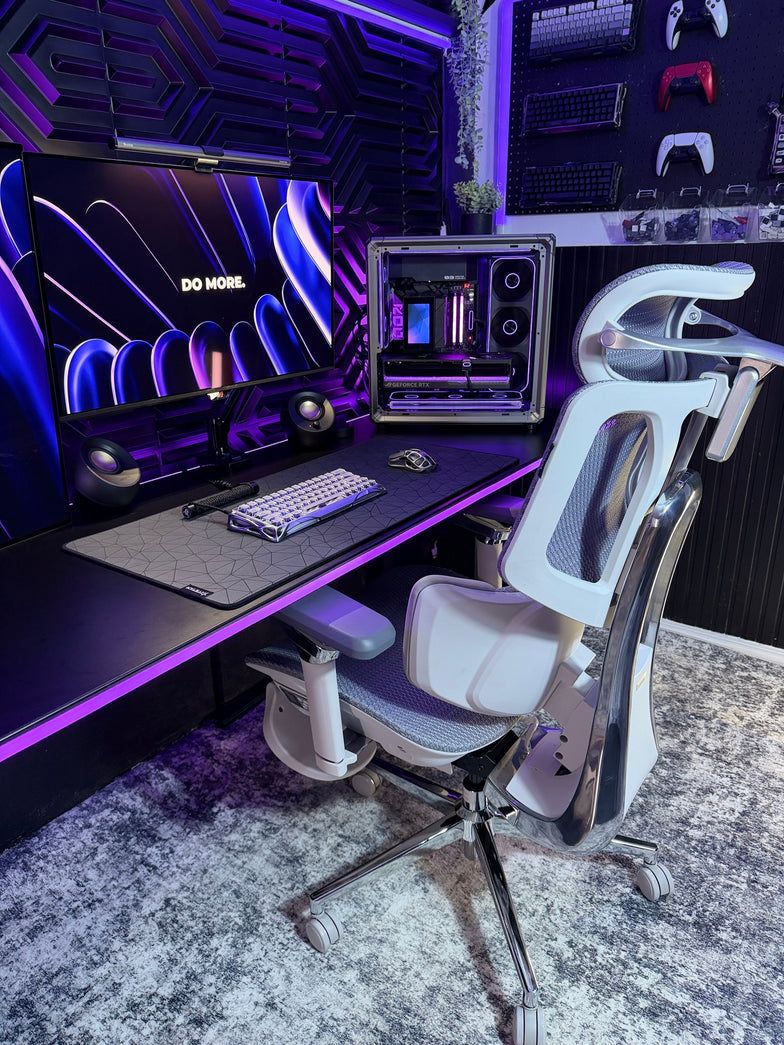
video game chair on sale

1. The Illusion of Racing Seats: Why Traditional Gaming Chairs Fail

Traditional gaming chairs were copied directly from racing car interiors. In a race car, a bucket seat has one job: to restrict movement and lock the driver in place against intense g-forces. It is engineered for confinement.

But gaming and professional desk work require the exact opposite: continuous, adaptive support for fluid micro-movements. When you lock yourself into a rigid, non-ergonomic bucket chair for more than two hours, three critical design flaws begin to penalize your body:

· Lumbar Support: Most racing chairs rely on a cheap, loose lumbar pillow held up by elastic bands. It slips constantly, fails to align with your natural spinal curve (L1-L5 vertebrae), and leaves your lower back completely hollow and unsupported.

· Static Armrests: Standard gaming armrests only adjust up and down. When you bring your arms inward to hold a controller, adjust a keyboard, or use a mouse, your elbows drop into empty space. This strains your trapezius muscles and directly triggers 'mouse hand' and shoulder fatigue.

· Trapped Heat and Moisture: Thick, non-breathable PU synthetic leather traps body heat. During intense matches or hot summer days, your back and thighs are subjected to intense heat and sweat buildup, causing friction and discomfort.

To solve these critical pain points, HBADA dismantled the traditional framework. By merging elite bio-mechanical engineering with high-performance gaming aesthetics, HBADA engineered a technical, comfortable cockpit designed from the ground up for high-intensity, long-duration sitting.

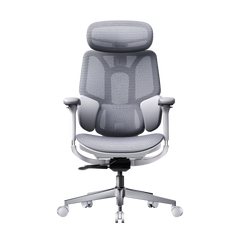
2. The Flagship Icon: HBADA E3 Pro 2026 Edition — The Ultimate Mechanical Cockpit

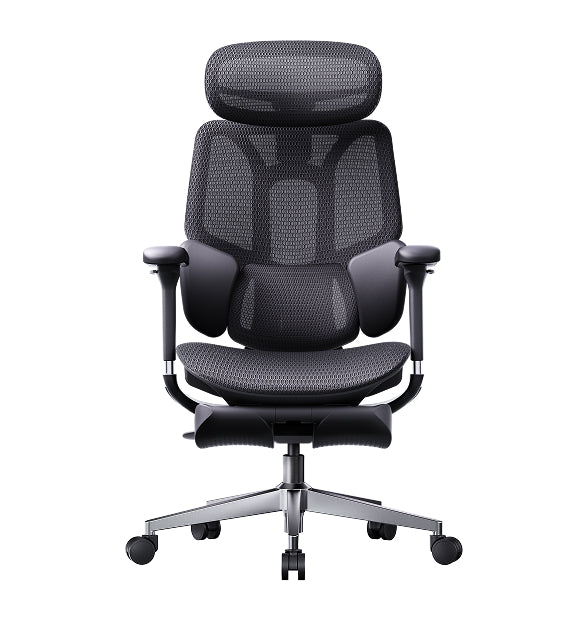
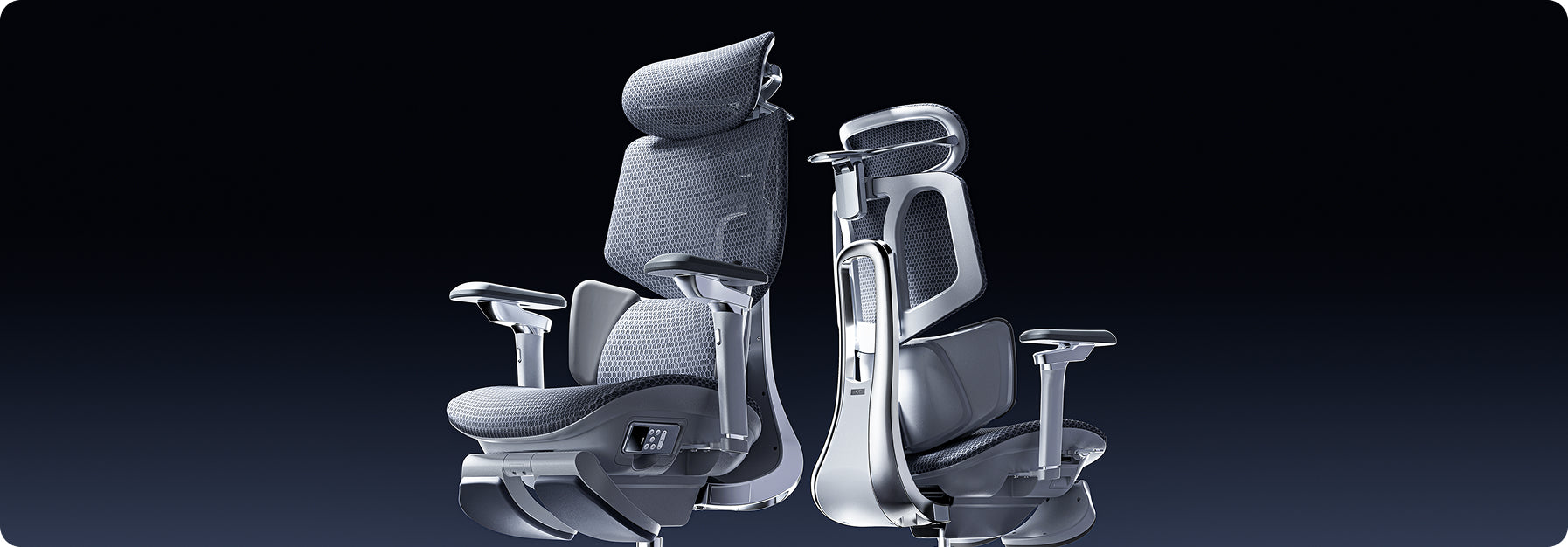
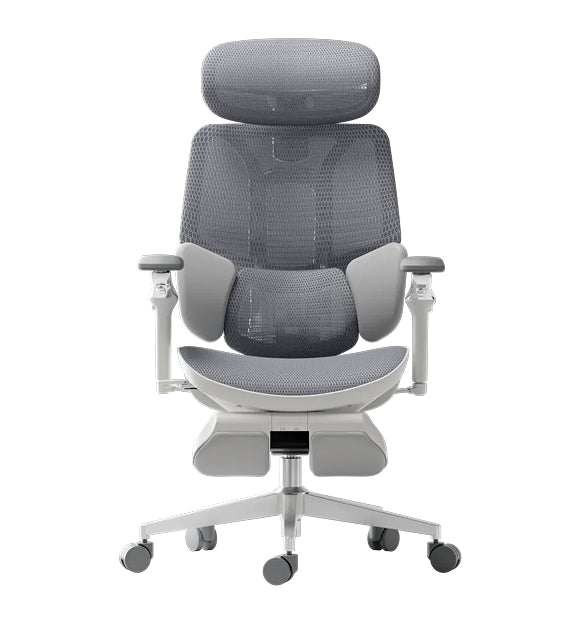
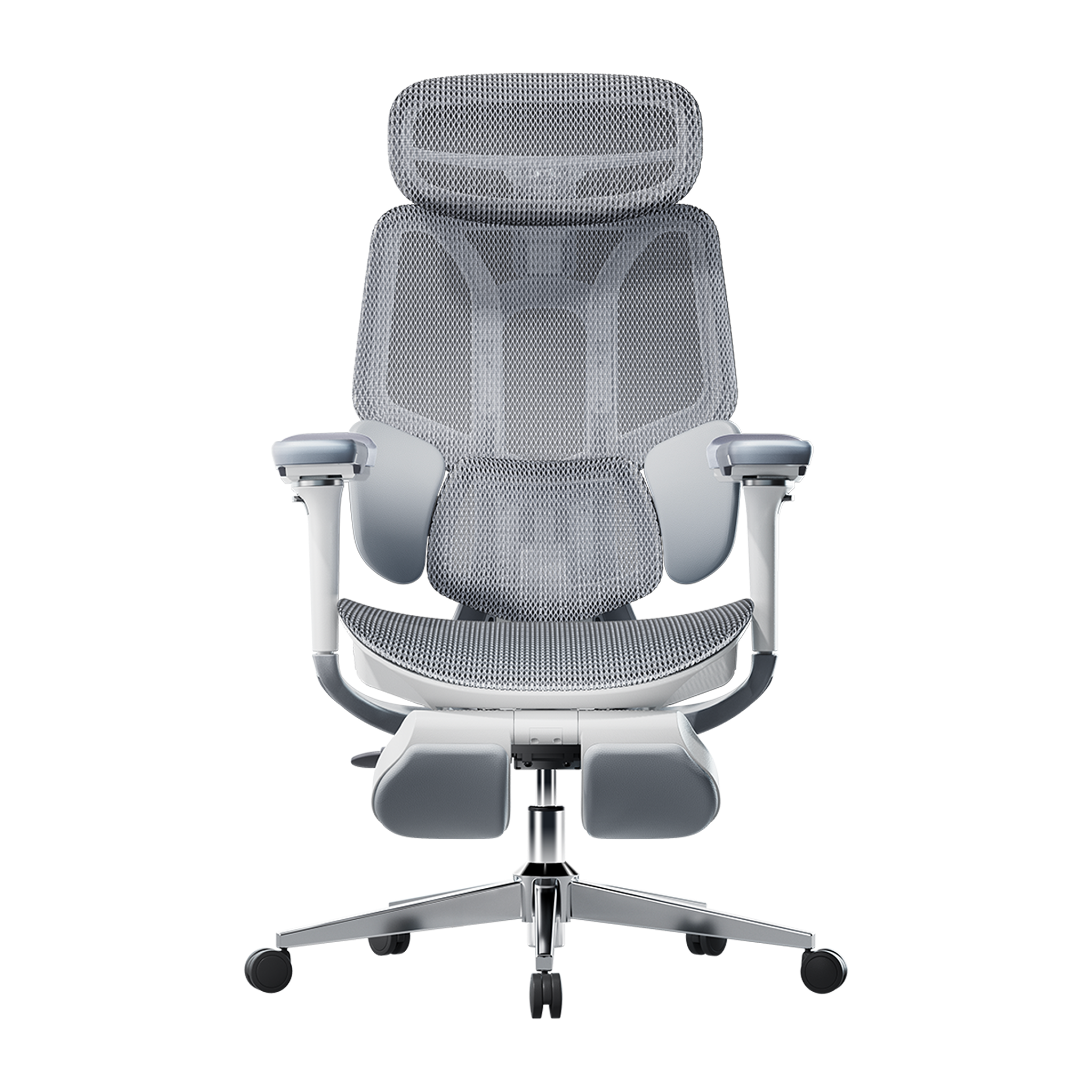
If you are a hardcore competitive gamer, a remote professional, or a power user logging over 8 hours a day at your desk, the HBADA E3 Pro is your ultimate hardware upgrade. It strips away useless visual gimmicks and dedicates every millimeter of its architecture to rigid, cutting-edge ergonomic engineering:

Patented T-Shaped Support System

Human beings do not sit perfectly still. The HBADA E3 Pro features an exclusive, patented T-Shaped Support System that dynamically tracks your upper body as you tilt or lean laterally. No matter how much your posture shifts during intense moments, the backrest intuitively adapts to fill the void, preventing pelvic tilt and spinal misalignment.

3-Zone Adaptive Lumbar System

This is the crown jewel of HBADA comfort engineering. The lower back support is anatomically divided into three independent zones that actively push forward to embrace your lumbar region. Instead of forcing you to adjust an awkward cushion, the mechanical suspension instinctively shifts with your weight, ensuring your lower back never remains hollow.

Omni-Mechanical Armrests

Matching the functionality of ultra-premium chairs, the HBADA E3 Pro features fully articulated omni-mechanical armrests. They don't just go up and down—they rotate inward at deep angles. Whether you are holding a console controller close to your chest or wide-pivoting a mouse, your elbows receive continuous, robust support to neutralize neck and shoulder tension.

CloudMesh™ Breathable Technology

Say goodbye to sticky, overheating chairs. The HBADA E3 Pro utilizes a high-tensile, custom-woven CloudMesh™ fabric. It delivers powerful, uniform elasticity that distributes your body weight perfectly while allowing maximum airflow, keeping you cool and focused across marathon sessions.

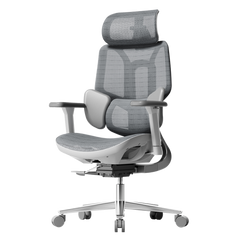
3. The Minimalist Pioneer: HBADA X7 — Intelligent Dynamic Follow Cockpit

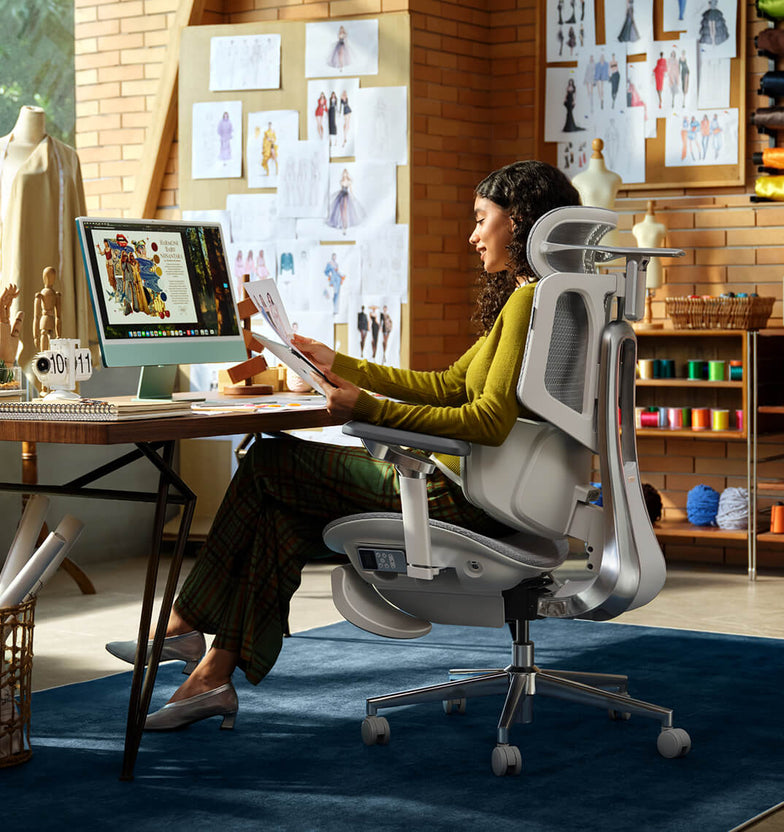
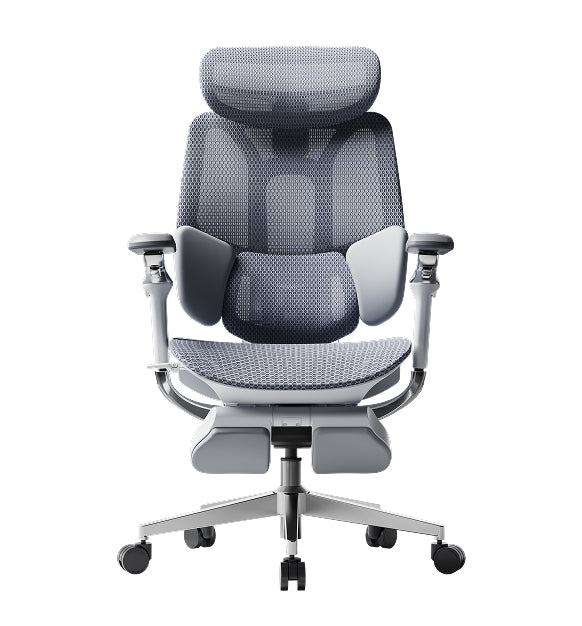
The HBADA X7 is perfect for creators and tech professionals who want their home office set up in a hyper-modern and sleek minimalist fashion; it has everything you'll need for comfort while working, including an automatic weight sensor that determines your weight and instantly sets the resistance level for reclining back seamlessly into a fully reclined position (no annoying lever). Plus, the HBADA X7 also comes equipped with a multi-dimensional integrated headrest/support that supports the cervical vertebrae and reduces deep-seated tension in your neck while providing a contemporary look.

4. Head-to-Head: Traditional Racing Seats vs. HBADA Seating Technology

Technical Metric

Traditional Racing Chairs

HBADA Seating Technology

Lumbar & Pelvis Support

Relies on generic strap-on pillows. Shifts constantly and lacks anatomical backing.

Patented 3-Zone Adaptive Lumbar System actively conforms to the L1-L5 vertebrae.

Arm & Elbow Support

Basic height adjustments only. Leaves elbows suspended during tight controller/keyboard use.

Omni-Mechanical Armrests with ultra-wide inward rotation for continuous elbow tracking.

Spinal Articulation

Rigid, non-flexible back plate traps the upper spine, causing muscular stiffness.

Patented T-Shaped System flexes dynamically with your body's lateral micro-movements.

Breathability & Comfort

Thick, non-porous PU leather traps heat, leading to sweat and skin irritation.

CloudMesh™ Tech Mesh provides maximum air circulation and balanced tensile support.


5. Real Voices from the Community (Reddit Social Proof)

Across subreddits like r/homeoffice and r/battlestations, the question 'What is the best desk chair for a 10-hour WFH day?' comes up constantly. Elite geeks, developers, and pro-gamers are increasingly sharing their real-world HBADA workspace upgrades:

"Switching from my old leather racing seat to the HBADA E3 Pro was an absolute game-changer. The single biggest difference is that when I stand up after an entire night of competitive ranked matches, my lower back doesn't ache at all. The responsive feel of that T-shaped backrest is pure magic." — @TechGamer_99, Reddit User

"As a freelancer spending 10+ hours a day coding, my lower back used to be a wreck. HBADA’s 3-zone adaptive lumbar literally saved my spine. Plus, my home office setup finally looks like a premium, clean tech workstation instead of a teenager's room." — @Code_And_Coffee, Reddit User

Conclusion: Upgrade Your Seating, Power Your Performance

An elite chair is not a luxury; it is a critical long-term investment in your physical health, cognitive focus, and competitive performance. While traditional racing chairs offer nothing but brief, skin-deep styling, HBADA brings multi-dimensional protection and engineering-grade comfort.

RESET YOUR GAMING POSTURE. POWER YOUR PERFORMANCE.

[Explore the official HBADA Seating Lineup and upgrade your ultimate setup today ->https://hbada.com/collections/all-chairs]
Relevant Product

You May Also Like

What Is the 20-8-2 Rule? Everything You Need to Know About Healthier Sitting and Productive Work What Is the 20-8-2 Rule? Everything You Need to Know About Healthier Sitting and Productive Work Sitting at your desk all day can quietly harm your health, making it harder to focus and putting stress on your lower back. Some people think standing all day is the answer, but too much standing can also lead to tired muscles and poor circulation. The key to keeping your spine healthy is to keep changing your position throughout the day. Dr. Alan Hedge, an ergonomics professor at Cornell University, created the 20-8-2 rule to help you add movement to your work routine and boost your energy.   Deconstructing the Formula: The 30-Minute Ergonomic Cycle The 20-8-2 rule divides each half hour of your workday into three easy steps. Following this routine helps keep your muscles loose and your blood flowing. 20 Minutes: Focused Sitting ➔ 8 Minutes: Active Standing ➔ 2 Minutes: Dynamic Movement   The 20 Minutes: Focused Sitting (With Proper Alignment) Start with 20 minutes of focused work while sitting. Make sure your feet are flat on the floor, your elbows are at 90 degrees, and your lower back is well supported. The 8 Minutes: Active Standing After 20 minutes, stand up for the next 8 minutes. Standing changes the pressure on your spine, activates your core, and helps your body work better. This is a good time to take calls, review documents, or check your email. The 2 minutes: Dynamic Movement For the last 2 minutes, leave your desk. Use this time to walk around, get some water, or do light stretches. This short break helps relax your muscles and refresh your mind for the next round.   Architectural Pairing: Selecting the Right Desk Environment To follow this movement routine easily, your workspace should let you change positions quickly. Manual crank desks can slow you down and make it harder to stick with the routine. A premium adjustable desk system makes transitioning effortless. For example, pairing this cycle with a high-end Herman Miller standing desk provides programmable, single-touch height adjustments that move to your exact standing and sitting heights in seconds. This speed allows you to transition between positions seamlessly without interrupting your train of thought or slowing down your output.   Seating Engineering: Maximizing Your 20-Minute Sitting Window The 20-minute sitting phase of this rule is only effective if your chair provides active support for your body. If you spend those 20 minutes slouching in a rigid, unyielding chair, your muscles will tighten before you even begin the standing phase. Our advanced seating designs align with this movement philosophy by replacing manual levers with responsive, automated engineering: Adaptive Structural Control: HBADA E3 Pro The HBADA E3 Pro 2026 Edition is designed for users who move frequently while working. Its 3-zone lumbar support system features a central section for spinal support and side wings that adjust up to 40 degrees to accommodate lower back movement. When you change positions or lean forward, the chair’s tracking system moves with you and fills the gap in your lower back, so you don’t have to adjust anything yourself. Smart Automated Wellness: Hbada AI-Powered x7 For posture support, the Hbada AI-Powered x7 functions as a smart wellness assistant. It uses sensors to monitor your sitting position and adjusts in real time. When you start your 20-minute work session, the chair automatically adjusts its support to fit your body. If you begin to slouch, it shifts its support to keep your posture straight and comfortable.   Feature Synergy Matrix: Enhancing the 20-8-2 Workflow Workspace Component Core Function in the Cycle Mechanical Option (E3 Pro) Advanced Active Option (X7) Lumbar Support Strategy Protects the spine during the 20-minute focus window 3-Zone Adaptive Wings with 5° Elastic Tracking Motorized AI Smart Tracking with Real-Time Adjustments Armrest Integration Unloads weight from neck and shoulders while typing 720° Omni-Mechanical Positioning 720° Bio-Sync Robotic Tracking Muscle Relief Systems Relieves deep tissue tension during transitions Breathable, High-Elasticity CloudMesh 8D Bionic Massage & Graphene Heat Therapy Movement Compatibility Adapts to changing postures without manual levers Auto-Balance Gravity-Sensing Chassis Posture Memory with Sensor-Driven Adjustment   Practical Checklist: Tips and Guides to Automate Your Routine Starting a new routine can seem tough at first. Here are some simple tips to help you add the 20-8-2 method to your day: · Deploy Digital Triggers: Use a browser extension or a smartwatch application to manage your intervals. Set a recurring 20-minute alert to prompt your transition to standing, followed by an 8-minute reminder to start your movement break. · Batch Your Work Tasks: Align your daily tasks with your physical positions. Use your 20-minute sitting window for deep, focused work, such as coding or writing. Save your 8-minute standing window for low-intensity tasks, such as checking team updates or reviewing presentations. · Utilize Thermal Therapy: If you feel muscle stiffness during your sitting window, activating the built-in heat settings on an advanced chair can help soothe lower back muscles, keeping your body limber for the upcoming movement phases.   Frequently Asked Questions (FAQ) Can I stand for 20 minutes and sit for 8 minutes instead? No. Dr. Hedge’s research shows that standing still for more than 10 minutes can cause blood to pool in your lower extremities, increasing static strain on your veins and feet. Keeping your standing window to 8 minutes provides the ideal vascular reset without creating structural discomfort. How does an adaptive lumbar support chair help with the 20-8-2 rule? A standard office chair stays locked in a single position, forcing your body to adapt to the frame. An adaptive chair automatically moves with you, keeping your lower back continuously supported throughout your sitting window so you can transition to standing without muscle stiffness. What should I do during the 2-minute movement window? Use this time for light, active movement to boost your circulation. You can walk down the hall, refill your water, or perform simple stretches like shoulder rolls and gentle calf extensions. Avoid looking at your phone during this phase to give your eyes a much-needed break. Is a standing desk absolutely mandatory to use the 20-8-2 rule? While a high-quality motorized desk makes changing positions effortless, you can start without one. You can use your 8-minute standing phase to take phone calls at a high counter or use a portable laptop riser on a standard table to keep your workflow moving smoothly.   Conclusion The right workspace configuration depends on how much manual control you want over your daily routine. If you prefer a robust mechanical setup that uses your body weight to instantly adjust its support zones, the HBADA E3 Pro offers an incredibly effective foundation for active ergonomics. However, if you want a workspace that automatically tracks your posture, adjusts in real time with built-in sensors, and includes built-in massage therapy to relieve muscle tension between tasks, upgrading your office with the HBADA AI-Powered x7 is the ultimate investment for your health and daily focus. Ergonomic Chair Buying Guide | How to Choose an Ergonomic Chair? Top Picks for 2026 Ergonomic Chair Buying Guide | How to Choose an Ergonomic Chair? Top Picks for 2026 The Essence of Ergonomics — Ergonomic Technology   As the demand for health solutions for prolonged sitting grows, the Hbada E3 Ergonomic Office Chair has gained significant popularity. The key to effective ergonomics lies in scientifically designed supports that conform to the spinal curve, alleviate lumbar and back pressure, and prevent health issues caused by poor sitting postures. In office, academic, and home settings, ergonomic chairs have increasingly become essential tools for improving posture, enhancing work efficiency, and safeguarding spinal health.   The lumbar and back support technology is also a critical measure of an ergonomic chair's effectiveness. The Hbada E3 Ergonomic Office Chair features a unique T-shaped support system that provides effective support to the lumbar, shoulders, and neck, conforming to the body’s curves. The design of different support modules allows for independent multi-directional adjustments, ensuring precise support while offering a comprehensive comfort experience for the lumbar, shoulders, and neck, catering to varying support needs.   Features of the Hbada E3 Ergonomic Office Chair: • Three-Zone Floating Wing Lumbar Support: For targeted lumbar support, the Hbada E3 features a central mesh hard support flanked by soft support wings on either side. This combination, along with molded foam and protein leather, ensures that every point of the lumbar region is effectively supported, with each zone performing its function optimally. • 4D Dual-Axis Neck Pillow: Supports vertical and horizontal adjustments, as well as dual-axis rotation, providing tailored support for different body shapes and conditions. This feature helps alleviate neck strain and reduce the pressure on cervical vertebrae from prolonged sitting. • 6D Mechanical Armrests: Offer multidimensional adjustments to support the arms during various activities. They can be adjusted up and down, in and out, and forward and backward, easily aligning with any desk height to provide support while working, or comfort during gaming or watching movies. The armrests are designed to synchronize with the backrest’s tilt, ensuring support even when reclined. • Seat Depth and Height Adjustment: The Hbada E3 includes detailed settings with multiple adjustment points to suit various body sizes and weights, providing the perfect lumbar and back support position. • 140° Recline with Auto-Adaptive Gravity-Sensing Base: Allows for easy reclining for individuals of all sizes, making it effortless to lean back at work or take a comfortable nap during breaks, truly making it an excellent office companion.     If you've been sitting at your desk for long periods and are starting to feel various aches and pains, it's definitely time to consider an ergonomic chair tailored to your needs. The Hbada E3 encompasses all the excellent features of a professional ergonomic chair. Not only is it equipped with precise ergonomic technology, but it also offers diverse functional adjustments and a high-elastic mesh fabric design. The entire chair is designed for high-elastic support and pressure distribution during prolonged sitting, greatly alleviating body pain and enhancing comfort at work.   Product Purchase Information: Link: https://www.hbada.eu/products/hbada-e3-pro-ergonomic-office-chair-white Dimensions: 27.6" Depth x 27.6" Width x 44.5-47.6" Height Weight: 69lbs All the Things You Need to Know About Healthy Sitting Posture at Work All the Things You Need to Know About Healthy Sitting Posture at Work You don’t have to accept back pain as part of your workday. Good posture is important for your health and productivity. It helps reduce strain on your spine, increases your energy, and prevents joint injuries. The best approach is to build healthy habits and use supportive seating. Here’s how you can set up your workspace for comfort and focus.   What is Ergonomic Posture? Meaning and Benefits The Hidden Costs of Poor Alignment Many people don’t realize how much a typical office setup can affect their bodies. Slouching at your desk can put pressure on your spine, make it harder to breathe, and slow your digestion. Over time, this can lead to back pain, headaches, and fatigue. To feel better at work, it’s important to learn about posture and how your body moves. Ergonomic Posture: Meaning and Benefits What does ergonomic posture mean, and why is it helpful? It means keeping your body in a natural, relaxed position. This reduces tired muscles and takes pressure off your joints. You’ll notice fewer headaches, less back pain, and better blood flow in your legs. With a good setup, your muscles don’t have to work extra hard to keep you upright, so you can stay focused and avoid feeling tired in the afternoon.   Proper Sitting Posture for Office Workers: A Step-by-Step Guide Just reminding yourself to “sit up straight” isn’t enough. Good sitting posture means your whole body works together with your desk, monitor, and chair. Here’s how to get it right from head to toe. Spinal Alignment and Sitting Position in Front of Computer Ergonomics When you set up your computer workspace, start by making sure your monitor is at eye level and about an arm’s length away. This helps keep your neck straight and avoids strain. Sit with your hips all the way back in your chair. If you have an adjustable chair, set the seat depth so your back is supported and there’s a small gap between the seat and the back of your knees. Feet, Legs, and Circulation Your lower body matters for posture. Keep your knees at or just below hip level, and keep your feet flat on the floor. If your feet don’t reach, use a footrest. Try not to cross your legs, since it can twist your hips and reduce circulation, which may cause numbness or discomfort. Ergonomic Armrests for Shoulder Relief and Posture Pay attention to your arms and wrists. Keep your elbows close to your sides at a natural angle, about 90 to 100 degrees. Good armrests help support your arms and take pressure off your neck and shoulders. Place your keyboard and mouse so your wrists stay straight, not bent up or down.   Why Your Office Chair is Your Most Important Tool Healthy habits are important, but your chair matters just as much. If your seat is stiff and doesn’t support you, it’s hard to keep good posture all day. The Search for the Best Ergonomic Chair for Long Hours If you spend many hours at your desk, you need a chair that’s made for long use. The best ergonomic chairs move with you and support your spine’s natural curve as you shift positions. Investing in a chair with lumbar support is a smart choice for your health and comfort, whether you work at home or in an office. Advanced Support: The Science of Lumbar Tracking Regular lumbar support doesn’t always work well because we move a lot during the day. An adaptive lumbar chair adjusts as you change positions, like when you lean forward or recline. Some chairs have three zones of support that fit the shape of your lower back and give relief to your muscles, spine, and pelvis. This way, your spine always gets the support it needs, no matter how you sit.   Hbada Ergonomic Chair Comparison: Elevate Your Workspace We focus on creating chairs that support your health and help you work at your best. Whether you want a top ergonomic chair or a simple, lightweight option for your home office, our products are designed to deliver. Here’s a comparison to help you choose what’s right for your workspace.   Product Model Ideal User Scenario Key Ergonomic Features Lumbar Support Technology Hbada E3 Air Home Office / Remote Workers Breathable mesh, dynamic tilt, ergonomic armrests for shoulder relief and posture. Standard Dynamic Lumbar Hbada E3 Pro Intensive Desk Work / Corporates Premium / advanced ergonomic features, gravity-sensing recline, ultimate comfort. best ergonomic chair with 3-zone lumbar support Hbada AI-Powered X7 Tech Enthusiasts / Posture Focus Bio-synchronized tracking, real-time posture correction, AI health monitoring. Adaptive lumbar tracking ergonomic chair   If you want to improve your posture, some new chairs give real-time feedback to help you adjust while you work. Some use smart technology to guide you, while others offer strong, multi-zone support for comfort all day. Consider which features are most important to you, like active feedback or steady support.   Frequently Asked Questions About Healthy Sitting Q: How often should I take breaks from sitting at my desk?A: Even with perfect posture, sitting still for extended periods restricts blood flow and stiffens your muscles. You should stand, stretch, or walk for at least five minutes every single hour. Q: Can a high-quality chair actually correct my bad posture?A: A chair cannot forcefully lock you into perfect posture, but it provides the necessary biomechanical foundation. An ergonomic chair gently guides your spine into proper alignment and greatly reduces the muscular effort needed to sit upright. Q: How do I know if my chair’s lumbar support is positioned correctly?A: Your lumbar support should fit seamlessly into the deepest inward curve of your lower back, resting just above your belt line. It should feel highly supportive but never intrusive. If it pushes your pelvis too far forward or feels too high up on your ribcage, you must adjust the height immediately. Q: Are armrests strictly necessary for a home office chair?A: Yes, adjustable armrests are crucial for long-term comfort. Without them, the entire weight of your arms pulls down on your delicate neck and shoulder muscles, leading to severe tension. Q: What makes an adaptive lumbar system better than standard support?A: Standard lumbar support is completely static; it only works when you sit perfectly still in one highly specific position. An adaptive lumbar system moves dynamically with your body.   Conclusion Mastering your desk posture is an ongoing, vital commitment to your physical health. Improving your desk posture is important for your health, focus, and comfort at work. When you sit correctly and use supportive equipment, you can avoid pain and discomfort during your workday. Don’t accept aches and fatigue as normal. Check your workspace, make these changes, and choose an ergonomic setup that supports you.For more information, please click to: https://www.hbada.eu/products/e3-air-ergonomic-office-chair https://www.hbada.eu/products/e3-pro-ergonomic-office-chair https://www.hbada.eu/products/hbada-x7-smart-ergonomic-chair