
Blog

Why Height Alone Cannot Determine Office Chair Fit- All the things you need to know

Why Height Alone Cannot Determine Office Chair Fit- All the things you need to know


Quick answer: Height is only a starting point when choosing an ergonomic office chair. Two people of the same height can have different lower-leg, thigh, torso, hip and shoulder measurements. A chair fits when its seat, backrest, lumbar support and armrests can be adjusted to those individual proportions.

Most chair size guides begin with height. It is convenient, but it does not tell the whole story. Someone who is 175 cm tall may have long legs and a short torso, while another person of the same height may have shorter legs and a longer torso. Give them identical chair settings and one may have unsupported feet while the other finds the lumbar support too low.

The better approach is to use height to create a shortlist, then check whether the chair's adjustment ranges match the parts of your body that actually contact it.

Why Does Height Alone Fail to Predict Chair Fit?

Standing height is one measurement. Chair fit depends on several. The Canadian Centre for Occupational Health and Safety notes that one chair does not fit everyone because body dimensions vary. It also describes chair height calculated from total body height as only a rule of thumb because torso-to-leg ratios can differ widely.

This is why a label such as “recommended for users from 155 to 195 cm” is useful for shortlisting, but not a complete fit guarantee. It cannot tell you whether the seat is short enough for your thighs, whether the lumbar support reaches your lower back or whether the armrests align with your elbows.

How Does Leg Length Affect Seat Height and Depth?

Lower-leg length sets the seat-height target

HBADA E3 Air Ergonomic Office Chairs 2026 Edition~1-0-0

When the seat is at a suitable height, your feet should be supported by the floor or a footrest without excessive pressure underneath your thighs. A seat that is too high can leave the feet hanging and place pressure behind the knees. A seat that is too low may push the knees upward and make it harder to work comfortably at a standard-height desk.

The UK Health and Safety Executive advises avoiding excess pressure from the seat edge on the backs of the legs and notes that a footrest may be helpful, particularly for smaller users.

Thigh length sets the seat-depth target

A seat that is too deep can press behind the knees or prevent you from using the backrest. A seat that is too shallow may leave too much of the thighs unsupported. Sit against the backrest and look for a small clearance between the seat edge and the backs of your knees. An adjustable seat depth makes this easier for both shorter and taller users.

How Does Torso Length Affect Back and Lumbar Support?

Torso length influences where the backrest, lumbar support and headrest meet your body. A longer seated torso generally needs those support points higher. A shorter torso may need them lower, even when both users have the same standing height.

Lumbar support should meet the inward curve of the lower back rather than pushing into the pelvis or the middle of the back. The exact position is personal, so use the available range to find a supportive setting instead of forcing your body to match a height chart.

The HBADA E3 Pro 2026 Edition provides 80 mm of backrest-height adjustment and 60 mm of independent lumbar-height adjustment. The HBADA X7 Smart Ergonomic Chair uses powered lumbar tracking that responds as the user's position changes.

These features may help users find a more comfortable sitting position, but an ergonomic chair is not a medical treatment.

How Do Hip and Shoulder Width Affect Chair Fit?

ergonomic chair reviews

Hip and thigh breadth are the main measurements to check against seat width. The seat should allow room to sit and change position without the frame pressing against the body.

Shoulder breadth relates more closely to backrest space and armrest position. Armrests that are too close can pull broader shoulders inward. Armrests that are too far apart can make a narrower user reach outward. The goal is to support the forearms while the shoulders remain relaxed.

Body segment What it affects Relevant adjustment
Lower-leg length Foot support and thigh angle Seat height or footrest
Thigh length Thigh support and knee clearance Seat depth
Seated torso length Back, lumbar and head support Backrest, lumbar and headrest height
Hip and thigh breadth Room on the seat Seat width
Shoulder breadth and arm position Backrest space and forearm support Backrest width and armrest span

How to Measure Your Own Proportions

  1. Lower-leg height: Sit with your feet supported and measure from the floor to the crease behind your knee.
  2. Thigh length: Measure horizontally from the back of your buttocks to the crease behind your knee.
  3. Seated torso length: Measure from the seat surface near your hip to the top of your shoulder.
  4. Hip breadth: Measure across the widest part of your hips or thighs while seated.
  5. Natural elbow position: Relax your shoulders and note where your forearms fall without reaching outward.
  6. Compare each measurement separately: Check the seat, backrest and armrest ranges instead of relying on one height number.

Fit check: Your feet are supported, the seat edge does not press behind your knees, the lumbar support meets your lower back and your shoulders remain relaxed while typing.

HBADA X7 vs E3 Pro: Fit Ranges for Europe

canadian office ergonomic chair show room

Adjustment HBADA X7 Smart HBADA E3 Pro 2026
Seat height 44.5–53 cm 46–54.5 cm
Seat depth 40.5–45.5 cm 45–50 cm
Seat width 52 cm 51.5 cm
Back and lumbar adjustment Powered tracking, 50 mm front-to-back and 45 mm vertical travel 80 mm backrest lift and 60 mm independent lumbar lift
Recommended height 150–195 cm 155–195 cm
Maximum load 150 kg 150 kg

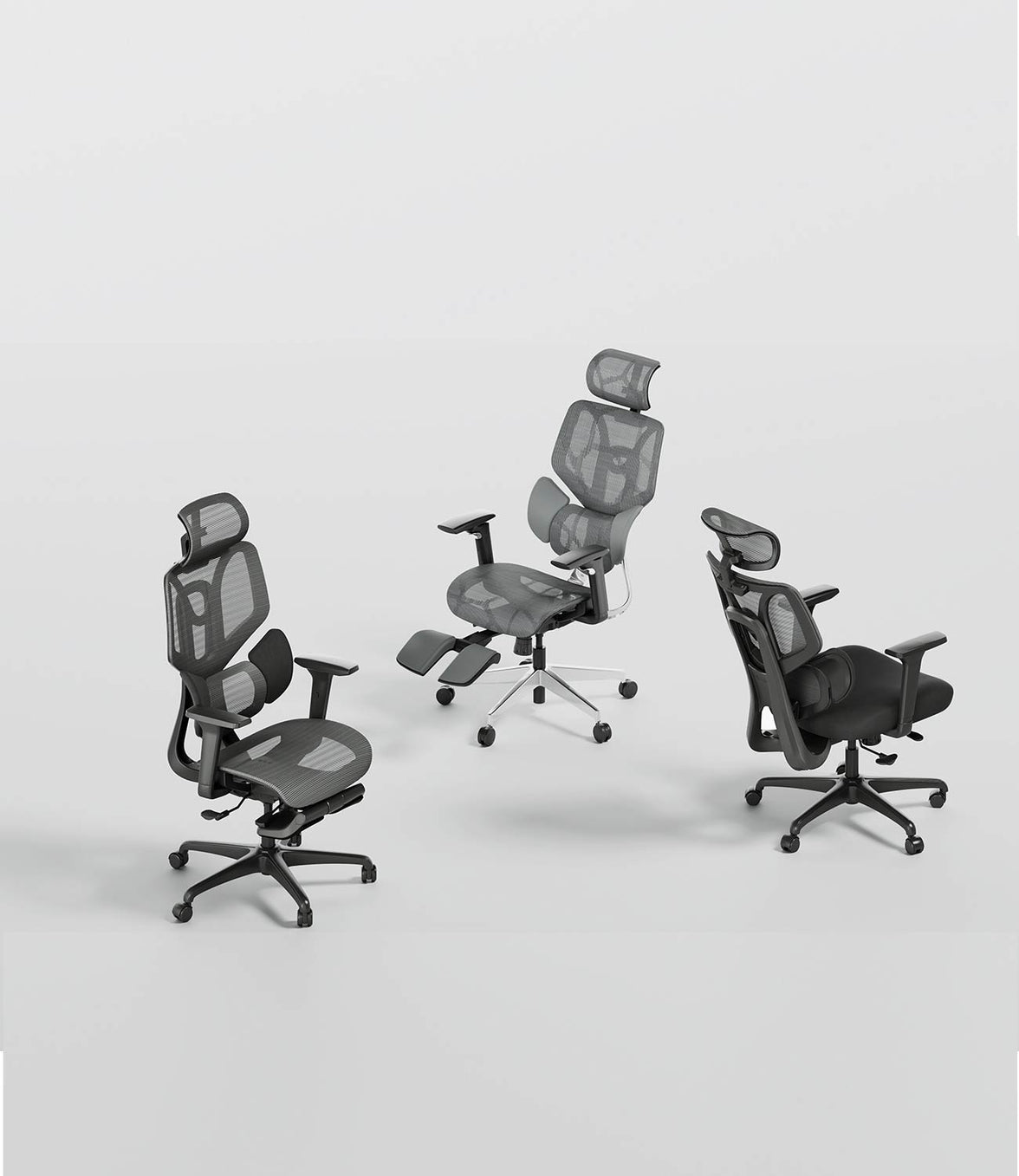
Choose the X7 Smart if you want powered lumbar tracking. Choose the E3 Pro 2026 if you prefer direct mechanical control of the backrest and lumbar position. You can also compare the wider HBADA E3 Series.

Specifications can vary by market, model and configuration. Confirm the current figures on the relevant product page before purchasing.

Limitations and When to Get Help

  • Dimensions help predict fit, but cannot guarantee comfort.
  • Chair height must be considered together with desk and keyboard height.
  • Change position regularly instead of relying on one posture all day.
  • Very petite, tall or broad users may fall outside a chair's adjustment range.

If you experience severe, persistent or radiating pain, numbness or weakness, consult a qualified healthcare professional. A chair is not a medical treatment.

Conclusion

Height can help you shortlist a chair, but lower-leg length, thigh length, torso length and body width determine how the individual parts fit. Measure those areas, compare them with the chair's adjustment ranges and test the final setup. The best ergonomic office chair is the one that can be adjusted to your body and your workstation.

Frequently Asked Questions

Can two people of the same height need different chair settings?

Yes. Different leg, torso, hip and shoulder proportions can require different seat, lumbar and armrest settings even at the same standing height.

Is popliteal height the same as seat height?

No. Popliteal height is a body measurement from the floor to the area behind the knee. Seat height is the chair setting adjusted in relation to it. Shoes, seat compression and desk height also affect the final setting.

What if I have a long torso but short legs?

Set the seat height for your legs, then adjust the lumbar support, backrest and headrest separately for your torso. Use a footrest if the chair must remain higher to match the desk.

Are height-based chair charts useful?

They are useful for shortlisting, but not as a fit guarantee. Confirm the individual seat, backrest and armrest ranges before choosing.

Sources

Relevant Product

You May Also Like

HBADA vs Steelcase: Which Fits the Way You Sit? HBADA vs Steelcase: Which Fits the Way You Sit? Compare the chair.Think about the workday. Typing, leaning back and switching tasks ask different things of a chair. This HBADA vs Steelcase guide looks at the E3 Pro 2026, Leap and Gesture through those everyday moments. Quick answer Our E3 Pro 2026 combines three-zone adaptive lumbar support, a 4D dual-axis headrest, 720° omni-mechanical armrests and a four-position recline up to 140°. Steelcase Leap uses LiveBack technology, while Gesture uses 3D LiveBack and a different arm mechanism. These are design differences, not proof that one chair will feel better for every person. Start with fit, then consider how you work and change position. In this comparison 01 · How we compared 02 · Typing 03 · Leaning back 04 · Side by side 05 · Your fit check 06 · FAQs 07 · The takeaway 01 / THE COMPARISON How We Compared: Design Facts vs. Personal Comfort This is an HBADA-authored comparison of our E3 Pro 2026 with Steelcase Leap and Gesture. It draws on published product information, not an independent, hands-on head-to-head test. We focus on the named models rather than making claims about either brand’s entire range. Options, specifications and service terms can vary by configuration and country. For a European purchase, compare the offer available in your destination market. What specifications can tell you The type of back support, available controls, adjustment directions and whether a particular feature is included. What you need to feel yourself Pressure against your back, seat firmness, arm-pad comfort and how naturally the chair fits your desk routine. Use the European E3 Pro 2026 specifications to check our current configuration. A longer feature list is useful only when those features help the chair fit you. 02 / FOCUSED WORK Typing: Back Support and Arm Position When comparing ergonomic office chairs for keyboard work, look at the relationship between your back, seat, armrests and desk. A comfortable reclined position does not automatically translate into a good typing setup. Different approaches to back support Our E3 Pro 2026 uses a central lumbar section with two side wings. The design provides contact across the centre and sides of the lower back, with adjustment and adaptive movement. Leap uses a flexible LiveBack backrest; Gesture uses 3D LiveBack. Both take a different structural approach from the E3 Pro’s distinct three-zone lumbar assembly. This comparison does not treat those mechanisms as identical. For any design, the practical check is where the support meets your back when the seat is correctly adjusted. Our guide to choosing lumbar support for your body type explains why fit and placement matter alongside the mechanism. Armrests for keyboard work The E3 Pro’s armrest system combines pad rotation and arm-body rotation with other position adjustments. Leap offers height, width, depth and pivot adjustment with its fully adjustable arm configuration. Gesture uses articulated arms designed for a range of positions. Compare movement, not just labels. “4D,” “360” and “720°” are not interchangeable scores. Check what moves, where the pads can be positioned and whether the arms clear your desk. Your keyboard and desk position matter too. Use our ergonomic chair adjustment guide to assess the chair as part of the whole workspace. 03 / TIME TO LEAN BACK Leaning Back: Recline Mechanisms and Head Support Reading, thinking and taking a call can involve different backrest positions from keyboard work. Recline controls should be considered alongside seat movement, available space and your preferred head position. HBADA E3 Pro 2026 Four recline positions, with a maximum stated angle of 140°. An auto-balance mechanism for reclining. An included 4D dual-axis headrest. Armrests that move with the recline. Steelcase Leap and Gesture Leap combines backrest recline with a moving seat and adjustable recline controls. Gesture also provides recline tension and back-stop adjustment. The controls and movement are not the same as the E3 Pro’s mechanism. We do not assign a maximum recline angle to either competitor here or claim that the E3 Pro reclines further. A reliable angle comparison would require equivalent measurements for the exact configurations. A headrest is a fit question. Check its position while sitting and reclining. It should not push your head forwards into an unwanted position. Availability on other models depends on the configuration selected. To understand our controls before choosing a setup, visit the HBADA user manual and assembly guide hub . Select the E3 Pro 2026 instructions rather than those for an earlier edition. 04 / AT A GLANCE HBADA E3 Pro vs. Steelcase Leap vs. Gesture The table below compares design approaches rather than awarding a comfort score. It leaves out mixed-market dimensions, temporary prices and unsupported performance rankings. Published design features, not a hands-on ranking Feature HBADA E3 Pro 2026 Steelcase Leap Steelcase Gesture Back-support approach Three-zone adaptive lumbar assembly. LiveBack flexible backrest. 3D LiveBack backrest. Armrest approach 720° omni-mechanical system. Height, width, depth and pivot with fully adjustable arms. Articulated 360 arms. Recline Four positions, up to 140°. Recline controls with seat movement. Recline tension and back-stop controls. Head support Included 4D dual-axis headrest. Confirm availability in the selected configuration. Headrest options depend on configuration and market. What to check personally Lumbar contact, mesh feel and control positions. Backrest contact, seat feel and arm positioning. Backrest contact, arm movement and control access. Before comparing dimensions, distinguish a total dimension from an adjustment range. Seat depth, overall chair depth and seat-depth travel are different measurements. Use the same units throughout your comparison. Our guide to measuring office chair fit explains how to assess height, depth, width and lumbar position. 05 / THE PERSONAL CHECK What Only a Hands-On Fit Check Can Tell You Specifications describe a chair’s available movement. They cannot establish how that movement will feel for you. When assessing a chair, use your normal tasks rather than judging it only from a brief recline. Type at your desk Check whether the chair gets close enough to the desk and whether your arms can rest without lifting your shoulders. Lean back to read Notice the recline resistance, where your back makes contact and whether the headrest position suits you. Switch tasks Move between keyboard work, a call and reading. Check whether the controls are easy to reach and use. Check the seat Assess the available depth and width, foot support and contact near the back of your knees. Change one setting at a time. Do not keep using an uncomfortable setting simply to complete a test session. If you are evaluating a purchase during a return period, check the deadline and conditions early. Our chair owner’s hub provides additional setup guidance. For practical questions about installation or unexpected movement, visit our assembly and maintenance FAQ . 06 / COMMON QUESTIONS HBADA vs. Steelcase: Frequently Asked Questions Which has better lumbar support: HBADA or Steelcase? This comparison does not establish a universal winner. Our E3 Pro 2026 uses a three-zone lumbar assembly; Leap and Gesture use different LiveBack designs. The relevant question is how the selected chair fits your lower back once the seat is adjusted. Does the E3 Pro recline further than Leap or Gesture? The E3 Pro 2026 has a stated maximum recline of 140°. We have not established equivalent maximum-angle measurements for the competitor configurations in this comparison, so we do not claim a wider range. Are 720° armrests automatically better than 4D arms? No. These labels describe different aspects of movement. Compare the actual directions, usable positions and relationship to your desk rather than ranking the labels. Does the HBADA E3 Pro 2026 include a headrest? Yes. Our current E3 Pro 2026 includes a 4D dual-axis headrest. Review the European product specifications and check how its adjustment range fits your needs. Is this an independent comparison test? No. This is an HBADA-authored guide based on published product information. It does not report an independent head-to-head comfort, durability or medical test. What should I compare besides the adjustment features? Check dimensions, weight capacity, configuration, final purchase price, delivery arrangements and the applicable warranty and return conditions. Compare like-for-like offers for the same destination country. Can I use US prices or warranty details for a European purchase? Use the regional offer that applies to your order. Currency conversion alone does not account for different configurations, taxes, delivery charges or service terms. For our products, consult the European listing and HBADA EU warranty and customer service information . 07 / THE TAKEAWAY Choose Around Your Workday, Not Just the Specification Sheet The HBADA vs Steelcase question becomes more useful when you break it down into the way you sit: typing at your desk, leaning back and moving between tasks. Our E3 Pro 2026 brings together adaptive lumbar support, a headrest, adjustable arms and recline in a mesh-chair design. If those are the features you are looking for, the next step is to compare its dimensions with your own workspace and preferred setup. Take a closer look at your next setup. Explore the E3 Pro 2026’s European specifications, configuration options and adjustment guides. Explore the HBADA E3 Pro 2026 → Product names and trademarks belong to their respective owners. Their use identifies the products discussed and does not imply affiliation or endorsement. More guidance for a better-informed chair choice. Choose HBADA Europe as a preferred source on Google to stay connected with our chair comparisons, setup guides and workspace ideas. Add HBADA Europe as a preferred source ↗ Opens Google in a new tab. Confirm your selection there if HBADA is available for your account and region. HBADA E3 Pro Review: Unboxing, Assembly & 90-Day Check-In Guide HBADA E3 Pro Review: Unboxing, Assembly & 90-Day Check-In Guide From the first unboxing to your everyday setup. A chair becomes part of your workday one adjustment at a time. Here is how to approach the E3 Pro’s assembly, explore its support and keep track of what works for you over the first 90 days. Quick answer Start by identifying your E3 Pro edition and using its matching assembly guide. Once assembled, focus on seat fit, lumbar contact, armrest position and recline before judging everyday comfort. This guide combines published assembly experiences with our practical setup advice. The 90-day section is an owner check-in plan, not a completed test or a promise of a 90-day return window. In this guide 01 · Unboxing 02 · Assembly 03 · Setup instructions 04 · Everyday comfort 05 · 90-day check-ins 06 · Value & fit 07 · FAQs 08 · Final checklist 01 / THE FIRST LOOK HBADA E3 Pro Unboxing: Start with Your Edition Before opening the packaging, check the model details on your order and carton. The E3 Pro name spans different editions, so an older review or assembly video may not describe the exact chair you have purchased. If you are researching the current model, begin with the E3 Pro 2026 specifications and European configuration options . Match the selected configuration to your order rather than assuming every version includes the same accessories. Check before building Lay out the components on a protected surface. Match them to the parts list and inspect the frame, mesh and fittings before starting assembly. Keep the essentials Keep your order details, manual and supplied tools together. Retain the packaging while you check the delivery and review the applicable return instructions. Find the correct instructions in our user manual and assembly guide hub . Choose the entry matching the edition on your order. 02 / PUTTING IT TOGETHER HBADA E3 Pro Assembly: What Published Reviews Report Assembly experiences provide useful context, but they are not a guaranteed completion time. The edition, your experience and the space available all affect the process. Two published experiences, with model context Source Observation How to use it The Gadgeteer Reported approximately 25–30 minutes for a one-person E3 Pro 2026 assembly. Treat this as one reviewer’s experience, not a time limit. TechRadar Described clear instructions and manageable solo assembly for the E3 Pro unit reviewed. This earlier review should not be treated as a test of the current 2026 edition. These reviews describe the units supplied to their authors. Check our European product listing and your order for the configuration available to you. Allow enough time to check your work and ask for help with any component that feels awkward or heavy. Our assembly and troubleshooting guide covers common installation questions. 03 / A SMOOTHER START HBADA E3 Pro Instructions: Build Carefully, Then Adjust Follow the manual supplied for your exact model. These general checks support that process; they do not replace its assembly sequence. Match the edition. Open the corresponding manual and video before beginning. Check orientation. Compare components with the diagrams before joining them. Align the fasteners. Start related screws by hand before tightening as instructed. Do not force a screw that does not turn correctly. Check the completed chair. Confirm that the base, castors and attached components are secure before use. Optional footrest: Follow the instructions for your selected configuration. Do not use a pull-out footrest as a step or seat. If a component is missing, damaged or does not fit, contact our support team before continuing. Keep our European warranty and customer service information handy if you need help after delivery. Use the terms applying to your order rather than service details quoted in an overseas review. 04 / MAKE IT YOURS Comfort and Adjustability in Daily Use Our E3 Pro 2026 combines three-zone adaptive lumbar support, a 4D dual-axis headrest, 720° omni-mechanical armrests and breathable mesh. The useful question is how those features fit your body and your desk—not simply how many adjustments the chair offers. Start with seat fit Check height and depth before fine-tuning the backrest. Our guide to measuring office chair fit explains how seat dimensions and body proportions work together. Find the lumbar contact Explore the controls gradually rather than assuming maximum pressure is the best setting. Read our guide to choosing lumbar support for your body type for a closer look at fit and placement. Bring the desk into the picture Armrest position matters alongside keyboard and desk placement. Follow our ergonomic chair adjustment guide to review the setup as a whole. Learn the controls Change one setting at a time so you can notice the difference. Our chair owner’s hub brings together setup resources and adjustment guidance. Breathable mesh allows airflow; it is not active cooling. Comfort also changes with room temperature, clothing, task and time spent in one position. Leave room in your routine for movement instead of relying on one fixed setup all day. 05 / BEYOND FIRST IMPRESSIONS A 90-Day Check-In Plan for Your E3 Pro First impressions and long-term ownership answer different questions. Use these check-ins to record your own experience, rather than treating a short review as proof of durability. Day 1 Record the baseline Note the edition and configuration, check assembly and take a photo of your starting setup. Week 1 Refine your everyday settings Try the chair during your usual tasks. Note which adjustments help and which contact points need attention. Day 30 Review fit and function Check whether controls remain easy to use and whether your preferred setup still works with your desk. Do not wait for this milestone if there is a problem. Day 90 Compare with your baseline Inspect the mesh and accessible fittings, note any unexpected movement or noise and follow the maintenance guidance for your model. Check your return deadline separately. This 90-day plan does not extend any trial or return period. Review the terms that apply to your order early, and contact us promptly if something is not right. Mesh colour and visibility of underlying components are appearance considerations, not evidence that one colourway is more durable than another. Assess function and condition separately from visual preference. 06 / THE BUYING DECISION Is the HBADA E3 Pro Worth It for Your Setup? The E3 Pro is worth considering if you want an adjustable mesh chair and prefer to set your own support and seating position. Its value depends on whether the dimensions and controls work for you—not on a feature count alone. Check fit: compare the seat dimensions and adjustment ranges with your workspace and proportions. Use the same measurement units when comparing figures. Check configuration: confirm the edition, colour and footrest selection. Check the complete purchase: review the current price, delivery information and service terms for your destination. Use the current European E3 Pro 2026 listing for purchase details rather than converting an older review’s US sale price into euros. 07 / USEFUL ANSWERS Frequently Asked Questions How long does HBADA E3 Pro assembly take? The Gadgeteer reported approximately 25–30 minutes for its E3 Pro 2026 assembly. Your time may differ with the model, experience and available help. Follow the manual rather than rushing to match a reviewer’s time. Where can I find HBADA E3 Pro instructions? Visit our user manual and assembly guide hub . Select the instructions matching the edition on your order and check the corresponding assembly video. Does every E3 Pro include a footrest? Check the configuration selected on your order. Do not assume an accessory shown in a review is included with every edition or option. Is this a completed 90-day durability test? No. The 90-day section is a suggested owner check-in plan. It does not represent a controlled test, a lifespan guarantee or an extension of the return period. What should I do if my chair starts squeaking? Follow our maintenance and troubleshooting guidance . A noise alone does not identify the cause. If the chair feels unstable or a structural part is damaged, stop using it and contact support. Never open or modify the gas lift. How should I judge comfort after assembly? Start with a careful fit check and adjust one setting at a time during your usual tasks. Do not force yourself to tolerate sharp or worsening discomfort. Review your purchase terms while deciding whether the chair fits your needs. Do overseas reviews describe the same European offer? Not necessarily. A review may cover another edition, configuration or regional offer. Check our European product page for your chosen configuration and our EU warranty and service information for the relevant support details. 08 / BRING IT TOGETHER The Final Check: Fit Before Feature Count A useful E3 Pro review should help you make a better decision: choose the correct edition, understand assembly, explore the adjustments and evaluate your own day-to-day experience. Start with the right documentation, give each adjustment a purpose and keep track of how your setup works over time. That is more useful than assuming any chair will feel the same for every person. Build a setup that works for you. Explore the E3 Pro 2026’s European specifications and configurations, then use our setup resources to get started. Explore the HBADA E3 Pro 2026 → More practical guidance for your everyday workspace. Choose HBADA Europe as a preferred source on Google to stay connected with our chair guides, setup advice and workspace ideas. Add HBADA Europe as a preferred source ↗ Opens Google in a new tab. Confirm your selection there if HBADA is available for your account and region. Weltwirbelsäulentag 2026: So gestalten Sie ein rückenfreundlicheres Homeoffice Weltwirbelsäulentag 2026: So gestalten Sie ein rückenfreundlicheres Homeoffice Weltwirbelsäulentag 2026 · EU-Leitfaden für das Homeoffice Ihr Stuhl stützt Ihre Wirbelsäule.Aber nur, wenn das gesamte Setup dies auch tut. Der 16. Oktober ist der Weltwirbelsäulentag. Das Thema 2026, „Wirbelsäulengesundheit fürs Leben“, erinnert daran, dass Wirbelsäulengesundheit durch tägliche Gewohnheiten gefördert wird und nicht erst nach dem Auftreten von Schmerzen wiederhergestellt werden kann. Für Büroangestellte in ganz Europa beginnt dies mit einem Homeoffice, in dem Stuhl, Schreibtisch, Monitor und Bewegungsmuster als ein System zusammenarbeiten. Kurze Antwort Ein wirbelsäulenfreundliches Homeoffice ist kein einzelner Kauf. Es ist eine Abfolge: Passen Sie zuerst den Stuhl an Ihren Körper an, richten Sie den Schreibtisch und Bildschirm darauf aus und unterbrechen Sie langes Sitzen durch regelmäßige Bewegung. Der Weltwirbelsäulentag 2026 wird am 16. Oktober unter dem Thema „Wirbelsäulengesundheit fürs Leben“ gefeiert, wobei der Schwerpunkt auf der Prävention in jeder Lebensphase liegt. Nutzen Sie die unten aufgeführten Schritte, um Ihr Setup anhand dieses Standards zu überprüfen, anstatt davon auszugehen, dass bereits alles in Ordnung ist. Transparenzhinweis: Dieser Leitfaden wird von HBADA veröffentlicht und präsentiert HBADA-Produkte neben allgemeinen ergonomischen Empfehlungen. Er stellt keine unabhängige klinische Bewertung dar und ersetzt nicht die individuelle Beurteilung durch eine medizinische Fachkraft. Die Produktlinks führen zum HBADA-Shop für Europa. Verfügbarkeit und Preise können je nach Lieferland innerhalb Europas variieren. In diesem Leitfaden Was es mit dem Weltwirbelsäulentag 2026 auf sich hat Was „wirbelsäulenfreundlich“ tatsächlich bedeutet Beginnen Sie mit dem Stuhl Richten Sie den Schreibtisch auf den Stuhl aus Schnellübersicht-Checkliste Haltungsmängel, die gute Ausstattung zunichte machen Bewegung ist genauso wichtig wie der Stuhl HBADA-Modelle für europäische Arbeitstage Häufig gestellte Fragen Eine Wirbelsäule, an die Sie morgen nicht mehr denken müssen 01 / DIE BEKAMPFUNG Was es mit dem Weltwirbelsäulentag 2026 auf sich hat Der Weltwirbelsäulentag ist die größte öffentliche Gesundheitsveranstaltung, die der Wirbelsäulengesundheit gewidmet ist. Er wird von der World Federation of Chiropractic koordiniert und jedes Jahr am 16. Oktober gefeiert. Schätzungsweise leiden weltweit eine Milliarde Menschen unter Wirbelsäulenschmerzen, und er bleibt eine der Hauptursachen für Erwerbsunfähigkeit in allen Altersgruppen.[reference:0] Das Thema 2026, „Wirbelsäulengesundheit fürs Leben“, verlagert den Fokus von der Reaktion auf Schmerzen hin zum proaktiven Schutz der Wirbelsäule im gesamten Lebensverlauf.[reference:1] Für Remote- und Hybrid-Mitarbeiter in ganz Europa trifft diese Botschaft an einem ganz bestimmten Ort ein: im Homeoffice, wo viele Menschen jeden Tag ihre längste ununterbrochene Zeit im Sitzen verbringen, oft ohne die ergonomische Betreuung, die ein traditionelles Büro bieten könnte. Dieser Leitfaden behandelt den Weltwirbelsäulentag als praktischen Kontrollpunkt. Er führt durch die Einrichtung in der Reihenfolge, die zählt, ausgehend vom Stuhl nach außen, und beinhaltet eine Bewegungsebene, die kein Möbelstück ersetzen kann. 02 / DAS PRINZIP Was „wirbelsäulenfreundlich“ in der Praxis tatsächlich bedeutet Der untere Rücken hat eine natürliche Krümmung nach innen. Eine wirbelsäulenfreundliche Einrichtung stützt diese Krümmung konsequent, anstatt sie während stundenlangen Sitzens abflachen zu lassen. Eine Abflachung erhöht die Belastung der Bandscheiben, was im Laufe der Zeit zu der Steifheit und dem Unbehagen beiträgt, das viele Büroangestellte als normal hinnehmen. Ein wirbelsäulenfreundliches Homeoffice ist daher nicht der teuerste verfügbare Stuhl. Es ist ein Arbeitsplatz, an dem Stuhl, Schreibtisch und Bildschirm nicht gegeneinander arbeiten. Wenn Sie sich nicht sicher sind, ob Ihr aktueller Stuhl noch seinen Teil leistet, ist das Durchstöbern der vollständigen HBADA Europe Stuhlkollektion ein guter Ausgangspunkt für einen Vergleich. 03 / SCHRITT EINS Beginnen Sie mit dem Stuhl, nicht mit den Zubehörteilen Alles andere im Arbeitsbereich wird um den Stuhl herum gebaut. Richten Sie diesen Teil zuerst richtig ein und passen Sie dann den Schreibtisch und Bildschirm entsprechend an. Sitzhöhe Stellen Sie die Sitzhöhe so ein, dass Ihre Füße flach auf dem Boden stehen und Ihre Knie in einem Winkel von etwa 90 Grad sind. Ihre Oberschenkel sollten ungefähr parallel zum Boden verlaufen, nicht nach oben geneigt oder nach unten gedrückt. Wenn Ihre Füße baumeln, ist die Sitzhöhe zu hoch; wenn Ihre Knie über Ihre Hüften ragen, ist sie zu niedrig. Sitzentiefe Setzen Sie sich ganz nach hinten in den Stuhl und passen Sie dann die Sitzentiefe so an, dass zwischen der Stuhl-Kante und der Rückseite Ihrer Knie ein kleiner Spalt von etwa zwei bis drei Fingerbreit bleibt. Eine zu tiefe Sitzfläche zwingt Sie dazu, nach vorne zu rutschen und sich von der Lendenwirbelstütze zu entfernen. Eine zu flache Sitzfläche lässt Ihre Oberschenkel ungestützt. Lendenwirbelstütze Die Lendenwirbelstütze sollte in der natürlichen Krümmung Ihres unteren Rückens sitzen, ungefähr knapp über der Gürtellinie. Sie sollte stützend und nicht aggressiv wirken. Wenn sie richtig positioniert ist, verringert sie den Drang, sich nach vorne zu beugen, und hilft, eine natürlichere Wirbelsäulenform beizubehalten. Der Leitfaden von HBADA Europe zur ergonomischen Einrichtung und Stulleinstellung führt durch die vollständige Abfolge. Armlehnen Ihre Ellbogen sollten in einem Winkel von etwa 90 Grad ruhen, wobei Ihre Schultern entspannt sind und nicht zu den Ohren hochgezogen werden. Wenn die Armlehnen zu hoch sind, ziehen sich Ihre Schultern hoch; wenn sie zu niedrig sind, hängen Ihre Arme und Ihr Nacken sowie Ihr oberer Rücken tragen die Last. Neigung Eine leichte Neigung, in der Regel zwischen 95 und 110 Grad, verringert die Belastung der Bandscheiben im Vergleich zum stundenlangen, kerzengeraden Sitzen. Stellen Sie den Widerstand so ein, dass sich die Rückenlehne geschmeidig bewegt, sich aber dennoch kontrolliert anfühlt. Überspringen Sie die Reihenfolge nicht. Zuerst die Sitzhöhe, dann die Sitzentiefe, dann die Lendenwirbelstütze, dann die Armlehnen und schließlich die Neigung. Eine Änderung der Reihenfolge bedeutet in der Regel, dass frühere Einstellungen wiederholt werden müssen. Der Leitfaden von HBADA Europe für die Einrichtung eines Laptop-Arbeitsplatzes folgt derselben Logik. 04 / SCHRITT ZWEI Richten Sie den Schreibtisch und Bildschirm auf den Stuhl aus Sobald der Stuhl an Ihren Körper angepasst ist, sollte der Rest des Arbeitsbereichs auf Ihre Position abgestimmt sein, nicht umgekehrt. Tastatur und Maus Halten Sie die Tastatur flach oder leicht von Ihnen weg geneigt, damit Ihre Handgelenke gerade bleiben und nicht nach oben gebogen werden. Platzieren Sie die Maus neben der Tastatur auf gleicher Höhe und bewegen Sie sie mit dem ganzen Arm statt nur mit dem Handgelenk. Wenn der Schreibtisch zu hoch ist, erhöhen Sie den Stuhl und verwenden Sie eine stabile Fußstütze, anstatt die Schultern hochzuziehen, um die Tastatur zu erreichen. Monitorhöhe und -abstand Positionieren Sie Ihre Augen etwa 5 bis 7,5 cm unterhalb der oberen Bildschirmkante und halten Sie den Monitor ungefähr in Armlänge entfernt. Wenn Sie an einem Laptop arbeiten, ist ein Ständer in Kombination mit einer externen Tastatur und Maus meist der Unterschied zwischen einem neutralen Nacken und einem dauerhaft nach unten geneigten. Der Schreibtisch als Teil des Systems Ein gut eingestellter Stuhl kann Sie immer noch belasten, wenn der Monitor oder die Tastatur an der falschen Stelle steht. Setzen Sie sich hin, entspannen Sie Ihre Schultern und prüfen Sie, ob Ihre Augen, Handgelenke und Hüften ohne Strecken oder Verdrehen in einer neutralen Position liegen. Die ergonomischen Leitfäden von HBADA Europe behandeln den Abstand zwischen Schreibtisch und Stuhl sowie häufige Einrichtungsprobleme, falls der Arbeitsbereich selbst geändert werden muss. 05 / AUF EINEN BLICK Schnellübersicht-Checkliste Zielpositionen für eine wirbelsäulenfreundliche Schreibtisch-Einrichtung Element Wirbelsäulenfreundliches Ziel Sitzhöhe Füße flach, Knie bei etwa 90° Sitzentiefe 2–3 Fingerbreiter Spalt hinter den Knien Lendenwirbelstütze Füllt die Krümmung des unteren Rückens aus, knapp über der Gürtellinie Armlehnen Ellbogen bei etwa 90°, Schultern entspannt Rückenlehnenneigung 95°–110° für konzentrierte Schreibtischarbeit Monitor Augen 5–7,5 cm unterhalb des oberen Bildschirmrandes; etwa in Armlänge entfernt Tastatur und Maus Handgelenke gerade; Maus neben der Tastatur auf gleicher Höhe Bewegung Alle 30–60 Minuten aufstehen oder dehnen 06 / WAS GUTE AUSSTATTUNG ZUNICHTEMACHT Haltungsmängel, die gute Ausstattung zunichte machen Selbst ein wirklich stützender Stuhl kann einige häufige Homeoffice-Gewohnheiten nicht vollständig ausgleichen. Arbeiten auf dem Sofa oder im Bett. Weiche, unstützende Oberflächen lassen die Wirbelsäule stundenlang nach vorne runden. Einen Laptop flach auf dem Schreibtisch verwenden. Dies zwingt den Nacken in eine dauerhafte Abwärtsneigung und belastet die Halswirbelsäule. Den ganzen Tag in einer festen Position sitzen, selbst in einer guten. Statische Haltung beeinträchtigt die Durchblutung und erhöht die Ermüdung, unabhängig von der Stuhlqualität. Die Sitzentiefe ignorieren. Wenn Sie nach vorne rutschen, weil die Sitzfläche zu tief ist, bleibt Ihr Rücken von der Lendenwirbelstütze getrennt. Einen abgenutzten Stuhl behalten. Wenn die Sitzfläche abgeflacht ist oder die Verstellmöglichkeiten nicht mehr halten, kann ein Ersatz effektiver sein, als sich an das Problem anzupassen. 07 / DIE EBENE, DIE MÖBEL NICHT ERSETZEN KÖNNEN Bewegung ist genauso wichtig wie Ihr Stuhl Die Empfehlungen des Weltwirbelsäulentags sind eindeutig: Keine einzelne Gewohnheit, auch nicht das Sitzen in einem gut eingestellten Stuhl, kann alle Wirbelsäulenprobleme allein verhindern. Regelmäßige Bewegung ist eine ebenso wichtige Komponente.[reference:2] Im Homeoffice kann das so einfach sein, alle 30 bis 60 Minuten aufzustehen, zwischen Telefonaten kurze Spaziergänge zu machen oder in natürlichen Pausen einige Minuten lang Dehnübungen durchzuführen. Allgemeine Gesundheitsempfehlungen raten zu mindestens 150 Minuten moderater Aktivität pro Woche sowie zu muskelstärkenden Aktivitäten an zwei oder mehr Tagen, um die Muskeln und Knochen rund um die Wirbelsäule zu unterstützen. HBADA führt in seinen Empfehlungen für neue Stuhlbesitzer die Bewegung auf dieselbe Weise ein: Selbst der beste Stuhl profitiert davon, jede Stunde ein paar Minuten aufzustehen, um die Durchblutung anzuregen. Ein wirbelsäulenfreundliches Setup besteht aus dem Stuhl und der Gewohnheit, ihn regelmäßig zu verlassen. Wenn Sie einen Steh-Sitz-Schreibtisch verwenden: Das Ziel ist Abwechslung, nicht das ganze Tagesdurchsitzen. Viele Mediziner empfehlen eine Mischung statt eines dauerhaften Wechsels, und langes statisches Stehen bringt seine eigene Belastung mit sich. Wechseln Sie alle 30–60 Minuten die Position, unabhängig von der gewählten Arbeitsform. 08 / DEN ARBEITSTAG AN DEN STUHL ANPASSEN HBADA-Modelle für verschiedene Arten europäischer Arbeitstage Wenn HBADA auf Ihrer Liste für eine europäische Lieferadresse steht, beginnen Sie damit, den Verstellungsstil des Stuhls an Ihre tatsächliche Arbeitsweise anzupassen, anstatt das Modell mit den meisten Funktionen zu wählen. Das aktuelle Europa-Sortiment umfasst drei unterschiedliche Ansätze. HBADA X7 Smart Für lange, intensive Arbeitstage am Schreibtisch konzipiert. Die KI-Lendenwirbelverfolgung passt die Stütze an, wenn sich Ihre Haltung ändert, sodass der untere Rücken gestützt bleibt, ohne dass Sie ihn manuell nachjustieren müssen. Enthält außerdem aktive Funktionen wie Belüftung und 8D-Massage. X7 Smart ansehen → HBADA E3 Pro 2026 Eine mechanisch fokussierte Wahl mit dreizoniger elastischer Lendenwirbelstütze, 720°-Armlehnen und bis zu 140° Neigung. Geeignet für Nutzer, die umfangreiche manuelle Anpassungen und regelmäßige Liegepausen ohne elektronische Steuerung wünschen. E3 Pro 2026 ansehen → HBADA E3 Air 2026 Ein leichterer Alltagsstuhl für das Homeoffice mit dreizoniger adaptiver Lendenwirbelstütze, 4D-Armlehnen und atmungsaktivem CloudMesh. Ein zugänglicherer Einstieg in das E3-Verstellsystem. E3 Air 2026 ansehen → Unabhängig davon, für welches Modell Sie sich entscheiden, bleibt die Einreihungsabfolge dieselbe: Passen Sie zuerst den Stuhl an Ihren Körper an und richten Sie dann den Schreibtisch und den Monitor darauf aus. Für einen direkten Vergleich des aktuellen europäischen Sortiments sehen Sie sich den EU-Stuhlvergleich 2026 an. Verfügbarkeit und Preise können je nach europäischem Lieferland variieren. Überprüfen Sie vor der Bestellung die aktuelle Produktseite für Ihre Region und bestätigen Sie, welche Konfiguration in der von Ihnen ausgewählten Version enthalten ist. 09 / HÄUFIGE FRAGEN Häufig gestellte Fragen Was ist der Weltwirbelsäulentag 2026 und wann wird er gefeiert? Der Weltwirbelsäulentag 2026 wird am 16. Oktober gefeiert. Das offizielle Thema ist „Wirbelsäulengesundheit fürs Leben“ und konzentriert sich darauf, die Wirbelsäulengesundheit proaktiv in jeder Lebensphase zu schützen, anstatt auf das Auftreten von Schmerzen zu warten.[reference:3] Was erfordert ein wirbelsäulenfreundliches Homeoffice tatsächlich? Mindestens: ein Stuhl mit verstellbarer Lendenwirbelstütze und Sitzentiefe, ein Monitor, der so positioniert ist, dass Ihre Augen 5 bis 7,5 cm unterhalb des oberen Randes liegen, eine Tastatur und Maus in einer Höhe, die Ihre Handgelenke gerade hält, und die Gewohnheit, alle 30–60 Minuten aufzustehen oder sich zu bewegen. Kann ein guter Stuhl allein eine schlechte Homeoffice-Haltung korrigieren? Nicht vollständig. Ein stützender Stuhl ist die Grundlage, aber die Arbeit auf dem Sofa, ein Laptop flach auf dem Schreibtisch oder das ganze Tagesdurchsitzen in einer festen Position kann selbst einen gut gestalteten Stuhl zunichte machen. Der Stuhl und der Arbeitsbereich müssen als System aufeinander abgestimmt sein. Wie oft sollte ich während des Arbeitstages für die Wirbelsäulengesundheit aufstehen? Allgemeine Empfehlungen raten dazu, alle 30 bis 60 Minuten aufzustehen, sich zu dehnen oder spazieren zu gehen, ergänzt durch ein breiteres wöchentliches Ziel von mindestens 150 Minuten moderater Aktivität. Der Schlüssel ist, langes statisches Sitzen zu unterbrechen, nicht das Sitzen den ganzen Tag durch Stehen zu ersetzen. Was ist der am häufigsten übersehene Teil eines ergonomischen Arbeitsplatzes? Sitzentiefe und Monitorhöhe werden im Vergleich zu Sitzhöhe und Lendenwirbelstütze häufig übersehen. Die Sitzentiefe bestimmt, ob Sie die Rückenlehne tatsächlich nutzen können; die Monitorhöhe bestimmt, ob Ihr Nacken während stundenlanger Bildschirmarbeit neutral bleibt. Ist der Weltwirbelsäulentag nur für Menschen mit bestehenden Rückenschmerzen relevant? Nein. Das Thema 2026 betont ausdrücklich die Prävention in allen Lebensphasen, was es für Menschen ohne aktuelle Schmerzen, die die Wahrscheinlichkeit ihrer Entwicklung verringern möchten, genauso relevant macht.[reference:4] 10 / DAS WICHTIGSTE Eine Wirbelsäule, an die Sie morgen nicht mehr denken müssen Das Ziel eines wirbelsäulenfreundlichen Homeoffice ist keine perfekte einmalige Einrichtung. Es ist eine zuverlässige Abfolge – zuerst der Stuhl, dann Schreibtisch und Bildschirm, dann Bewegung im Laufe des Tages –, die Ihre Wirbelsäule stillschweigend schützt, lange nachdem der Weltwirbelsäulentag selbst vorbei ist. Wenn Ihr aktueller Stuhl Ihrem unteren Rücken nicht mehr die nötige Unterstützung oder den erforderlichen Verstellbereich bietet, ist die HBADA Europe Stuhlkollektion der richtige Ort, um Modelle anhand der oben genannten Checkliste zu vergleichen. Beginnen Sie mit der Passform, überprüfen Sie die Verstellmöglichkeiten und richten Sie den Rest des Arbeitsbereichs auf einen Stuhl aus, der Ihren Körper dort unterstützt, wo er ist. Geltungsbereich: Dieser Artikel ist ein Ratgeber zum Kauf und zur Einrichtung, keine klinische Beurteilung. Er dient nicht der Diagnose oder Behandlung von Wirbelsäulenbeschwerden und ersetzt nicht die Beratung durch qualifiziertes medizinisches Fachpersonal. Produktnamen und Links sind Eigentum von HBADA. Verfügbarkeit und Preise hängen vom Lieferland innerhalb Europas ab. War dieser Leitfaden hilfreich? Behalten Sie HBADA in Ihrem Feed. Wählen Sie HBADA als bevorzugte Quelle bei Google aus, um weitere praktische Leitfäden zu ergonomischen Stühlen, zur Einrichtung des Arbeitsplatzes und zu täglichen Gewohnheiten zu erhalten, die einen gesünderen Arbeitstag am Schreibtisch unterstützen.  Wählen Sie HBADA als bevorzugte Quelle ↗ Google öffnet sich in einem neuen Tab. Bestätigen Sie Ihre Auswahl dort, sofern die Funktion und HBADA in Ihrer Region verfügbar sind. Zurück nach oben ↑