










Blog

Guía de precios de sillas de oficina 2026: ¿Cuánto deberías invertir en una silla para oficina en casa?

Guía de precios de sillas de oficina 2026: ¿Cuánto deberías invertir en una silla para oficina en casa?

Mejorar tu espacio de trabajo remoto a menudo plantea una pregunta crítica: ¿vale realmente la pena pagar más por una silla ergonómica premium o basta con un asiento básico económico? Muchos profesionales optan por la opción más barata disponible, solo para descubrir que la espuma económica y los marcos rígidos causan dolor crónico de espalda, menor productividad y la necesidad de reemplazarlas en menos de un año. Entender la relación directa entre la ingeniería de la silla y la salud física a largo plazo cambia completamente la forma en que ves esta compra. Nuestro guía de precios de sillas de oficina 2026 desglosa exactamente lo que obtienes en cada nivel de precio y te ayuda a determinar cuánto deberías invertir en una silla para oficina en casa para lograr comodidad física permanente y asegurar un alto retorno en tu inversión personal en salud.

El verdadero costo de los asientos baratos frente a la inversión premium

Los datos clínicos indican que usar asientos no ergonómicos más de 4 horas diarias acelera la compresión de los discos intervertebrales en un 30%, resultando en una pérdida anual estimada de productividad y costos de fisioterapia de $1,200. Invertir en soporte biomecánico de grado comercial de nuestra línea diseñada revierte esta tendencia al mantener una alineación pélvica neutral y reducir drásticamente la carga acumulativa en la columna.

El impuesto oculto para la salud de las sillas económicas

Usar sillas de oficina baratas afecta tu cuerpo diariamente. Estas sillas suelen usar espuma de baja calidad y respaldos de plástico rígido que no apoyan la forma natural de tu columna. Sin el soporte adecuado, tu zona lumbar se encorva, haciendo que tus músculos centrales trabajen más para sostenerte. Después de ocho horas, esto puede causar inflamación muscular, reducción del flujo sanguíneo en las piernas y rigidez continua en la espalda, dificultando la concentración en tu trabajo.

Frecuencia de reemplazo y retorno de inversión a largo plazo

Una silla económica típica de $150 suele descomponerse en 12 a 18 meses debido a problemas como cilindros que se desinflan, ruedas desgastadas y espuma aplastada. Si compras una silla barata nueva cada año, podrías gastar $750 en cinco años, sin contar los costos médicos adicionales por mala postura. Por otro lado, invertir en una silla de alta calidad diseñada para durar diez años puede ahorrarte dinero a largo plazo al evitar reemplazos frecuentes y reducir gastos relacionados con la salud.

Explicación de las categorías de precios de sillas de oficina 2026

En 2026, las sillas ergonómicas se dividen en tres rangos principales de precio: modelos económicos por debajo de $200, sillas de rendimiento de $200 a $600 y sillas terapéuticas inteligentes por encima de $600. Cada nivel superior ofrece mejores materiales, características de soporte más avanzadas y mayor comodidad para un uso prolongado.

igual que el límite de peso de la silla ergonómica dinámica Libernovo Omni

La categoría económica (menos de $200 / £150)

Las sillas por debajo de $200 suelen ofrecer ajuste simple de altura y soporte lumbar fijo. Están hechas con malla de una sola capa y espuma básica que pierde gran parte de su forma en seis meses de uso diario. Aunque estas sillas funcionan para períodos cortos, carecen de los ajustes necesarios para largas horas. Son mejores para uso ocasional, no para trabajo remoto a tiempo completo.

La categoría de rendimiento intermedio ($200 - $600 / £150 - £450)

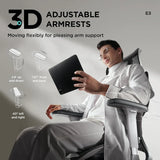
Desde $200 hasta $600, la categoría de rendimiento intermedio integra componentes de chasis de aluminio resistente con seguimiento dinámico de postura. En esta categoría, nuestros modelos diseñados cuentan con nuestra patente soporte lumbar adaptativo de 3 zonas , que utiliza alas laterales con resorte para abrazar continuamente la parte baja de la columna durante los micromovimientos. Además, características ergonómicas avanzadas, como nuestro reposabrazos omni-ajustables de 720 grados , ahora son estándar, ofreciendo un alivio multiaxial inigualable para la tensión en los hombros al seguir perfectamente el pivote de tu antebrazo. Esta categoría está optimizada para profesionales que buscan un soporte robusto, asiento bio-sincronizado  experiencia que puede soportar turnos agotadores de ocho horas.

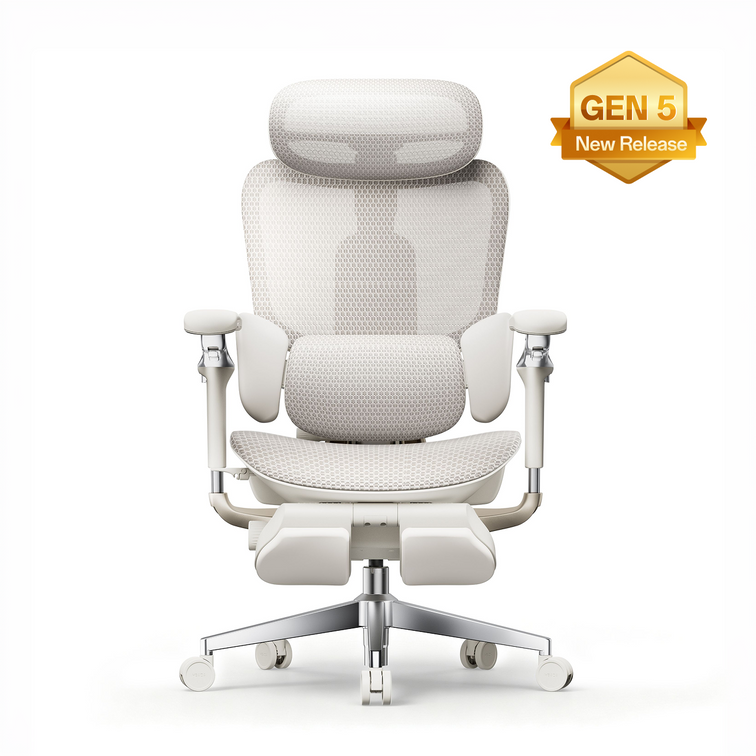
Descubre la ingeniería resistente y el alivio adaptativo de nuestra HBADA E3 Pro Edición 2026 .

La categoría Premium y Smart ($600+ / £450+)

Desglose móvil de la base de ruedas de acero resistente y certificaciones de seguridad para HBADA E3.

A partir de $600, el asiento trasciende el soporte mecánico básico, convirtiéndose en un ecosistema de salud totalmente automatizado. Los dispositivos en esta categoría funcionan como un inteligente silla de oficina para descompresión espinal , ofreciendo masajes biónicos integrados, terapia térmica activa y seguimiento predictivo. Esta categoría está definida por nuestro modelo insignia HBADA x7 con inteligencia artificial, representando lo absoluto mejor silla ergonómica de oficina 2026  ha visto. Está diseñada específicamente para usuarios avanzados tecnológicos que exigen una recuperación física activa y sin latencia justo en su escritorio.

¿Cuánto deberías invertir en una silla para oficina en casa?

Para obtener el mejor valor para tu salud, los expertos sugieren gastar al menos $400 en una silla si te sientas más de cinco horas al día. Tus necesidades personales, como problemas de espalda o cuello, te ayudarán a decidir si necesitas una silla con ajustes manuales o una con soporte inteligente y automatizado.

Evaluando tu tiempo diario sentado

La mejor manera de establecer tu presupuesto para una silla es contar cuántas horas te sientas cada día. Después de cuatro horas, la presión en la parte baja de la espalda aumenta rápidamente. Si a menudo trabajas de 8 a 10 horas en tu escritorio, es importante elegir una silla de alta calidad con malla transpirable y reclinación ajustable para mantenerte cómodo y evitar el sobrecalentamiento.

Teniendo en cuenta las necesidades de salud preexistentes

Para personas que manejan activamente rigidez articular crónica, ciática o lesiones por esfuerzo repetitivo (LER), actualizar tu asiento no es un lujo, es una estricta necesidad médica. Un actualización de silla ergonómica para dolor de espalda en el nivel premium se paga casi de inmediato al mitigar la necesidad de citas continuas de fisioterapia, ajustes quiroprácticos y accesorios ergonómicos costosos como soportes externos para la espalda.

Justificando la actualización premium: el HBADA x7 con inteligencia artificial

El HBADA x7 con inteligencia artificial revoluciona el sector de espacios de trabajo premium usando sensores de presión magnéticos Hall a nivel de microsegundos para desplazar activamente su módulo lumbar hasta 50 mm en tiempo real. Esta transición de resistencia mecánica pasiva a calibración algorítmica predictiva asegura corrección postural sin latencia para profesionales de alta intensidad que buscan la máxima inversión en salud física.

Reemplazando los ajustes manuales con tecnología AI

Comprar las mejores ofertas con descuento encabezado de tienda menú categoría icono de navegación

Las sillas ergonómicas tradicionales requieren que los usuarios alcancen constantemente palancas de tensión manuales y diales de ajuste para afinar el soporte de la columna. Este proceso manual a menudo resulta en calibraciones incorrectas y frustración del usuario. Al actualizar a un silla de oficina con seguimiento lumbar activo, un chip de computación interna de grado automotriz asume la responsabilidad total de tu alineación física. Cuando te inclinas hacia adelante para escribir o te recuestas durante una llamada de conferencia, los motores internos de doble eje detectan el cambio de presión y mueven la almohadilla lumbar para llenar el espacio, asegurando una seguridad absoluta de la columna sin necesidad de intervención manual.

El ahorro de costos de la terapia incorporada

Al evaluar el mayor precio inicial del nivel inteligente, los consumidores deben calcular el valor financiero consolidado de las herramientas integradas de recuperación. El chasis inteligente cuenta con un sistema de masaje de mano biónica 8D y terapia de calor infrarrojo de grafeno a 129°F, proporcionando alivio profundo de tejidos de grado clínico bajo demanda. Durante un ciclo de vida de tres años, el costo de esta silla es significativamente menor que el gasto acumulado de comprar masajeadores independientes, almohadillas térmicas y reservar sesiones profesionales de terapia de masaje para tratar la fatiga muscular inducida por el escritorio.

Explora las funciones de terapia automatizada de grado clínico dentro de nuestra serie inteligente insignia.

Matriz de precio vs. rendimiento en todos los niveles

Comparado a lo largo de cinco años, las sillas inteligentes premium ofrecen un 45% mejor retorno de inversión que las opciones económicas. Esto se debe a que evitas reemplazos frecuentes y reduces tus costos de salud. Nuestros datos muestran los beneficios específicos que obtienes en cada rango de precio.

Nivel de inversión

Tecnología lumbar central

Seguimiento de la parte superior del cuerpo

Vida útil esperada

Análisis costo-beneficio

Económica ($150)

Cojín estático fijo

Reposabrazos de plástico fijo

12 - 18 meses

Requiere reemplazo frecuente; alto costo por fatiga física.

Gama media ($450)

Soporte lumbar adaptativo de 3 zonas

Reposabrazos ajustables omni de 720 grados

5 - 8 años

Alta durabilidad; retorno excepcional de inversión mecánica manual.

Premium (más de $800)

Seguimiento activo inteligente motorizado

Reposacabezas de cuello de doble eje y 4 vías

Más de 10 años

Máximo rendimiento para la salud; elimina completamente la calibración manual.

Cumplimiento laboral y impacto financiero regulatorio en el Reino Unido

Según el Reino Unido Ejecutivo de Salud y Seguridad (HSE), los empleadores y profesionales remotos deben cumplir con el Reglamento de Salud y Seguridad (Equipos con Pantalla) de 1992 utilizando asientos altamente ajustables y estables para mitigar los trastornos musculoesqueléticos industriales. La adquisición de muebles ergonómicos certificados previene costosas responsabilidades por incumplimiento y suprime activamente los riesgos fisiológicos del trabajo sedentario prolongado. Para los gerentes de compras corporativas que equipan equipos remotos, invertir en asientos certificados por BIFMA y rigurosamente evaluados de HBADA garantiza el cumplimiento normativo, protege a la organización de posibles reclamaciones por lesiones por esfuerzo repetitivo y aumenta demostrablemente la productividad de la fuerza laboral local.

Preguntas frecuentes

¿Vale la pena gastar más de $500 en una silla de oficina para trabajadores remotos?

Sí. Durante una vida útil de 5 a 10 años, una silla premium de más de $500 cuesta solo centavos al día. Esta inversión inicial previene directamente los graves gastos médicos a largo plazo, la pérdida de productividad y la degradación lumbar crónica causados por asientos baratos y sin soporte.

¿Cuánto tiempo debería durar una silla ergonómica premium antes de necesitar ser reemplazada?

Una silla premium de grado comercial construida con aluminio de grado aeronáutico y CloudMesh está diseñada para durar más de una década. A diferencia de los modelos económicos con espuma que se degrada, nuestras juntas mecánicas certificadas por BIFMA y los cilindros de gas soportan años de uso diario intenso sin fallos.

¿Requiere la tecnología avanzada del HBADA AI-Powered x7 un mantenimiento costoso?

No, los sistemas inteligentes prácticamente no requieren mantenimiento. Los motores y sensores de seguimiento están sellados en una carcasa a prueba de polvo para evitar el desgaste ambiental. La batería de iones de litio de 5,200 mAh solo requiere una carga magnética básica, similar al mantenimiento de un teléfono inteligente premium.

¿Son deducibles de impuestos las sillas de oficina premium para trabajadores en casa en el Reino Unido?

En muchos casos, sí. Los trabajadores autónomos en el Reino Unido a menudo pueden reclamar una silla ergonómica de escritorio como una deducción fiscal de capital permitida. Los empleados remotos deben consultar con su departamento de recursos humanos o con HMRC sobre los reembolsos por cumplimiento de DSE y la elegibilidad para alivio fiscal personal.

Producto relevante

También te puede gustar

How to Test an Ergonomic Office Chair During a 30-Day Home Trial How to Test an Ergonomic Office Chair During a 30-Day Home Trial The quick answer To test an ergonomic office chair during a 30-day home trial, use it for your real work each day and check fit, lumbar support, breathability, recline, armrests and noise. Keep the packaging, avoid damage, and decide before the window closes. If the chair does not suit you, contact support early enough to complete the required return steps within the applicable deadline. Table of Contents Jump to the part of the trial you need. 01. What is a 30-day home trial? 02. How should you set up the chair? 03. What should you test in week one? 04. What should you test in weeks two to four? 05. How do you protect return eligibility? 06. What are your EU return rights? 07. Which HBADA chairs can you test? 08. Your 30-day test plan 09. Limitations and when to get help 10. Conclusion 11. Frequently asked questions 12. Sources and useful links What Is a 30-Day Home Trial and How Does It Work? A home trial is a return window that lets you assess the chair in your real setup. HBADA EU’s current return and refund policy provides a 30-day satisfaction guarantee from receipt, subject to its terms. This commercial offer does not limit your statutory consumer rights. This gives you time to judge an adjustable ergonomic chair at your own desk, not in a showroom. Testing may help you find a more comfortable sitting position, but it is not a medical treatment. How Should You Set Up the Chair for Testing? Start well, because a fair test needs a proper setup. Assemble the chair using the HBADA user manual and assembly guide, and keep every part of the packaging, including the box, foam and spare hardware. Then set it to your body before you judge it. Set the seat height so your feet rest flat on the floor or a suitable footrest. Set the seat depth so two to three fingers fit behind your knees. Set the lumbar support to meet your lower back. Set the armrests so your forearms are supported and your shoulders stay relaxed. Check that you can reach your keyboard and mouse comfortably. Only after this setup should you decide how the chair feels. What Should You Test in the First Week? Your first week is about first impressions and daily fit. Fit: Check you can reach a feet-flat, back-supported position within the chair’s adjustment ranges. Lumbar support: Notice whether the support meets your lower back through your normal workday. Breathability: Watch for heat build-up and check whether the mesh and seat feel comfortable in your room. Noise and castors: Roll across your floor and listen for creaks or scuffs. Check that the castors are suitable for the surface. What Should You Test in Weeks Two to Four? Later weeks reveal how the chair holds up over real work. Now test the chair as an office chair for long hours. Work a normal week, keeping your usual movement breaks, and notice whether early comfort lasts into the afternoon. Move through the available recline positions and check that the locks hold. Use the armrests while you type, write and relax. Give yourself time to learn the controls and fine-tune the settings, but do not treat pain as a required adjustment phase. If discomfort eases after a setting change, note what helped. If it persists after reasonable adjustments, the chair may not fit you. A Quick Test-and-Decide Table Use this table to turn each check into a clear next step. What to test How to test it Keep or return signal Fit Set seat height, depth and lumbar support to your body, then sit back fully. Consider a return if you cannot achieve supported feet and back within the adjustment ranges. Lumbar support Use it during a normal working day and note lower-back comfort. Consider a return if the support cannot meet your lower back comfortably after adjustment. Breathability Check for heat build-up during ordinary work sessions. Consider another material or model if the seat consistently feels too warm for you. Recline and lock Try the recline settings according to the manual. Stop using the chair and contact support if the recline is unstable or a lock fails. Armrests Type, write and relax while checking forearm support. Consider a return if the armrests prevent a relaxed working position or access to your desk. Noise and castors Roll gently across a suitable floor surface and listen for persistent noise. Contact support about recurring creaks or floor marking before continuing use. Long-session comfort Work a normal week in the chair, with movement breaks. Reassess the fit if discomfort persists after you fine-tune the settings. How Do You Protect Your Return Eligibility? Test thoroughly, but handle the chair carefully while you decide. Keep the original box, foam and hardware for the whole trial. Keep the chair clean and unmarked, and use a suitable floor mat if needed. Note your delivery date and the relevant return deadlines. Contact support early if you are unsure, rather than on the final day. For its commercial guarantee, HBADA EU recommends retaining the original packaging and specifies condition requirements. Missing or inadequate packaging may lead to fees under that policy, subject to mandatory consumer law. These commercial terms do not override statutory withdrawal rights. What Are Your Rights If You Want to Return It? The 30-day commercial offer and your statutory right of withdrawal are separate. For most online purchases from a trader in the EU, you normally have 14 days from delivery to notify the seller that you wish to withdraw, followed by another 14 days to send the goods back. Exceptions apply. The statutory withdrawal period allows inspection of the product. Handling beyond what is necessary to establish its nature, characteristics and functioning may result in a deduction for diminished value. Keeping the original packaging is practical, but losing it does not automatically remove your statutory right. A commercial trial does not turn the statutory 14-day notification period into 30 days. If you want to use your statutory right, notify the seller within the applicable legal deadline. See the EU guidance on returns and withdrawal for details. Warranty coverage is also separate from a change-of-mind return. Refer to HBADA EU warranty and service information for product support after purchase. Which HBADA Chairs Can You Test at Home? If you are considering the HBADA X7 or E3 Pro 2026, check the current EU product page and the return terms for your order before purchasing. Use the same testing checklist for either chair, but pay attention to the features that make each model different. What to compare HBADA X7 HBADA E3 Pro 2026 Lumbar support Test how the AI lumbar-tracking system responds when you change position. Test how the three-zone adaptive lumbar support fits your lower back. Seat fit Check the selected model’s seat dimensions and adjustment range against your body and desk. Check the selected model’s seat dimensions and adjustment range against your body and desk. Recline and armrests Check support and control access while typing, leaning back and relaxing. Check the headrest, armrest and recline adjustments during your usual tasks. Additional features Try the comfort functions included with your selected version, following its manual. Focus on mechanical adjustments, mesh comfort and any optional footrest. Before ordering Confirm the exact configuration, delivery availability, return conditions and warranty. Confirm the exact configuration, delivery availability, return conditions and warranty. If you want automatic lumbar tracking, explore the HBADA X7 smart ergonomic chair and check the comfort features included with your selected version. If you want a mechanically adjustable chair to test for long workdays, compare the HBADA E3 Pro 2026. You can also browse the HBADA ergonomic office chair collection before your trial begins. Your 30-Day Test Plan Follow this simple plan so nothing is missed before the commercial trial ends. Keep the separate statutory withdrawal deadline in mind if you intend to use that right. Day 1 Assemble and Adjust Assemble by the manual, keep all packaging, and set the chair to your body. Days 2–7 Check Daily Fit Test daily fit, lumbar support, breathability, noise and castors. Days 8–21 Test Your Normal Work Routine Work your usual schedule and test recline, armrests and long-session comfort. Keep taking movement breaks. If you wish to exercise the statutory withdrawal right, do not wait beyond its notification deadline. Days 22–27 Fine-Tune and Decide Fine-tune settings and review your notes. If you are continuing under the commercial trial and the chair is not right, contact support now to confirm the return steps and deadline. Days 28–30 Complete Your Decision Keep the chair if it fits your needs, or complete the steps required under the commercial return policy within the applicable deadline. Do not assume contacting support on day 30 automatically extends the window. Limitations and When to Get Help A trial answers many questions, but not every one. A trial checks comfort and fit for you; it cannot promise a health outcome. Thirty days cannot establish the chair’s lifespan or long-term durability. Keep the chair and packaging in good condition while deciding. Commercial return terms and warranty coverage may vary by market and order. Mandatory consumer rights remain unaffected. If you have severe, persistent or radiating pain, consult a qualified healthcare professional. A chair is not a medical treatment. Conclusion The best way to judge an ergonomic office chair is to test it where you actually work. Assemble it, set it to your body, use it for real tasks, and keep the packaging until you are sure. Compare the X7 if you want automatic lumbar tracking, or the E3 Pro if you prefer mechanical adjustments. Make your decision before the relevant deadline, and keep the chair that fits you. Frequently Asked Questions How long is the HBADA EU home trial? HBADA EU currently offers a 30-day satisfaction guarantee from receipt. Check the applicable policy for the return procedure. It is separate from your statutory withdrawal right. Can you return an office chair after using it? Check whether you are returning under the commercial trial or exercising a statutory right. The conditions differ. Keep the chair clean, avoid damage and retain its packaging while deciding. How long does it take to get used to a new ergonomic chair? There is no fixed adjustment period for everyone. You may need several sessions to learn the controls and fine-tune the seat height, depth, lumbar support and armrests. Change one setting at a time. Do not keep sitting through pain in the hope that you will eventually adapt. Who pays for return shipping? Under HBADA EU’s commercial policy, change-of-mind returns involve a customer contribution to shipping, while damaged, defective or incorrect items are handled at HBADA’s shipping expense. Confirm the process before booking a courier; statutory rights remain unaffected. What should you check before the trial ends? Confirm the essentials: fit, long-session comfort, lumbar support, breathability, recline, armrests and noise. Also check that the chair suits your desk height and floor. Decide early enough to meet the deadline for the return route you are using. Sources and Useful Links HBADA EU Return and Refund Policy HBADA EU Warranty and Service HBADA User Manuals and Assembly Guides HBADA X7 Product Details HBADA E3 Pro 2026 Product Details Your Europe: Returns and the Right of Withdrawal How to Clean a Mesh Ergonomic Office Chair Without Damaging the Material How to Clean a Mesh Ergonomic Office Chair Without Damaging the Material Safe, simple care for mesh, spills, stains, casters and smart-chair components. Quick answer: Remove dust with a soft dry cloth or a vacuum on a low setting. Blot spills with a well-wrung cloth and mild soapy water, then let the mesh air-dry naturally. Avoid bleach, hot water, solvents and abrasive cleaners. Contents What can damage mesh? How to remove everyday dust How to clean spills and stains Frame, armrests and casters Cleaning methods at a glance How to clean a smart chair Safe deep-clean routine HBADA chair care FAQs What Can Damage a Mesh Chair? Mesh is designed to breathe and flex, but it can be damaged by unsuitable cleaning methods. Bleach, strong chemicals, solvents, hot water and abrasive cleaners can weaken or discolour the fibres. Stiff brushes and hard scrubbing can also snag or stretch the weave. Keep the chair out of prolonged direct sunlight, do not soak the mesh, and avoid spraying liquid directly onto it. Regular light cleaning is safer than occasional heavy cleaning. How Do You Clean Everyday Dust? Use a soft dry cloth Wipe the mesh with a dry microfiber cloth to remove surface dust, lint and light debris. Vacuum on a low setting If dust is caught in the weave, use gentle suction and move across the surface without pressing into it. A short weekly clean helps prevent dust and skin oils from building up, particularly when the chair is used every day. How Do You Clean Spills and Stains? For a fresh spill, dampen a soft cloth with mild soapy water and wring it out well. Blot the area from the outside of the mark toward the centre so it does not spread. Do not soak the mesh or scrub hard. For a stubborn mark, test an alcohol wipe on a hidden area first, then dab gently. Let the chair air-dry completely in a ventilated room before use. How Do You Care for the Frame, Armrests and Casters? Use a separate soft, damp cloth for the frame, armrests and base. Keep water away from the gas lift, recline mechanism and other moving parts. Never attempt to open the gas cylinder. Casters can collect hair and dust over time. Remove anything wrapped around the wheels, then wipe them clean so the chair can move smoothly. Cleaning Methods at a Glance What to Clean Safe Method What to Avoid Everyday dust Soft dry cloth or low-suction vacuum Hard brushing or scratching the mesh Fresh spills Blot with mild soapy water Soaking or rubbing the mesh Stubborn marks Spot-test, then dab gently Bleach, hot water or solvents Frame and armrests Soft damp cloth Abrasive or harsh cleaners Casters Remove hair and debris, then wipe Forcing debris deeper into the wheel How Do You Clean a Smart Chair With Electronics? Important: Switch the chair off and follow its supplied care instructions before cleaning around powered components. Use a dry cloth around controls, sensors, fans, batteries and powered adjustment areas. Never spray liquid directly onto the chair. Clean the mesh and non-electronic surfaces gently, then allow the chair to dry completely before use. Step by Step: A Safe Deep Clean Switch off a smart or powered chair before cleaning. Vacuum or dry-dust the mesh to remove loose debris. Mix a small amount of mild soap with lukewarm water. Dampen and thoroughly wring out a soft cloth. Blot the mesh without soaking it. Spot-test before treating stubborn marks. Wipe the frame, armrests and base separately. Remove hair and dust from the casters. Let the chair air-dry away from direct sunlight. Which HBADA Chairs Does This Apply To? This guide is suitable for HBADA mesh office chairs sold through HBADA EU, including the E3 Pro and X7 Prestige. For an E3 Pro, regular care means keeping the mesh clean and keeping moisture away from the gas lift and mechanism. For a smart or powered model, follow the model-specific guidance before cleaning around controls or powered areas. Frequently Asked Questions Can you wash a mesh office chair? You can clean it, but you should not soak it. Vacuum or dry-dust the mesh first, blot it with mild soapy water, and let it air-dry completely. What should you not use to clean a mesh chair? Avoid bleach, hot water, solvents, abrasive cleaners, stiff brushes and hard scrubbing. These can weaken, discolour or snag the mesh. How do you remove a stain from mesh? Blot the stain with a well-wrung cloth and mild soapy water. For a stubborn mark, spot-test an alcohol wipe first, then dab gently rather than scrub. How often should you clean a mesh office chair? Dust or vacuum the mesh once a week, deal with spills promptly, and carry out a deeper clean whenever needed. Does cleaning damage mesh over time? Not when it is done gently. Mesh damage usually comes from harsh chemicals, excess water, heat or heavy scrubbing. Sources HBADA EU E3 Pro Ergonomic Office Chair HBADA EU X7 Prestige Smart Ergonomic Chair HBADA EU FAQs ``` How to Set Up an Ergonomic Office Chair for Laptop Work How to Set Up an Ergonomic Office Chair for Laptop Work A more comfortable home office Start with the chair, then separate screen height from typing height. Adjust your seat to the desk, support your feet and lower back, and keep your shoulders relaxed. For longer laptop sessions, use a stand with a separate keyboard and mouse so you can position the screen without lifting your arms to type. In this guide The laptop setup challenge Five chair adjustments Screen and keyboard position Common problems and fixes Your setup checklist Choosing an HBADA chair Limitations and when to get help Final thoughts Frequently asked questions Sources Why Can Laptop Work Feel Uncomfortable? A laptop is easy to move between rooms, but its screen and keyboard remain joined together. A comfortable keyboard position can leave the screen too low. Raising the laptop may improve the view while making the keys harder to reach. An ergonomic office chair helps you build a supported sitting position. It does not solve this screen-and-keyboard trade-off on its own. For regular work at one desk, a separate keyboard and mouse allow more flexibility. Whether your workspace is a dedicated home office or a shared desk, check how the chair, work surface and laptop fit together. Comfortable working also depends on changing position, not holding one posture all day. How Should You Set Up the Chair First? Use the keyboard position and desk height as your starting points. Then adjust the chair to support you without making you reach or raise your shoulders. Step 01 Match the seat height to the work surface Adjust the seat until you can type with your shoulders relaxed, elbows close to your body and wrists roughly straight. If the desk height is adjustable, use both adjustments to find a comfortable position. Step 02 Support your feet Your feet should rest securely on the floor or a suitable footrest. If a fixed desk requires a higher seat position, a footrest can bridge the gap without forcing you to lower the chair below a comfortable typing height. Step 03 Check the seat depth Sit against the backrest and check the space behind your knees. Around two to three fingers is a useful starting point. If the model allows seat-depth adjustment, use it to avoid pressure from the front edge. Step 04 Align the lumbar support Position the support against your lower-back curve. It should not feel as though it is pushing you away from the backrest. Adjust the available settings gradually and recheck them during normal work. Step 05 Keep the armrests clear of the desk Set the armrests for light support with relaxed shoulders. Make sure they do not stop you moving close enough to the keyboard. Lower or reposition them if they catch on the desk edge. How Should You Position the Laptop Screen and Keyboard? With the chair adjusted, place the laptop on a stable stand and connect a separate keyboard and mouse. Start with the top of the screen at or just below eye level, roughly an arm's length away. Adjust text size and screen distance until you can read without moving your head forwards. Place the mouse beside the keyboard, rather than far to one side, and keep enough desk space for comfortable use. Working without extra equipment? Avoid raising the built-in keyboard to a height that makes you lift your shoulders. Keep the laptop in a manageable typing position and change tasks or take breaks regularly. A stand and separate input devices are worth considering when the same space becomes your everyday workstation. Common Laptop Setup Problems and Their Fixes Use these checks to review your workspace. They do not identify the medical cause of pain or discomfort. What you notice What to check Adjustment to try You look down for long periods Screen height and readability Use a stand with an external keyboard, and adjust text size. You lift your shoulders to type Keyboard and seat height Rebalance the chair and desk heights while keeping your feet supported. Your feet do not reach the floor Desk height and foot support Add a stable under-desk footrest if the working height requires it. You sit on the front edge of the seat Equipment reach and seat depth Move the keyboard closer and check whether you can use the backrest. Your armrests hit the desk Armrest height and width Lower or reposition them to allow closer access. You feel stiff after a long session Time spent sitting still Change position and include short walking or standing breaks. Your Laptop Workstation Checklist Adjust the seat for comfortable access to the keyboard. Keep both feet securely supported. Leave room behind your knees. Set the lumbar support against your lower back. Check that the armrests do not prevent desk access. Use a separate keyboard and mouse when raising the laptop. Adjust screen distance and text size for easy reading. Make time for movement and changes of task. Which HBADA Chair Suits Laptop Work? The right model is the one that fits both you and your desk. Before choosing from the HBADA EU office chair range, compare the adjustments available on the exact product and configuration. If you are considering an E3 or X7 model, check its regional product information rather than relying on specifications from another market. Seat dimensions, adjustment options and footrest availability should be confirmed for the version you intend to order. What to compare What to look for Seat-height range A suitable working height for your desk with stable support for your feet. Seat dimensions Enough room to sit comfortably while reaching the backrest. Lumbar support A support position and adjustment range that suit your lower back. Armrest adjustments Comfortable forearm support without blocking access to the work surface. Footrest type Distinguish a reclining leg rest from a footrest used during upright typing. Regional configuration Confirm the selected model, dimensions, capacity and availability on HBADA EU. No chair feature removes the need to position the laptop correctly. Reserve space in your setup for a stable stand, keyboard and mouse as well as the chair. Limitations and When to Get Help Chair adjustments support your working position; they do not treat medical conditions. Screen placement and equipment reach still need separate attention. A reclining position is not automatically suitable for keyboard work at a fixed desk. Speak to a qualified healthcare professional if discomfort persists or becomes severe. For an employer-provided workstation, ask about the assessment and guidance applicable in your country. Final Thoughts A practical laptop workstation starts with a chair that fits the desk and supports your feet and back. Keep the keyboard close, position the screen independently where possible, and check that your armrests do not get in the way. Small adjustments are useful, but regular movement remains part of the setup. Frequently Asked Questions How should you sit when working on a laptop? Sit back with your lower back supported and your feet stable. Keep your shoulders relaxed and the keyboard close enough to reach without leaning forwards. A separate keyboard and mouse allow you to raise the screen while keeping a comfortable typing height. Do you need a footrest for laptop work? Only if your feet lack stable support at the seat height needed for your desk. Check the chair and desk adjustments first. If the desk is fixed and your feet still dangle, an under-desk footrest can help support them. Is an ergonomic chair enough for working on a laptop all day? No. The chair supports your sitting position, but screen height, keyboard reach and movement breaks also matter. For regular desk work, consider a laptop stand with a separate keyboard and mouse. Can you use the same setup at a dining table? Check the table height, legroom and how close the chair can move to the edge. If the surface is too high, raising the chair may require a footrest. A table that prevents comfortable keyboard access may not suit extended work, even with an adjustable chair. How often should you move during laptop work? Include short, regular opportunities to move rather than staying in one position until you feel uncomfortable. Stand, walk or switch tasks when practical. Follow any workstation guidance provided by your employer and applicable in your country. Sources and Product Information HSE: Working with display screen equipment — a UK practical reference, not a statement of legal requirements across the EU. HBADA EU: Current office chair range and product information Availability and specifications vary by model and configuration. Use the relevant HBADA EU product page to check the version available for your delivery location.