


Blog

Comment choisir un fauteuil de bureau ergonomique pour des journées de 12 heures

Comment choisir un fauteuil de bureau ergonomique pour des journées de 12 heures

Des postes plus longs.
Une meilleure façon de rester assis.

Choisir un fauteuil de bureau ergonomique pour des postes de 12 heures signifie regarder au-delà des cinq premières minutes de confort. Privilégiez un soutien qui suit vos mouvements, une assise adaptée et des réglages que vous utiliserez réellement.

Comment choisir un fauteuil de bureau ergonomique pour des postes de 12 heures ? Donnez la priorité à un soutien lombaire réglable, à une assise adaptée à votre corps, à une plage d’inclinaison utile, à des matériaux respirants et à une construction durable. Un repose-pieds rétractable peut soutenir vos jambes pendant les pauses en position inclinée. Associez ces caractéristiques à des mouvements réguliers tout au long de votre poste.

Ce qui compte le plus pour un fauteuil utilisé 12 heures par jour ?

Lors d’un poste prolongé, un léger défaut d’ajustement peut devenir gênant. Une assise trop profonde, des accoudoirs qui poussent vos épaules vers le haut ou un soutien lombaire trop haut peuvent devenir de plus en plus perceptibles au fil de la journée.

Cinq éléments méritent une attention particulière : le soutien du bas du dos, la variété des postures, la gestion de la chaleur et de la pression, la qualité de fabrication et la liberté de mouvement. Considérez cela comme le choix d’un fauteuil de bureau pour de longues heures, avec un accent particulier sur la sensation procurée par le fauteuil après les premiers réglages.

  • Hauteur de l’assise : vos pieds doivent reposer sur le sol ou sur un repose-pieds au sol séparé, sans que l’assise ne vienne appuyer sur l’arrière de vos cuisses.
  • Profondeur de l’assise : asseyez-vous bien au fond contre le dossier tout en laissant de l’espace derrière vos genoux.
  • Position du soutien lombaire : le soutien doit atteindre le bas de votre dos plutôt que de vous forcer à vous pencher en avant.
  • Ajustement des accoudoirs : ils doivent soutenir vos avant-bras sans lever vos épaules ni vous empêcher de vous rapprocher du bureau.

L’ajustement prime sur les fonctionnalités supplémentaires. Une plage de réglage utile est plus importante qu’une longue liste de commandes inadaptées à votre corps ou à votre poste de travail.

Pourquoi un soutien lombaire dynamique est-il important sur 12 heures ?

Vous restez rarement exactement dans la même position tout au long d’un poste. Vous vous penchez vers l’écran, vous vous affalez pour un appel et changez de position entre les tâches. Un soutien lombaire dynamique est conçu pour répondre à ces mouvements plutôt que de ne soutenir qu’une seule position assise fixe.

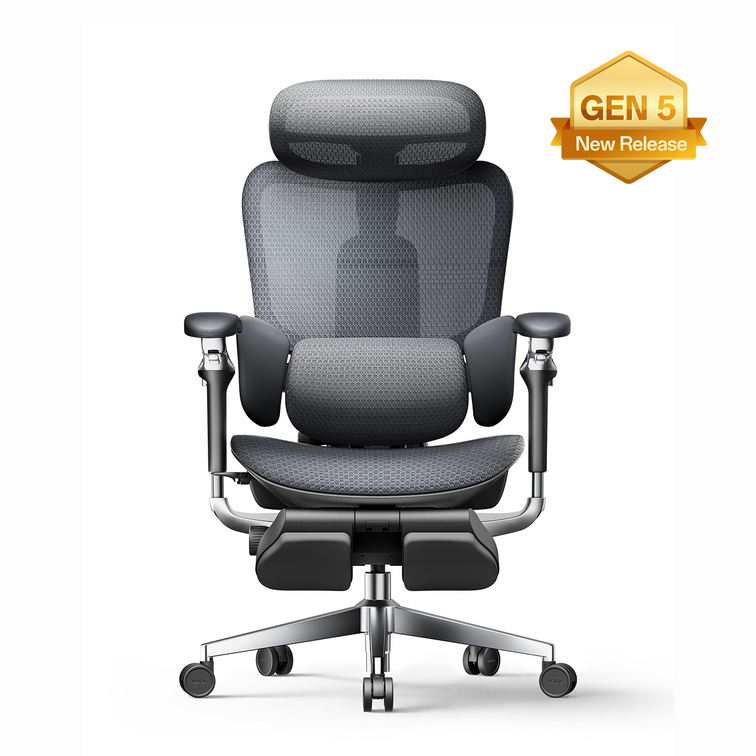
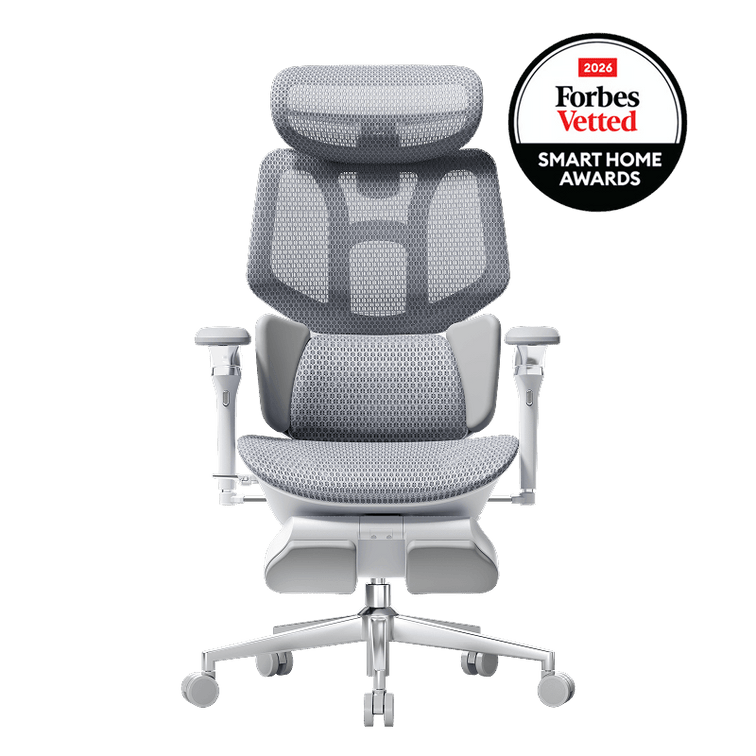
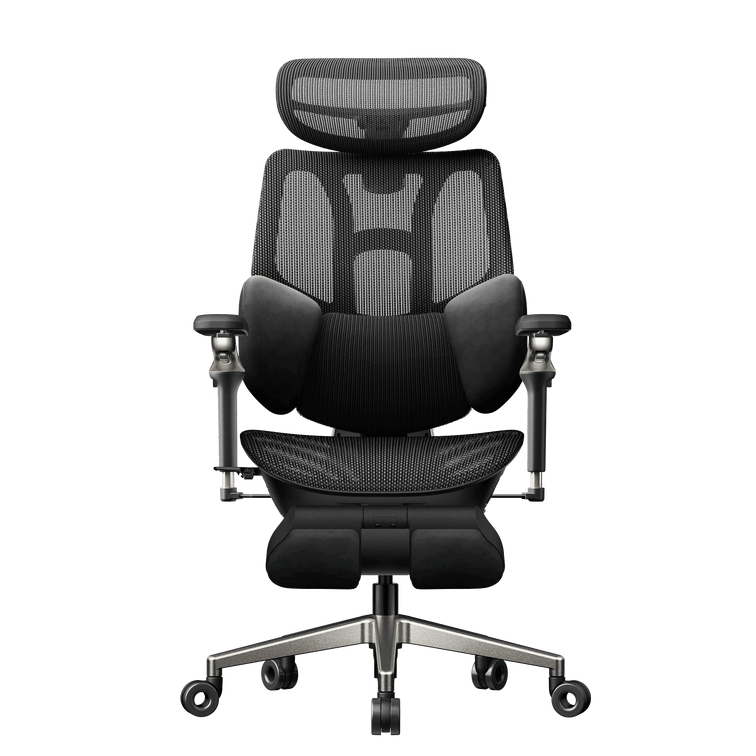
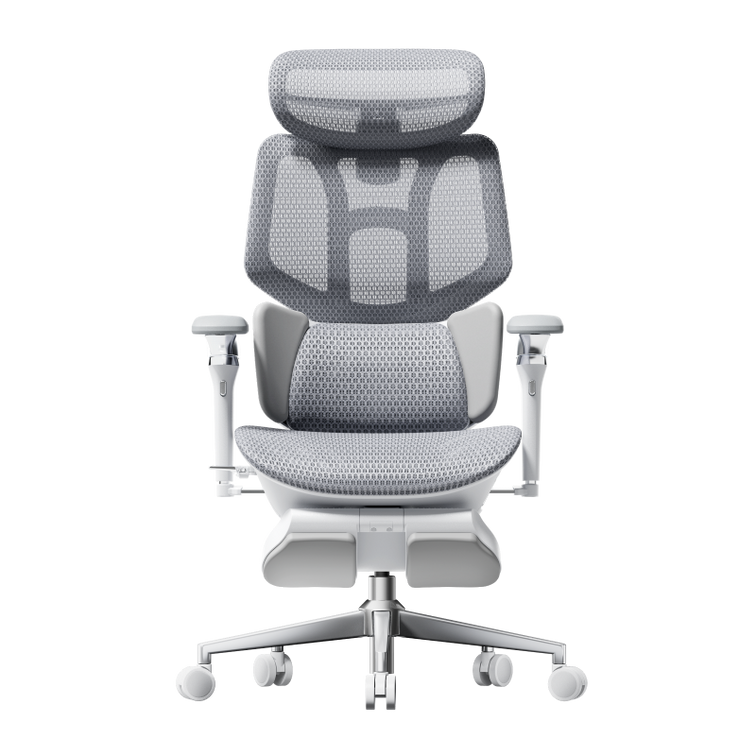
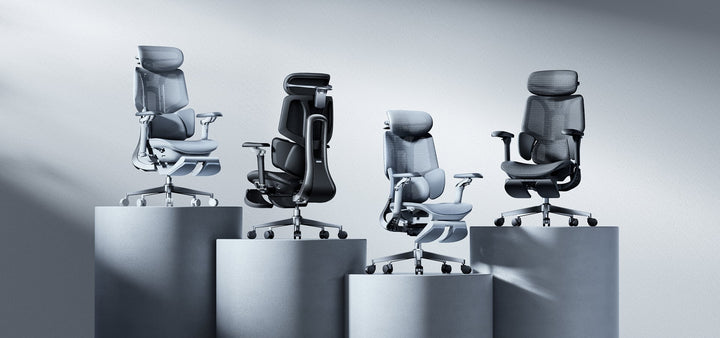
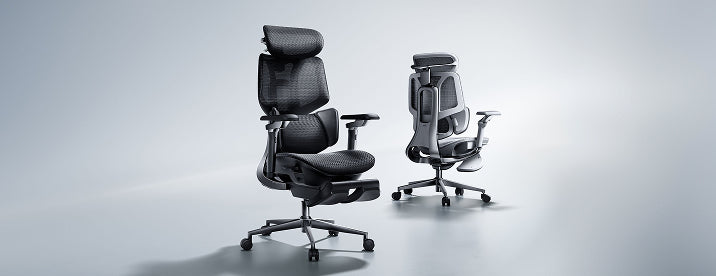
Le HBADA E3 Pro 2026 utilise un système lombaire adaptatif à 3 zones avec un soutien à ressort et un réglage de la hauteur lombaire de 60 mm sur six niveaux. Le HBADA X7 offre un suivi lombaire motorisé qui répond automatiquement aux changements de posture.

La question pratique n’est pas simplement de savoir si un fauteuil dispose d’un soutien dynamique. Il s’agit de savoir si ce soutien épouse confortablement le bas de votre dos lorsque vous travaillez et lorsque vous vous penchez en arrière. Réglez-le progressivement plutôt que de supposer que le réglage le plus fort est le meilleur.

Comment la variété des postures aide-t-elle pendant les postes prolongés ?

Aucune position assise unique ne doit durer tout au long d’un poste. Une plage d’inclinaison utile vous offre davantage de façons de vous asseoir entre le travail concentré, la lecture et les courtes pauses.

Le X7 et l’E3 Pro 2026 offrent tous deux une inclinaison allant jusqu’à 140° avec quatre positions de verrouillage. Un appui-tête réglable vous aide à positionner le soutien lorsque vous vous penchez en arrière, tandis qu’un repose-pieds rétractable peut soutenir vos jambes pendant les pauses en position inclinée. Choisissez la configuration équipée d’un repose-pieds lorsque cela est possible.

Adaptez votre posture de travail à votre bureau et à votre écran. Une inclinaison prononcée est plus utile pour faire une pause que pour vous pencher en avant afin de taper.

Variez plus que l’angle du fauteuil. Les ressources de l’EU-OSHA encouragent le mouvement et les changements de posture au travail. L’inclinaison apporte de la variété, mais se lever et marcher restent indispensables à la routine. Lisez les recommandations de l’EU-OSHA sur le mouvement .

Pourquoi la chaleur et la pression sont-elles importantes après des heures assis ?

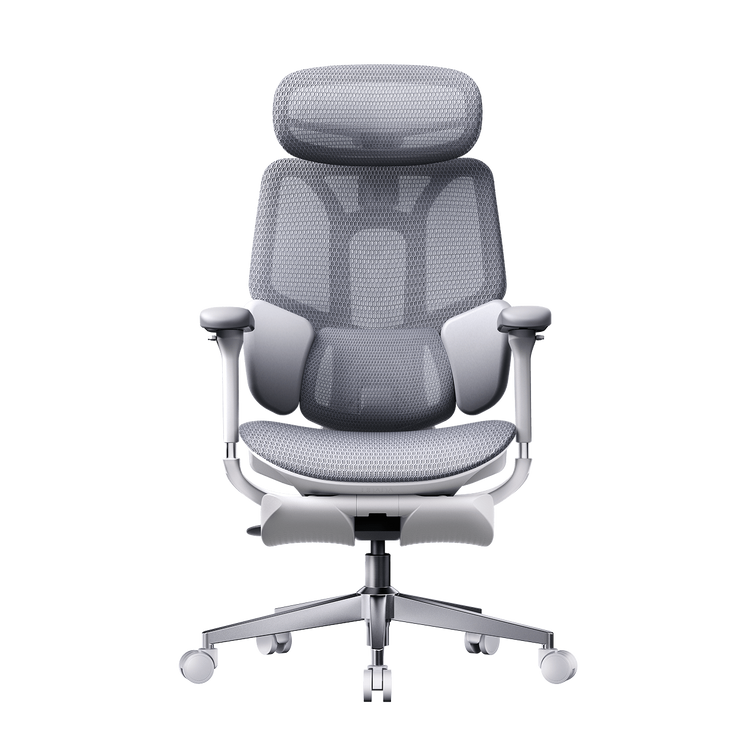
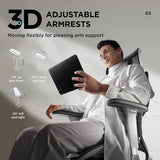
Détail du fauteuil ergonomique HBADA E3S 2026 avec accoudoirs 4D

Le confort de l’assise dépend à la fois de la température et de l’ajustement. Une maille respirante permet à l’air de circuler, tandis qu’une profondeur d’assise appropriée aide à soutenir vos cuisses sans comprimer l’arrière de vos genoux.

L’E3 Pro 2026 utilise une assise CloudMesh. Le X7 associe une maille respirante à une ventilation par ventilateur à trois niveaux. Cela améliore la circulation de l’air autour de l’assise pour les utilisateurs qui préfèrent une expérience assise plus fraîche.

Les deux modèles offrent 50 mm de réglage de la profondeur de l’assise. Cependant, leurs plages réelles de profondeur d’assise diffèrent : le X7 se règle de 40,5 à 45,5 cm, tandis que l’E3 Pro 2026 se règle de 45 à 50 cm. Cette différence mérite d’être vérifiée avant de choisir entre les deux.

Les assises en maille et celles avec rembourrage peuvent toutes deux convenir. Portez attention à la régularité du soutien de l’assise, à son bord avant confortable et à votre capacité à vous asseoir contre le dossier sans glisser vers l’avant.

La liste de vérification pour les fauteuils utilisés pendant 12 heures

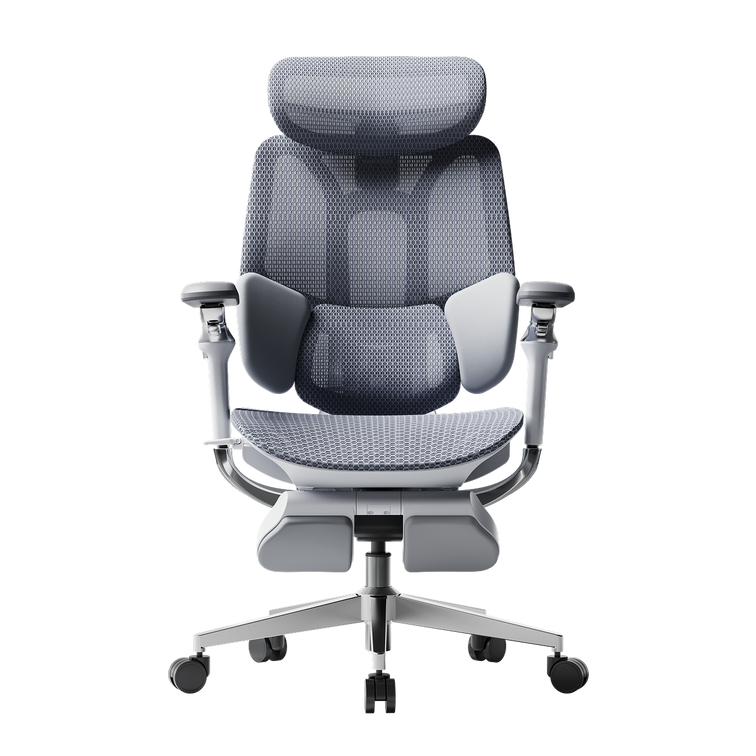
Fauteuil informatique ergonomique professionnel E3 4.0 Pro pour le télétravail

Utilisez cette liste de vérification pour comparer les réglages pratiques plutôt que de vous fier uniquement à un titre vantant un « confort toute la journée ».

Ce qu’il faut vérifier avant d’acheter
Caractéristique Pourquoi c’est important Ce qu’il faut vérifier
Soutien lombaire Soutient le bas de votre dos lorsque votre posture change. Position, plage de réglage et contact confortable.
Ajustement de l’assise Vous aide à vous asseoir au fond sans pression derrière les genoux. Hauteur, profondeur et largeur réelles — et pas seulement les recommandations de hauteur de l’utilisateur.
Inclinaison Offre des options pour travailler et faire une pause avec soutien. Commandes d’inclinaison, positions de verrouillage et facilité d’utilisation.
Repose-pieds Soutient les jambes pendant les pauses en position inclinée. Si la configuration du fauteuil sélectionné en inclut un.
Respirabilité Permet à l’air de circuler pendant les sessions prolongées. Matériau de l’assise et présence d’une ventilation motorisée.
Accoudoirs et appui-tête Vous permettent de positionner le soutien autour de votre bureau et de vos tâches. Portée, dégagement et directions de réglage.
Construction et capacité Aident à déterminer si le fauteuil convient à l’usage prévu. Charge maximale, tests spécifiques au modèle et instructions d’entretien.
Assistance après-vente Facilite la planification des réparations et de la durée de possession. Couverture de la garantie, pièces de rechange et conditions de retour.

Comment intégrer le mouvement dans un poste prolongé

Un fauteuil offrant un bon soutien est plus efficace dans le cadre d’une journée de travail variée. Intégrez de petits changements dans les tâches que vous effectuez déjà plutôt que de réserver tout votre mouvement pour la fin du poste.

  1. Réglez-vous avant de commencer. Ajustez la hauteur de l’assise, la profondeur de l’assise, le soutien lombaire et les accoudoirs, puis vérifiez la position de votre écran et de votre clavier.
  2. Changez de position entre les tâches. Alternez entre un travail concentré en position droite et une position assise plus détendue lorsque la tâche le permet.
  3. Faites des pauses mouvement fréquentes. Levez-vous, étirez-vous ou marchez lorsque cela est possible. Un appel, le remplissage de votre verre d’eau ou un changement de tâche peuvent servir de signal naturel.
  4. Utilisez l’inclinaison pour une pause avec soutien. Penchez-vous en arrière et utilisez le repose-pieds rétractable s’il est équipé. Considérez-le comme une option supplémentaire, et non comme un substitut au fait de quitter le fauteuil.
  5. Faites une pause sur le travail centré sur l’écran. Détournez le regard de l’écran et alternez avec des tâches qui ne nécessitent pas la même position de vision fixe.
  6. Réévaluez le confort en milieu de poste. Si vous commencez à vous asseoir sur le bord de l’assise ou à vous pencher en avant, revoyez votre installation plutôt que de simplement le tolérer.

Pour des idées pratiques, consultez les recommandations de l’EU-OSHA sur la promotion du mouvement au travail .

Quel fauteuil HBADA convient aux postes de 12 heures ?

Le X7 et l’E3 Pro 2026 adoptent des approches différentes en matière de soutien. Commencez par leur ajustement, puis décidez du niveau de réglage motorisé et de fonctionnalités de confort supplémentaires que vous souhaitez.

HBADA X7 vs E3 Pro 2026 : comparaison des modèles de l’UE
Caractéristique HBADA X7 E3 Pro 2026
Soutien lombaire Suivi automatique motorisé Adaptatif à 3 zones ; réglage de la hauteur de 60 mm, six niveaux
Inclinaison Jusqu’à 140° ; quatre positions de verrouillage Jusqu’à 140° ; quatre positions de verrouillage
Profondeur de l’assise 40,5–45,5 cm 45–50 cm
Hauteur de l’assise 44,5–53 cm 46–54,5 cm
Largeur de l’assise 52 cm 51,5 cm
Gestion de la chaleur Maille respirante et ventilation par ventilateur CloudMesh respirant
Fonctionnalités de confort supplémentaires Massage et chauffage Réglages ergonomiques mécaniques
Capacité de charge maximale 150 kg 150 kg
Taille d’utilisateur recommandée 150–195 cm 155–195 cm

Choisissez le X7 pour un confort motorisé

Considérez le X7 si vous souhaitez un suivi lombaire automatique, une ventilation rafraîchissante, du chauffage et un massage en plus de vos réglages ergonomiques.

Découvrez le HBADA X7 →

Choisissez l’E3 Pro pour un soutien mécanique

Considérez l’E3 Pro 2026 si vous préférez un soutien lombaire adaptatif, une maille respirante et un réglage manuel sans fonctions de confort motorisées.

Découvrez l’E3 Pro 2026 →

Les spécifications se rapportent aux pages de produits de l’UE indiquées par les liens. Vérifiez le modèle sélectionné et la configuration du repose-pieds avant de commander ; le X7, le X7 Air et le X7 Prestige ne sont pas interchangeables.

Limites et quand demander de l’aide

Un bon fauteuil soutient votre position de travail, mais le confort dépend également de votre bureau, de vos tâches, de vos mouvements et de vos besoins individuels.

  • Un fauteuil n’est pas un traitement médical ni un substitut à un mouvement régulier.
  • Les plages de taille d’utilisateur recommandées constituent un point de départ. Vérifiez les dimensions réelles de l’assise et vos proportions.
  • Pour un travail en équipe avec des postes partagés ou une utilisation continue sur le lieu de travail, confirmez que l’usage prévu est couvert par les spécifications et la garantie du modèle.
  • Si la douleur persiste, est sévère ou s’étend, consultez un professionnel de santé qualifié plutôt que de compter uniquement sur les réglages du fauteuil.

Ce qu’il faut retenir : choisissez un soutien que vous pouvez régler

Choisir un fauteuil de bureau ergonomique pour des postes de 12 heures revient à privilégier l’ajustement, un soutien réactif et des possibilités de changer de position. Les matériaux respirants et une inclinaison confortable offrent des options utiles, mais ils sont plus efficaces lorsque le fauteuil est correctement réglé pour votre corps.

Choisissez le X7 si le suivi lombaire motorisé et les fonctions de confort supplémentaires conviennent à votre routine. Choisissez l’E3 Pro 2026 si vous préférez un réglage mécanique et un soutien adaptatif. Quel que soit votre choix, intégrez le mouvement à votre poste — ne le reportez pas à la fin.

Foire aux questions

Quel type de fauteuil est le mieux adapté aux postes prolongés ?

Recherchez un soutien lombaire réglable, une assise adaptée à votre corps, des commandes d’inclinaison utilisables et des matériaux confortables. Un bon ajustement vous permet de vous asseoir contre le dossier avec les pieds soutenus et de l’espace derrière vos genoux. Comparez les dimensions avant de décider quelles fonctionnalités supplémentaires vous importent.

Est-il mauvais de rester assis pendant 12 heures ?

Un poste de 12 heures ne doit pas nécessairement signifier 12 heures assis sans interruption. Intercalez le travail assis avec du mouvement, des changements d’activité et des occasions de vous lever ou de marcher. Un fauteuil offrant un bon soutien ne supprime pas la nécessité de ces changements.

Avez-vous besoin d’un repose-pieds pour un poste de 12 heures ?

Un repose-pieds rétractable pour fauteuil peut soutenir vos jambes pendant les pauses en position inclinée. Si vos pieds ne touchent pas le sol lorsque vous travaillez en position droite à une hauteur de bureau appropriée, un repose-pieds au sol séparé remplit une fonction différente. Choisissez le type qui correspond à votre installation.

Une assise en maille ou rembourrée est-elle préférable pour les postes prolongés ?

Les deux peuvent convenir. La maille permet à l’air de circuler, tandis qu’une assise rembourrée offre une sensation différente. L’ajustement, le soutien et le confort comptent davantage que le matériau seul. Vérifiez si l’assise soutient vos cuisses sans pression derrière les genoux.

À quelle fréquence devez-vous faire des pauses pendant un poste prolongé ?

Intégrez fréquemment de courtes occasions de bouger dans votre travail plutôt que de rester immobile jusqu’à une longue pause. Les recommandations pratiques de l’EU-OSHA suggèrent de se lever pour une micro-pause au moins toutes les 20 à 30 minutes lorsque cela est possible. Adaptez votre routine à vos tâches et à l’organisation de votre lieu de travail.

Le X7 dispose-t-il d’un système de refroidissement ?

Le X7 offre une ventilation rafraîchissante par ventilateur à trois niveaux de débit d’air. Il fait circuler l’air dans la zone de l’assise pour une expérience assise plus fraîche ; il n’utilise pas de climatisation à air réfrigéré.

En quoi l’E3 Pro 2026 diffère-t-il du X7 ?

L’E3 Pro 2026 se concentre sur le réglage mécanique et le soutien lombaire adaptatif. Le X7 ajoute un suivi motorisé, une ventilation, un chauffage et un massage. Leurs plages de profondeur d’assise diffèrent également, alors comparez l’ajustement ainsi que les fonctionnalités.

Sources

Les détails du produit sont basés sur les annonces de l’UE de HBADA. Les recommandations concernant le mouvement sur le lieu de travail proviennent des ressources de l’EU-OSHA.
Relevant Product

You May Also Like

HBADA's 3-Zone Lumbar Support: How It Compares to Standard Chair Designs HBADA's 3-Zone Lumbar Support: How It Compares to Standard Chair Designs HBADA / The support edit Your lower back moves.Your support should respond. A closer look at the central support and side wings behind our 3-zone lumbar design, with practical guidance for choosing an ergonomic office chair that fits the way you sit. What makes HBADA's 3-zone lumbar support different? Our E3 Pro combines a central lumbar support area with two movable side wings. This arrangement provides support across the centre and sides of the lower back, with movement built into the supporting structure. Single-pad and split-back chairs use different mechanisms; their responsiveness depends on the individual design. Lumbar support specifications can start to blur together after comparing a few chairs. “Adjustable” tells you that something changes, but leaves an important question unanswered: what happens after you have set it and begin moving through your working day? We designed our 3-zone approach around that everyday movement. This guide explains how it differs from a conventional lumbar pad, where a split-back design fits into the comparison, and what to check when you adjust your own chair. Inside this guide Understanding the three designs How our 3-zone system works Support during posture changes Fit for taller and larger users Side-by-side comparison Getting your adjustment right Frequently asked questions 01 / THE DESIGN DIFFERENCE Start with how the lumbar support moves. For this comparison, we are looking at three common approaches: a single lumbar pad, a backrest divided into upper and lower sections, and our central-and-side-wing arrangement. These categories describe the structure. Individual chairs can still differ considerably within each group. Single-pad lumbar support A single lumbar pad gives the lower back one main contact area. Depending on the chair, its position may be fixed or adjustable in height and depth. A rigid pad retains its shape as you shift. Flexible or spring-mounted versions can respond differently, so it is worth checking the actual mechanism rather than judging by the number of visible cushions. A split upper and lower backrest Split-back designs separate the upper backrest from the lumbar section. The lower section may pivot or flex, allowing it to respond independently of the upper back. Its behaviour during recline depends on the pivot and how the two sections are linked. A split appearance alone does not tell you how much lateral movement or adjustment the chair offers. The useful question is simple: where do you feel support when your sitting position changes? 02 / INSIDE OUR DESIGN How HBADA's 3-zone lumbar support works In the HBADA E3 Pro 2026 Edition , a central support area works with two movable side wings. The centre supports the lumbar region while the wings create contact around the sides of the lower back. This gives the support a wraparound structure. As your position changes, the movable components can respond within their mechanical range. Personal adjustment helps place that movement where your body needs it. The three support areas, simplified Side wing Movable lateral contact Central zone Support at the lower back Side wing Movable lateral contact Conceptual layout showing the support areas, not a technical drawing or a representation of exact movement ranges. The practical advantage is the combination of central contact and side support in one lumbar assembly. You can learn more about the mechanism in our E3 Pro design overview . 03 / THROUGH THE WORKING DAY Dynamic support follows changes in how you sit. A chair can feel well adjusted when you first sit down, then feel different once you lean back for a call. That change is worth paying attention to. The position of your pelvis and your contact with the backrest both affect how the lumbar area feels. Our moving lumbar components are designed to accommodate posture changes within their range of travel. For someone who regularly alternates between desk work and reclined breaks, that responsiveness is a useful part of the seating experience. You still need room to move naturally. Reaching far away from the backrest can reduce contact, and no chair can maintain the same support through every possible position. Keep frequently used items close enough that reaching them feels easy. A useful check: after adjusting the lumbar support, move from your usual working position into a comfortable recline. Notice whether support remains comfortable or becomes concentrated in one spot. Revisit the adjustment if you feel pushed forward. 04 / PERSONAL FIT For taller or larger users, check the whole seat. Lumbar contact is only one part of chair fit. A seat that is too deep can make it difficult to sit against the backrest comfortably. Limited space between the armrests may also affect how freely you can change position. If you are comparing chairs for a taller or larger build, review the stated weight capacity alongside the seat dimensions. An adjustable seat and backrest give you more ways to position the chair, while the lumbar system helps you refine lower-back contact. Start with our HBADA chair selection guide , then check the dimensions of your preferred configuration. A recommended height range is a starting point; your leg length and torso proportions help determine the final fit. 05 / AT A GLANCE Single-pad, split-back and 3-zone support compared Use the structure to understand what a chair is designed to do. Then look at its adjustment range and how it fits your body. What each lumbar layout offers Design Support arrangement What to check Single lumbar pad One main contact area, with fixed or adjustable positioning depending on the chair. Whether the pad sits at a comfortable height and whether its pressure suits your lower back. Split-back design Separate upper and lower sections. The lumbar section may pivot or flex. How the lower section responds during recline and whether its movement can be adjusted. HBADA 3-zone lumbar support A central support area paired with two movable side wings. Central and side contact, adjusted to feel supportive without crowding or pushing the body forward. 06 / MAKE IT YOURS Give the lumbar system a good starting position. We recommend settling the seat position before fine-tuning the lumbar support. This makes it easier to judge the contact without compensating for a seat that is too high or too deep. Begin with the seat. Position yourself comfortably against the backrest, with your feet supported. Leave clearance between the seat edge and the backs of your knees. Bring the lumbar support into comfortable contact with your lower back. Use the available height and depth adjustments gradually, following the instructions for your model. Check the side contact. The wings should feel supportive. If you feel squeezed or pushed out of position, reduce the pressure or revise the setup. Return to your actual desk task and try a comfortable recline. A setting that feels good in both positions is more useful than one chosen while sitting still for a few seconds. For the controls on your particular chair, use the guidance available on the E3 Pro product page . Small adjustments are easier to assess when you change one setting at a time. 07 / YOUR QUESTIONS Frequently asked questions What does “3-zone lumbar support” mean? In our E3 Pro design, it refers to a central lumbar support area and two movable side wings. Together, they provide contact across the centre and sides of the lower back. How is a 3-zone design different from a split backrest? A split backrest separates upper-back and lower-back sections. Our 3-zone description refers to the arrangement within the lumbar support itself. Because those terms describe different aspects of a chair, looking at the actual mechanism is more useful than counting visible sections. Can the side wings replace lumbar height adjustment? Each adjustment has a different role. The side wings shape lateral contact, while height adjustment helps position the lumbar support vertically. Set the support at a comfortable height before assessing how the wings feel. Should I choose the strongest lumbar pressure? Choose a setting that feels comfortable while you work. Stronger pressure is not automatically a better fit. If you keep sliding away from the backrest or feel a concentrated pressure point, revisit the adjustment. Is this suitable if I already have back pain? The chair is designed to support comfortable sitting. The cause of back pain and your individual needs should guide your choice. Persistent or severe symptoms deserve professional advice; an office chair is not a treatment for an underlying medical condition. Which HBADA model should I look at? The E3 Pro 2026 Edition is the model discussed in this guide. Check its current regional specifications and available configurations, especially when comparing it with a different generation. Feel what central and side support can do together. Our E3 Pro brings a movable 3-zone lumbar assembly into an adjustable ergonomic office chair. Take a closer look at the design, then compare its fit with the space and support you need at your own desk. Find your E3 Pro configuration → Keep useful chair advice within reach. Add HBADA EU to your preferred sources on Google for more of our chair-fitting guides and workspace advice. Add HBADA EU to your preferred sources ↗ Opens Google in a new tab. Confirm your selection there if the feature is available for your account. Home Office Desk Setup Ideas Around Your HBADA Chair Home Office Desk Setup Ideas Around Your HBADA Chair HBADA / At Home Start with your chair.Build a room around it. A grey mesh chair beside a warm oak desk. A black frame picked up in the lamp and shelving. Enough space to pull back, settle in and change position without rearranging the room. That is our starting point for a HBADA home office: make the chair part of the design from the beginning. Here is how to bring our ergonomic seating into a space that feels practical, personal and unmistakably like home. Chair-first styling Grey & black palettes Desk compatibility Work & relaxation How do you style a home office around a HBADA chair? Start with the chair’s colour, dimensions and movement needs. Pair grey mesh with warm wood and soft neutrals, or connect a black chair to darker desk accessories. Choose a desk with suitable legroom and armrest clearance, then leave enough space for the chair’s everyday movement. Add lighting and storage around that working layout. The chair-first approach Choose your colour direction Pair the chair with the right desk Leave room for work and breaks Connect the chair to the room Choose your HBADA starting point Check the finished setup 01 / Let the chair lead Two palettes that work with HBADA’s grey and black finishes. The mesh, shaped back support and visible frame of an ergonomic chair bring more detail to a room than a simple dining chair. Rather than disguising that detail, give it a calm background. A restrained desk surface and repeated colours help the whole workspace feel intentional. Look one / Soft and natural Grey mesh, pale oak and sage. Use the grey chair as a cool neutral, then add warmth through an oak desktop, cream walls and linen curtains. A sage lamp or desk mat introduces colour without competing with the chair. Where your selected chair has metallic details, a small brushed-metal accessory can echo them. Keep the repetition subtle rather than making every finish identical. The combination: grey HBADA chair + oak desk + cream background + one muted green accent. Look two / Warm and graphic Black mesh, walnut and warm white. A black HBADA chair can anchor a darker desk setup. Pair it with walnut or another warm wood finish, then repeat black in the monitor frame or task lamp. Keep the surrounding wall and larger accessories lighter if you want contrast. A ceramic cup or fabric curtain softens the more technical-looking elements. The combination: black HBADA chair + warm wood desk + light wall + restrained dark accessories. Check the colours available for your chosen model before buying accessories. The aim is to style around the chair that fits your needs—not choose an unsuitable chair just to complete a palette. 02 / A pairing that works The best-looking desk still needs to fit your chair. A slim oak desk may look perfect beside your HBADA chair, but the space beneath the desktop matters as much as the surface above it. Deep drawers, crossbars and thick aprons can limit how close you can sit. Measure the clear opening beneath the desk and compare it with the selected chair’s dimensions and adjustment range. Check the working position you need first; being able to tuck the chair away afterwards is a separate consideration. Check Why it matters What to do Desk opening Drawers and supports can narrow the usable space. Measure the clear opening, not only the desk’s overall width. Armrest clearance Armrests may contact the underside of the desk. Compare their adjustment range with the desk’s lowest obstruction. Legroom Storage and crossbars can interrupt your sitting position. Keep the area around your legs and feet clear. Chair movement The chair needs space beyond its tucked-in footprint. Check pulling out, turning and any recline or footrest use. Our HBADA chair-fit measurement guide explains the seat dimensions to compare before you settle on a desk-and-chair combination. A useful buying habit: keep a short note of your desk opening, usable floor space and chair dimensions in centimetres. This is more reliable than judging compatibility from product photographs. 03 / Design for the whole day Give your chair a working position—and room for a break. If you are choosing a HBADA model with a reclining backrest or integrated footrest, plan for those features before placing a cabinet directly behind the chair or a storage basket in front. For desk work, keep your keyboard and mouse within comfortable reach. For a reclined break, move clear of the desk and use the chair according to its instructions. The room should let you make that change without catching a cable or blocking the main walkway. Build the space around the features you will actually use. Our E3 Ultra brings massage and heating into an ergonomic chair, making a seated pause part of its appeal. If those are features you want in your home office, leave the controls accessible and plan any required power connection so cables stay clear of the base and moving parts. See the E3 Ultra product page for the selected model’s features and specifications. Do not assume that every HBADA model has the same footrest, recline range or power requirements. The room is not finished until the chair can do more than look good tucked under the desk. 04 / Bring the room together Echo the chair’s details instead of covering them up. Once your HBADA chair and desk are in place, the smaller choices become easier. Use the chair as a reference for colour and finish, then add softer materials around it. Keep the mesh visible. Let the backrest remain part of the design. Add softness with curtains, artwork or nearby upholstery rather than draping a blanket over the chair’s support surfaces and adjustment controls. Repeat one finish. A dark lamp can relate to a black frame. A muted grey desk mat can connect to grey mesh. One or two repetitions are enough; the whole room does not need to match. Put storage beside the setup. A narrow cabinet or wall shelf can hold paperwork without taking over the chair’s movement area. Keep the space beneath the desk available for you. Test lighting from the seat. Sit in the chair at your usual working height and check the screen for reflections. Position the task lamp so it lights your work without obstructing your view. Finish with one personal detail—a print, a small plant or a favourite ceramic piece. Keep it outside the area you use for typing and writing. The chair should belong to a room you enjoy, not a display you have to dismantle every morning. 05 / Choose your starting point Build around the HBADA features that matter to you. Your preferred room style is one part of the choice. The other is how you want the chair to work. Start with your seating priorities, then use the available finish to shape the rest of the setup. For work and a relaxing pause HBADA E3 Ultra The E3 Ultra combines ergonomic support with 4D bionic massage and graphene heating. Build its corner around a practical desk, clear movement space and accessible controls, then add warm materials to make the setting feel at home. Keep decorative storage away from the footrest area and check the model’s dimensions before deciding where nearby furniture belongs. Discover E3 Ultra → For a technology-led workspace HBADA X7 The X7 offers smart lumbar tracking and a distinctive technical design. Pair it with a clean desktop and restrained accessories so its structure becomes an intentional part of the workspace. Choose the configuration around your fit and feature preferences, then coordinate the available colour with the desk and lighting. Take a closer look at X7 → 06 / Before the finishing photograph Try the setup as a workspace, not just a scene. Sit down, open your usual work and use the chair’s adjustments. A few minutes of real use can reveal the small changes that make the arrangement more practical. You can reach the desk without the armrests preventing a comfortable position. You can pull the chair out without hitting furniture or blocking a doorway. The chair’s controls remain visible and accessible. Any recline and footrest movement has enough clear space. Cables remain clear of the wheels and moving parts. Your chosen accessories do not crowd the keyboard, mouse or writing area. The chair’s colour or finish is echoed elsewhere without making the room feel overly matched. If the chair looks right but the fit still feels unsettled, revisit our seat height, depth and lumbar-fit guide before changing the room around it. The practical details HBADA home office setup FAQs. What desk colour works with a grey HBADA chair? Pale oak and warm neutral finishes are an easy starting point. They add warmth beside grey mesh. Repeat grey in a small accessory, then introduce a muted accent such as sage or terracotta if it suits the rest of your room. How can I style a black ergonomic chair at home? Connect it to another dark element such as a lamp or monitor frame, then balance it with wood and lighter surfaces. Keeping the desktop simple helps the chair look intentional rather than visually competing with lots of accessories. Will a HBADA chair fit beneath my desk? That depends on the model, its adjustment settings and the desk’s clear opening. Compare the chair’s specifications with the space beneath the desk, including drawers and support bars. Check working comfort separately from whether the chair can tuck away fully. How much room should I leave for a reclining chair? Use the selected model’s dimensions and movement requirements rather than a single universal measurement. Account for pulling the chair out, backrest movement and footrest extension where fitted, while keeping a usable walkway. Should I add a cushion or throw to match the room? Avoid adding accessories solely for appearance if they interfere with back support, usable seat depth or controls. Bring colour and texture into the room through curtains, artwork and desk accessories instead. A home office, built around you Let your HBADA chairtake its place in the room. Choose the support and adjustments you want. Give the chair space to move. Then bring in the wood, lighting and personal details that make the workspace yours. A thoughtful home office does not hide the chair. It makes the chair part of why the room works. Build your setup with E3 Ultra → More ideas for the way you work. Choose HBADA Europe as a preferred source on Google for workspace inspiration and practical chair guides. Add HBADA on Google ↗ Office Chairs for Scoliosis: Better Support for Back Comfort Office Chairs for Scoliosis: Better Support for Back Comfort The HBADA Comfort Guide Your back is individual.Your chair should adjust. When you have scoliosis, finding a comfortable office chair can take more than choosing a soft seat or a prominent lumbar cushion. The important question is how the chair fits your body—and whether you can adjust its support without feeling pushed into position. At HBADA, we design ergonomic seating around adjustable support and everyday comfort. This guide explains what to look for, what to adjust, and how to build a more comfortable desk setup. Individual fit Lumbar support Seat adjustments Back comfort Quick answer: choose adjustable support, not a corrective promise. An office chair for scoliosis should give you room to adjust seat height, seat depth, back support and arm positioning around your individual needs. A well-fitted chair may help reduce sitting discomfort, but it cannot straighten a spinal curve. Prioritise comfortable contact, supported feet and the freedom to change position rather than forcing your back against a rigid shape. Inside this guide What better support can do Features worth prioritising How to adjust your chair Finding the right lumbar fit Massage, warmth and comfort Finding your HBADA starting point Your everyday fit checklist Frequently asked questions 01 / Start with comfort What can an ergonomic office chair do for scoliosis? Scoliosis involves a sideways curvature of the spine, and individual support needs can differ. A chair that feels comfortable to one person may create pressure or leave an unsupported area for another. The practical role of an ergonomic office chair is to help you create a more comfortable working position: a seat that fits your legs, a backrest you can rest against, and arm support that does not make you lift your shoulders. Better fit can also make it easier to stop compensating for your furniture—for example, perching at the front of a deep seat or reaching forwards because the armrests keep you too far from the desk. That is a useful goal even though a chair is not a treatment for the spinal curve itself. Support should feel like assistance—not a position you have to endure. You do not need to force your body into a perfectly symmetrical silhouette. Look for a setup that feels supported, allows comfortable movement and works with any individual advice from your clinician or physiotherapist. 02 / The buying priorities Four features to prioritise before extras. When comparing office chairs for scoliosis and back comfort, start with the adjustments that determine whether the chair actually fits. Added features are most useful after that foundation is right. 01 A seat height that works with your feet and desk You should be able to sit back with your feet supported. Check the chair’s actual height range rather than relying only on a recommended user-height label. A separate footrest may help if your desk requires a higher sitting position. 02 Enough seat-depth adjustment An overly deep seat can make it difficult to reach the backrest without pressure behind your knees. Look for a depth that supports your thighs while leaving comfortable clearance at the knee crease. 03 Back support you can position comfortably Check where the lumbar support contacts your back and whether its available adjustments suit you. More pronounced support is not automatically better: it should not feel like a hard point pushing you forwards. 04 Armrests that fit your working position Useful armrests support your forearms without lifting your shoulders or blocking access to the desk. Check height and positioning, along with whether the chair can move close enough to your keyboard. Before comparing models, write down your measurements in centimetres and check them against the selected chair’s specifications. Our office chair fit and measurement guide explains how seat height, depth, width and lumbar support work together. 03 / Make the chair yours How to adjust an office chair when you have scoliosis. Begin with a comfortable, supported position rather than an idealised posture diagram. Make one adjustment at a time so you can notice whether it improves the way you sit. Adjustment What to look for A reason to readjust Seat height Feet supported, with a comfortable relationship between your legs and the desk. Dangling feet or pressure beneath your thighs. Seat depth You can sit back while leaving space behind your knees. You slide forwards to avoid the seat edge. Back and lumbar support Support feels comfortable where it contacts your back. A concentrated pressure point or a feeling of being pushed forwards. Armrests Forearms feel supported and shoulders can relax. You shrug your shoulders or reach around the armrests. Recline and tension You can change position with control, using the chair’s intended settings. You brace yourself to avoid tipping back or struggle to move the backrest. Keyboard and screen Frequently used items are within comfortable reach and view. You repeatedly twist or lean forwards to work. Try the setup during real tasks—not only while sitting still. Typing, reading and video calls may reveal different fit issues. If an adjustment causes pain, numbness or tingling, stop using that position and seek individual advice. For model-specific controls, use our HBADA user manuals and assembly guides rather than forcing a lever or adjustment beyond its intended range. 04 / Support without pressure Is lumbar support good for scoliosis? Lumbar support may make sitting more comfortable when it fits the individual. The important detail is not simply whether the chair has a lumbar feature, but where it contacts your back and how that contact feels. Start with a gentle setting where adjustment is available. Sit back, check your seat depth and notice whether the support feels helpful or intrusive. Avoid assuming that a stronger forward push will provide greater relief. At HBADA, our range includes different approaches to lumbar support, including the three-zone design on the E3 Ultra ergonomic office chair and the responsive lumbar system on the X7 smart ergonomic chair. These are different comfort features to consider—not a prescription for a particular spinal curve. The most useful support is the support that fits you—not the support that pushes hardest. For individual support needs: if your clinician recommends a specific cushion, positioning aid or seating setup, check that the chair can accommodate it. Do not add uneven padding to try to correct your spinal curve without professional guidance. 05 / A more relaxing break Where massage and warmth fit into back comfort. Support and relaxation serve different purposes. Your chair’s fit helps you establish a comfortable working position, while massage and warmth can add a soothing experience during a break. Our HBADA E3 Ultra combines 4D bionic massage and graphene heating with adjustable ergonomic support. These comfort features are designed to help ease everyday lower-back tension and bring a more relaxing pause to desk-based routines. That does not mean massage or heat is appropriate for everyone with scoliosis. If you have a diagnosed spinal condition, previous spinal surgery, altered sensation or instructions about avoiding heat or pressure, check with your healthcare professional before using these functions. For working Prioritise seat fit, comfortable back contact and easy access to your keyboard. Extra features cannot compensate for a chair that is too deep or support that feels uncomfortable. For taking a break Where suitable for you, use massage and warmth according to the product instructions. Keep the experience comfortable, and stop if it aggravates your symptoms. A seated break can feel good, but it should not replace getting up and moving. Build opportunities to change position into your day. 06 / Find your starting point Which HBADA features match your priorities? Start with the kind of support and comfort you want, then check the selected model’s dimensions and adjustments against your own needs. These two options offer different starting points within our range. Support + relaxation HBADA E3 Ultra Consider E3 Ultra if you want ergonomic adjustability alongside built-in lower-back massage and warmth. Its three-zone lumbar support, adjustable seating and arm support let you personalise the setup around work and breaks. Your fit check: confirm that the seat dimensions and lumbar contact suit you, and that massage and heating are appropriate for your individual circumstances. Meet the E3 Ultra → Responsive lumbar support HBADA X7 Consider X7 if responsive lumbar support is a priority in your chair search. Its smart lumbar system offers a different approach to back contact as you change position. Your fit check: evaluate how the support feels during your usual desk tasks. A responsive system still needs to feel comfortable to you; it is not a substitute for individual seating advice. Get to know the X7 → Before ordering, review the selected model’s current specifications and the delivery options for your country. You can also check our return policy and warranty information so you know what to expect after purchase. 07 / The everyday check Five signs your setup is working with you. You can sit back without the seat edge pressing behind your knees. Your feet have support without needing to perch on the front of the seat. The backrest feels supportive rather than creating a concentrated pressure point. You can reach your keyboard and mouse without repeatedly leaning or twisting. You can change position comfortably and take regular movement breaks. These are practical fit checks, not a test of whether your scoliosis is improving. If discomfort persists despite adjustments, or your symptoms change, speak with a healthcare professional about your individual needs. 08 / Your questions, answered Office chairs and scoliosis: FAQs. What type of office chair is best for scoliosis? There is no single chair that is best for everyone with scoliosis. Start with an adjustable ergonomic chair whose seat dimensions, back support and armrests fit your body and desk. Comfortable support and room to change position matter more than a “corrective” label. Can an ergonomic chair help relieve back discomfort? A well-fitted ergonomic chair may help reduce sitting discomfort by supporting a more comfortable working position. It does not treat every cause of back pain or correct scoliosis. Persistent or worsening pain needs individual assessment. Should I use a lumbar cushion if I have scoliosis? A cushion may feel helpful for some people, but more padding is not always better. It can reduce usable seat depth or create unwanted pressure. Check the chair’s existing adjustments first and seek advice if you need targeted or asymmetric support. Do I need to sit perfectly upright all day? The goal is not to hold one rigid position throughout the day. Find a supported working position, change posture as comfortable, and take movement breaks. Follow any individual positioning guidance given by your healthcare professional. Is a massage office chair suitable for someone with scoliosis? Suitability depends on the individual. Massage is a comfort feature, not a scoliosis treatment. Ask your healthcare professional whether massage and heat are appropriate for you, especially after spinal surgery or if you have altered sensation or specific restrictions. Is a softer office chair always more comfortable? No. A soft first impression does not tell you whether the chair provides a comfortable fit during work. Compare usable seat depth, back contact, adjustability and your ability to move rather than judging the chair only by cushioning. Comfort starts with your fit A chair should support your day.Not ask you to fit its shape. The right starting point is personal: your measurements, your desk and the support that feels comfortable to you. Our ergonomic chairs bring together adjustable seating and thoughtful comfort features to help you create a workspace that works better for your body. Find your chair-fit priorities → Keep good advice within reach. Choose HBADA Europe as a preferred source on Google for chair guides and practical workspace advice. Add HBADA on Google ↗