


Blog

Prime Day-uitverkoop 2026: bespaar tot 50% tijdens HBADA's grootste uitverkoop van het jaar!

Prime Day-uitverkoop 2026: bespaar tot 50% tijdens HBADA's grootste uitverkoop van het jaar!

Wachtte je op het perfecte moment om je thuiskantoor of werkplek te upgraden? Dan is je geduld nu beloond.

Van 23 juni tot en met 26 juni organiseert HBADA onze officiële Prime Day-uitverkoop, met tot 50% korting op ons volledige assortiment ergonomische bureaustoelen van wereldklasse. Dit is niet zomaar een aanbieding, maar officieel de grootste uitverkoop van het jaar, met gegarandeerd de laagste prijzen ooit, exclusieve cadeaus bij aankoop en flinke kortingen in verschillende prijsklassen.

Of je nu dagelijks kampt met lage rugpijn, je houding wilt verbeteren of je productiviteit tijdens lange uren thuiswerken wilt maximaliseren, dit tijdelijke evenement is dé kans om voor een fractie van de prijs in je lichamelijke gezondheid te investeren.

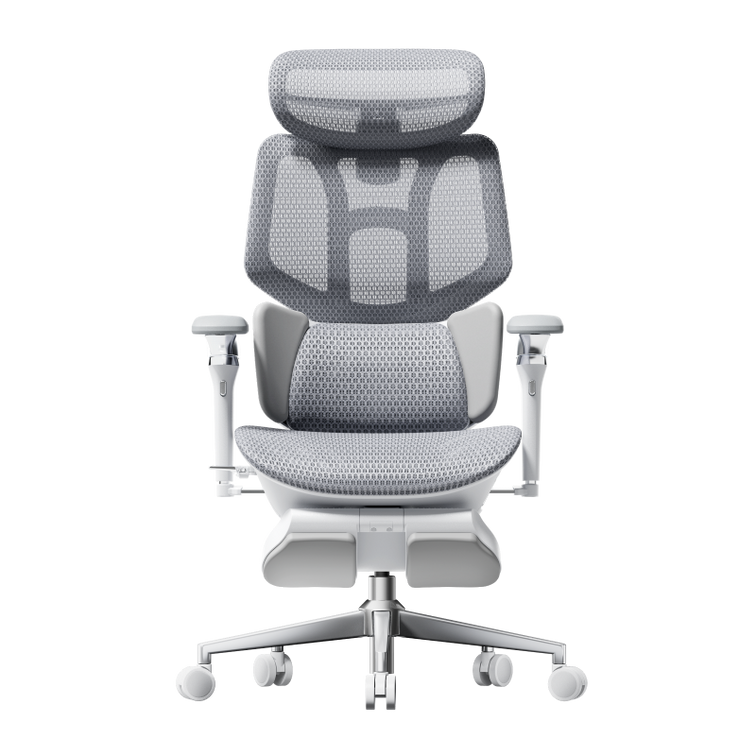
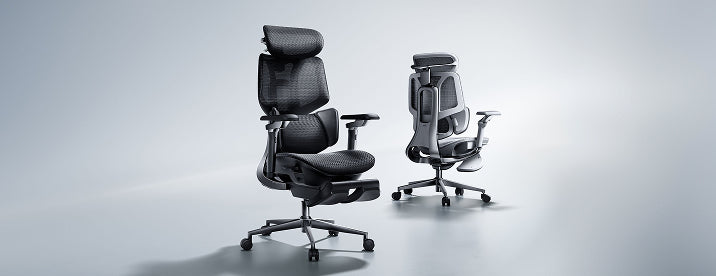
De blikvanger: HBADA E3 Pro 2026

Premium ergonomie die beter presteert dan die van high-end concurrenten van meer dan $1.000

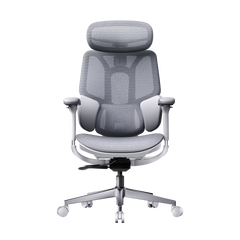
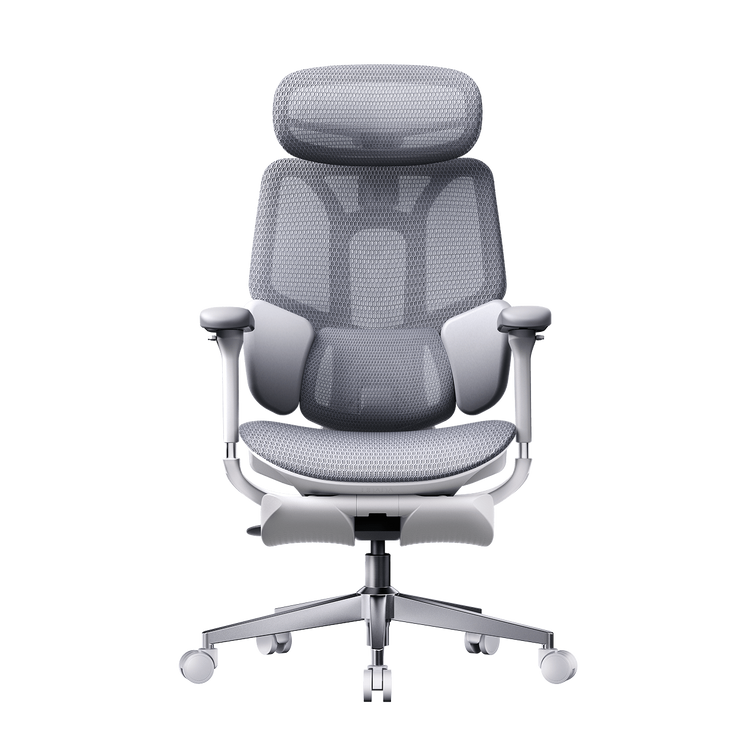
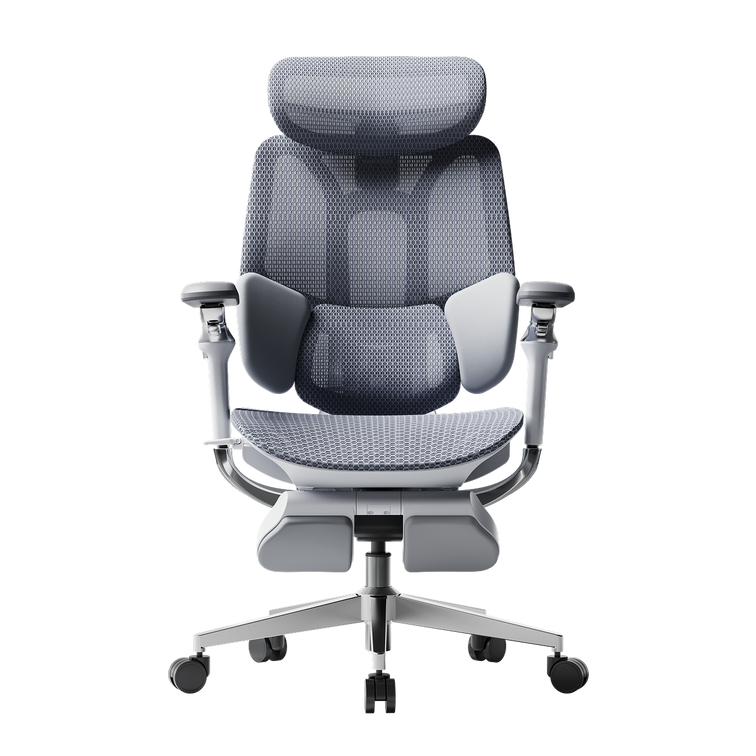
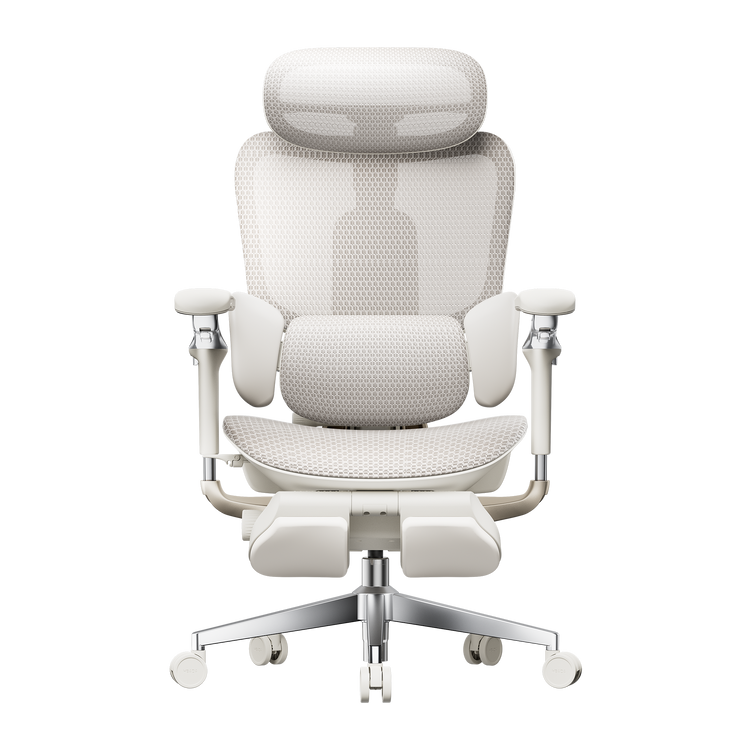
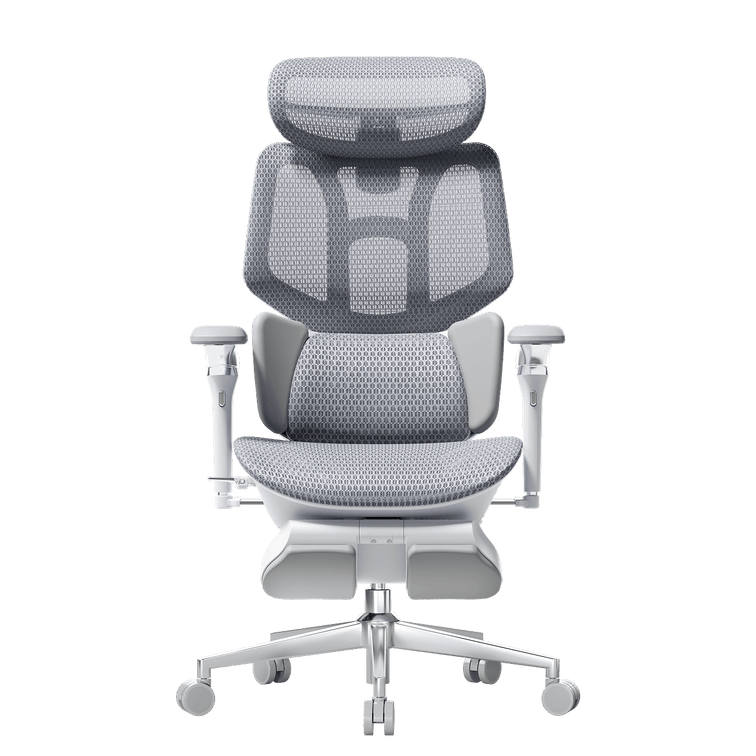
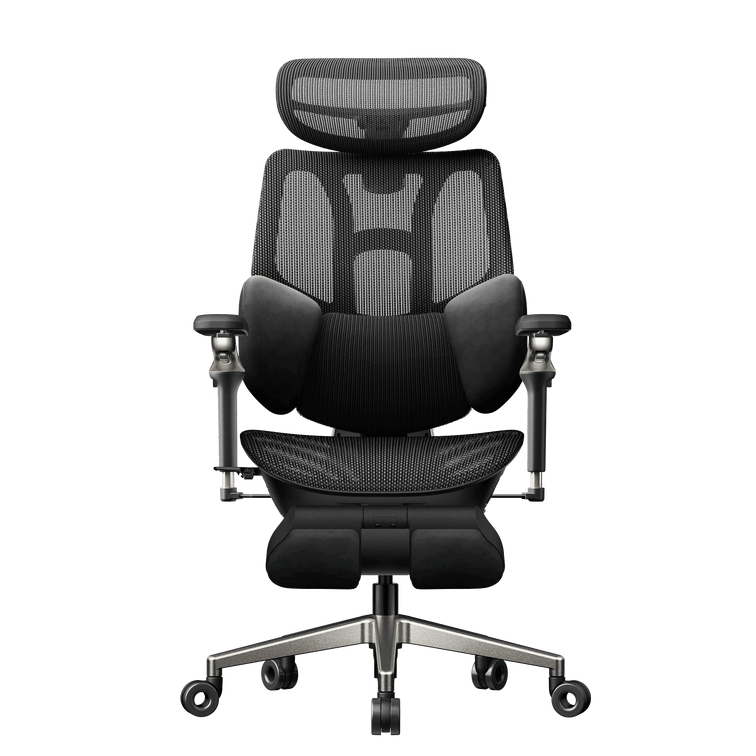
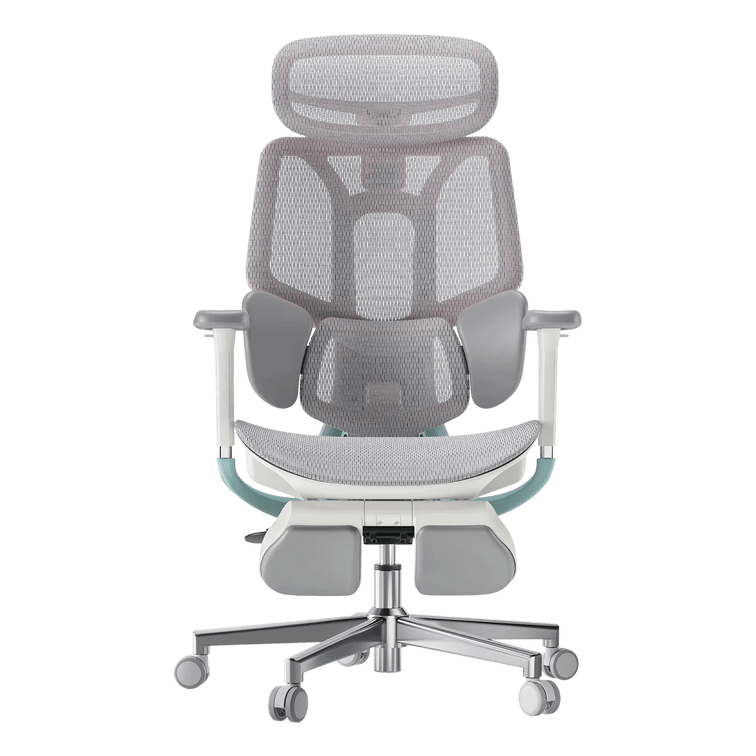
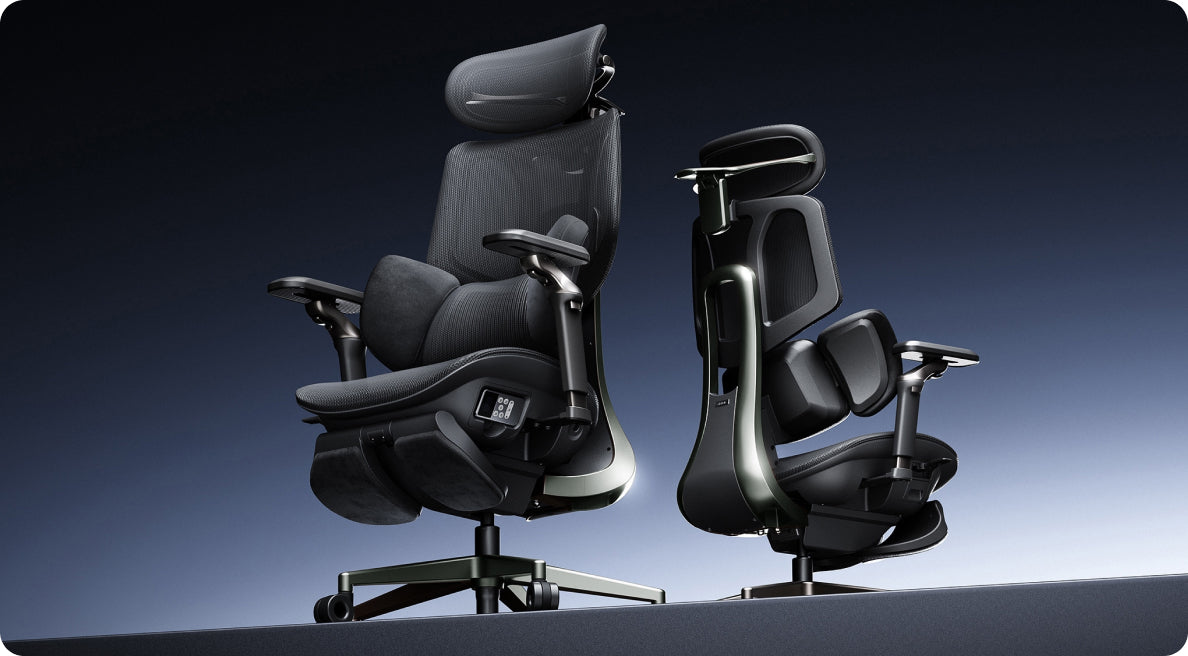
Terwijl de prijzen in onze hele winkel historisch laag zijn, staat ons vlaggenschipmodel volop in de schijnwerpers: de HBADA E3 Pro 2026. De E3 Pro is ontworpen voor professionals die meer dan 8 uur per dag aan hun bureau zitten en biedt hoogwaardige, medisch verantwoorde rugondersteuning voor een prijs die de markt voor luxe ergonomische stoelen volledig op zijn kop zet.

Waarom zijn meer dan 10 miljoen professionals zo enthousiast over de ergonomie van HBADA? Dit zijn de 4 belangrijkste innovaties van de E3 Pro 2026:

  1. Adaptieve lendensteun met 3 zones  Nooit meer voortdurend handmatig verstellen. Het dynamische systeem met 3 zones beweegt automatisch mee en omsluit je onderrug wanneer je beweegt. Zo krijg je gerichte lendensteun, of je nu vooroverleunt om te typen of achteroverleunt om te ontspannen.

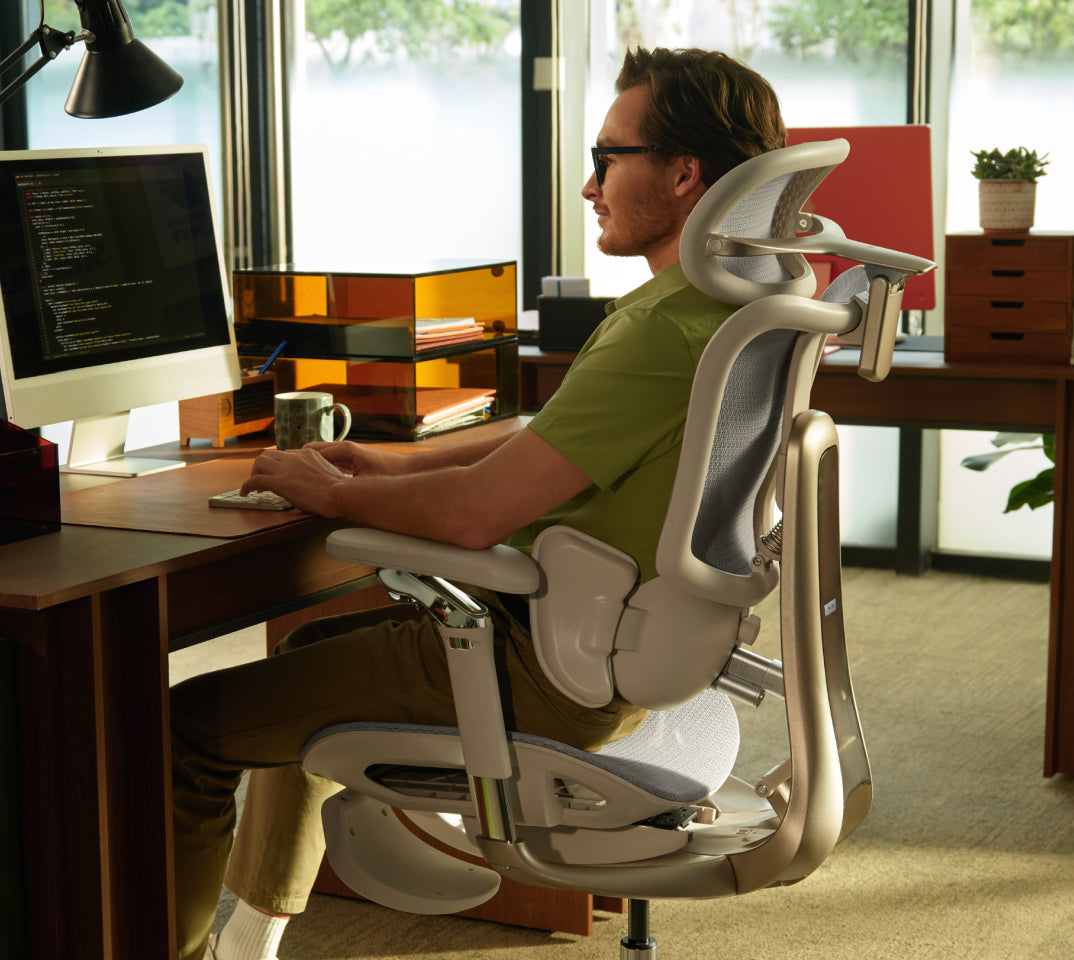
  2. 6D-mechanische armleuningen: Echt aanpasbaar comfort. Deze meerdimensionale armleuningen zijn in hoogte, naar links en rechts en naar voren en achteren verstelbaar en kunnen dynamisch kantelen. Zo ondersteunen ze je ellebogen en schouders optimaal en verminderen ze de belasting van je bovenlichaam in elke zithouding.

  3. Geavanceerde houdingscorrectie: De flexibele rugleuning is gebaseerd op de baanbrekende ‘zitten-wetenschap’ en volgt de natuurlijke S-curve van de menselijke wervelkolom. Zo helpt hij actief vermoeidheid door bureauwerk en langdurig onderuitzakken te voorkomen.

  4. Ademend, zeer elastisch mesh: Gemaakt van hoogwaardig mesh met hoge dichtheid, dat je de hele dag koel en zweetvrij houdt en jarenlang zijn sterke trekweerstand behoudt.

Tijdens de piekperiode van Prime Day is de E3 Pro 2026 verkrijgbaar als exclusieve Lightning Deal en in open deurknalacties. Wil je de prestaties van een flagshipmodel ter waarde van duizenden euro's ervaren zonder het premium prijskaartje, dan is dit de stoel die je op dag 1 aan je winkelwagen moet toevoegen.

Houd de vaart erin: de Prime Day-uitverkoop gaat verder

De piek gemist? De Prime Day-prijzen blijven gelden! (27 juni - 30 juni)

Is het je niet gelukt om tijdens de chaotische eerste drukte je favoriete stoel te bemachtigen? Geen paniek.

Van 27 juni tot en met 30 juni houden we de Prime Day-uitverkoop nog eens. We houden vast aan onze hoge kortingen, wat betekent dat de Prime Day-prijzen nog eens vier dagen blijven gelden! Je kunt nog steeds tot 50% korting krijgen en de resterende staffelkortingen ontgrendelen voordat de voorraad voor dit seizoen helemaal op is.

Waarom zou je tijdens het HBADA Prime Day-evenement rechtstreeks bij ons in de winkel shoppen?

  • Gegarandeerd de laagste prijs van 2026: Vind je later dit jaar een lagere prijs, dan evenaren we die.

  • Exclusieve staffelkortingen: Koop meer en bespaar meer. Kortingsbonnen worden automatisch gecombineerd bij het afrekenen.

  • Snelle en gratis verzending: Snel verzonden, zodat je volgende week al comfortabel kunt zitten.

Laat de gezondheid van je rug niet afhangen van een middelmatige bureaustoel. Profiteer van het grootste evenement van het jaar, sluit je aan bij miljoenen professionals wereldwijd en geniet vandaag nog van premium comfort.

👉 [Klik hier om nu te shoppen tijdens de Prime Day-uitverkoop en tot 50% te besparen]
Gerelateerd product

Dit vindt u misschien ook leuk

Desk Posture Checklist: 7 Ergonomic Adjustments for Long Workdays Desk Posture Checklist: 7 Ergonomic Adjustments for Long Workdays Your everyday workspace, thoughtfully adjusted Seven small adjustments.A better place to work. A comfortable desk setup rarely comes from one dramatic fix. It comes from the small details working together: where your feet land, how your back is supported, and how easily you can reach the things you use. Work through this desk posture checklist from the seat up. Then put your findings to work when choosing your next HBADA chair. Quick answer: What should you adjust first? A practical desk posture checklist covers seven adjustments: seat height, seat depth, lumbar support, backrest recline, armrest position, monitor height, and keyboard and mouse placement. Start with your chair, then arrange the screen and input devices around your seated position. A better setup. A better Black Friday price. Save up to €470 on selected HBADA chairs. See the deals → Why a checklist Seat height Seat depth Lumbar support Recline Armrests Monitor Keyboard & mouse Quick checklist Black Friday picks FAQs The starting point Why a Checklist Beats Guesswork Proper desk posture rarely comes from one dramatic fix. Seat height, monitor position and armrest placement all affect how you settle into your workspace. Change one, and you may need to revisit another. That is why a structured ergonomic workstation checklist is useful. Working through each item in order gives you a complete picture instead of adjusting one part of the setup and overlooking the rest. Fit the workspace around you—not the other way around. 01 Seat Height Start here. Your feet should rest securely on the floor or a stable footrest. If you are reaching for the floor with your toes or feeling cramped under the desk, revisit the seat height before moving on. Check the fit while wearing the shoes you normally use at your desk. Once the seat feels right, make sure you can still reach your keyboard without lifting your shoulders. Quick check: Sit back, place both feet down and notice whether you feel balanced without perching on the front edge. 02 Seat Depth Sit fully back against the backrest, then check the space between the front of the seat and the backs of your knees. A small gap—around two to three finger-widths—is a useful starting point rather than a rigid measurement. If the seat is too deep, its front edge may press behind your knees or encourage you to slide forwards. If it is too shallow, it may leave more of your thighs unsupported than feels comfortable. Quick check: Can you use the backrest comfortably without the seat edge pressing into your legs? 03 Lumbar Support Position the lumbar support around the natural curve of your lower back. Aim for comfortable contact rather than a strong push that moves you away from the backrest. Make small changes, sit normally and check the result. If the support feels too high, too low or too prominent, use the available adjustments rather than forcing yourself into one position. When choosing your next chair, take a closer look at the HBADA E3 Pro and compare its support and adjustment options with your needs. Quick check: The lumbar area should feel supportive, not like a hard point you need to sit away from. 04 Backrest Recline You do not need to hold one perfectly upright position throughout the day. Try a gentle supported recline, then check that your screen and keyboard remain easy to use. Adjust the tilt tension or lock setting according to your chair’s instructions. For focused typing, avoid leaning so far back that you have to reach forwards again. Change the setup when you switch from desk work to a seated break. Quick check: Can you lean into the backrest without losing comfortable access to your work? 05 Armrest Position Set your armrests so your shoulders can relax and your elbows stay near your body. If the pads rotate or move sideways, position them around the way you actually use your keyboard and mouse. Armrests should not stop you from moving close enough to the desk. Recheck their height and position if they collide with the desktop or push your elbows outwards. Quick check: Rest your arms, exhale and notice whether your shoulders drop naturally. 06 Monitor Height and Distance Place your main monitor directly in front of you, with the top of the screen at or slightly below eye level. Around an arm’s length away is a practical starting point; adjust the distance and text size so you can read without leaning forwards. If you wear bifocals or progressive lenses, you may prefer a lower screen position to avoid tilting your head back. Recheck the screen whenever you change your seat height. Quick check: Read a paragraph on screen. If you move your head towards it, try larger text or a different screen distance. 07 Keyboard and Mouse Placement Keep your keyboard close enough that you do not have to reach, with your wrists in a comfortable, fairly straight position. Start with the keyboard flat and adjust its angle only if that improves your wrist position. Place the mouse at the same level and within easy reach. Check the position during real work—not just while sitting still—because a comfortable setup needs to work while you type, click and switch tasks. Quick check: Type a few lines, then use the mouse. Can you switch between them without stretching your arm or lifting your shoulder? Keep this beside your desk Quick Reference: Desk Posture Checklist Tick each item as you check your setup. These boxes are for your own review; your selections are not submitted and may reset when you leave or reload the page. Seat height: My feet have stable support. Seat depth: I have comfortable clearance behind my knees. Lumbar support: My lower back feels supported without concentrated pressure. Backrest recline: I can use the backrest while keeping my work within reach. Armrests: My shoulders stay relaxed and the pads do not block the desk. Monitor: I can read comfortably without leaning or tilting my head. Keyboard and mouse: Both are close enough for comfortable use. If your current chair cannot accommodate several of these checks together, use the list as your buying checklist. Our office chair fit and measurement guide can help you compare seat height, depth, width and lumbar fit. Make your upgrade count Your checklist. Our Black Friday savings. Found the limits of your current chair? Turn your checklist into a workspace upgrade with our European Black Friday offers. Save up to €470. HBADA E3 Pro 2026 €509 Featured configuration: Grey, with footrest. Shop E3 Pro → HBADA X7 €1,099 Featured configuration: X7, Grey. Shop X7 → More ways to make your budget go further Subscriber coupon pack: €20 off €300+, €50 off €550+, or €60 off €1,000+. The €130 total is three separate coupons, not one discount. Valid November 6–30, 2026; excludes the new E3 Ultra. Each coupon is usable once per customer and cannot combine with other discount codes. Gift card bonus: Eligible X7 purchases receive an €80 gift card; eligible E3 purchases receive €30. Ends November 15. Cards are valid for 90 days on future purchases. Double points: Sign in before checkout to earn 2X points during November 6–30. Shop Black Friday savings → Selected configurations only; promotional stock and activity terms apply. Check current prices and eligibility on the event page before ordering. A useful reset Signs Your Setup Needs a Recheck Even a familiar desk setup benefits from another look. Watch for these signs that your settings or working habits may need attention: You repeatedly lean towards the screen to read. Your shoulders rise while you type or use the mouse. You slide forwards rather than using the backrest. Your wrists feel uncomfortable during desk work. You notice new neck, shoulder or lower-back discomfort. Start again with seat height and work through the list. Also make room for regular movement and breaks away from the desk. Persistent or worsening pain deserves individual advice from a healthcare professional. The details that matter Frequently Asked Questions What should be on a basic desk posture checklist? Include seat height, seat depth, lumbar support, backrest recline, armrest position, monitor height, and keyboard and mouse placement. Review them together rather than treating each adjustment as a separate task. What is proper desk posture, in simple terms? Think of a supported, comfortable position that lets you work without unnecessary reaching or leaning. It is not a single pose to hold all day; change position and take movement breaks. How often should I recheck my workstation? Recheck when you change equipment, share a desk, move your chair settings or notice new discomfort. A brief review after setting up for the day can also catch simple issues such as a mouse left too far away. Does posture matter more than the chair itself? They work together. A chair that fits gives you useful options for support, while the arrangement of your screen, desk and input devices helps you use those options comfortably. Why should I check seat depth as well as seat height? Height alone does not tell you whether you can sit back comfortably. Seat depth affects the clearance behind your knees and how easily you can make use of the backrest. Can monitor position affect the way I sit? Yes. If text is difficult to read or the screen is awkwardly placed, you may lean or tilt your head. Review screen position and text size together. A better fit. A Black Friday opportunity. Seven Small Fixes, One Better Workday None of these adjustments has to be complicated. Work through them together, keep what feels supportive and revisit the setup as your tasks change. Ready for a chair that gives you more options? Bring your checklist to our Black Friday sale and choose your next HBADA upgrade. Make the most of the offers while they are available—and give your everyday workspace the attention it deserves. Find my Black Friday chair deal → Good advice belongs in your everyday routine. Keep HBADA close for practical chair guides, workspace inspiration and ideas that help you get more from your setup. Add HBADA to your preferred sources ↗ Opens Google in a new tab. Confirm your selection there if HBADA is available. What Is a Smart Office Chair? AI Features That Matter When You Sit What Is a Smart Office Chair? AI Features That Matter When You Sit The next chapter in everyday seating Your workday moves.Your support should, too. You lean towards a project, settle back for a call, then turn to a second screen. An office chair has to fit more than a single position. That is where smart seating becomes interesting. Here is what a smart office chair actually does, how AI lumbar support differs from posture monitoring, and what to look for when choosing your next workspace upgrade. Smart seating Adaptive support Everyday comfort Quick answer: What is a smart office chair? A smart office chair adds electronic features such as sensors, powered adjustments or automated responses to a chair’s ergonomic design. Some systems monitor how you sit; others actively adjust support. The useful distinction is what the technology does for you—not simply whether the chair carries an AI label. What is changing Monitoring vs support Features that matter Meet HBADA X7 FAQs 01 / The bigger picture Smart seating is becoming more than a concept. A study published in Sensors in August 2026 explored a chair-based system that used pressure sensing and machine learning to classify seated positions. It is a useful example of researchers bringing digital tools into everyday seating. The research concerned a monitoring prototype, not a HBADA product test. Its relevance for shoppers is the distinction it highlights: identifying a position and physically changing a chair’s support are different jobs. Read the original research summary. At HBADA, our focus is on bringing useful comfort features into the chair itself. For your shopping checklist, start with a simple question: what will this feature change when I sit down? 02 / Know the difference Detecting your posture is not the same as supporting it. A Posture monitoring A monitoring system uses information from sensors to estimate how someone is sitting. Depending on the system, it may record patterns or provide feedback. Monitoring alone does not move the chair’s lumbar support. B Adaptive support An adaptive support system changes the physical support you receive. Check whether that movement is manually controlled, mechanically responsive or electronically driven; these are different approaches to chair design. Keep this distinction in mind when reading smart office chair descriptions. A reminder to change position, a powered control and automatic lumbar adjustment are not interchangeable features. Start with the experience you want. Then choose the technology that helps deliver it. 03 / Your buying checklist Four things to look for in a smart ergonomic chair. 01 A clear job for the technology Look for an explanation of what responds, what moves and what you control. “Smart” becomes useful when you can connect the feature to an everyday task or preference. 02 A seat that fits your body Compare the seat-height and seat-depth ranges with your current setup. Allow comfortable clearance behind your knees and check that you can sit back with your feet supported. 03 Controls you will actually use Consider how easily you can reach and understand the controls. Before ordering, review the instructions for powered features, charging and routine adjustment. 04 Comfort beyond the backrest Your desk height, arm position and head support also shape the experience. Choose a chair around the complete workstation, not a single headline feature. Not sure where to begin? Write down your desk height, your current seat measurements and the features you use most. Keep that checklist beside you when reviewing the HBADA X7 specifications and available options. 04 / Meet HBADA X7 AI lumbar tracking. A practical reason to upgrade. Our HBADA X7 smart ergonomic office chair brings automatic lumbar adjustment into your workspace, with AI lumbar support designed to respond to changes in your posture. Its comfort features also include seat ventilation, bionic massage and an adjustable headrest. These serve different purposes: support for sitting, airflow at the seat and a more relaxing break between tasks. Make X7 your starting point if responsive lower-back support is high on your wish list. Meet your next workspace upgrade: HBADA X7 → 05 / Put it to work Build your setup around your day. Think about the moments you repeat most often. A chair should work with your desk, your devices and the way you switch between activities. For typing and mouse work: bring frequently used tools within easy reach and arrange your arm support so your shoulders can stay relaxed. For video calls: position the camera and screen so you do not have to lean forwards just to stay in frame. For reading and planning: reposition your screen or document when you change your sitting position. For breaks: step away from the desk regularly. Treat seated comfort features as an addition to movement, not a replacement. Once your chair arrives, adjust the basic fit before exploring its electronic features. That gives you a clearer sense of what each setting adds to your experience. 06 / Choose your direction Which HBADA experience fits your priorities? Start with smart support Want a closer look at automatic lumbar adjustment? Start with X7 and review its features, dimensions and available configurations. See HBADA X7 → Discover more from HBADA Still deciding what matters most? Visit our European store to browse the range and compare your options against your fit, feature and budget checklist. Find your HBADA chair → 07 / The questions worth asking Smart office chair FAQs What makes an office chair “smart”? The term generally refers to electronic functions added to a chair, such as sensing, powered adjustment or automated responses. Check the actual feature list: different smart chairs can do very different things. How is AI lumbar support different from a manual lumbar pad? A manual pad is positioned by the user. The HBADA X7’s AI lumbar support automatically adjusts in response to posture. Seat fit and your initial setup still matter with either approach. Is a chair with massage automatically an AI chair? No. Massage is a comfort function; it does not by itself establish that a chair uses AI or automatically adjusts support. Look for a separate explanation of those capabilities. Is a smart office chair worth it for a home office? It can be a worthwhile upgrade when its functions match what you want from your workspace. If automatic lumbar adjustment is a priority, put HBADA X7 on your shortlist and check its fit and features against your desk setup. Does a smart chair eliminate the need to change position? No. A comfortable chair supports your seated activities, while regular movement remains part of a balanced workday. Use the chair’s adjustments to accommodate different tasks and continue taking breaks away from your desk. Your next move Bring smarter support to the place you work. Choose technology with a clear purpose, fit the chair to your workspace and make comfort part of your everyday routine. Start your next setup with HBADA X7. Discover HBADA X7 → A smarter workspace starts with good ideas. Keep HBADA close for chair guides, practical setup advice and new ways to make your workspace more comfortable. Add HBADA to your preferred sources ↗ Opens Google in a new tab. Confirm your selection there if HBADA is available. Black Friday or Cyber Monday: When Should You Buy an Office Chair in 2026? Black Friday or Cyber Monday: When Should You Buy an Office Chair in 2026? HBADA Europe · Black Friday 2026 Your Black Friday upgrade.With more to enjoy. Our Black Friday savings have arrived early. Save up to €470, unlock subscriber coupons and enjoy extra rewards on eligible purchases. This is your moment to give your workspace the upgrade you have been planning. €470Maximum advertised savings €130Total value of three subscriber coupons 2X pointsEligible purchases, 6–30 November Shop European Black Friday deals → Quick answer / The savings have already started You do not need to wait until Cyber Monday to enjoy HBADA’s Black Friday offers. Our European event brings early flash prices, a subscriber coupon pack, complimentary gift cards with eligible chairs and double points. Selected early benefits end on 15 November, so now is a great time to choose your upgrade. 01 / Standout chair offers Serious comfort. Substantial savings. Whether you want adaptive lumbar support or a smart chair with more advanced features, our Black Friday selection gives you meaningful savings across the range. ADAPTIVE SUPPORT · SAVE €200 HBADA E3 Pro 2026 €509 Listed comparison price: €709 The grey configuration with a footrest pairs three-zone lumbar support with a €200 saving. A rewarding upgrade for your home office—and an eligible purchase may also qualify for our promotional gift-card offer. Shop E3 Pro 2026 → SMART LUMBAR TRACKING · SAVE €410 HBADA X7 €1,099 Listed comparison price: €1,509 Save €410 on the grey X7. Bring smart lumbar tracking into your workspace, then check the eligible coupon and promotional gift-card benefits available with your order. Get the X7 Black Friday offer → New arrival / HBADA E3 Ultra Gen 5 Make massage and warmth part of your workspace. €719 Listed comparison price: €1,099 Save €380 on the Pearl White E3 Ultra Gen 5. Our new chair combines 4D bionic massage, graphene heating and full-body dynamic support for a more comfortable transition from work to relaxation. With three-zone lumbar support, 8D armrests and a 150° recline, it brings a richer feature set to your desk at a compelling early-event price. Shop E3 Ultra Gen 5 → The new E3 Ultra is excluded from the subscriber coupon pack. Looking for our premium upgrade? The event also lists X7 Prestige at €1,629 against a listed comparison price of €2,099: a €470 saving. See the full Black Friday selection for this and other available offers. Prices are for the configurations stated and precede any additional eligible coupon. Confirm current pricing, VAT information, delivery and availability for your destination at checkout. 02 / Unlock extra value There is more than one reason to shop early. Our European Black Friday event goes beyond product discounts. Here is how to make the available benefits work for your purchase. Subscribe for a coupon pack worth €130 in total Sign up on our Black Friday page to receive three separate coupons: €20 OFFOrders of €300+ €50 OFFOrders of €550+ €60 OFFOrders of €1,000+ Choose the coupon that matches your eligible order. A useful extra saving makes a strong chair deal even more appealing. Valid 6–30 November 2026. €130 is the combined value of three coupons, not a single-order discount. The new E3 Ultra is excluded. Each coupon is usable once per customer and cannot be combined with other discount codes. Minimum spend is calculated before applying the coupon. Buy an eligible chair. Receive a gift card for later. Until 15 November, qualifying purchases include an €80 promotional gift card with an eligible X7 or an €30 promotional gift card with an eligible E3. Enjoy your new chair now and keep a little extra HBADA value ready for a future purchase. Promotional gift cards are valid for 90 days from issuance and are for future purchases, not an immediate reduction of the current order total. Eligibility and redemption terms apply. Earn double points throughout the event Sign in before checkout and earn 2X points from 6–30 November on eligible purchases. It is an additional reward for choosing your next workspace upgrade during our Black Friday event. Points are credited within 24 hours of payment, subject to the programme and promotion terms. Give more with discounted gift-card credit Shopping for someone else? Our event advertises €100 in credit for €95 and €500 in credit for €470. Let them choose the HBADA chair that suits their own desk. Select the qualifying gift-card offer and check the displayed price and redemption terms before paying. Purchased gift cards and complimentary promotional gift cards have separate conditions. A chair you have been waiting for.More savings to enjoy with it. 03 / Buy early with added reassurance Enjoy the offer now—with price protection behind it. Our European campaign advertises a 60-day price guarantee: qualifying price drops are covered by a refund of the difference under the applicable terms. It is another reason to feel confident about shopping early, alongside the current chair discounts and eligible promotional rewards. Check the coverage and claim conditions on the Black Friday event page. Black Friday is 27 November 2026, and Cyber Monday is 30 November. Our early-access offers are already live, while the qualifying chair gift-card promotion ends on 15 November. You have good reasons to start before the busiest shopping weekend. 04 / Your shopping plan Three simple steps to your Black Friday upgrade. 1. Choose your HBADA chair Pick E3 Pro for adaptive lumbar support, E3 Ultra for integrated massage and heat, or X7 for smart lumbar tracking. Select your preferred colour and configuration. 2. Claim the eligible benefits Subscribe for the coupon pack, sign in for double points and check whether your chair qualifies for a promotional gift card before 15 November. 3. Secure your offer Apply your eligible code, confirm delivery to your destination and complete checkout while the offer is available. Selected flash deals are limited to their displayed dates and promotional stock. 05 / Quick answers Your European Black Friday questions, answered. Can I get Black Friday prices before Black Friday? Yes. Our European early-access event includes selected flash offers advertised at our lowest Black Friday prices for those models and colours. Shop during the stated offer period while promotional stock is available. Does the €130 coupon pack give me €130 off one order? It contains three separate coupons: €20 off €300+, €50 off €550+ and €60 off €1,000+. Use the appropriate eligible coupon for your order. The new E3 Ultra is excluded, and the coupons cannot be combined with other discount codes. Which purchases include a promotional gift card? The offer gives an €80 promotional gift card with an eligible X7 purchase or €30 with an eligible E3 purchase during the warm-up promotion ending 15 November. Confirm eligibility for your chosen product on the event page. Is the new E3 Ultra included in the sale? Yes. The event lists the Pearl White E3 Ultra Gen 5 at €719 against a comparison price of €1,099, a €380 saving. Its product offer is separate from the subscriber coupon pack, which excludes the new E3 Ultra. When can I earn double points? The double-points promotion runs from 6–30 November. Sign in before checkout so eligible purchases can receive the promotional points. Black Friday starts here Your next chair.A deal worth making room for. Save on your HBADA upgrade and enjoy the eligible extras: subscriber coupons, promotional gift cards and double points. The early offers are live—make the most of them. Get my Black Friday offer → Keep good workspace advice close. Add HBADA Europe as a preferred source on Google for more chair-buying guides, workspace ideas and brand updates. Add HBADA Europe to your preferred sources ↗ Opens Google in a new tab. Confirm your selection if HBADA Europe is available.