Blog

Why Your Ergonomic Chair Is Hurting Your Back (And How to Fix It 101)

Why Your Ergonomic Chair Is Hurting Your Back (And How to Fix It 101)

You spent $400 on a "ergonomic chair" that's supposed to save your back. Instead, your back hurts more than it did before. Welcome to the paradox that confuses millions of office workers: the chair causing back pain even though it says "ergonomic" on the box. The painful truth is that 90% of ergonomic chair users adjust them incorrectly, creating more problems than they solve. This guide exposes the six myths that sabotage your back health and shows you exactly how to fix your chair setup in the next 10 minutes.

The Ergonomic Chair Paradox — Why "Ergonomic" Fails

You bought an ergonomic chair. Your back got worse. Here's why that's not the chair's fault.

An ergonomic chair is not a passive product, it doesn't fix your back by being sat in. It's a tool that requires configuration. Unlike a pillow that supports your head or a mattress that supports your body weight, an ergonomic chair requires active setup: lumbar height adjustment, seat depth calibration, armrest positioning, and backrest tension tuning. A chair from the factory is set to the average male body (5'9", 180 lbs). If you're 5'1", 110 lbs or 6'2", 295 lbs, the default settings guarantee misalignment. Bad chair adjustment creates the exact spinal stress the chair was designed to prevent.

Myth Vs Fact: The 6 Most Damaging Ergonomic Chair Mistakes — Busted

Let's identify and correct the myths that are hurting your back.

Myth #1: "Higher Back Support Is Always Better"

Fact: A lumbar support that sits too high on your spine (above L5) strains your mid-back

Your lumbar curve is not centered in the middle of your back. It's concentrated at L4–L5 (the lowest two vertebrae). A chair designed with lumbar support at "average height" places the support at mid-lumbar (L3), which is 2–3 inches too high for petite users and 1–2 inches too high for many average-height users. You feel pinching under your shoulder blades. The wrong chair adjustment doesn't reduce back pain, it shifts it to your shoulders.

Solution: your lumbar support should reach your lowest rib and feel like it's cradling L4–L5, not your mid-back.

Myth #2: "Seat Depth Doesn't Matter — All Seats Are the Same"

Fact: Wrong seat depth creates under-thigh pressure and forced forward slouching

Most office chairs default to a seat depth of 17–18 inches. For petite people (under 5'4"), this depth compresses the soft tissues behind your thighs (the popliteal area), restricting blood flow and forcing you to slide forward to escape the pressure. When you slide forward, your pelvis tilts backward, flattening your lumbar curve. This slouch happens automatically, you're not choosing bad posture. The chair is forcing it. After 4 hours, your L4–L5 disc is stressed from both the under-seat pressure and the postural slouch.

Solution: seat depth should allow 2–3 fingers' width between the chair edge and the backs of your knees when you're seated upright with your back against the support.

Myth #3: "Armrests Are Luxury — They Don't Affect Spine Health"

Fact: Armrests set too high or too low pull your shoulders out of alignment, stressing cervical and thoracic discs

When armrests are too high, your elbows float, and you clench your shoulders to stabilize your arms. When they're too low, you lean sideways or lean back, collapsing your spinal curve. Either way, your shoulders lose neutral alignment, and your cervical spine works harder to stabilize your head.

Solution: armrests should support your forearms at exactly a 90° elbow angle, with your shoulders relaxed. Your elbows should rest on the armrests, not be suspended above them.

Myth #4: "Backrest Recline Should Be Fixed at 90°"

Fact: A locked-at-90° backrest prevents the spinal movement that reduces long-term disc stress

Sitting upright (90° hip-knee angle) at the same angle for 8 hours concentrates load on the same L4–L5 discs without relief. Research shows that alternating between upright (90°) and slightly reclined (100–120°) every 2–3 hours distributes load across different disc segments and prevents cumulative stress injury. A chair that locks your spine in one position violates biomechanical diversity.

Solution: your ergonomic chair should allow recline between 100–140° with multiple lock positions, letting you shift load throughout the day.

Myth #5: "More Cushioning = More Comfort = Better Back Support"

Fact: Excessive cushioning compresses under pressure and traps heat, both degrading long-term comfort

Thick foam cushions feel plush for the first month. But foam undergoes permanent compression set it doesn't fully recover after each sitting. By month 3, the ischial tuberosities (sit bones) create permanent depressions in the cushion, concentrating pressure in those zones. More pressure = more disc stress = more back pain.

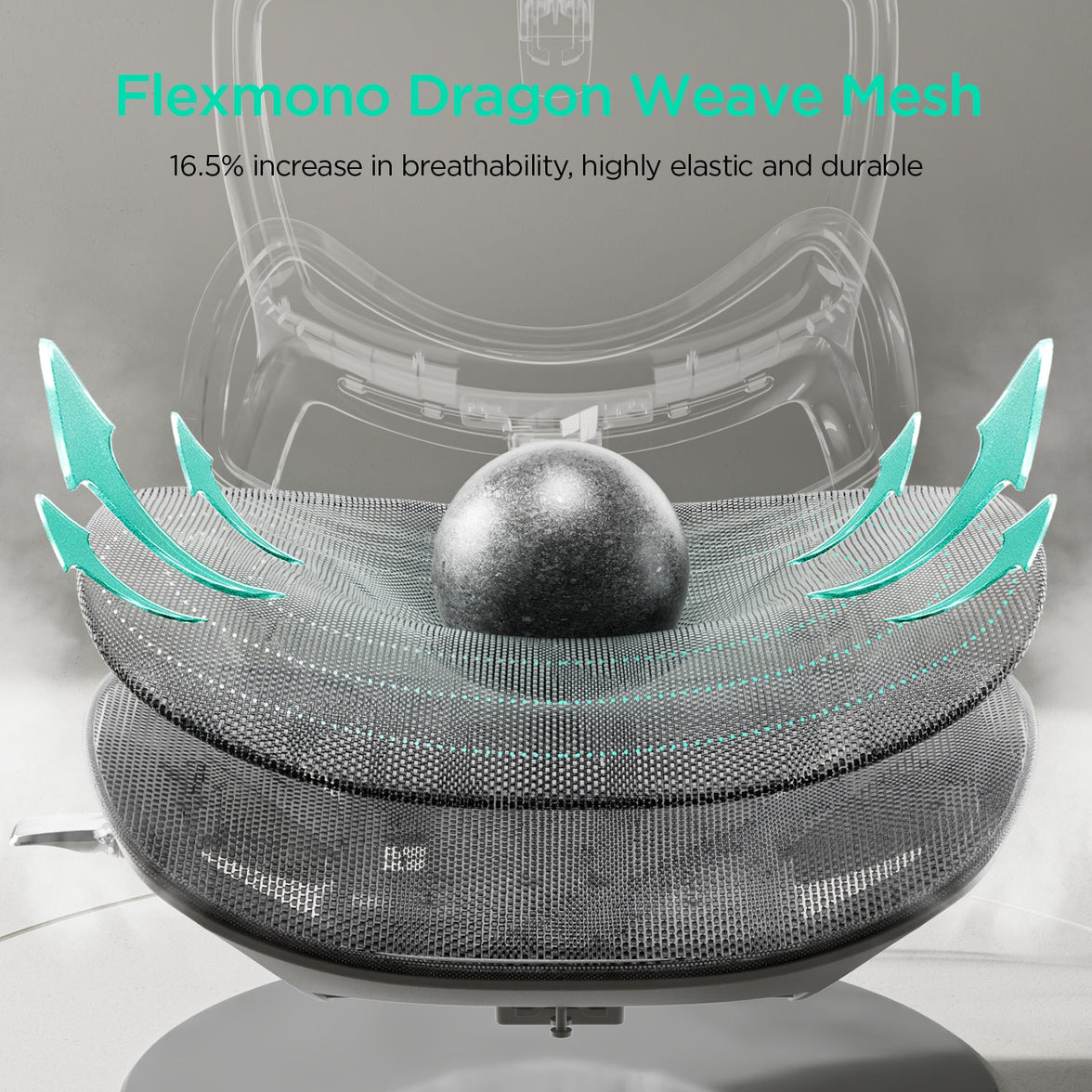
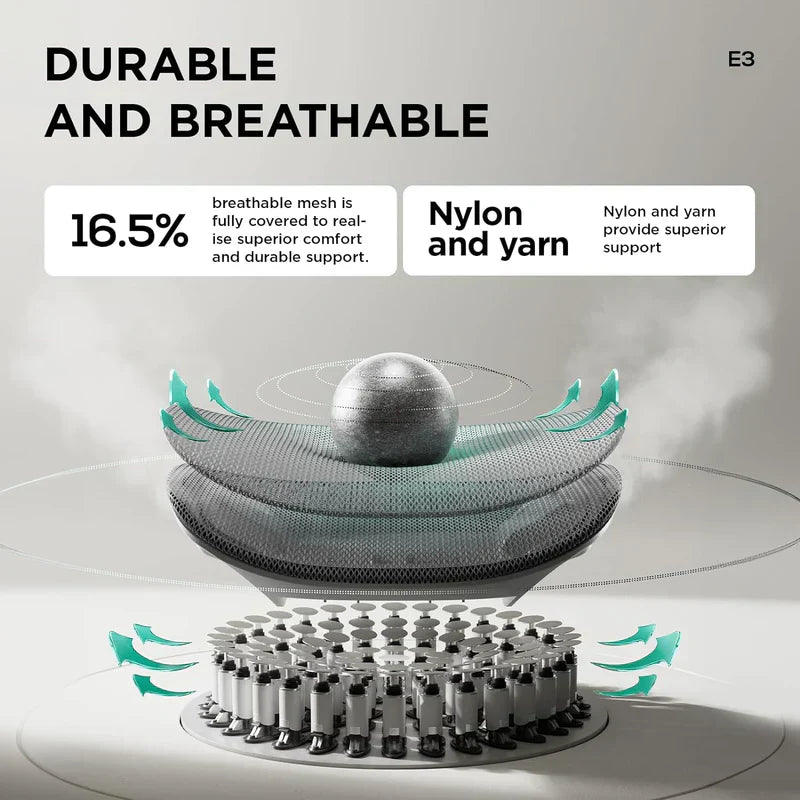
Solution: look for elastic suspension or mesh backing that maintains 95%+ compression recovery across thousands of sitting cycles.

Myth #6: "If the Chair Cost $400+, It's Properly Configured Out of the Box"

Fact: Price is no guarantee of proper factory setup. Even premium chairs ship with default settings.

A $500 chair uses the same factory-default settings as a $250 chair: average male dimensions, generic lumbar height, standard seat depth. You still need to spend 15–30 minutes adjusting it to your body. The price difference is usually due to materials (mesh vs. foam), motor quality (manual vs. motorized), and lifespan, not to pre-configuration. Solution: Every chair, regardless of price, requires the adjustment protocol below.

Two Case Studies: From Chair Causing Back Pain to Relief

Case Study A: David L. — The Over-Adjustment Trap

David L., 32, Project Manager (6'1", 220 lbs, 8-hour daily desk use). David bought a mid-range ergonomic chair at his company's suggestion. He spent 2 minutes adjusting the seat height and then stopped, assuming "ergonomic" meant automatic relief. After 3 weeks, his lower back ached by 2 PM daily, and his shoulders felt pinched.

The problem: David's lumbar support was set 2 inches too high (at his mid-back rather than L4–L5), causing a pulling sensation. His armrests were 3 inches too high, forcing him to shrug his shoulders. His seat depth was causing mild under-thigh pressure that he didn't consciously notice, but that forced subtle forward slouching. When David spent 15 minutes properly adjusting his chair using the protocol above, his L4–L5 pressure dropped 12%, his shoulder tension disappeared, and his afternoon back pain vanished within one week. His chair wasn't broken — it was just misconfigured.

Case Study B: Sophie W. — The Petite Frame Mismatch

Sophie W., 26, Content Creator (5'2", 105 lbs). Sophie's employer provided a standard office chair "suitable for all body types." At 5'2", Sophie was 7 inches below the factory average. Her seat depth left 1 inch of space between her knees and the seat edge, but because her thighs were shorter, she felt pressure under her knees instead of her thighs. Her lumbar support was set at "average height," which placed it 3 inches above her actual L4–L5 position — at her mid-back instead.

Sophie's employer then purchased the HBADA AI-Powered X7 Smart Ergonomic Chair with 60mm adjustable seat depth and a lower lumbar support range. Sophie adjusted her seat depth to 16 inches (vs. the standard 18"), positioning lumbar support at her actual L4–L5 zone, and raised her feet with a footrest to maintain 90° hip-knee angle. Result: her under-knee pressure disappeared, her shoulders felt relaxed, and her back pain resolved within 3 days of proper configuration.

Ergonomic Chair Features That Prevent Misconfiguration — Built-In Safeguards

Some chairs are designed so misconfiguration is harder. Here's what to look for.

Configuration Risk

Common Chair Problem

Smart Chair Solution (HBADA E3 Pro / X7)

Lumbar height mismatch

Support too high (shoulder pinching)

3-Zone Adjustable Lumbar with L4–L5 target zone (E3 Pro)

Seat depth is wrong for the frame

Under-thigh pressure + forced slouch

60mm seat depth range (X7) vs. fixed depth

Armrest height floating

Shoulder shrugging or sideways lean

720° adjustable armrests (E3 Pro/X7) with exact elbow cradle

Backrest locked at 90°

Cumulative L4–L5 stress from no positional change

Recline to 100–140° with multiple lock positions (E3 Pro)

Foam compression sag

Increasing pressure over weeks; degrading support

CloudMesh + elastic suspension (E3 Pro) maintains 95%+ recovery


Which Chair Prevents the Adjustments That Hurt Your Back?

• You're petite or under 5'4": The HBADA AI-Powered X7 with 60mm seat depth and lower lumbar range eliminates under-thigh pressure.

• You're over 6'0" or 250+ lbs: The HBADA E3 Pro 2026 Edition with 3-Zone L4–L5 tracking and 100–140° recline prevents slouch-induced disc stress.

• You don't want to adjust manually: The HBADA AI-Powered X7 with AI lumbar tracking auto-adapts as you move.


FAQs

Can an ergonomic chair make back pain worse?

Yes. An ergonomic chair with wrong adjustment creates the exact disc and ligament stress it's designed to prevent. Lumbar support too high pinches shoulders; seat depth too deep creates under-thigh pressure forcing slouching; armrests too high force shoulder shrugging. The chair itself isn't defective — the setup is. 90% of "bad ergonomic chairs" are actually well-designed chairs misconfigured to the wrong body.

How do I know if my ergonomic chair is adjusted correctly?

You should feel: (1) lower back gently supported without pinching, (2) feet flat with hips and knees at 90–100°, (3) elbows resting on armrests at 90° with relaxed shoulders, (4) 2–3 fingers of space between seat edge and knees, and (5) no pressure under thighs or shoulders. If you feel pinching, pinned-down legs, floating elbows, or shoulder shrugging, your chair needs adjustment.

Should I buy a more expensive ergonomic chair to avoid back pain?

Not necessarily. A well-adjusted $300 chair outperforms a misconfigured $500 chair every time. The real ROI is in adjustability features — adjustable lumbar support, seat depth range, armrest range, and recline options. A premium chair is worth buying if it offers greater adjustment range for your specific body type, not just because it costs more.

What is the most important ergonomic chair adjustment?

Lumbar support height. This single adjustment affects your entire spine. Correct lumbar positioning (L4–L5) prevents disc herniation, supports natural lordosis, and enables all other adjustments to work correctly. If your lumbar support is wrong, no other adjustment will fully compensate.

Do I need a footrest if my ergonomic chair is adjusted correctly?

If your feet don't reach the floor when the seat height puts your hips and knees at 90–100°, yes. A footrest maintains the 90° hip-knee angle without forcing your seat higher (which would create under-thigh pressure). Petite users especially need footrests to prevent dangling feet that destabilize the pelvis.


Gerelateerd product

Dit vindt u misschien ook leuk

How Often Should You Replace an Ergonomic Office Chair? Seven Warning Signs How Often Should You Replace an Ergonomic Office Chair? Seven Warning Signs Dark reading mode Still supportive?Or time for a change? Before replacing your office chair, check what has actually changed. A worn component may be repairable; a damaged structure needs a different response. Condition mattersmore than the calendar. Keep what can be safely maintained. Replace what can no longer provide reliable support. When should you replace an ergonomic office chair? Replace it when damage or wear cannot be safely and reasonably repaired. Check for sagging support, sinking height adjustment, cracks and unreliable mechanisms. An isolated fault may only need a compatible replacement part. Stop using an unstable or structurally damaged chair until it has been assessed. In this guide How long does a chair last? Seven warning signs Repair or replace? Make your chair last longer HBADA models and durability When to get help The takeaway Frequently asked questions Sources How long does an ergonomic office chair last? There is no universal lifespan for every ergonomic office chair. Materials, daily sitting time, user load, maintenance and environmental conditions all affect how quickly individual components wear. Judge your chair by its condition rather than replacing it automatically after a particular number of years. A chair used occasionally at home faces different demands from one shared across long working shifts. Ask whether the seat still supports you, the frame is stable and the controls work as intended. Those checks are more useful than relying on age alone. Warranty is not an expiry date. Warranty coverage, laboratory testing and useful service life describe different things. A test-cycle figure cannot be directly converted into years, and the end of warranty coverage does not automatically mean the chair needs replacing. What are the seven warning signs? Look for changes in support and function. Some faults can be corrected with maintenance or a replacement assembly; others require you to stop using the chair. Seven signs that deserve attention Warning sign What it may indicate What to do 1. Sagging padding or stretched mesh The support surface no longer holds you evenly. Ask whether the seat assembly can be replaced. Replace the chair if support cannot be restored. 2. A seat that keeps sinking A worn cylinder or a problem with the height-control mechanism. Have the cause checked and request a compatible part. 3. A cracked base or structural instability A damaged load-bearing part or connection. Stop using the chair. Seek an approved repair or replace it if safe restoration is not possible. 4. Broken lumbar support or backrest Support or attachment has failed. Request service or a compatible assembly. Do not use a loose or damaged backrest. 5. An unreliable recline lock The mechanism releases unexpectedly or cannot hold its position. Stop using the chair until assessed; repair or replace as advised. 6. Broken castors or armrests A worn part or damaged mounting point. Replace compatible parts if the remaining structure is sound. 7. Persistent noise, wobbling or discomfort Loose fixings, wear, poor fit or another workstation issue. Investigate the cause. Noise alone does not prove the chair needs replacing. Lost support does not always mean a new chair A replacement seat or backrest assembly may restore comfort if the rest of the chair is in good condition. Ask about repair options before assuming that stretched mesh means the entire chair must be discarded. Instability needs a prompt response Cosmetic marks and structural cracks are not the same. Stop using a chair that shifts unexpectedly or has damaged load-bearing parts. EU-OSHA’s office ergonomics guide includes chair stability among its workstation checks. Read the office ergonomics guide. Should you repair or replace? Repair can be a practical choice when one component fails on an otherwise sound chair. Replacement is more appropriate when multiple major faults remain or a safe repair is not available. Repair when… The fault has been identified. The remaining structure is sound. A suitable part is available. The repair restores reliable function at a reasonable cost. Replace when… Structural damage cannot be safely resolved. Several major components have failed. Compatible parts cannot be sourced. The repair cannot restore suitable support. Do not assume castors, cylinders and bases share universal dimensions. Check the part number, fittings, load rating and manufacturer’s compatibility guidance. Include delivery and labour when comparing repair costs with a replacement chair. Contact support before dismantling. Keep your order details and model information ready, and provide clear photos of the fault. Check the HBADA EU warranty and service information before paying for a replacement part. Never open, drill, heat or attempt to refill a gas lift cylinder. It is a sealed pressure component. Replacement must follow the model’s instructions; seek qualified help if the process is unclear. How do you make a chair last longer? Care is about both cleaning and noticing changes. Use the maintenance schedule and methods supplied for your model. Stay within the load limit: do not stand on the chair or use its footrest as a step. Check fixings: inspect for looseness as instructed and avoid overtightening. Clean mesh gently: use suitable tools and approved cleaners, without soaking electrical components. Keep castors clear: remove accessible hair and debris according to the care instructions. Protect materials: avoid prolonged direct sunlight, excessive heat and damp storage. Act on new faults: investigate sinking, unusual movement or visible damage rather than waiting for failure. Routine inspection does not mean dismantling the chair. Check accessible areas and ask support before attempting an unfamiliar repair. Which HBADA chairs should you consider for long-term use? If replacement is the right decision, look at fit, adjustment, product testing and support for the components you are buying. X7 and E3 Pro 2026: ownership considerations Consideration HBADA X7 E3 Pro 2026 Support approach Powered automatic lumbar tracking Mechanical three-zone adaptive support Comfort functions Massage, heating and fan-assisted ventilation Mechanical adjustments and breathable mesh What to ask about Support for structural parts, powered components and the battery Support for the mesh seat, lumbar assembly and adjustment mechanisms Warranty and parts Confirm terms and parts availability for your exact purchase. Confirm terms and parts availability for your exact purchase. The E3 Pro 2026 EU listing reports 120,000 cycles for recline, gas lift and rotation testing. These manufacturer-published test figures provide information about testing, not a guaranteed number of years of use. HBADA X7 Consider X7 if powered lumbar tracking and additional comfort functions suit your routine. Explore X7 → HBADA E3 Pro 2026 Consider E3 Pro 2026 if you prefer adaptive mechanical support and hands-on adjustment. Explore E3 Pro 2026 → Check the selected model, purchase terms and applicable component coverage. Do not assume every part carries the same warranty period. Limitations and when to get help A visual inspection cannot identify every internal fault. Follow instructions for your exact model, not a similar-looking chair. Do not force jammed controls or improvise repairs to load-bearing parts. Discomfort can involve workstation fit, movement habits or health as well as chair wear. Seek qualified healthcare advice for persistent, severe or radiating pain. The takeaway: repair what is sound, replace what is not An ergonomic office chair does not need replacing simply because it is old. Check the support surface, height adjustment, base and mechanisms, then find out whether suitable parts can restore reliable use. Maintain the chair while it remains sound, stop using it when structural safety is in doubt, and replace it when a safe, practical repair is no longer possible. Frequently asked questions How often should you replace an office chair? There is no fixed interval for every chair. Inspect its stability, support and mechanisms. Replace it when damage or wear cannot be safely and reasonably repaired. Is it worth repairing an office chair? It can be, particularly when a single replaceable part has failed. Confirm compatibility, the condition of the remaining chair and the total cost before choosing a repair. How do you know whether mesh is worn out? Look for tearing, detached edges or persistent sagging that changes how the seat supports you. Ask whether the mesh or seat assembly is replaceable before discarding the whole chair. Does a sinking chair always need replacing? No. The fault may be in the cylinder or height-control mechanism. Have it diagnosed and check for a compatible replacement part. Never attempt to open or refill the cylinder. Does an old chair cause back pain? Worn support or poor fit may contribute to discomfort, but chair age does not establish the cause of pain. Review your workstation and seek medical advice for persistent or severe symptoms. How long is an office chair warranty? It varies by model, component and purchase terms. Check your order documentation and the relevant warranty policy. Warranty duration is not the same as the chair’s expected usable lifespan. Sources EU-OSHA — Office Ergonomics HBADA EU — Warranty and Service HBADA EU — X7 HBADA EU — E3 Pro 2026 HBADA Ergonomic Office Chairs With Footrests: Models and Fit Compared HBADA Ergonomic Office Chairs With Footrests: Models and Fit Compared Dark reading mode Room to focus.Space to lean back. From focused home-office work to a quiet reclined break, an ergonomic office chair with a footrest adds flexibility to your setup. Start with fit, then choose the support and comfort features that suit your day. Fit first.Footrest second. Check seat height, seat depth and lumbar support before deciding which reclining features matter to you. Which HBADA ergonomic office chair with a footrest should you choose? Consider X7 for a pull-out footrest alongside powered lumbar tracking, massage, heating and ventilation. Choose E3 Pro 2026 with footrest for adaptive mechanical support and hands-on adjustment. Always confirm the exact configuration on the EU product page. In this guide Do you need a footrest? HBADA model options Chair comparison Finding the right fit Setup routine Which should you choose? Limitations The takeaway Frequently asked questions Sources Do you need an ergonomic office chair with a footrest? A footrest is useful when it supports the position you actually use. Before choosing a chair, separate two different needs: resting your legs while reclining and keeping your feet supported during upright work. For reclined breaks A retractable chair footrest This extends from beneath the seat to support your legs as you lean back. It stores away when you return to a more upright working position. For upright work A separate floor footrest This provides a stable surface for your feet when your seat needs to be raised to match a fixed-height desk. EU-OSHA’s office ergonomics guidance includes checking whether the feet can rest on the floor or a footrest without excessive pressure behind the legs. A chair’s pull-out leg support should not automatically be treated as a substitute for an under-desk footrest. Read the EU-OSHA office ergonomics guide . Who benefits most from a built-in footrest? People who use their chair for desk work and reclined rest breaks. Users who want leg support that stores neatly beneath the seat. People who prefer an integrated solution rather than a separate ottoman. If your feet hang above the floor while typing, first assess seat height, desk height and whether you need a separate floor footrest. Which HBADA models offer a footrest? HBADA X7: powered support The HBADA X7 combines reclining leg support with automatic lumbar tracking, massage, heating and fan-assisted ventilation. Check the selected model and included configuration before ordering, particularly when comparing different chairs in the X7 family. HBADA E3 Pro 2026: mechanical adjustment The E3 Pro 2026 combines three-zone adaptive lumbar support with a CloudMesh seat, adjustable headrest and multi-directional armrests. Choose the With Footrest configuration to include the retractable footrest. Compare like with like. E3 Pro 2026 is not the same model as every older E3 Pro listing. Check the generation and configuration before comparing dimensions, controls or accessories. HBADA footrest chair comparison The main difference is the approach to support: powered functions on X7 versus mechanical adjustment on E3 Pro 2026. Their seat dimensions also differ. X7 vs E3 Pro 2026: EU model comparison Feature HBADA X7 E3 Pro 2026 Footrest Pull-out leg support; confirm selected configuration Select With Footrest Lumbar support Powered automatic tracking Mechanical three-zone adaptive support Seat height 44.5–53 cm 46–54.5 cm Seat depth 40.5–45.5 cm 45–50 cm Seat width 52 cm 51.5 cm Additional functions Massage, heating and fan-assisted ventilation Mechanical adjustments without powered comfort functions Main choice Powered comfort features Hands-on mechanical adjustment Dimensions refer to the linked EU product listings. Confirm the latest specifications and included features before purchase. The chair’s overall weight capacity is not a separate load rating for the extended footrest. How should a footrest chair fit? Start with your seated position, not the footrest. Compare seat height and depth with your proportions, then check lumbar contact and armrest placement. A deeper seat is not automatically better. You should be able to sit against the backrest with comfortable clearance behind your knees. Your shoulders should remain relaxed when you reach the keyboard. Match the adjustment to the problem If you notice Check this Aim for Feet do not reach the floor Seat and desk height; a floor footrest if needed Supported feet during upright work The seat edge presses behind your knees Seat depth and height Comfortable clearance without sliding forwards Your lower back loses contact Seat depth, lumbar position and sitting position Comfortable support while sitting back Your shoulders rise while typing Desk, keyboard and armrest height Relaxed shoulders with easy reach The extended footrest feels uncomfortable Recline, extension and your leg proportions Leg support without concentrated pressure Recommended user-height ranges are only a starting point. Two people of the same height can have different leg lengths and need different seat settings. How to set up your chair and footrest correctly Set up for upright work first. Adjust the seat and work surface so your shoulders stay relaxed. Support your feet on the floor or a separate floor footrest. Adjust seat depth. Sit back fully and leave comfortable space between the seat edge and the backs of your knees. Position the lumbar support and armrests. Aim for supportive contact without pushing your torso forwards or lifting your shoulders. Arrange your screen and keyboard. Keep the screen in front of you and avoid reaching forwards to use the keyboard or mouse. Test a reclined break. Leave space around the chair, extend the footrest according to the instructions and recline gradually. Do not use the footrest as a step or additional seat. Include movement. Retract the footrest when returning to your desk setup as appropriate. Alternate seated work with opportunities to stand and walk. Which HBADA chair should you choose? Powered comfort Choose X7 Choose X7 if you want automatic lumbar tracking and additional comfort functions such as massage, heating and cooling airflow alongside reclining leg support. Explore X7 → Mechanical support Choose E3 Pro 2026 Choose the With Footrest version if you prefer adaptive mechanical lumbar support, breathable mesh and adjustment without powered comfort functions. Explore E3 Pro 2026 → Before ordering, check the selected variant, delivery availability for your country and the applicable return and warranty terms. Do not choose on the basis of feature count alone. Limitations and when this advice may not apply A chair and footrest support comfort; they do not treat medical conditions. A retractable leg support does not automatically solve an upright desk-height mismatch. A height-adjustable desk helps only if its range and the chair’s dimensions suit you. Footrest instructions and load limits must be checked for the exact model. Seek professional advice for severe, persistent or radiating pain. The takeaway: match the chair to your day The best ergonomic office chair with a footrest for you is one that supports comfortable upright work and gives you a useful option for reclined breaks. Compare the X7’s powered features with the E3 Pro 2026’s mechanical support, check your seat dimensions and confirm the footrest configuration. Keep regular movement in your routine whichever model you choose. Frequently asked questions Are office chairs with footrests good for your back? A built-in footrest can make a reclined break more comfortable by supporting your legs. Back comfort also depends on chair fit, lumbar support and movement. A footrest is not a medical treatment. Do all HBADA chairs include a footrest? No. Availability depends on the model and configuration. Select With Footrest for E3 Pro 2026 and check the included features of the exact X7 model before ordering. Is a built-in footrest better than a separate one? A built-in footrest is convenient for reclining and stores under the seat. A separate floor footrest supports the feet during upright work when the floor is out of reach. Choose by purpose rather than treating them as interchangeable. Which HBADA chair should I choose for long workdays? Start with dimensions and fit. X7 adds powered lumbar tracking, massage, heating and ventilation. E3 Pro 2026 offers adaptive mechanical support and a footrest configuration. Both still need to be adjusted to your body. Can a footrest help with short legs or a tall desk? A separate floor footrest may help when you need a higher seat position to reach a fixed desk. Check the chair’s minimum height and seat depth as well. Do not rely on an extended reclining footrest to correct every fit issue. How much space does a footrest chair need? Allow space in front for the extended footrest and behind for recline. Measure your available area and compare it with the model’s dimensions, including its reclined position where supplied. Keep walkways clear. Sources EU-OSHA — Office Ergonomics EU-OSHA OSHwiki — Prolonged Static Sitting HBADA EU — X7 Smart Ergonomic Chair HBADA EU — E3 Pro 2026 How to Adjust a Shared Ergonomic Office Chair for Hot Desking How to Adjust a Shared Ergonomic Office Chair for Hot Desking Dark reading mode A shared desk.A setup that is yours. Someone else’s chair settings do not have to become your working posture. A simple reset helps you make a shared ergonomic office chair fit your body before the day begins. One routine.Five adjustments. Seat height Seat depth Lumbar support Armrests Recline How do you adjust a shared ergonomic office chair? Start with seat height, then seat depth, lumbar support, armrests and recline. Check the desk and screen afterwards. Once you know the controls, aim for a quick one-minute check, taking longer whenever you need to fine-tune the fit. In this guide Why reset a shared chair? The adjustment order The 60-second reset What to look for Shared-chair hygiene HBADA chair comparison Limitations The takeaway Frequently asked questions Sources Why must you reset a shared chair? A hot-desk chair usually arrives set for whoever used it last. Their legs, back and arms may differ from yours, so the seat, lumbar support and armrests may not be in the right position for you. A seat that feels slightly too high or armrests that keep you away from the desk can become distracting over a full day. Resetting the chair gives you a better starting point than adapting your posture to someone else’s settings. EU-OSHA’s guidance on office ergonomics specifically discusses hot desking: shared workstations should be easy to adjust, and users need clear information about making those adjustments. Read the office ergonomics guidance. What order should you adjust the chair in? Start with the settings that establish your overall position. Seat height sets your relationship to the desk; seat depth determines how far back you can sit. You can then position the lumbar support and armrests around that foundation. Your reset sequence:Seat height → seat depth → lumbar support → armrests → recline → desk and screen check. At a height-adjustable desk, set the chair for supported feet and then bring the work surface to a comfortable working height. At a fixed-height desk, you may need to raise the chair to reach the keyboard comfortably and add a separate floor footrest. Use the sequence as a starting point, not a rigid rule. Recheck earlier settings if a later adjustment changes how you sit. The 60-second hot-desking reset Learn the controls first, then use these five steps as a quick daily routine. The aim is a repeatable setup—not finishing before a timer runs out. Set the seat height Sit back and position yourself so you can use the keyboard with relaxed shoulders. Keep your feet supported on the floor or a stable floor footrest. Avoid pressure from the seat edge under your thighs. Slide the seat to fit your legs Adjust the depth while keeping your back against the backrest. Leave roughly two to three fingers of clearance behind your knees as a starting point, then check comfort. Position the lumbar support Move the support towards the curve of your lower back. It should feel supportive rather than push you forwards. If the chair has automatic tracking, check the initial position and available settings. Bring the armrests to you Adjust the available height, width or rotation so your forearms can rest without lifting your shoulders. Make sure the armrests do not stop you moving close enough to the desk. Check the recline Lean back gently and familiarise yourself with the tilt lock. Adjust resistance if the chair offers a manual tension control; on an automatic mechanism, check that the movement feels controlled and supportive. Your final fit check Adjustment Aim for Quick check Seat height Comfortable access to the work surface Feet supported; shoulders relaxed Seat depth Thigh support with knee clearance You can sit against the backrest without pressure behind the knees Lumbar support Contact with the lower-back curve Support feels comfortable, not forceful Armrests Supported forearms and relaxed shoulders You can move close to the keyboard Recline Controlled, supported movement You understand the lock and resistance controls Floor footrest Foot support when the floor is out of reach Both feet rest securely without stretching down What makes a chair good for hot desking? A shared chair earns its place when different users can adjust it easily and understand how its controls work. Look beyond the number of features to how practical they are in daily use. A useful adjustment range: compare seat height, depth and width with the people using the space. One chair may not fit everyone. Clear, accessible controls: levers and buttons should be easy to identify and reach. Suitable build and service support: check intended use, maintenance needs, replacement parts and warranty coverage for the shared workspace. Practical materials: breathable mesh can help with airflow, but cleaning suitability depends on the material and manufacturer’s instructions. Appropriate capacity and dimensions: check both the weight limit and physical fit. A useful office addition: keep a simple adjustment card or a link to the chair’s instructions at each desk. Users should not have to guess which lever changes which setting. How do you keep a shared chair hygienic? Armrests, adjustment controls and headrests are frequent touch points. A consistent cleaning routine helps keep the chair pleasant for the next person. Follow the chair’s care instructions and your workplace cleaning procedure. Use a suitable cloth and a cleaner approved for the relevant surface. Do not assume every disinfectant is compatible with mesh, padding or finishes. Avoid soaking the seat or spraying liquid directly into controls, ventilation openings or electrical components. Allow cleaned surfaces to dry before the next use. Report spills, loose parts or damaged controls promptly. Remove an unsafe chair from use. Breathability and hygiene are different considerations: mesh allows airflow, but it still needs appropriate care. Which HBADA chair suits shared desks? The X7 and E3 Pro 2026 offer different approaches to lumbar support. Compare their adjustment ranges with your users, then decide whether powered tracking or mechanical adjustment better suits the workspace. HBADA X7 vs E3 Pro 2026: EU specifications Feature HBADA X7 E3 Pro 2026 Seat height 44.5–53 cm 46–54.5 cm Seat depth 40.5–45.5 cm 45–50 cm Seat width 52 cm 51.5 cm Lumbar support Powered automatic tracking 3-zone adaptive support; 60 mm height adjustment across six levels Seat material Breathable mesh CloudMesh Maximum weight capacity 150 kg 150 kg Recommended user height 150–195 cm 155–195 cm X7: powered lumbar tracking Consider the X7 if you want lumbar support that responds automatically to posture changes. Each user should still check seat fit, armrests and their preferred support settings. Explore HBADA X7 → E3 Pro 2026: mechanical adjustment Consider the E3 Pro 2026 if you prefer hands-on adjustment with adaptive lumbar support and a breathable mesh seat. Explore E3 Pro 2026 → Specifications refer to the linked EU listings. User-height ranges are a guide, not a substitute for checking fit. For office-wide purchasing, confirm shared or intensive use requirements and warranty terms before ordering. Limitations and when to get help A chair reset is one part of setting up a shared workstation. It cannot compensate for every desk, screen or individual fit issue. Check screen position, keyboard reach and available leg space after adjusting the chair. If the chair’s adjustment range does not fit you, ask for a suitable alternative rather than forcing a position. Change posture and take movement breaks throughout the day. Seek a workstation assessment if you cannot find a comfortable setup. For severe, persistent or radiating pain, consult a qualified healthcare professional. The takeaway: reset the chair, not your expectations Hot desking works better when you take a moment to make the workstation yours. Start with seat height, then work through depth, lumbar support, armrests and recline. Finish by checking the desk and screen. Choose powered lumbar tracking if that suits your workspace, or mechanical adjustment if you prefer a hands-on setup. Either way, learning the controls once makes every future reset more straightforward. Frequently asked questions How do you adjust an office chair for your body? Begin with seat height and depth, then position the lumbar support and armrests. Check the recline controls and finish by reviewing the desk and screen. Your feet should be supported, your shoulders relaxed and the seat clear of the backs of your knees. Is hot desking bad for your back? Hot desking does not automatically mean an uncomfortable setup. Problems can arise when the chair or workstation does not fit the user or is difficult to adjust. Familiarise yourself with the controls, review your fit and keep movement in your day. What should you look for in a shared office chair? Look for an appropriate adjustment range, clear controls, suitable seat dimensions and materials you can maintain according to the care instructions. Check intended use, weight capacity and after-sales support. Do not assume a single model will suit every colleague. How do you know a chair fits after resetting it? Check that your feet are supported, your thighs rest comfortably, there is clearance behind your knees and the lumbar support meets your lower back. You should also be able to reach the keyboard with relaxed shoulders. These are useful starting checks; reassess comfort as you work. Should a shared chair have a footrest? Some users need a separate floor footrest when a fixed desk requires a higher seat position. A retractable chair footrest is intended for supporting the legs while reclining and serves a different purpose. Choose support according to the user’s working position. Does automatic lumbar tracking adjust the whole chair? No. Automatic lumbar tracking responds to posture changes, but it does not replace checking seat height, seat depth, armrests or workstation fit. A new user should still run through the adjustment routine. Can you really reset a chair in 60 seconds? A familiar chair can be quick to check, but a minute is a practical target rather than a guarantee. Allow more time when using a new model, learning its controls or adjusting an unfamiliar desk. Sources EU-OSHA OSHwiki — Ergonomics in office work HBADA EU — X7 Smart Ergonomic Chair HBADA EU — E3 Pro Ergonomic Office Chair 2026 Edition