












Winkelwagen
Je winkelwagen is leeg
Verder winkelen
Elke bestelling, gedekt door HBADA
30 dagen thuis proberen
Gratis levering binnen 3–5 werkdagen
5 jaar zorgeloze garantie
24/7 klantenservice
Dit artikel uit je winkelwagen verwijderen?
Winkelwagen
 2D- versus 3D- versus 4D-armleuningen: hoe verhouden 6D-armleuningen zich daarmee?
Donkere leesmodus
Meer verstelmogelijkheden.Steun die bij je dag past.
Een praktische gids voor 2D-, 3D-, 4D- en 6D-armleuningen voor je thuiskantoor of gedeelde werkplek.
Kort antwoord: Het belangrijkste verschil tussen 2D-, 3D-, 4D- en 6D-armleuningen is het aantal verstelmogelijkheden. Een veelvoorkomende 4D-uitvoering biedt hoogte-, diepte- en breedteverstelling en draaiing. Andere aanduidingen verschillen per fabrikant. Kies bewegingen die je onderarmen comfortabel ondersteunen en bij je bureau passen, in plaats van ervan uit te gaan dat een hoger getal altijd beter is.
Inhoud
Wat betekent de 'D'?
Uitleg over 2D-armleuningen
Uitleg over 3D-armleuningen
4D-armsteunen uitgelegd
6D-armsteunen uitgelegd
De vier soorten vergelijken
Waarom de nummering verschilt
Kiezen op basis van gebruik
Onze aanbeveling: HBADA X7
Veelgestelde vragen
Tot slot
Aanduidingen voor armleuningen zijn een van de verwarrendste aspecten bij het kopen van een stoel. 2D. 3D. 4D. 6D. Ze klinken technisch, maar beschrijven iets praktisch: hoe je de armsteunen kunt verstellen.
Deze gids bespreekt de gebruikelijke uitvoeringen en helpt je vervolgens bepalen voor welke bewegingen het de moeite waard is te betalen.
Wat betekent de 'D' in armleuningen eigenlijk?
De 'D' staat doorgaans voor dimensies en wordt gebruikt om verstelfuncties aan te duiden. Omhoog en omlaag bewegen telt normaal gesproken als één verstelling, niet als twee.
In de praktijk bieden de aanduidingen geen betrouwbare checklist om verschillende merken te vergelijken. Fabrikanten tellen verschuiven, draaien, kantelen en gekoppelde bewegingen mogelijk op verschillende manieren. Twee stoelen met dezelfde D-aanduiding kunnen verschillende bedieningsmogelijkheden en verstelbereiken hebben.
Wie vooral typt, heeft misschien baat bij verstelling naar binnen en draaien. Wie vaak achteroverleunt, heeft misschien liever armleuningen die bruikbaar blijven wanneer de rugleuning beweegt. Bekijk welke bewegingen mogelijk zijn voordat je bepaalt wat je nodig hebt.
Uitleg over 2D-armleuningen
Een 2D-armleuning biedt doorgaans twee verstelfuncties. Afhankelijk van de stoel kan dat bijvoorbeeld het volgende betekenen:
Hoogte: de steun omhoog of omlaag bewegen.
Een tweede beweging: breedte, diepte of draaiing.
Hoogte en breedte vormen één mogelijke combinatie, maar niet de enige. Controleer de productbeschrijving en ga er niet van uit dat elke 2D-armleuning op dezelfde manier werkt.
Een eenvoudigere instelling kan volstaan als de kussens op de juiste plek zitten. Het nadeel is dat je minder verstelmogelijkheden hebt wanneer je bureau, schouderbreedte of werkhouding om extra aanpassingen vraagt.
Uitleg over 3D-armleuningen
Een 3D-ontwerp voegt nog een verstelbare functie toe. Een veelvoorkomende combinatie is:
Hoogteverstelling.
Diepteverstelling, waarbij het kussen naar voren en achteren beweegt.
Draaien door het kussen naar binnen of buiten te kantelen.
Andere ontwerpen kunnen breedte in plaats van draaibaarheid bieden. Dankzij draaibaarheid kan het kussentje de hoek van je onderarm volgen, terwijl diepteverstelling helpt de steun goed te positioneren zonder je van het bureau weg te duwen.
Voor regelmatig bureauwerk kan een goed passend 3D-ontwerp handig zijn. De vraag is of de specifieke bewegingen aan je behoeften voldoen.
4D-armsteunen uitgelegd
Een veelvoorkomende 4D-configuratie combineert hoogte, diepte, breedte en draaibaarheid. Dankzij de onafhankelijke breedteverstelling kun je de steunen dichter bij je lichaam zetten of verder uit elkaar schuiven.
Dit is vooral handig als vaste armsteunen te ver uit elkaar staan of te dicht bij elkaar staan. Zo kun je je onderarmen flexibeler ondersteunen zonder je armen naar buiten te strekken of je schouders op te trekken.
Voor dagelijks typen en muiswerk kan dit een praktische balans tussen functionaliteit en kosten bieden. Maar ‘4D’ is geen comfortcertificering voor acht uur. De afstand tussen de armsteunkussentjes, het hoogtebereik, de stevigheid en de ruimte onder het bureau blijven belangrijk.
6D-armsteunen uitgelegd
Producten die als 6D worden omschreven, bieden doorgaans extra functies naast eenvoudig schuiven en draaien. Afhankelijk van het ontwerp kunnen dit de volgende functies zijn:
Kanteling van het kussentje: de hoek van het steunvlak aanpassen.
Extra draaibeweging: het kussentje of de steunarm verplaatsen.
Met de rugleuning gekoppelde beweging: meebewegen met de stoel wanneer je achteroverleunt.
Wegklapbare beweging: de steun uit de weg bewegen.
Dit zijn kenmerken om op te letten, geen definitie waaraan elk 6D-product moet voldoen. Met een rugleuning gekoppelde beweging is met name niet exclusief voor stoelen die als 6D worden aangeprezen.
Extra bewegingsmogelijkheden kunnen handig zijn als je wisselt tussen typen, bellen en achteroverleunen. Het is de meerprijs waard als ze een positioneringsprobleem oplossen dat je daadwerkelijk hebt.
Alle vier typen armsteunen voor bureaustoelen vergeleken
Veelvoorkomende voorbeelden, geen universele definities. Controleer de bediening en het verstelbereik van elk product.
Label
Gebruikelijke beschrijving
Waarop je moet letten
2D
Hoogte plus één andere verstelling.
Of de tweede beweging breedte, diepte of draaibaarheid is.
3D
Drie functies, zoals hoogte, diepte en draaibaarheid.
Of de armsteunen ook de gewenste afstand tussen de kussentjes kunnen bereiken.
4D
Vaak hoogte, diepte, breedte en draaibaarheid.
De daadwerkelijke bewegingsruimte, de stabiliteit van de armsteunen en de ruimte onder het bureau.
6D
Een door de fabrikant bepaalde combinatie van extra bewegingen.
Welke functies zijn inbegrepen en of je ze zult gebruiken.
Waarom de nummering niet gestandaardiseerd is
Beschouw D-labels als productbeschrijvingen, niet als een universele rangschikking. De ene fabrikant kan afzonderlijke draaipunten apart beschrijven, terwijl een andere ze als één functie groepeert.
Dezelfde kanttekening geldt voor termen in graden, zoals „720°”. Een hoekbeschrijving is niet rechtstreeks te vergelijken met het aantal verstelbare functies.
De betere vraag: Kun je de armleuningkussens plaatsen waar je onderarmen vanzelf rusten, en blijven ze daar tijdens het typen, muisgebruik en het veranderen van houding?
Beste armleuningen voor bureaustoelen per gebruikssituatie
De keuze tussen deze ontwerpen hangt af van je werkplek en taken, niet alleen van het hoogste beschikbare getal.
Typen en muiswerk
Geef voorrang aan bruikbare hoogte-, breedte- en dieptebereiken. Draaibare armleuningkussens kunnen helpen om de hoek van je onderarmen te volgen.
Een gedeeld thuiskantoor
Controleer of de armleuningkussens voor beide gebruikers op een comfortabele plek kunnen worden ingesteld en of je de instellingen gemakkelijk opnieuw kunt aanpassen.
Bellen en achteroverleunend pauzeren
Controleer hoe de armleuningen bewegen wanneer je achteroverleunt. Gekoppelde beweging of kantelbare armleuningkussens kunnen helpen om de ondersteuning goed te houden.
Een compacte bureauopstelling
Meet de ruimte onder het bureaublad, inclusief eventuele laden. Controleer de laagste armleuninghoogte en of de armleuningkussens naar achteren kunnen schuiven.
Bij een bureau dat wordt aangeprezen als 75 cm hoog, kan er door het blad, het frame of de laden minder ruimte onder het bureau zijn. Meet de vrije ruimte en vergelijk die met de armleuningen op de werkhoogte van je stoel.
Snelle pasvormcontrole: Houd je schouders ontspannen, je ellebogen dicht bij je zij en je toetsenbord binnen handbereik. De armleuningkussens moeten je onderarmen ondersteunen zonder je schouders omhoog te duwen of te verhinderen dat je dicht bij het bureau kunt zitten.
Raadpleeg voor algemene richtlijnen voor werkplekken de richtlijnen van OSHA voor stoelen en armleuningen. Dit zijn praktische afsteltips, geen verklaring van wettelijke EU-vereisten.
Onze aanbeveling: HBADA X7
Als je verstelbare armleuningen wilt in combinatie met elektrische comfortfuncties, is de HBADA X7 het overwegen waard. Volgens de Europese productvermelding heeft de stoel een 720°-armleuningsysteem, elektrische lendensteun die je bewegingen volgt, massage, verwarming en stoelventilatie.
Beschouw het als een complete stoel en zie „720°” niet als bewijs dat de stoel geschikt is voor elke armpositie. Controleer hoe ver de armleuningkussens reiken, of ze voldoende ruimte bieden onder je bureau en welke bedieningselementen de configuratie van je keuze heeft.
Geen exclusieve functie: De E3 Pro 2026 heeft ook 720°-armleuningen. De aanbeveling van de X7 hier is gebaseerd op de combinatie van functies als geheel, niet op de bewering dat deze in elke situatie de meest verstelbare armleuningen heeft.
HBADA E3 Pro 2026
De E3 Pro 2026 is het vergelijken waard als je liever een mechanisch verstelbare stoel hebt zonder de elektrische comfortfuncties van de X7.
Volgens de EU-specificaties kunnen de armsteunkussens 360° draaien en de armleuningen 360° rond het bevestigingspunt zwenken. Daarnaast is de hoogte 7 cm verstelbaar en is er 6 cm beweging naar voren en achteren.
HBADA E3 Air 2026
Neem de E3 Air 2026 mee in je vergelijking als je dagelijkse verstelbaarheid wilt zonder de elektronische functies van de X7 te kiezen.
Controleer de bediening en het verstelbereik van de armleuningen van de gekozen uitvoering, in plaats van er een D-getal aan toe te kennen op basis van een andere productvermelding.
Controleer vóór je bestelt de generatie, uitvoering en specificaties van de armleuningen op de Europese productpagina. Vergelijkbare modelnamen betekenen niet altijd dat de onderdelen identiek zijn.
Veelgestelde vragen
Wat is het verschil tussen 2D-, 3D- en 4D-armleuningen?
Ze beschrijven verschillende combinaties van verstelmogelijkheden. Een gebruikelijke 4D-opstelling omvat hoogte, diepte, breedte en draaibaarheid. Welke bewegingen als 2D of 3D worden geteld, verschilt; controleer daarom de daadwerkelijke kenmerkenlijst.
Zijn 6D-armleuningen de moeite waard?
Dat kan, als de extra bewegingen je helpen bij je taken of bij je lichaamsverhoudingen passen. Controleer wat ‘6D’ inhoudt en of die functies een probleem oplossen dat eenvoudigere armleuningen niet oplossen.
Waarom verschillen de D-getallen van armleuningen per merk?
Merken kunnen schuiven, draaien, kantelen en gekoppelde bewegingen verschillend tellen of indelen. Dezelfde D-getallen garanderen geen gelijke bewegingsbereiken.
Welke armleuningen zijn het beste voor een volledige werkdag?
Kies armleuningen die je onderarmen ondersteunen terwijl je schouders ontspannen blijven en je het bureau kunt bereiken. Hoogte, diepte, breedte en draaibaarheid zijn nuttige opties, maar geen enkel D-getal garandeert op zichzelf comfort gedurende de hele dag.
Is de X7 de enige HBADA-stoel met 720°-armleuningen?
Nee. De E3 Pro 2026 heeft ook 720°-armleuningen. Vergelijk de specifieke bewegingsbereiken en de overige kenmerken van de stoel, niet alleen de gedeelde benaming.
Heb ik 6D-armleuningen nodig voor incidenteel gebruik?
Niet per se. Een eenvoudiger ontwerp kan volstaan als het de juiste positie bereikt en niet in de weg zit bij je bureau.
Tot slot
Bij de vergelijking van 2D-, 3D- en 4D-armleuningen draait het om hoe je werkt en waar je onderarmen ondersteuning nodig hebben. Extra bewegingsmogelijkheden zijn nuttig als ze je daadwerkelijk beter laten zitten.
Een bekende 4D-combinatie is een goed uitgangspunt voor vergelijking. Uitgebreidere ontwerpen bieden mogelijk handige opties voor wisselende taken en achteroverleunen, maar een hoger getal is niet automatisch een betere keuze.
Kies de bewegingen die je nodig hebt, controleer het verstelbereik en stem de stoel af op je bureau.
Oct 10, 2026
2D- versus 3D- versus 4D-armleuningen: hoe verhouden 6D-armleuningen zich daarmee?
Donkere leesmodus
Meer verstelmogelijkheden.Steun die bij je dag past.
Een praktische gids voor 2D-, 3D-, 4D- en 6D-armleuningen voor je thuiskantoor of gedeelde werkplek.
Kort antwoord: Het belangrijkste verschil tussen 2D-, 3D-, 4D- en 6D-armleuningen is het aantal verstelmogelijkheden. Een veelvoorkomende 4D-uitvoering biedt hoogte-, diepte- en breedteverstelling en draaiing. Andere aanduidingen verschillen per fabrikant. Kies bewegingen die je onderarmen comfortabel ondersteunen en bij je bureau passen, in plaats van ervan uit te gaan dat een hoger getal altijd beter is.
Inhoud
Wat betekent de 'D'?
Uitleg over 2D-armleuningen
Uitleg over 3D-armleuningen
4D-armsteunen uitgelegd
6D-armsteunen uitgelegd
De vier soorten vergelijken
Waarom de nummering verschilt
Kiezen op basis van gebruik
Onze aanbeveling: HBADA X7
Veelgestelde vragen
Tot slot
Aanduidingen voor armleuningen zijn een van de verwarrendste aspecten bij het kopen van een stoel. 2D. 3D. 4D. 6D. Ze klinken technisch, maar beschrijven iets praktisch: hoe je de armsteunen kunt verstellen.
Deze gids bespreekt de gebruikelijke uitvoeringen en helpt je vervolgens bepalen voor welke bewegingen het de moeite waard is te betalen.
Wat betekent de 'D' in armleuningen eigenlijk?
De 'D' staat doorgaans voor dimensies en wordt gebruikt om verstelfuncties aan te duiden. Omhoog en omlaag bewegen telt normaal gesproken als één verstelling, niet als twee.
In de praktijk bieden de aanduidingen geen betrouwbare checklist om verschillende merken te vergelijken. Fabrikanten tellen verschuiven, draaien, kantelen en gekoppelde bewegingen mogelijk op verschillende manieren. Twee stoelen met dezelfde D-aanduiding kunnen verschillende bedieningsmogelijkheden en verstelbereiken hebben.
Wie vooral typt, heeft misschien baat bij verstelling naar binnen en draaien. Wie vaak achteroverleunt, heeft misschien liever armleuningen die bruikbaar blijven wanneer de rugleuning beweegt. Bekijk welke bewegingen mogelijk zijn voordat je bepaalt wat je nodig hebt.
Uitleg over 2D-armleuningen
Een 2D-armleuning biedt doorgaans twee verstelfuncties. Afhankelijk van de stoel kan dat bijvoorbeeld het volgende betekenen:
Hoogte: de steun omhoog of omlaag bewegen.
Een tweede beweging: breedte, diepte of draaiing.
Hoogte en breedte vormen één mogelijke combinatie, maar niet de enige. Controleer de productbeschrijving en ga er niet van uit dat elke 2D-armleuning op dezelfde manier werkt.
Een eenvoudigere instelling kan volstaan als de kussens op de juiste plek zitten. Het nadeel is dat je minder verstelmogelijkheden hebt wanneer je bureau, schouderbreedte of werkhouding om extra aanpassingen vraagt.
Uitleg over 3D-armleuningen
Een 3D-ontwerp voegt nog een verstelbare functie toe. Een veelvoorkomende combinatie is:
Hoogteverstelling.
Diepteverstelling, waarbij het kussen naar voren en achteren beweegt.
Draaien door het kussen naar binnen of buiten te kantelen.
Andere ontwerpen kunnen breedte in plaats van draaibaarheid bieden. Dankzij draaibaarheid kan het kussentje de hoek van je onderarm volgen, terwijl diepteverstelling helpt de steun goed te positioneren zonder je van het bureau weg te duwen.
Voor regelmatig bureauwerk kan een goed passend 3D-ontwerp handig zijn. De vraag is of de specifieke bewegingen aan je behoeften voldoen.
4D-armsteunen uitgelegd
Een veelvoorkomende 4D-configuratie combineert hoogte, diepte, breedte en draaibaarheid. Dankzij de onafhankelijke breedteverstelling kun je de steunen dichter bij je lichaam zetten of verder uit elkaar schuiven.
Dit is vooral handig als vaste armsteunen te ver uit elkaar staan of te dicht bij elkaar staan. Zo kun je je onderarmen flexibeler ondersteunen zonder je armen naar buiten te strekken of je schouders op te trekken.
Voor dagelijks typen en muiswerk kan dit een praktische balans tussen functionaliteit en kosten bieden. Maar ‘4D’ is geen comfortcertificering voor acht uur. De afstand tussen de armsteunkussentjes, het hoogtebereik, de stevigheid en de ruimte onder het bureau blijven belangrijk.
6D-armsteunen uitgelegd
Producten die als 6D worden omschreven, bieden doorgaans extra functies naast eenvoudig schuiven en draaien. Afhankelijk van het ontwerp kunnen dit de volgende functies zijn:
Kanteling van het kussentje: de hoek van het steunvlak aanpassen.
Extra draaibeweging: het kussentje of de steunarm verplaatsen.
Met de rugleuning gekoppelde beweging: meebewegen met de stoel wanneer je achteroverleunt.
Wegklapbare beweging: de steun uit de weg bewegen.
Dit zijn kenmerken om op te letten, geen definitie waaraan elk 6D-product moet voldoen. Met een rugleuning gekoppelde beweging is met name niet exclusief voor stoelen die als 6D worden aangeprezen.
Extra bewegingsmogelijkheden kunnen handig zijn als je wisselt tussen typen, bellen en achteroverleunen. Het is de meerprijs waard als ze een positioneringsprobleem oplossen dat je daadwerkelijk hebt.
Alle vier typen armsteunen voor bureaustoelen vergeleken
Veelvoorkomende voorbeelden, geen universele definities. Controleer de bediening en het verstelbereik van elk product.
Label
Gebruikelijke beschrijving
Waarop je moet letten
2D
Hoogte plus één andere verstelling.
Of de tweede beweging breedte, diepte of draaibaarheid is.
3D
Drie functies, zoals hoogte, diepte en draaibaarheid.
Of de armsteunen ook de gewenste afstand tussen de kussentjes kunnen bereiken.
4D
Vaak hoogte, diepte, breedte en draaibaarheid.
De daadwerkelijke bewegingsruimte, de stabiliteit van de armsteunen en de ruimte onder het bureau.
6D
Een door de fabrikant bepaalde combinatie van extra bewegingen.
Welke functies zijn inbegrepen en of je ze zult gebruiken.
Waarom de nummering niet gestandaardiseerd is
Beschouw D-labels als productbeschrijvingen, niet als een universele rangschikking. De ene fabrikant kan afzonderlijke draaipunten apart beschrijven, terwijl een andere ze als één functie groepeert.
Dezelfde kanttekening geldt voor termen in graden, zoals „720°”. Een hoekbeschrijving is niet rechtstreeks te vergelijken met het aantal verstelbare functies.
De betere vraag: Kun je de armleuningkussens plaatsen waar je onderarmen vanzelf rusten, en blijven ze daar tijdens het typen, muisgebruik en het veranderen van houding?
Beste armleuningen voor bureaustoelen per gebruikssituatie
De keuze tussen deze ontwerpen hangt af van je werkplek en taken, niet alleen van het hoogste beschikbare getal.
Typen en muiswerk
Geef voorrang aan bruikbare hoogte-, breedte- en dieptebereiken. Draaibare armleuningkussens kunnen helpen om de hoek van je onderarmen te volgen.
Een gedeeld thuiskantoor
Controleer of de armleuningkussens voor beide gebruikers op een comfortabele plek kunnen worden ingesteld en of je de instellingen gemakkelijk opnieuw kunt aanpassen.
Bellen en achteroverleunend pauzeren
Controleer hoe de armleuningen bewegen wanneer je achteroverleunt. Gekoppelde beweging of kantelbare armleuningkussens kunnen helpen om de ondersteuning goed te houden.
Een compacte bureauopstelling
Meet de ruimte onder het bureaublad, inclusief eventuele laden. Controleer de laagste armleuninghoogte en of de armleuningkussens naar achteren kunnen schuiven.
Bij een bureau dat wordt aangeprezen als 75 cm hoog, kan er door het blad, het frame of de laden minder ruimte onder het bureau zijn. Meet de vrije ruimte en vergelijk die met de armleuningen op de werkhoogte van je stoel.
Snelle pasvormcontrole: Houd je schouders ontspannen, je ellebogen dicht bij je zij en je toetsenbord binnen handbereik. De armleuningkussens moeten je onderarmen ondersteunen zonder je schouders omhoog te duwen of te verhinderen dat je dicht bij het bureau kunt zitten.
Raadpleeg voor algemene richtlijnen voor werkplekken de richtlijnen van OSHA voor stoelen en armleuningen. Dit zijn praktische afsteltips, geen verklaring van wettelijke EU-vereisten.
Onze aanbeveling: HBADA X7
Als je verstelbare armleuningen wilt in combinatie met elektrische comfortfuncties, is de HBADA X7 het overwegen waard. Volgens de Europese productvermelding heeft de stoel een 720°-armleuningsysteem, elektrische lendensteun die je bewegingen volgt, massage, verwarming en stoelventilatie.
Beschouw het als een complete stoel en zie „720°” niet als bewijs dat de stoel geschikt is voor elke armpositie. Controleer hoe ver de armleuningkussens reiken, of ze voldoende ruimte bieden onder je bureau en welke bedieningselementen de configuratie van je keuze heeft.
Geen exclusieve functie: De E3 Pro 2026 heeft ook 720°-armleuningen. De aanbeveling van de X7 hier is gebaseerd op de combinatie van functies als geheel, niet op de bewering dat deze in elke situatie de meest verstelbare armleuningen heeft.
HBADA E3 Pro 2026
De E3 Pro 2026 is het vergelijken waard als je liever een mechanisch verstelbare stoel hebt zonder de elektrische comfortfuncties van de X7.
Volgens de EU-specificaties kunnen de armsteunkussens 360° draaien en de armleuningen 360° rond het bevestigingspunt zwenken. Daarnaast is de hoogte 7 cm verstelbaar en is er 6 cm beweging naar voren en achteren.
HBADA E3 Air 2026
Neem de E3 Air 2026 mee in je vergelijking als je dagelijkse verstelbaarheid wilt zonder de elektronische functies van de X7 te kiezen.
Controleer de bediening en het verstelbereik van de armleuningen van de gekozen uitvoering, in plaats van er een D-getal aan toe te kennen op basis van een andere productvermelding.
Controleer vóór je bestelt de generatie, uitvoering en specificaties van de armleuningen op de Europese productpagina. Vergelijkbare modelnamen betekenen niet altijd dat de onderdelen identiek zijn.
Veelgestelde vragen
Wat is het verschil tussen 2D-, 3D- en 4D-armleuningen?
Ze beschrijven verschillende combinaties van verstelmogelijkheden. Een gebruikelijke 4D-opstelling omvat hoogte, diepte, breedte en draaibaarheid. Welke bewegingen als 2D of 3D worden geteld, verschilt; controleer daarom de daadwerkelijke kenmerkenlijst.
Zijn 6D-armleuningen de moeite waard?
Dat kan, als de extra bewegingen je helpen bij je taken of bij je lichaamsverhoudingen passen. Controleer wat ‘6D’ inhoudt en of die functies een probleem oplossen dat eenvoudigere armleuningen niet oplossen.
Waarom verschillen de D-getallen van armleuningen per merk?
Merken kunnen schuiven, draaien, kantelen en gekoppelde bewegingen verschillend tellen of indelen. Dezelfde D-getallen garanderen geen gelijke bewegingsbereiken.
Welke armleuningen zijn het beste voor een volledige werkdag?
Kies armleuningen die je onderarmen ondersteunen terwijl je schouders ontspannen blijven en je het bureau kunt bereiken. Hoogte, diepte, breedte en draaibaarheid zijn nuttige opties, maar geen enkel D-getal garandeert op zichzelf comfort gedurende de hele dag.
Is de X7 de enige HBADA-stoel met 720°-armleuningen?
Nee. De E3 Pro 2026 heeft ook 720°-armleuningen. Vergelijk de specifieke bewegingsbereiken en de overige kenmerken van de stoel, niet alleen de gedeelde benaming.
Heb ik 6D-armleuningen nodig voor incidenteel gebruik?
Niet per se. Een eenvoudiger ontwerp kan volstaan als het de juiste positie bereikt en niet in de weg zit bij je bureau.
Tot slot
Bij de vergelijking van 2D-, 3D- en 4D-armleuningen draait het om hoe je werkt en waar je onderarmen ondersteuning nodig hebben. Extra bewegingsmogelijkheden zijn nuttig als ze je daadwerkelijk beter laten zitten.
Een bekende 4D-combinatie is een goed uitgangspunt voor vergelijking. Uitgebreidere ontwerpen bieden mogelijk handige opties voor wisselende taken en achteroverleunen, maar een hoger getal is niet automatisch een betere keuze.
Kies de bewegingen die je nodig hebt, controleer het verstelbereik en stem de stoel af op je bureau.
Oct 10, 2026
 BIFMA X5.1-certificering: gids voor bureaustoelen | HBADA
Leesmodus met donkere achtergrond
Kijk verder dan het logo.Begrijp de tests.
Een heldere gids over BIFMA, EN 1335, SGS en TÜV voor kopers van bureaustoelen in Europa.
Kort antwoord: ANSI/BIFMA X5.1 is een testnorm voor de veiligheid, sterkte en duurzaamheid van bureaustoelen voor algemeen gebruik. Op zichzelf is het geen productcertificering. Europese kopers kunnen ook EN 1335 op productvermeldingen zien staan. Controleer het exacte model, de editie van de norm, de testorganisatie en de bijbehorende documentatie, in plaats van alleen op een logo af te gaan.
Inhoudsopgave
Wat is BIFMA X5.1-certificering?
Waarom BIFMA X5.1-certificering belangrijk is
Wat de tests daadwerkelijk omvatten
Wat betekent BIFMA-certificering, in eenvoudige bewoordingen?
SGS versus BIFMA: wat is het verschil?
TÜV-certificering van bureaustoelen uitgelegd
Veiligheidsnormen voor bureaustoelen naast BIFMA
Zo herkent u een echt BIFMA-gecertificeerde bureaustoel
Hoe HBADA-stoelen presteren
Waarschuwingssignalen om op te letten
Veelgestelde vragen
Tot slot
Certificeringslogo's staan overal op productvermeldingen van bureaustoelen. BIFMA. SGS. TÜV. EN 1335. Je scrolt er gemakkelijk langs zonder echt te weten wat ze betekenen of of ze ertoe doen.
Sommige namen verwijzen naar normen. Andere verwijzen naar testorganisaties of certificeringsprogramma's. Het verschil begrijpen is de eerste stap bij het beoordelen van het bewijs achter een product.
In deze gids lees je wat BIFMA X5.1 omvat, hoe de norm zich verhoudt tot andere gangbare aanduidingen en waarop je moet letten, zodat je niet zomaar op een logo vertrouwt.
Wat is BIFMA X5.1-certificering?
BIFMA staat voor Business and Institutional Furniture Manufacturers Association. ANSI/BIFMA X5.1 beschrijft tests voor bureaustoelen voor algemeen gebruik en biedt een gemeenschappelijke basis voor de beoordeling van mechanische veiligheid en duurzaamheid.
“BIFMA X5.1-certificering” is gangbaar taalgebruik bij het winkelen, maar in een productvermelding moet worden uitgelegd of hiermee een testrapport, een conformiteitsverklaring of deelname aan een genoemd verificatie- of certificeringsprogramma wordt bedoeld.
Het BIFMA Compliant-programma is een afzonderlijk verificatieprogramma met laboratoriumvereisten, een openbaar productregister en controle van rapporten. Ga er niet van uit dat een algemeen BIFMA-logo hierop wijst.
Waarom BIFMA X5.1-certificering belangrijk is
Bedenk hoeveel een stoel in een paar jaar tijd daadwerkelijk te verduren krijgt: duizenden keren gaan zitten, voortdurend achteroverleunen, herhaaldelijk verstellen en over de vloer rollen. Een stoel die er op dag één goed uitziet, moet ook bestand zijn tegen herhaald gebruik.
Gedocumenteerde tests geven je meer om te beoordelen dan termen als “geschikt voor commercieel gebruik” of “gebouwd om lang mee te gaan”. Ze helpen je specifieke vragen over het product te stellen, in plaats van de duurzaamheid alleen op basis van foto's te beoordelen.
Tests en persoonlijke pasvorm zijn verschillend: Een gedocumenteerd testresultaat vertelt je niet of de zitting goed aansluit op je benen, of de armleuningen bij je bureau passen of dat de stoel voor jou comfortabel aanvoelt.
Wat de tests daadwerkelijk omvatten
X5.1 is een verzameling tests, geen universele controle op stresscycli. Welke tests van toepassing zijn, hangt af van het ontwerp van de stoel en de gebruikte editie.
Voorbeelden van testgebieden; dit is geen volledige checklist voor naleving.
Testgebied
Wat wordt getest
Sterkte van rugleuning en armleuningen
Weerstand tegen gespecificeerde krachten.
Stootbestendigheid en duurzaamheid van de zitting
Constructieve reactie op vastgestelde stoten en herhaalde belasting.
Stabiliteit
Weerstand tegen omkantelen in voorgeschreven testposities.
Draai- en kantelmechanismen
Prestaties bij herhaalde beweging onder vastgestelde omstandigheden.
Wieltjes en onderstel
Duurzaamheid van het onderstel en de wielen.
Bekijk voor voorbeelden van de gebruikte methoden het overzicht van BIFMA over X5.1 en de uitleg van Intertek over updates van de tests.
Bekijk het aantal cycli in context: ‘100.000 cycli’ is pas nuttig als je weet om welke test, belasting, methode en resultaat het gaat. Aantallen uit verschillende tests zijn niet rechtstreeks vergelijkbaar en geven geen gegarandeerd aantal jaren aan.
Wat betekent BIFMA-certificering, in eenvoudige bewoordingen?
Begin met drie afzonderlijke vragen: welke eisen zijn gebruikt, wie heeft de tests uitgevoerd en welke claim wordt door de resulterende documentatie ondersteund?
01
De norm
Bepaalt de testmethoden en acceptatiecriteria.
02
Het bewijs
Vermeldt het geteste product, de testomvang, het laboratorium en de resultaten.
BIFMA ontwikkelt normen; het is niet het laboratorium achter elke sto test. Met het Compliant-programma kan worden getest door een intern of extern ISO/IEC 17025-geaccrediteerd laboratorium waarvan de accreditatiescope de betreffende norm omvat.
Dat betekent dat ‘getest volgens X5.1’ niet automatisch betekent dat het product ‘onafhankelijk door BIFMA is gecertificeerd’.
SGS versus BIFMA: wat is het verschil?
BIFMA en SGS zijn geen concurrerende normen. Ze vervullen verschillende rollen.
BIFMA: Ontwikkelt normen voor meubels, waaronder X5.1.
SGS: Biedt test-, inspectie- en certificeringsdiensten, waaronder het testen van meubels.
Een fabrikant kan een SGS-laboratorium opdracht geven een stoel volgens een BIFMA-norm te testen. Toch moet je het specifieke laboratorium, rapport, model en de testomvang controleren.
Een SGS-rapport voor een gasveer toont niet aan dat de volledige stoel alle toepasselijke X5.1-tests heeft doorstaan. Dat beide namen op een productvermelding staan, is geen vervanging voor het lezen van wat er is getest.
Bron: SGS-testdiensten voor meubels.
TÜV-certificering van bureaustoelen uitgelegd
TÜV-namen komen ook voor op vermeldingen van bureaustoelen. Organisaties zoals TÜV Rheinland en TÜV SÜD bieden test- en certificeringsdiensten, maar aan de naam alleen kun je niet zien om welke norm of welk product het gaat.
Controleer de uitgevende organisatie, het certificaatnummer, het model en de reikwijdte. Het bewijsmateriaal kan betrekking hebben op een complete stoel, een onderdeel of een specifieke eigenschap.
Bij claims over TÜV Rheinland wordt in de informatie over meubeltests uitgelegd hoe certificaatnummers via Certipedia kunnen worden gecontroleerd.
Meer logo's betekenen niet noodzakelijk meer tests. Verschillende namen kunnen verwijzen naar dezelfde testactiviteit. Koppel elke claim aan de bijbehorende documentatie voordat u die als aanvullend bewijs beschouwt.
Veiligheidsnormen voor bureaustoelen naast BIFMA
Europese kopers komen vaak EN 1335 tegen naast ANSI/BIFMA X5.1. Deze verwijzingen hebben betrekking op zitmeubilair voor kantoren, maar zijn niet onderling uitwisselbaar.
Controleer welk specifiek deel van de norm en welke editie in de bijbehorende documentatie worden vermeld.
Referentie
Belangrijkste aandachtspunt
Waar u op moet letten
ANSI/BIFMA X5.1
Mechanische veiligheid, sterkte en duurzaamheid van bureaustoelen voor algemeen gebruik.
Het geteste model, de editie en de toepasselijke testresultaten.
EN 1335-1
Afmetingen van bureaustoelen en de manier waarop die worden gemeten.
De maatclassificatie en verstelvereisten.
EN 1335-2
Veiligheidseisen voor bureaustoelen.
Of het rapport dit onderdeel betreft en niet alleen de maatvoering.
Typen Ax, A, B en C zijn maatclassificaties, geen indeling naar het aantal uren dat iemand dagelijks zit. Type Ax is ingevoerd om rekening te houden met een grotere verscheidenheid aan gebruikers; het is geen automatische garantie voor ‘8+ uur’.
Controleer bij het vergelijken van stoelen welke vereisten daadwerkelijk zijn beoordeeld. Een verwijzing naar één norm mag niet worden voorgesteld als bewijs dat het product aan een andere norm voldoet.
Bronnen: Uitleg van SATRA over normen en Richtlijnen voor Europese zitmeubeltests.
Zo herkent u een echt BIFMA-gecertificeerde bureaustoel
Certificeringsclaims zijn niet allemaal even duidelijk. Gebruik deze controles om te begrijpen wat een productvermelding daadwerkelijk onderbouwt.
Controleer het model. Kijk het modelnummer en de configuratie na. Bewijs voor een andere stoel uit dezelfde productfamilie geldt mogelijk niet voor uw keuze.
Zoek de exacte norm op. Let op het normnummer en de editie, niet alleen op ‘BIFMA getest’ of ‘EN 1335’.
Controleer de reikwijdte. Ga na of de documentatie betrekking heeft op de hele stoel, specifieke tests of een onderdeel zoals de gasveer.
Identificeer het laboratorium en rapport. Vraag om de rapportreferentie, resultaten en relevante accreditatiegegevens.
Controleer of een specifiek programma wordt vermeld. Als de verkoper beweert dat het product voldoet aan BIFMA, controleer dan het productregister waarnaar vanaf de officiële programmapagina wordt gelinkt.
Lees de beperkingen. Houd testresultaten gescheiden van de gewichtslimiet van de fabrikant, de garantie en de gebruiksinstructies.
Een nuttige vraag aan de verkoper: “Kunt u de referentie van het testrapport of het certificaat voor dit exacte model delen, inclusief de editie van de norm, de testorganisatie en of het betrekking heeft op de volledige stoel of alleen op bepaalde onderdelen?”
Hoe HBADA-stoelen presteren
Testinformatie moet per model worden gecontroleerd. Begin op de Europese productpagina en vraag vervolgens om ondersteunende documentatie voor de exacte versie die je overweegt.
HBADA E3 Pro 2026
Bekijk de productpagina van de E3 Pro 2026 voor gepubliceerde specificaties en testinformatie. Als je een claim over het aantal testcycli vergelijkt, vraag dan op welke test en omstandigheden dat aantal betrekking heeft.
HBADA X7
Bekijk de productpagina van de X7 voor de configuratie die je hebt gekozen. Vraag om de relevante documentatie in plaats van ervan uit te gaan dat elke versie uit de X7-serie dezelfde dekking heeft.
Certificeringsdetails kunnen per versie, regio en configuratie verschillen. Keurmerken op productpagina's zijn een beginpunt, geen vervanging voor het onderliggende rapport of certificaat.
Controleer bij een aankoop in de EU of de documentatie van toepassing is op het model dat via de Europese webshop wordt verkocht. Ga er niet van uit dat een rapport voor een andere markt ook geldt voor dezelfde configuratie.
Als de documentatie niet wordt getoond, neem dan contact op met HBADA EU-ondersteuning en vermeld de productlink en het model dat je overweegt.
Waarschuwingssignalen om op te letten
Onverklaarde keurmerken: Er staan logo's zonder vermelding van een norm, rapportreferentie of reikwijdte.
Een afwijkend model: Op het certificaat staat zonder uitleg over de reikwijdte een ander model of een andere configuratie vermeld.
Bewijs voor een onderdeel gepresenteerd als bewijs voor de hele stoel: Een rapport over een gasveer wordt gebruikt om te suggereren dat de volledige stoel aan de eisen voldoet.
Testcycli zonder context: Er wordt een groot aantal genoemd zonder de testmethode, belasting of het resultaat te vermelden.
Normen als onderling uitwisselbaar beschouwd: Eén testresultaat wordt gebruikt om te suggereren dat aan meerdere niet-gerelateerde eisen wordt voldaan.
Onbeperkte garanties: Een testclaim wordt gepresenteerd als bewijs voor een onbeperkte levensduur of comfort voor iedereen.
Een lage prijs bewijst op zichzelf niet dat een certificeringsclaim onjuist is. Een hoge prijs bewijst evenmin dat die klopt. Beoordeel de documentatie, niet het prijskaartje.
Over gasveren van ‘klasse 4’: Beschouw dit als een specificatie van een onderdeel die om context vraagt. Het is geen universele veiligheidsscore voor de hele stoel en vervangt geen modelspecifiek testbewijs.
Veelgestelde vragen
Wat valt er onder de BIFMA X5.1-tests?
De norm beoordeelt vastgelegde aspecten van de sterkte, stabiliteit en duurzaamheid van stoelen. De toepasselijke tests kunnen betrekking hebben op de zitting, rugleuning, armleuningen, draaifunctie, het kantelmechanisme, de wielen en het onderstel.
Is BIFMA X5.1 een certificering?
Het is een testnorm. Een verkoper die de term ‘gecertificeerd’ gebruikt, moet het rapport, de certificeringsregeling of het verificatieprogramma noemen waarop die formulering is gebaseerd.
Is SGS hetzelfde als BIFMA?
Nee. BIFMA ontwikkelt normen; SGS biedt test- en andere beoordelingsdiensten. Controleer het afzonderlijke rapport om te zien wat een laboratorium van SGS heeft getest.
Wat vertelt een TÜV-certificaat voor een bureaustoel mij?
De betekenis hangt af van de uitgever en de reikwijdte. Controleer het certificaatnummer en het model waarop het betrekking heeft, en ga er niet van uit dat elke TÜV-gerelateerde claim voor de hele stoel geldt.
Is BIFMA X5.1 hetzelfde als EN 1335?
Nee. Ze hebben verschillende eisen en methoden. EN 1335-1 heeft betrekking op afmetingen, terwijl EN 1335-2 over veiligheidseisen gaat. Controleer welke normen precies in de documentatie van het product worden vermeld.
Betekent EN 1335 Type Ax dat een stoel geschikt is voor werkdagen van acht uur?
Nee. De stoeltypen in EN 1335-1 hebben betrekking op afmetingen en eisen voor verstelbaarheid. Het zijn geen aanduidingen voor het aantal uren dat je er dagelijks op kunt zitten.
Betekenen meer testcycli dat een stoel langer meegaat?
Alleen bij vergelijkbare testomstandigheden zijn aantallen testcycli nuttig om te vergelijken. Een aantal cycli garandeert geen specifieke levensduur. Gebruik, onderhoud, belasting en omgeving hebben ook invloed op de prestaties op de lange termijn.
Welk bewijs kun je het beste opvragen?
Vraag om het modelspecifieke rapport of certificaatnummer, de editie van de norm, de testorganisatie, de reikwijdte en de resultaten. Als er een openbaar verificatieprogramma wordt genoemd, controleer dan ook het register.
Tot slot
BIFMA X5.1 is nuttiger als je begrijpt welk bewijs aan de claim ten grondslag ligt. Voor Europese kopers maakt kennis van de verschillen met EN 1335 productvergelijkingen duidelijker.
Het doel is niet om elk logo dat je kunt vinden na te jagen. Het gaat erom te begrijpen wat elk logo bevestigt en dat te onderscheiden van persoonlijk zitcomfort, garantie en de verwachte levensduur.
Of je nu HBADA-modellen vergelijkt of ergens anders winkelt, hetzelfde principe geldt: kijk verder dan het logo, controleer het model en vraag wat er is getest.
Oct 10, 2026
BIFMA X5.1-certificering: gids voor bureaustoelen | HBADA
Leesmodus met donkere achtergrond
Kijk verder dan het logo.Begrijp de tests.
Een heldere gids over BIFMA, EN 1335, SGS en TÜV voor kopers van bureaustoelen in Europa.
Kort antwoord: ANSI/BIFMA X5.1 is een testnorm voor de veiligheid, sterkte en duurzaamheid van bureaustoelen voor algemeen gebruik. Op zichzelf is het geen productcertificering. Europese kopers kunnen ook EN 1335 op productvermeldingen zien staan. Controleer het exacte model, de editie van de norm, de testorganisatie en de bijbehorende documentatie, in plaats van alleen op een logo af te gaan.
Inhoudsopgave
Wat is BIFMA X5.1-certificering?
Waarom BIFMA X5.1-certificering belangrijk is
Wat de tests daadwerkelijk omvatten
Wat betekent BIFMA-certificering, in eenvoudige bewoordingen?
SGS versus BIFMA: wat is het verschil?
TÜV-certificering van bureaustoelen uitgelegd
Veiligheidsnormen voor bureaustoelen naast BIFMA
Zo herkent u een echt BIFMA-gecertificeerde bureaustoel
Hoe HBADA-stoelen presteren
Waarschuwingssignalen om op te letten
Veelgestelde vragen
Tot slot
Certificeringslogo's staan overal op productvermeldingen van bureaustoelen. BIFMA. SGS. TÜV. EN 1335. Je scrolt er gemakkelijk langs zonder echt te weten wat ze betekenen of of ze ertoe doen.
Sommige namen verwijzen naar normen. Andere verwijzen naar testorganisaties of certificeringsprogramma's. Het verschil begrijpen is de eerste stap bij het beoordelen van het bewijs achter een product.
In deze gids lees je wat BIFMA X5.1 omvat, hoe de norm zich verhoudt tot andere gangbare aanduidingen en waarop je moet letten, zodat je niet zomaar op een logo vertrouwt.
Wat is BIFMA X5.1-certificering?
BIFMA staat voor Business and Institutional Furniture Manufacturers Association. ANSI/BIFMA X5.1 beschrijft tests voor bureaustoelen voor algemeen gebruik en biedt een gemeenschappelijke basis voor de beoordeling van mechanische veiligheid en duurzaamheid.
“BIFMA X5.1-certificering” is gangbaar taalgebruik bij het winkelen, maar in een productvermelding moet worden uitgelegd of hiermee een testrapport, een conformiteitsverklaring of deelname aan een genoemd verificatie- of certificeringsprogramma wordt bedoeld.
Het BIFMA Compliant-programma is een afzonderlijk verificatieprogramma met laboratoriumvereisten, een openbaar productregister en controle van rapporten. Ga er niet van uit dat een algemeen BIFMA-logo hierop wijst.
Waarom BIFMA X5.1-certificering belangrijk is
Bedenk hoeveel een stoel in een paar jaar tijd daadwerkelijk te verduren krijgt: duizenden keren gaan zitten, voortdurend achteroverleunen, herhaaldelijk verstellen en over de vloer rollen. Een stoel die er op dag één goed uitziet, moet ook bestand zijn tegen herhaald gebruik.
Gedocumenteerde tests geven je meer om te beoordelen dan termen als “geschikt voor commercieel gebruik” of “gebouwd om lang mee te gaan”. Ze helpen je specifieke vragen over het product te stellen, in plaats van de duurzaamheid alleen op basis van foto's te beoordelen.
Tests en persoonlijke pasvorm zijn verschillend: Een gedocumenteerd testresultaat vertelt je niet of de zitting goed aansluit op je benen, of de armleuningen bij je bureau passen of dat de stoel voor jou comfortabel aanvoelt.
Wat de tests daadwerkelijk omvatten
X5.1 is een verzameling tests, geen universele controle op stresscycli. Welke tests van toepassing zijn, hangt af van het ontwerp van de stoel en de gebruikte editie.
Voorbeelden van testgebieden; dit is geen volledige checklist voor naleving.
Testgebied
Wat wordt getest
Sterkte van rugleuning en armleuningen
Weerstand tegen gespecificeerde krachten.
Stootbestendigheid en duurzaamheid van de zitting
Constructieve reactie op vastgestelde stoten en herhaalde belasting.
Stabiliteit
Weerstand tegen omkantelen in voorgeschreven testposities.
Draai- en kantelmechanismen
Prestaties bij herhaalde beweging onder vastgestelde omstandigheden.
Wieltjes en onderstel
Duurzaamheid van het onderstel en de wielen.
Bekijk voor voorbeelden van de gebruikte methoden het overzicht van BIFMA over X5.1 en de uitleg van Intertek over updates van de tests.
Bekijk het aantal cycli in context: ‘100.000 cycli’ is pas nuttig als je weet om welke test, belasting, methode en resultaat het gaat. Aantallen uit verschillende tests zijn niet rechtstreeks vergelijkbaar en geven geen gegarandeerd aantal jaren aan.
Wat betekent BIFMA-certificering, in eenvoudige bewoordingen?
Begin met drie afzonderlijke vragen: welke eisen zijn gebruikt, wie heeft de tests uitgevoerd en welke claim wordt door de resulterende documentatie ondersteund?
01
De norm
Bepaalt de testmethoden en acceptatiecriteria.
02
Het bewijs
Vermeldt het geteste product, de testomvang, het laboratorium en de resultaten.
BIFMA ontwikkelt normen; het is niet het laboratorium achter elke sto test. Met het Compliant-programma kan worden getest door een intern of extern ISO/IEC 17025-geaccrediteerd laboratorium waarvan de accreditatiescope de betreffende norm omvat.
Dat betekent dat ‘getest volgens X5.1’ niet automatisch betekent dat het product ‘onafhankelijk door BIFMA is gecertificeerd’.
SGS versus BIFMA: wat is het verschil?
BIFMA en SGS zijn geen concurrerende normen. Ze vervullen verschillende rollen.
BIFMA: Ontwikkelt normen voor meubels, waaronder X5.1.
SGS: Biedt test-, inspectie- en certificeringsdiensten, waaronder het testen van meubels.
Een fabrikant kan een SGS-laboratorium opdracht geven een stoel volgens een BIFMA-norm te testen. Toch moet je het specifieke laboratorium, rapport, model en de testomvang controleren.
Een SGS-rapport voor een gasveer toont niet aan dat de volledige stoel alle toepasselijke X5.1-tests heeft doorstaan. Dat beide namen op een productvermelding staan, is geen vervanging voor het lezen van wat er is getest.
Bron: SGS-testdiensten voor meubels.
TÜV-certificering van bureaustoelen uitgelegd
TÜV-namen komen ook voor op vermeldingen van bureaustoelen. Organisaties zoals TÜV Rheinland en TÜV SÜD bieden test- en certificeringsdiensten, maar aan de naam alleen kun je niet zien om welke norm of welk product het gaat.
Controleer de uitgevende organisatie, het certificaatnummer, het model en de reikwijdte. Het bewijsmateriaal kan betrekking hebben op een complete stoel, een onderdeel of een specifieke eigenschap.
Bij claims over TÜV Rheinland wordt in de informatie over meubeltests uitgelegd hoe certificaatnummers via Certipedia kunnen worden gecontroleerd.
Meer logo's betekenen niet noodzakelijk meer tests. Verschillende namen kunnen verwijzen naar dezelfde testactiviteit. Koppel elke claim aan de bijbehorende documentatie voordat u die als aanvullend bewijs beschouwt.
Veiligheidsnormen voor bureaustoelen naast BIFMA
Europese kopers komen vaak EN 1335 tegen naast ANSI/BIFMA X5.1. Deze verwijzingen hebben betrekking op zitmeubilair voor kantoren, maar zijn niet onderling uitwisselbaar.
Controleer welk specifiek deel van de norm en welke editie in de bijbehorende documentatie worden vermeld.
Referentie
Belangrijkste aandachtspunt
Waar u op moet letten
ANSI/BIFMA X5.1
Mechanische veiligheid, sterkte en duurzaamheid van bureaustoelen voor algemeen gebruik.
Het geteste model, de editie en de toepasselijke testresultaten.
EN 1335-1
Afmetingen van bureaustoelen en de manier waarop die worden gemeten.
De maatclassificatie en verstelvereisten.
EN 1335-2
Veiligheidseisen voor bureaustoelen.
Of het rapport dit onderdeel betreft en niet alleen de maatvoering.
Typen Ax, A, B en C zijn maatclassificaties, geen indeling naar het aantal uren dat iemand dagelijks zit. Type Ax is ingevoerd om rekening te houden met een grotere verscheidenheid aan gebruikers; het is geen automatische garantie voor ‘8+ uur’.
Controleer bij het vergelijken van stoelen welke vereisten daadwerkelijk zijn beoordeeld. Een verwijzing naar één norm mag niet worden voorgesteld als bewijs dat het product aan een andere norm voldoet.
Bronnen: Uitleg van SATRA over normen en Richtlijnen voor Europese zitmeubeltests.
Zo herkent u een echt BIFMA-gecertificeerde bureaustoel
Certificeringsclaims zijn niet allemaal even duidelijk. Gebruik deze controles om te begrijpen wat een productvermelding daadwerkelijk onderbouwt.
Controleer het model. Kijk het modelnummer en de configuratie na. Bewijs voor een andere stoel uit dezelfde productfamilie geldt mogelijk niet voor uw keuze.
Zoek de exacte norm op. Let op het normnummer en de editie, niet alleen op ‘BIFMA getest’ of ‘EN 1335’.
Controleer de reikwijdte. Ga na of de documentatie betrekking heeft op de hele stoel, specifieke tests of een onderdeel zoals de gasveer.
Identificeer het laboratorium en rapport. Vraag om de rapportreferentie, resultaten en relevante accreditatiegegevens.
Controleer of een specifiek programma wordt vermeld. Als de verkoper beweert dat het product voldoet aan BIFMA, controleer dan het productregister waarnaar vanaf de officiële programmapagina wordt gelinkt.
Lees de beperkingen. Houd testresultaten gescheiden van de gewichtslimiet van de fabrikant, de garantie en de gebruiksinstructies.
Een nuttige vraag aan de verkoper: “Kunt u de referentie van het testrapport of het certificaat voor dit exacte model delen, inclusief de editie van de norm, de testorganisatie en of het betrekking heeft op de volledige stoel of alleen op bepaalde onderdelen?”
Hoe HBADA-stoelen presteren
Testinformatie moet per model worden gecontroleerd. Begin op de Europese productpagina en vraag vervolgens om ondersteunende documentatie voor de exacte versie die je overweegt.
HBADA E3 Pro 2026
Bekijk de productpagina van de E3 Pro 2026 voor gepubliceerde specificaties en testinformatie. Als je een claim over het aantal testcycli vergelijkt, vraag dan op welke test en omstandigheden dat aantal betrekking heeft.
HBADA X7
Bekijk de productpagina van de X7 voor de configuratie die je hebt gekozen. Vraag om de relevante documentatie in plaats van ervan uit te gaan dat elke versie uit de X7-serie dezelfde dekking heeft.
Certificeringsdetails kunnen per versie, regio en configuratie verschillen. Keurmerken op productpagina's zijn een beginpunt, geen vervanging voor het onderliggende rapport of certificaat.
Controleer bij een aankoop in de EU of de documentatie van toepassing is op het model dat via de Europese webshop wordt verkocht. Ga er niet van uit dat een rapport voor een andere markt ook geldt voor dezelfde configuratie.
Als de documentatie niet wordt getoond, neem dan contact op met HBADA EU-ondersteuning en vermeld de productlink en het model dat je overweegt.
Waarschuwingssignalen om op te letten
Onverklaarde keurmerken: Er staan logo's zonder vermelding van een norm, rapportreferentie of reikwijdte.
Een afwijkend model: Op het certificaat staat zonder uitleg over de reikwijdte een ander model of een andere configuratie vermeld.
Bewijs voor een onderdeel gepresenteerd als bewijs voor de hele stoel: Een rapport over een gasveer wordt gebruikt om te suggereren dat de volledige stoel aan de eisen voldoet.
Testcycli zonder context: Er wordt een groot aantal genoemd zonder de testmethode, belasting of het resultaat te vermelden.
Normen als onderling uitwisselbaar beschouwd: Eén testresultaat wordt gebruikt om te suggereren dat aan meerdere niet-gerelateerde eisen wordt voldaan.
Onbeperkte garanties: Een testclaim wordt gepresenteerd als bewijs voor een onbeperkte levensduur of comfort voor iedereen.
Een lage prijs bewijst op zichzelf niet dat een certificeringsclaim onjuist is. Een hoge prijs bewijst evenmin dat die klopt. Beoordeel de documentatie, niet het prijskaartje.
Over gasveren van ‘klasse 4’: Beschouw dit als een specificatie van een onderdeel die om context vraagt. Het is geen universele veiligheidsscore voor de hele stoel en vervangt geen modelspecifiek testbewijs.
Veelgestelde vragen
Wat valt er onder de BIFMA X5.1-tests?
De norm beoordeelt vastgelegde aspecten van de sterkte, stabiliteit en duurzaamheid van stoelen. De toepasselijke tests kunnen betrekking hebben op de zitting, rugleuning, armleuningen, draaifunctie, het kantelmechanisme, de wielen en het onderstel.
Is BIFMA X5.1 een certificering?
Het is een testnorm. Een verkoper die de term ‘gecertificeerd’ gebruikt, moet het rapport, de certificeringsregeling of het verificatieprogramma noemen waarop die formulering is gebaseerd.
Is SGS hetzelfde als BIFMA?
Nee. BIFMA ontwikkelt normen; SGS biedt test- en andere beoordelingsdiensten. Controleer het afzonderlijke rapport om te zien wat een laboratorium van SGS heeft getest.
Wat vertelt een TÜV-certificaat voor een bureaustoel mij?
De betekenis hangt af van de uitgever en de reikwijdte. Controleer het certificaatnummer en het model waarop het betrekking heeft, en ga er niet van uit dat elke TÜV-gerelateerde claim voor de hele stoel geldt.
Is BIFMA X5.1 hetzelfde als EN 1335?
Nee. Ze hebben verschillende eisen en methoden. EN 1335-1 heeft betrekking op afmetingen, terwijl EN 1335-2 over veiligheidseisen gaat. Controleer welke normen precies in de documentatie van het product worden vermeld.
Betekent EN 1335 Type Ax dat een stoel geschikt is voor werkdagen van acht uur?
Nee. De stoeltypen in EN 1335-1 hebben betrekking op afmetingen en eisen voor verstelbaarheid. Het zijn geen aanduidingen voor het aantal uren dat je er dagelijks op kunt zitten.
Betekenen meer testcycli dat een stoel langer meegaat?
Alleen bij vergelijkbare testomstandigheden zijn aantallen testcycli nuttig om te vergelijken. Een aantal cycli garandeert geen specifieke levensduur. Gebruik, onderhoud, belasting en omgeving hebben ook invloed op de prestaties op de lange termijn.
Welk bewijs kun je het beste opvragen?
Vraag om het modelspecifieke rapport of certificaatnummer, de editie van de norm, de testorganisatie, de reikwijdte en de resultaten. Als er een openbaar verificatieprogramma wordt genoemd, controleer dan ook het register.
Tot slot
BIFMA X5.1 is nuttiger als je begrijpt welk bewijs aan de claim ten grondslag ligt. Voor Europese kopers maakt kennis van de verschillen met EN 1335 productvergelijkingen duidelijker.
Het doel is niet om elk logo dat je kunt vinden na te jagen. Het gaat erom te begrijpen wat elk logo bevestigt en dat te onderscheiden van persoonlijk zitcomfort, garantie en de verwachte levensduur.
Of je nu HBADA-modellen vergelijkt of ergens anders winkelt, hetzelfde principe geldt: kijk verder dan het logo, controleer het model en vraag wat er is getest.
Oct 10, 2026
 Bureaustoelmaatcalculator: vind de ideale afmetingen voor je stoel
Donkere leesmodus
Bepaal eerst je maten. Zoek daarna een stoel die past.
Kort antwoord: De juiste stoelmaat begint met twee maten: de zithoogte en zitdiepte. Bij de juiste zithoogte rusten je voeten plat op de vloer en staan je knieën in een hoek van ongeveer 90 graden. De zitdiepte moet een kleine ruimte achter je knieën overlaten wanneer je rug tegen de rugleuning rust. Deze calculator voor de maat van een bureaustoel helpt je beide maten bepalen aan de hand van referentietabellen en een eenvoudige handmatige meetmethode.
Inhoudsopgave
Waarom de maat van een stoel echt belangrijk is
Zo werkt deze calculator voor de maat van je bureaustoel
Calculator voor de zithoogte van een bureaustoel
Zitdieptecalculator
Complete gids met afmetingen van bureaustoelen
Sneltabel voor lengte en maatvoering
Je maten vergelijken met een HBADA-stoel
Zo meet je jezelf thuis op
Veelgestelde vragen
Tot slot
Een stoel alleen op basis van het uiterlijk kopen is een veelgemaakte fout. Twee mensen kunnen precies hetzelfde model kopen en toch een heel andere ervaring hebben, simpelweg omdat hun lichaam een andere maat heeft. Daarom is het belangrijk om de afmetingen van een stoel te controleren, naast de sterbeoordelingen en foto's.
Deze handleiding biedt een eenvoudige, praktische manier om je maten te bepalen en die vervolgens te vergelijken met een stoel die echt past.
Waarom de maat van een stoel echt belangrijk is
Een stoel met de verkeerde maat kan het nut van de ergonomische functies beperken, hoe goed die er op papier ook uitzien. Staat de zitting te hoog, dan kunnen je voeten bungelen en kan de rand van de zitting tegen je bovenbenen drukken. Is de zitting te diep, dan zit je misschien op het voorste puntje om druk achter je knieën te vermijden, waardoor je geen contact meer hebt met de rugleuning en lendensteun.
Dit is precies waar een maathandleiding voor ergonomische stoelen je bij probeert te helpen. Het gaat er niet om de 'beste' stoel in het algemeen te vinden, maar om de juiste afmetingen voor jouw lichaam te vinden.
Zo werkt deze calculator voor de maat van je bureaustoel
Zie het niet als één magisch getal, maar eerder als een eenvoudig proces in twee stappen.
01
Zithoogte
Begin met je onderbeenlengte: meet terwijl je zit, met je gebruikelijke werkschoenen aan, vanaf de vloer tot de onderkant van je knie.
02
Zitdiepte
Meet vanaf de achterkant van je zitvlak tot de achterkant van je knie en trek daar vervolgens ruimte voor de knieholte vanaf.
Zodra je deze twee maten weet, kun je ze vergelijken met het verstelbereik van een stoel. De onderstaande tabellen bieden ruwe richtwaarden om mee te beginnen; je eigen maten en een pasvormcontrole in zithouding zijn doorslaggevend.
Handmatige berekening: Neem je onderbeenlengte in zithouding als uitgangspunt voor de zithoogte. Trek voor de zitdiepte ongeveer 3–5 cm af van je zitvlak-knieholteafstand en controleer vervolgens of de zitting je bovenbenen ondersteunt zonder de achterkant van je knieën te raken.
Een zitvlak-knieholteafstand van 48 cm geeft bijvoorbeeld een aanbevolen zitdiepte van ongeveer 43–45 cm als uitgangspunt. Dit is een richtlijn, geen gegarandeerde pasvorm.
Calculator voor de zithoogte van een bureaustoel
De zithoogte is meestal het makkelijkste om mee te beginnen. Het doel is eenvoudig: je voeten moeten plat op de vloer rusten en je knieën moeten ongeveer in een hoek van 90 graden staan, op gelijke hoogte met je heupen of iets lager.
De onderstaande tabel met sta-bureauhoogtes biedt ruwe richtwaarden om mee te beginnen. Mensen met dezelfde lengte kunnen verschillende beenverhoudingen hebben, dus de tabel is geen vervanging voor zelf meten.
Indicatieve uitgangswaarden, geen gevalideerde formule voor de relatie tussen lengte en zithoogte. Centimetermaten zijn afgerond.
Lichaamslengte
Aanbevolen uitgangspunt voor de zithoogte
152 cm / 5'0"
40,6–43,2 cm / 16–17"
157 cm / 5'2"
41,9–44,5 cm / 16,5–17,5"
163 cm / 5'4"
43,2–45,7 cm / 17–18"
168 cm / 5'6"
44,5–47,0 cm / 17,5–18,5"
173 cm / 5'8"
45,7–48,3 cm / 18–19"
178 cm / 5'10"
47,0–49,5 cm / 18,5–19,5"
183 cm / 6'0"
48,3–50,8 cm / 19–20"
188 cm / 6'2"
49,5–52,1 cm / 19,5–20,5"
193 cm / 6'4"
50,8–53,3 cm / 20–21"
Val je tussen twee rijen, vergelijk dan beide bereiken met de lengte van je onderbeen in plaats van automatisch de hogere instelling te kiezen.
Controleer ook het bureau: Als je de stoel hoger moet zetten om comfortabel aan een bureau met vaste hoogte te zitten, gebruik dan een stabiele voetensteun als je voeten de vloer niet meer raken. Een uitschuifbare beensteun om achterover te leunen is niet hetzelfde als een voetensteun voor rechtop werken aan een bureau.
Zitdieptecalculator
De zitdiepte wordt makkelijk over het hoofd gezien, maar is net zo belangrijk. Als de zitting te diep is, kan de rugleuning te ver weg staan om je onderrug te ondersteunen, zonder druk achter je knieën te veroorzaken. Is de zitting te ondiep, dan krijgen je dijen mogelijk onvoldoende ondersteuning.
Het doel is een kleine opening van ongeveer twee tot drie vingerbreedtes tussen de voorkant van de zitting en de achterkant van je knieën wanneer je helemaal naar achteren zit. Gebruik de tabel als ruwe richtlijn en controleer vervolgens de werkelijke afstand van je zitvlak tot je knie.
Indicatieve uitgangswaarden. De lengte van je dijen, de vorm van de rugleuning en de ruimte bij je knieën bepalen je uiteindelijke instelling.
Lichaamslengte
Aanbevolen uitgangspunt voor de zitdiepte
152 cm / 5'0"
38,1–40,6 cm / 15–16"
157 cm / 5'2"
39,4–41,9 cm / 15,5–16,5"
163 cm / 5'4"
40,6–43,2 cm / 16–17"
168 cm / 5'6"
41,9–44,5 cm / 16,5–17,5"
173 cm / 5'8"
43,2–45,7 cm / 17–18"
178 cm / 5'10"
44,5–47,0 cm / 17,5–18,5"
183 cm / 6'0"
45,7–48,3 cm / 18–19"
188 cm / 6'2"
47,0–49,5 cm / 18,5–19,5"
193 cm / 6'4"
48,3–50,8 cm / 19–20"
Bij de zitdiepte bewijst een verstelbare stoel pas echt zijn waarde. Een stoel met vaste zitdiepte is geschikt voor een beperktere reeks lichaamsverhoudingen. Met een verstelbare zitting kun je makkelijker een stand vinden die je dijen ondersteunt terwijl je rug tegen de rugleuning blijft.
Complete gids met afmetingen van bureaustoelen
Zithoogte en zitdiepte zijn twee belangrijke maten, maar in een complete gids met afmetingen van bureaustoelen komen ook nog een paar andere maten aan bod.
Zitbreedte: Zorg aan beide kanten van je heupen voor voldoende ruimte. Ongeveer 2,5 cm per kant kan een goed uitgangspunt zijn, maar controleer ook de bruikbare ruimte tussen de armleuningen.
Hoogte van de armleuningen: Je onderarmen moeten worden ondersteund terwijl je schouders ontspannen zijn, niet opgetrokken. De armleuningen mogen je niet verhinderen om dicht bij het bureau te zitten.
Hoogte van de rugleuning: Controleer of de lendensteun tot aan je onderrug reikt. Hogere rugleuningen en hoofdsteunen moeten passen bij je bovenlichaam en de positie van je hoofd wanneer je zit.
Draagvermogen: Blijf binnen het door de fabrikant opgegeven maximale draagvermogen voor jouw specifieke model. Alleen het draagvermogen zegt niets over comfort of pasvorm.
Als je al deze gegevens samen controleert, krijg je een veel duidelijker beeld dan met alleen de zithoogte of zitdiepte.
Sneltabel voor lengte en maatvoering
Voor een snel overzicht vind je hier een gecombineerde samenvatting van de uitgangsbereiken hierboven.
Uitsluitend globale indicatieve bereiken. Gebruik je zittende maten voordat je een stoel kiest.
Lichaamslengte
Zithoogte
Zitdiepte
152–163 cm5'0"–5'4"
40.6–45.7 cm16–18"
38.1–43.2 cm15–17"
165–175 cm5'5"–5'9"
44.5–49.5 cm17.5–19.5"
41.9–45.7 cm16.5–18"
178–188 cm5'10"–6'2"
47.0–52.1 cm18.5–20.5"
44.5–49.5 cm17.5–19.5"
191–193 cm6'3"–6'4"
50.8–53.3 cm20–21"
48.3–50.8 cm19–20"
Val je buiten de lengtes in deze tabel, gebruik dan je eigen metingen in plaats van de bereiken op basis van aannames uit te breiden.
Je maten vergelijken met een HBADA-stoel
Als je je maten eenmaal weet, kun je die vergelijken met het verstelbereik van een stoel. Zo verhouden drie HBADA-modellen zich tot elkaar volgens hun Europese productspecificaties.
Afmetingen die de fabrikant voor de EU vermeldt. Waarden in inches zijn afgerond; raadpleeg de gekoppelde productpagina voor de door jou gekozen versie.
Stoel
Bereik zithoogte
Bereik zitdiepte
Aanbevolen lengte gebruiker
HBADA X7
44.5–53 cm17.5–20.9"
40.5–45.5 cm15.9–17.9"
150–195 cm
HBADA E3 Pro (2026)
46–54.5 cm18.1–21.5"
45–50 cm17.7–19.7"
155–195 cm
HBADA E3 Air (2026)
46.5–55 cm18.3–21.7"
43–48 cm16.9–18.9"
155–195 cm
Let erop hoe het bereik van elk model verschilt ten opzichte van de schattingen hierboven. De X7 heeft een lagere minimale zithoogte en een kleinere minimale zitdiepte dan de twee E3-modellen die hier worden vermeld. De E3 Pro heeft van deze drie de grootste maximale zitdiepte.
Deze verschillen helpen je om je opties te beperken, maar een aanbevolen lengte voor gebruikers garandeert niet dat iedereen binnen dat bereik goed past. Controleer zowel de benodigde zithoogte als zitdiepte en houd daarna rekening met de positie van de armleuningen en rugleuning.
Vergelijk beide cijfers met elkaar: Als je een zithoogte van 43 cm nodig hebt, is een stoel met een minimale hoogte van 46 cm niet laag genoeg. Een brede aanbevolen lengte voor gebruikers doet niets af aan die maatbeperking.
Zo meet je jezelf thuis op
Als je nauwkeurigere cijfers wilt dan de algemene schattingen hierboven, kost een korte zelfmeting maar een paar minuten.
Neem de juiste zithouding aan. Ga op een stevig, vlak oppervlak zitten, met je voeten ondersteund en je knieën ongeveer 90 graden gebogen. Draag de schoenen die je normaal aan je bureau draagt.
Meet voor de zithoogte. Meet verticaal vanaf de vloer tot de onderkant van je knie. Gebruik dit als uitgangspunt voor de zithoogte en controleer daarna of je voeten goed worden ondersteund wanneer je op de stoel zit.
Bereken de zitdiepte. Meet horizontaal vanaf de achterkant van je billen tot de achterkant van je knie. Trek ongeveer 3–5 cm af, zodat je knieën voldoende ruimte hebben. Gebruik niet de volledige lengte van je bovenbeen als zitdiepte.
Controleer de heupbreedte in zittende positie. Meet het breedste deel van je heupen terwijl je zit. Zorg aan beide kanten voor voldoende ruimte en controleer de afstand tussen de armleuningen.
Vergelijk en test. Vergelijk vóór aankoop je maten met de opgegeven verstelbereiken van de stoel. Controleer tijdens het uitproberen of je rug en voeten steun krijgen en of de rand van de zitting niet tegen de achterkant van je knieën drukt.
Raadpleeg voor meer informatie over zithoogte, zitdiepte en voetsteun de richtlijnen van OSHA voor stoelen bij computerwerkplekken. De tabellen op basis van lichaamslengte hierboven dienen ter illustratie en zijn niet door OSHA gepubliceerd.
Veelgestelde vragen
1. Wat is een calculator voor de afmetingen van een bureaustoel precies?
Het is een manier om de zithoogte en zitdiepte te schatten op basis van je lichaamsmaten en die vervolgens te vergelijken met het verstelbereik van een stoel. In deze gids gebruiken we handmatige metingen en referentietabellen in plaats van een automatische invoertool.
2. Hoe nauwkeurig is een calculator voor zithoogte op basis van lichaamslengte?
Je lichaamslengte geeft slechts een globale richtlijn, omdat de verhoudingen van benen per persoon verschillen. Door de lengte van je onderbenen zittend te meten en te controleren of je voeten op de stoel zelf steun krijgen, krijg je een persoonlijker resultaat.
3. Waarom is zitdiepte net zo belangrijk als zithoogte?
De zitdiepte bepaalt of je met je rug tegen de rugleuning kunt zitten en tegelijk ruimte achter je knieën overhoudt. Een te diepe zitting kan je naar voren duwen, waardoor je minder steun krijgt van de lendensteun. Een te ondiepe zitting kan ervoor zorgen dat je bovenbenen te weinig steun krijgen.
4. Kan één stoel zowel kleine als lange gebruikers passen?
Dat kan, als de verstelbereiken aansluiten op de maten van beide gebruikers. De HBADA X7, E3 Pro 2026 en E3 Air 2026 hebben allemaal een verstelbare zithoogte en zitdiepte, maar geen enkel verstelbereik garandeert dat de stoel voor iedereen past.
5. Wat als mijn maten tussen het bereik van twee stoelen vallen?
Kies een stoel waarvan het verstelbereik zowel de gewenste hoogte als de gewenste diepte omvat. Als twee stoelen aan die eisen voldoen, kan een verstelbereik dat ruimte laat voor nauwkeurige afstelling handig zijn. Voldoet geen van beide, zoek dan een andere maat in plaats van te vertrouwen op het verstelbereik dat er het dichtst bij ligt.
6. Is zitbreedte net zo belangrijk als hoogte en diepte?
Ook de zitbreedte is belangrijk. Je moet genoeg ruimte hebben om te zitten en te bewegen zonder druk op je heupen, terwijl je de armleuningen comfortabel kunt gebruiken. Ongeveer 2,5 cm ruimte aan elke kant is een uitgangspunt, geen universele vereiste.
Tot slot
Een bureaustoel kiezen wordt een stuk makkelijker zodra je stopt met gokken en begint met meten. Met deze calculator voor de afmetingen van een bureaustoel bepaal je twee belangrijke maten: zithoogte en zitdiepte. Vervolgens vergelijk je die met het daadwerkelijke verstelbereik van een stoel.
Of je nu kiest voor de HBADA X7, E3 Pro, E3 Air of een heel ander model, de aanpak blijft hetzelfde. Ken eerst je maten. Zoek daarna een stoel die daarbij past.
Oct 08, 2026
Bureaustoelmaatcalculator: vind de ideale afmetingen voor je stoel
Donkere leesmodus
Bepaal eerst je maten. Zoek daarna een stoel die past.
Kort antwoord: De juiste stoelmaat begint met twee maten: de zithoogte en zitdiepte. Bij de juiste zithoogte rusten je voeten plat op de vloer en staan je knieën in een hoek van ongeveer 90 graden. De zitdiepte moet een kleine ruimte achter je knieën overlaten wanneer je rug tegen de rugleuning rust. Deze calculator voor de maat van een bureaustoel helpt je beide maten bepalen aan de hand van referentietabellen en een eenvoudige handmatige meetmethode.
Inhoudsopgave
Waarom de maat van een stoel echt belangrijk is
Zo werkt deze calculator voor de maat van je bureaustoel
Calculator voor de zithoogte van een bureaustoel
Zitdieptecalculator
Complete gids met afmetingen van bureaustoelen
Sneltabel voor lengte en maatvoering
Je maten vergelijken met een HBADA-stoel
Zo meet je jezelf thuis op
Veelgestelde vragen
Tot slot
Een stoel alleen op basis van het uiterlijk kopen is een veelgemaakte fout. Twee mensen kunnen precies hetzelfde model kopen en toch een heel andere ervaring hebben, simpelweg omdat hun lichaam een andere maat heeft. Daarom is het belangrijk om de afmetingen van een stoel te controleren, naast de sterbeoordelingen en foto's.
Deze handleiding biedt een eenvoudige, praktische manier om je maten te bepalen en die vervolgens te vergelijken met een stoel die echt past.
Waarom de maat van een stoel echt belangrijk is
Een stoel met de verkeerde maat kan het nut van de ergonomische functies beperken, hoe goed die er op papier ook uitzien. Staat de zitting te hoog, dan kunnen je voeten bungelen en kan de rand van de zitting tegen je bovenbenen drukken. Is de zitting te diep, dan zit je misschien op het voorste puntje om druk achter je knieën te vermijden, waardoor je geen contact meer hebt met de rugleuning en lendensteun.
Dit is precies waar een maathandleiding voor ergonomische stoelen je bij probeert te helpen. Het gaat er niet om de 'beste' stoel in het algemeen te vinden, maar om de juiste afmetingen voor jouw lichaam te vinden.
Zo werkt deze calculator voor de maat van je bureaustoel
Zie het niet als één magisch getal, maar eerder als een eenvoudig proces in twee stappen.
01
Zithoogte
Begin met je onderbeenlengte: meet terwijl je zit, met je gebruikelijke werkschoenen aan, vanaf de vloer tot de onderkant van je knie.
02
Zitdiepte
Meet vanaf de achterkant van je zitvlak tot de achterkant van je knie en trek daar vervolgens ruimte voor de knieholte vanaf.
Zodra je deze twee maten weet, kun je ze vergelijken met het verstelbereik van een stoel. De onderstaande tabellen bieden ruwe richtwaarden om mee te beginnen; je eigen maten en een pasvormcontrole in zithouding zijn doorslaggevend.
Handmatige berekening: Neem je onderbeenlengte in zithouding als uitgangspunt voor de zithoogte. Trek voor de zitdiepte ongeveer 3–5 cm af van je zitvlak-knieholteafstand en controleer vervolgens of de zitting je bovenbenen ondersteunt zonder de achterkant van je knieën te raken.
Een zitvlak-knieholteafstand van 48 cm geeft bijvoorbeeld een aanbevolen zitdiepte van ongeveer 43–45 cm als uitgangspunt. Dit is een richtlijn, geen gegarandeerde pasvorm.
Calculator voor de zithoogte van een bureaustoel
De zithoogte is meestal het makkelijkste om mee te beginnen. Het doel is eenvoudig: je voeten moeten plat op de vloer rusten en je knieën moeten ongeveer in een hoek van 90 graden staan, op gelijke hoogte met je heupen of iets lager.
De onderstaande tabel met sta-bureauhoogtes biedt ruwe richtwaarden om mee te beginnen. Mensen met dezelfde lengte kunnen verschillende beenverhoudingen hebben, dus de tabel is geen vervanging voor zelf meten.
Indicatieve uitgangswaarden, geen gevalideerde formule voor de relatie tussen lengte en zithoogte. Centimetermaten zijn afgerond.
Lichaamslengte
Aanbevolen uitgangspunt voor de zithoogte
152 cm / 5'0"
40,6–43,2 cm / 16–17"
157 cm / 5'2"
41,9–44,5 cm / 16,5–17,5"
163 cm / 5'4"
43,2–45,7 cm / 17–18"
168 cm / 5'6"
44,5–47,0 cm / 17,5–18,5"
173 cm / 5'8"
45,7–48,3 cm / 18–19"
178 cm / 5'10"
47,0–49,5 cm / 18,5–19,5"
183 cm / 6'0"
48,3–50,8 cm / 19–20"
188 cm / 6'2"
49,5–52,1 cm / 19,5–20,5"
193 cm / 6'4"
50,8–53,3 cm / 20–21"
Val je tussen twee rijen, vergelijk dan beide bereiken met de lengte van je onderbeen in plaats van automatisch de hogere instelling te kiezen.
Controleer ook het bureau: Als je de stoel hoger moet zetten om comfortabel aan een bureau met vaste hoogte te zitten, gebruik dan een stabiele voetensteun als je voeten de vloer niet meer raken. Een uitschuifbare beensteun om achterover te leunen is niet hetzelfde als een voetensteun voor rechtop werken aan een bureau.
Zitdieptecalculator
De zitdiepte wordt makkelijk over het hoofd gezien, maar is net zo belangrijk. Als de zitting te diep is, kan de rugleuning te ver weg staan om je onderrug te ondersteunen, zonder druk achter je knieën te veroorzaken. Is de zitting te ondiep, dan krijgen je dijen mogelijk onvoldoende ondersteuning.
Het doel is een kleine opening van ongeveer twee tot drie vingerbreedtes tussen de voorkant van de zitting en de achterkant van je knieën wanneer je helemaal naar achteren zit. Gebruik de tabel als ruwe richtlijn en controleer vervolgens de werkelijke afstand van je zitvlak tot je knie.
Indicatieve uitgangswaarden. De lengte van je dijen, de vorm van de rugleuning en de ruimte bij je knieën bepalen je uiteindelijke instelling.
Lichaamslengte
Aanbevolen uitgangspunt voor de zitdiepte
152 cm / 5'0"
38,1–40,6 cm / 15–16"
157 cm / 5'2"
39,4–41,9 cm / 15,5–16,5"
163 cm / 5'4"
40,6–43,2 cm / 16–17"
168 cm / 5'6"
41,9–44,5 cm / 16,5–17,5"
173 cm / 5'8"
43,2–45,7 cm / 17–18"
178 cm / 5'10"
44,5–47,0 cm / 17,5–18,5"
183 cm / 6'0"
45,7–48,3 cm / 18–19"
188 cm / 6'2"
47,0–49,5 cm / 18,5–19,5"
193 cm / 6'4"
48,3–50,8 cm / 19–20"
Bij de zitdiepte bewijst een verstelbare stoel pas echt zijn waarde. Een stoel met vaste zitdiepte is geschikt voor een beperktere reeks lichaamsverhoudingen. Met een verstelbare zitting kun je makkelijker een stand vinden die je dijen ondersteunt terwijl je rug tegen de rugleuning blijft.
Complete gids met afmetingen van bureaustoelen
Zithoogte en zitdiepte zijn twee belangrijke maten, maar in een complete gids met afmetingen van bureaustoelen komen ook nog een paar andere maten aan bod.
Zitbreedte: Zorg aan beide kanten van je heupen voor voldoende ruimte. Ongeveer 2,5 cm per kant kan een goed uitgangspunt zijn, maar controleer ook de bruikbare ruimte tussen de armleuningen.
Hoogte van de armleuningen: Je onderarmen moeten worden ondersteund terwijl je schouders ontspannen zijn, niet opgetrokken. De armleuningen mogen je niet verhinderen om dicht bij het bureau te zitten.
Hoogte van de rugleuning: Controleer of de lendensteun tot aan je onderrug reikt. Hogere rugleuningen en hoofdsteunen moeten passen bij je bovenlichaam en de positie van je hoofd wanneer je zit.
Draagvermogen: Blijf binnen het door de fabrikant opgegeven maximale draagvermogen voor jouw specifieke model. Alleen het draagvermogen zegt niets over comfort of pasvorm.
Als je al deze gegevens samen controleert, krijg je een veel duidelijker beeld dan met alleen de zithoogte of zitdiepte.
Sneltabel voor lengte en maatvoering
Voor een snel overzicht vind je hier een gecombineerde samenvatting van de uitgangsbereiken hierboven.
Uitsluitend globale indicatieve bereiken. Gebruik je zittende maten voordat je een stoel kiest.
Lichaamslengte
Zithoogte
Zitdiepte
152–163 cm5'0"–5'4"
40.6–45.7 cm16–18"
38.1–43.2 cm15–17"
165–175 cm5'5"–5'9"
44.5–49.5 cm17.5–19.5"
41.9–45.7 cm16.5–18"
178–188 cm5'10"–6'2"
47.0–52.1 cm18.5–20.5"
44.5–49.5 cm17.5–19.5"
191–193 cm6'3"–6'4"
50.8–53.3 cm20–21"
48.3–50.8 cm19–20"
Val je buiten de lengtes in deze tabel, gebruik dan je eigen metingen in plaats van de bereiken op basis van aannames uit te breiden.
Je maten vergelijken met een HBADA-stoel
Als je je maten eenmaal weet, kun je die vergelijken met het verstelbereik van een stoel. Zo verhouden drie HBADA-modellen zich tot elkaar volgens hun Europese productspecificaties.
Afmetingen die de fabrikant voor de EU vermeldt. Waarden in inches zijn afgerond; raadpleeg de gekoppelde productpagina voor de door jou gekozen versie.
Stoel
Bereik zithoogte
Bereik zitdiepte
Aanbevolen lengte gebruiker
HBADA X7
44.5–53 cm17.5–20.9"
40.5–45.5 cm15.9–17.9"
150–195 cm
HBADA E3 Pro (2026)
46–54.5 cm18.1–21.5"
45–50 cm17.7–19.7"
155–195 cm
HBADA E3 Air (2026)
46.5–55 cm18.3–21.7"
43–48 cm16.9–18.9"
155–195 cm
Let erop hoe het bereik van elk model verschilt ten opzichte van de schattingen hierboven. De X7 heeft een lagere minimale zithoogte en een kleinere minimale zitdiepte dan de twee E3-modellen die hier worden vermeld. De E3 Pro heeft van deze drie de grootste maximale zitdiepte.
Deze verschillen helpen je om je opties te beperken, maar een aanbevolen lengte voor gebruikers garandeert niet dat iedereen binnen dat bereik goed past. Controleer zowel de benodigde zithoogte als zitdiepte en houd daarna rekening met de positie van de armleuningen en rugleuning.
Vergelijk beide cijfers met elkaar: Als je een zithoogte van 43 cm nodig hebt, is een stoel met een minimale hoogte van 46 cm niet laag genoeg. Een brede aanbevolen lengte voor gebruikers doet niets af aan die maatbeperking.
Zo meet je jezelf thuis op
Als je nauwkeurigere cijfers wilt dan de algemene schattingen hierboven, kost een korte zelfmeting maar een paar minuten.
Neem de juiste zithouding aan. Ga op een stevig, vlak oppervlak zitten, met je voeten ondersteund en je knieën ongeveer 90 graden gebogen. Draag de schoenen die je normaal aan je bureau draagt.
Meet voor de zithoogte. Meet verticaal vanaf de vloer tot de onderkant van je knie. Gebruik dit als uitgangspunt voor de zithoogte en controleer daarna of je voeten goed worden ondersteund wanneer je op de stoel zit.
Bereken de zitdiepte. Meet horizontaal vanaf de achterkant van je billen tot de achterkant van je knie. Trek ongeveer 3–5 cm af, zodat je knieën voldoende ruimte hebben. Gebruik niet de volledige lengte van je bovenbeen als zitdiepte.
Controleer de heupbreedte in zittende positie. Meet het breedste deel van je heupen terwijl je zit. Zorg aan beide kanten voor voldoende ruimte en controleer de afstand tussen de armleuningen.
Vergelijk en test. Vergelijk vóór aankoop je maten met de opgegeven verstelbereiken van de stoel. Controleer tijdens het uitproberen of je rug en voeten steun krijgen en of de rand van de zitting niet tegen de achterkant van je knieën drukt.
Raadpleeg voor meer informatie over zithoogte, zitdiepte en voetsteun de richtlijnen van OSHA voor stoelen bij computerwerkplekken. De tabellen op basis van lichaamslengte hierboven dienen ter illustratie en zijn niet door OSHA gepubliceerd.
Veelgestelde vragen
1. Wat is een calculator voor de afmetingen van een bureaustoel precies?
Het is een manier om de zithoogte en zitdiepte te schatten op basis van je lichaamsmaten en die vervolgens te vergelijken met het verstelbereik van een stoel. In deze gids gebruiken we handmatige metingen en referentietabellen in plaats van een automatische invoertool.
2. Hoe nauwkeurig is een calculator voor zithoogte op basis van lichaamslengte?
Je lichaamslengte geeft slechts een globale richtlijn, omdat de verhoudingen van benen per persoon verschillen. Door de lengte van je onderbenen zittend te meten en te controleren of je voeten op de stoel zelf steun krijgen, krijg je een persoonlijker resultaat.
3. Waarom is zitdiepte net zo belangrijk als zithoogte?
De zitdiepte bepaalt of je met je rug tegen de rugleuning kunt zitten en tegelijk ruimte achter je knieën overhoudt. Een te diepe zitting kan je naar voren duwen, waardoor je minder steun krijgt van de lendensteun. Een te ondiepe zitting kan ervoor zorgen dat je bovenbenen te weinig steun krijgen.
4. Kan één stoel zowel kleine als lange gebruikers passen?
Dat kan, als de verstelbereiken aansluiten op de maten van beide gebruikers. De HBADA X7, E3 Pro 2026 en E3 Air 2026 hebben allemaal een verstelbare zithoogte en zitdiepte, maar geen enkel verstelbereik garandeert dat de stoel voor iedereen past.
5. Wat als mijn maten tussen het bereik van twee stoelen vallen?
Kies een stoel waarvan het verstelbereik zowel de gewenste hoogte als de gewenste diepte omvat. Als twee stoelen aan die eisen voldoen, kan een verstelbereik dat ruimte laat voor nauwkeurige afstelling handig zijn. Voldoet geen van beide, zoek dan een andere maat in plaats van te vertrouwen op het verstelbereik dat er het dichtst bij ligt.
6. Is zitbreedte net zo belangrijk als hoogte en diepte?
Ook de zitbreedte is belangrijk. Je moet genoeg ruimte hebben om te zitten en te bewegen zonder druk op je heupen, terwijl je de armleuningen comfortabel kunt gebruiken. Ongeveer 2,5 cm ruimte aan elke kant is een uitgangspunt, geen universele vereiste.
Tot slot
Een bureaustoel kiezen wordt een stuk makkelijker zodra je stopt met gokken en begint met meten. Met deze calculator voor de afmetingen van een bureaustoel bepaal je twee belangrijke maten: zithoogte en zitdiepte. Vervolgens vergelijk je die met het daadwerkelijke verstelbereik van een stoel.
Of je nu kiest voor de HBADA X7, E3 Pro, E3 Air of een heel ander model, de aanpak blijft hetzelfde. Ken eerst je maten. Zoek daarna een stoel die daarbij past.
Oct 08, 2026
 Hoe vaak moet u een ergonomische bureaustoel vervangen? Zeven waarschuwingssignalen
Donkere leesmodus
Biedt hij nog ondersteuning?Of is het tijd voor verandering?
Controleer voordat u uw bureaustoel vervangt wat er daadwerkelijk is veranderd. Een versleten onderdeel kan te repareren zijn; een beschadigde constructie vraagt om een andere aanpak.
De staat is belangrijkmeer dan de kalender.
Behoud wat veilig kan worden onderhouden. Vervang wat geen betrouwbare ondersteuning meer biedt.
Wanneer moet u een ergonomische bureaustoel vervangen? Vervang de stoel wanneer schade of slijtage niet veilig en redelijkerwijs kan worden gerepareerd. Controleer op doorgezakte ondersteuning, een wegzakkende hoogteverstelling, scheuren en onbetrouwbare mechanismen. Een afzonderlijk defect vereist mogelijk alleen vervanging van een passend onderdeel. Gebruik een instabiele of structureel beschadigde stoel niet meer totdat deze is beoordeeld.
In deze gids
Hoe lang gaat een stoel mee?
Zeven waarschuwingssignalen
Repareren of vervangen?
Laat uw stoel langer meegaan
HBADA-modellen en duurzaamheid
Wanneer u hulp moet inschakelen
Kort samengevat
Veelgestelde vragen
Bronnen
Hoe lang gaat een ergonomische bureaustoel mee?
Er is geen universele levensduur voor elke ergonomische bureaustoel. Materialen, dagelijkse zitduur, belasting door de gebruiker, onderhoud en omgevingsfactoren beïnvloeden allemaal hoe snel afzonderlijke onderdelen slijten.
Beoordeel uw stoel op basis van de staat ervan, in plaats van hem automatisch na een bepaald aantal jaren te vervangen. Een stoel die thuis af en toe wordt gebruikt, krijgt met andere belasting te maken dan een stoel die tijdens lange diensten door meerdere mensen wordt gebruikt.
Controleer of de stoel nog ondersteuning biedt, het frame stabiel is en de bediening werkt zoals bedoeld. Die controles zijn nuttiger dan alleen afgaan op de leeftijd.
De garantie is geen vervaldatum. Garantiedekking, laboratoriumtests en de gebruiksduur zijn verschillende dingen. Een testcyclusaantal kan niet rechtstreeks worden omgerekend naar jaren, en het aflopen van de garantiedekking betekent niet automatisch dat de stoel aan vervanging toe is.
Wat zijn de zeven waarschuwingssignalen?
Let op veranderingen in ondersteuning en werking. Sommige defecten zijn te verhelpen met onderhoud of door een onderdeel te vervangen; bij andere moet u de stoel niet meer gebruiken.
Zeven signalen die aandacht verdienen
Waarschuwingssignaal
Wat het kan betekenen
Wat te doen
1. Doorgezakte vulling of uitgerekt mesh
Het zitvlak biedt niet langer overal gelijkmatige ondersteuning.
Vraag of de zitting vervangen kan worden. Vervang de stoel als de ondersteuning niet kan worden hersteld.
2. Een stoel die steeds verder zakt
Een versleten gasveer of een probleem met het hoogteverstelmechanisme.
Laat de oorzaak controleren en vraag om een passend onderdeel.
3. Een gebarsten voet of instabiele constructie
Een beschadigd dragend onderdeel of verbinding.
Gebruik de stoel niet meer. Vraag om een goedgekeurde reparatie of vervang de stoel als veilig herstel niet mogelijk is.
4. Kapotte lendensteun of rugleuning
De ondersteuning of bevestiging is defect.
Vraag om service of een compatibele onderdelenmodule. Gebruik geen losse of beschadigde rugleuning.
5. Een onbetrouwbare kantelvergrendeling
Het mechanisme schiet onverwacht los of kan de gekozen positie niet vasthouden.
Gebruik de stoel niet totdat deze is beoordeeld; repareer of vervang hem volgens het advies.
6. Gebroken wielen of armleuningen
Een versleten onderdeel of beschadigd bevestigingspunt.
Vervang onderdelen door compatibele exemplaren als de rest van de constructie in goede staat is.
7. Aanhoudend lawaai, wiebelen of ongemak
Loszittende bevestigingen, slijtage, een slechte pasvorm of een ander probleem met de werkplek.
Zoek de oorzaak. Alleen geluid bewijst niet dat de stoel aan vervanging toe is.
Verlies van ondersteuning betekent niet altijd dat u een nieuwe stoel nodig hebt
Een vervangende zitting of rugleuning kan het comfort herstellen als de rest van de stoel in goede staat is. Vraag naar reparatiemogelijkheden voordat u ervan uitgaat dat uitgerekt gaas betekent dat de hele stoel moet worden afgedankt.
Instabiliteit vereist snelle actie
Cosmetische beschadigingen zijn niet hetzelfde als scheuren in de constructie. Gebruik een stoel niet meer als deze onverwacht verschuift of als dragende onderdelen beschadigd zijn.
In de gids van EU-OSHA over ergonomie op kantoor wordt de stabiliteit van stoelen meegenomen bij de controle van werkplekken. Lees de gids over ergonomie op kantoor.
Repareren of vervangen?
Reparatie kan een praktische keuze zijn als één onderdeel defect raakt terwijl de rest van de stoel in goede staat is. Vervanging is geschikter als er meerdere belangrijke defecten zijn of als een veilige reparatie niet mogelijk is.
Repareer de stoel als…
Het defect is vastgesteld.
De rest van de constructie in goede staat is.
Er een geschikt onderdeel beschikbaar is.
De reparatie de betrouwbare werking tegen redelijke kosten herstelt.
Vervang de stoel als…
Structurele schade kan niet veilig worden verholpen.
Meerdere belangrijke onderdelen zijn defect.
Er zijn geen compatibele onderdelen verkrijgbaar.
De reparatie kan geen passende ondersteuning herstellen.
Ga er niet van uit dat wielen, gasveren en onderstellen universele afmetingen hebben. Controleer het onderdeelnummer, de bevestigingen, het draagvermogen en de compatibiliteitsrichtlijnen van de fabrikant. Houd bij het vergelijken van reparatiekosten met de kosten van een vervangende stoel ook rekening met bezorg- en arbeidskosten.
Neem contact op met de klantenservice voordat u iets demonteert. Houd uw bestelgegevens en modelinformatie bij de hand en voeg duidelijke foto's van het defect toe. Lees de garantie- en service-informatie van HBADA EU voordat u een vervangend onderdeel aanschaft.
Open, doorboor of verhit een gasveer nooit en probeer deze nooit bij te vullen. Het is een afgesloten onderdeel onder druk. Vervanging moet volgens de instructies voor het model gebeuren; vraag deskundige hulp als de procedure niet duidelijk is.
Hoe zorg je ervoor dat een stoel langer meegaat?
Onderhoud gaat zowel over schoonmaken als over veranderingen opmerken. Volg het onderhoudsschema en de methoden die bij je model zijn geleverd.
Overschrijd de maximale belasting niet: ga niet op de stoel staan en gebruik de voetensteun niet als opstapje.
Controleer de bevestigingen: controleer volgens de instructies of er iets loszit en draai ze niet te strak aan.
Reinig het mesh voorzichtig: gebruik geschikte hulpmiddelen en goedgekeurde reinigingsmiddelen, zonder elektrische onderdelen nat te maken.
Houd de wieltjes vrij: verwijder toegankelijk haar en vuil volgens de onderhoudsinstructies.
Bescherm de materialen: vermijd langdurige blootstelling aan direct zonlicht en overmatige hitte, en bewaar de stoel niet op een vochtige plek.
Pak nieuwe defecten aan: onderzoek of de stoel wegzakt, ongebruikelijk beweegt of zichtbare schade heeft, in plaats van te wachten tot hij het begeeft.
Bij een routine-inspectie hoef je de stoel niet uit elkaar te halen. Controleer de toegankelijke delen en vraag de klantenservice om advies voordat je een onbekende reparatie probeert.
Welke HBADA-stoelen zijn geschikt voor langdurig gebruik?
Als vervangen de juiste keuze is, let dan op pasvorm, verstelbaarheid, producttests en ondersteuning voor de onderdelen die je koopt.
X7 en E3 Pro 2026: aandachtspunten voor langdurig gebruik
Aandachtspunt
HBADA X7
E3 Pro 2026
Type ondersteuning
Aangedreven automatische tracking van de lendensteun
Mechanische, adaptieve ondersteuning in drie zones
Comfortfuncties
Massage, verwarming en ventilatie met ventilator
Mechanische verstellingen en ademend mesh
Waar je naar kunt vragen
Ondersteuning voor structurele onderdelen, aangedreven componenten en de accu
Ondersteuning voor de meshzitting, lendensteun en verstelmechanismen
Garantie en onderdelen
Controleer de voorwaarden en beschikbaarheid van onderdelen voor je specifieke aankoop.
Controleer de voorwaarden en beschikbaarheid van onderdelen voor je specifieke aankoop.
De EU-productpagina van E3 Pro 2026 vermeldt 120.000 cycli voor tests van de kanteling, gasveer en draaifunctie. Deze door de fabrikant gepubliceerde testcijfers geven informatie over de tests, maar garanderen geen bepaald aantal gebruiksjaren.
HBADA X7
Overweeg X7 als de aangedreven lendensteun met automatische tracking en extra comfortfuncties bij je routine passen.
Ontdek X7 →
HBADA E3 Pro 2026
Overweeg E3 Pro 2026 als je de voorkeur geeft aan aanpasbare mechanische ondersteuning en handmatige afstelling.
Ontdek E3 Pro 2026 →
Controleer het geselecteerde model, de aankoopvoorwaarden en de dekking van de betreffende onderdelen. Ga er niet van uit dat voor elk onderdeel dezelfde garantieperiode geldt.
Beperkingen en wanneer u hulp moet inschakelen
Een visuele controle brengt niet elk intern defect aan het licht.
Volg de instructies voor uw exacte model, niet voor een stoel die er vergelijkbaar uitziet.
Forceer geen vastgelopen bedieningselementen en improviseer niet met reparaties aan dragende onderdelen.
Ongemak kan behalve met slijtage van de stoel ook te maken hebben met de afstelling van de werkplek, bewegingsgewoonten of uw gezondheid.
Vraag deskundig medisch advies bij aanhoudende, ernstige of uitstralende pijn.
Kortom: repareer wat nog goed is, vervang wat dat niet is
Een ergonomische bureaustoel hoeft niet alleen vanwege zijn leeftijd te worden vervangen. Controleer het ondersteunende oppervlak, de hoogteverstelling, het onderstel en de mechanismen en ga vervolgens na of geschikte onderdelen de stoel weer betrouwbaar kunnen maken.
Onderhoud de stoel zolang deze in goede staat is, gebruik hem niet meer als er twijfel bestaat over de constructieve veiligheid en vervang hem wanneer een veilige, praktische reparatie niet meer mogelijk is.
Veelgestelde vragen
Hoe vaak moet u een bureaustoel vervangen?
Er is geen vaste termijn die voor elke stoel geldt. Controleer de stabiliteit, ondersteuning en mechanismen. Vervang de stoel wanneer schade of slijtage niet veilig en redelijkerwijs kan worden hersteld.
Is het de moeite waard om een bureaustoel te repareren?
Dat kan, vooral wanneer één vervangbaar onderdeel defect is. Controleer de compatibiliteit, de staat van de rest van de stoel en de totale kosten voordat u voor reparatie kiest.
Hoe weet u of de mesh versleten is?
Let op scheuren, losgeraakte randen of blijvende doorzakking die de ondersteuning van de zitting verandert. Informeer voordat u de hele stoel wegdoet of de mesh of zitting vervangen kan worden.
Moet een stoel die wegzakt altijd worden vervangen?
Nee. Het defect kan in de gasveer of het hoogteregelmechanisme zitten. Laat de stoel controleren en kijk of er een compatibel vervangend onderdeel beschikbaar is. Probeer de gasveer nooit te openen of bij te vullen.
Veroorzaakt een oude stoel rugpijn?
Versleten ondersteuning of een slechte pasvorm kan bijdragen aan ongemak, maar de leeftijd van de stoel zegt niets over de oorzaak van de pijn. Controleer uw werkplek en vraag medisch advies bij aanhoudende of ernstige klachten.
Hoe lang zit er garantie op een bureaustoel?
Dit verschilt per model, onderdeel en aankoopvoorwaarden. Raadpleeg uw orderdocumentatie en het toepasselijke garantiebeleid. De garantieduur is niet hetzelfde als de verwachte gebruiksduur van de stoel.
Bronnen
EU-OSHA — Ergonomie op kantoor
HBADA EU — Garantie en service
HBADA EU — X7
HBADA EU — E3 Pro 2026
Sep 30, 2026
Hoe vaak moet u een ergonomische bureaustoel vervangen? Zeven waarschuwingssignalen
Donkere leesmodus
Biedt hij nog ondersteuning?Of is het tijd voor verandering?
Controleer voordat u uw bureaustoel vervangt wat er daadwerkelijk is veranderd. Een versleten onderdeel kan te repareren zijn; een beschadigde constructie vraagt om een andere aanpak.
De staat is belangrijkmeer dan de kalender.
Behoud wat veilig kan worden onderhouden. Vervang wat geen betrouwbare ondersteuning meer biedt.
Wanneer moet u een ergonomische bureaustoel vervangen? Vervang de stoel wanneer schade of slijtage niet veilig en redelijkerwijs kan worden gerepareerd. Controleer op doorgezakte ondersteuning, een wegzakkende hoogteverstelling, scheuren en onbetrouwbare mechanismen. Een afzonderlijk defect vereist mogelijk alleen vervanging van een passend onderdeel. Gebruik een instabiele of structureel beschadigde stoel niet meer totdat deze is beoordeeld.
In deze gids
Hoe lang gaat een stoel mee?
Zeven waarschuwingssignalen
Repareren of vervangen?
Laat uw stoel langer meegaan
HBADA-modellen en duurzaamheid
Wanneer u hulp moet inschakelen
Kort samengevat
Veelgestelde vragen
Bronnen
Hoe lang gaat een ergonomische bureaustoel mee?
Er is geen universele levensduur voor elke ergonomische bureaustoel. Materialen, dagelijkse zitduur, belasting door de gebruiker, onderhoud en omgevingsfactoren beïnvloeden allemaal hoe snel afzonderlijke onderdelen slijten.
Beoordeel uw stoel op basis van de staat ervan, in plaats van hem automatisch na een bepaald aantal jaren te vervangen. Een stoel die thuis af en toe wordt gebruikt, krijgt met andere belasting te maken dan een stoel die tijdens lange diensten door meerdere mensen wordt gebruikt.
Controleer of de stoel nog ondersteuning biedt, het frame stabiel is en de bediening werkt zoals bedoeld. Die controles zijn nuttiger dan alleen afgaan op de leeftijd.
De garantie is geen vervaldatum. Garantiedekking, laboratoriumtests en de gebruiksduur zijn verschillende dingen. Een testcyclusaantal kan niet rechtstreeks worden omgerekend naar jaren, en het aflopen van de garantiedekking betekent niet automatisch dat de stoel aan vervanging toe is.
Wat zijn de zeven waarschuwingssignalen?
Let op veranderingen in ondersteuning en werking. Sommige defecten zijn te verhelpen met onderhoud of door een onderdeel te vervangen; bij andere moet u de stoel niet meer gebruiken.
Zeven signalen die aandacht verdienen
Waarschuwingssignaal
Wat het kan betekenen
Wat te doen
1. Doorgezakte vulling of uitgerekt mesh
Het zitvlak biedt niet langer overal gelijkmatige ondersteuning.
Vraag of de zitting vervangen kan worden. Vervang de stoel als de ondersteuning niet kan worden hersteld.
2. Een stoel die steeds verder zakt
Een versleten gasveer of een probleem met het hoogteverstelmechanisme.
Laat de oorzaak controleren en vraag om een passend onderdeel.
3. Een gebarsten voet of instabiele constructie
Een beschadigd dragend onderdeel of verbinding.
Gebruik de stoel niet meer. Vraag om een goedgekeurde reparatie of vervang de stoel als veilig herstel niet mogelijk is.
4. Kapotte lendensteun of rugleuning
De ondersteuning of bevestiging is defect.
Vraag om service of een compatibele onderdelenmodule. Gebruik geen losse of beschadigde rugleuning.
5. Een onbetrouwbare kantelvergrendeling
Het mechanisme schiet onverwacht los of kan de gekozen positie niet vasthouden.
Gebruik de stoel niet totdat deze is beoordeeld; repareer of vervang hem volgens het advies.
6. Gebroken wielen of armleuningen
Een versleten onderdeel of beschadigd bevestigingspunt.
Vervang onderdelen door compatibele exemplaren als de rest van de constructie in goede staat is.
7. Aanhoudend lawaai, wiebelen of ongemak
Loszittende bevestigingen, slijtage, een slechte pasvorm of een ander probleem met de werkplek.
Zoek de oorzaak. Alleen geluid bewijst niet dat de stoel aan vervanging toe is.
Verlies van ondersteuning betekent niet altijd dat u een nieuwe stoel nodig hebt
Een vervangende zitting of rugleuning kan het comfort herstellen als de rest van de stoel in goede staat is. Vraag naar reparatiemogelijkheden voordat u ervan uitgaat dat uitgerekt gaas betekent dat de hele stoel moet worden afgedankt.
Instabiliteit vereist snelle actie
Cosmetische beschadigingen zijn niet hetzelfde als scheuren in de constructie. Gebruik een stoel niet meer als deze onverwacht verschuift of als dragende onderdelen beschadigd zijn.
In de gids van EU-OSHA over ergonomie op kantoor wordt de stabiliteit van stoelen meegenomen bij de controle van werkplekken. Lees de gids over ergonomie op kantoor.
Repareren of vervangen?
Reparatie kan een praktische keuze zijn als één onderdeel defect raakt terwijl de rest van de stoel in goede staat is. Vervanging is geschikter als er meerdere belangrijke defecten zijn of als een veilige reparatie niet mogelijk is.
Repareer de stoel als…
Het defect is vastgesteld.
De rest van de constructie in goede staat is.
Er een geschikt onderdeel beschikbaar is.
De reparatie de betrouwbare werking tegen redelijke kosten herstelt.
Vervang de stoel als…
Structurele schade kan niet veilig worden verholpen.
Meerdere belangrijke onderdelen zijn defect.
Er zijn geen compatibele onderdelen verkrijgbaar.
De reparatie kan geen passende ondersteuning herstellen.
Ga er niet van uit dat wielen, gasveren en onderstellen universele afmetingen hebben. Controleer het onderdeelnummer, de bevestigingen, het draagvermogen en de compatibiliteitsrichtlijnen van de fabrikant. Houd bij het vergelijken van reparatiekosten met de kosten van een vervangende stoel ook rekening met bezorg- en arbeidskosten.
Neem contact op met de klantenservice voordat u iets demonteert. Houd uw bestelgegevens en modelinformatie bij de hand en voeg duidelijke foto's van het defect toe. Lees de garantie- en service-informatie van HBADA EU voordat u een vervangend onderdeel aanschaft.
Open, doorboor of verhit een gasveer nooit en probeer deze nooit bij te vullen. Het is een afgesloten onderdeel onder druk. Vervanging moet volgens de instructies voor het model gebeuren; vraag deskundige hulp als de procedure niet duidelijk is.
Hoe zorg je ervoor dat een stoel langer meegaat?
Onderhoud gaat zowel over schoonmaken als over veranderingen opmerken. Volg het onderhoudsschema en de methoden die bij je model zijn geleverd.
Overschrijd de maximale belasting niet: ga niet op de stoel staan en gebruik de voetensteun niet als opstapje.
Controleer de bevestigingen: controleer volgens de instructies of er iets loszit en draai ze niet te strak aan.
Reinig het mesh voorzichtig: gebruik geschikte hulpmiddelen en goedgekeurde reinigingsmiddelen, zonder elektrische onderdelen nat te maken.
Houd de wieltjes vrij: verwijder toegankelijk haar en vuil volgens de onderhoudsinstructies.
Bescherm de materialen: vermijd langdurige blootstelling aan direct zonlicht en overmatige hitte, en bewaar de stoel niet op een vochtige plek.
Pak nieuwe defecten aan: onderzoek of de stoel wegzakt, ongebruikelijk beweegt of zichtbare schade heeft, in plaats van te wachten tot hij het begeeft.
Bij een routine-inspectie hoef je de stoel niet uit elkaar te halen. Controleer de toegankelijke delen en vraag de klantenservice om advies voordat je een onbekende reparatie probeert.
Welke HBADA-stoelen zijn geschikt voor langdurig gebruik?
Als vervangen de juiste keuze is, let dan op pasvorm, verstelbaarheid, producttests en ondersteuning voor de onderdelen die je koopt.
X7 en E3 Pro 2026: aandachtspunten voor langdurig gebruik
Aandachtspunt
HBADA X7
E3 Pro 2026
Type ondersteuning
Aangedreven automatische tracking van de lendensteun
Mechanische, adaptieve ondersteuning in drie zones
Comfortfuncties
Massage, verwarming en ventilatie met ventilator
Mechanische verstellingen en ademend mesh
Waar je naar kunt vragen
Ondersteuning voor structurele onderdelen, aangedreven componenten en de accu
Ondersteuning voor de meshzitting, lendensteun en verstelmechanismen
Garantie en onderdelen
Controleer de voorwaarden en beschikbaarheid van onderdelen voor je specifieke aankoop.
Controleer de voorwaarden en beschikbaarheid van onderdelen voor je specifieke aankoop.
De EU-productpagina van E3 Pro 2026 vermeldt 120.000 cycli voor tests van de kanteling, gasveer en draaifunctie. Deze door de fabrikant gepubliceerde testcijfers geven informatie over de tests, maar garanderen geen bepaald aantal gebruiksjaren.
HBADA X7
Overweeg X7 als de aangedreven lendensteun met automatische tracking en extra comfortfuncties bij je routine passen.
Ontdek X7 →
HBADA E3 Pro 2026
Overweeg E3 Pro 2026 als je de voorkeur geeft aan aanpasbare mechanische ondersteuning en handmatige afstelling.
Ontdek E3 Pro 2026 →
Controleer het geselecteerde model, de aankoopvoorwaarden en de dekking van de betreffende onderdelen. Ga er niet van uit dat voor elk onderdeel dezelfde garantieperiode geldt.
Beperkingen en wanneer u hulp moet inschakelen
Een visuele controle brengt niet elk intern defect aan het licht.
Volg de instructies voor uw exacte model, niet voor een stoel die er vergelijkbaar uitziet.
Forceer geen vastgelopen bedieningselementen en improviseer niet met reparaties aan dragende onderdelen.
Ongemak kan behalve met slijtage van de stoel ook te maken hebben met de afstelling van de werkplek, bewegingsgewoonten of uw gezondheid.
Vraag deskundig medisch advies bij aanhoudende, ernstige of uitstralende pijn.
Kortom: repareer wat nog goed is, vervang wat dat niet is
Een ergonomische bureaustoel hoeft niet alleen vanwege zijn leeftijd te worden vervangen. Controleer het ondersteunende oppervlak, de hoogteverstelling, het onderstel en de mechanismen en ga vervolgens na of geschikte onderdelen de stoel weer betrouwbaar kunnen maken.
Onderhoud de stoel zolang deze in goede staat is, gebruik hem niet meer als er twijfel bestaat over de constructieve veiligheid en vervang hem wanneer een veilige, praktische reparatie niet meer mogelijk is.
Veelgestelde vragen
Hoe vaak moet u een bureaustoel vervangen?
Er is geen vaste termijn die voor elke stoel geldt. Controleer de stabiliteit, ondersteuning en mechanismen. Vervang de stoel wanneer schade of slijtage niet veilig en redelijkerwijs kan worden hersteld.
Is het de moeite waard om een bureaustoel te repareren?
Dat kan, vooral wanneer één vervangbaar onderdeel defect is. Controleer de compatibiliteit, de staat van de rest van de stoel en de totale kosten voordat u voor reparatie kiest.
Hoe weet u of de mesh versleten is?
Let op scheuren, losgeraakte randen of blijvende doorzakking die de ondersteuning van de zitting verandert. Informeer voordat u de hele stoel wegdoet of de mesh of zitting vervangen kan worden.
Moet een stoel die wegzakt altijd worden vervangen?
Nee. Het defect kan in de gasveer of het hoogteregelmechanisme zitten. Laat de stoel controleren en kijk of er een compatibel vervangend onderdeel beschikbaar is. Probeer de gasveer nooit te openen of bij te vullen.
Veroorzaakt een oude stoel rugpijn?
Versleten ondersteuning of een slechte pasvorm kan bijdragen aan ongemak, maar de leeftijd van de stoel zegt niets over de oorzaak van de pijn. Controleer uw werkplek en vraag medisch advies bij aanhoudende of ernstige klachten.
Hoe lang zit er garantie op een bureaustoel?
Dit verschilt per model, onderdeel en aankoopvoorwaarden. Raadpleeg uw orderdocumentatie en het toepasselijke garantiebeleid. De garantieduur is niet hetzelfde als de verwachte gebruiksduur van de stoel.
Bronnen
EU-OSHA — Ergonomie op kantoor
HBADA EU — Garantie en service
HBADA EU — X7
HBADA EU — E3 Pro 2026
Sep 30, 2026
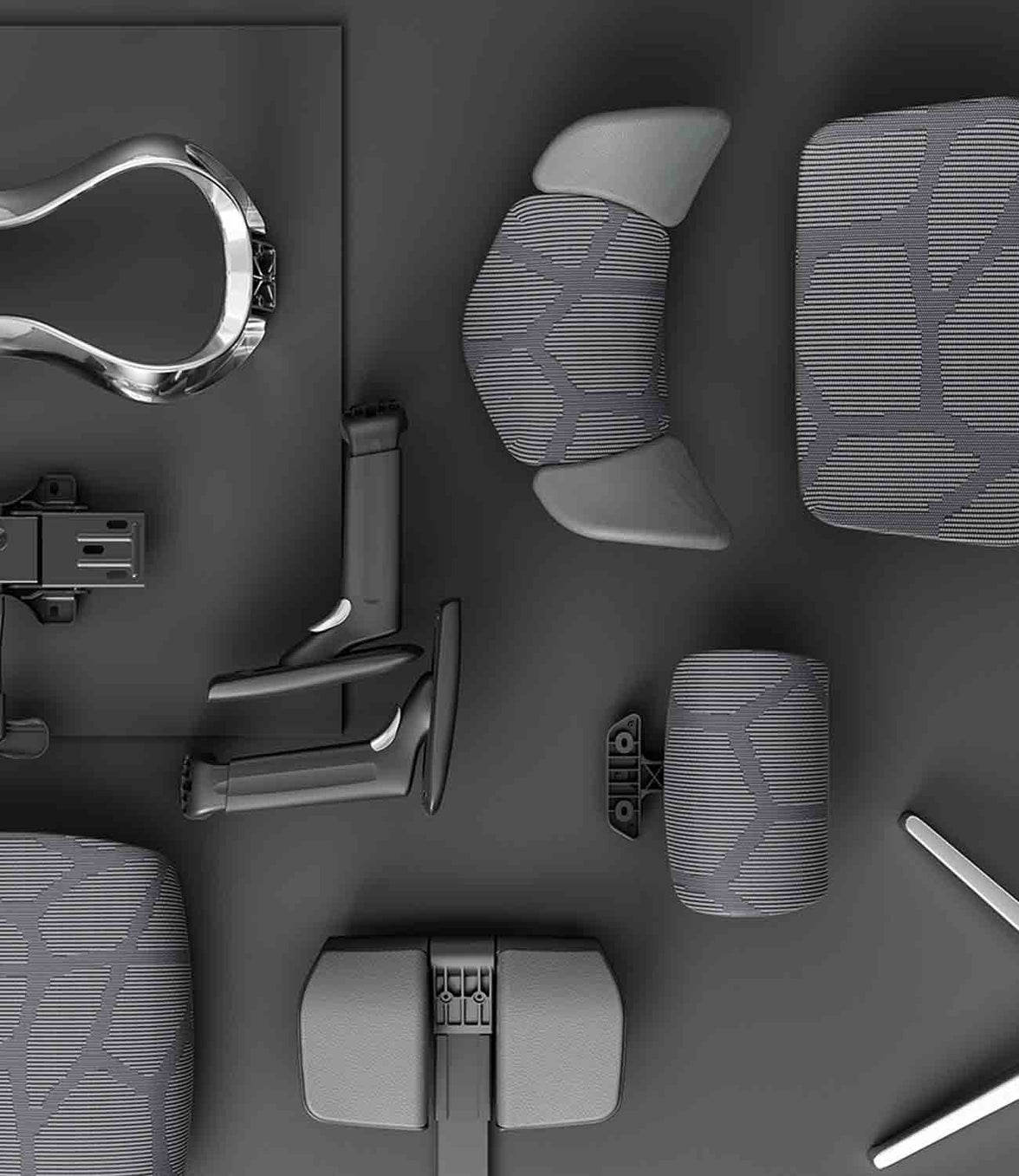 Ergonomische bureaustoelen van HBADA met voetensteun: modellen en pasvorm vergeleken
Donkere leesmodus
Ruimte om je te concentreren.Ruimte om achterover te leunen.
Van geconcentreerd thuiswerken tot een rustige pauze achteroverleunend: een ergonomische bureaustoel met voetensteun maakt je werkplek flexibeler. Begin met de pasvorm en kies daarna de ondersteunings- en comfortfuncties die bij jouw dag passen.
Eerst de pasvorm.Eerst de voetensteun.
Controleer de zithoogte, zitdiepte en lendensteun voordat je beslist welke functies voor achteroverleunen voor jou belangrijk zijn.
Welke ergonomische bureaustoel met voetensteun van HBADA moet je kiezen? Overweeg de X7 voor een uitschuifbare voetensteun naast elektrische lendensteun, massage, verwarming en ventilatie. Kies de E3 Pro 2026 met voetensteun voor adaptieve mechanische ondersteuning en handmatige verstelling. Controleer altijd de exacte uitvoering op de EU-productpagina.
In deze gids
Heb je een voetensteun nodig?
HBADA-modelopties
Stoelen vergelijken
De juiste pasvorm vinden
Instelroutine
Welke moet je kiezen?
Beperkingen
Kort samengevat
Veelgestelde vragen
Bronnen
Heb je een ergonomische bureaustoel met voetensteun nodig?
Een voetensteun is nuttig wanneer hij de houding ondersteunt waarin je daadwerkelijk zit. Maak voordat je een stoel kiest onderscheid tussen twee verschillende behoeften: je benen laten rusten terwijl je achteroverleunt en je voeten ondersteunen tijdens rechtop werken.
Voor pauzes achteroverleunend
Een uitschuifbare voetensteun voor je stoel
Deze schuift onder de zitting vandaan om je benen te ondersteunen wanneer je achteroverleunt. Je kunt hem opbergen wanneer je weer rechtop gaat zitten om te werken.
Voor rechtop werken
Een aparte voetensteun op de vloer
Dit biedt een stabiel oppervlak voor je voeten wanneer je de zitting hoger moet zetten om aan te sluiten op een bureau met een vaste hoogte.
De richtlijnen van EU-OSHA voor kantoorergonomie adviseren om te controleren of je voeten op de vloer of een voetensteun kunnen rusten zonder overmatige druk achter de benen. De uitschuifbare beensteun van een stoel mag niet automatisch worden beschouwd als vervanging voor een voetensteun onder het bureau. Lees de EU-OSHA-gids voor kantoorergonomie .
Wie heeft het meeste aan een ingebouwde voetensteun?
Mensen die hun stoel gebruiken voor bureauwerk en om achteroverleunend pauze te nemen.
Gebruikers die beensteun willen die netjes onder de zitting kan worden opgeborgen.
Mensen die liever een geïntegreerde oplossing hebben dan een aparte poef.
Als je voeten boven de vloer hangen terwijl je typt, controleer dan eerst de zithoogte, de bureauhoogte en of je een aparte voetensteun nodig hebt.
Welke HBADA-modellen hebben een voetensteun?
HBADA X7: elektrische ondersteuning
De HBADA X7 combineert een verstelbare beensteun met automatische aanpassing van de lendensteun, massage, verwarming en ventilatie met ventilatorondersteuning. Controleer het geselecteerde model en de meegeleverde configuratie voordat je bestelt, vooral wanneer je verschillende stoelen uit de X7-reeks vergelijkt.
HBADA E3 Pro 2026: mechanische verstelling
De E3 Pro 2026 combineert adaptieve lendensteun in drie zones met een CloudMesh-zitting, verstelbare hoofdsteun en multidirectionele armleuningen. Kies de configuratie Met voetensteun voor een intrekbare voetensteun.
Vergelijk gelijksoortige modellen. De E3 Pro 2026 is niet hetzelfde model als elke oudere E3 Pro-vermelding. Controleer de generatie en configuratie voordat je afmetingen, bedieningselementen of accessoires vergelijkt.
Vergelijking van HBADA-stoelen met voetensteun
Het belangrijkste verschil zit in de manier waarop ondersteuning wordt geboden: gemotoriseerde functies bij de X7 tegenover mechanische verstelling bij de E3 Pro 2026. Ook de afmetingen van de zittingen verschillen.
X7 versus E3 Pro 2026: vergelijking van EU-modellen
Kenmerk
HBADA X7
E3 Pro 2026
Voetensteun
Uitschuifbare beensteun; controleer de geselecteerde configuratie
Selecteer Met voetensteun
Lendensteun
Gemotoriseerde automatische aanpassing
Mechanische adaptieve ondersteuning in drie zones
Zithoogte
44,5–53 cm
46–54,5 cm
Zitdiepte
40,5–45,5 cm
45–50 cm
Zitbreedte
52 cm
51,5 cm
Extra functies
Massage, verwarming en ventilatie met ventilatorondersteuning
Mechanische verstellingen zonder gemotoriseerde comfortfuncties
Belangrijkste keuze
Gemotoriseerde comfortfuncties
Handmatige mechanische verstelling
De afmetingen hebben betrekking op de gekoppelde EU-productvermeldingen. Controleer vóór aankoop de meest recente specificaties en meegeleverde functies. Het totale draagvermogen van de stoel is geen afzonderlijke draagvermogensspecificatie voor de uitgeschoven voetensteun.
Hoe moet een stoel met voetensteun passen?
Begin met je zithouding, niet met de voetensteun. Vergelijk de zithoogte en -diepte met je lichaamsbouw en controleer daarna de lendensteun en de plaatsing van de armleuningen.
Een diepere zitting is niet automatisch beter. Je moet tegen de rugleuning kunnen zitten met voldoende ruimte achter je knieën. Je schouders moeten ontspannen blijven wanneer je naar het toetsenbord reikt.
Stem de verstelling af op het probleem
Als je merkt dat
Controleer dit
Streef naar
Je voeten raken de vloer niet
Zit- en bureauhoogte; zo nodig een voetensteun op de vloer
Voeten ondersteund tijdens rechtop werken
De rand van de zitting drukt achter je knieën
Zitdiepte en -hoogte
Comfortabele ruimte zonder naar voren te schuiven
Je onderrug maakt geen contact meer
Zitdiepte, positie van de lendensteun en zithouding
Comfortabele ondersteuning wanneer je achteroverleunt
Je schouders trekken omhoog tijdens het typen
Bureauhoogte, toetsenbord en armleuningen
Ontspannen schouders en gemakkelijk kunnen reiken
De uitgeschoven voetensteun voelt oncomfortabel
Achteroverleunen, uitschuiven en je beenlengte
Beensteun zonder geconcentreerde druk
De aanbevolen lengteranges voor gebruikers zijn slechts een uitgangspunt. Twee mensen met dezelfde lengte kunnen verschillende beenlengtes hebben en andere instellingen voor de zitting nodig hebben.
Zo stel je je stoel en voetensteun goed in
Stel de stoel eerst in voor rechtop werken. Stel de zitting en het werkblad zo af dat je schouders ontspannen blijven. Laat je voeten op de vloer of op een losse voetensteun rusten.
Stel de zitdiepte af. Ga helemaal achterin zitten en laat voldoende ruimte tussen de rand van de zitting en de achterkant van je knieën.
Stel de lendensteun en armleuningen af. Zorg voor ondersteunend contact zonder je bovenlichaam naar voren te duwen of je schouders op te trekken.
Stel je scherm en toetsenbord goed op. Houd het scherm recht voor je en voorkom dat je naar voren moet reiken om het toetsenbord of de muis te gebruiken.
Probeer een pauze achteroverleunend. Zorg voor voldoende ruimte rond de stoel, schuif de voetensteun uit volgens de instructies en leun geleidelijk achterover. Gebruik de voetensteun niet als opstapje of extra zitplaats.
Blijf in beweging. Schuif de voetensteun in wanneer je weer aan je bureau gaat werken, voor zover dat passend is. Wissel zittend werk af met momenten waarop je kunt staan en lopen.
Welke HBADA-stoel moet je kiezen?
Elektrisch comfort
Kies X7
Kies X7 als je automatische lendensteun en extra comfortfuncties wilt, zoals massage, verwarming en verkoelende luchtstroom, naast een verstelbare beensteun.
Ontdek X7 →
Mechanische ondersteuning
Kies E3 Pro 2026
Kies de versie met voetensteun als je de voorkeur geeft aan verstelbare mechanische lendensteun, ademend mesh en verstelling zonder elektrische comfortfuncties.
Ontdek E3 Pro 2026 →
Controleer vóór je bestelt de geselecteerde variant, de beschikbaarheid van levering in jouw land en de toepasselijke retour- en garantievoorwaarden. Kies niet alleen op basis van het aantal functies.
Beperkingen en wanneer dit advies mogelijk niet van toepassing is
Een stoel en voetensteun bevorderen comfort; ze behandelen geen medische aandoeningen.
Een uitschuifbare beensteun lost een verschil in bureauhoogte bij rechtop zitten niet vanzelf op.
Een in hoogte verstelbaar bureau helpt alleen als het verstelbereik en de afmetingen van de stoel bij je passen.
Controleer de instructies voor de voetensteun en de maximale belasting voor het exacte model.
Vraag professioneel advies bij ernstige, aanhoudende of uitstralende pijn.
Kortom: stem de stoel af op je werkdag
De beste ergonomische bureaustoel met voetensteun voor jou is een stoel die comfortabel rechtop werken ondersteunt en je een handige optie biedt om achteroverleunend pauze te nemen.
Vergelijk de aangedreven functies van de X7 met de mechanische ondersteuning van de E3 Pro 2026, controleer de afmetingen van de zitting en bevestig de voetensteunconfiguratie. Zorg voor regelmatige beweging in je routine, welk model je ook kiest.
Veelgestelde vragen
Zijn bureaustoelen met voetensteun goed voor je rug?
Een ingebouwde voetensteun kan een pauze achterover leunend comfortabeler maken door je benen te ondersteunen. Rugcomfort hangt ook af van de pasvorm van de stoel, de lendensteun en beweging. Een voetensteun is geen medische behandeling.
Hebben alle HBADA-stoelen een voetensteun?
Nee. De beschikbaarheid hangt af van het model en de configuratie. Selecteer ‘Met voetensteun’ voor de E3 Pro 2026 en controleer vóór het bestellen welke functies bij het exacte X7-model zijn inbegrepen.
Is een ingebouwde voetensteun beter dan een aparte?
Een ingebouwde voetensteun is handig om achterover te leunen en kan onder de zitting worden opgeborgen. Een aparte voetensteun op de vloer ondersteunt je voeten tijdens rechtop werken wanneer de vloer buiten bereik is. Kies op basis van het doel en beschouw ze niet als onderling uitwisselbaar.
Welke HBADA-stoel moet ik kiezen voor lange werkdagen?
Begin met de afmetingen en de pasvorm. De X7 heeft daarnaast aangedreven lendensteun die je bewegingen volgt, massage, verwarming en ventilatie. De E3 Pro 2026 biedt aanpasbare mechanische ondersteuning en een voetensteunconfiguratie. Beide moeten nog steeds op je lichaam worden afgesteld.
Kan een voetensteun helpen bij korte benen of een hoog bureau?
Een aparte voetensteun op de vloer kan helpen als je een hogere zithouding nodig hebt om bij een vast bureau te komen. Controleer ook de minimale zithoogte en zitdiepte van de stoel. Vertrouw er niet op dat een uitgeschoven voetensteun voor achteroverleunen elk pasvormprobleem oplost.
Hoeveel ruimte heeft een stoel met voetensteun nodig?
Zorg voor ruimte vóór de stoel voor de uitgeschoven voetensteun en achter de stoel om achterover te leunen. Meet de beschikbare ruimte op en vergelijk deze met de afmetingen van het model, inclusief de achteroverleunstand indien vermeld. Houd looppaden vrij.
Bronnen
EU-OSHA — Kantoorergonomie
EU-OSHA OSHwiki — Langdurig statisch zitten
HBADA EU — X7 Smart Ergonomic Chair
HBADA EU — E3 Pro 2026
Sep 29, 2026
Ergonomische bureaustoelen van HBADA met voetensteun: modellen en pasvorm vergeleken
Donkere leesmodus
Ruimte om je te concentreren.Ruimte om achterover te leunen.
Van geconcentreerd thuiswerken tot een rustige pauze achteroverleunend: een ergonomische bureaustoel met voetensteun maakt je werkplek flexibeler. Begin met de pasvorm en kies daarna de ondersteunings- en comfortfuncties die bij jouw dag passen.
Eerst de pasvorm.Eerst de voetensteun.
Controleer de zithoogte, zitdiepte en lendensteun voordat je beslist welke functies voor achteroverleunen voor jou belangrijk zijn.
Welke ergonomische bureaustoel met voetensteun van HBADA moet je kiezen? Overweeg de X7 voor een uitschuifbare voetensteun naast elektrische lendensteun, massage, verwarming en ventilatie. Kies de E3 Pro 2026 met voetensteun voor adaptieve mechanische ondersteuning en handmatige verstelling. Controleer altijd de exacte uitvoering op de EU-productpagina.
In deze gids
Heb je een voetensteun nodig?
HBADA-modelopties
Stoelen vergelijken
De juiste pasvorm vinden
Instelroutine
Welke moet je kiezen?
Beperkingen
Kort samengevat
Veelgestelde vragen
Bronnen
Heb je een ergonomische bureaustoel met voetensteun nodig?
Een voetensteun is nuttig wanneer hij de houding ondersteunt waarin je daadwerkelijk zit. Maak voordat je een stoel kiest onderscheid tussen twee verschillende behoeften: je benen laten rusten terwijl je achteroverleunt en je voeten ondersteunen tijdens rechtop werken.
Voor pauzes achteroverleunend
Een uitschuifbare voetensteun voor je stoel
Deze schuift onder de zitting vandaan om je benen te ondersteunen wanneer je achteroverleunt. Je kunt hem opbergen wanneer je weer rechtop gaat zitten om te werken.
Voor rechtop werken
Een aparte voetensteun op de vloer
Dit biedt een stabiel oppervlak voor je voeten wanneer je de zitting hoger moet zetten om aan te sluiten op een bureau met een vaste hoogte.
De richtlijnen van EU-OSHA voor kantoorergonomie adviseren om te controleren of je voeten op de vloer of een voetensteun kunnen rusten zonder overmatige druk achter de benen. De uitschuifbare beensteun van een stoel mag niet automatisch worden beschouwd als vervanging voor een voetensteun onder het bureau. Lees de EU-OSHA-gids voor kantoorergonomie .
Wie heeft het meeste aan een ingebouwde voetensteun?
Mensen die hun stoel gebruiken voor bureauwerk en om achteroverleunend pauze te nemen.
Gebruikers die beensteun willen die netjes onder de zitting kan worden opgeborgen.
Mensen die liever een geïntegreerde oplossing hebben dan een aparte poef.
Als je voeten boven de vloer hangen terwijl je typt, controleer dan eerst de zithoogte, de bureauhoogte en of je een aparte voetensteun nodig hebt.
Welke HBADA-modellen hebben een voetensteun?
HBADA X7: elektrische ondersteuning
De HBADA X7 combineert een verstelbare beensteun met automatische aanpassing van de lendensteun, massage, verwarming en ventilatie met ventilatorondersteuning. Controleer het geselecteerde model en de meegeleverde configuratie voordat je bestelt, vooral wanneer je verschillende stoelen uit de X7-reeks vergelijkt.
HBADA E3 Pro 2026: mechanische verstelling
De E3 Pro 2026 combineert adaptieve lendensteun in drie zones met een CloudMesh-zitting, verstelbare hoofdsteun en multidirectionele armleuningen. Kies de configuratie Met voetensteun voor een intrekbare voetensteun.
Vergelijk gelijksoortige modellen. De E3 Pro 2026 is niet hetzelfde model als elke oudere E3 Pro-vermelding. Controleer de generatie en configuratie voordat je afmetingen, bedieningselementen of accessoires vergelijkt.
Vergelijking van HBADA-stoelen met voetensteun
Het belangrijkste verschil zit in de manier waarop ondersteuning wordt geboden: gemotoriseerde functies bij de X7 tegenover mechanische verstelling bij de E3 Pro 2026. Ook de afmetingen van de zittingen verschillen.
X7 versus E3 Pro 2026: vergelijking van EU-modellen
Kenmerk
HBADA X7
E3 Pro 2026
Voetensteun
Uitschuifbare beensteun; controleer de geselecteerde configuratie
Selecteer Met voetensteun
Lendensteun
Gemotoriseerde automatische aanpassing
Mechanische adaptieve ondersteuning in drie zones
Zithoogte
44,5–53 cm
46–54,5 cm
Zitdiepte
40,5–45,5 cm
45–50 cm
Zitbreedte
52 cm
51,5 cm
Extra functies
Massage, verwarming en ventilatie met ventilatorondersteuning
Mechanische verstellingen zonder gemotoriseerde comfortfuncties
Belangrijkste keuze
Gemotoriseerde comfortfuncties
Handmatige mechanische verstelling
De afmetingen hebben betrekking op de gekoppelde EU-productvermeldingen. Controleer vóór aankoop de meest recente specificaties en meegeleverde functies. Het totale draagvermogen van de stoel is geen afzonderlijke draagvermogensspecificatie voor de uitgeschoven voetensteun.
Hoe moet een stoel met voetensteun passen?
Begin met je zithouding, niet met de voetensteun. Vergelijk de zithoogte en -diepte met je lichaamsbouw en controleer daarna de lendensteun en de plaatsing van de armleuningen.
Een diepere zitting is niet automatisch beter. Je moet tegen de rugleuning kunnen zitten met voldoende ruimte achter je knieën. Je schouders moeten ontspannen blijven wanneer je naar het toetsenbord reikt.
Stem de verstelling af op het probleem
Als je merkt dat
Controleer dit
Streef naar
Je voeten raken de vloer niet
Zit- en bureauhoogte; zo nodig een voetensteun op de vloer
Voeten ondersteund tijdens rechtop werken
De rand van de zitting drukt achter je knieën
Zitdiepte en -hoogte
Comfortabele ruimte zonder naar voren te schuiven
Je onderrug maakt geen contact meer
Zitdiepte, positie van de lendensteun en zithouding
Comfortabele ondersteuning wanneer je achteroverleunt
Je schouders trekken omhoog tijdens het typen
Bureauhoogte, toetsenbord en armleuningen
Ontspannen schouders en gemakkelijk kunnen reiken
De uitgeschoven voetensteun voelt oncomfortabel
Achteroverleunen, uitschuiven en je beenlengte
Beensteun zonder geconcentreerde druk
De aanbevolen lengteranges voor gebruikers zijn slechts een uitgangspunt. Twee mensen met dezelfde lengte kunnen verschillende beenlengtes hebben en andere instellingen voor de zitting nodig hebben.
Zo stel je je stoel en voetensteun goed in
Stel de stoel eerst in voor rechtop werken. Stel de zitting en het werkblad zo af dat je schouders ontspannen blijven. Laat je voeten op de vloer of op een losse voetensteun rusten.
Stel de zitdiepte af. Ga helemaal achterin zitten en laat voldoende ruimte tussen de rand van de zitting en de achterkant van je knieën.
Stel de lendensteun en armleuningen af. Zorg voor ondersteunend contact zonder je bovenlichaam naar voren te duwen of je schouders op te trekken.
Stel je scherm en toetsenbord goed op. Houd het scherm recht voor je en voorkom dat je naar voren moet reiken om het toetsenbord of de muis te gebruiken.
Probeer een pauze achteroverleunend. Zorg voor voldoende ruimte rond de stoel, schuif de voetensteun uit volgens de instructies en leun geleidelijk achterover. Gebruik de voetensteun niet als opstapje of extra zitplaats.
Blijf in beweging. Schuif de voetensteun in wanneer je weer aan je bureau gaat werken, voor zover dat passend is. Wissel zittend werk af met momenten waarop je kunt staan en lopen.
Welke HBADA-stoel moet je kiezen?
Elektrisch comfort
Kies X7
Kies X7 als je automatische lendensteun en extra comfortfuncties wilt, zoals massage, verwarming en verkoelende luchtstroom, naast een verstelbare beensteun.
Ontdek X7 →
Mechanische ondersteuning
Kies E3 Pro 2026
Kies de versie met voetensteun als je de voorkeur geeft aan verstelbare mechanische lendensteun, ademend mesh en verstelling zonder elektrische comfortfuncties.
Ontdek E3 Pro 2026 →
Controleer vóór je bestelt de geselecteerde variant, de beschikbaarheid van levering in jouw land en de toepasselijke retour- en garantievoorwaarden. Kies niet alleen op basis van het aantal functies.
Beperkingen en wanneer dit advies mogelijk niet van toepassing is
Een stoel en voetensteun bevorderen comfort; ze behandelen geen medische aandoeningen.
Een uitschuifbare beensteun lost een verschil in bureauhoogte bij rechtop zitten niet vanzelf op.
Een in hoogte verstelbaar bureau helpt alleen als het verstelbereik en de afmetingen van de stoel bij je passen.
Controleer de instructies voor de voetensteun en de maximale belasting voor het exacte model.
Vraag professioneel advies bij ernstige, aanhoudende of uitstralende pijn.
Kortom: stem de stoel af op je werkdag
De beste ergonomische bureaustoel met voetensteun voor jou is een stoel die comfortabel rechtop werken ondersteunt en je een handige optie biedt om achteroverleunend pauze te nemen.
Vergelijk de aangedreven functies van de X7 met de mechanische ondersteuning van de E3 Pro 2026, controleer de afmetingen van de zitting en bevestig de voetensteunconfiguratie. Zorg voor regelmatige beweging in je routine, welk model je ook kiest.
Veelgestelde vragen
Zijn bureaustoelen met voetensteun goed voor je rug?
Een ingebouwde voetensteun kan een pauze achterover leunend comfortabeler maken door je benen te ondersteunen. Rugcomfort hangt ook af van de pasvorm van de stoel, de lendensteun en beweging. Een voetensteun is geen medische behandeling.
Hebben alle HBADA-stoelen een voetensteun?
Nee. De beschikbaarheid hangt af van het model en de configuratie. Selecteer ‘Met voetensteun’ voor de E3 Pro 2026 en controleer vóór het bestellen welke functies bij het exacte X7-model zijn inbegrepen.
Is een ingebouwde voetensteun beter dan een aparte?
Een ingebouwde voetensteun is handig om achterover te leunen en kan onder de zitting worden opgeborgen. Een aparte voetensteun op de vloer ondersteunt je voeten tijdens rechtop werken wanneer de vloer buiten bereik is. Kies op basis van het doel en beschouw ze niet als onderling uitwisselbaar.
Welke HBADA-stoel moet ik kiezen voor lange werkdagen?
Begin met de afmetingen en de pasvorm. De X7 heeft daarnaast aangedreven lendensteun die je bewegingen volgt, massage, verwarming en ventilatie. De E3 Pro 2026 biedt aanpasbare mechanische ondersteuning en een voetensteunconfiguratie. Beide moeten nog steeds op je lichaam worden afgesteld.
Kan een voetensteun helpen bij korte benen of een hoog bureau?
Een aparte voetensteun op de vloer kan helpen als je een hogere zithouding nodig hebt om bij een vast bureau te komen. Controleer ook de minimale zithoogte en zitdiepte van de stoel. Vertrouw er niet op dat een uitgeschoven voetensteun voor achteroverleunen elk pasvormprobleem oplost.
Hoeveel ruimte heeft een stoel met voetensteun nodig?
Zorg voor ruimte vóór de stoel voor de uitgeschoven voetensteun en achter de stoel om achterover te leunen. Meet de beschikbare ruimte op en vergelijk deze met de afmetingen van het model, inclusief de achteroverleunstand indien vermeld. Houd looppaden vrij.
Bronnen
EU-OSHA — Kantoorergonomie
EU-OSHA OSHwiki — Langdurig statisch zitten
HBADA EU — X7 Smart Ergonomic Chair
HBADA EU — E3 Pro 2026
Sep 29, 2026
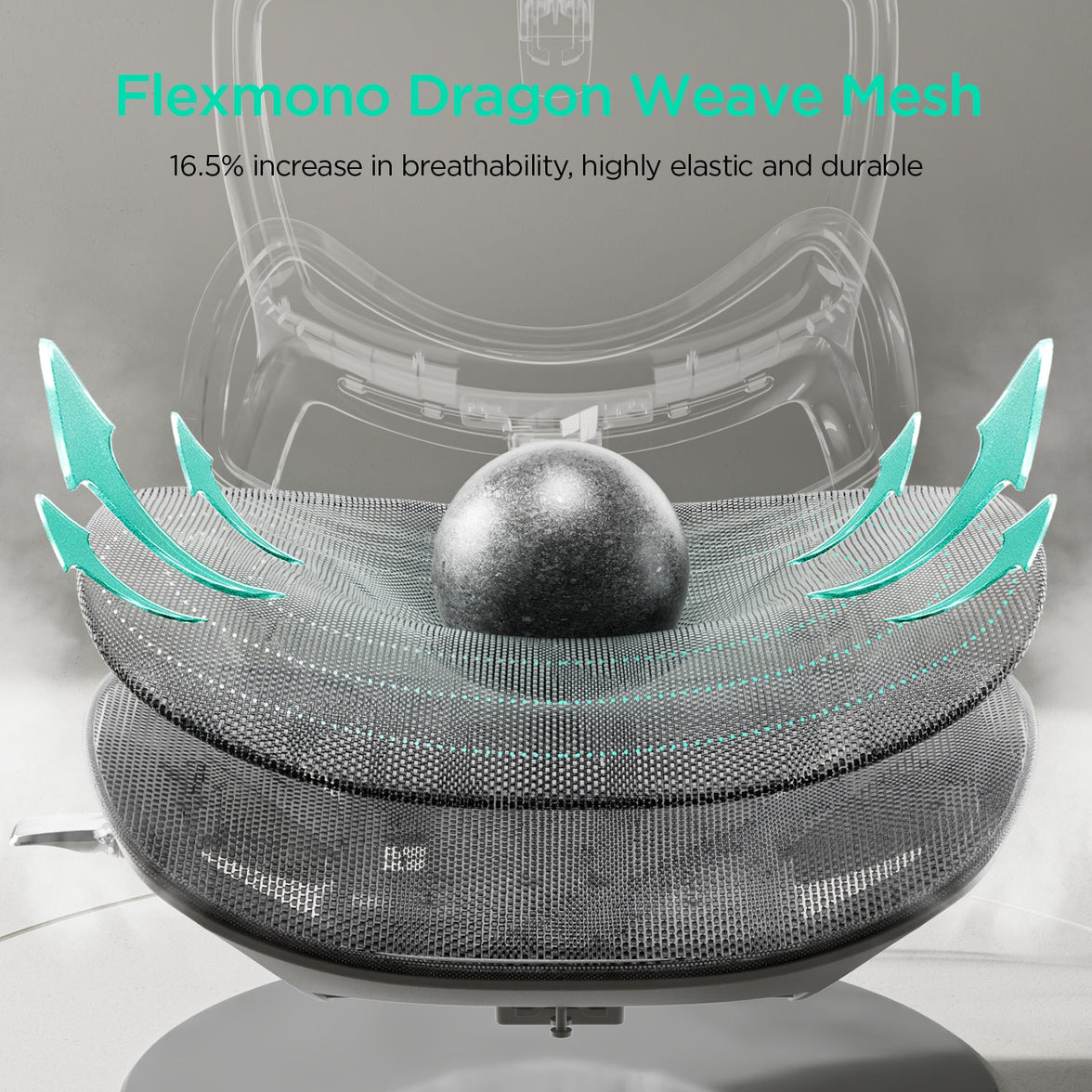 Een gedeelde ergonomische bureaustoel instellen voor flexwerken
Donkere leesmodus
Een gedeeld bureau.Een instelling die bij jou past.
De stoelinstellingen van iemand anders hoeven niet jouw werkhouding te worden. Met een eenvoudige reset stel je een gedeelde ergonomische bureaustoel af op jouw lichaam voordat je werkdag begint.
Eén routine.Vijf aanpassingen.
Zithoogte
Diepte van de zitting
Lendensteun
Armleuningen
Achteroverleunen
Hoe stel je een gedeelde ergonomische bureaustoel af? Begin met de zithoogte en stel daarna de zitdiepte, lendensteun, armleuningen en kanteling af. Controleer daarna het bureau en het scherm. Zodra je weet hoe de bediening werkt, kun je streven naar een snelle controle van één minuut. Neem meer tijd als je de pasvorm verder moet verfijnen.
In deze gids
Waarom een gedeelde stoel opnieuw instellen?
De volgorde van afstellen
De reset in 60 seconden
Waar moet je op letten?
Hygiëne van gedeelde stoelen
Vergelijking van HBADA-stoelen
Beperkingen
Kort samengevat
Veelgestelde vragen
Bronnen
Waarom moet je een gedeelde stoel opnieuw instellen?
Een stoel op een flexwerkplek staat meestal ingesteld op degene die hem het laatst heeft gebruikt. Hun benen, rug en armen kunnen anders zijn dan die van jou, waardoor de zitting, lendensteun en armleuningen misschien niet goed voor jou staan.
Een zitting die iets te hoog aanvoelt of armleuningen die ervoor zorgen dat je niet dicht genoeg bij het bureau kunt zitten, kunnen een hele dag afleiden. Door de stoel opnieuw in te stellen, heb je een beter uitgangspunt dan je houding aan te passen aan de instellingen van iemand anders.
De richtlijnen van EU-OSHA voor kantoorergonomie gaan specifiek in op flexwerken: gedeelde werkplekken moeten eenvoudig verstelbaar zijn en gebruikers moeten duidelijke informatie krijgen over hoe ze die aanpassingen kunnen doen. Lees de richtlijnen voor kantoorergonomie.
In welke volgorde stel je de stoel af?
Begin met de instellingen die je algemene zithouding bepalen. De zithoogte bepaalt je positie ten opzichte van het bureau; de zitdiepte bepaalt hoe ver naar achteren je kunt zitten. Stel daarna de lendensteun en armleuningen af op die basis.
Je resetvolgorde:Zithoogte → zitdiepte → lendensteun → armleuningen → kanteling → controleer bureau en scherm.
Stel bij een in hoogte verstelbaar bureau de stoel zo in dat je voeten goed steunen en breng het werkblad vervolgens op een comfortabele werkhoogte. Bij een bureau met vaste hoogte moet je de stoel mogelijk hoger zetten om comfortabel bij het toetsenbord te kunnen en een aparte voetensteun toevoegen.
Gebruik de volgorde als uitgangspunt, niet als strikte regel. Controleer eerdere instellingen opnieuw als een latere aanpassing verandert hoe je zit.
De reset voor flexwerken in 60 seconden
Leer eerst de bediening kennen en gebruik daarna deze vijf stappen als snelle dagelijkse routine. Het doel is een instelling die je kunt herhalen, niet klaar zijn voordat de timer afloopt.
Stel de zithoogte in
Leun achterover en ga zo zitten dat je het toetsenbord kunt gebruiken met ontspannen schouders. Houd je voeten op de vloer of op een stabiele voetensteun. Voorkom druk van de zitrand onder je dijen.
Schuif de zitting zo dat je benen passen
Pas de zitdiepte aan terwijl je rug tegen de rugleuning blijft. Houd als uitgangspunt ongeveer twee tot drie vingers ruimte achter je knieën en controleer daarna of de stoel comfortabel zit.
Stel de lendensteun af
Verplaats de steun naar de holling van je onderrug. De steun moet comfortabel aanvoelen en je niet naar voren duwen. Controleer bij een stoel met automatische aanpassing de beginpositie en de beschikbare instellingen.
Stel de armleuningen op jou af
Pas de beschikbare hoogte, breedte of draaistand aan zodat je onderarmen kunnen rusten zonder je schouders op te trekken. Zorg ervoor dat de armleuningen je niet verhinderen dicht genoeg bij het bureau te komen.
Controleer de kantelfunctie
Leun voorzichtig achterover en maak jezelf vertrouwd met de kantelvergrendeling. Pas de weerstand aan als de stoel een handmatige spanningsregeling heeft. Controleer bij een automatisch mechanisme of de beweging gecontroleerd en ondersteunend aanvoelt.
Laatste controle van de pasvorm
Verstelling
Streef naar
Snelle controle
Zithoogte
Comfortabel bij het werkoppervlak kunnen
Voeten ondersteund; schouders ontspannen
Diepte van de zitting
Ondersteuning van de bovenbenen met ruimte bij de knieën
Je kunt tegen de rugleuning zitten zonder druk achter je knieën
Lendensteun
Contact met de holling van je onderrug
De ondersteuning voelt comfortabel, niet dwingend
Armleuningen
Ondersteunde onderarmen en ontspannen schouders
Je kunt dicht bij het toetsenbord komen
Achteroverleunen
Gecontroleerde, ondersteunde beweging
Je begrijpt de vergrendeling en de bediening van de weerstand
Voetensteun
Voetsteun als de vloer buiten bereik is
Beide voeten steunen stevig op de vloer, zonder dat je je hoeft uit te rekken
Waaraan herken je een goede stoel voor flexwerken?
Een gedeelde stoel is een aanwinst als verschillende gebruikers hem gemakkelijk kunnen verstellen en begrijpen hoe de bediening werkt. Kijk niet alleen naar het aantal functies, maar ook naar hoe praktisch ze in het dagelijks gebruik zijn.
Een praktisch verstelbereik: vergelijk de zithoogte, zitdiepte en zitbreedte met de lichaamsmaten van de mensen die de ruimte gebruiken. Eén stoel past misschien niet iedereen.
Duidelijke, toegankelijke bediening: hendels en knoppen moeten gemakkelijk te herkennen en te bereiken zijn.
Geschikte constructie en serviceondersteuning: controleer het beoogde gebruik, het onderhoud, de vervangende onderdelen en de garantie voor de gedeelde werkplek.
Praktische materialen: ademend mesh kan de luchtcirculatie bevorderen, maar of het materiaal geschikt is om schoon te maken, hangt af van het materiaal en de instructies van de fabrikant.
Geschikt draagvermogen en passende afmetingen: controleer zowel het maximale gewicht als of de stoel fysiek past.
Een handige toevoeging voor op kantoor: leg bij elk bureau een eenvoudige kaart met uitleg over de verstelling of een link naar de instructies van de stoel. Gebruikers hoeven niet te raden welke hendel welke instelling verandert.
Hoe houd je een gedeelde stoel hygiënisch?
Armleuningen, verstelknoppen en hoofdsteunen worden vaak aangeraakt. Met een vaste schoonmaakroutine blijft de stoel prettig voor de volgende gebruiker.
Volg de onderhoudsinstructies van de stoel en de schoonmaakprocedure op je werkplek.
Gebruik een geschikte doek en een reinigingsmiddel dat is goedgekeurd voor het betreffende oppervlak. Ga er niet van uit dat elk desinfectiemiddel geschikt is voor mesh, bekleding of afwerkingen.
Maak de zitting niet doorweekt en spuit geen vloeistof rechtstreeks in bedieningselementen, ventilatieopeningen of elektrische onderdelen.
Laat gereinigde oppervlakken drogen voordat de stoel weer wordt gebruikt.
Meld gemorste vloeistoffen, losse onderdelen of beschadigde bedieningselementen direct. Neem een onveilige stoel buiten gebruik.
Ademend vermogen en hygiëne zijn verschillende aandachtspunten: mesh laat lucht door, maar moet nog steeds goed worden onderhouden.
Welke HBADA-stoel past bij gedeelde bureaus?
De X7 en E3 Pro 2026 bieden verschillende soorten lendensteun. Vergelijk hun verstelbereiken met die van je gebruikers en bepaal vervolgens of aangedreven tracking of mechanische verstelling beter bij de werkplek past.
HBADA X7 versus E3 Pro 2026: EU-specificaties
Kenmerk
HBADA X7
E3 Pro 2026
Zithoogte
44,5–53 cm
46–54,5 cm
Diepte van de zitting
40,5–45,5 cm
45–50 cm
Breedte van de zitting
52 cm
51,5 cm
Lendensteun
Automatisch volgen met aandrijving
Adaptieve ondersteuning in 3 zones; hoogteverstelling van 60 mm in zes standen
Materiaal van de zitting
Ademend mesh
CloudMesh
Maximaal draagvermogen
150 kg
150 kg
Aanbevolen lichaamslengte van de gebruiker
150–195 cm
155–195 cm
X7: aangedreven lendensteun die je houding volgt
Overweeg de X7 als je lendensteun wilt die automatisch reageert op veranderingen in je houding. Elke gebruiker moet nog steeds de pasvorm van de zitting, de armleuningen en de gewenste ondersteuningsinstellingen controleren.
Ontdek de HBADA X7 →
E3 Pro 2026: mechanische verstelling
Overweeg de E3 Pro 2026 als je de voorkeur geeft aan handmatige verstelling, adaptieve lendensteun en een ademende mesh-zitting.
Ontdek de E3 Pro 2026 →
De specificaties hebben betrekking op de gekoppelde EU-productvermeldingen. Aanbevolen lengtes voor gebruikers zijn een richtlijn en vervangen niet het controleren van de pasvorm. Controleer bij aankopen voor het hele kantoor vóór het bestellen of de stoelen geschikt zijn voor gedeeld of intensief gebruik en controleer de garantievoorwaarden.
Beperkingen en wanneer je hulp moet inschakelen
De stoel opnieuw afstellen is één onderdeel van het inrichten van een gedeelde werkplek. Het kan niet elk probleem met de pasvorm van een bureau, scherm of individuele gebruiker verhelpen.
Controleer na het verstellen van de stoel de schermpositie, de afstand tot het toetsenbord en de beschikbare beenruimte.
Als het verstelbereik van de stoel niet bij je past, vraag dan om een geschikt alternatief in plaats van een houding te forceren.
Wissel gedurende de dag van houding en neem beweegpauzes.
Vraag om een werkplekbeoordeling als je geen comfortabele opstelling kunt vinden.
Raadpleeg een gekwalificeerde zorgverlener bij ernstige, aanhoudende of uitstralende pijn.
De kern: stel de stoel opnieuw af, niet je verwachtingen
Flexwerken gaat beter als je even de tijd neemt om de werkplek op jezelf af te stellen. Begin met de zithoogte en stel daarna de zitdiepte, lendensteun, armleuningen en kanteling af. Controleer tot slot het bureau en het scherm.
Kies voor elektrisch verstelbare lendensteun als dat bij je werkplek past, of voor mechanische verstelling als je de afstelling liever zelf regelt. Hoe dan ook, als je de bediening eenmaal kent, verloopt elke volgende afstelling eenvoudiger.
Veelgestelde vragen
Hoe stel je een bureaustoel af op je lichaam?
Begin met de zithoogte en zitdiepte en stel daarna de lendensteun en armleuningen af. Controleer de kantelbediening en kijk tot slot naar het bureau en het scherm. Je voeten moeten steun hebben, je schouders moeten ontspannen zijn en de zitting mag de achterkant van je knieën niet raken.
Is flexwerken slecht voor je rug?
Flexwerken leidt niet automatisch tot een oncomfortabele werkplek. Problemen kunnen ontstaan als de stoel of werkplek niet bij de gebruiker past of lastig af te stellen is. Maak jezelf vertrouwd met de bediening, controleer of de stoel goed past en blijf gedurende de dag bewegen.
Waar moet je op letten bij een gedeelde bureaustoel?
Let op een passend verstelbereik, duidelijke bediening, geschikte zitafmetingen en materialen die je volgens de onderhoudsinstructies kunt verzorgen. Controleer het beoogde gebruik, het draagvermogen en de aftersalesondersteuning. Ga er niet van uit dat één model voor elke collega geschikt is.
Hoe weet je of een stoel goed past nadat je hem opnieuw hebt afgesteld?
Controleer of je voeten steun hebben, je dijen comfortabel rusten, er ruimte achter je knieën is en de lendensteun je onderrug raakt. Je moet ook het toetsenbord kunnen bereiken met ontspannen schouders. Dit zijn nuttige eerste controles; beoordeel je comfort opnieuw terwijl je werkt.
Heeft een gedeelde stoel een voetensteun nodig?
Sommige gebruikers hebben een aparte voetensteun op de vloer nodig wanneer een vast bureau een hogere zithoogte vereist. Een uitschuifbare voetensteun van een stoel is bedoeld om de benen te ondersteunen wanneer je achteroverleunt en heeft een ander doel. Kies de ondersteuning op basis van de werkhouding van de gebruiker.
Stelt automatische lendensteun de hele stoel af?
Nee. Automatische lendensteun volgt veranderingen in je houding, maar vervangt niet de controle van de zithoogte, zitdiepte, armleuningen of de afstelling van de werkplek. Een nieuwe gebruiker moet de afstelroutine nog steeds doorlopen.
Kun je een stoel echt in 60 seconden opnieuw afstellen?
Een vertrouwde stoel is snel af te stellen, maar één minuut is een praktisch richtpunt, geen garantie. Neem meer tijd als je een nieuw model gebruikt, de bediening leert kennen of een onbekend bureau afstelt.
Bronnen
EU-OSHA OSHwiki — Ergonomie op kantoor
HBADA EU — X7 slimme ergonomische stoel
HBADA EU — E3 Pro ergonomische bureaustoel, editie 2026
Sep 24, 2026
Een gedeelde ergonomische bureaustoel instellen voor flexwerken
Donkere leesmodus
Een gedeeld bureau.Een instelling die bij jou past.
De stoelinstellingen van iemand anders hoeven niet jouw werkhouding te worden. Met een eenvoudige reset stel je een gedeelde ergonomische bureaustoel af op jouw lichaam voordat je werkdag begint.
Eén routine.Vijf aanpassingen.
Zithoogte
Diepte van de zitting
Lendensteun
Armleuningen
Achteroverleunen
Hoe stel je een gedeelde ergonomische bureaustoel af? Begin met de zithoogte en stel daarna de zitdiepte, lendensteun, armleuningen en kanteling af. Controleer daarna het bureau en het scherm. Zodra je weet hoe de bediening werkt, kun je streven naar een snelle controle van één minuut. Neem meer tijd als je de pasvorm verder moet verfijnen.
In deze gids
Waarom een gedeelde stoel opnieuw instellen?
De volgorde van afstellen
De reset in 60 seconden
Waar moet je op letten?
Hygiëne van gedeelde stoelen
Vergelijking van HBADA-stoelen
Beperkingen
Kort samengevat
Veelgestelde vragen
Bronnen
Waarom moet je een gedeelde stoel opnieuw instellen?
Een stoel op een flexwerkplek staat meestal ingesteld op degene die hem het laatst heeft gebruikt. Hun benen, rug en armen kunnen anders zijn dan die van jou, waardoor de zitting, lendensteun en armleuningen misschien niet goed voor jou staan.
Een zitting die iets te hoog aanvoelt of armleuningen die ervoor zorgen dat je niet dicht genoeg bij het bureau kunt zitten, kunnen een hele dag afleiden. Door de stoel opnieuw in te stellen, heb je een beter uitgangspunt dan je houding aan te passen aan de instellingen van iemand anders.
De richtlijnen van EU-OSHA voor kantoorergonomie gaan specifiek in op flexwerken: gedeelde werkplekken moeten eenvoudig verstelbaar zijn en gebruikers moeten duidelijke informatie krijgen over hoe ze die aanpassingen kunnen doen. Lees de richtlijnen voor kantoorergonomie.
In welke volgorde stel je de stoel af?
Begin met de instellingen die je algemene zithouding bepalen. De zithoogte bepaalt je positie ten opzichte van het bureau; de zitdiepte bepaalt hoe ver naar achteren je kunt zitten. Stel daarna de lendensteun en armleuningen af op die basis.
Je resetvolgorde:Zithoogte → zitdiepte → lendensteun → armleuningen → kanteling → controleer bureau en scherm.
Stel bij een in hoogte verstelbaar bureau de stoel zo in dat je voeten goed steunen en breng het werkblad vervolgens op een comfortabele werkhoogte. Bij een bureau met vaste hoogte moet je de stoel mogelijk hoger zetten om comfortabel bij het toetsenbord te kunnen en een aparte voetensteun toevoegen.
Gebruik de volgorde als uitgangspunt, niet als strikte regel. Controleer eerdere instellingen opnieuw als een latere aanpassing verandert hoe je zit.
De reset voor flexwerken in 60 seconden
Leer eerst de bediening kennen en gebruik daarna deze vijf stappen als snelle dagelijkse routine. Het doel is een instelling die je kunt herhalen, niet klaar zijn voordat de timer afloopt.
Stel de zithoogte in
Leun achterover en ga zo zitten dat je het toetsenbord kunt gebruiken met ontspannen schouders. Houd je voeten op de vloer of op een stabiele voetensteun. Voorkom druk van de zitrand onder je dijen.
Schuif de zitting zo dat je benen passen
Pas de zitdiepte aan terwijl je rug tegen de rugleuning blijft. Houd als uitgangspunt ongeveer twee tot drie vingers ruimte achter je knieën en controleer daarna of de stoel comfortabel zit.
Stel de lendensteun af
Verplaats de steun naar de holling van je onderrug. De steun moet comfortabel aanvoelen en je niet naar voren duwen. Controleer bij een stoel met automatische aanpassing de beginpositie en de beschikbare instellingen.
Stel de armleuningen op jou af
Pas de beschikbare hoogte, breedte of draaistand aan zodat je onderarmen kunnen rusten zonder je schouders op te trekken. Zorg ervoor dat de armleuningen je niet verhinderen dicht genoeg bij het bureau te komen.
Controleer de kantelfunctie
Leun voorzichtig achterover en maak jezelf vertrouwd met de kantelvergrendeling. Pas de weerstand aan als de stoel een handmatige spanningsregeling heeft. Controleer bij een automatisch mechanisme of de beweging gecontroleerd en ondersteunend aanvoelt.
Laatste controle van de pasvorm
Verstelling
Streef naar
Snelle controle
Zithoogte
Comfortabel bij het werkoppervlak kunnen
Voeten ondersteund; schouders ontspannen
Diepte van de zitting
Ondersteuning van de bovenbenen met ruimte bij de knieën
Je kunt tegen de rugleuning zitten zonder druk achter je knieën
Lendensteun
Contact met de holling van je onderrug
De ondersteuning voelt comfortabel, niet dwingend
Armleuningen
Ondersteunde onderarmen en ontspannen schouders
Je kunt dicht bij het toetsenbord komen
Achteroverleunen
Gecontroleerde, ondersteunde beweging
Je begrijpt de vergrendeling en de bediening van de weerstand
Voetensteun
Voetsteun als de vloer buiten bereik is
Beide voeten steunen stevig op de vloer, zonder dat je je hoeft uit te rekken
Waaraan herken je een goede stoel voor flexwerken?
Een gedeelde stoel is een aanwinst als verschillende gebruikers hem gemakkelijk kunnen verstellen en begrijpen hoe de bediening werkt. Kijk niet alleen naar het aantal functies, maar ook naar hoe praktisch ze in het dagelijks gebruik zijn.
Een praktisch verstelbereik: vergelijk de zithoogte, zitdiepte en zitbreedte met de lichaamsmaten van de mensen die de ruimte gebruiken. Eén stoel past misschien niet iedereen.
Duidelijke, toegankelijke bediening: hendels en knoppen moeten gemakkelijk te herkennen en te bereiken zijn.
Geschikte constructie en serviceondersteuning: controleer het beoogde gebruik, het onderhoud, de vervangende onderdelen en de garantie voor de gedeelde werkplek.
Praktische materialen: ademend mesh kan de luchtcirculatie bevorderen, maar of het materiaal geschikt is om schoon te maken, hangt af van het materiaal en de instructies van de fabrikant.
Geschikt draagvermogen en passende afmetingen: controleer zowel het maximale gewicht als of de stoel fysiek past.
Een handige toevoeging voor op kantoor: leg bij elk bureau een eenvoudige kaart met uitleg over de verstelling of een link naar de instructies van de stoel. Gebruikers hoeven niet te raden welke hendel welke instelling verandert.
Hoe houd je een gedeelde stoel hygiënisch?
Armleuningen, verstelknoppen en hoofdsteunen worden vaak aangeraakt. Met een vaste schoonmaakroutine blijft de stoel prettig voor de volgende gebruiker.
Volg de onderhoudsinstructies van de stoel en de schoonmaakprocedure op je werkplek.
Gebruik een geschikte doek en een reinigingsmiddel dat is goedgekeurd voor het betreffende oppervlak. Ga er niet van uit dat elk desinfectiemiddel geschikt is voor mesh, bekleding of afwerkingen.
Maak de zitting niet doorweekt en spuit geen vloeistof rechtstreeks in bedieningselementen, ventilatieopeningen of elektrische onderdelen.
Laat gereinigde oppervlakken drogen voordat de stoel weer wordt gebruikt.
Meld gemorste vloeistoffen, losse onderdelen of beschadigde bedieningselementen direct. Neem een onveilige stoel buiten gebruik.
Ademend vermogen en hygiëne zijn verschillende aandachtspunten: mesh laat lucht door, maar moet nog steeds goed worden onderhouden.
Welke HBADA-stoel past bij gedeelde bureaus?
De X7 en E3 Pro 2026 bieden verschillende soorten lendensteun. Vergelijk hun verstelbereiken met die van je gebruikers en bepaal vervolgens of aangedreven tracking of mechanische verstelling beter bij de werkplek past.
HBADA X7 versus E3 Pro 2026: EU-specificaties
Kenmerk
HBADA X7
E3 Pro 2026
Zithoogte
44,5–53 cm
46–54,5 cm
Diepte van de zitting
40,5–45,5 cm
45–50 cm
Breedte van de zitting
52 cm
51,5 cm
Lendensteun
Automatisch volgen met aandrijving
Adaptieve ondersteuning in 3 zones; hoogteverstelling van 60 mm in zes standen
Materiaal van de zitting
Ademend mesh
CloudMesh
Maximaal draagvermogen
150 kg
150 kg
Aanbevolen lichaamslengte van de gebruiker
150–195 cm
155–195 cm
X7: aangedreven lendensteun die je houding volgt
Overweeg de X7 als je lendensteun wilt die automatisch reageert op veranderingen in je houding. Elke gebruiker moet nog steeds de pasvorm van de zitting, de armleuningen en de gewenste ondersteuningsinstellingen controleren.
Ontdek de HBADA X7 →
E3 Pro 2026: mechanische verstelling
Overweeg de E3 Pro 2026 als je de voorkeur geeft aan handmatige verstelling, adaptieve lendensteun en een ademende mesh-zitting.
Ontdek de E3 Pro 2026 →
De specificaties hebben betrekking op de gekoppelde EU-productvermeldingen. Aanbevolen lengtes voor gebruikers zijn een richtlijn en vervangen niet het controleren van de pasvorm. Controleer bij aankopen voor het hele kantoor vóór het bestellen of de stoelen geschikt zijn voor gedeeld of intensief gebruik en controleer de garantievoorwaarden.
Beperkingen en wanneer je hulp moet inschakelen
De stoel opnieuw afstellen is één onderdeel van het inrichten van een gedeelde werkplek. Het kan niet elk probleem met de pasvorm van een bureau, scherm of individuele gebruiker verhelpen.
Controleer na het verstellen van de stoel de schermpositie, de afstand tot het toetsenbord en de beschikbare beenruimte.
Als het verstelbereik van de stoel niet bij je past, vraag dan om een geschikt alternatief in plaats van een houding te forceren.
Wissel gedurende de dag van houding en neem beweegpauzes.
Vraag om een werkplekbeoordeling als je geen comfortabele opstelling kunt vinden.
Raadpleeg een gekwalificeerde zorgverlener bij ernstige, aanhoudende of uitstralende pijn.
De kern: stel de stoel opnieuw af, niet je verwachtingen
Flexwerken gaat beter als je even de tijd neemt om de werkplek op jezelf af te stellen. Begin met de zithoogte en stel daarna de zitdiepte, lendensteun, armleuningen en kanteling af. Controleer tot slot het bureau en het scherm.
Kies voor elektrisch verstelbare lendensteun als dat bij je werkplek past, of voor mechanische verstelling als je de afstelling liever zelf regelt. Hoe dan ook, als je de bediening eenmaal kent, verloopt elke volgende afstelling eenvoudiger.
Veelgestelde vragen
Hoe stel je een bureaustoel af op je lichaam?
Begin met de zithoogte en zitdiepte en stel daarna de lendensteun en armleuningen af. Controleer de kantelbediening en kijk tot slot naar het bureau en het scherm. Je voeten moeten steun hebben, je schouders moeten ontspannen zijn en de zitting mag de achterkant van je knieën niet raken.
Is flexwerken slecht voor je rug?
Flexwerken leidt niet automatisch tot een oncomfortabele werkplek. Problemen kunnen ontstaan als de stoel of werkplek niet bij de gebruiker past of lastig af te stellen is. Maak jezelf vertrouwd met de bediening, controleer of de stoel goed past en blijf gedurende de dag bewegen.
Waar moet je op letten bij een gedeelde bureaustoel?
Let op een passend verstelbereik, duidelijke bediening, geschikte zitafmetingen en materialen die je volgens de onderhoudsinstructies kunt verzorgen. Controleer het beoogde gebruik, het draagvermogen en de aftersalesondersteuning. Ga er niet van uit dat één model voor elke collega geschikt is.
Hoe weet je of een stoel goed past nadat je hem opnieuw hebt afgesteld?
Controleer of je voeten steun hebben, je dijen comfortabel rusten, er ruimte achter je knieën is en de lendensteun je onderrug raakt. Je moet ook het toetsenbord kunnen bereiken met ontspannen schouders. Dit zijn nuttige eerste controles; beoordeel je comfort opnieuw terwijl je werkt.
Heeft een gedeelde stoel een voetensteun nodig?
Sommige gebruikers hebben een aparte voetensteun op de vloer nodig wanneer een vast bureau een hogere zithoogte vereist. Een uitschuifbare voetensteun van een stoel is bedoeld om de benen te ondersteunen wanneer je achteroverleunt en heeft een ander doel. Kies de ondersteuning op basis van de werkhouding van de gebruiker.
Stelt automatische lendensteun de hele stoel af?
Nee. Automatische lendensteun volgt veranderingen in je houding, maar vervangt niet de controle van de zithoogte, zitdiepte, armleuningen of de afstelling van de werkplek. Een nieuwe gebruiker moet de afstelroutine nog steeds doorlopen.
Kun je een stoel echt in 60 seconden opnieuw afstellen?
Een vertrouwde stoel is snel af te stellen, maar één minuut is een praktisch richtpunt, geen garantie. Neem meer tijd als je een nieuw model gebruikt, de bediening leert kennen of een onbekend bureau afstelt.
Bronnen
EU-OSHA OSHwiki — Ergonomie op kantoor
HBADA EU — X7 slimme ergonomische stoel
HBADA EU — E3 Pro ergonomische bureaustoel, editie 2026
Sep 24, 2026


