

Blogue

A ciência do conforto dos assentos: porque é que a tecnologia de malha está a substituir as almofadas de espuma espessa

A ciência do conforto dos assentos: porque é que a tecnologia de malha está a substituir as almofadas de espuma espessa

Durante décadas, as cadeiras de escritório foram concebidas com base numa premissa: mais espuma significa mais conforto. A lógica parecia sólida — uma almofada comprime-se sob pressão, a espuma proporciona suavidade e mais almofada significa conforto mais duradouro. Mas a tecnologia de malha está a reformular esta equação de forma fundamental. A moderna ciência do conforto dos assentos revela que a espuma espessa falha na medida mais importante: a dissipação do calor. Após mais de 8 horas sentado, o calor retido sob o acolchoamento tradicional aumenta a pressão sobre a coluna vertebral em 12–18%, favorece o crescimento de bactérias na pele e acelera a compressão da espuma. As almofadas de assento em malha resolvem este problema através de um fluxo de ar ativo e de uma suspensão elástica, proporcionando melhorias comprovadas na distribuição da pressão e na durabilidade a longo prazo. Este guia explica a biomecânica e os dados por detrás desta mudança.

A ciência por detrás da falha da espuma — porque cedem as almofadas espessas

A compressão da espuma não é um defeito; é termodinâmica. Compreenda o mecanismo e a transição para a malha torna-se evidente.

Acumulação de calor: o assassino silencioso da durabilidade da espuma

Uma pessoa sentada sobre espuma gera aproximadamente 100–150 watts de calor metabólico (fonte: investigação ergonómica no local de trabalho). A espuma espessa tradicional, de poliuretano, viscoelástica ou aglomerada tem baixa condutividade térmica. O calor não consegue escapar para baixo através da almofada; irradia para a base do assento ou fica retido na matriz da espuma. Após 2–3 horas, a temperatura da pele sob as nádegas aumenta 2–4 °C acima da temperatura corporal central, criando um microclima que acelera a degradação da espuma e aumenta a acumulação localizada de suor.

A degradação acelerada da espuma ocorre através da degradação oxidativa. A estrutura celular do poliuretano degrada-se quando exposta ao calor e ao oxigénio de forma prolongada. Estudos sobre a vida útil da espuma mostram que, por si só, a exposição ao calor pode reduzir a vida útil da almofada em 40–60% em comparação com o armazenamento num ambiente fresco. Com uma utilização de 8 horas por dia, uma almofada de espuma concebida para 7–8 anos de utilização normal degrada-se até atingir uma recuperação de 50% após compressão em 18–24 meses, sob condições térmicas realistas de utilização num escritório.

Compressão e o efeito de «chegar ao fundo»

A espuma não comprime uniformemente. As zonas de alta pressão, como as tuberosidades isquiáticas (os «ossos de sentar»), sofrem esmagamento localizado. Ao contrário dos materiais elásticos, que recuperam quando a pressão é removida, a espuma apresenta deformação permanente; não se expande totalmente após cada ciclo de compressão. Ao longo de vários meses, estas zonas de pressão formam depressões permanentes. Ao fim de 6–12 meses, uma almofada nova de espuma espessa apresenta marcas visíveis com o formato do corpo e, ao fim de 18 meses, o ponto de pressão isquiático pode ter perdido 50% da sua altura original. É por isso que as cadeiras de escritório com almofadas de espuma parecem visivelmente menos confortáveis após um ano de utilização.

Como funciona a tecnologia de assentos em malha — a física do conforto ativo

Os assentos em malha utilizam uma abordagem de engenharia fundamentalmente diferente: suspensão elástica sobre uma estrutura rígida, em vez de camadas de espuma.

Circulação ativa do ar e dissipação do calor

A superfície de um assento em malha, geralmente fabricada em poliéster de alta densidade, nylon ou misturas de polímeros tecidos, é esticada sobre uma estrutura de suporte (molas, bandas elásticas ou suporte rígido). A propriedade principal: a estrutura de trama aberta permite a passagem do ar. O calor gerado na interface entre a pele e o assento dissipa-se diretamente através das aberturas da malha, para o espaço por baixo, evitando a acumulação de calor que deteriora a espuma. Testes laboratoriais que comparam almofadas de malha e de espuma mostram que, após 4 horas seguidas sentado, a temperatura da superfície do assento estabiliza entre 3 e 4 °C mais baixa com a malha.

Distribuição da pressão através da suspensão elástica

A malha não absorve a pressão; distribui-a. Uma camada de suporte elástica (molas, teias elásticas ou zonas flexíveis) exerce resistência contra o peso do utilizador. Isto cria uma distribuição dinâmica da pressão. À medida que muda de posição, a malha adapta-se e regressa imediatamente à sua forma original. Ao contrário da espuma, que se deforma permanentemente, a malha mantém o seu perfil de pressão indefinidamente. Estudos biomecânicos demonstram que os assentos com suspensão em malha reduzem em 8–15% a pressão máxima sobre os ísquios, em comparação com almofadas de espuma espessa com a mesma altura e classificação de firmeza.

A inovação «CloudMesh»: design elástico em camadas

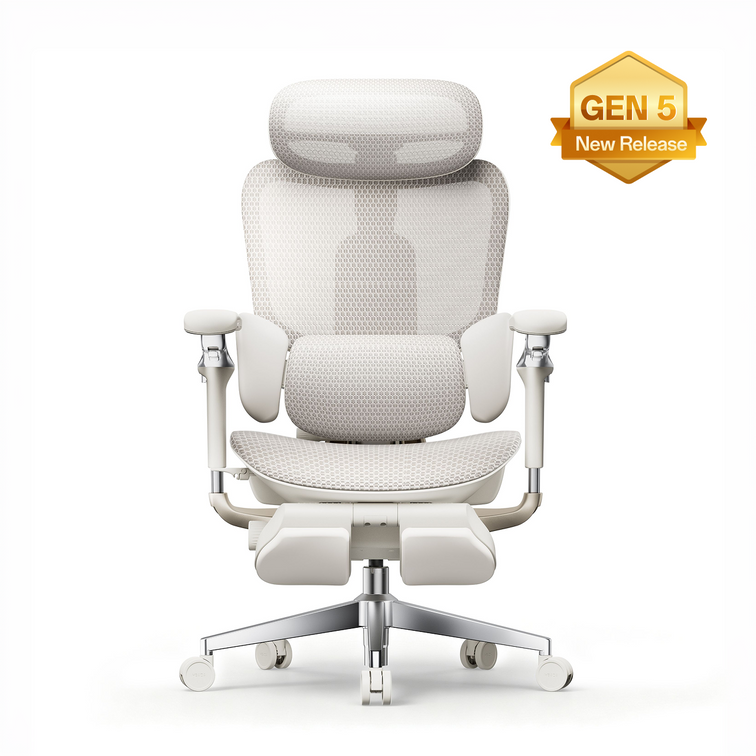
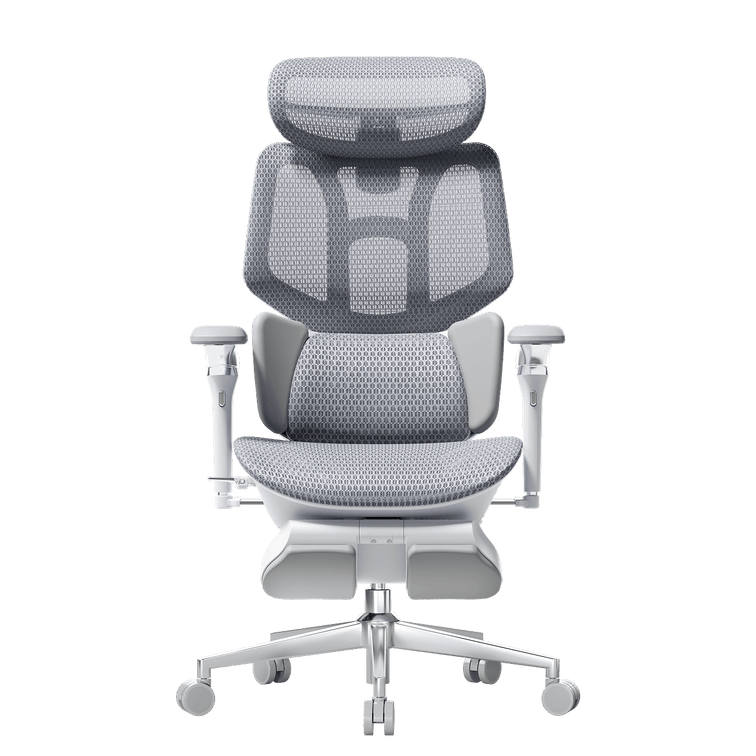
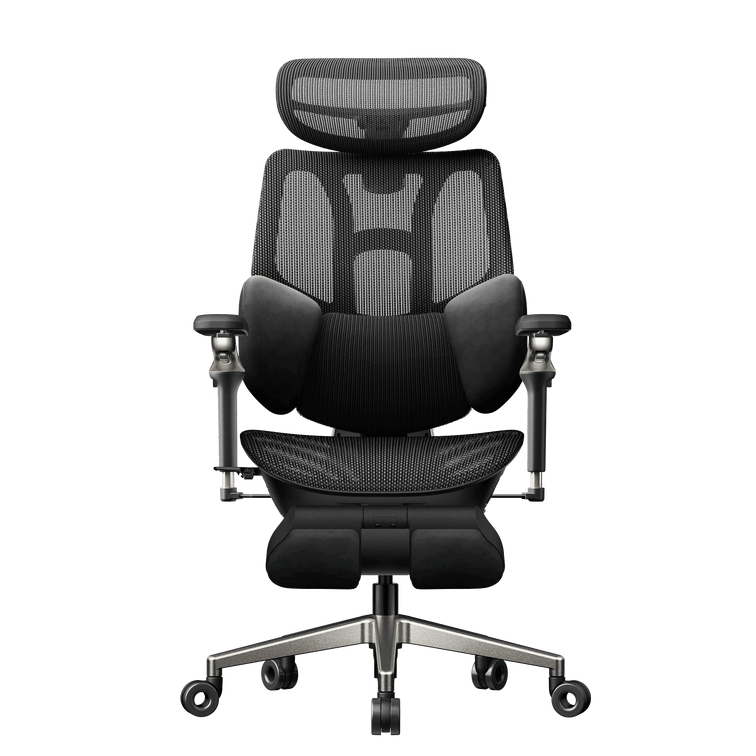
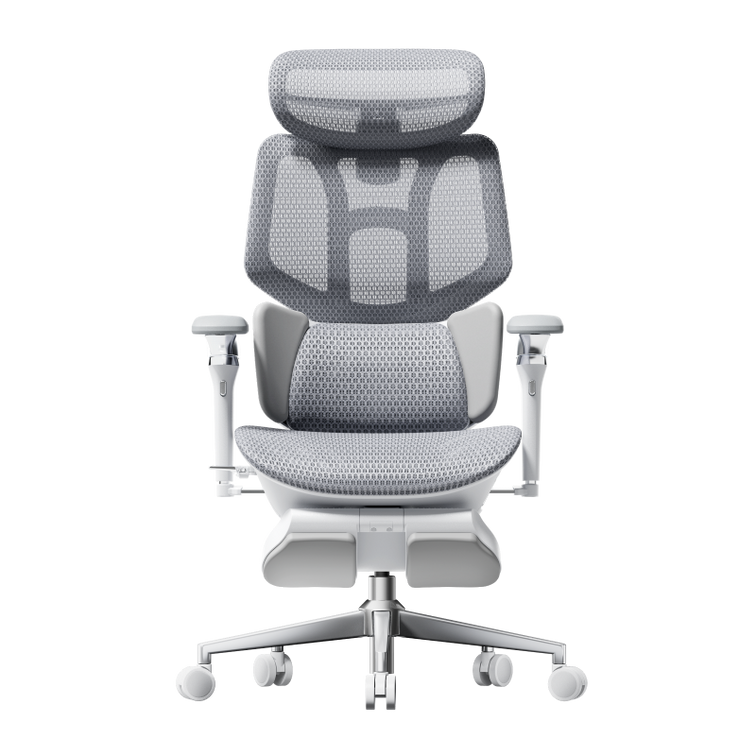
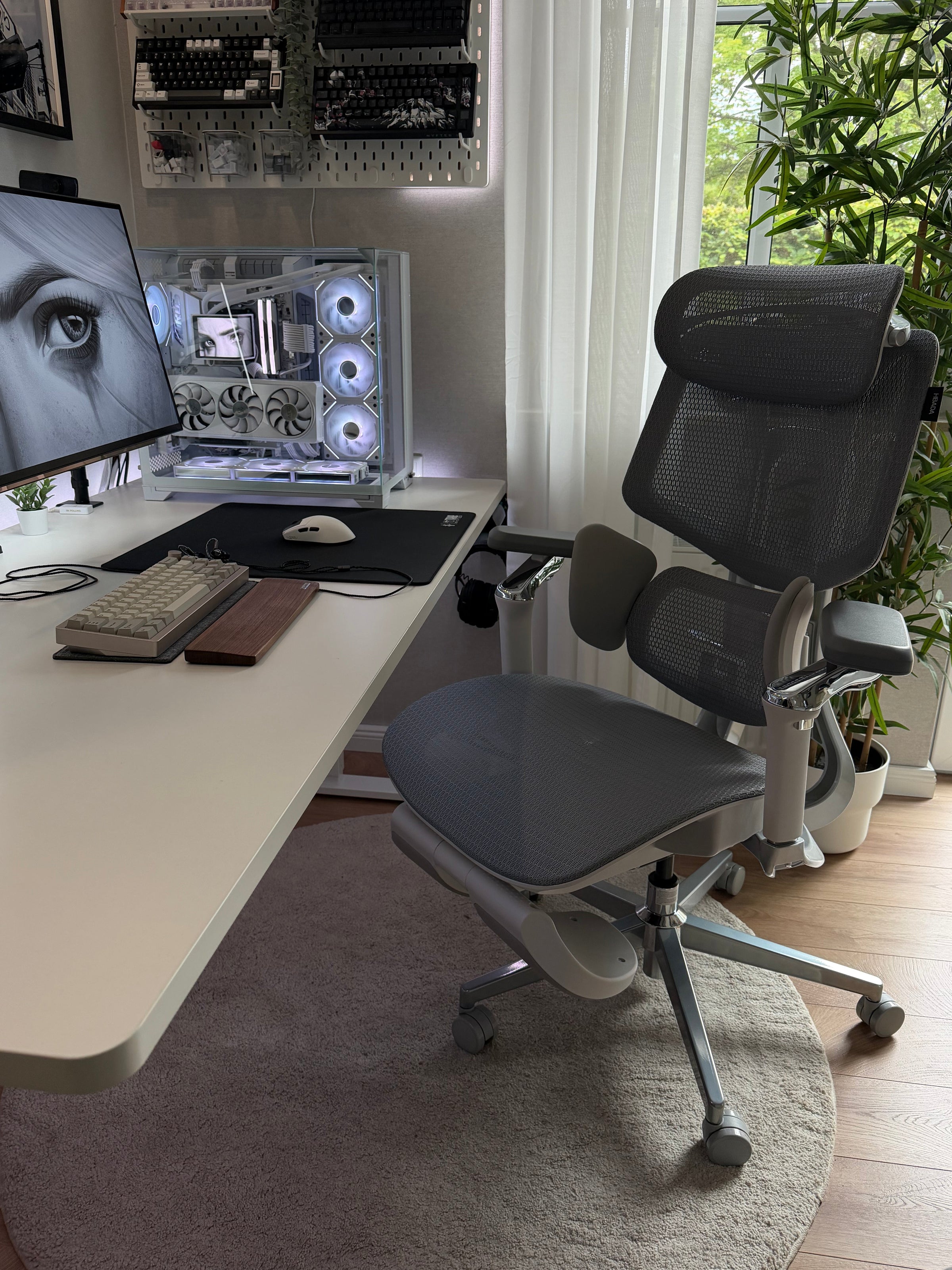
Sistemas de malha avançados, como o sistema CloudMesh da série HBADA E3 utilizam tecelagem elástica em 4 direções a malha estica em todas as direções (não apenas da esquerda para a direita), criando uma superfície que se adapta ao corpo e mantém o apoio estrutural. Isto distingue-a da malha unidirecional (que pode parecer instável) e da espuma tradicional (que oferece apoio, mas não permite a circulação ativa do ar). A CloudMesh proporciona cerca de 83% mais circulação de ar do que a malha standard e adapta-se como a espuma viscoelástica, sem o inconveniente térmico.

Malha vs. almofadas de espuma — comparação direta dos dados

Medição direta com base em investigação ergonómica e de ciência dos materiais:

Métrica

Almofadas de espuma espessa

Malha standard

Malha avançada (CloudMesh)

Dissipação do calor (temperatura da superfície do assento após 4 horas)

35–37 °C (calor retido)

31–33 °C (arrefecimento ativo)

29–31 °C (fluxo de ar otimizado)

Recuperação da compressão (% de retenção após 12 meses)

60–70% (cedência significativa)

92–98% (cedência mínima)

95–99% (recuperação quase total)

Pico de pressão isquiática (mmHg, quanto mais baixo, melhor)

78–85 mmHg

68–75 mmHg

60–70 mmHg (com apoio lombar)

Vida útil (utilização diária de 8 horas até à perda de 50% da compressão)

18–24 meses

5–7 anos

7–10+ anos (durabilidade certificada)

Crescimento bacteriano (UFC/cm² após 6 meses de utilização)

150 000–300 000 (humidade elevada)

50 000–100 000 (menor retenção de humidade)

25 000–50 000 (fluxo de ar ativo)

Custo por ano de utilização fiável

150–250 $/ano (cadeira de 300 $ ÷ 18-24 meses)

70–120 $/ano (cadeira de 400 $ ÷ 5-7 anos)

50–80 $/ano (cadeira de 500 $ ÷ 7-10+ anos)


Estas métricas provêm de investigação publicada sobre ergonomia e ciência dos materiais, incluindo estudos sobre a degradação da espuma (revista Polymer Testing, 2021–2023) e o mapeamento da pressão isquiática (Clinical Biomechanics, 2022). O valor da «vida útil» baseia-se no ponto em que a perda de compressão da almofada atinge 50% — o limiar a partir do qual os utilizadores referem uma perda de apoio percetível.


Como a malha mudou o conforto de dois utilizadores diferentes

Estudo de caso A: Marcus T. — O problema do calor e da compressão

Marcus T., 34 anos, engenheiro sénior de DevOps e streamer em part-time (6'2", 295 lb). Durante dois anos, Marcus usou cadeiras de escritório económicas com almofadas de espuma densa. Após 6 meses em cada cadeira, a espuma desenvolvia depressões permanentes com o formato do corpo na zona isquiática, e ao meio-dia sentia diariamente as coxas na parte de trás «apertadas» devido à perda de altura da almofada. A espuma comprimida também retinha o calor; à tarde, a zona do assento ficava quente e húmida, criando um ambiente propício ao desenvolvimento de bactérias e fungos, que causava irritação cutânea persistente.

Quando Marcus mudou para a HBADA E3 Pro Edição 2026 com tecnologia de assento CloudMesh, surgiram três melhorias: (1) a malha elástica em 4 direções manteve a recuperação da pressão em todas as posições; por mais vezes que se mexesse, o assento continuava a oferecer o mesmo apoio do primeiro dia, (2) o fluxo de ar ativo manteve a zona do assento 4–5 °C mais fresca, mesmo durante sessões de streaming de 10 horas, eliminando a humidade ao fim da tarde e a irritação cutânea, e (3) o apoio lombar integrado com mapeamento de pressão distribuiu eficazmente o peso da sua estrutura de 295 lb, sem os picos de pressão elevados na zona isquiática que tinha sentido com espuma.

Estudo de caso B: Elena R. — O problema do microclima numa estrutura petite

Elena R., 28 anos, designer gráfica e blogger de lifestyle a trabalhar remotamente (1,55 m, 50 kg). A estatura mais baixa de Elena criava um problema diferente com a espuma: o acolchoamento espesso, concebido para corpos de estatura média (90–113 kg), era demasiado firme para a carga de menor pressão que exercia. A espuma não se comprimia o suficiente para distribuir o seu peso, pelo que sentia pontos de pressão nas tuberosidades isquiáticas. Além disso, a espuma não respirável retinha o calor corporal, criando um microclima localizado que a fazia transpirar visivelmente na zona lombar após 4–5 horas.

Com a cadeira ergonómica inteligente HBADA X7 com IA e o seu assento em malha ventilada com arrefecimento ativo, Elena obteve dois benefícios importantes: (1) o design em malha adaptável à pressão ajustou-se ao seu corpo de 50 kg sem compressão excessiva, distribuindo o peso uniformemente por uma superfície maior e eliminando os pontos de pressão e (2) o fluxo de ar contínuo através da trama de malha impediu a acumulação de calor do microclima, mantendo-lhe as costas secas durante as sessões de design de 8 horas; o efeito refrescante também reduziu a fadiga da tarde, normalmente provocada pela acumulação de calor.

Os benefícios para a saúde das almofadas de assento em malha — para além do conforto

A mudança da espuma para a malha não se resume à sensação: tem efeitos mensuráveis na saúde e na produtividade.

Úlceras de pressão e saúde da pele

A pressão prolongada sobre os tecidos moles reduz o fluxo sanguíneo. Para quem trabalha em escritórios, as tuberosidades isquiáticas são a principal zona de risco. Pressões sustentadas superiores a 75 mmHg aumentam o risco de lesões nos tecidos profundos; pressões inferiores a 60 mmHg permitem um fluxo sanguíneo capilar normal. Os assentos em malha que mantêm a pressão máxima nas tuberosidades isquiáticas entre 60 e 70 mmHg reduzem a carga de lesões nos tecidos que a espuma (normalmente entre 78 e 85 mmHg) acumula ao longo do tempo. O uso prolongado de assentos de espuma de alta pressão contribui para a bursite isquiática e a dor coccígea — condições que afetam 10–15% das pessoas que trabalham em escritórios há muito tempo.

Regulação térmica e função cognitiva

A acumulação de calor sob as nádegas cria um «microclima do assento» que aumenta a temperatura corporal central em 0,5–1,0 °C ao longo de um dia de trabalho completo. A temperatura corporal central elevada desencadeia respostas autónomas de dissipação do calor (transpiração, aumento da frequência cardíaca), que consomem recursos cognitivos e aumentam a perceção de fadiga. A investigação sobre conforto térmico e cognição demonstra que manter a temperatura da pele dentro de 0,5 °C dos valores de referência melhora a duração da concentração e reduz em 8–12% os erros causados pela fadiga de decisão. Os assentos em malha, que impedem a acumulação de calor, contribuem diretamente para o desempenho mental durante a tarde.

Alinhamento da coluna e postura a longo prazo

As almofadas de espuma que desenvolvem depressões permanentes colocam as tuberosidades isquiáticas em posições assimétricas, inclinando a pélvis e desalinhando a coluna vertebral. Ao longo de vários meses, este comprometimento postural contribui para dores miofasciais e um desequilíbrio na pressão sobre os discos. Os assentos em malha que mantêm uma distribuição uniforme da pressão na zona isquiática favorecem um posicionamento pélvico constante, permitindo que os sistemas de apoio lombar (como o Apoio Lombar Elástico de 3 Zonas presente nas cadeiras ergonómicas avançadas) funcionem como previsto, acompanhando as vértebras L1–L5 sem contrariar uma inclinação pélvica assimétrica.

Que tecnologia de assento deve escolher?

A ciência do conforto do assento aponta para uma resposta clara: a tecnologia de malha supera a espuma espessa em todos os parâmetros objetivos — dissipação de calor, recuperação após compressão, distribuição da pressão e durabilidade a longo prazo. A transição da espuma para a malha não é uma tendência; é uma evolução da engenharia sustentada por dados biomecânicos.

• Passa mais de 8 horas sentado por dia: a malha é indispensável. Uma HBADA E3 Pro com design 4-way CloudMesh proporciona a dissipação de calor e a recuperação da pressão necessárias para evitar a fadiga ao fim da tarde e a deterioração postural causadas pela espuma.

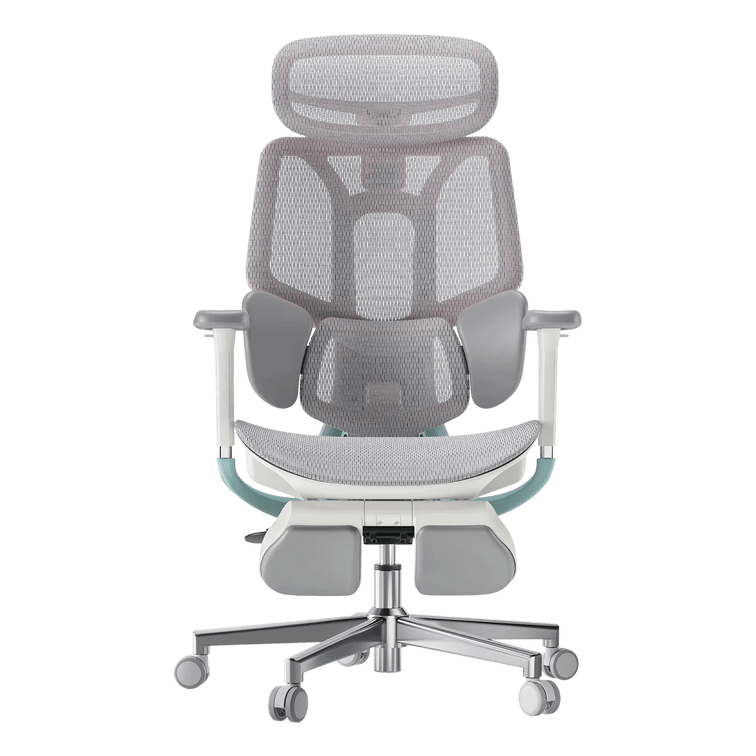
• É de baixa estatura ou tem um corpo mais leve: a HBADA AI-Powered X7 com malha reativa à pressão adapta-se ao seu corpo sem compressão excessiva e proporciona o efeito refrescante que mantém as costas secas.

• Prioriza a saúde a longo prazo em vez da poupança a curto prazo: uma cadeira de malha custa 50–100 $ por ano ao longo de uma década. Tratar as dores posturais e a fadiga térmica provocadas pela espuma custa muito mais.

Deixe de fazer cedências no conforto do assento. A tecnologia que substitui a espuma não é apenas mais macia; foi concebida para a saúde humana. Os dados comprovam-no. O seu corpo vai senti-lo.

Perguntas frequentes

Qual é a diferença entre almofadas de assento em malha e em espuma?

As almofadas de espuma absorvem a pressão para o interior do material e comprimem-se permanentemente sob carga — perdem 15–25% da capacidade de suporte por ano em condições normais de utilização num escritório. A tecnologia de assento em malha utiliza uma suspensão elástica que distribui a pressão em tempo real e recupera indefinidamente mais de 95% da capacidade de suporte original. A espuma retém o calor (a superfície do assento atinge 35–37 °C após 4 horas); a malha permite a circulação ativa do ar e mantém a temperatura estável entre 29–31 °C. A espuma deteriora-se ao fim de 18–24 meses; uma malha de qualidade dura 7–10 anos.

Porque é que as cadeiras de escritório usam agora malha em vez de espuma?

A investigação em biomecânica e ciência dos materiais demonstra que a tecnologia de malha oferece vantagens mensuráveis em todos os critérios relevantes para os profissionais de ergonomia: pressão máxima sobre os ísquios (60–70 mmHg contra 78–85 mmHg), controlo térmico, recuperação após compressão e vida útil. As almofadas de assento em malha de alto desempenho também reduzem a fadiga ao fim da tarde, evitam irritações cutâneas provocadas pelo calor e favorecem o alinhamento da coluna vertebral mais do que a espuma. Esta mudança não é uma questão de marketing — resulta de uma engenharia baseada em dados.

A malha é menos confortável do que a espuma?

Não. A malha com uma suspensão elástica adequada oferece mais suporte do que a espuma, porque mantém a forma ao longo de milhões de ciclos de compressão. Inicialmente, a espuma parece macia e confortável, mas, em poucos meses, degrada-se e fica plana e desconfortável. A malha é reativa e adapta-se ao corpo durante toda a sua vida útil. A maioria dos utilizadores diz sentir maior conforto após a primeira semana, à medida que a malha se adapta ao corpo, proporcionando ao mesmo tempo um suporte firme.

O que é a tecnologia CloudMesh?

CloudMesh é uma trama de malha elástica em 4 direções que se estica em todas as direções (não apenas da esquerda para a direita) e inclui canais de ventilação otimizados. Proporciona cerca de 83% mais ventilação do que a malha convencional de elasticidade unidirecional e oferece uma sensação semelhante à da espuma viscoelástica, sem reter o calor nem se degradar com a compressão. Cadeiras como a série HBADA E3 utilizam CloudMesh para combinar conforto com controlo térmico ativo.

Quanto tempo duram as almofadas de assento em malha?

A tecnologia de assento em malha de qualidade (com certificação SGS ou em conformidade com as normas BIFMA) dura mais de 5 a 10 anos com uma utilização diária de 8 horas. Os designs avançados, como o CloudMesh, duram 7 a 10 anos porque a trama elástica mantém indefinidamente a capacidade de recuperar após a compressão — não fica permanentemente «marcada», como a espuma. O custo anual ao longo desse período é de 50 a 100 $, menos do que substituir uma cadeira de espuma a cada 18 a 24 meses.

As almofadas de malha podem ser demasiado firmes?

Sim, a malha sem uma suspensão elástica adequada pode parecer dura. A solução não é espuma mais espessa, mas sim uma engenharia melhor: uma camada de suporte elástica (molas, cintas elásticas ou zonas flexíveis) que se adapta ao corpo sem se degradar devido à compressão. Os assentos de malha bem concebidos são tão confortáveis como a espuma viscoelástica de alta qualidade, mas sem os problemas de calor ou durabilidade. Procure cadeiras que especifiquem suspensão elástica ou suporte por zonas flexíveis, não apenas «malha».
Produto Relevante

Também pode gostar

HBADA X7 Long-Term Review: Smart Features After 90 Days HBADA X7 Long-Term Review: Smart Features After 90 Days HBADA The X7 ownership review Beyond thefirst impression.Into real life. Unboxing is only the beginning. Here is a closer look at the HBADA X7’s smart features, everyday comfort and long-term ownership experience. 90 DAYS 01 Setup & assembly 02 Responsive support 03 Everyday ownership A smart ergonomic office chair should do more than impress on day one. It should remain useful after the controls become familiar and the chair becomes part of your normal working routine. This HBADA X7 long-term review brings together media testing and verified owner feedback, covering assembly, AI lumbar support, powered comfort features and the practical details worth considering before you buy. The shortanswer. The X7’s defining feature is responsive lower-back support. Reviewers and owners describe lumbar contact that follows changes in sitting position. Its weight, setup and powered components require consideration, but its appeal goes beyond extra features: it is about support that remains useful throughout an ordinary working day. This brand-authored roundup draws on separate reviewer and owner experiences across different usage periods and markets. It is not presented as a single continuous in-house 90-day test. For an EU purchase, check the selected configuration and local product information. Unboxing Assembly AI lumbar support Comfort features Long-term use Verdict FAQs 01 / The arrival Make room.This is not a lightweight delivery. The X7 arrives as a substantial piece of office furniture. Reviewers highlight the size and weight of the package, making delivery planning a useful first step—not something to think about once the box is already in the doorway. Clear the route to your workspace, check narrow doorways and consider any stairs along the way. If you live in a flat, think about lift access and the space available for unpacking. Arrange assistance with lifting when needed. The chair combines mechanical adjustments with powered functions. Its main electronic components are housed within the chair, but connections still need attention during setup. Leave enough space to identify the parts before assembly. Before you begin Keep the packaging for now. Check the components, complete assembly and confirm that the controls operate as described before disposing of the protective materials. A clear floor and an unhurried setup are more useful than trying to finish in record time. 02 / Getting started Build it once.Take the connections seriously. Assembly accounts collected for this review generally fall within a roughly 20–45-minute window. Your own timing will depend on experience, assistance and the time spent checking the instructions. 01 Lay out the components Identify the parts and fasteners using the supplied manual. Protect the chair’s surfaces while working. 02 Follow the cable routing Pay attention to the specified connection points. Do not force connectors or trap cables between components. 03 Check before settling in Confirm that the mechanical adjustments and powered controls work as described before a full day at your desk. Tom’s Hardware 30–40 min Extra attention was needed around routing and connecting the power cable. The Gadgeteer 35–45 min A second person can help with handling the larger components. Verified owner feedback 30–40 min Checking the instructions around the cable connection was a recurring point. Reported assembly times describe individual experiences, not a guaranteed setup time. Follow the instructions supplied with your specific chair. 03 / The defining feature Support that follows.Not a position you have to find. A conventional lumbar pad offers support when your body meets it. The X7’s responsive lumbar system is designed to adapt as your sitting position changes, helping maintain contact with the lower back. That distinction appears repeatedly in the review material: the support follows movement rather than depending entirely on the user returning to one fixed position. Responsive contact Reviewer accounts describe the lumbar support responding as the seated position changes. A personal setting The Gadgeteer describes a gentler sensation at lower settings and a more noticeable presence at higher settings. Everyday convenience Owner feedback highlights support staying close without repeated manual repositioning during desk work. Start with fit, then adjust the support. Set the seat height and depth first. Your feet should be supported, with comfortable clearance behind your knees. Then adjust the lumbar contact to suit your body. 04 / Beyond the basics Comfort features.Useful when they fit your routine. The reviewed X7 setups also bring massage, heating and cooling or ventilation features into the experience. These functions are separate from the chair’s core seat, back and arm support adjustments. Before ordering, check the X7 configuration available on our EU store . A review describes the package that person used; it should not be taken as a list of what every package includes. For focused work Let support do the quiet work. Prioritise a comfortable seat position, relaxed shoulders and supportive lumbar contact. Choose powered settings that complement your routine without distracting you. For a seated pause Change the pace, not just the setting. Explore the available comfort functions gradually and follow the operating instructions. A seated break can feel relaxing, but it does not replace getting up and moving. More intensity is not automatically more comfortable. Airflow is not the same as room air-conditioning, and a relaxing massage function is not a medical treatment. 05 / Living with it When the featuresbecome familiar. Long-term value is easier to understand once the chair becomes an ordinary part of the workspace. What stays useful? What do you still adjust? What do you stop thinking about? Early ownership / Setup experience Learn the chair before judging the settings. Assembly and initial adjustment shape the first impression. Take time to establish comfortable seat height, seat depth and arm support before deciding how much lumbar contact you prefer. One-month account / Verified owner feedback Comfort becomes part of the working routine. A designer in the owner feedback collected for this article described a comfortable, stable sitting experience after a month, with less need to reposition for comfort. Ongoing use / Verified owner feedback Lower-back contact without constant readjustment. An IT professional highlighted support remaining close during desk-based work without repeatedly repositioning the lumbar support. The 90-day perspective / What to assess Look for consistency, not novelty. Consider whether the chair still fits comfortably, frequently used adjustments operate as expected and the powered functions continue to earn a place in your routine. A three-month experience is useful context, not a prediction of the chair’s entire lifespan. These are separate experiences, not a single owner’s timeline. Individual comfort and usage patterns vary. The best feature is the oneyou still appreciate on an ordinary day. 06 / The practical side What deserves a closer look? A powered ergonomic office chair brings ownership considerations beyond upholstery and seat dimensions. Weight & moving Reviewers highlight the chair’s substantial weight. Think about stairs and room changes, especially if you regularly move furniture between floors. Your EU configuration Compare the specific package offered on the EU store with the version shown in a review. Included accessories and powered features should be checked against your selected order. Component coverage Review the warranty terms applicable to your purchase. Structural parts, electronics and batteries may have different coverage terms. Use the information for your purchase market, rather than assuming an overseas review describes the same terms. Price & delivery Check the displayed price, delivery availability and final checkout details for your destination. A price quoted in an overseas review is not a current EU offer. Long-term expectations Early comfort feedback and durability testing answer different questions. Daily use, care and maintenance all influence the ownership experience beyond the first few months. 07 / Our verdict Buy for the way you work.Not just the feature list. Across the review material, responsive lower-back support is the most consistent theme. The additional comfort functions add flexibility, but the central question remains whether this kind of support matches your working habits and preferences. A strong reason to consider it You want responsive support. Lumbar contact that adapts as you change sitting position. Adjustable ergonomic seating with powered functionality. Features you can use during both desk work and seated breaks. Think through the trade-offs You prioritise simplicity. You need a lightweight chair to move between floors. You prefer a setup without powered components. Your main priority is the lowest initial purchase cost. Start with your body fit, desk setup and the adjustments you expect to use regularly. Then compare the HBADA X7’s features and available options against those priorities. The X7 is designed for supportive seating and everyday comfort, not to diagnose or treat a medical condition. Persistent pain should be discussed with a qualified healthcare professional. The details, answered Before you decide. How long does HBADA X7 assembly take? The experiences collected for this review range from roughly 20 to 45 minutes. Allow extra time for checking the connections and follow the manual supplied with your exact model. What makes the X7’s AI lumbar support different? The responsive lumbar system is designed to adapt support as your sitting position changes. Reviewers and owners describe lower-back contact that follows movement rather than relying only on a fixed pad. Does the EU version include everything shown in overseas reviews? Check the selected configuration and included accessories on the EU product page. A reviewed package or regional version may differ from the one you are ordering. Is the X7 suitable for a home office? It can suit a home office where responsive lumbar support and powered functionality are priorities. Check body fit, desk compatibility, delivery access and the space available for assembly. What should I check before ordering in Europe? Confirm the configuration, included accessories, delivery availability for your destination and applicable warranty terms. Refer to the EU store and checkout for current pricing rather than a price quoted in an overseas review. Are all the experiences from one 90-day test? No. This brand-authored roundup brings together separate media tests and verified owner experiences covering different usage periods. A one-month owner observation is identified separately from the broader long-term discussion. Does a 90-day review establish the chair’s lifespan? No. It can help describe early ownership, comfort and feature usability, but total service life also depends on use, care, loading and maintenance. Smart support.A more personal way to sit. Explore the HBADA X7 on our EU store, compare the available configuration and see how responsive lumbar support fits into your working day. Explore the HBADA X7 → Explore HBADA Europe → Keep good advice close Enjoyed this guide?Stay connected with HBADA. Make HBADA Europe one of your preferred sources on Google for more ergonomic chair guides, workspace tips and practical advice. Add HBADA to your preferred sources on Google ↗ Opens Google in a new tab. Confirm your selection there if HBADA is available. Office Chair Seat Height: How to Measure Your Best Fit Office Chair Seat Height: How to Measure Your Best Fit A better chair fit starts at floor level. Your feet, your legs and your desk all influence the right office chair seat height. A tape measure gives you a useful starting point. Sitting at your actual workspace helps you finish the adjustment. Quick answer: Sit on a firm, stable surface with your usual work shoes on and your feet flat. Measure vertically from the floor to the underside of your thigh at the crease behind your knee. Use this as a starting reference when comparing chair seat heights, then check the fit while seated. It is not an exact setting that every chair must match. How to measure Check the chair Match your desk Common questions Seat height is not the same as overall chair height. In a product specification, seat height describes the distance from the floor to the seating surface. Overall chair height includes the backrest or headrest and does not tell you whether your feet will reach the floor. Your body measurement is different again: it measures your lower-leg clearance while seated. It helps narrow your options, but the final fit also depends on the seat shape, how the material settles under your weight and your desk setup. If you are checking more than height, start with our guide to office chair height, depth, width and lumbar fit . A chair can be the right height and still have a seat that is too deep for you. How to measure your seat-height starting point You will need a tape measure or ruler, a firm and stable seating surface, and the shoes you normally wear at your desk. Having someone help makes it easier to keep the measurement vertical. Measure from the floor to the underside of the knee crease, not to the top of the kneecap. Illustration is schematic, not a scale drawing. 01 Keep your footwear consistent Measure in the shoes you usually wear while working. If you work barefoot or in slippers, use that setup instead. A measurement taken in thick-soled trainers may not reflect your everyday home-office position. 02 Sit with both feet supported Use a stable surface that lets your feet rest flat and your lower legs sit approximately upright. Keep your knees bent around a right angle without forcing the position. Avoid a deep sofa or a surface that leaves your feet dangling. 03 Measure to the crease behind your knee Place the ruler beside your lower leg and measure straight up from the floor to the underside of your thigh where it meets the back of your knee. Do not follow the angle of your shin or measure to the top of your knee. 04 Record the result in centimetres Repeat the measurement to check it. Note your footwear alongside the number, then compare it with the seat-height adjustment range of the chair you are considering. Do not subtract a fixed amount automatically. This measurement is a reference, not a universal formula. Seat materials and measurement methods vary, so the adjustment range and your seated fit matter more than a perfect match on paper. Turn the measurement into a real chair fit Before buying, look for a chair whose published seat-height range covers your likely starting position, ideally with room to adjust either way. Check whether the measurements describe an occupied or unoccupied seat. If the method is unclear, ask before treating two specifications as directly comparable. Once you have the chair, sit back and adjust it in small steps. The goal is comfortable support, not making your body hold a precise diagram. Your seated fit checklist Your feet rest securely on the floor or a suitable footrest. The seat supports your thighs without digging into their underside. There is clearance between the seat edge and the backs of your knees. You can use the backrest without sliding forward to reach the floor. You can change position without feeling trapped by the desk or armrests. If the seat edge presses behind your knees even after changing the height, investigate seat depth as well. Lowering the chair cannot always compensate for a seat that is too long. For model-specific controls, use our HBADA user manuals and assembly guides . What if the right seat height does not match your desk? A comfortable leg position is only part of the setup. Your keyboard should also be within easy reach, with your shoulders relaxed rather than lifted towards your ears. If you have a height-adjustable desk Start with a comfortable seated position, then adjust the desk so the keyboard sits around or slightly below elbow level. Recheck your screen position after changing the desk height. If your fixed desk is too high Raising the chair may improve your arm position but leave your feet unsupported. A stable under-desk footrest can bridge that gap. Check that there is still enough space for your thighs beneath the desktop. If your fixed desk is too low Avoid lowering the chair so far that your legs become cramped simply to fit underneath. The desk itself may need changing. Raising armrests will not create missing legroom. A reclining leg rest has a different job. A chair’s pull-out footrest is intended for reclined breaks. It is not automatically a replacement for stable foot support during upright keyboard work. Use fit to narrow your HBADA shortlist Compare the current dimensions on each product page before choosing features. A massage function, headrest or advanced armrest system cannot make up for a seat-height range that does not suit your setup. HBADA E3 Air : check its seat dimensions and adjustment range against your measurements. HBADA E3 Pro : compare the seating dimensions and available adjustments with your desk setup. HBADA E3 Ultra : confirm the fit first if you also want built-in massage and heating for seated breaks. Before ordering, review our current return policy and the delivery information for your country. Keep your measurements handy if you need help checking a particular model. Office chair seat height: common questions Can I choose seat height from my standing height? Standing height is a rough screening tool, not a precise fit measurement. People of the same height can have different leg proportions. Measure your seated lower-leg height and check the chair at your desk. Should my knees stay at exactly 90 degrees? No. A right angle is a useful starting reference for measuring, not a position you need to hold all day. Look for supported feet, comfortable thigh contact and room to move. What if the chair is still too high at its lowest setting? Check whether a suitable footrest works with your desk height and available legroom. If the overall setup still feels wrong, a chair with a lower seat-height range may be a better fit. Avoid modifying the chair with unapproved components. Why does the seat feel lower when I sit down? Cushioning can compress and mesh can flex under load. That is why an unoccupied measurement may differ from your seated experience. Check how the manufacturer measures seat height and make the final adjustment while seated. Should I adjust the chair again when I change shoes? Recheck the fit if the sole height changes noticeably. You may only need a small adjustment, but your feet should remain supported without creating uncomfortable pressure beneath your thighs. Measure first. Compare second. Start with one useful measurement, then check the rest of your fit: seat depth, usable width, back support and desk height. The right setup works as a whole. Explore the complete chair-fit guide → More practical guides for your workspace. Choose HBADA as a preferred source on Google to stay connected with our chair guides and workspace advice. Add HBADA to your preferred sources ↗ Opens Google in a new tab. Confirm your selection there if HBADA is available. Which Office Chair Is Right for You? A 12-Question Buying Guide Which Office Chair Is Right for You? A 12-Question Buying Guide HBADA / THE WORKSPACE JOURNAL THE CHAIR FIT SERIES A more personal way to choose Find your priorities.Then find your chair. Your height is only the beginning. Work through 12 questions about body fit, support, your desk and your budget to build a more useful office chair shortlist. Body fit Comfort Workspace Purchase planning Compare models Quick answer: Start with suitable seat dimensions and weight capacity. Then compare lumbar support, armrest movement, materials and optional features. The right office chair should fit your body and work with your desk—not simply have the longest feature list. Choose an option in each dropdown, then read the guidance beside or below it. Use centimetres for dimensions and kilograms for weight when comparing specifications. A self-guided worksheet, not an automatic matcher. Your selections do not change the advice or calculate a recommendation. This worksheet does not submit or save answers. Keep your own notes if you want to retain your checklist. 01 / Body fit Start with what needs to fit. Check dimensions before adding features to your wishlist. QUESTION 01 What is your height? Choose your height range Under 160 cm 160 cm to under 170 cm 170 cm to under 180 cm 180 cm to under 190 cm 190 cm or taller I need to measure first Height helps you start a comparison, but people of the same height can have different leg lengths and torso proportions. Shorter users should check minimum seat height and depth. Taller users should also check thigh support, backrest positioning and headrest reach. Check next: Compare actual adjustment ranges. These height bands are not model suitability guarantees. QUESTION 02 Which weight range applies to you? Choose a weight range Under 60 kg 60 kg to under 80 kg 80 kg to under 100 kg 100 kg to under 120 kg 120 kg or more I prefer to check the capacity privately Check your exact weight against the published capacity of the model and configuration you are considering. Selecting a broad range here does not confirm compatibility. Capacity and seat size are different. A chair may support your weight but still have unsuitable dimensions. Check next: Verify weight capacity, usable seat width and armrest spacing separately. QUESTION 03 What would you change about your current seat? Choose your main fit concern The seat feels too deep The seat feels too short The seat or armrests feel too narrow The armrests feel too far apart The size works well I am not sure Sit against the backrest. Check whether the seat presses behind your knees and whether your hips have comfortable room. Your forearms should reach the armrests without stretching outwards. If the current size works, record those dimensions rather than assuming a bigger chair will be better. Check next: Follow our chair-fit measurement guide to measure usable height, depth and width. 02 / Comfort preferences Choose the feel you enjoy. Think about how you want the chair to support your day. QUESTION 04 What seat material or feel do you prefer? Choose your preference Breathable mesh A padded seat is essential A softer feel matters most A firmer feel matters most I am open to different materials Mesh allows airflow; padding offers cushioning with a different feel. Comfort also depends on seat shape, construction and personal preference. If cushioning is essential, keep it on your must-have list. Adding a cushion later can change seated height and contact with the backrest. Check next: Confirm the actual seat construction. Mesh provides ventilation, not active cooling. QUESTION 05 How do you prefer your lower back to be supported? Choose your support preference Gentle contact without strong pressure Noticeable support that I can adjust Support that responds as I move My current support feels too strong I am not sure yet Look for comfortable contact, not maximum pressure. Lumbar support should not force you towards the front of the seat. If support feels badly positioned, check seat depth and backrest settings. Both affect where the lumbar section meets your body. Check next: Compare positioning and adjustment range. A feature name cannot predict your preferred firmness. QUESTION 06 Which features would you use during breaks? Choose your main preference A headrest and reclining backrest A pull-out footrest Massage and warmth A combination of these features None of these is essential Check headrest positioning and the room needed to recline. A headrest should not push your head forwards during regular desk work. A pull-out footrest supports reclined breaks. A separate under-desk footrest serves a different purpose: supporting your feet during upright work. Check next: Confirm the selected version includes your preferred features. Massage and warmth do not replace a good fit. Choose the features that serve your workday, not simply the longest feature list. 03 / Your workspace Make the desk part of the decision. The chair and the space around it need to work together. QUESTION 07 How do you usually sit during your main tasks? Choose your usual pattern Mostly upright for keyboard and mouse work I often lean forwards I recline for reading or calls I switch between positions and devices For keyboard work, prioritise comfortable access without reaching or raising your shoulders. If you lean forwards, check screen visibility and keyboard distance too. If you switch between devices, compare useful armrest movements rather than simply counting adjustment directions. Check next: Identify your two main tasks. Allow for movement and breaks instead of holding one rigid position all day. QUESTION 08 What kind of desk do you use? Choose your desk type A fixed-height office desk A height-adjustable desk A dining table or shared table I switch between desks I have not chosen my desk yet Measure desktop height and usable space underneath. Drawers, thick edges and support bars may reduce room for your legs and armrests. If raising the chair helps you reach the desk but leaves your feet unsupported, consider a separate footrest or a suitable change to the work surface. Check next: Record underside clearance separately from desktop height. Adjustable desks also have range limits. QUESTION 09 Where are your keyboard and mouse? Choose your setup On the desktop, close to me On a separate keyboard tray I use a laptop’s built-in keyboard Farther away, so I reach forwards My setup changes during the day Armrests should not stop you from moving close enough to your input devices. Check their height and spacing against the desktop or keyboard tray. A laptop links screen position with keyboard position. For longer desk sessions, an external keyboard and mouse may make the setup easier to arrange. Check next: Decide whether the chair, the input devices, or both need repositioning. 04 / Purchase planning Turn preferences into priorities. Keep the practical details in view before ordering. QUESTION 10 What is the main improvement you want? Choose your top priority A better size and fit More comfortable lower-back contact Better arm support A more breathable seat More comfortable reclined breaks Massage and warmth Name the improvement that would make the biggest difference. Then separate must-have requirements from optional extras. Keep suitable dimensions as a requirement even when another feature is the main attraction. Check next: Write down one main priority and two secondary preferences. Persistent discomfort deserves professional advice, not just a different chair. QUESTION 11 What is your chair budget? Choose a product budget in EUR Under €300 €300 to under €500 €500 to under €800 €800 or more Flexible for the right fit and features Prioritise suitable dimensions, capacity and useful adjustments. Then decide which extras are worth paying for. Check the final total for your destination, including the displayed tax treatment and any delivery charges. These budget bands are not current product prices. Check next: Keep a preferred product budget and a maximum total purchase budget. QUESTION 12 Which delivery situation applies to you? Choose your delivery situation A home address in an EU country A business address in an EU country A European address outside the EU An island or remote-area address I need to confirm my destination Confirm availability for your exact country and postcode. Selecting a region here does not confirm that it is served. Review stock or preorder status and the current delivery and return conditions. Do not assume that one country’s shipping arrangements apply across Europe. Check next: Confirm destination eligibility, assembly needs and any applicable return costs before ordering. Your answers, organised. There is no submission step. Review your selections and turn them into three short lists: Must fit: seat height, usable depth, width, capacity and desk clearance. Should suit you: lumbar feel, armrest movement, material and working positions. Nice to have: additional break-time features and styling preferences. Compare HBADA options below → Use your priorities to compare Where should you start with HBADA? These are model comparison starting points, not calculated results from your selections. Check the exact specifications, configuration and current price before choosing. Everyday desk features HBADA E3 Air 2026 Start by comparing its mesh seating, three-zone lumbar support and adjustable armrests with the features you need for regular desk tasks. Check usable dimensions and adjustment ranges against your measurements. Explore E3 Air specifications → Arm-position flexibility HBADA E3 Pro 2026 Look at its 720° OmniMechanical armrests if flexible positioning matters when switching between tasks and devices. Compare the movements you need and your desk clearance rather than treating more adjustment as automatically better. Explore E3 Pro adjustments → Massage and warmth HBADA E3 Ultra Gen 5 Explore E3 Ultra if built-in lower-back massage and graphene heating are features you would use during seated breaks. Keep everyday fit first: additional comfort features do not compensate for unsuitable seat dimensions. Explore E3 Ultra → Do not force a match. If a padded seat or a different dimension range is essential, these three mesh-seat models may not meet your requirements. Ask our team rather than overlooking a must-have. Before you place an order. Confirm usable seat dimensions and the exact model’s weight capacity. Check armrest clearance, base footprint and space to recline. Verify the generation and configuration include the features you expect. Review the current price, delivery availability and return conditions. Our user manuals and assembly guides help explain model-specific controls. For measurement methods, return to our office chair fit guide . Questions about this guide. Will my answers automatically recommend a model? No. The dropdowns help organise your preferences. Use the model descriptions to compare those preferences, then verify specifications before purchasing. Can I choose a chair from my height alone? No. Leg length, torso proportions, desk height and personal preferences also matter. Check usable dimensions and adjustment ranges. Will these answers be sent to HBADA? This worksheet does not submit answers or create an enquiry. If you contact our team, you decide what information to share. A clearer checklist.A more considered choice. Keep the requirements that matter to you. Confirm the measurements. Choose features that serve your working day. If a specification is unclear, ask us before ordering. Ask HBADA about chair fit → Opens your email app. Worksheet answers are not included automatically. Regular movement and breaks remain important; persistent pain should be discussed with a qualified healthcare professional. More useful advice for your everyday workspace. Choose HBADA as a preferred source on Google, where available, to stay connected with our chair guides and workspace advice. Choose HBADA on Google ↗ Confirm your selection on Google if HBADA is available.