






Blog

Are You at Risk of a Herniated Disc? How Your Chair Could Be the Cause

Are You at Risk of a Herniated Disc? How Your Chair Could Be the Cause
Quick Answer

Sitting all day at work shouldn’t be risky, but for many people, it is. If you feel sharp pains or a dull ache in your lower back, your chair could be to blame. Learning how your workstation affects your spine is the first step to feeling better. Here’s how your chair can impact your discs and what you can do about it.

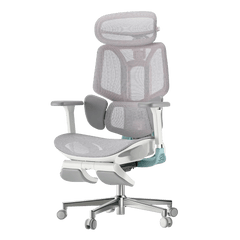
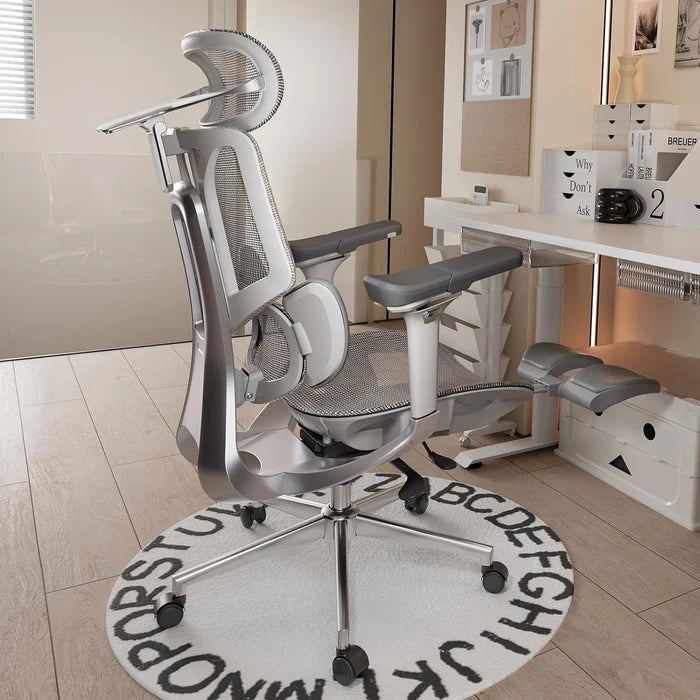
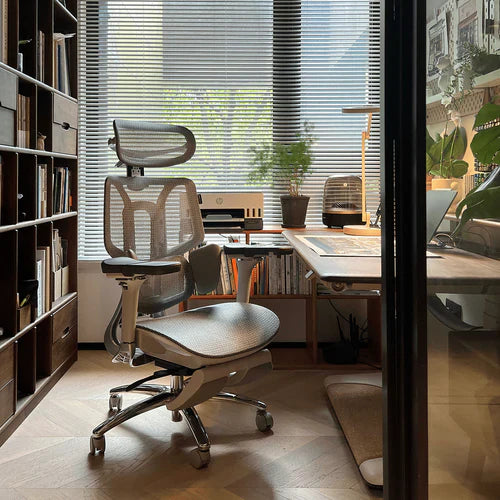
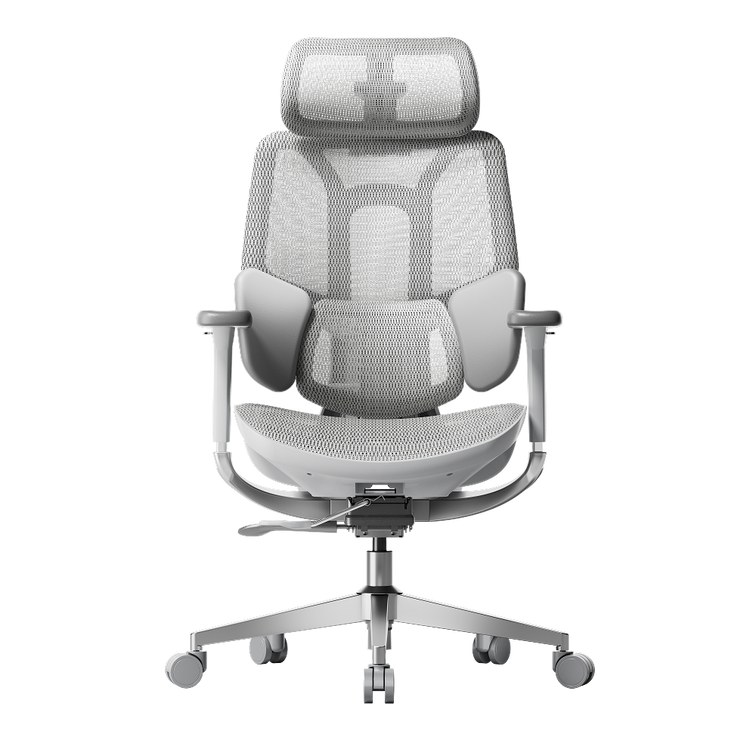
HBADA X7 ergonomic office chair

The Hidden Connection Between Sitting and Spinal Health

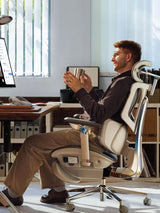
People often ask if office chairs can cause herniated discs. The answer is yes. While a chair doesn’t cause the injury right away, a poorly designed chair can set the stage for spinal problems. Sitting in a chair without good support flattens your spine’s natural S-shape into a C-shape, putting uneven pressure on your discs.

Understanding Spinal Compression from Sitting

When you sit still for hours, your spine gets compressed. This pressure pushes fluid out of your spinal discs, making them dry and more likely to tear. Over time, this ongoing stress can cause the soft center of a disc to bulge or leak, pressing on sensitive nerves and causing a herniation.

The Dangers of Bad Posture and Herniated Discs

Orthopedic specialists have shown that poor posture is closely linked to herniated discs. Slouching or sitting on the edge of your seat puts up to 150% more pressure on your lower back than standing. If you already feel a twinge, sitting without good support can turn a small problem into a serious one.

Identifying the Signs: Is Your Chair Causing Lower Back Pain?

If you find yourself constantly shifting, stretching, or standing up to escape discomfort, you are likely using a chair that causes lower back pain. This discomfort is your body’s early warning system.

From Aches to Sciatica

If you ignore back fatigue, it can turn into nerve problems like radiculopathy. Many people look for office chairs that relieve sciatica because their current chair puts pressure on the sciatic nerve. This can cause numbness, tingling, or a sharp, shooting feeling down your leg. Without proper lumbar support, your lower back takes all the weight, which can lead to these symptoms.

The Solution: Engineering Support for a Healthy Spine

To protect your back, you need more than a simple cushion. At Hbada, we focus on Bio-Synchronization, which means designing chairs that move with your body.

The Power of an Adaptive Lumbar Tracking Ergonomic Chair

A regular chair only supports you if you sit completely still, but work involves movement. An adaptive lumbar tracking ergonomic chair has a backrest that moves with your spine. Whether you lean forward or recline, the support stays in place, helping keep your lower back supported and closing the gap that can cause injuries.

Benefits of a 3-Zone Dynamic Lumbar Support Chair

If you already have back pain, a dynamic lumbar support chair can make a big difference. A 3-zone lumbar support chair gives targeted relief: the middle zone supports your spine, and the side zones support your waist muscles. This spreads your weight out, reducing pressure on any one disc and helping your back stay healthy over time.

Mastering Your Workday: How to Sit with a Herniated Disc

If you already have a back injury, it’s important to set up your workspace carefully. Knowing how to sit at your desk with a herniated disc can help you avoid more pain and recover faster.

What Is the Best Sitting Position for a Herniated Disc?

When people ask, “What is the best sitting position for a herniated disc?” we suggest the Neutral Reach position. Line up your ears, shoulders, and hips vertically. Keep your feet flat on the floor and your knees just below your hips. This helps open your pelvis and lowers pressure on your spinal discs.

Does Lumbar Support Help a Herniated Disc?

You might wonder, “Does lumbar support help a herniated disc?” The answer is yes. Good support works like a brace for your spine. It maintains the natural curve of your lower back, spreading your weight evenly across the disc rather than putting pressure on the edges where herniations often occur.

Choosing the Right Hbada Chair for Spinal Protection

We have developed a range of chairs designed specifically for proper sitting posture for office workers with back pain. Use the table below to find the best fit for your specific needs.

Feature Hbada E3 Hbada E3 Pro Hbada AI-Powered
Primary Focus Daily Comfort Advanced Pain Relief Maximum Posture Correction
Lumbar Tech Dynamic Support 3-Zone Support AI Bio-Synchronized
Ideal For General Office Work Existing Back Pain Office chair sciatica relief
Adjustment 4D Armrests 5D Armrests + Leg Rest Fully Automated Tracking

When you use an ergonomic chair to improve your posture, you go from just managing pain to actively preventing injuries. Our AI-powered chairs can even remind you to move if you’ve been sitting too long, helping keep your discs healthy.

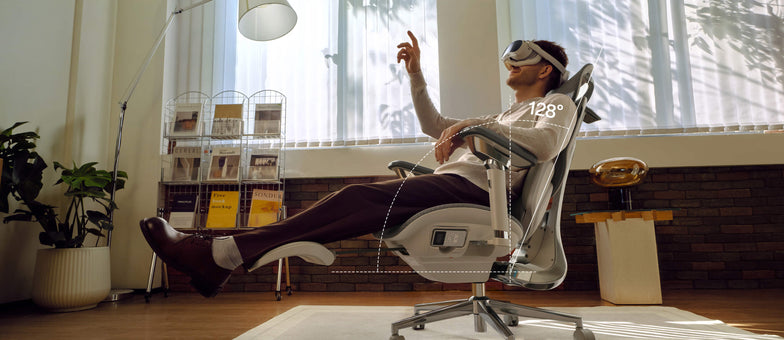
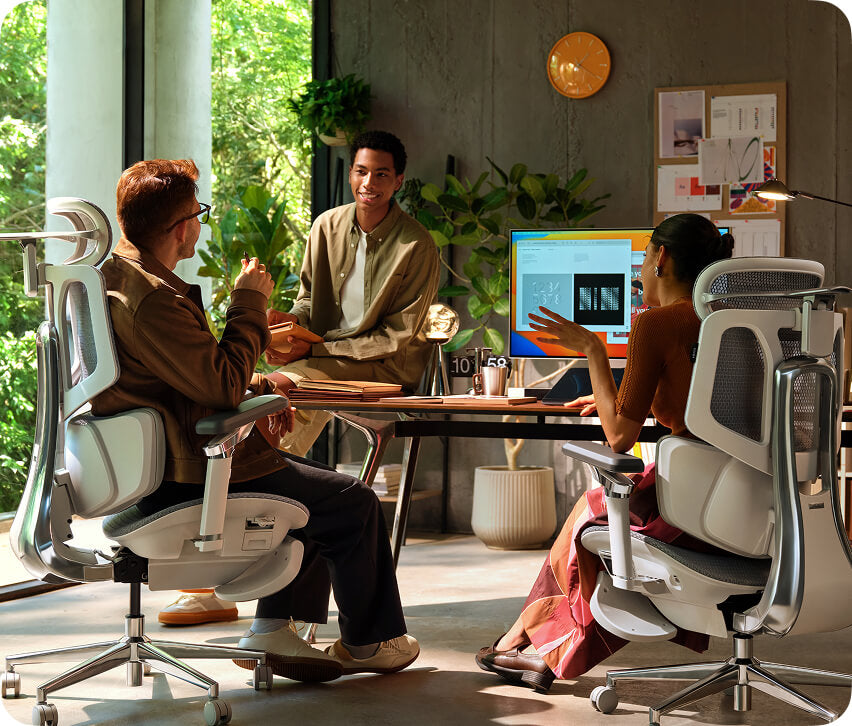
HBADA X7 smart ergonomic office chair

Frequently Asked Questions

Can a Good Chair Really Fix a Herniated Disc?

A chair won’t cure a herniated disc, but it’s an important part of recovery. An ergonomic chair lowers the stress on your discs each day, which helps inflammation go down. Without good support, you might keep hurting your disc every time you sit at your desk.

How Do I Know If My Lumbar Support Is in the Right Place?

The lumbar support should fit comfortably in the small of your back, just above your belt. It should feel like a firm hand supporting your spine, helping you sit upright without straining your muscles. If it pushes against your ribs, it’s set too high.

Why Does My Back Hurt More in a “Comfy” Plush Chair?

Soft, plush chairs usually don’t give enough support. They let your pelvis tilt backward, causing your spine to slouch. This slumping puts more pressure on your discs than a firm, supportive ergonomic chair, which keeps your body in the right position.

How Often Should I Adjust My Chair Settings?

Adjust your chair whenever you switch tasks. For example, if you go from typing to a long video call, you should also change your recline and lumbar support. Our adaptive lumbar tracking chair makes this easy by adjusting automatically for you.

Conclusion

A herniated disc is a serious condition, but it is often preventable with good habits and the right equipment. Your chair is a key part of your work life, so make sure it supports you. Choosing a chair with active, 3-zone support and bio-synchronized movement helps protect your spine for the long term. Don’t wait for the pain to get worse. Invest in your health now.

Relevant Product

You May Also Like

HBADA E3 Ergonomic Office Chair: Professional Design Meets Leading Technology HBADA E3 Ergonomic Office Chair: Professional Design Meets Leading Technology The HBADA E3 Ergonomic Office Chair is designed to enhance comfort and support with advanced ergonomic features. HBADA, a brand with 16 years of focus on ergonomic innovation, introduces the E3 chair with a T-Shape Support System that adapts to various postures, reducing back, neck, and shoulder strain. Its Three-Zone Elastic Lumbar Support offers targeted support to alleviate lower back pain, while the adjustable 4D Headrest ensures neck and head alignment through customizable height, depth, and swivel settings. The versatile 6D Armrest adjusts in six directions, providing arm support for work, gaming, or relaxation. The chair promotes healthy sitting, making it ideal for extended use in different settings. Available for purchase on  the HBADA website. Co-creation of medical research, The technology of Hbada ergonomic Chair Co-creation of medical research, The technology of Hbada ergonomic Chair With the rapid development of social productivity, more and more functional workers maintain a long-term sitting position daily. The "sedentary family" has become an inseparable part of society. With the development of social benefits, the health problems of sedentary people Have also become one of the focus of attention. It is urgent to pay attention to the health of the sitting posture "The waist is where the human body is most stressed when sitting in a sitting position. Many people suffer from mild lumbar muscle strain. Even many young and energetic people are unaware they have suffered from mild lumbar muscle strain or Other lumbar spine and spine-related diseases." Hbada researches the problems of sedentary people and is committed to continuous efforts for human health. Cooperation and communication with orthopedic surgeons is the company's key research object in research and development. Doctors first, in-depth analysis of the pain points of sedentary people Hbada believes that orthopedic surgeons are often precise about the pain points of ergonomic chair users. In communicating with them, they can understand the parts of the human body more refinedly and understand the user's problems more clearly and honestly. Hbada is willing to invest a lot of time and energy in this. E3 is an ergonomic chair specially developed by Hbada after three years of technical research and development. Three-zone waist support, ergonomic chair innovation The E3 series has always been different from other ergonomic chairs in that its lumbar support is designed as adaptive three-zone lumbar support, and the adaptive 3-zone lumbar support is a three-zone separation design made of leather and high-elastic mesh fabric. Compared with traditional chairs, it has carried out technological innovation and upgrades that led to the reform of the industry, and it is reflected in that it starts from the two aspects of office workers' "lumbar pain" and lumbar spine health, and carries out lumbar support center and left and right flanks. The waist is in the middle and left and right sides. The waist muscles can be effectively supported, and the support can be dynamically adjusted according to the waist transformation. The technical innovation design of the support zone realizes the ideal "three-zone waist support" mode. Technology upgrade, E3 makes another breakthrough "Good product design is to meet people's needs without a sense of existence, and this need is unconscious, just like tailor-made; satisfying such unconscious behaviors and pain points is exactly what we hope for in Hbada. Keep the most valuable part of the product and present it in a neat and natural style, which consumers prefer." The Hbada market researcher said: "In August, we will launch an improved version of the new product in response to the problems before E3. Released this time, we have brought a new technical upgrade: the synchronous tilting chassis, the E3 equipped with the synchronous tilting chassis can bear a larger weight range and can make adaptive adjustments according to people of different body sizes and weights, and control the back In this way, everyone can find the best adjustment angle that suits their physical health, and is more adaptable to and fit the needs of different groups of people for the health of sitting posture." With the rapid development of technology and technology today, Hbada hope to bring consumers a more comfortable and healthier life experience. They believe that the birth of products should focus on users' pain points rather than the functional nature of the product itself.     Best Ergonomic Chairs for Small Apartments in 2026 Best Ergonomic Chairs for Small Apartments in 2026 Introduction Living in a small apartment does not mean you have to give up adjustable seating or everyday comfort. The best ergonomic chair for a small space combines a manageable footprint with adjustable seat height, lumbar support, armrests and a backrest that suits the way you work. Quick answer: For a small apartment, choose an ergonomic office chair that fits beneath your desk, provides sufficient adjustment for your body and can be moved without obstructing walkways. Chair dimensions and adjustment ranges are usually more important than whether a product is simply described as “compact.” Table of Contents What Makes a Chair Suitable for a Small Apartment? What Does Ergonomic Sitting Mean? Key Features to Look For HBADA Chairs to Consider in 2026 Product Comparison How to Choose the Right Chair How to Adjust Your Sitting Position Common Buying Mistakes Frequently Asked Questions What Makes a Chair Suitable for a Small Apartment? 1. A footprint that fits the available floor space A chair should leave enough room to sit down, stand up and move around the desk safely. Measure the chair’s total width and depth instead of relying only on terms such as “compact” or “space-saving.” Useful space-conscious features can include: A base that fits comfortably within the available floor area Armrests that can be adjusted away from the desk edge A backrest that does not obstruct nearby shelves or furniture Casters that allow the chair to be repositioned easily 2. Adjustability for different activities In a small home, one chair may be used for focused work, online study, gaming, reading and video calls. Adjustable seat height, backrest recline, armrests and lumbar support make it easier to configure the same chair for these different activities. 3. Compatibility with your desk Check the distance between the floor and the underside of the desk. The chair and armrests should fit without forcing you to sit too low or too far away from the keyboard. What Does Ergonomic Sitting Mean? Ergonomic sitting means arranging the chair, desk and screen so that your body is supported in a comfortable, balanced position. It does not require holding one rigid posture all day. A practical workstation setup usually allows you to: Rest your feet on the floor or on a stable footrest Sit with your lower back supported by the backrest Keep your shoulders relaxed while typing Position the keyboard and mouse within easy reach Change position and take movement breaks regularly No chair can guarantee perfect posture or prevent discomfort. Its purpose is to provide adjustment and support so that you can find a comfortable working position and change it when needed. Key Features to Look For Adjustable lumbar support Lumbar support should meet the natural curve of your lower back without feeling excessively firm. Height and depth adjustment can be especially useful when the chair is shared or used by people with different body proportions. Adjustable armrests Armrests should support the forearms without lifting the shoulders. Models with height, depth or rotational adjustment provide more flexibility when working at a compact desk. Adjustable seat height and depth Seat height affects foot placement and desk compatibility. An adjustable seat depth can help users maintain a small gap between the front of the seat and the back of the knees. Breathable materials Mesh backs are commonly selected for warm rooms because their open construction allows airflow. However, comfort also depends on mesh tension, seat design and personal preference—not material alone. Recline and movement A reclining backrest lets you change position during the day. Before choosing a chair with a wide recline range, confirm that there is sufficient clearance behind the desk. Powered or adaptive adjustment Some chairs use powered components or responsive lumbar mechanisms to change the level of support as the user moves. These features may reduce the need for frequent manual adjustments, but they do not replace correct initial setup or regular movement. HBADA Chairs to Consider for Small Apartments in 2026 HBADA E3 Air 2026 The E3 Air is a practical option for shoppers looking for an adjustable mesh chair with a relatively clean visual profile. It includes a three-zone lumbar system, adjustable components and a recline angle of up to 140 degrees. HBADA lists the chair for users approximately 155–195 cm tall, with a published maximum capacity of 150 kg (330 lb). Footrest and non-footrest configurations may be available, so check the selected variant before ordering. HBADA E3 Pro 2026 The E3 Pro is suited to users who want a wider adjustment range for a long-term home workstation. Its three-zone lumbar system provides adjustable height, depth, glide and side support. The chair also includes an adjustable seat depth of approximately 45–50 cm, a recline angle of up to 140 degrees and highly adjustable armrests. HBADA lists a recommended user height of approximately 155–195 cm and a maximum capacity of 150 kg (330 lb). HBADA X7 Smart Ergonomic Chair The X7 is intended for users who want powered comfort features in addition to conventional ergonomic adjustment. Its published features include powered lumbar tracking, ventilation, massage and warming functions. HBADA lists the X7 for users approximately 150–195 cm tall, with a maximum capacity of 150 kg (330 lb). Because it includes powered functions and has a more substantial design, carefully compare its dimensions with the available space before purchase. Important: Product availability, specifications and included accessories can differ by country and selected variant. Confirm the current information on the relevant product page before ordering. Product Comparison Model Best suited to Notable features Published user fit Space consideration HBADA E3 Air 2026 Home offices that need adjustable support with a clean mesh design Three-zone lumbar support, adjustable components, up to 140° recline Approx. 155–195 cm; up to 150 kg Check recline clearance and selected footrest configuration HBADA E3 Pro 2026 Long working sessions and users seeking extensive adjustment Three-zone lumbar support, adjustable seat depth and armrests Approx. 155–195 cm; up to 150 kg Measure both the armrest width and space behind the chair HBADA X7 Users interested in powered comfort and lumbar features Powered lumbar tracking, ventilation, massage and warming Approx. 150–195 cm; up to 150 kg More substantial design; verify full dimensions carefully How to Choose the Right Chair for Your Space Step 1: Measure the room and desk Record the following measurements before comparing products: Available floor width and depth Desk height and underside clearance Distance between the desk and the nearest wall Available space when the chair is fully reclined Width of doorways the chair must pass through Step 2: Match the chair to your main activity Remote work: Prioritize lumbar, armrest and seat adjustment. Studying: Focus on desk compatibility, seat height and easy repositioning. Gaming and entertainment: Consider headrest support and recline clearance. Shared workstations: Choose controls that are easy to adjust for different users. Step 3: Compare adjustment ranges—not only chair size A smaller chair is not automatically the best choice. If its seat is too shallow, its backrest is too short or its controls cannot be adjusted to your body, it may be uncomfortable despite fitting the room. How to Adjust Your Sitting Position Adjust the seat height so your feet rest securely on the floor or a footrest. Sit back so the backrest and lumbar support make comfortable contact with your lower back. If seat depth is adjustable, leave a small space between the seat edge and the back of your knees. Adjust the armrests so your forearms are supported and your shoulders remain relaxed. Position the keyboard and mouse close enough that you do not need to reach forward. Place the screen at a comfortable height and distance for your work. Change position regularly and include standing or walking breaks throughout the day. There is no single position that must be maintained continuously. A chair should support comfortable movement rather than hold the body in one fixed posture for hours. Common positions to limit Sitting on the front edge without using the backrest Reaching forward continuously toward the keyboard or screen Using armrests that force the shoulders upward Keeping the feet unsupported for long periods Remaining in one position without regular movement breaks Common Buying Mistakes Choosing a chair based only on appearance Assuming every chair described as compact will fit beneath the desk Ignoring seat dimensions and recommended user height Forgetting to allow space for recline and movement Choosing a footrest variant without checking the additional clearance Not adjusting the chair after assembly Expecting a chair alone to resolve persistent physical symptoms Frequently Asked Questions What is the best ergonomic chair for a small apartment? The best option is a chair that fits your measured floor and desk space while providing the adjustment ranges your body needs. Prioritize seat height, lumbar support, armrest position and usable recline clearance over marketing terms such as “compact.” How much space should I leave behind an office chair? The required space depends on the chair’s depth and recline range. Measure from the desk to the nearest wall, then compare that distance with the chair’s dimensions in its upright and reclined positions. Are mesh chairs suitable for small apartments? Mesh chairs can work well in small home offices because they often have an open visual design and provide airflow. However, the actual chair dimensions, adjustment range and fit matter more than the material alone. Is a footrest chair suitable for a small room? It can be, provided there is enough space to extend the footrest and recline safely. Compare both footrest and non-footrest variants and measure the available clearance before ordering. Are ergonomic chairs useful for students? An adjustable chair can help a student create a more comfortable study setup, particularly when combined with an appropriately positioned desk, screen and keyboard. Regular movement breaks are still important during long study sessions. Can an ergonomic chair prevent back pain? No chair can guarantee that back pain will be prevented or treated. Adjustable support may improve sitting comfort, but persistent, severe or radiating symptoms should be assessed by a qualified healthcare professional. Which HBADA chair has powered adjustment features? The HBADA X7 includes published powered features such as lumbar tracking, ventilation, massage and warming. Check the current product page for variant availability and complete specifications. Conclusion Choosing an ergonomic chair for a small apartment starts with accurate measurements. After confirming the available floor space, desk clearance and recline area, compare the chair’s adjustment ranges with your height, working habits and preferred sitting positions. The HBADA E3 Air offers an adjustable mesh-based option, while the HBADA E3 Pro provides a broader set of manual adjustments. The HBADA X7 is intended for users interested in powered comfort features. You can also browse the complete HBADA ergonomic chair collection or visit the HBADA FAQ page for additional product and ordering information.