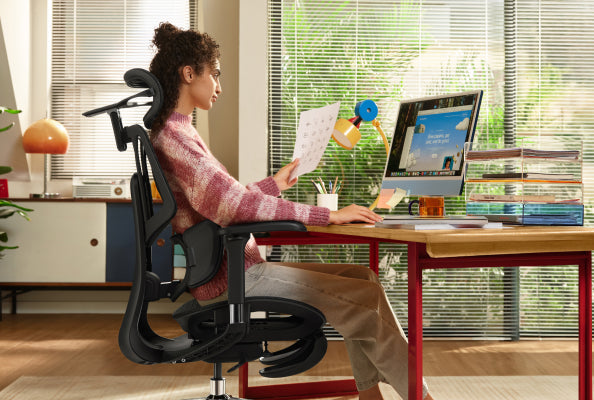
HBADA vs. Herman Miller: Is a $500 Premium Chair Worth It Against a $1,800 Legend?

HBADA vs. Herman Miller: Is a $500 Premium Chair Worth It Against a $1,800 Legend?

If you are setting up a high end home office or looking to improve a workspace, you will likely find yourself choosing between Herman Miller and HBADA. Both brands are well known, but they represent very different approaches to design. Herman Miller is famous for its classic industrial style, while HBADA focuses on modern features intended for people who spend a lot of time working on digital devices. To help you decide which chair fits your daily routine better, this guide compares the design and engineering behind both brands.

 1. The Design Philosophy: Structured Posture vs. Dynamic Adaptability

The primary difference between these two brands lies in how they interact with your body throughout a long workday.

 Tech reviewer YouTube video cover thumbnail for comprehensive HBADA E3 Pro chair unboxing.

Herman Miller’s Structured Guidance: Legendary chairs like the Herman Miller Aeron are built around an engineering philosophy of strict postural correction. Developed through decades of medical research, they are designed to keep you held in a precise, ergonomically optimal typing position. It is an exceptional tool for focused, task-oriented environments where sitting posture remains disciplined and static.


HBADA’s Adaptive Freedom: In contrast, HBADA designs for the real, dynamic ways people move today. Recognizing that professionals shift, lean, and change postures over a 10-hour day, HBADA utilizes 4D 3-Zone Adaptive Dynamic Lumbar Tracking. Instead of forcing your body to conform to a rigid frame, the chair's flexible side wings self-adjust to your movements in real-time, providing continuous lumbar support whether you are leaning forward to code or twisting to speak with a colleague.


2. Feature Confrontation: Traditional Mechanics vs. Multi-Scenario Utility

When comparing features, it becomes clear that Herman Miller and HBADA are optimized for entirely different workplace scenarios.

Premium Experience Comparison

E3 ergonomic chair reviewed by Unbox Therapy official video feature

Feature

HBADA Flagship Series (E3 Ultra / X7)

Herman Miller Legacy Series (Aeron / Embody)

Lumbar Mechanism

4D Active Tracking (Self-adjusts to movement)

PostureFit SL / Backfit™ (Manual customization)

Recline Strategy

90°–140° Sleep Mode with Integrated Footrest

Specialized Task Tilt (Optimized for upright work)

Sizing Flexibility

20+ Micro-adjustments (Highly adjustable for all heights)

Rigid Frame Sizing (Must choose fixed Size A/B/C)

Wellness Innovation

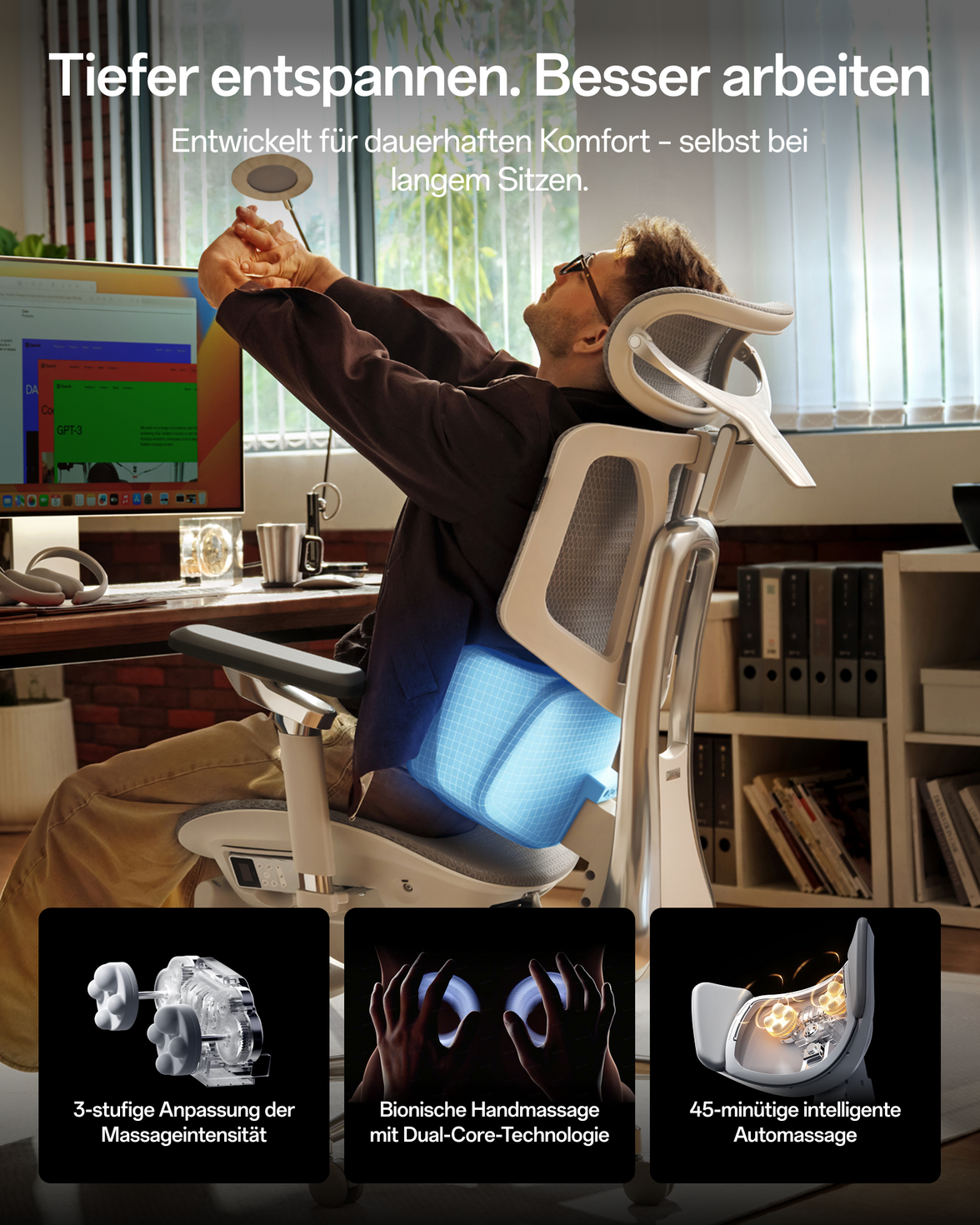
Graphene Heat Therapy & Biomechanical Massage

100% Precision Analog Engineering

Value Proposition

High-Feature Tech Premium

Heritage Luxury Investment

The "Work-Rest Balance" Test

Herman Miller chairs are precision-engineered production instruments. They excel at keeping you alert and productive during active working hours. However, they do not traditionally include headrests as a standard feature, nor do they support deep reclining states, because their core focus is purely on the task at hand.

HBADA recognizes that the modern professional's day requires a balance of intense focus and restorative recovery. Models like the HBADA E3 Ultra offer a 140° zero-gravity recline paired with a hidden, retractable footrest. This transitions the chair seamlessly from an active task station into a relaxation sanctuary for lunch breaks or creative brainstorming sessions.

3. The Generational Leap: Analog Craftsmanship vs. Smart Health Tech

Herman Miller has spent decades perfecting the art of pure mechanical tension and high-end materials. Their mastery of analog ergonomics is legendary.

HBADA, however, has looked toward the future by integrating active digital wellness features directly into the seating chassis. For instance, the HBADA X7 introduces smart technologies that go beyond passive physical support:


Intelligent Graphene Heat Therapy: Built-in red-light heating modules (30–58°C) designed to actively soothe lower back muscles and improve circulation during long, cold winter sessions.

8D Biomimetic Massage: Targeted physical relaxation nodes integrated into the lower backrest to actively relieve muscle fatigue before it turns into chronic pain.

While Herman Miller offers world-class passive ergonomics, HBADA provides an active wellness hub that actively assists in physical recovery while you sit.

4. Longevity vs. Technological Agility

A major pillar of Herman Miller's value is their famous 12-year corporate warranty, a testament to their incredible industrial durability. They are built like tanks, meant to stay in corporate offices for over a decade.

HBADA approaches durability with premium reinforced polymers, heavy-duty gravity-sensing chassis, and certified Class-4 gas lifts, easily matching the rigorous daily demands of modern creators.

However, HBADA also offers a different type of long-term value: technological agility. Ergonomic science and smart features change rapidly. By opting for HBADA’s accessible premium pricing, users retain the flexibility to upgrade to the latest health technologies and pristine, next-generation mesh every few years, rather than being locked into a single piece of analog furniture for fifteen years.

Final Verdict: Which Philosophy Fits Your Lifestyle?

Choose Herman Miller if: You have an open budget ($1,800+), prefer traditional, highly disciplined task chairs, want a classic piece of mid-century design history, and value a long-term, set-it-and-forget-it asset.

Choose HBADA if: You are a modern professional who demands high-performance ergonomic features (dynamic lumbar, headrests, footrests) along with cutting-edge health technology (heat/massage) and flexible adaptivity—all packed into a smart, value-driven investment designed for how we actually live and work today.

For more information, click to check:  https://hbada.com/pages/faq 


FAQ: Choosing Between HBADA and Herman Miller

Q1: What is the main difference in design philosophy between HBADA and Herman Miller?

A: The primary difference lies in task execution versus lifestyle adaptability. Herman Miller focuses on structured guidance, utilizing static, meticulously researched frames to keep you in a disciplined typing posture. HBADA focuses on dynamic adaptability, offering features like 4D 3-Zone Dynamic Lumbar Tracking, built-in footrests, and micro-adjustments that mold the chair around your natural movements and support both active work and deep relaxation.

Q2: Do HBADA chairs offer the same adjustments as Herman Miller models?

A: While Herman Miller chairs like the Aeron require you to choose a fixed size (Size A, B, or C) at the time of purchase, HBADA chairs are engineered with universal versatility. HBADA flagships feature over 20 points of micro-adjustments—including adjustable backrest height, seat depth translation, and 6D armrests—allowing one single chair to comfortably accommodate a wide range of body types from 155cm to 195cm.

Q3: Why does HBADA incorporate tech features like heat and massage, while Herman Miller remains analog?

A: Herman Miller honors traditional mid-century industrial design, focusing entirely on passive physical support through tension and materials. HBADA believes ergonomics should evolve with modern tech. By integrating intelligent graphene heat therapy and biomechanical massage nodes, HBADA actively works to relieve muscle fatigue and improve circulation during long sitting sessions, transforming the chair into an active wellness station.

Q4: How do the recline mechanisms compare for lunch breaks and relaxation?

A: Herman Miller chairs are specialized task instruments optimized for upright productivity; they generally do not feature built-in headrests or deep recline modes. HBADA is designed for the modern work-rest balance. Models like the E3 Ultra offer a 90° to 140° zero-gravity sleep mode paired with a hidden, retractable footrest, making it ideal for midday naps or creative breaks.

Q5: Is Herman Miller’s 12-year warranty worth the higher initial investment compared to HBADA?

A: Herman Miller’s warranty is a reflection of their traditional corporate hardware longevity. However, HBADA provides a different kind of long-term value: technological agility. Built with heavy-duty reinforced polymers and Class-4 gas lifts, HBADA chairs offer elite-tier durability. At HBADA's smart price point, you retain the financial flexibility to upgrade to the latest mesh innovations and smart health technologies every few years, rather than being locked into a single analog chair for over a decade.

Written by:  Sarah Jenkins

Senior Furniture Industry Analyst & Supply Chain Researcher.

 Published by: The HBADA Editorial Team

Relevant Product

You May Also Like

How Do I Know If My Office Chair Fits Me Correctly? How Do I Know If My Office Chair Fits Me Correctly? Your office chair is a key part of your workspace, but many people use one that doesn’t fit their bodies. A chair that doesn’t fit can cause more than just short-term discomfort—it can lead to long-term pain and tiredness. If you end your day with a sore neck or aching back, it’s time to check your setup. Learning how to tell if your chair fits is the first step toward a healthier, more productive workday.   Signs Your Office Chair Does Not Fit You Many people wait until they feel pain before realizing something is wrong, but there are earlier warning signs to watch for. If you notice any of these, your chair might not be the right size or properly adjusted: · The Perch: You find yourself sitting on the very edge of the seat because the backrest feels too far away. · The Dangling Feet: Your heels don’t firmly touch the floor, or you find yourself crossing your legs to find balance. · The Shoulder Shrug: Your armrests are so high that your shoulders stay hunched toward your ears. · Circulation Cut-off: You feel a “pins and needles” sensation in your thighs or calves after an hour of sitting.   Recognizing these signs early can help you avoid long-term discomfort. The 4-Step Ergonomic Chair Fit Guide for Proper Posture To sit with good posture, you need to adjust your chair in a certain order. Use this ergonomic chair guide to set up your workspace. 1. Seat Height: The Foundation of Blood Flow Begin by making sure your feet are flat on the floor. An ergonomic chair with adjustable seat height and depth lets you do this while keeping your knees at 90 degrees. If your knees are higher than your hips, there’s too much pressure on your sit-bones. If they’re lower, your lower back is under strain. 2. Seat Depth: Protecting Your Knees and Hips Seat depth is often overlooked when setting up your chair. You should be able to sit all the way back so your spine touches the lumbar support, with about two to three inches (about a fist’s width) between the seat edge and the back of your knees. If the seat presses against your knees, it can cut off circulation. If the gap is too big, your thighs won’t get enough support. 3. Lumbar Support: Maintaining the Natural Curve It’s important to adjust your chair for lower back support to prevent slouching. The lumbar curve should fit right into the small of your back, just above your belt line. If it’s too high or too low, it can push your spine out of its natural position, which is often why a chair feels uncomfortable after long use. 4. Armrest Alignment: Offloading Shoulder Weight Set your armrests so your elbows are bent at 90 degrees and your shoulders stay relaxed. If the armrests are too wide or too high, they can cause neck and upper back tension. A good ergonomic chair lets you move the armrests inward to support your forearms while you type.   Advanced Solutions for Multi-Point and AI Adjustments Today, you don’t have to struggle with manual knobs. High-quality chairs can now adjust themselves for you. The Power of a Multi-Point Adjustment System A high-quality ergonomic chair with a multi-point adjustment system lets you control every part that comes into contact with your body. This is important for people who sit at a computer, because the chair can move with you as you switch from typing to leaning back. Our design uses “Bio-Synchronization,” so the chair mirrors your body's natural movements. HBADA AI-Powered x7: The Ultimate Fit If you’re tired of making manual adjustments, the HBADA AI-Powered x7 is a new solution. It uses sensors to detect your body type and sitting habits in real time, automatically adjusting the lumbar support and seat depth to keep you in the right position. This helps fix poor posture caused by an ill-fitting chair by correcting your alignment before you feel any pain.   Comparing Support Levels for Your Best Fit Feature Standard Office Chair Fully Adjustable Ergonomic Hbada AI-Powered x7 Seat Depth Fixed Manual Adjustment Auto-Adaptive Lumbar Support Static Pad Height Adjustable AI-Synchronized Tracking Armrests 1D (Height) 4D (Height, Width, Depth, Pivot) 720° Bio-Sync Arms User Fit General Custom Tailored Proactive Real-Time Fit   Frequently Asked Questions (FAQ) Q: How do I adjust my chair if I’m between sizes?A: Choose a chair with an adjustable seat height and depth. Adjust the seat forward or back to suit your leg length. Q: Why does my back still hurt even after I adjusted my chair?A: Muscles need time to adjust to a better posture. If pain persists, your chair may not offer enough support. Q: Can a footrest help if my chair doesn’t go low enough?A: Yes. If you’ve set your seat height so your arms are level with the desk but your feet don’t touch the floor, a footrest is a good temporary fix. For a long-term solution, look for an ergonomic chair that fits your height. Q: What is the best way to fix shoulder pain from my chair?A: Make sure your armrests are set at the right height. When your arms are supported, the pressure is taken off your shoulder muscles. This is the quickest way to fix upper-body pain caused by your office chair.   Conclusion Don’t Compromise on Your Comfort Learning how to adjust your office chair is more than just convenient—it’s important for your long-term health. The right chair helps you feel less tired, work better, and avoid pain that impacts life outside of work. If your chair isn’t adjustable, consider upgrading to a fully adjustable ergonomic option, like the HBADA AI-Powered x7, which adapts to your needs and demonstrates the benefits of a good fit. Your body is valuable, so ensure your chair supports it. How to Choose the Right Lumbar Support for Your Body Type How to Choose the Right Lumbar Support for Your Body Type Finding the perfect office chair isn’t just about the cushion; it’s about how the backrest interacts with your unique anatomy. A lumbar support that feels like a dream to a petite user might feel like a painful lump to someone with a larger frame. If you want to eliminate midday backaches, you must learn how to choose lumbar support that suits your body type. Let’s explore how to match your physical profile with the right ergonomic technology to ensure lasting comfort. Why One-Size-Fits-All Lumbar Support Fails Most office chairs have a fixed curve in the backrest. However, everyone’s spine is different, and the lower vertebrae sit at different heights depending on your torso and hips. If the support is in the wrong spot, it can cause muscle fatigue and poor posture. To solve this, look for an ergonomic chair with adjustable lumbar support or one made from flexible materials. Lumbar Support for Posture Correction and Spinal Health The primary goal of any backrest is to maintain the natural inward curve of your lower spine. Proper lumbar support for posture correction and spinal health acts as a physical reminder for your body to sit upright. Filling the gap between your lower back and the chair, it prevents the “C-slouch” that compresses spinal discs. For the best results, look for a high-back ergonomic chair that supports the entire length of your back, not just the base.   Identifying Your Body Type and Support Needs To choose the best office chair for your body, start by thinking about your height and body shape. 1. Petite and Average Frames If you have a shorter torso, the depth of the lumbar support matters more than its height. Too much support can push you forward in your seat. Look for a chair with adjustable lumbar height so you can set the support right at the small of your back. 2. Tall and Large Frames Finding an ergonomic chair for tall people with lumbar support can be a challenge. Tall users often find that standard lumbar “humps” hit them at the top of the pelvis rather than the lower back. A high-back ergonomic chair for spinal alignment is non-negotiable here. It ensures the lumbar zone can be raised high enough to comfortably reach the L1-L5 vertebrae. 3. Users with Existing Chronic Pain If you already have back pain, you need an ergonomic chair that does more than just adjust in height. Look for a chair that helps spread your weight away from your spine to reduce pressure and discomfort.   The Solution for 3-Zone Dynamic Lumbar Support Most chairs only support your back in one spot. Our 3-zone dynamic lumbar support chair is different. It divides the backrest into three sections that move independently to better fit your back. Benefits of the Best Ergonomic Chair with 3-Zone Lumbar Support A chair with 3-zone lumbar support provides full back support. The middle part supports your spine, while the sides help the muscles on each side of your back. This design works especially well for people with wider hips or backs, since the side wings adjust to fit your shape.   Advanced Technology, Adaptive Tracking and AI By 2026, office chairs will no longer rely on manual knobs. If you want a chair, you can adjust it once and not worry about it; adaptive technology is the way to go. The Adaptive Lumbar Tracking Ergonomic Chair An adaptive lumbar tracking chair uses sensors to keep the support in contact with your back as you move. Whether you lean forward to type or lean back to relax, the support stays with you. This way, your lower back is always protected. Hbada AI-Powered x7: The Peak of Personalization For the best fit for any body type, we suggest the Hbada AI-Powered x7. It uses sensors to track your posture in real time. No matter your height, the chair automatically changes the lumbar support to match your needs. It helps you stay in the best position for your back.   Comparison of Support Technologies Feature Standard Ergonomic 3-Zone Dynamic Hbada AI-Powered x7 Adjustment Type Manual Knob/Slide Flex-Wing Gravity Fully Automated Body Type Fit Limited Broad Range Universal Adaptation Support Feel Firm/Static Wrap-around/Supportive Adaptive/Bio-sync Best For Short-term use Best for back pain Long-term Spinal Health   Frequently Asked Questions (FAQ) Q: How do I know if the lumbar support is in the right spot?A: The lumbar support should fit comfortably in the curve of your lower back, just above your belt. It should feel firm but not hurt. If your shoulders are pushed forward or your feet lift off the floor, the support is probably too low or too strong. Q: Is a mesh backrest better than foam for lumbar support?A: Mesh is usually better for fitting different body types. Foam can lose its shape over time, but strong mesh stays supportive and feels more flexible. Mesh chairs also let air flow through and fit your body’s shape more naturally. Q: Does lumbar support really help with sciatica?A: Yes. Sciatica often happens when discs in your lower back are pressed too much. An adaptive lumbar tracking chair can help take pressure off those discs, which may ease the nerve pain that causes leg discomfort. Q: Why should tall people avoid “mid-back” chairs?A: Mid-back chairs usually have lumbar support that sits too low for tall people, which can make you hunch over. Tall users should pick a high-back ergonomic chair so the headrest and lumbar support fit their height.   Conclusion Everyone’s body is different, so your office chair should fit you. The right lumbar support can mean the difference between feeling good at the end of the day and having back pain. Look for features such as 3-zone support and adaptive tracking to help keep your spine healthy. Don’t settle for a chair that doesn’t fit—choose one like the Hbada AI-Powered x7 that adjusts to you. Your back deserves the best support. Your First 30 Days With HBADA: Tips for 2026 New Users Your First 30 Days With HBADA: Tips for 2026 New Users Congratulations on choosing HBADA to upgrade your workspace. Unboxing your new chair is just the start—getting used to better ergonomics takes some time. If you’re used to regular chairs, your body will need about a month to adjust. This guide will help you get the most out of your new chair by showing you how to use it properly and what to expect in your first 30 days.   Week 1: The Setup and Initial Calibration The first week is focused on setting up your chair correctly. Before you start working, follow the HBADA chair setup guide for new users. Adjusting your chair properly helps features like the 3-zone dynamic lumbar support work with your body, not against it. Step-by-Step Adjustment Guide for Beginners Begin with the “Rule of 90.” Make sure your knees, hips, and elbows are all at 90-degree angles. Follow this step-by-step adjustment guide for beginners: 1. Seat Height: Adjust the lever until your feet are flat on the floor. If you are petite, you may need a footrest to keep your knees level with your hips. 2. Seat Depth: Use the slider to leave a two-inch gap between the seat edge and the back of your knees. 3. Lumbar Height: Position the lumbar support so it fits the natural inward curve of your lower back. 4. Armrests: Raise them until your shoulders are relaxed and your elbows are supported at desk height. Why the First Week Might Feel “Different” It’s normal if your ergonomic chair feels uncomfortable at first. If you’ve spent years sitting in regular chairs, your muscles have adapted to a slouched, “C-shaped” posture. A chair like the HBADA AI-Powered x7 helps your spine return to its natural “S-curve.” As your muscles stretch and adjust, you might feel some mild soreness, much like after starting a new workout.   Week 2: Mastering the Lumbar and Motion By the second week, any soreness from your new chair should start to go away. This is a good time to fine-tune your lumbar support. Unlike regular chairs, our premium models have an adaptive lumbar tracking system that adjusts as you move. How to Set Lumbar Support for Correct Sitting Posture To get the best support, sit all the way back in your chair. You should feel the 3-zone dynamic lumbar support gently holding your waist from the center and sides. In models like the HBADA AI-Powered x7, sensors track your small movements. Feel free to move—the chair is built to adjust with you. Adjust the lumbar support until it feels firm but not uncomfortable against your spine. Correct Sitting Posture on a Chair with Proper Fit In the second week, focus on your head and neck position. Adjust the headrest so it supports the base of your skull, not your neck. This helps you avoid leaning forward and developing “Tech Neck.” Building these habits early will protect your neck and spine in the long run.   Week 3: Adapting to Long-Duration Work By the third week, your chair should feel more comfortable as the mesh adapts to your weight and your body gets used to the new alignment. This is when you’ll start to notice the benefits, especially if you sit for long periods (6 to 10 hours). Transitioning from a Regular Chair to an Ergonomic Chair To get comfortable during long hours, use your chair’s recline features. Sitting at a 90-degree angle for long periods can strain your spine. Try tilting back to 110 or 120 degrees during calls. This shifts your upper-body weight to the backrest, taking pressure off your lower back. Posture Correction and Spinal Alignment Over time, you’ll notice your chair feels more comfortable. As your core muscles get stronger, sitting upright will feel natural. Instead of struggling to sit up straight, you’ll feel the chair supporting you. This is a sign that your posture and alignment are improving.   Week 4: Total Bio-Synchronization By the last week of your first month, you should notice you have more energy at the end of the day. Less physical strain means you can think more clearly. The Hbada AI-Powered x7 Experience If you have the Hbada AI-Powered x7, the AI tracking should feel seamless by now. The chair has learned your usual recline angles and weight distribution. Its sensors make real-time adjustments, so even if you move around during a busy meeting, your lumbar and neck support stay just right.   Comparison of HBADA Core Models for New Users Feature E3 Series (Standard) E3 Pro (Advanced) Hbada AI-Powered x7 Lumbar System 3-Zone Dynamic 3-Zone Dynamic Active AI Tracking Armrests 3D Adjustable 720° Omni-Adjustable 720° Omni-Adjustable Adjustment Manual Manual Auto-Adaptive Sensors Best For Daily Office Work Pro Professionals Elite 10+ Hour Users   Frequently Asked Questions (FAQ) Q: How long does it take to get used to an ergonomic chair?A: For most users, the ergonomic chair break-in period lasts between 7 and 14 days. During this time, your body is unlearning years of poor posture. If you continue to feel discomfort after 21 days, revisit your HBADA chair setup guide for new users to ensure your seat height and depth are correctly calibrated. Q: How to use an ergonomic chair correctly in the first 30 days?A: Start by sitting all the way back so your spine is in contact with the backrest. Use the ergonomic chair adjustment guide for beginners, step by step, to set your height and depth. Most importantly, take “micro-breaks”—even the best chair benefits from you standing up for 2 minutes every hour to stimulate blood flow.  Q: Why does my lower back feel sore after switching chairs?A: This is part of adjusting to an ergonomic chair after a regular chair. Your lower back muscles are being forced to work in a healthy alignment for the first time. As long as the soreness is muscular, not sharp nerve pain, it is a sign that your posture correction and spinal alignment chair are doing their job. Q: Best way to adapt to an ergonomic chair for long hours?A: Variation is key. Switch between an upright typing position and a relaxed recline every hour. Ensure you use the adaptive lumbar-tracking ergonomic chair features by keeping your back pressed against the mesh. This ensures the chair’s mechanical “muscles” take the weight, not your own. Conclusion A Lifetime of Healthy Sitting Starts Now Your first 30 days with HBADA are an investment in your long-term health. By following the setup guide and giving your body time to adjust, you’re taking steps to avoid chronic back pain. Remember, your chair works best when you use its features. Pay attention to your posture, trust the technology, and enjoy the extra energy that comes from good support. Welcome to a better way to work. For more information, you can click to check: https://hbada.eu/pages/faq