












Cart
Your shopping cart is empty
Continue Shopping
Every Order, Backed by HBADA
30-day in-home Trial
Free Delivery in 3–5 Business Days
5-Year Hassle-Free Warranty
24/7 Customer Support
Remove this item from your cart?
Cart
 Best HBADA Office Chair Deals for Halloween 2026: Your EU Buying Guide
HBADA Europe · The Halloween Edit
26 October–4 November 2026
A little spooky.A lot more comfort.
Refresh the place where your day happens. Explore our Halloween chair shortlist, compare the details, and find your next workspace upgrade.
Explore the EU Halloween Sale →
Find your fit. Start with your everyday routine.
Choose your treat. Make the offer work for your basket.
EUROPEAN HALLOWEEN EDIT · CHAIR PICKS · SEASONAL OFFERS
Before you choose
The pumpkins are temporary. Your workspace is worth getting right.
A Halloween sale can be a good reason to finally replace that chair you keep adjusting without ever getting comfortable. But a useful upgrade starts with your desk, your space, and your routine.
We’ve organised this guide around different reasons to shop, rather than the biggest discount badge. These are our picks within the HBADA range, not a ranking of every office chair on the market.
The offers Price shortlist Find your chair Before checkout Looking ahead
The offer desk
Your Halloween extras.
Qualifying orders over €400
5%
Extra savings
Your code:HALLO5
Subscribe through the campaign and check the applicable offer at checkout.
Compare the discounts available to your basket. Do not assume separate promotions can be combined.
More than one workspace?
Multi-buy savings are applied automatically: 6% for two chairs and 7% for three or more.
The X7 seasonal extra
Use X7TREAT40 for the advertised extra €40 X7 offer. Eligible black and grey X7 purchases include a €100 Comfort Kit while stocks last; black also carries an extra one-year warranty offer.
A separate subscriber draw
Three randomly selected subscribers receive a Comfort Kit after the sale. This is not an automatic gift for every subscriber.
Review eligibility, gift availability, warranty conditions, and discount combinations on the EU campaign page . Confirm the applicable benefits before paying.
The shopping index
Start with the configuration.
A chair name alone does not tell you everything about the offer. Check the generation, colour, and footrest option before comparing totals.
E3 Air 2026
Grey · Without footrest
€379
E3 Pro 2026
Grey · With footrest
€569
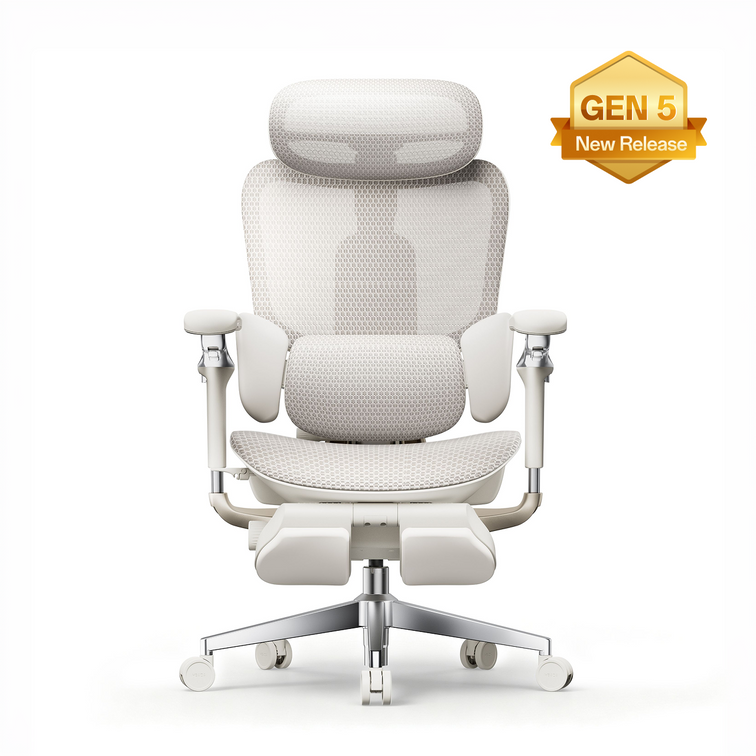
E3 Ultra Gen 5
Pearl White · New generation
€719
X7
Grey
€1,169
X7
Black
€1,329
Displayed campaign prices before additional qualifying discounts. Confirm availability and the final total for your delivery destination.
The chair edit
Choose around the way you work.
Our everyday mesh pick
A fresh startfor your desk.
HBADA E3 Air 2026
If you are moving on from a basic desk chair, start by deciding what you miss most: a more breathable seat, a better lumbar fit, or armrests that work with your keyboard position.
The E3 Air 2026 is a useful starting point for that comparison. Its mesh design, adaptive lumbar support, and adjustable armrests put everyday setup at the centre of the decision.
Before choosing, check that you can sit against the backrest without the seat edge pressing into the backs of your knees.
Explore E3 Air 2026 →
Our adjustable-workspace pick
Fine-tuneyour focus.
HBADA E3 Pro 2026
A working day can move from detailed keyboard work to reading, calls, and reviewing a second screen. Those activities do not put your arms and head in exactly the same place.
The E3 Pro 2026 combines 3-zone lumbar support, a 4D biaxial headrest, and 6D armrests. Explore the adjustment options with your own desk tasks in mind.
More adjustment is most useful when you take time to set it up. Begin with seat position, then bring the armrests to a comfortable height for your work.
Take a closer look at E3 Pro →
A good offer gets your attention.A good fit earns its place at your desk.
New arrival · Massage and warmth
Meet our newE3 Ultra Gen 5.
Our new generation brings Full-Body Dynamic Tracking together with 3-Zone Lumbar Support, 4D Bionic Massage, and Graphene Heat.
It is worth exploring if you want support for focused desk work and a warming massage experience during a pause. The 150° recline and 8D armrests let you adapt your position, while breathable mesh completes the seating experience.
Think about how those features would fit your day: a quiet moment after a call, a change of position while reading, or a short break between tasks. Comfort is personal, so take time to find the settings that work for you.
Discover E3 Ultra Gen 5 →
Massage and heat are comfort features, not medical treatments. Continue taking regular movement breaks.
Check the generation when browsing outlet offers.
A familiar product name does not mean every version has the same features. Compare the actual specification before treating an outlet model as an alternative to the latest generation.
Our smart-seating pick
Explore adifferent approach.
HBADA X7
If you are curious about AI lumbar tracking, make the X7 part of your comparison. Think beyond the feature name: look at the controls, the adjustment process, and how the chair would fit into your workspace.
For a premium purchase, start with your non-negotiables. Desk clearance, comfortable seat fit, and the space to change position remain important alongside smart functions.
Then compare the exact colour and campaign package you want. A gift is an extra benefit, not a substitute for choosing the right chair.
Compare the EU X7 offers →
Before the final click
A little checking.A clearer decision.
Measure your workspace in centimetres. Note desk clearance and leave enough room behind the chair if you plan to recline.
Choose the exact configuration. Check the model generation, colour, and footrest option rather than comparing product names alone.
Check the basket threshold. A promotional banner does not mean every individual item qualifies for the same offer.
Verify your discount combination. Do not add different advertised percentages and codes together yourself. Review what the checkout actually applies.
Review the order for your destination. Confirm delivery availability, any preorder timing, applicable gifts, and the final total.
If anything is unclear, ask before placing the order: service@hbada.eu. A clear answer is more useful than guessing how two promotions interact.
Looking ahead
Building your Black Friday shortlist?
Use this Halloween comparison to work out what matters to you. Save the model and configuration you prefer, keep your measurements nearby, and write down any questions you still need answered.
Compare later offers on the same basis: the same generation, the same configuration, and the complete checkout package. Otherwise, a lower headline price may simply describe a different product.
Treat each event separately. Do not assume Halloween codes or gifts will continue into another promotion.
You can revisit the EU Halloween collection while deciding. The right purchase begins with a chair you actually want to use.
The HBADA European Halloween Edit
A seasonal treat.An everyday upgrade.
Find the chair that fits your routine. Choose your configuration. Make your next workspace upgrade a considered one.
Shop the EU Halloween Sale →
Keep the good ideas coming.
Choose HBADA EU as a preferred source on Google to follow our workspace guides and product stories where the feature is available.
Add HBADA EU on Google ↗
Opens Google in a new tab. Confirm your selection there if HBADA EU is available.
Oct 30, 2026
Best HBADA Office Chair Deals for Halloween 2026: Your EU Buying Guide
HBADA Europe · The Halloween Edit
26 October–4 November 2026
A little spooky.A lot more comfort.
Refresh the place where your day happens. Explore our Halloween chair shortlist, compare the details, and find your next workspace upgrade.
Explore the EU Halloween Sale →
Find your fit. Start with your everyday routine.
Choose your treat. Make the offer work for your basket.
EUROPEAN HALLOWEEN EDIT · CHAIR PICKS · SEASONAL OFFERS
Before you choose
The pumpkins are temporary. Your workspace is worth getting right.
A Halloween sale can be a good reason to finally replace that chair you keep adjusting without ever getting comfortable. But a useful upgrade starts with your desk, your space, and your routine.
We’ve organised this guide around different reasons to shop, rather than the biggest discount badge. These are our picks within the HBADA range, not a ranking of every office chair on the market.
The offers Price shortlist Find your chair Before checkout Looking ahead
The offer desk
Your Halloween extras.
Qualifying orders over €400
5%
Extra savings
Your code:HALLO5
Subscribe through the campaign and check the applicable offer at checkout.
Compare the discounts available to your basket. Do not assume separate promotions can be combined.
More than one workspace?
Multi-buy savings are applied automatically: 6% for two chairs and 7% for three or more.
The X7 seasonal extra
Use X7TREAT40 for the advertised extra €40 X7 offer. Eligible black and grey X7 purchases include a €100 Comfort Kit while stocks last; black also carries an extra one-year warranty offer.
A separate subscriber draw
Three randomly selected subscribers receive a Comfort Kit after the sale. This is not an automatic gift for every subscriber.
Review eligibility, gift availability, warranty conditions, and discount combinations on the EU campaign page . Confirm the applicable benefits before paying.
The shopping index
Start with the configuration.
A chair name alone does not tell you everything about the offer. Check the generation, colour, and footrest option before comparing totals.
E3 Air 2026
Grey · Without footrest
€379
E3 Pro 2026
Grey · With footrest
€569
E3 Ultra Gen 5
Pearl White · New generation
€719
X7
Grey
€1,169
X7
Black
€1,329
Displayed campaign prices before additional qualifying discounts. Confirm availability and the final total for your delivery destination.
The chair edit
Choose around the way you work.
Our everyday mesh pick
A fresh startfor your desk.
HBADA E3 Air 2026
If you are moving on from a basic desk chair, start by deciding what you miss most: a more breathable seat, a better lumbar fit, or armrests that work with your keyboard position.
The E3 Air 2026 is a useful starting point for that comparison. Its mesh design, adaptive lumbar support, and adjustable armrests put everyday setup at the centre of the decision.
Before choosing, check that you can sit against the backrest without the seat edge pressing into the backs of your knees.
Explore E3 Air 2026 →
Our adjustable-workspace pick
Fine-tuneyour focus.
HBADA E3 Pro 2026
A working day can move from detailed keyboard work to reading, calls, and reviewing a second screen. Those activities do not put your arms and head in exactly the same place.
The E3 Pro 2026 combines 3-zone lumbar support, a 4D biaxial headrest, and 6D armrests. Explore the adjustment options with your own desk tasks in mind.
More adjustment is most useful when you take time to set it up. Begin with seat position, then bring the armrests to a comfortable height for your work.
Take a closer look at E3 Pro →
A good offer gets your attention.A good fit earns its place at your desk.
New arrival · Massage and warmth
Meet our newE3 Ultra Gen 5.
Our new generation brings Full-Body Dynamic Tracking together with 3-Zone Lumbar Support, 4D Bionic Massage, and Graphene Heat.
It is worth exploring if you want support for focused desk work and a warming massage experience during a pause. The 150° recline and 8D armrests let you adapt your position, while breathable mesh completes the seating experience.
Think about how those features would fit your day: a quiet moment after a call, a change of position while reading, or a short break between tasks. Comfort is personal, so take time to find the settings that work for you.
Discover E3 Ultra Gen 5 →
Massage and heat are comfort features, not medical treatments. Continue taking regular movement breaks.
Check the generation when browsing outlet offers.
A familiar product name does not mean every version has the same features. Compare the actual specification before treating an outlet model as an alternative to the latest generation.
Our smart-seating pick
Explore adifferent approach.
HBADA X7
If you are curious about AI lumbar tracking, make the X7 part of your comparison. Think beyond the feature name: look at the controls, the adjustment process, and how the chair would fit into your workspace.
For a premium purchase, start with your non-negotiables. Desk clearance, comfortable seat fit, and the space to change position remain important alongside smart functions.
Then compare the exact colour and campaign package you want. A gift is an extra benefit, not a substitute for choosing the right chair.
Compare the EU X7 offers →
Before the final click
A little checking.A clearer decision.
Measure your workspace in centimetres. Note desk clearance and leave enough room behind the chair if you plan to recline.
Choose the exact configuration. Check the model generation, colour, and footrest option rather than comparing product names alone.
Check the basket threshold. A promotional banner does not mean every individual item qualifies for the same offer.
Verify your discount combination. Do not add different advertised percentages and codes together yourself. Review what the checkout actually applies.
Review the order for your destination. Confirm delivery availability, any preorder timing, applicable gifts, and the final total.
If anything is unclear, ask before placing the order: service@hbada.eu. A clear answer is more useful than guessing how two promotions interact.
Looking ahead
Building your Black Friday shortlist?
Use this Halloween comparison to work out what matters to you. Save the model and configuration you prefer, keep your measurements nearby, and write down any questions you still need answered.
Compare later offers on the same basis: the same generation, the same configuration, and the complete checkout package. Otherwise, a lower headline price may simply describe a different product.
Treat each event separately. Do not assume Halloween codes or gifts will continue into another promotion.
You can revisit the EU Halloween collection while deciding. The right purchase begins with a chair you actually want to use.
The HBADA European Halloween Edit
A seasonal treat.An everyday upgrade.
Find the chair that fits your routine. Choose your configuration. Make your next workspace upgrade a considered one.
Shop the EU Halloween Sale →
Keep the good ideas coming.
Choose HBADA EU as a preferred source on Google to follow our workspace guides and product stories where the feature is available.
Add HBADA EU on Google ↗
Opens Google in a new tab. Confirm your selection there if HBADA EU is available.
Oct 30, 2026
 Meet the New HBADA E3 Ultra (Gen 5): Your Black Friday Chair Upgrade
Introducing E3 Ultra · Gen 5
We’ve launched something your workday will feel.
Meet our new HBADA E3 Ultra: dynamic ergonomic support, bionic massage, and warming comfort, brought together for the way you work and unwind.
Our European launch campaign is here. Discover the new generation, explore the early-bird offer, and start planning your Black Friday workspace upgrade.
Explore the EU launch →
Say hello to the new HBADA E3 Ultra Gen 5. We’re excited to introduce a chair that brings responsive support and moments of relaxation into the same everyday workspace.
Your day might begin with emails at the kitchen-side desk, move into focused work in a home office, and finish with reading or a game. We designed the E3 Ultra around those changes—not just one upright position.
With Black Friday approaching, it is a good moment to decide what you want your next office chair to do differently. Our latest arrival gives you plenty to explore.
Early-bird offer What’s new Launch rewards Black Friday planning FAQs
01
A new arrival. An early-bird invitation.
Get to know the chair before the busiest shopping weeks arrive. Our European launch campaign includes an early-bird offer for qualifying pre-orders from 2–18 November 2026.
EU early-bird offer
€719 EUR
Listed regular price: €1,099Save €380
Qualifying pre-order period:2–18 November 2026.
How to take part
Visit our EU E3 Ultra launch page.
Subscribe during the early-bird campaign.
Follow the instructions for the launch discount.
Complete your qualifying pre-order during the published purchase window.
Check the final offer at checkout.
View the EU campaign →
Subscription runs from 20 October to 18 November 2026. Other coupons cannot be combined unless explicitly permitted. Check the campaign terms and the final total for your delivery destination.
02
More than a new look. A different daily experience.
A good launch offer gets your attention. The features you use every day are what make an office chair worth choosing. Here is what we brought together in the new E3 Ultra.
Move & stay supported
Full-Body Dynamic Tracking
Lean towards your desk, shift during a meeting, or settle back between tasks. Dynamic support is designed to respond as your position changes, helping the chair stay connected to the way you sit.
The goal is not to keep you motionless. It is to make changing position feel more natural within your working routine.
Support around you
3-Zone Lumbar Support
Central and side support areas work together around your lower back. Rather than judging lumbar support by the size of a single cushion, consider how the contact feels when you sit back and move.
If adjustable lower-back support is high on your Black Friday chair checklist, make this part of your comparison.
A warmer way to pause
4D Bionic Massage + Graphene Heat
We’ve integrated massage and warmth into the chair itself. The combination is designed to help ease everyday back tension and bring another layer of comfort to your seated breaks.
For shoppers looking for an ergonomic office chair with massage and heat, this is a defining part of the E3 Ultra. Enjoy the pause, then keep standing, walking, and moving throughout your day.
Work, read, recline
150° recline and 8D armrests
Your arms do not stay in the same position when you switch from typing to reading. Flexible armrest adjustment helps you find a comfortable setup, while the recline lets you lean back for a break.
In a compact home office, remember to check the space behind your chair as well as the clearance beneath your desk.
Breathable by design
Cloud Pressure-Relief Mesh
Breathable mesh and pressure distribution are part of the E3 Ultra’s seating experience. The surface allows airflow while supporting your seated position.
It is a practical feature to compare if you prefer an open mesh feel to a heavily padded seat.
Full-Body Dynamic Support.All-Day Relief.
Take a closer look at the E3 Ultra design and feature overview , then use the EU product specifications to compare the chair with your workspace.
03
A launch worth joining.
Beyond the early-bird offer, our campaign includes subscriber milestone draws. These rewards are conditional, not automatic gifts with every order.
EU subscriber milestone rewards
Milestone
Prize draw
Eligibility
1,000 subscribers
30 winners receive 10% cashback.
Eligible subscribers with a qualifying pre-order.
3,000 subscribers
20 winners receive a premium gift pack.
Eligible verified subscribers.
5,000 subscribers
2 winners receive a chair-order refund.
Eligible subscribers with a qualifying purchase.
Draws depend on the relevant subscriber threshold. Eligibility, prize calculations, exclusions, and claim conditions apply. Read the full EU campaign terms before entering.
04
Plan your Black Friday upgrade around fit.
We will also have Black Friday offers to explore. Participating products, prices, and conditions will be announced separately. The E3 Ultra launch campaign gives you something to consider while you build your shortlist.
Before comparing discounts, think about what your current chair gets wrong. Perhaps the seat feels too deep, the armrests stop you from getting close to your desk, or the backrest never quite meets your lower back. Those details are useful starting points for an upgrade.
Measure in centimetres. Note your desk height, under-desk clearance, and the space available behind the chair.
Check seat fit. You should be able to use the backrest without uncomfortable pressure behind your knees.
Consider your working position. Your keyboard, screen, and chair should work together—not force you to reach or hunch.
Choose features with a purpose. Decide whether massage, heat, and reclining will be useful parts of your routine.
Review destination-specific details. Check availability, delivery arrangements, and the final checkout total for your country.
Early-bird and Black Friday offers are separate.
Do not assume discounts can be combined. Follow the published conditions for the promotion you choose, and review your selected chair on the official EU product page before ordering.
05
Make room for a more comfortable routine.
The E3 Ultra brings dynamic support and integrated relaxation features into one chair. It is worth exploring if you want support for focused desk work alongside massage and warmth during your breaks.
Once you have chosen your chair, give yourself time to set it up. Start with working height and seat position, then adjust the armrests around your desk. Explore reclining and massage after those everyday basics feel comfortable.
You can revisit our E3 Ultra feature guide as you compare options. The aim is a setup that makes sense for your body and your room—not simply the longest list of features.
Massage and heat are comfort features, not treatments for a medical condition. Seek advice from a qualified healthcare professional if back pain persists or worsens.
06
Your launch questions, answered.
Is this the new E3 Ultra generation?
Yes. This article introduces the HBADA E3 Ultra Gen 5. Check the model generation and listed features when comparing it with other E3 Ultra listings.
How do I join the EU early-bird campaign?
Start on the EU launch page . Follow the subscription instructions and the published conditions for a qualifying pre-order.
Does every subscriber receive a prize?
No. The additional rewards are milestone-based draws for selected eligible winners. Joining the campaign does not guarantee cashback, a gift pack, or a refund.
Will HBADA have Black Friday offers?
Yes. We will also have Black Friday offers, with participating products and full terms announced separately. Check the live offer before deciding which promotion suits your purchase.
Can I combine an early-bird code with another discount?
Only when the promotion explicitly permits it. Review the campaign conditions rather than assuming multiple discount codes can be applied together.
Where can I check delivery information?
Review the selected variant on the EU E3 Ultra product page and the information provided for your delivery destination at checkout. A pre-order dispatch estimate is not the same as an arrival date.
Our next chapter in everyday comfort
New E3 Ultra.A fresh start for your workspace.
We’re excited to share our latest generation with you. Explore the design, consider your fit, and discover the European early-bird campaign.
Discover the EU launch →
Keep HBADA close to your next good read.
Choose HBADA EU as a preferred source on Google to follow our workspace guides and product stories where the feature is available.
Add HBADA EU on Google ↗
Opens Google in a new tab. Confirm your selection there if HBADA EU is available.
Oct 29, 2026
Meet the New HBADA E3 Ultra (Gen 5): Your Black Friday Chair Upgrade
Introducing E3 Ultra · Gen 5
We’ve launched something your workday will feel.
Meet our new HBADA E3 Ultra: dynamic ergonomic support, bionic massage, and warming comfort, brought together for the way you work and unwind.
Our European launch campaign is here. Discover the new generation, explore the early-bird offer, and start planning your Black Friday workspace upgrade.
Explore the EU launch →
Say hello to the new HBADA E3 Ultra Gen 5. We’re excited to introduce a chair that brings responsive support and moments of relaxation into the same everyday workspace.
Your day might begin with emails at the kitchen-side desk, move into focused work in a home office, and finish with reading or a game. We designed the E3 Ultra around those changes—not just one upright position.
With Black Friday approaching, it is a good moment to decide what you want your next office chair to do differently. Our latest arrival gives you plenty to explore.
Early-bird offer What’s new Launch rewards Black Friday planning FAQs
01
A new arrival. An early-bird invitation.
Get to know the chair before the busiest shopping weeks arrive. Our European launch campaign includes an early-bird offer for qualifying pre-orders from 2–18 November 2026.
EU early-bird offer
€719 EUR
Listed regular price: €1,099Save €380
Qualifying pre-order period:2–18 November 2026.
How to take part
Visit our EU E3 Ultra launch page.
Subscribe during the early-bird campaign.
Follow the instructions for the launch discount.
Complete your qualifying pre-order during the published purchase window.
Check the final offer at checkout.
View the EU campaign →
Subscription runs from 20 October to 18 November 2026. Other coupons cannot be combined unless explicitly permitted. Check the campaign terms and the final total for your delivery destination.
02
More than a new look. A different daily experience.
A good launch offer gets your attention. The features you use every day are what make an office chair worth choosing. Here is what we brought together in the new E3 Ultra.
Move & stay supported
Full-Body Dynamic Tracking
Lean towards your desk, shift during a meeting, or settle back between tasks. Dynamic support is designed to respond as your position changes, helping the chair stay connected to the way you sit.
The goal is not to keep you motionless. It is to make changing position feel more natural within your working routine.
Support around you
3-Zone Lumbar Support
Central and side support areas work together around your lower back. Rather than judging lumbar support by the size of a single cushion, consider how the contact feels when you sit back and move.
If adjustable lower-back support is high on your Black Friday chair checklist, make this part of your comparison.
A warmer way to pause
4D Bionic Massage + Graphene Heat
We’ve integrated massage and warmth into the chair itself. The combination is designed to help ease everyday back tension and bring another layer of comfort to your seated breaks.
For shoppers looking for an ergonomic office chair with massage and heat, this is a defining part of the E3 Ultra. Enjoy the pause, then keep standing, walking, and moving throughout your day.
Work, read, recline
150° recline and 8D armrests
Your arms do not stay in the same position when you switch from typing to reading. Flexible armrest adjustment helps you find a comfortable setup, while the recline lets you lean back for a break.
In a compact home office, remember to check the space behind your chair as well as the clearance beneath your desk.
Breathable by design
Cloud Pressure-Relief Mesh
Breathable mesh and pressure distribution are part of the E3 Ultra’s seating experience. The surface allows airflow while supporting your seated position.
It is a practical feature to compare if you prefer an open mesh feel to a heavily padded seat.
Full-Body Dynamic Support.All-Day Relief.
Take a closer look at the E3 Ultra design and feature overview , then use the EU product specifications to compare the chair with your workspace.
03
A launch worth joining.
Beyond the early-bird offer, our campaign includes subscriber milestone draws. These rewards are conditional, not automatic gifts with every order.
EU subscriber milestone rewards
Milestone
Prize draw
Eligibility
1,000 subscribers
30 winners receive 10% cashback.
Eligible subscribers with a qualifying pre-order.
3,000 subscribers
20 winners receive a premium gift pack.
Eligible verified subscribers.
5,000 subscribers
2 winners receive a chair-order refund.
Eligible subscribers with a qualifying purchase.
Draws depend on the relevant subscriber threshold. Eligibility, prize calculations, exclusions, and claim conditions apply. Read the full EU campaign terms before entering.
04
Plan your Black Friday upgrade around fit.
We will also have Black Friday offers to explore. Participating products, prices, and conditions will be announced separately. The E3 Ultra launch campaign gives you something to consider while you build your shortlist.
Before comparing discounts, think about what your current chair gets wrong. Perhaps the seat feels too deep, the armrests stop you from getting close to your desk, or the backrest never quite meets your lower back. Those details are useful starting points for an upgrade.
Measure in centimetres. Note your desk height, under-desk clearance, and the space available behind the chair.
Check seat fit. You should be able to use the backrest without uncomfortable pressure behind your knees.
Consider your working position. Your keyboard, screen, and chair should work together—not force you to reach or hunch.
Choose features with a purpose. Decide whether massage, heat, and reclining will be useful parts of your routine.
Review destination-specific details. Check availability, delivery arrangements, and the final checkout total for your country.
Early-bird and Black Friday offers are separate.
Do not assume discounts can be combined. Follow the published conditions for the promotion you choose, and review your selected chair on the official EU product page before ordering.
05
Make room for a more comfortable routine.
The E3 Ultra brings dynamic support and integrated relaxation features into one chair. It is worth exploring if you want support for focused desk work alongside massage and warmth during your breaks.
Once you have chosen your chair, give yourself time to set it up. Start with working height and seat position, then adjust the armrests around your desk. Explore reclining and massage after those everyday basics feel comfortable.
You can revisit our E3 Ultra feature guide as you compare options. The aim is a setup that makes sense for your body and your room—not simply the longest list of features.
Massage and heat are comfort features, not treatments for a medical condition. Seek advice from a qualified healthcare professional if back pain persists or worsens.
06
Your launch questions, answered.
Is this the new E3 Ultra generation?
Yes. This article introduces the HBADA E3 Ultra Gen 5. Check the model generation and listed features when comparing it with other E3 Ultra listings.
How do I join the EU early-bird campaign?
Start on the EU launch page . Follow the subscription instructions and the published conditions for a qualifying pre-order.
Does every subscriber receive a prize?
No. The additional rewards are milestone-based draws for selected eligible winners. Joining the campaign does not guarantee cashback, a gift pack, or a refund.
Will HBADA have Black Friday offers?
Yes. We will also have Black Friday offers, with participating products and full terms announced separately. Check the live offer before deciding which promotion suits your purchase.
Can I combine an early-bird code with another discount?
Only when the promotion explicitly permits it. Review the campaign conditions rather than assuming multiple discount codes can be applied together.
Where can I check delivery information?
Review the selected variant on the EU E3 Ultra product page and the information provided for your delivery destination at checkout. A pre-order dispatch estimate is not the same as an arrival date.
Our next chapter in everyday comfort
New E3 Ultra.A fresh start for your workspace.
We’re excited to share our latest generation with you. Explore the design, consider your fit, and discover the European early-bird campaign.
Discover the EU launch →
Keep HBADA close to your next good read.
Choose HBADA EU as a preferred source on Google to follow our workspace guides and product stories where the feature is available.
Add HBADA EU on Google ↗
Opens Google in a new tab. Confirm your selection there if HBADA EU is available.
Oct 29, 2026
 HBADA vs Herman Miller: What Does the Extra Cost Buy?
Look beyond the price tag
A considered purchase.Not just a bigger budget.
An office chair is something you use, adjust and live with. When comparing HBADA and Herman Miller, the useful question is not simply which chair costs more. It is which differences matter at your desk.
Quick answer: A higher-priced chair can come with different support mechanisms, sizing options, materials and warranty terms. Those differences are worth examining, but price alone does not establish a better fit. Compare a specific HBADA model with a specific Herman Miller configuration, then evaluate the adjustments you need, the final purchase cost and the coverage included.
Published by HBADA. This guide compares selected published features and purchase considerations, not results from an independent head-to-head test. Specifications and coverage depend on the model, configuration, country and purchase channel. Herman Miller, Aeron, Mirra 2 and Sayl are trademarks of their respective owner. No affiliation or endorsement is implied.
Inside this guide
01 / Start with fit 02 / Compare exact models 03 / Understand the price 04 / Materials and design 05 / Warranty and service 06 / Comparison overview 07 / Put your budget to work 08 / Questions answered
Keep three things separate: what the chair costs, how it fits and what the warranty covers.
01 — FIT BEFORE FEATURES
Start with what changes your working day.
A higher price can make a chair feel like a safer decision before you have even sat in it. Yet the first questions remain practical: can your feet rest comfortably, does the seat suit your leg length, and can you reach the desk without lifting your shoulders?
Seat height, usable seat depth, backrest contact, armrest position and recline control deserve attention at every budget. These features can be implemented in different ways, so matching feature names is only the beginning of a comparison.
An adjustment matters when it reaches the position you need—not simply when it appears on a feature list.
Before comparing models, use our office chair fit and measurement guide to record seat height, usable depth and desk clearance in centimetres. Those measurements make the shortlist more personal than a price bracket alone.
02 — MODEL, NOT JUST BRAND
HBADA vs Herman Miller is not one comparison.
Our E3 Air 2026 and E3 Pro 2026 are different models. So are Herman Miller Sayl, Mirra 2 and Aeron. Combining their features into a single brand-level checklist can give the impression that every chair includes the same adjustments.
HBADA E3 Pro 2026
Our E3 Pro 2026 combines mesh seating, a sliding seat, three-zone lumbar support and adjustable armrests. Check the actual adjustment ranges and your selected configuration rather than treating the model name as a fit guarantee.
Herman Miller Aeron
Aeron is offered in sizes A, B and C. Its back-support configurations include options such as PostureFit SL. Size selection and the chosen support option are therefore part of the comparison; a reference to “Aeron” alone does not identify every feature.
Herman Miller Mirra 2 and Sayl
Mirra 2 offers different back configurations and a FlexFront adjustable seat-depth option. Sayl includes a suspension-back work-chair design, with adjustments depending on the configuration. Do not assume either uses the same support mechanism as Aeron.
Compare what is actually included. Record the selected arms, seat-depth option, back support, size and accessories before comparing totals. Check the version available in your country.
03 — THE PRICE QUESTION
Compare the checkout—not an old headline price.
An ergonomic chair price comparison becomes misleading when one figure is a temporary sale price and the other belongs to a different configuration or an earlier promotion. New, used and refurbished chairs also come with different purchase conditions.
For a useful comparison, collect prices on the same day, in the same currency, for the exact versions you would order. For a euro-denominated purchase, compare euro totals with the same VAT treatment and delivery destination. Include required accessories and any delivery charges.
Start with the current E3 Pro 2026 options and price or E3 Air 2026 options . Keep your budget ceiling beside those totals so a changing promotion does not decide your priorities for you.
What does the extra cost buy?
Look for identifiable differences: a particular seat size, a different backrest mechanism, a finish you prefer, or different service coverage. Those are features you can evaluate. Without evidence about pricing decisions, it would be speculation to assign the remaining difference to branding, manufacturing cost or profit.
Paying more does not automatically resolve a fit problem. Paying less does not establish equivalent performance either.
04 — MATERIALS AND MOVEMENT
Construction is more than a material label.
Two chairs described as mesh chairs can feel different because of seat shape, tension, edge design and the way the backrest moves. A polymer suspension back, an upholstered seat and a mesh seat are distinct constructions—not automatic positions on a quality ladder.
Our E3 Pro 2026 uses mesh seating and an adjustable three-zone lumbar system. The important question is how those features meet your body during ordinary tasks: typing, reading, reaching and leaning back.
The same scrutiny belongs in any model comparison. Check whether the controls are reachable, whether armrests fit beneath your desk, and whether the seat edge remains comfortable when you sit against the backrest.
Testing does not translate directly into years.
A component test describes performance under stated test conditions. Without comparable test methods and results, a cycle count cannot establish that one brand lasts longer than another.
Treat a materials specification, a test result and a warranty as different pieces of information. None should be used on its own to promise how long a chair will remain comfortable for a particular person.
05 — AFTER THE PURCHASE
Read the coverage behind the headline.
Warranty length is a concrete difference to examine, but the number of years is not the whole policy. Covered components, exclusions, eligible purchases and the remedy offered all matter.
Our published EU warranty table lists five years for E3 Series core load-bearing components—the base, gas lift and castors—and three years for other covered components. These periods are subject to the applicable commercial warranty terms.
Read the complete HBADA EU warranty and service policy for coverage, exclusions and the claim process. Keep your order details and confirm which terms apply to your purchase.
Herman Miller publishes a 12-year warranty for many products, with exceptions, and describes parts and labour coverage. The applicable model, component, regional and purchase-channel terms still need to be checked.
Commercial warranty and legal rights are separate. A commercial warranty does not replace or reduce applicable statutory consumer rights. Its duration should not be read as the limit of those rights.
Nor is a warranty a lifespan promise. Dividing the purchase price by warranty years does not calculate annual ownership cost, and it can hide differences in what the policies cover.
06 — THE COMPARISON OVERVIEW
Separate the differences that matter.
This table compares selected features and purchase considerations. It does not rank overall comfort, durability or health outcomes.
Check the exact model, regional configuration and applicable terms before purchase.
Consideration
HBADA E3 Pro 2026
Herman Miller examples
Seat fit
Sliding seat-depth adjustment
Aeron uses A/B/C sizing; Mirra 2 offers a FlexFront seat-depth option
Back support
Adjustable three-zone lumbar design
Support systems differ across Aeron, Mirra 2 and Sayl; verify the selected configuration
Materials
Mesh seating
Suspension, polymer and upholstery constructions vary by model and configuration
Commercial warranty
Five years on specified core components; three years on other covered components, subject to the EU policy
Published 12-year coverage for many products, subject to exceptions and applicable regional terms
Price comparison
Check the selected version and final total for your delivery country
Match model, options, condition, currency, VAT treatment and purchase channel
What specifications cannot prove
Personal comfort, a specific service life or equivalent performance between chairs
Commercial warranty summaries do not replace the full terms or affect applicable statutory consumer rights.
07 — YOUR BUDGET, YOUR PRIORITIES
Spend where you will notice the difference.
A useful budget starts with the problems you want to solve. Perhaps your current seat is too deep, its armrests stop you reaching the desk, or its lumbar support sits in the wrong place. Write those issues down before adding optional features to your list.
Measure first. Compare seat height and usable depth in centimetres with your body measurements, not only a recommended height range.
Check desk clearance. Measure beneath drawers and desk aprons at your normal working position.
Prioritise usable adjustments. A control needs to reach the position you want, and you need to be able to operate it comfortably.
Read the return conditions. Check the procedure, time limits and any costs relevant to your reason for returning. A voluntary trial offer is distinct from statutory rights.
Understand service coverage. Identify the covered components, applicable conditions and the process for requesting support.
Choose extras deliberately. Finishes, accessories and powered comfort features may matter to you, but they should not distract from an unsuitable seat fit.
Keep our chair measurement guide beside your shortlist. It helps turn “this looks comfortable” into questions you can actually check.
Explore E3 Air 2026
Review the current EU configuration, dimensions and included adjustments against your essential requirements and budget.
View E3 Air 2026 →
Explore E3 Pro 2026
Take a closer look at its sliding seat, three-zone lumbar support and adjustable armrests to see how they match your workspace.
View E3 Pro 2026 →
08 — QUESTIONS ANSWERED
HBADA vs Herman Miller: common questions.
What does a higher office chair price buy?
Depending on the exact model, it may buy different mechanisms, sizing choices, materials, finishes or service coverage. Identify those differences rather than assuming the price establishes better comfort or longer life.
Are the fit adjustments equivalent across brands?
No. Two chairs may both list adjustable arms or lumbar support while offering different ranges, shapes and mechanisms. Compare the exact configuration and whether its adjustments suit your body.
Does a longer warranty mean a chair lasts longer?
Not necessarily. A warranty describes coverage under stated conditions. It is not a guaranteed service life or a promise that every component will remain unchanged throughout that period.
Can I divide the price by warranty years to compare value?
That calculation is not a reliable annual ownership cost. Warranty policies can cover different components, exclude different issues and provide different remedies. Actual ownership costs also depend on use, maintenance and any expenses outside coverage.
What should I check when comparing prices in Europe?
Use the same currency and delivery country, and check that VAT is treated consistently. Compare the selected configurations and final totals rather than mixing European prices with US promotions or prices for used and refurbished products.
Does the commercial warranty replace my legal rights?
No. A commercial warranty is separate from applicable statutory consumer rights. Read the warranty terms alongside the consumer protections that apply to your purchase.
Does this guide claim HBADA performs identically to Herman Miller?
No. We explain selected specifications and purchase considerations. This article does not establish equivalent comfort, durability, test performance or health outcomes between the brands.
Spend where it changes your day.
Choose a chair for the fit you can achieve, the features you will use and the purchase terms you understand. A clear shortlist is more useful than a bigger price tag. Explore our E3 range with your measurements in hand.
Explore E3 Pro 2026 Explore E3 Air 2026
Make your next workspace choice an informed one.
Add HBADA EU as a preferred source on Google for more chair guides and practical workspace advice, where this feature is available.
Add HBADA EU on Google ↗
Opens Google in a new tab. Confirm your selection there if HBADA EU is available.
Oct 28, 2026
HBADA vs Herman Miller: What Does the Extra Cost Buy?
Look beyond the price tag
A considered purchase.Not just a bigger budget.
An office chair is something you use, adjust and live with. When comparing HBADA and Herman Miller, the useful question is not simply which chair costs more. It is which differences matter at your desk.
Quick answer: A higher-priced chair can come with different support mechanisms, sizing options, materials and warranty terms. Those differences are worth examining, but price alone does not establish a better fit. Compare a specific HBADA model with a specific Herman Miller configuration, then evaluate the adjustments you need, the final purchase cost and the coverage included.
Published by HBADA. This guide compares selected published features and purchase considerations, not results from an independent head-to-head test. Specifications and coverage depend on the model, configuration, country and purchase channel. Herman Miller, Aeron, Mirra 2 and Sayl are trademarks of their respective owner. No affiliation or endorsement is implied.
Inside this guide
01 / Start with fit 02 / Compare exact models 03 / Understand the price 04 / Materials and design 05 / Warranty and service 06 / Comparison overview 07 / Put your budget to work 08 / Questions answered
Keep three things separate: what the chair costs, how it fits and what the warranty covers.
01 — FIT BEFORE FEATURES
Start with what changes your working day.
A higher price can make a chair feel like a safer decision before you have even sat in it. Yet the first questions remain practical: can your feet rest comfortably, does the seat suit your leg length, and can you reach the desk without lifting your shoulders?
Seat height, usable seat depth, backrest contact, armrest position and recline control deserve attention at every budget. These features can be implemented in different ways, so matching feature names is only the beginning of a comparison.
An adjustment matters when it reaches the position you need—not simply when it appears on a feature list.
Before comparing models, use our office chair fit and measurement guide to record seat height, usable depth and desk clearance in centimetres. Those measurements make the shortlist more personal than a price bracket alone.
02 — MODEL, NOT JUST BRAND
HBADA vs Herman Miller is not one comparison.
Our E3 Air 2026 and E3 Pro 2026 are different models. So are Herman Miller Sayl, Mirra 2 and Aeron. Combining their features into a single brand-level checklist can give the impression that every chair includes the same adjustments.
HBADA E3 Pro 2026
Our E3 Pro 2026 combines mesh seating, a sliding seat, three-zone lumbar support and adjustable armrests. Check the actual adjustment ranges and your selected configuration rather than treating the model name as a fit guarantee.
Herman Miller Aeron
Aeron is offered in sizes A, B and C. Its back-support configurations include options such as PostureFit SL. Size selection and the chosen support option are therefore part of the comparison; a reference to “Aeron” alone does not identify every feature.
Herman Miller Mirra 2 and Sayl
Mirra 2 offers different back configurations and a FlexFront adjustable seat-depth option. Sayl includes a suspension-back work-chair design, with adjustments depending on the configuration. Do not assume either uses the same support mechanism as Aeron.
Compare what is actually included. Record the selected arms, seat-depth option, back support, size and accessories before comparing totals. Check the version available in your country.
03 — THE PRICE QUESTION
Compare the checkout—not an old headline price.
An ergonomic chair price comparison becomes misleading when one figure is a temporary sale price and the other belongs to a different configuration or an earlier promotion. New, used and refurbished chairs also come with different purchase conditions.
For a useful comparison, collect prices on the same day, in the same currency, for the exact versions you would order. For a euro-denominated purchase, compare euro totals with the same VAT treatment and delivery destination. Include required accessories and any delivery charges.
Start with the current E3 Pro 2026 options and price or E3 Air 2026 options . Keep your budget ceiling beside those totals so a changing promotion does not decide your priorities for you.
What does the extra cost buy?
Look for identifiable differences: a particular seat size, a different backrest mechanism, a finish you prefer, or different service coverage. Those are features you can evaluate. Without evidence about pricing decisions, it would be speculation to assign the remaining difference to branding, manufacturing cost or profit.
Paying more does not automatically resolve a fit problem. Paying less does not establish equivalent performance either.
04 — MATERIALS AND MOVEMENT
Construction is more than a material label.
Two chairs described as mesh chairs can feel different because of seat shape, tension, edge design and the way the backrest moves. A polymer suspension back, an upholstered seat and a mesh seat are distinct constructions—not automatic positions on a quality ladder.
Our E3 Pro 2026 uses mesh seating and an adjustable three-zone lumbar system. The important question is how those features meet your body during ordinary tasks: typing, reading, reaching and leaning back.
The same scrutiny belongs in any model comparison. Check whether the controls are reachable, whether armrests fit beneath your desk, and whether the seat edge remains comfortable when you sit against the backrest.
Testing does not translate directly into years.
A component test describes performance under stated test conditions. Without comparable test methods and results, a cycle count cannot establish that one brand lasts longer than another.
Treat a materials specification, a test result and a warranty as different pieces of information. None should be used on its own to promise how long a chair will remain comfortable for a particular person.
05 — AFTER THE PURCHASE
Read the coverage behind the headline.
Warranty length is a concrete difference to examine, but the number of years is not the whole policy. Covered components, exclusions, eligible purchases and the remedy offered all matter.
Our published EU warranty table lists five years for E3 Series core load-bearing components—the base, gas lift and castors—and three years for other covered components. These periods are subject to the applicable commercial warranty terms.
Read the complete HBADA EU warranty and service policy for coverage, exclusions and the claim process. Keep your order details and confirm which terms apply to your purchase.
Herman Miller publishes a 12-year warranty for many products, with exceptions, and describes parts and labour coverage. The applicable model, component, regional and purchase-channel terms still need to be checked.
Commercial warranty and legal rights are separate. A commercial warranty does not replace or reduce applicable statutory consumer rights. Its duration should not be read as the limit of those rights.
Nor is a warranty a lifespan promise. Dividing the purchase price by warranty years does not calculate annual ownership cost, and it can hide differences in what the policies cover.
06 — THE COMPARISON OVERVIEW
Separate the differences that matter.
This table compares selected features and purchase considerations. It does not rank overall comfort, durability or health outcomes.
Check the exact model, regional configuration and applicable terms before purchase.
Consideration
HBADA E3 Pro 2026
Herman Miller examples
Seat fit
Sliding seat-depth adjustment
Aeron uses A/B/C sizing; Mirra 2 offers a FlexFront seat-depth option
Back support
Adjustable three-zone lumbar design
Support systems differ across Aeron, Mirra 2 and Sayl; verify the selected configuration
Materials
Mesh seating
Suspension, polymer and upholstery constructions vary by model and configuration
Commercial warranty
Five years on specified core components; three years on other covered components, subject to the EU policy
Published 12-year coverage for many products, subject to exceptions and applicable regional terms
Price comparison
Check the selected version and final total for your delivery country
Match model, options, condition, currency, VAT treatment and purchase channel
What specifications cannot prove
Personal comfort, a specific service life or equivalent performance between chairs
Commercial warranty summaries do not replace the full terms or affect applicable statutory consumer rights.
07 — YOUR BUDGET, YOUR PRIORITIES
Spend where you will notice the difference.
A useful budget starts with the problems you want to solve. Perhaps your current seat is too deep, its armrests stop you reaching the desk, or its lumbar support sits in the wrong place. Write those issues down before adding optional features to your list.
Measure first. Compare seat height and usable depth in centimetres with your body measurements, not only a recommended height range.
Check desk clearance. Measure beneath drawers and desk aprons at your normal working position.
Prioritise usable adjustments. A control needs to reach the position you want, and you need to be able to operate it comfortably.
Read the return conditions. Check the procedure, time limits and any costs relevant to your reason for returning. A voluntary trial offer is distinct from statutory rights.
Understand service coverage. Identify the covered components, applicable conditions and the process for requesting support.
Choose extras deliberately. Finishes, accessories and powered comfort features may matter to you, but they should not distract from an unsuitable seat fit.
Keep our chair measurement guide beside your shortlist. It helps turn “this looks comfortable” into questions you can actually check.
Explore E3 Air 2026
Review the current EU configuration, dimensions and included adjustments against your essential requirements and budget.
View E3 Air 2026 →
Explore E3 Pro 2026
Take a closer look at its sliding seat, three-zone lumbar support and adjustable armrests to see how they match your workspace.
View E3 Pro 2026 →
08 — QUESTIONS ANSWERED
HBADA vs Herman Miller: common questions.
What does a higher office chair price buy?
Depending on the exact model, it may buy different mechanisms, sizing choices, materials, finishes or service coverage. Identify those differences rather than assuming the price establishes better comfort or longer life.
Are the fit adjustments equivalent across brands?
No. Two chairs may both list adjustable arms or lumbar support while offering different ranges, shapes and mechanisms. Compare the exact configuration and whether its adjustments suit your body.
Does a longer warranty mean a chair lasts longer?
Not necessarily. A warranty describes coverage under stated conditions. It is not a guaranteed service life or a promise that every component will remain unchanged throughout that period.
Can I divide the price by warranty years to compare value?
That calculation is not a reliable annual ownership cost. Warranty policies can cover different components, exclude different issues and provide different remedies. Actual ownership costs also depend on use, maintenance and any expenses outside coverage.
What should I check when comparing prices in Europe?
Use the same currency and delivery country, and check that VAT is treated consistently. Compare the selected configurations and final totals rather than mixing European prices with US promotions or prices for used and refurbished products.
Does the commercial warranty replace my legal rights?
No. A commercial warranty is separate from applicable statutory consumer rights. Read the warranty terms alongside the consumer protections that apply to your purchase.
Does this guide claim HBADA performs identically to Herman Miller?
No. We explain selected specifications and purchase considerations. This article does not establish equivalent comfort, durability, test performance or health outcomes between the brands.
Spend where it changes your day.
Choose a chair for the fit you can achieve, the features you will use and the purchase terms you understand. A clear shortlist is more useful than a bigger price tag. Explore our E3 range with your measurements in hand.
Explore E3 Pro 2026 Explore E3 Air 2026
Make your next workspace choice an informed one.
Add HBADA EU as a preferred source on Google for more chair guides and practical workspace advice, where this feature is available.
Add HBADA EU on Google ↗
Opens Google in a new tab. Confirm your selection there if HBADA EU is available.
Oct 28, 2026
 HBADA vs Secretlab: One Chair for Work and Gaming?
One desk. Different ways to sit.
From the first meetingto the last match.
Choosing between HBADA and Secretlab is not simply choosing between an office chair and a gaming chair. It is deciding how your seat should support the work, play and breaks that happen at the same desk.
Quick answer: Compare the exact models, not just the brands. Our HBADA E3 Pro 2026 and E3 Ultra Gen 5 combine mesh seating with adjustable seat depth and three-zone lumbar support. Secretlab TITAN Evo uses an upholstered foam seat and an integrated four-way lumbar system. Start with seat fit, backrest contact and armrest positioning; compare recline and relaxation features next.
This guide is published by HBADA. It compares selected published product features, not results from an independent head-to-head test. TITAN Evo configurations differ by size and edition. E3 Ultra refers to Gen 5, not the earlier model. Secretlab and TITAN Evo are trademarks of their respective owner; no affiliation or endorsement is implied.
Inside this guide
01 / Work and gaming habits 02 / Seat construction 03 / Lumbar and backrest support 04 / Armrests and desk fit 05 / Recline and breaks 06 / Model comparison 07 / Your fit checklist 08 / Explore HBADA 09 / Questions answered
A chair should fit the position you use most often—not just the position that looks most comfortable in a photo.
01 — THE EVERYDAY PICTURE
One chair, two routines.
A workday and a gaming session can look surprisingly similar: a screen ahead, hands on a keyboard and mouse, and hours spent at the same desk. The difference often comes when you put the keyboard aside, pick up a controller or lean back between tasks.
Before comparing features, picture an ordinary evening. Do you stay close to the desk for competitive games? Do you sit back with a controller? Do you switch between the two? These habits tell you which adjustments you will actually use.
Start with the position you spend the most time in. Then make room for the others.
If desk work dominates your day, begin with seat depth, lumbar contact and armrest clearance. If you regularly recline, also check the controls, headrest position and space behind the chair. Neither “gaming” nor “office” automatically answers those questions.
02 — SEAT CONSTRUCTION
Mesh and foam feel different. Fit still comes first.
TITAN Evo uses an upholstered foam seat, with materials depending on the selected edition. Our E3 Pro 2026 and E3 Ultra Gen 5 use mesh seating. That is a meaningful construction difference, but it is not a universal comfort ranking.
Mesh allows airflow through its open structure. Foam provides a cushioned seating surface whose feel depends on its density, shape and upholstery. Mesh is not active cooling, and a foam seat is not necessarily soft. Room temperature, clothing and personal preference also influence how either material feels.
Look at the space behind your knees.
A seat that feels comfortable at first can still be too deep for you. Sit back against the backrest and check whether the seat edge presses behind your knees. Adjustable seat depth lets you change that relationship without having to move away from the backrest.
Use our office chair fit and measurement guide to compare usable seat depth, seat height and width. Record your measurements in centimetres and compare them with the exact model specifications.
03 — BACKREST CONTACT
Compare where the support meets your back.
TITAN Evo has an integrated four-way lumbar adjustment system. Our E3 Pro 2026 and E3 Ultra Gen 5 use a three-zone lumbar design with central and lateral support areas. These describe different mechanisms: “four-way” adjustment and “three-zone” contact are not directly comparable scores.
The useful question is what happens when you sit down. Does the support meet your lower back comfortably? Can you adjust it without being pushed forward? Does the contact still feel appropriate when you change position?
More pressure is not the same as better support.
Avoid judging a lumbar system only by how strongly it presses against you. Begin with your seat position, then adjust the backrest and lumbar settings gradually. The aim is comfortable contact rather than a prominent pressure point.
Explore the support design on our E3 Pro 2026 product page . For the correct controls and adjustment sequence, refer to the HBADA user manuals and assembly guides for your model.
04 — YOUR DESK MATTERS
Armrests need to work with the desk, too.
Adjustable armrests are useful only if their range suits your setup. For keyboard and mouse use, check whether you can bring the chair close enough to the desk without the arm pads blocking the edge. For controller use, check whether your forearms can rest comfortably when your hands move towards your lap.
TITAN Evo lists 4D armrests. Our E3 Pro 2026 has multi-directional adjustable armrests, while the E3 Ultra Gen 5 has 8D armrests. These labels describe adjustment features, but they do not provide a standardised cross-brand comfort rating.
Measure the underside, not just the desktop. A desk apron, drawer or keyboard tray can reduce clearance. Measure the actual opening in centimetres and check it against the armrest position at your working seat height.
05 — BETWEEN TASKS
Recline is one part of the experience.
Published maximum recline angles differ: TITAN Evo lists up to 165°, our E3 Pro 2026 up to 140°, and our E3 Ultra Gen 5 up to 150°. Those numbers describe range, not a guaranteed comfort advantage.
Also consider how easily you can reach the controls, whether the recline feels manageable, where the headrest meets you and how much space is available behind your desk. A deeper angle is not necessarily the position you will use for typing or mouse control.
The E3 Ultra Gen 5 adds a built-in footrest, 4D bionic massage and graphene heat for seated relaxation. These comfort features do not replace fit adjustments or regular breaks.
A reclining footrest is not the same as a separate under-desk foot support for upright work. Use each feature according to the chair’s instructions.
06 — THE COMPARISON
Three models. Different design choices.
Use this comparison to identify the features worth checking against your body and desk. It is a specification overview, not an overall performance ranking.
Selected published features. Confirm the exact size, edition and configuration before ordering.
Feature
Secretlab TITAN Evo
HBADA E3 Pro 2026
HBADA E3 Ultra Gen 5
Seat construction
Upholstered foam; material varies by edition
Mesh
CloudMesh
Seat fit
Dimensions depend on the selected size
Adjustable seat depth
Adjustable seat depth
Lumbar design
Integrated four-way adjustment
Three-zone adaptive support
Three-zone support with full-body dynamic tracking
Armrests
4D
Multi-directional adjustment
8D
Maximum recline
165°
140°
150°
What to check next
Selected size, upholstery and desk clearance
Seat-depth range, lumbar fit and selected configuration
Seat fit, massage and heat controls, and recline space
Adjustment labels are manufacturer terminology, not equivalent independent ratings. Prices, availability and purchase terms are excluded because they can change and may differ by destination.
07 — BEFORE YOU CHOOSE
A practical work-and-gaming fit check.
Think beyond the product photo. Your screen position, desk opening and usual input devices are part of the chair decision.
Check seat height. Find a position that supports your feet and lets you reach your work surface without lifting your shoulders.
Check usable seat depth. Sit back and look for comfortable clearance behind your knees.
Check backrest contact. Adjust the support so it meets your lower back without forcing you away from the backrest.
Check both input positions. Try your keyboard-and-mouse posture and your controller posture, including armrest placement.
Check room to recline. Account for the wall, desk, cables and other furniture.
Check the terms for your destination. Confirm delivery availability, the final checkout total, return procedures, possible return costs and warranty coverage for the country you are ordering to.
Keep your measurements beside the chair fit guide so you are comparing dimensions rather than relying on a height recommendation alone.
08 — OUR APPROACH
Explore the HBADA setup that fits your routine.
Within our E3 range, the choice is not simply “work chair” versus “gaming chair.” Start with the fit you need, then decide which additional features you want at your desk.
E3 Pro 2026
Consider this model if your checklist centres on mesh seating, adjustable seat depth and three-zone lumbar support for a shared work-and-gaming setup.
Explore E3 Pro 2026 specifications →
E3 Ultra Gen 5
Explore this model if you also want integrated massage, graphene heat and a footrest for breaks, alongside dynamic support and adjustable seating.
Explore E3 Ultra Gen 5 specifications →
Neither model guarantees comfort for every body or sitting duration. Check current availability and the selected configuration on the EU product page.
09 — QUESTIONS ANSWERED
HBADA vs Secretlab: the practical questions.
Can one chair work for both office work and gaming?
Yes, provided its fit and adjustments suit both activities. Keyboard-and-mouse gaming may use a similar setup to desk work, while controller gaming can call for different armrest and backrest positions.
Is an ergonomic office chair automatically better than a gaming chair?
No. Category names do not establish comfort or fit. Compare the exact seat dimensions, adjustment ranges, support design and desk clearance of the models you are considering.
Does mesh always feel cooler or softer than foam?
No. Mesh has an open structure that allows airflow, but it is not a cooling system. Firmness and temperature perception vary with the materials, construction, clothing and room conditions.
Is three-zone lumbar support the same as four-way adjustment?
No. Zones describe support areas; adjustment directions describe how a mechanism moves. Evaluate the location, range and comfort of the support rather than comparing those numbers as if they were scores.
Which E3 Ultra does this comparison cover?
This guide covers E3 Ultra Gen 5 with massage, graphene heat and up to 150° recline. Earlier E3 Ultra editions have different specifications and should not be treated as the same product.
What should I check when ordering in Europe?
Select the correct delivery country and check current availability, the checkout total and the applicable delivery and return terms. Do not assume that US promotions, shipping estimates or purchase conditions apply to an EU order.
Is this an independent chair review?
No. We publish this guide as HBADA to explain relevant design differences and fit considerations. It is not an independent comparative test or a claim that one chair is best for every user.
Choose for the hours you actually spend there.
The right starting point is your body, your desk and your routine. Match those first. Then choose the seating materials, adjustments and relaxation features you want around them.
Discover E3 Pro 2026 Discover E3 Ultra Gen 5
More thoughtful choices for your workspace.
Add HBADA EU as a preferred source on Google to see more of our chair guides and workspace advice where this feature is available.
Add HBADA EU on Google ↗
Opens Google in a new tab. Confirm your selection there if HBADA EU is available.
Oct 27, 2026
HBADA vs Secretlab: One Chair for Work and Gaming?
One desk. Different ways to sit.
From the first meetingto the last match.
Choosing between HBADA and Secretlab is not simply choosing between an office chair and a gaming chair. It is deciding how your seat should support the work, play and breaks that happen at the same desk.
Quick answer: Compare the exact models, not just the brands. Our HBADA E3 Pro 2026 and E3 Ultra Gen 5 combine mesh seating with adjustable seat depth and three-zone lumbar support. Secretlab TITAN Evo uses an upholstered foam seat and an integrated four-way lumbar system. Start with seat fit, backrest contact and armrest positioning; compare recline and relaxation features next.
This guide is published by HBADA. It compares selected published product features, not results from an independent head-to-head test. TITAN Evo configurations differ by size and edition. E3 Ultra refers to Gen 5, not the earlier model. Secretlab and TITAN Evo are trademarks of their respective owner; no affiliation or endorsement is implied.
Inside this guide
01 / Work and gaming habits 02 / Seat construction 03 / Lumbar and backrest support 04 / Armrests and desk fit 05 / Recline and breaks 06 / Model comparison 07 / Your fit checklist 08 / Explore HBADA 09 / Questions answered
A chair should fit the position you use most often—not just the position that looks most comfortable in a photo.
01 — THE EVERYDAY PICTURE
One chair, two routines.
A workday and a gaming session can look surprisingly similar: a screen ahead, hands on a keyboard and mouse, and hours spent at the same desk. The difference often comes when you put the keyboard aside, pick up a controller or lean back between tasks.
Before comparing features, picture an ordinary evening. Do you stay close to the desk for competitive games? Do you sit back with a controller? Do you switch between the two? These habits tell you which adjustments you will actually use.
Start with the position you spend the most time in. Then make room for the others.
If desk work dominates your day, begin with seat depth, lumbar contact and armrest clearance. If you regularly recline, also check the controls, headrest position and space behind the chair. Neither “gaming” nor “office” automatically answers those questions.
02 — SEAT CONSTRUCTION
Mesh and foam feel different. Fit still comes first.
TITAN Evo uses an upholstered foam seat, with materials depending on the selected edition. Our E3 Pro 2026 and E3 Ultra Gen 5 use mesh seating. That is a meaningful construction difference, but it is not a universal comfort ranking.
Mesh allows airflow through its open structure. Foam provides a cushioned seating surface whose feel depends on its density, shape and upholstery. Mesh is not active cooling, and a foam seat is not necessarily soft. Room temperature, clothing and personal preference also influence how either material feels.
Look at the space behind your knees.
A seat that feels comfortable at first can still be too deep for you. Sit back against the backrest and check whether the seat edge presses behind your knees. Adjustable seat depth lets you change that relationship without having to move away from the backrest.
Use our office chair fit and measurement guide to compare usable seat depth, seat height and width. Record your measurements in centimetres and compare them with the exact model specifications.
03 — BACKREST CONTACT
Compare where the support meets your back.
TITAN Evo has an integrated four-way lumbar adjustment system. Our E3 Pro 2026 and E3 Ultra Gen 5 use a three-zone lumbar design with central and lateral support areas. These describe different mechanisms: “four-way” adjustment and “three-zone” contact are not directly comparable scores.
The useful question is what happens when you sit down. Does the support meet your lower back comfortably? Can you adjust it without being pushed forward? Does the contact still feel appropriate when you change position?
More pressure is not the same as better support.
Avoid judging a lumbar system only by how strongly it presses against you. Begin with your seat position, then adjust the backrest and lumbar settings gradually. The aim is comfortable contact rather than a prominent pressure point.
Explore the support design on our E3 Pro 2026 product page . For the correct controls and adjustment sequence, refer to the HBADA user manuals and assembly guides for your model.
04 — YOUR DESK MATTERS
Armrests need to work with the desk, too.
Adjustable armrests are useful only if their range suits your setup. For keyboard and mouse use, check whether you can bring the chair close enough to the desk without the arm pads blocking the edge. For controller use, check whether your forearms can rest comfortably when your hands move towards your lap.
TITAN Evo lists 4D armrests. Our E3 Pro 2026 has multi-directional adjustable armrests, while the E3 Ultra Gen 5 has 8D armrests. These labels describe adjustment features, but they do not provide a standardised cross-brand comfort rating.
Measure the underside, not just the desktop. A desk apron, drawer or keyboard tray can reduce clearance. Measure the actual opening in centimetres and check it against the armrest position at your working seat height.
05 — BETWEEN TASKS
Recline is one part of the experience.
Published maximum recline angles differ: TITAN Evo lists up to 165°, our E3 Pro 2026 up to 140°, and our E3 Ultra Gen 5 up to 150°. Those numbers describe range, not a guaranteed comfort advantage.
Also consider how easily you can reach the controls, whether the recline feels manageable, where the headrest meets you and how much space is available behind your desk. A deeper angle is not necessarily the position you will use for typing or mouse control.
The E3 Ultra Gen 5 adds a built-in footrest, 4D bionic massage and graphene heat for seated relaxation. These comfort features do not replace fit adjustments or regular breaks.
A reclining footrest is not the same as a separate under-desk foot support for upright work. Use each feature according to the chair’s instructions.
06 — THE COMPARISON
Three models. Different design choices.
Use this comparison to identify the features worth checking against your body and desk. It is a specification overview, not an overall performance ranking.
Selected published features. Confirm the exact size, edition and configuration before ordering.
Feature
Secretlab TITAN Evo
HBADA E3 Pro 2026
HBADA E3 Ultra Gen 5
Seat construction
Upholstered foam; material varies by edition
Mesh
CloudMesh
Seat fit
Dimensions depend on the selected size
Adjustable seat depth
Adjustable seat depth
Lumbar design
Integrated four-way adjustment
Three-zone adaptive support
Three-zone support with full-body dynamic tracking
Armrests
4D
Multi-directional adjustment
8D
Maximum recline
165°
140°
150°
What to check next
Selected size, upholstery and desk clearance
Seat-depth range, lumbar fit and selected configuration
Seat fit, massage and heat controls, and recline space
Adjustment labels are manufacturer terminology, not equivalent independent ratings. Prices, availability and purchase terms are excluded because they can change and may differ by destination.
07 — BEFORE YOU CHOOSE
A practical work-and-gaming fit check.
Think beyond the product photo. Your screen position, desk opening and usual input devices are part of the chair decision.
Check seat height. Find a position that supports your feet and lets you reach your work surface without lifting your shoulders.
Check usable seat depth. Sit back and look for comfortable clearance behind your knees.
Check backrest contact. Adjust the support so it meets your lower back without forcing you away from the backrest.
Check both input positions. Try your keyboard-and-mouse posture and your controller posture, including armrest placement.
Check room to recline. Account for the wall, desk, cables and other furniture.
Check the terms for your destination. Confirm delivery availability, the final checkout total, return procedures, possible return costs and warranty coverage for the country you are ordering to.
Keep your measurements beside the chair fit guide so you are comparing dimensions rather than relying on a height recommendation alone.
08 — OUR APPROACH
Explore the HBADA setup that fits your routine.
Within our E3 range, the choice is not simply “work chair” versus “gaming chair.” Start with the fit you need, then decide which additional features you want at your desk.
E3 Pro 2026
Consider this model if your checklist centres on mesh seating, adjustable seat depth and three-zone lumbar support for a shared work-and-gaming setup.
Explore E3 Pro 2026 specifications →
E3 Ultra Gen 5
Explore this model if you also want integrated massage, graphene heat and a footrest for breaks, alongside dynamic support and adjustable seating.
Explore E3 Ultra Gen 5 specifications →
Neither model guarantees comfort for every body or sitting duration. Check current availability and the selected configuration on the EU product page.
09 — QUESTIONS ANSWERED
HBADA vs Secretlab: the practical questions.
Can one chair work for both office work and gaming?
Yes, provided its fit and adjustments suit both activities. Keyboard-and-mouse gaming may use a similar setup to desk work, while controller gaming can call for different armrest and backrest positions.
Is an ergonomic office chair automatically better than a gaming chair?
No. Category names do not establish comfort or fit. Compare the exact seat dimensions, adjustment ranges, support design and desk clearance of the models you are considering.
Does mesh always feel cooler or softer than foam?
No. Mesh has an open structure that allows airflow, but it is not a cooling system. Firmness and temperature perception vary with the materials, construction, clothing and room conditions.
Is three-zone lumbar support the same as four-way adjustment?
No. Zones describe support areas; adjustment directions describe how a mechanism moves. Evaluate the location, range and comfort of the support rather than comparing those numbers as if they were scores.
Which E3 Ultra does this comparison cover?
This guide covers E3 Ultra Gen 5 with massage, graphene heat and up to 150° recline. Earlier E3 Ultra editions have different specifications and should not be treated as the same product.
What should I check when ordering in Europe?
Select the correct delivery country and check current availability, the checkout total and the applicable delivery and return terms. Do not assume that US promotions, shipping estimates or purchase conditions apply to an EU order.
Is this an independent chair review?
No. We publish this guide as HBADA to explain relevant design differences and fit considerations. It is not an independent comparative test or a claim that one chair is best for every user.
Choose for the hours you actually spend there.
The right starting point is your body, your desk and your routine. Match those first. Then choose the seating materials, adjustments and relaxation features you want around them.
Discover E3 Pro 2026 Discover E3 Ultra Gen 5
More thoughtful choices for your workspace.
Add HBADA EU as a preferred source on Google to see more of our chair guides and workspace advice where this feature is available.
Add HBADA EU on Google ↗
Opens Google in a new tab. Confirm your selection there if HBADA EU is available.
Oct 27, 2026
 Single vs Dual vs Three-Zone Lumbar Support: Which Fits You?
The lumbar support edit
More than a number.A better way to understand support.
Single, dual or three-zone: discover what changes in the
design—and what to check before choosing the chair you
will sit in every day.
Conceptual illustration, not a product photograph or
model-specific specification.
The short answer
Single-zone lumbar support generally uses one
main contact area. Dual-zone designs divide
support into two sections. In a centre-and-side
three-zone design, a central section works
with two lateral sections. More zones can offer broader
coverage, but comfort still depends on shape, adjustment
and how well the chair fits you.
Office chair lumbar support can sound like a numbers game.
One zone. Two zones. Three. Yet the number alone does not
tell you what happens when you reach for your keyboard,
turn towards a colleague or recline between tasks.
The more useful questions are practical. Where does the support
touch your back? Can you position it comfortably? Does it move
with you? And can you sit fully back without pressure behind
your knees?
Inside this guide
01What zone labels mean
02Single-zone support
03Dual-zone support
04Three-zone support
05What your chair supports
06The comparison
07Our E3 Pro design
08Beyond the zone count
09Your buying checklist
10Common questions
11The final takeaway
01
Start with the design
Zone labels are not enough to compare chairs
Do not assume that two brands use “zone” to describe the
same thing. A zone may refer to a separate panel, an area
of padding or a section of a larger support system.
Even visually similar layouts can behave differently.
Treat the count as a starting question. Identify each
section, find out whether it moves and check which
adjustments are available to the person sitting.
Zone count and dynamic support are different features.
“Three-zone” describes a support layout. “Dynamic” describes
how support responds to movement. A single-zone design can
move, while a multi-zone design may have fixed sections.
Check both the layout and the mechanism.
02
One main contact area
Single-zone lumbar support
Single-zone support commonly uses one pad or shaped panel
around the lower back. Depending on the model, it may be
fixed, height-adjustable, depth-adjustable or responsive
to pressure and movement.
Its appeal is simplicity: one main contact area to position
and evaluate. A broad panel and a small, firm pad can feel
very different, even when both are described as single-zone.
When testing one, notice whether the support stays in a useful
position as you change posture. Losing contact is possible
with some designs, but it is not an automatic consequence
of having only one zone.
Use our
chair manuals and adjustment tutorials
to identify your model's controls before changing its settings.
03
A divided layout
Dual-zone lumbar support
Dual-zone designs use two sections, but their arrangement
is not always the same. Some divide the backrest into
upper and lower areas; others use two contact sections
within the lower-back support itself.
Look beyond the seam or gap. Can the sections pivot
independently? Does the lumbar area move separately
from the upper backrest? Are you able to change its
position, or does it only flex under pressure?
What to check:
Sit fully back and notice how pressure is distributed.
A visible division between panels does not, by itself,
tell you whether the design will feel supportive or uneven.
04
Central and lateral contact
Three-zone lumbar support
In a centre-and-side three-zone layout, a central support
section works with two lateral sections. The aim is to
extend contact beyond the middle of the lower back and
provide a more surrounding support feel.
When the sections are designed to move, the system can
also accommodate changes in position. The amount of
movement and the way each section responds depend on
the specific mechanism.
Central contact
Check whether the middle section can meet the inward
curve of your lower back without pushing you away
from the backrest.
Lateral contact
Check whether the side sections feel comfortable
around your lower back and leave room for natural
movement.
Broader coverage matters when it reaches the right places.
Pair the lumbar check with our
office chair seat-depth and body-fit guide
so that your seated position allows you to reach the support.
05
Understanding contact
What your chair actually supports
A chair makes contact with the surface of your back.
It does not isolate an individual muscle simply because
a panel lines up with a particular area.
For chair selection, the practical distinction is central
versus lateral coverage. You do not need to map each
support wing to a named muscle to decide whether the
chair feels comfortable.
Focus instead on contact that feels supportive rather
than sharp, placement that suits your seated position
and enough freedom to change posture.
06
The side-by-side edit
Single vs dual vs three-zone lumbar support
Compare the design and its available adjustments.
Concept illustrations do not establish product performance.
Read this table as a comparison of layouts, not a universal
ranking. Adjustment and movement must be checked on the
specific chair.
What to compare beyond the zone count
Factor
Single-zone
Dual-zone
Three-zone*
Layout
One main pad or panel.
Two support sections.
A central section and two lateral sections.
Coverage
Depends on the width and shape of the contact area.
Depends on the position and size of both sections.
Designed to provide central and side contact.
Adjustability
May include height, depth or other adjustments.
May offer separate movement or adjustment.
May combine central adjustment with moving side sections.
Movement
Can be fixed or responsive.
Sections may move together or separately.
Check how the centre and sides respond to posture changes.
Fit check
Does the main contact area meet your back comfortably?
Do the two sections create comfortable, consistent contact?
Do the centre and sides fit without crowding or pressure points?
*Three-zone refers to the centre-and-side arrangement
discussed in this article. Other products may use the
label differently. Swipe across the table on smaller screens.
07
Our design in practice
Three-zone support on the HBADA E3 Pro
Our
HBADA E3 Pro ergonomic office chair
uses a central lumbar support section and two lateral wings.
This layout brings support across the middle and sides
of the lower back rather than relying on one central
contact area alone.
Central adjustment helps you position the support, while
the side wings accommodate movement around the lower back.
Together, these features are designed to create a supportive
fit that can help ease the feeling of tension during
everyday desk work.
Try the support in more than one position.
Set the chair for your normal desk task first. Then turn
gently and try the recline within its intended range.
Notice whether contact remains comfortable, rather than
testing only how firm the support feels while sitting still.
For the current model's specifications, use the
E3 Pro product details
.
For control locations and setup instructions, refer to our
chair manuals and assembly guides
.
08
Beyond the specification
What more zones do not guarantee
The right pressure
More contact is not always more comfortable. Shape,
firmness and adjustment determine how the support
feels against your back.
The right seat dimensions
If a seat is too deep for you, reaching the backrest
may be difficult. Lumbar features cannot compensate
for every mismatch in chair size.
Automatic setup
Adjustable support still needs appropriate positioning.
Change one setting at a time and reassess during your
normal desk tasks.
A medical outcome
Support can contribute to comfort, but a zone count
is not proof that a chair prevents or treats a
back condition.
HBADA E3 Air Pink. Check the exact model and edition
rather than identifying its support system by appearance.
Availability varies by market.
A closer look
Start with the settings, not stronger pressure.
Before deciding that you need more lumbar support,
check whether the chair is positioned correctly.
Seat depth, seat height and backrest contact
work together.
Use our
model-specific adjustment instructions
and make one change at a time.
09
Before you choose
A practical chair-selection checklist
Evaluate coverage, adjustment, movement and seat fit
together—not as separate promises of comfort.
Identify the actual sections.
Ask which parts are separate supports and which are
simply areas of padding or styling.
Check the adjustments.
Look for clear information about height, depth and
movement. Do not assume every section is independently
adjustable.
Match the chair to your measurements.
Compare seat height, usable seat depth and width in
consistent units, such as centimetres. Use our
chair measurement checklist
to keep the comparison consistent.
Test central and side contact.
Notice where the support touches your back and whether
any area feels overly concentrated or restrictive.
Check support while moving.
Compare your normal working position with a relaxed
recline. Use gentle, everyday movements rather than
forcing the mechanism.
Review the setup and return information.
Read the model instructions and the return conditions
applicable to your destination country before purchasing.
Give yourself time to understand the adjustments.
Keep movement in your routine.
A well-fitted chair supports seated tasks.
It does not remove the value of changing position
and taking appropriate breaks.
10
Questions, answered
Office chair lumbar support FAQs
What is the difference between single-zone and three-zone lumbar support?
Single-zone support generally uses one main contact area.
The three-zone layout discussed here uses a central
section and two side sections. The difference is the
support arrangement, not an automatic comfort ranking.
Is three-zone lumbar support always better?
No. It offers a different approach to coverage and may
suit someone looking for central and lateral contact.
Comfort still depends on fit, shape, firmness and how
the mechanism moves.
What does dual-zone lumbar support mean?
It usually describes two support sections, but their
location and movement vary. Check the actual product
design rather than assuming all dual-zone chairs
behave alike.
Is three-zone support the same as dynamic lumbar support?
No. Zone count describes the layout, while dynamic
support describes movement or response. A chair can
combine both, but one label does not establish the other.
Can lumbar support help ease lower-back tension?
A comfortable, well-positioned support can help you
settle into a less strained sitting setup and may help
ease everyday tension. It should not feel forceful.
Persistent or severe pain should be assessed by a
qualified healthcare professional.
Do side wings target individual lower-back muscles?
A chair supports the surface of your back rather than
isolating individual muscles. Side wings are better
understood as providing lateral contact and coverage.
How should I set up the HBADA E3 Pro lumbar support?
Start with seat height and depth so you can sit fully
back with your feet supported. Then position the lumbar
area for comfortable contact and test it during normal
work and recline. Use the model-specific manual for
control instructions.
11
The final takeaway
Choose the support you can feel.
Zone counts make tidy headlines. What matters at your
desk is useful coverage, adjustments that fit your body
and comfortable contact as you change position.
If central and lateral support are priorities, explore
the HBADA E3 Pro's three-zone design. Start with your
measurements, set it up carefully and make comfort
part of the comparison.
Fit first. Adjust thoughtfully. Make room to move.
Explore HBADA
Your next chair should fit more than your desk.
Review the E3 Pro's lumbar support design and adjustment
features, then compare them with your measurements
and everyday working position.
Explore HBADA E3 Pro →
Find your chair fit →
Keep reading with us
A more comfortable workspace starts with useful ideas.
Make HBADA EU one of your preferred sources on Google for
ergonomic chair guides, workspace tips and practical
adjustment advice.
Add HBADA EU as a preferred source ↗
Opens Google in a new tab. Confirm your selection there
if HBADA EU is available.
Back to top ↑
Oct 27, 2026
Single vs Dual vs Three-Zone Lumbar Support: Which Fits You?
The lumbar support edit
More than a number.A better way to understand support.
Single, dual or three-zone: discover what changes in the
design—and what to check before choosing the chair you
will sit in every day.
Conceptual illustration, not a product photograph or
model-specific specification.
The short answer
Single-zone lumbar support generally uses one
main contact area. Dual-zone designs divide
support into two sections. In a centre-and-side
three-zone design, a central section works
with two lateral sections. More zones can offer broader
coverage, but comfort still depends on shape, adjustment
and how well the chair fits you.
Office chair lumbar support can sound like a numbers game.
One zone. Two zones. Three. Yet the number alone does not
tell you what happens when you reach for your keyboard,
turn towards a colleague or recline between tasks.
The more useful questions are practical. Where does the support
touch your back? Can you position it comfortably? Does it move
with you? And can you sit fully back without pressure behind
your knees?
Inside this guide
01What zone labels mean
02Single-zone support
03Dual-zone support
04Three-zone support
05What your chair supports
06The comparison
07Our E3 Pro design
08Beyond the zone count
09Your buying checklist
10Common questions
11The final takeaway
01
Start with the design
Zone labels are not enough to compare chairs
Do not assume that two brands use “zone” to describe the
same thing. A zone may refer to a separate panel, an area
of padding or a section of a larger support system.
Even visually similar layouts can behave differently.
Treat the count as a starting question. Identify each
section, find out whether it moves and check which
adjustments are available to the person sitting.
Zone count and dynamic support are different features.
“Three-zone” describes a support layout. “Dynamic” describes
how support responds to movement. A single-zone design can
move, while a multi-zone design may have fixed sections.
Check both the layout and the mechanism.
02
One main contact area
Single-zone lumbar support
Single-zone support commonly uses one pad or shaped panel
around the lower back. Depending on the model, it may be
fixed, height-adjustable, depth-adjustable or responsive
to pressure and movement.
Its appeal is simplicity: one main contact area to position
and evaluate. A broad panel and a small, firm pad can feel
very different, even when both are described as single-zone.
When testing one, notice whether the support stays in a useful
position as you change posture. Losing contact is possible
with some designs, but it is not an automatic consequence
of having only one zone.
Use our
chair manuals and adjustment tutorials
to identify your model's controls before changing its settings.
03
A divided layout
Dual-zone lumbar support
Dual-zone designs use two sections, but their arrangement
is not always the same. Some divide the backrest into
upper and lower areas; others use two contact sections
within the lower-back support itself.
Look beyond the seam or gap. Can the sections pivot
independently? Does the lumbar area move separately
from the upper backrest? Are you able to change its
position, or does it only flex under pressure?
What to check:
Sit fully back and notice how pressure is distributed.
A visible division between panels does not, by itself,
tell you whether the design will feel supportive or uneven.
04
Central and lateral contact
Three-zone lumbar support
In a centre-and-side three-zone layout, a central support
section works with two lateral sections. The aim is to
extend contact beyond the middle of the lower back and
provide a more surrounding support feel.
When the sections are designed to move, the system can
also accommodate changes in position. The amount of
movement and the way each section responds depend on
the specific mechanism.
Central contact
Check whether the middle section can meet the inward
curve of your lower back without pushing you away
from the backrest.
Lateral contact
Check whether the side sections feel comfortable
around your lower back and leave room for natural
movement.
Broader coverage matters when it reaches the right places.
Pair the lumbar check with our
office chair seat-depth and body-fit guide
so that your seated position allows you to reach the support.
05
Understanding contact
What your chair actually supports
A chair makes contact with the surface of your back.
It does not isolate an individual muscle simply because
a panel lines up with a particular area.
For chair selection, the practical distinction is central
versus lateral coverage. You do not need to map each
support wing to a named muscle to decide whether the
chair feels comfortable.
Focus instead on contact that feels supportive rather
than sharp, placement that suits your seated position
and enough freedom to change posture.
06
The side-by-side edit
Single vs dual vs three-zone lumbar support
Compare the design and its available adjustments.
Concept illustrations do not establish product performance.
Read this table as a comparison of layouts, not a universal
ranking. Adjustment and movement must be checked on the
specific chair.
What to compare beyond the zone count
Factor
Single-zone
Dual-zone
Three-zone*
Layout
One main pad or panel.
Two support sections.
A central section and two lateral sections.
Coverage
Depends on the width and shape of the contact area.
Depends on the position and size of both sections.
Designed to provide central and side contact.
Adjustability
May include height, depth or other adjustments.
May offer separate movement or adjustment.
May combine central adjustment with moving side sections.
Movement
Can be fixed or responsive.
Sections may move together or separately.
Check how the centre and sides respond to posture changes.
Fit check
Does the main contact area meet your back comfortably?
Do the two sections create comfortable, consistent contact?
Do the centre and sides fit without crowding or pressure points?
*Three-zone refers to the centre-and-side arrangement
discussed in this article. Other products may use the
label differently. Swipe across the table on smaller screens.
07
Our design in practice
Three-zone support on the HBADA E3 Pro
Our
HBADA E3 Pro ergonomic office chair
uses a central lumbar support section and two lateral wings.
This layout brings support across the middle and sides
of the lower back rather than relying on one central
contact area alone.
Central adjustment helps you position the support, while
the side wings accommodate movement around the lower back.
Together, these features are designed to create a supportive
fit that can help ease the feeling of tension during
everyday desk work.
Try the support in more than one position.
Set the chair for your normal desk task first. Then turn
gently and try the recline within its intended range.
Notice whether contact remains comfortable, rather than
testing only how firm the support feels while sitting still.
For the current model's specifications, use the
E3 Pro product details
.
For control locations and setup instructions, refer to our
chair manuals and assembly guides
.
08
Beyond the specification
What more zones do not guarantee
The right pressure
More contact is not always more comfortable. Shape,
firmness and adjustment determine how the support
feels against your back.
The right seat dimensions
If a seat is too deep for you, reaching the backrest
may be difficult. Lumbar features cannot compensate
for every mismatch in chair size.
Automatic setup
Adjustable support still needs appropriate positioning.
Change one setting at a time and reassess during your
normal desk tasks.
A medical outcome
Support can contribute to comfort, but a zone count
is not proof that a chair prevents or treats a
back condition.
HBADA E3 Air Pink. Check the exact model and edition
rather than identifying its support system by appearance.
Availability varies by market.
A closer look
Start with the settings, not stronger pressure.
Before deciding that you need more lumbar support,
check whether the chair is positioned correctly.
Seat depth, seat height and backrest contact
work together.
Use our
model-specific adjustment instructions
and make one change at a time.
09
Before you choose
A practical chair-selection checklist
Evaluate coverage, adjustment, movement and seat fit
together—not as separate promises of comfort.
Identify the actual sections.
Ask which parts are separate supports and which are
simply areas of padding or styling.
Check the adjustments.
Look for clear information about height, depth and
movement. Do not assume every section is independently
adjustable.
Match the chair to your measurements.
Compare seat height, usable seat depth and width in
consistent units, such as centimetres. Use our
chair measurement checklist
to keep the comparison consistent.
Test central and side contact.
Notice where the support touches your back and whether
any area feels overly concentrated or restrictive.
Check support while moving.
Compare your normal working position with a relaxed
recline. Use gentle, everyday movements rather than
forcing the mechanism.
Review the setup and return information.
Read the model instructions and the return conditions
applicable to your destination country before purchasing.
Give yourself time to understand the adjustments.
Keep movement in your routine.
A well-fitted chair supports seated tasks.
It does not remove the value of changing position
and taking appropriate breaks.
10
Questions, answered
Office chair lumbar support FAQs
What is the difference between single-zone and three-zone lumbar support?
Single-zone support generally uses one main contact area.
The three-zone layout discussed here uses a central
section and two side sections. The difference is the
support arrangement, not an automatic comfort ranking.
Is three-zone lumbar support always better?
No. It offers a different approach to coverage and may
suit someone looking for central and lateral contact.
Comfort still depends on fit, shape, firmness and how
the mechanism moves.
What does dual-zone lumbar support mean?
It usually describes two support sections, but their
location and movement vary. Check the actual product
design rather than assuming all dual-zone chairs
behave alike.
Is three-zone support the same as dynamic lumbar support?
No. Zone count describes the layout, while dynamic
support describes movement or response. A chair can
combine both, but one label does not establish the other.
Can lumbar support help ease lower-back tension?
A comfortable, well-positioned support can help you
settle into a less strained sitting setup and may help
ease everyday tension. It should not feel forceful.
Persistent or severe pain should be assessed by a
qualified healthcare professional.
Do side wings target individual lower-back muscles?
A chair supports the surface of your back rather than
isolating individual muscles. Side wings are better
understood as providing lateral contact and coverage.
How should I set up the HBADA E3 Pro lumbar support?
Start with seat height and depth so you can sit fully
back with your feet supported. Then position the lumbar
area for comfortable contact and test it during normal
work and recline. Use the model-specific manual for
control instructions.
11
The final takeaway
Choose the support you can feel.
Zone counts make tidy headlines. What matters at your
desk is useful coverage, adjustments that fit your body
and comfortable contact as you change position.
If central and lateral support are priorities, explore
the HBADA E3 Pro's three-zone design. Start with your
measurements, set it up carefully and make comfort
part of the comparison.
Fit first. Adjust thoughtfully. Make room to move.
Explore HBADA
Your next chair should fit more than your desk.
Review the E3 Pro's lumbar support design and adjustment
features, then compare them with your measurements
and everyday working position.
Explore HBADA E3 Pro →
Find your chair fit →
Keep reading with us
A more comfortable workspace starts with useful ideas.
Make HBADA EU one of your preferred sources on Google for
ergonomic chair guides, workspace tips and practical
adjustment advice.
Add HBADA EU as a preferred source ↗
Opens Google in a new tab. Confirm your selection there
if HBADA EU is available.
Back to top ↑
Oct 27, 2026
 2026 Workplace Seating Report: How People Use Office Chairs
Better seating starts with understanding how we sit.
A research-led look at workplace sitting habits, ergonomic support and the everyday choices that shape your desk setup.
Quick answer: Research shows that desk-based work can involve substantial sitting, both during working hours and across the day. A well-fitted office chair can support a more comfortable setup, but it should be paired with opportunities to change position and move.
About this report: This is our 2026 editorial review of earlier published research, not a new HBADA survey or a representative survey of all European workers. Study populations, methods and measurement periods differ. The UK trial discussed below should not be treated as an EU-wide estimate.
>5.5 hours
Work-time sitting reported in the SITFLEX hybrid-worker study.
Study context and source →
756 people
Office workers included in the SMART Work & Life trial.
Trial context and source →
63.7 minutes
Less daily sitting versus control at 12 months in the programme-plus-desk group.
What the result means →
Inside the report
How this report was built
How long desk workers sit
Home versus office habits
What chair statistics can tell us
Pain and posture in context
What ergonomic research says
Key statistics at a glance
Put the findings into practice
Frequently asked questions
Sit better. Make room to move.
01 / THE METHOD
How This Report Was Built
We compiled published workplace seating research to connect measured sitting habits with practical questions about office chair fit. The sources include a device-measured observational study, a randomised workplace trial, a systematic review and public-health estimates.
Each answers a different question. An observational study describes behaviour in a particular sample. A trial tests an intervention. A review evaluates a body of research. None should automatically be treated as proof that a particular chair prevents pain.
Read the context, not just the percentage.
Work-time sitting is different from total daily sitting. Reported discomfort is different from a clinical diagnosis. A result from one country or employer is not a universal workplace benchmark.
02 / SITTING TIME
How Long Desk Workers Actually Sit
In the SITFLEX study, hybrid desk workers accumulated more than 5.5 hours of sitting during work and more than 10.5 hours across their waking day. These findings describe the study sample, not every office worker. [1]
The useful takeaway is the scale of exposure: your chair may be part of your day for hours rather than minutes. That makes everyday fit worth checking, including seat depth, lower-back contact and armrest position.
Start with our office chair fit and measurement guide before comparing adjustment lists or choosing a chair by appearance. Measure your body and workspace in centimetres, then compare those measurements with the model's published adjustment ranges.
03 / HYBRID WORK
Employee Sitting Habits at Home vs. the Office
SITFLEX also found approximately 46 minutes more sitting during work when participants worked from home. Its observational design does not establish that home working necessarily causes this pattern for everyone. [1]
At home, familiar reasons to leave a desk may disappear: walking to a meeting room, visiting a colleague or moving between shared facilities. Building alternatives into your routine can be more useful than waiting to feel uncomfortable.
Give movement a place in your calendar.
Consider a short walk between calls, standing for a suitable task or stepping away when a block of focused work ends. Choose opportunities that fit your abilities and workload.
04 / THE EQUIPMENT GAP
Office Chair Usage Statistics: What Do They Really Measure?
Sitting research is not automatically chair research. A study measuring sedentary time may not record seat dimensions, lumbar settings, chair models or whether participants knew how to use their adjustments.
Likewise, dissatisfaction with a workplace does not isolate the effect of its chairs. Desk height, screen placement, workload and opportunities for breaks may all be relevant.
For your own setup, ask a more specific question: can I adjust this chair to my body and my desk? Our user manuals and adjustment tutorials help turn available features into settings you can actually use.
05 / HEALTH CONTEXT
Pain and Posture: Keep the Numbers in Context
The World Health Organization reports that low back pain affected an estimated 619 million people globally in 2020, with cases projected to reach 843 million by 2050. These are population-wide figures, not office-worker statistics or estimates of pain caused by chairs. [4]
A comfortable posture and suitable support are practical setup considerations, but pain cannot be explained by chair position alone. Avoid turning a prevalence statistic into a promise that one seating feature will solve the problem.
Our guide to seat dimensions and lumbar fit helps you check whether the chair's support meets your body. Persistent or worsening pain deserves individual assessment from a qualified healthcare professional.
06 / WHAT THE RESEARCH SUPPORTS
What Ergonomic Chair Research Really Says
The evidence depends on the intervention and the outcome. A Cochrane review of upper-limb and neck problems among office workers found benefits for certain equipment combinations, while evidence for other approaches was limited or uncertain. It was not a trial of HBADA chairs or proof of universal back-pain prevention. [3]
In the SMART Work & Life trial, 756 workers were assigned to usual practice, a sitting-reduction programme, or that programme plus a height-adjustable desk. At 12 months, the programme-plus-desk group sat 63.7 minutes less per day than the control group; the programme-only difference was 22.2 minutes. [2]
Equipment and habits belong together.
The trial tested a workplace programme with support for behaviour change—not simply the purchase of a standing desk. Its sitting-time result should not be presented as evidence that a desk or chair cures back pain.
07 / THE EVIDENCE SNAPSHOT
Key Statistics at a Glance
Selected findings and their limits
Finding
Reported figure
How to interpret it
Sitting during work
More than 5.5 hours [1]
Hybrid-worker study finding; not a universal daily allowance.
Sitting across the waking day
More than 10.5 hours [1]
Includes time outside work.
Daily sitting difference at 12 months
63.7 minutes less [2]
Programme plus adjustable desk versus control.
Global low back pain burden
619 million people in 2020 [4]
Population-wide estimate, not chair-related cases.
08 / YOUR WORKSPACE
What These Numbers Mean for Your Setup
Use the research as a reason to review your working environment, not as a reason to chase a single perfect posture. These checks provide a practical starting point.
Match the seat to your body.
Check foot support, space behind your knees and room at your hips. Use our seat height, depth and width checklist to compare fit before buying. Keep measurements in the same units and distinguish usable seat depth from overall chair depth.
Adjust lower-back contact.
Aim for support that feels comfortable rather than forceful. Sit back in the chair and check whether the lumbar area meets your lower back without pushing you away from the backrest. Consult your model's adjustment instructions before changing unfamiliar controls.
Make the chair and desk work together.
Keep your keyboard within easy reach and check whether the armrests fit below the desk when needed. Measure clearance beneath the desktop, including any drawers or support rails. An adjustable chair is only useful when its range suits your workspace.
Choose features you will actually adjust.
Explore the HBADA E3 Pro ergonomic office chair if adjustable seating and three-zone lumbar support are priorities. Compare fit and controls rather than assuming a feature count guarantees comfort.
Leave room for movement.
Build manageable opportunities to change position or step away from the desk. A supportive chair and regular movement serve different purposes; one does not replace the other.
Buying for a European home or workplace?
Check the current product specifications and the delivery, return and warranty terms for your destination country. If several people share a chair, make its key adjustments easy to find and reset between users.
09 / QUESTIONS, ANSWERED
Frequently Asked Questions
How many hours a day do office workers sit?
There is no single figure for every worker. SITFLEX reported more than 5.5 hours during work and more than 10.5 hours across the waking day in its hybrid-worker sample. [1]
Is this an original HBADA workplace survey?
No. We compiled published research for this report. The title identifies the editorial edition, not the year all underlying data were collected.
Do these statistics represent all European workers?
No. The sources cover specific study populations and global health estimates. They provide useful context, but they should not be presented as a representative EU-wide survey.
Does working from home always mean more sitting?
No. The cited study observed more work-time sitting at home, but individual routines differ. Task demands, commuting patterns and movement opportunities can vary. [1]
Can an ergonomic office chair help with comfort?
Suitable adjustments can help you build a more comfortable sitting setup. This is different from a guarantee that a chair will prevent or treat back pain. Fit, how you use the chair and your individual needs all matter.
Do standing desks reduce sitting time?
They can be part of a sitting-reduction strategy. The trial discussed here tested an adjustable desk together with a behaviour-change programme, not a desk alone. [2]
Which chair adjustments should I check first?
Start with seat height and depth, then lumbar contact, armrest position and desk clearance. Follow the model-specific instructions and reassess after trying the setup during your normal tasks.
Sit better. Make room to move.
Workplace seating research is most useful when it leads to practical changes: a chair that fits, adjustments you understand and a routine that makes movement possible.
Start with your measurements, then choose the support and adjustability that suit your workspace.
Explore HBADA E3 Pro → Find your adjustment guide →
Research Sources
SITFLEX: sedentary time and movement in different office environments . Device-measured observational research; data collected in 2021.
SMART Work & Life: a multicomponent intervention to reduce daily sitting . Three-arm cluster randomised trial with 12-month follow-up.
Cochrane: ergonomic interventions for upper-limb and neck disorders . Systematic review; findings vary by intervention and outcome.
World Health Organization: low back pain . Global burden estimates, not an office-chair study.
This article provides general information, not individual medical advice. The cited research does not establish clinical outcomes for HBADA products.
Keep useful workspace advice within reach.
Choose HBADA EU as a preferred source on Google for more chair guides, setup advice and workspace insights.
Add HBADA EU as a preferred source ↗
Opens Google in a new tab. Confirm your selection there if HBADA EU is available.
Oct 26, 2026
2026 Workplace Seating Report: How People Use Office Chairs
Better seating starts with understanding how we sit.
A research-led look at workplace sitting habits, ergonomic support and the everyday choices that shape your desk setup.
Quick answer: Research shows that desk-based work can involve substantial sitting, both during working hours and across the day. A well-fitted office chair can support a more comfortable setup, but it should be paired with opportunities to change position and move.
About this report: This is our 2026 editorial review of earlier published research, not a new HBADA survey or a representative survey of all European workers. Study populations, methods and measurement periods differ. The UK trial discussed below should not be treated as an EU-wide estimate.
>5.5 hours
Work-time sitting reported in the SITFLEX hybrid-worker study.
Study context and source →
756 people
Office workers included in the SMART Work & Life trial.
Trial context and source →
63.7 minutes
Less daily sitting versus control at 12 months in the programme-plus-desk group.
What the result means →
Inside the report
How this report was built
How long desk workers sit
Home versus office habits
What chair statistics can tell us
Pain and posture in context
What ergonomic research says
Key statistics at a glance
Put the findings into practice
Frequently asked questions
Sit better. Make room to move.
01 / THE METHOD
How This Report Was Built
We compiled published workplace seating research to connect measured sitting habits with practical questions about office chair fit. The sources include a device-measured observational study, a randomised workplace trial, a systematic review and public-health estimates.
Each answers a different question. An observational study describes behaviour in a particular sample. A trial tests an intervention. A review evaluates a body of research. None should automatically be treated as proof that a particular chair prevents pain.
Read the context, not just the percentage.
Work-time sitting is different from total daily sitting. Reported discomfort is different from a clinical diagnosis. A result from one country or employer is not a universal workplace benchmark.
02 / SITTING TIME
How Long Desk Workers Actually Sit
In the SITFLEX study, hybrid desk workers accumulated more than 5.5 hours of sitting during work and more than 10.5 hours across their waking day. These findings describe the study sample, not every office worker. [1]
The useful takeaway is the scale of exposure: your chair may be part of your day for hours rather than minutes. That makes everyday fit worth checking, including seat depth, lower-back contact and armrest position.
Start with our office chair fit and measurement guide before comparing adjustment lists or choosing a chair by appearance. Measure your body and workspace in centimetres, then compare those measurements with the model's published adjustment ranges.
03 / HYBRID WORK
Employee Sitting Habits at Home vs. the Office
SITFLEX also found approximately 46 minutes more sitting during work when participants worked from home. Its observational design does not establish that home working necessarily causes this pattern for everyone. [1]
At home, familiar reasons to leave a desk may disappear: walking to a meeting room, visiting a colleague or moving between shared facilities. Building alternatives into your routine can be more useful than waiting to feel uncomfortable.
Give movement a place in your calendar.
Consider a short walk between calls, standing for a suitable task or stepping away when a block of focused work ends. Choose opportunities that fit your abilities and workload.
04 / THE EQUIPMENT GAP
Office Chair Usage Statistics: What Do They Really Measure?
Sitting research is not automatically chair research. A study measuring sedentary time may not record seat dimensions, lumbar settings, chair models or whether participants knew how to use their adjustments.
Likewise, dissatisfaction with a workplace does not isolate the effect of its chairs. Desk height, screen placement, workload and opportunities for breaks may all be relevant.
For your own setup, ask a more specific question: can I adjust this chair to my body and my desk? Our user manuals and adjustment tutorials help turn available features into settings you can actually use.
05 / HEALTH CONTEXT
Pain and Posture: Keep the Numbers in Context
The World Health Organization reports that low back pain affected an estimated 619 million people globally in 2020, with cases projected to reach 843 million by 2050. These are population-wide figures, not office-worker statistics or estimates of pain caused by chairs. [4]
A comfortable posture and suitable support are practical setup considerations, but pain cannot be explained by chair position alone. Avoid turning a prevalence statistic into a promise that one seating feature will solve the problem.
Our guide to seat dimensions and lumbar fit helps you check whether the chair's support meets your body. Persistent or worsening pain deserves individual assessment from a qualified healthcare professional.
06 / WHAT THE RESEARCH SUPPORTS
What Ergonomic Chair Research Really Says
The evidence depends on the intervention and the outcome. A Cochrane review of upper-limb and neck problems among office workers found benefits for certain equipment combinations, while evidence for other approaches was limited or uncertain. It was not a trial of HBADA chairs or proof of universal back-pain prevention. [3]
In the SMART Work & Life trial, 756 workers were assigned to usual practice, a sitting-reduction programme, or that programme plus a height-adjustable desk. At 12 months, the programme-plus-desk group sat 63.7 minutes less per day than the control group; the programme-only difference was 22.2 minutes. [2]
Equipment and habits belong together.
The trial tested a workplace programme with support for behaviour change—not simply the purchase of a standing desk. Its sitting-time result should not be presented as evidence that a desk or chair cures back pain.
07 / THE EVIDENCE SNAPSHOT
Key Statistics at a Glance
Selected findings and their limits
Finding
Reported figure
How to interpret it
Sitting during work
More than 5.5 hours [1]
Hybrid-worker study finding; not a universal daily allowance.
Sitting across the waking day
More than 10.5 hours [1]
Includes time outside work.
Daily sitting difference at 12 months
63.7 minutes less [2]
Programme plus adjustable desk versus control.
Global low back pain burden
619 million people in 2020 [4]
Population-wide estimate, not chair-related cases.
08 / YOUR WORKSPACE
What These Numbers Mean for Your Setup
Use the research as a reason to review your working environment, not as a reason to chase a single perfect posture. These checks provide a practical starting point.
Match the seat to your body.
Check foot support, space behind your knees and room at your hips. Use our seat height, depth and width checklist to compare fit before buying. Keep measurements in the same units and distinguish usable seat depth from overall chair depth.
Adjust lower-back contact.
Aim for support that feels comfortable rather than forceful. Sit back in the chair and check whether the lumbar area meets your lower back without pushing you away from the backrest. Consult your model's adjustment instructions before changing unfamiliar controls.
Make the chair and desk work together.
Keep your keyboard within easy reach and check whether the armrests fit below the desk when needed. Measure clearance beneath the desktop, including any drawers or support rails. An adjustable chair is only useful when its range suits your workspace.
Choose features you will actually adjust.
Explore the HBADA E3 Pro ergonomic office chair if adjustable seating and three-zone lumbar support are priorities. Compare fit and controls rather than assuming a feature count guarantees comfort.
Leave room for movement.
Build manageable opportunities to change position or step away from the desk. A supportive chair and regular movement serve different purposes; one does not replace the other.
Buying for a European home or workplace?
Check the current product specifications and the delivery, return and warranty terms for your destination country. If several people share a chair, make its key adjustments easy to find and reset between users.
09 / QUESTIONS, ANSWERED
Frequently Asked Questions
How many hours a day do office workers sit?
There is no single figure for every worker. SITFLEX reported more than 5.5 hours during work and more than 10.5 hours across the waking day in its hybrid-worker sample. [1]
Is this an original HBADA workplace survey?
No. We compiled published research for this report. The title identifies the editorial edition, not the year all underlying data were collected.
Do these statistics represent all European workers?
No. The sources cover specific study populations and global health estimates. They provide useful context, but they should not be presented as a representative EU-wide survey.
Does working from home always mean more sitting?
No. The cited study observed more work-time sitting at home, but individual routines differ. Task demands, commuting patterns and movement opportunities can vary. [1]
Can an ergonomic office chair help with comfort?
Suitable adjustments can help you build a more comfortable sitting setup. This is different from a guarantee that a chair will prevent or treat back pain. Fit, how you use the chair and your individual needs all matter.
Do standing desks reduce sitting time?
They can be part of a sitting-reduction strategy. The trial discussed here tested an adjustable desk together with a behaviour-change programme, not a desk alone. [2]
Which chair adjustments should I check first?
Start with seat height and depth, then lumbar contact, armrest position and desk clearance. Follow the model-specific instructions and reassess after trying the setup during your normal tasks.
Sit better. Make room to move.
Workplace seating research is most useful when it leads to practical changes: a chair that fits, adjustments you understand and a routine that makes movement possible.
Start with your measurements, then choose the support and adjustability that suit your workspace.
Explore HBADA E3 Pro → Find your adjustment guide →
Research Sources
SITFLEX: sedentary time and movement in different office environments . Device-measured observational research; data collected in 2021.
SMART Work & Life: a multicomponent intervention to reduce daily sitting . Three-arm cluster randomised trial with 12-month follow-up.
Cochrane: ergonomic interventions for upper-limb and neck disorders . Systematic review; findings vary by intervention and outcome.
World Health Organization: low back pain . Global burden estimates, not an office-chair study.
This article provides general information, not individual medical advice. The cited research does not establish clinical outcomes for HBADA products.
Keep useful workspace advice within reach.
Choose HBADA EU as a preferred source on Google for more chair guides, setup advice and workspace insights.
Add HBADA EU as a preferred source ↗
Opens Google in a new tab. Confirm your selection there if HBADA EU is available.
Oct 26, 2026


