

Warenkorb
Ihr Warenkorb ist leer
Weiter einkaufen
Jede Bestellung – abgesichert durch HBADA
30 Tage zu Hause testen
Gratisversand in 3–5 Werktagen
5 Jahre sorgenfreie Garantie
Kundenservice rund um die Uhr
Artikel aus dem Warenkorb entfernen?
Warenkorb
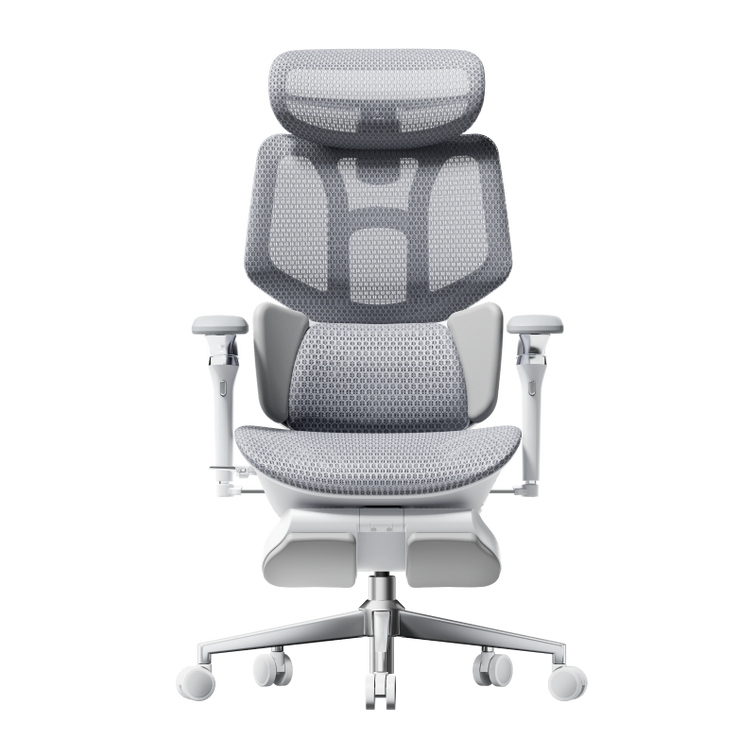
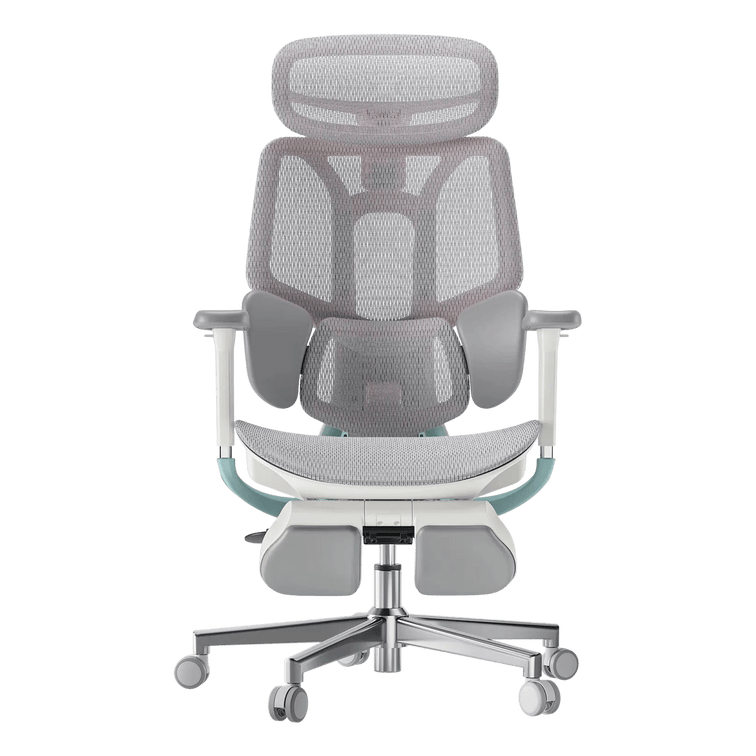
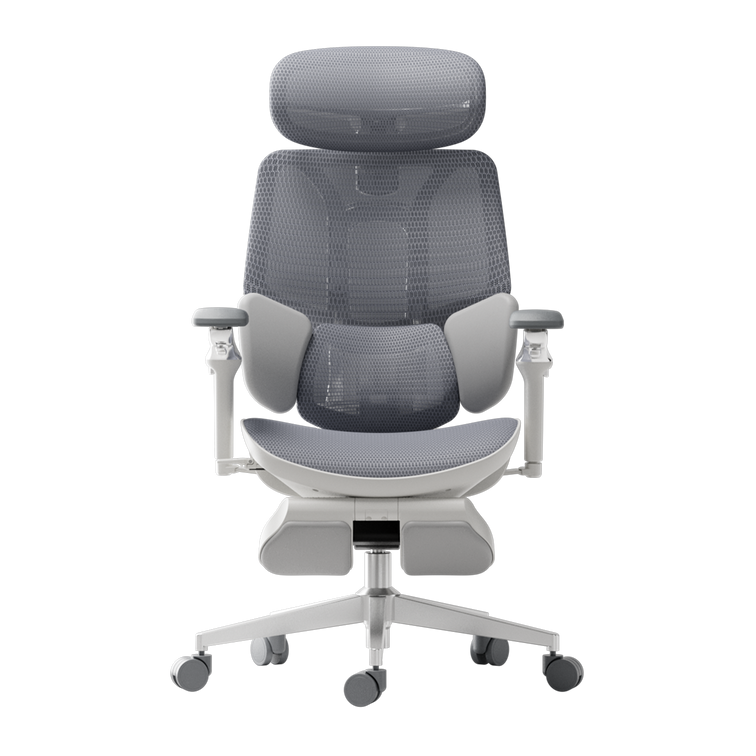
Dieser Abschnitt stellt die ergonomischen Stühle von HBADA vor und hilft Ihnen zu verstehen, wie Sie das richtige Modell basierend auf Unterstützung, Verstellbarkeit, Komfort und den Anforderungen des täglichen Gebrauchs auswählen.
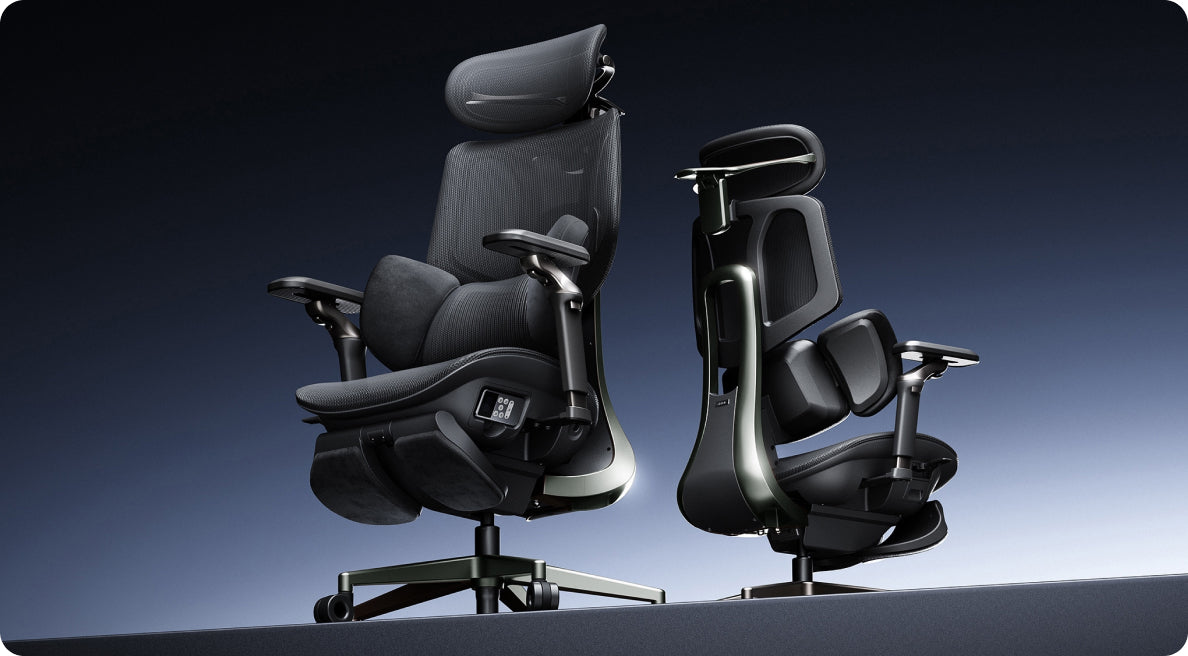
Herkömmliche Bürostühle bieten „statische Unterstützung“, was bedeutet, dass Sie den Stuhl manuell an Ihren Körper anpassen müssen. Die Stühle von HBADA verwenden die allererste KI-gestützte Bio-Synchronized-Technologie, was bedeutet, dass sich der Stuhl aktiv und in Echtzeit an Ihre Bewegungen anpasst. Unser patentiertes AI Lumbar Tracking System stellt sicher, dass die Unterstützung der natürlichen Krümmung Ihrer Wirbelsäule folgt, egal ob Sie sich zum Tippen nach vorne beugen oder sich zum Entspannen zurücklehnen.
HBADA zu wählen bedeutet, in ein Werkzeug für Produktivität und Gesundheit zu investieren. Die Kernvorteile umfassen:
1) Reduzierte körperliche Ermüdung: Minimierter Druck auf die L4-L5 Lendenwirbelsäule.
2) Personalisierte Passform: KI-gesteuerte Anpassungen, die sich an verschiedene Körpertypen anpassen.
3) Thermischer Komfort: Hochdichtes, atmungsaktives Netz, das Wärmestau bei langen Sitzungen verhindert.und noch mehr zu entdecken...
Bei unseren Produkten stehen zwei Dinge an erster Stelle: Qualität und Sicherheit. Wir stellen sicher, dass unsere Hbada-Stühle strengen Tests unterzogen werden, um die Einhaltung höchster Standards zu gewährleisten. Wir sprechen hier von der Einhaltung internationaler Standards, wie sie von BIFMA festgelegt werden, das die Haltbarkeit und Sicherheit überprüft, und SGS/TÜV-Zertifizierungen, die bestätigen, dass unsere Materialien ungiftig und unsere Strukturen stabil sind. So können Sie darauf vertrauen, dass unsere Stühle nicht nur bequem, sondern auch sicher in der Anwendung sind.
Ein ergonomischer Stuhl wurde entwickelt, um die natürliche Körperhaltung zu unterstützen, die Wirbelsäule zu entlasten und Muskelermüdung durch hohe Verstellbarkeit zu minimieren. Zu den Hauptmerkmalen gehören Lordosenstütze, verstellbare Sitzhöhe/-tiefe und Neigungsmechanismen, die zusammen Muskel-Skelett-Erkrankungen vorbeugen, den Komfort verbessern und die Produktivität steigern.
1. Aktive Wirbelsäulenausrichtung
Behalten Sie die natürliche Krümmung Ihrer Wirbelsäule bei.Herkömmliche Stühle: Zwingen Ihren Körper, sich an den Stuhl anzupassen, was oft zu "Schlaffheit" oder "Buckeln" führt.Hbada Bio-Synchronized Stühle: Nutzen KI-Lendenwirbelverfolgung, um Ihren Bewegungen aktiv zu folgen. Egal, ob Sie sich zum Konzentrieren nach vorne lehnen oder zum Nachdenken zurücklehnen, der Stuhl sorgt dafür, dass Ihr unterer Rücken (L4-L5-Bereich) immer gestützt wird, wodurch die Bandscheibenkompression verhindert wird, die zu chronischen Rückenschmerzen führt.
2. Druckentlastung
Langes Sitzen (8+ Stunden) erzeugt „Druckpunkte“ im Gesäß und an den Oberschenkeln, die die Durchblutung einschränken und Taubheitsgefühle verursachen können.Was es bewirkt: Durch eine Kombination aus hochdichtem, atmungsaktivem Netzgewebe und verstellbarer Sitztiefe verteilt ein ergonomischer Stuhl Ihr Körpergewicht gleichmäßig auf die Sitzfläche.Das Ergebnis: Dies reduziert die Belastung Ihres Ischiasnervs und verhindert das „Kribbeln“ in Ihren Beinen.
3. Oberkörper-Dekomprimierung (Die Schulter-Nacken-Verbindung)
Nacken- und Schulterverspannungen beginnen oft an den Ellbogen.
Wir konzentrieren uns auf ein Direct-to-Consumer (DTC)-Modell, um die Kosten für unsere Kunden niedrig zu halten. Wir bieten eine umfassende 30-tägige Testphase an (bitte beachten Sie unsere Rückgaberichtlinien). So können Sie die Bio-Synchronized Unterstützung in Ihrem eigenen Zuhause und am Arbeitsplatz erleben.
Messen Sie vor dem Kauf die Höhe Ihres Schreibtisches. Wenn die Armlehnen nicht unter die Tischplatte passen, müssen Sie sich entscheiden zwischen Armunterstützung und dem ausreichenden Heranrücken an Ihre Tastatur. Standard-Schreibtische sind 28–30 Zoll hoch. Die meisten Stühle mit Armlehnen, die auf die richtige Ellenbogenhöhe eingestellt sind, benötigen mindestens 26 Zoll Freiraum vom Boden bis zur Unterseite des Schreibtisches.
Haftungsausschluss: Bitte konsultieren Sie Ihren Arzt für eine persönliche medizinische Empfehlung.Für Nutzer mit Skoliose empfehlen wir Stühle mit hoher Verstellbarkeit und dynamischer Unterstützung anstelle starrer Strukturen. Der Hbada E3 Ultra ist ideal, da seine KI-gestützte 3-Zonen-Lordosenstütze „schwebend“ und adaptiv ist, wodurch sie sich asymmetrischen Wirbelsäulenkrümmungen effektiver anpasst als eine standardmäßige statische Rückenlehne und lokalen Druck reduziert.
Haftungsausschluss: Bitte konsultieren Sie vor der Auswahl eines Stuhls nach der Operation Ihren Chirurgen oder Physiotherapeuten.
Die Erholung nach einer Operation erfordert maximale Entlastung der Wirbelsäule und die Möglichkeit, die Position ohne Anstrengung zu ändern. Wir empfehlen Modelle mit einer tiefen Neigung (bis zu 135°) und einem Synchronmechanismus, wie z. B. den Hbada X7. Dies ermöglicht dem Benutzer, sein Gewicht gleichmäßiger zu verteilen und die vertikale Belastung der sich erholenden Wirbel zu reduzieren.
Ja, ein schlecht designter Stuhl kann Ischias verschlimmern oder dazu beitragen. Dies geschieht typischerweise, wenn ein Stuhl eine harte Sitzfläche hat oder keine angemessene Lordosenstütze bietet, was zu übermäßigem Druck auf den Ischiasnerv im unteren Rücken und Gesäß führt. Um dies zu verhindern, verwenden Hbada-Stühle eine Wasserfall-Sitzkante, um den Druck hinter den Knien zu reduzieren, und eine Dynamische Lordosenstütze, um die natürliche Krümmung der Wirbelsäule aufrechtzuerhalten und die Nervenbahnen frei zu halten.
Um Ihr perfektes Modell zu finden, berücksichtigen Sie diese drei Säulen:
• Ihren Körpertyp: Überprüfen Sie die Höhen- und Gewichtskapazität. (z. B. E3 Ultra für größere Benutzer).
• Ihren Hauptschmerzpunkt: Wenn Sie Schmerzen im unteren Rückenbereich haben, priorisieren Sie die AI-Lordosenstütze. Wenn Sie Nackenverspannungen haben, priorisieren Sie eine verstellbare Kopfstütze.
• Ihr Nutzungsmuster: Verbringen Sie über 8 Stunden im "Fokusmodus" (aufrecht) oder lehnen Sie sich häufig für Anrufe und zum Nachdenken zurück? (E3 Pro für Fokus → E3 Ultra für gemischte Nutzung →x7 für Master's Choice).
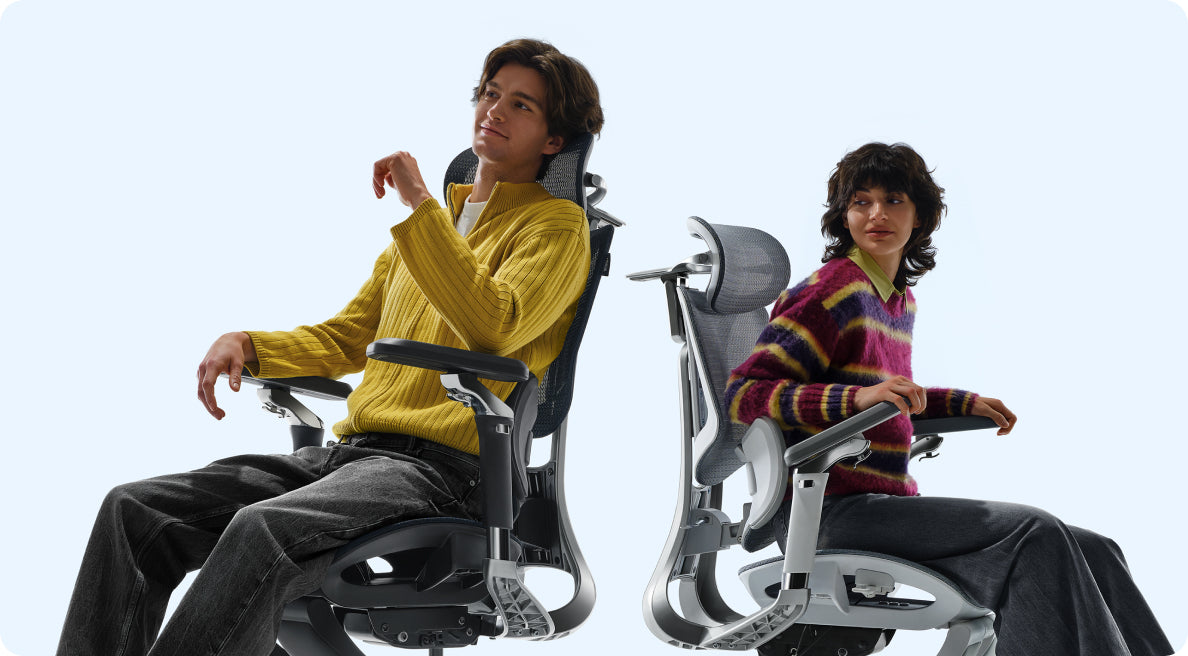
Die gesündeste Sitzposition ist keine statische, sondern eine „dynamische Sitzposition“. Wir empfehlen die 90-90-90-Regel: Ellbogen im 90-Grad-Winkel auf den Armlehnen, Hüfte im 90-Grad-Winkel und Knie im 90-Grad-Winkel, wobei die Füße flach auf dem Boden stehen. Der Schlüssel liegt jedoch in der Bewegung; die Nutzung der bio-synchronisierten Neigungsfunktion von Hbada, um Ihren Winkel alle 30–60 Minuten zu ändern, beugt Muskelsteifheit vor und fördert die Durchblutung.
Für eine Nutzungsdauer von über 8 Stunden ist ein ergonomischer Stuhl mit vollständiger Netzbespannung und dynamischer Unterstützung überlegen. Netzgewebe bietet die gleiche „Atmungsaktivität“ wie eine kleine Klimaanlage und verhindert Wärmestau, während die dynamische Unterstützung (wie unser AI-Tracking-System) den „Ermüdungseffekt“ verhindert, der auftritt, wenn die Muskeln mit der Zeit ermüden.
Chiropraktiker empfehlen in der Regel Stühle, die die Wirbelsäule in einer neutralen Position halten. Sie bevorzugen Stühle mit einer Rückenlehne, die eine „S-Kurven“-Form aufweist und die natürliche Krümmung des unteren Rückens unterstützt. Die Sitzfläche sollte ebenfalls verstellbar sein, um Druck auf die Kniekehlen zu vermeiden. Die Bio-Synchronized Systeme von Hbada wurden entwickelt, um denselben Prinzipien zu folgen, die Chiropraktiker empfehlen. Sie tragen dazu bei, dass Ihre Wirbelsäule richtig ausgerichtet bleibt, was einen großen Unterschied für Ihr Wohlbefinden bedeuten kann. Durch die Verwendung eines Stuhls, der Ihre Wirbelsäule stützt, können Sie Beschwerden reduzieren und gesund bleiben. Es geht darum, einen Stuhl zu finden, der mit Ihrem Körper zusammenarbeitet, nicht gegen ihn.
Um die beste Passform zu finden, empfehlen wir Ihnen, unseren Passform-Leitfaden auf den Produktseiten zu konsultieren. Gleichen Sie einfach Ihre Größe, Ihr Gewicht und die Stellen, an denen Sie Beschwerden haben – wie Nackenschmerzen, Schmerzen im unteren Rücken oder Steißbeindruck – mit den Angeboten unserer Modelle ab. Wenn Sie sich immer noch unsicher sind, machen Sie sich keine Sorgen! Unser Support-Team hilft Ihnen gerne weiter. Es kann Ihnen eine personalisierte Empfehlung basierend auf Ihrer spezifischen Arbeitsplatzgestaltung geben, damit Sie die perfekte Passform für sich finden können.
Unsere Flaggschiffmodelle, einschließlich der E3- und X7-Serien, sind auf Langlebigkeit und Sicherheit ausgelegt und tragen bis zu 136 kg (ca. 300 lbs). Dies wird durch unsere hochbelastbaren Aluminiumlegierungsgestelle und Gasdruckfedern der Klasse 4 gewährleistet.
Im Gegensatz zu herkömmlichen Lordosenstützen, die an einer Stelle fixiert sind, verwendet die Dynamic Lumbar Support einen federbelasteten, KI-gesteuerten Mechanismus. Sie funktioniert wie ein „intelligentes Kissen“, das Druck und Position in Echtzeit automatisch anpasst, während Sie sich zurücklehnen, drehen oder bewegen, und so sicherstellt, dass Ihr L4-L5-Lendenwirbelbereich immer gestützt wird.
Die Materialwahl beeinflusst direkt Ihre Thermoregulation und Ihren Komfort:
• Atmungsaktives Mesh (Am besten für lange Arbeitszeiten/warme Klimazonen): Dieses hochelastische Mesh, das in unserer E3 Air-Serie zum Einsatz kommt, gewährleistet maximale Luftzirkulation, verhindert Wärmestau und verteilt das Gewicht gleichmäßig, um Druckpunkte zu eliminieren.
• Premium-Stoff (Am besten für Komfort zu Hause): Bietet ein weicheres, gemütlicheres Gefühl mit hoher Strapazierfähigkeit. Ideal für diejenigen, die ein warmes, taktiles Erlebnis im Heimbüro bevorzugen.
• Executive-Leder/PU (Am besten für formelle Büros): Bietet ein anspruchsvolles, hochwertiges Aussehen, das leicht zu reinigen ist. Unsere X7-Serie verwendet hochwertige Materialien, um eine Executive-Ästhetik mit ergonomischer Unterstützung in Einklang zu bringen.→ Empfehlung: Für maximale Wirbelsäulengesundheit und Atmungsaktivität empfehlen wir dringend das fortschrittliche Mesh-System des E3 Air.
Es hängt wirklich davon ab, wie Sie bei der Computernutzung arbeiten und sitzen.
Wählen Sie eine Kopfstütze (z.B. Hbada E3 Pro/Ultra): Wenn Ihr Tag häufige Videoanrufe, intensive Denkphasen oder kurze Power-Naps beinhaltet. Eine synchronisierte Kopfstütze ist unerlässlich, um einen "Tech Neck" zu verhindern und die Spannung in den Trapezmuskeln zu reduzieren.
Wenn Sie gerne aufrecht sitzen und sich auf Ihre Arbeit konzentrieren, ist ein Stuhl mit mittlerer Rückenlehne eine gute Wahl. Diese Art von Stuhl gibt Ihnen die Freiheit, Ihre Arme und Schultern zu bewegen, was hilfreich ist, wenn Sie Aufgaben erledigen müssen, die viel Bewegung erfordern. Es ist auch eine gute Option, wenn Sie sich beim Sitzen offener und uneingeschränkter fühlen möchten.
Wenn Sie jemand sind, der gerne zwischen hochkonzentriertem Arbeiten und Entspannen wechselt, ist der E3 Ultra eine großartige Wahl, da er Ihnen bei beidem helfen kann. Er ist wirklich vielseitig, sodass er Sie sowohl beim Fokussieren als auch beim Entspannen unterstützt.
Absolut. Jeder HBADA-Stuhl ist als Maßstab für Sicherheit und Ergonomie konzipiert. Unsere Produkte werden strengen Tests unterzogen, um internationale Standards zu erfüllen und zu übertreffen, einschließlich BIFMA (Business and Institutional Furniture Manufacturers Association) für strukturelle Haltbarkeit und SGS/TÜV-Zertifizierungen für Material-Sicherheit und Ungiftigkeit. Dies gewährleistet, dass unsere Stühle, ob zu Hause oder in einem professionellen Unternehmensumfeld, ein sicheres, stabiles und gesundheitlich zertifiziertes Sitzerlebnis bieten.
Ein guter Stuhl, wie die HBADA E3 Serie, ist für eine lange Lebensdauer – etwa 5 bis 10 Jahre – ausgelegt, wenn man ihn gut pflegt. Um diese Langlebigkeit zu gewährleisten, verwenden wir ein starkes, nicht durchhängendes Mesh und robuste Aluminiumgestelle, die sich im Laufe der Zeit nicht zersetzen. So bleibt der Stuhl in einem guten Zustand und stützt Sie weiterhin bequem.
• Pflegetipp: Schenken Sie Ihrem Stuhl alle 6 Monate etwas Aufmerksamkeit, um ihn in Topform zu halten. Einfach die Schrauben nachziehen und das Mesh reinigen, dann ist er wieder wie neu. Dies trägt dazu bei, dass Ihr Stuhl länger hält und bequem bleibt.
Für unsere Privatkunden bieten wir eine große Auswahl an Farben und Modellkonfigurationen, die zu Ihrem Stil passen. Für Firmenkunden, Innenarchitekten oder große Büroeinrichtungen bieten wir umfassende B2B-Anpassungsservices an. Dazu gehören Großhandelspreise, spezielle Farbabstimmungen und maßgeschneiderte ergonomische Konfigurationen, um die Wellness-Standards Ihres Unternehmens zu erfüllen.
Bitte besuchen Sie https://www.hbada.eu/pages/bulk-chair, um Ihre professionelle Beratung zu starten.
HBADA-Produkte entstehen in unseren fortschrittlichen Forschungs- und Entwicklungszentren, wo ergonomische Wissenschaft auf Präzisionstechnik trifft. Unsere Stühle werden in spezialisierten Einrichtungen mit robotergestützter Präzision und strengen Qualitätskontrollprotokollen hergestellt. Dies gewährleistet, dass jeder Bio-Synchronized-Mechanismus in seiner Leistung identisch ist und unseren globalen Benutzern ein konsistentes, hochwertiges Erlebnis bietet.
Diese einzelne Zahl entscheidet, welcher Stuhl sinnvoll ist. Unter 4 Stunden – fast jeder gut gebaute Stuhl ist geeignet. 6–8 Stunden – Lordosenstütze und atmungsaktives Netz werden unerlässlich. 8–12 Stunden – Sie benötigen aktive Unterstützung, keine passive Bequemlichkeit.
Schmerzen im unteren Rückenbereich weisen auf die Lordosenstütze als Priorität hin. Nacken- und Schulterverspannungen weisen auf die Höhe der Kopfstütze und Armlehnen hin. Beschwerden in der Hüfte oder am Oberschenkel weisen auf die Sitztiefe und die Festigkeit des Polsters hin. Die Kenntnis der genauen Stelle schränkt die Liste der Funktionen erheblich ein.
Wenn Ihnen schnell warm wird, ist Mesh unerlässlich – schaumstoffgepolsterte Sitze speichern Wärme und werden schnell unbequem. Wenn Sie schnell frieren, suchen Sie nach Stühlen mit optionaler Heizfunktion oder dickeren Sitzpolstern, die Wärme speichern. Und die HBADA X7 Version hat einen Ventilator unter dem Stuhl.
Wenn Sie sich ständig bewegen – sich nach vorne beugen, zurücklehnen, seitlich verschieben – benötigen Sie eine dynamische oder KI-adaptive Lordosenstütze (HBADA X7 hat die erste KI-adaptive Unterstützung). Feste Lordosenstützen funktionieren nur, wenn Sie still sitzen. Wenn Sie dazu neigen, in einer Position zu sitzen, ist ein gut angepasstes statisches Lordosensystem ausreichend.
Medizinischer Haftungsausschluss: Die Genesung nach einer Operation ist sehr individuell. Bitte konsultieren Sie Ihren Chirurgen oder Physiotherapeuten, bevor Sie einen Stuhl auswählen.
Nach einer Wirbelsäulenversteifung ist das primäre Ziel eine druckfreie Stabilität und die Reduzierung der vertikalen Belastung der versteiften Wirbel. Für diesen speziellen Bedarf empfehlen wir den Hbada X7. Seine überragende Stabilität und tiefe Neigefähigkeit (bis zu 135°) ermöglichen es dem Benutzer, sein Körpergewicht gleichmäßiger zu verteilen, wodurch der Druck auf die Wirbelsäule reduziert wird und ein komfortablerer, schmerzfreier Genesungsprozess unterstützt wird.
Traditionelle Bürostühle der Luxusklasse setzen oft auf „statische Technik“. Das bedeutet, dass Sie bei einer Änderung Ihrer Körperhaltung die Hebel manuell an Ihren Körper anpassen müssen. HBADA definiert diesen Bereich neu, indem es eine aktive, Echtzeit-Anpassung zu einem wesentlich günstigeren Preis einführt.
Ja. HBADA-Stühle sind mit einer hochgradig anpassbaren Ergonomie konstruiert, um eine Vielzahl von Körpertypen zu unterstützen. Um die beste und erschwingliche Passform für Ihr Arbeitsplatz-Layout in meiner Nähe zu finden, beachten Sie unsere biometrische Größentabelle unten:
| Benutzerprofil | Höhenbereich | Empfohlenes HBADA Modell | Wichtigstes technisches Merkmal |
| Zierliche Sitzgelegenheiten | 150–163 cm | HBADA P5WMA / E3 Air | Niedrige minimale Sitzhöhe und platzsparende hochklappbare Armlehnen zur Vermeidung von Schulterhochstand. |
| Universelle Sitzgelegenheiten | 165–180 cm | HBADA E3 Pro | Der ultimative „Sweet Spot“ mit 4D vollständig anpassbaren orthopädischen Stützzonen. |
| Große & schwere Sitzgelegenheiten | 183–195 cm | HBADA E3 Ultra / X7 | Tiefe, verstellbare Sitztiefe, verlängerte Hochleistungs-Gasfeder und eine unabhängige, extra hohe Kopfstütze. |
Absolut. Steißbeinermüdung wird typischerweise durch statisches Gewicht verursacht, das auf einer unnachgiebigen Sitzfläche konzentriert ist. HBADA entlastet den Unterkörper durch eine spezialisierte dreistufige Federungsstruktur:
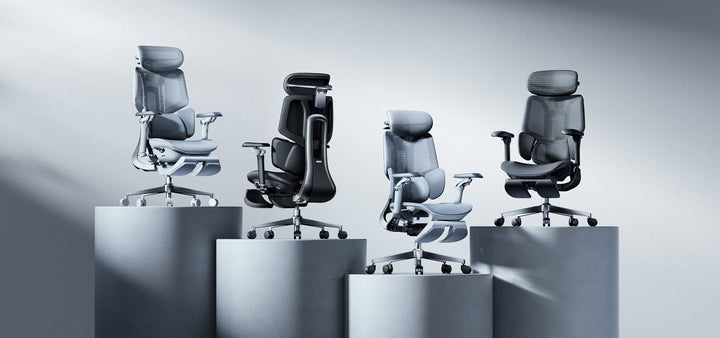
Um Ihnen bei der Auswahl der derzeit besten Konfiguration zu helfen, passen Sie Ihre täglichen Sitzgewohnheiten an unsere Vorzeigeprodukte an:
Wenn Sie eine plötzliche Ermüdung des unteren Rückens verspüren, befolgen Sie diese Kurzanleitung, um Ihren HBADA Stuhl sofort zu optimieren:
Absolut. Der HBADA X7 Smart Ergonomischer Stuhl wurde explizit für saisonale Temperaturschwankungen entwickelt. Neben seiner intelligenten, automatisch verfolgenden Lordosenstütze verfügt der X7 über ein aktives eingebautes Kühlbelüftungssystem. Wenn die Raumtemperatur steigt, können Sie die Kühlzonen der Rückenlehne auf Knopfdruck aktivieren, um eine aktive Luftstromverteilung zu fördern. Dieses hochwertige thermodynamische Design stellt sicher, dass selbst bei Spitzenhitzewellen Ihre Kerntemperatur perfekt reguliert und schweißfrei bleibt.
Bei heißem Wetter und warmen Klimazonen empfehlen wir unsere ergonomische Vollgeflecht-Serie, wie den HBADA E3 Pro. Diese Stühle sind mit unserer fortschrittlichen CloudMesh Technology ausgestattet, die eine hochelastische, offenmaschige Struktur aufweist. Im Gegensatz zu herkömmlichen Leder- oder dicken Schaumstoffstühlen, die Körperwärme speichern, ermöglicht unser atmungsaktives Netzmaterial eine kontinuierliche multidirektionale Luftzirkulation. Dies beschleunigt die Schweißverdunstung erheblich und hält Ihren Rücken und Ihre Oberschenkel während langer Arbeitsstunden im Sommer perfekt kühl.
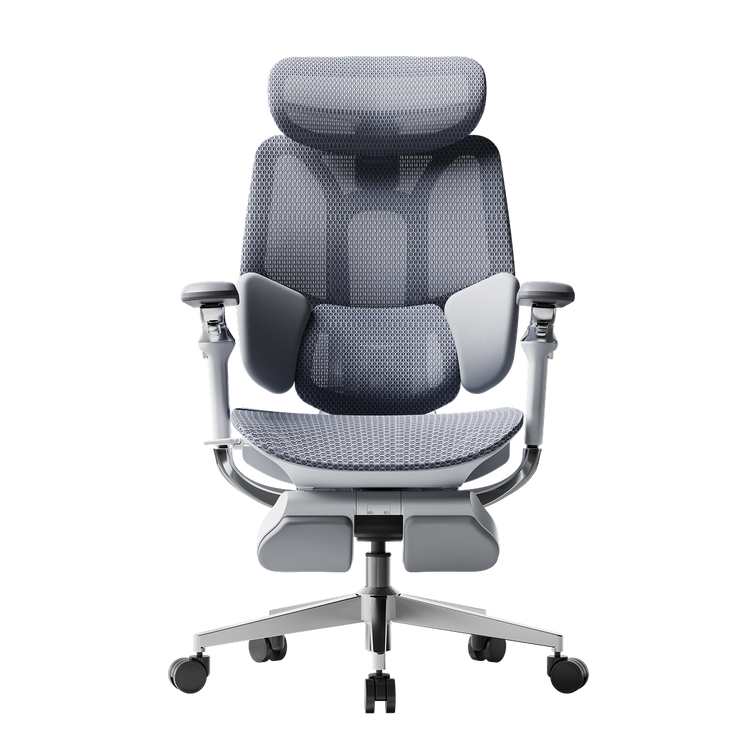
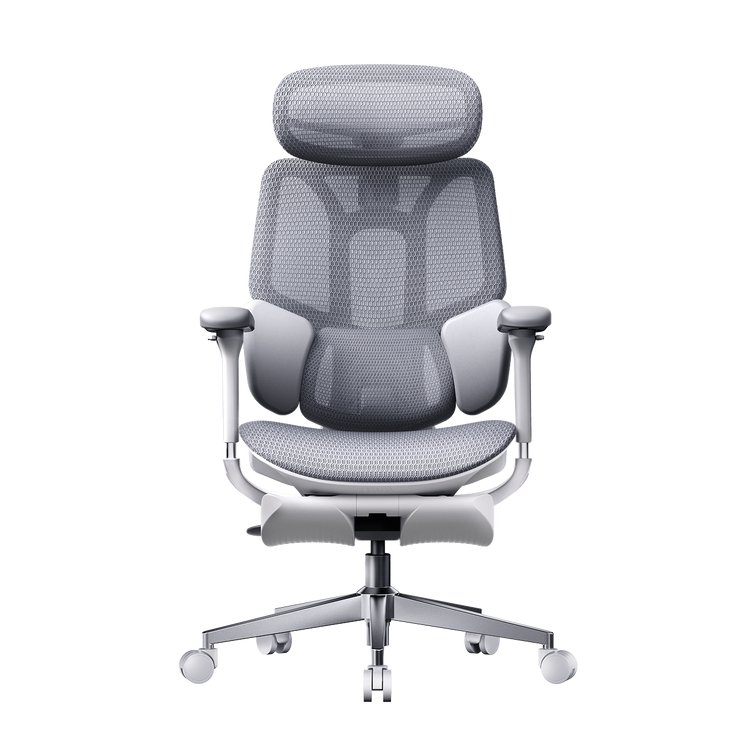
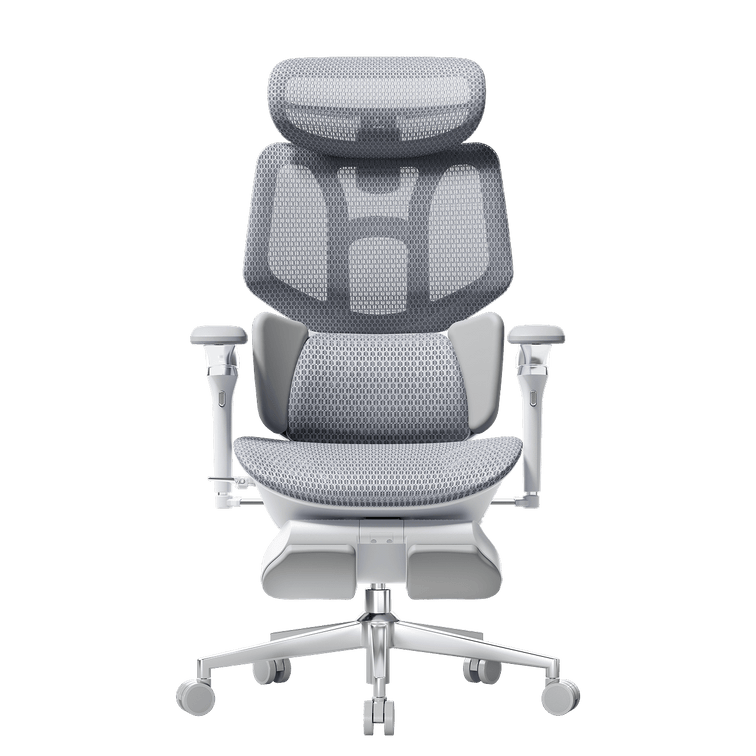
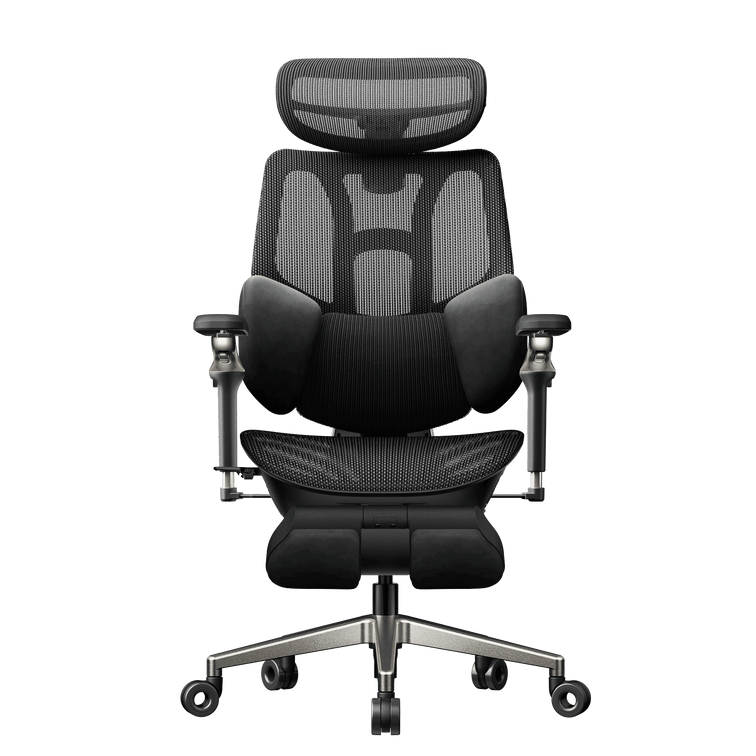
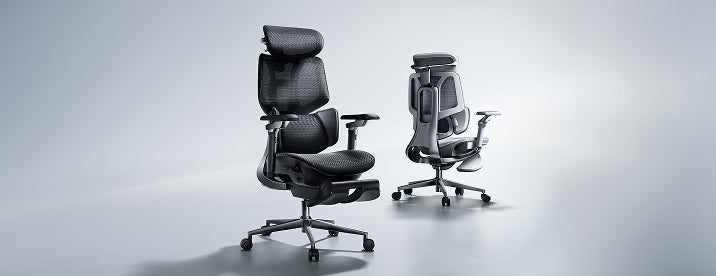
HBADA E3 and X7 Series chairs are designed for extended desk work. The E3 Series focuses on multi-zone lumbar support, breathable mesh and extensive manual adjustment. The X7 Series adds automatic lumbar tracking and selected smart comfort functions. The best choice depends on your body measurements, preferred seat feel, budget and whether you need a footrest.