




Blog

Un fauteuil de bureau peut-il exploser ? Guide de sécurité sur les vérins à gaz pour l’Europe

Un fauteuil de bureau peut-il exploser ? Guide de sécurité sur les vérins à gaz pour l’Europe

Mis à jour le 29 juillet 2026

Des vidéos en ligne et des reportages affirment parfois qu’une chaise de bureau a explosé alors que quelqu’un était assis dessus. Bien qu’une défaillance grave d’un vérin à gaz soit physiquement possible, elle ne doit pas être confondue avec un incendie ou une explosion par combustion.

Réponse rapide : Une chaise de bureau à vérin à gaz contient un cylindre scellé et sous pression qui contrôle la hauteur de l’assise. Un cylindre endommagé ou défectueux peut tomber en panne, mais les ruptures graves semblent très rares. Cessez d’utiliser une chaise si son cylindre est visiblement endommagé, fortement corrodé, fuit, s’affaisse soudainement ou se comporte de manière imprévisible. Ne percez, ne coupez, ne chauffez ni n’ouvrez jamais un cylindre à gaz.

Ce guide explique le fonctionnement du vérin à gaz d’une chaise de bureau, les signes d’alerte nécessitant une attention particulière, la contribution des normes européennes de sécurité des chaises et la marche à suivre en cas de cylindre endommagé.

Important : Il s’agit d’informations générales sur la sécurité des produits. N’essayez pas de démonter ou de réparer vous-même un cylindre à gaz sous pression. Contactez le fabricant de la chaise, un réparateur agréé ou une installation locale de gestion des déchets appropriée.

Une chaise de bureau peut-elle vraiment exploser ?

Oui, un composant sous pression peut soudainement tomber en panne, mais le terme « explosion » donne souvent une fausse impression. Une chaise à vérin à gaz ne contient normalement pas de carburant combustible, et la défaillance d’un cylindre ne correspond pas à un globe de feu.

La description la plus exacte est celle d’une rupture mécanique soudaine ou d’une séparation impliquant un cylindre sous pression de réglage de la hauteur de l’assise. Si un cylindre, un joint, un point de connexion ou la structure environnante de la chaise présente une défaillance grave, la pression peut être libérée rapidement et les composants peuvent se déplacer violemment.

Les données publiques fiables ne fournissent pas de taux mondial précis concernant les ruptures graves des vérins à gaz des chaises de bureau. Il est donc plus prudent de décrire ces événements comme étant apparemment très rares plutôt que d’affirmer un nombre précis de cas.

Les pannes courantes, telles qu’un affaissement progressif, sont beaucoup plus fréquentes qu’une rupture violente. Même dans ce cas, une chaise qui se comporte de manière imprévisible doit être retirée de l’usage jusqu’à ce qu’elle ait été inspectée.

Que se passe-t-il à l’intérieur du cylindre à gaz ?

Cylindre à vérin à gaz de classe 4 robuste et levier de réglage de la hauteur

Un vérin à gaz est un cylindre scellé et sous pression, positionné entre le mécanisme de la chaise et son piètement. Il contient un piston qui permet à l’assise de monter ou de descendre lorsque le dispositif de réglage de la hauteur est activé.

Le cylindre est conçu pour rester scellé lors d’une utilisation normale. Sa pression interne, la résistance de ses matériaux, ses points de connexion et sa compatibilité avec le mécanisme de la chaise constituent donc des éléments de sécurité importants.

Les utilisateurs ne doivent jamais :

  • Percer ou percuter un cylindre à gaz
  • Couper le corps du cylindre
  • Tenter d’ouvrir le cylindre scellé
  • L’exposer au feu ou à une chaleur excessive
  • Le frapper à plusieurs reprises avec un marteau
  • Installer un cylindre non vérifié et incompatible avec la chaise

Quelles sont les causes d’une défaillance du vérin à gaz d’une chaise de bureau ?

Le problème peut concerner le cylindre lui-même, la connexion entre le cylindre et la chaise ou un autre composant structurel. Parmi les facteurs contributifs potentiels figurent :

  • Défauts de fabrication : Un tube, une soudure, un joint ou une connexion défectueux peut réduire la capacité du composant à fonctionner comme prévu.
  • Utilisation d’une pièce de rechange incorrecte : Un cylindre qui ne correspond pas au mécanisme de la chaise, au piètement ou à la capacité de charge requise peut entraîner une installation dangereuse.
  • Dépassement de la charge indiquée : Une utilisation régulière au-delà de la recommandation maximale de poids du fabricant peut exercer une contrainte excessive sur la structure de la chaise.
  • Corrosion grave : Une exposition prolongée à des conditions humides peut affaiblir les composants métalliques.
  • Dommages dus à un choc : Laisser tomber la chaise, frapper le cylindre ou utiliser des outils de démontage inadaptés peut endommager le composant.
  • Modification non autorisée : Couper, percer, souder ou démonter un cylindre sous pression crée un danger évitable.
  • Âge et usure : Les joints, les mécanismes et les composants structurels peuvent se détériorer au fil du temps.
  • Montage incorrect : Un cylindre mal positionné ou une connexion de piètement endommagée peut affecter la stabilité et les performances.

Il convient également d’éviter la chaleur, car les fabricants demandent généralement aux utilisateurs de tenir les composants sous pression à l’écart du feu et des températures excessives. Toutefois, une utilisation normale dans un environnement de bureau intérieur classique ne doit pas être présentée comme intrinsèquement dangereuse.

Signes d’alerte indiquant que votre cylindre à gaz ou votre chaise peut être défaillant

Tous les symptômes ne signifient pas qu’un cylindre est sur le point de rompre. Certains signes indiquent un joint usé ou une autre défaillance mécanique. Ils nécessitent tout de même une attention particulière, car la chaise peut ne plus fonctionner de manière sûre ou fiable.

  • La chaise s’affaisse progressivement et ne reste pas à la hauteur sélectionnée.
  • L’assise descend soudainement lors d’une utilisation normale.
  • Un sifflement persistant provient de la zone du vérin à gaz.
  • Le réglage de la hauteur devient inhabituellement dur ou imprévisible.
  • Le cylindre est visiblement tordu, profondément rayé, cabossé ou corrodé.
  • Le piètement de la chaise est fissuré ou déformé autour de la connexion du cylindre.
  • L’assise présente un balancement excessif qui ne peut être corrigé par les vérifications habituelles du montage.
  • Une chaise précédemment réparée ou d’occasion contient un cylindre de remplacement non identifié.
Si vous remarquez des dommages visibles, un affaissement soudain ou une instabilité structurelle, cessez d’utiliser la chaise. Une chaise qui s’affaisse lentement peut avoir un joint interne usé plutôt qu’une rupture imminente, mais le cylindre doit tout de même être remplacé par un professionnel ou la chaise retirée de l’usage.

Que faire si votre chaise de bureau présente des signes d’alerte

  1. Cessez d’utiliser la chaise. Retirez-vous délicatement et empêchez les autres de l’utiliser.
  2. Éloignez-vous d’un composant visiblement endommagé. Ne touchez pas à un cylindre chaud, gravement déformé ou en train de se détacher de la chaise.
  3. Soignez d’abord toute blessure. Contactez le service médical approprié de votre pays. En cas d’urgence grave ou mettant la vie en danger dans l’UE, appelez le 112.
  4. Ne percez pas et ne démontez pas le cylindre. La pression interne peut persister même si la chaise ne remonte plus.
  5. Contactez le fabricant ou un réparateur qualifié. Fournissez le numéro de modèle, les détails de la commande, des photographies et une description du problème.
  6. Utilisez uniquement une pièce de rechange homologuée. Vérifiez la compatibilité du cylindre et les exigences de charge avant l’installation.
  7. Éliminez correctement l’ancien cylindre. Demandez à votre centre de recyclage municipal ou à votre installation locale de gestion des déchets dangereux/des conteneurs sous pression comment ils acceptent les cylindres à gaz de chaises de bureau.

Ne mettez pas un cylindre sous pression dans les déchets ménagers ordinaires, un incinérateur ou une presse à déchets, sauf si votre autorité locale confirme spécifiquement que cette méthode est autorisée.

Normes européennes de sécurité des chaises de bureau

Pour les clients européens, la famille de normes générales sur les chaises de bureau la plus pertinente est EN 1335.

  • EN 1335-1 concerne les dimensions des chaises de bureau et les méthodes permettant de les déterminer.
  • EN 1335-2:2018 précise les exigences de sécurité, de résistance et de durabilité des chaises de bureau.
  • EN 1335-3 fournit des méthodes d’essai mécanique pour évaluer la stabilité, la résistance et la durabilité.

Selon la description de la norme européenne par l’Institut des normes britanniques, EN 1335-2 traite de la sécurité, de la résistance et de la durabilité des chaises de bureau. Les essais sont effectués sur la chaise en tant que produit complet plutôt que de garantir qu’une éventuelle défaillance future est impossible.

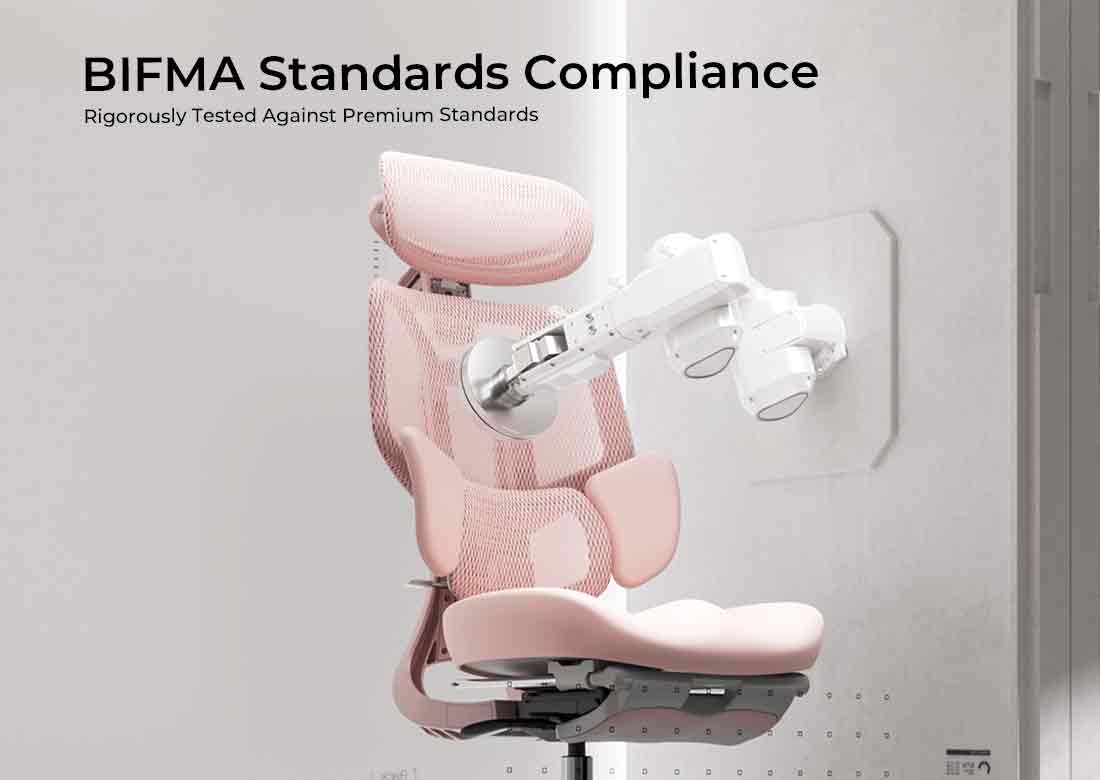
ANSI/BIFMA X5.1 est une norme américaine distincte pour les chaises de bureau polyvalentes. BIFMA la décrit comme couvrant les procédures d’essai et les niveaux de performance minimaux relatifs à la sécurité, à la durabilité et à l’adéquation structurelle. Elle peut constituer un signal d’essai supplémentaire utile, mais ne doit pas être décrite comme la norme européenne des chaises de bureau.

Sources :

Comment réduire les risques de défaillance du vérin à gaz

Une utilisation sûre de la chaise dépend d’une conception adaptée du produit, d’un montage correct, d’une inspection régulière et d’une utilisation raisonnable.

  • Achetez auprès d’un fournisseur qui publie les spécifications du produit, les informations sur la garantie et les coordonnées de contact.
  • Recherchez des déclarations pertinentes d’essai ou de certification de la chaise pouvant être étayées par une documentation.
  • Vérifiez la charge maximale indiquée et la plage d’utilisateurs recommandée.
  • Suivez exactement les instructions de montage fournies.
  • Inspectez périodiquement le piètement, les roulettes, le mécanisme et la zone visible du cylindre.
  • Éloignez la chaise du feu, d’une chaleur excessive et de conditions de stockage durablement humides.
  • Ne montez pas sur l’assise et n’utilisez pas la chaise comme marchepied.
  • Ne continuez pas à utiliser une chaise dont le piètement est fissuré ou la connexion instable.
  • Utilisez uniquement un cylindre de remplacement compatible.

Une norme de sécurité ou un résultat d’essai ne signifie pas qu’une chaise ne peut jamais tomber en panne. Cela indique que le produit testé a été évalué par rapport à des exigences définies dans des conditions spécifiées. Une utilisation et un entretien appropriés restent importants.

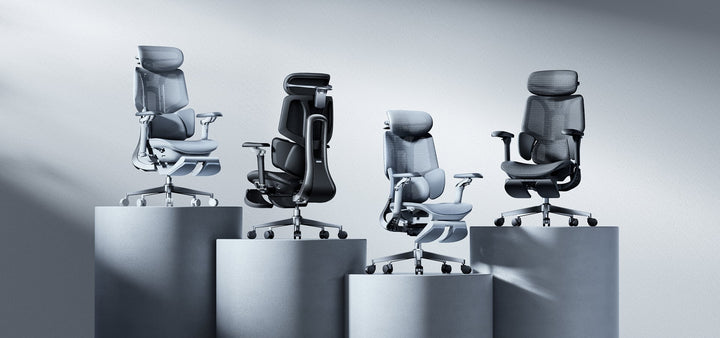
Comparatif des chaises HBADA dans l’UE

HBADA EU publie actuellement des informations de certification BIFMA pour certains produits et répertorie les vérins à gaz de classe 4 certifiés SGS sur les modèles concernés. Les clients doivent confirmer la configuration spécifique et la documentation d’accompagnement sur la page produit actuelle avant d’effectuer un achat.

Modèle Informations structurelles publiées Support et réglage Charge maximale indiquée Idéal pour
HBADA X7 Smart Cadre de dossier renforcé en alliage d’aluminium sur X7 ; piètement à cinq branches en acier inoxydable ; certifié BIFMA sur la page actuelle de l’UE Suivi lombaire par IA, réglage de la profondeur de l’assise de 5 cm, appuie-tête à double axe et accoudoirs hautement réglables 150 kg Les utilisateurs souhaitant un suivi lombaire motorisé et des fonctions de confort électronique avancées
HBADA E3 Pro Édition 2026 Piètement à cinq branches en acier et vérin à gaz de classe 4 certifié SGS répertorié sur la page actuelle de l’UE Support lombaire adaptatif à trois zones, réglage de la profondeur de l’assise de 5 cm, dossier, appuie-tête et accoudoirs réglables 150 kg Les utilisateurs préférant un réglage mécanique étendu sans entretien de batterie
HBADA E3 Air Édition 2026 Vérifiez la configuration UE sélectionnée pour les informations actuelles sur le piètement, le vérin à gaz et la certification Support lombaire multizone et configuration globale plus légère que les modèles phares À confirmer sur la page produit actuelle Les utilisateurs privilégiant une configuration ergonomique plus légère et plus accessible

Les spécifications du produit, les certifications, les prix et la disponibilité peuvent changer. Vérifiez toujours la page produit UE et le manuel d’utilisation concernés.

Voir le HBADA X7 Smart sur la boutique UE, explorez la collection HBADA E3 2026, ou comparez tous les modèles actuels dans la collection de chaises ergonomiques HBADA dans l’UE.

Exemples de scénarios de sécurité

Il s’agit d’exemples généraux, et non de témoignages de clients, de rapports d’accident ou de résultats médicaux vérifiés.

Scénario 1 : Une chaise qui commence à s’affaisser

Un utilisateur remarque qu’une ancienne chaise de bureau perd progressivement de la hauteur au cours de la journée de travail. La chaise a également commencé à basculer autour du montant central.

La bonne réaction consiste à cesser de considérer le problème comme un désagrément mineur. L’utilisateur doit vérifier le modèle de la chaise, contacter le fabricant ou un réparateur approprié et remplacer le composant usé par une pièce compatible vérifiée. Si le piètement ou le mécanisme est également endommagé, remplacer la chaise complète peut être plus sûr.

Scénario 2 : Un cylindre d’occasion corrodé

Une chaise d’occasion présente une corrosion visible sur le cylindre et aucun historique d’entretien disponible. Les composants de remplacement et la capacité de charge d’origine ne peuvent être confirmés.

L’approche la plus sûre consiste à retirer la chaise de l’usage et à demander une évaluation professionnelle. Le cylindre ne doit pas être poncé, percé ou frappé dans le but de restaurer son apparence.

Scénario 3 : Une chaise utilisée au-delà de sa charge indiquée

Une chaise est régulièrement utilisée au-delà de la charge maximale indiquée par son fabricant. Même si le vérin à gaz continue de s’ajuster normalement, le piètement, le mécanisme, les roulettes et les connexions du cylindre peuvent être exposés à des charges pour lesquelles la chaise n’a pas été conçue.

L’utilisateur doit choisir une chaise dont la capacité et les dimensions publiées sont adaptées à sa morphologie. La capacité de charge doit être considérée comme une limite, et non comme une valeur à dépasser occasionnellement.

Quelle chaise HBADA choisir ?

Chaise ergonomique HBADA E3S conçue pour différentes positions assises

Choisissez en fonction des dimensions vérifiées, des besoins de réglage et du système d’exploitation préféré :

  • Envisagez le HBADA X7 Smart si vous souhaitez un suivi lombaire par IA, un cadre phare renforcé et des options de massage motorisé, de chauffage et de ventilation.
  • Envisagez le HBADA E3 Pro Édition 2026 si vous souhaitez un réglage mécanique étendu, un support lombaire à trois zones et un vérin à gaz de classe 4 certifié SGS.
  • Envisagez le HBADA E3 Air Édition 2026 si vous préférez un modèle ergonomique plus léger et que vous n’avez pas besoin de toutes les fonctions phares.

Avant d’effectuer un achat, comparez la plage de hauteur d’assise, la profondeur de l’assise, la taille d’utilisateur recommandée, la charge maximale et les dimensions globales de la chaise avec votre morphologie et votre espace de travail.

La conclusion pratique est simple : les défaillances graves des vérins à gaz semblent très rares, mais les dommages visibles, l’affaissement soudain et l’instabilité ne doivent jamais être ignorés. Utilisez la chaise dans les limites indiquées et ne modifiez pas un cylindre sous pression.

Foire aux questions

Une chaise de bureau peut-elle vraiment exploser ?

Un cylindre à gaz sous pression endommagé ou défectueux peut théoriquement rompre ou se séparer soudainement. Il s’agit d’une défaillance mécanique de pression plutôt que d’une combustion. Les données publiques fiables ne fournissent pas de taux mondial précis d’incidents, mais les événements graves semblent très rares.

Quelle est la fréquence des explosions de vérins à gaz de chaises de bureau ?

Il n’existe aucune base de données mondiale fiable permettant de calculer un taux précis. Il est donc préférable de décrire les ruptures graves comme étant apparemment très rares plutôt que d’affirmer qu’un nombre précis n’est survenu.

Pourquoi ma chaise de bureau continue-t-elle de s’affaisser ?

Une chaise qui s’affaisse progressivement présente généralement un joint de vérin à gaz usé ou fuyant. Cela ne signifie pas nécessairement que le cylindre est sur le point de rompre, mais la chaise ne fonctionne plus correctement et le composant doit être remplacé par une pièce compatible vérifiée.

Une chaise de bureau qui siffle est-elle dangereuse ?

Un sifflement persistant peut indiquer une fuite de gaz ou un autre problème mécanique. Cessez d’utiliser la chaise et contactez le fabricant ou un réparateur qualifié. N’essayez pas d’ouvrir le cylindre.

Les chaises de bureau à vérin à gaz sont-elles sûres ?

La technologie à vérin à gaz est largement utilisée pour les sièges de bureau. Une chaise correctement fabriquée, correctement assemblée et utilisée dans les limites indiquées est conçue pour une utilisation normale au bureau. Aucun produit n’est sans risque, les chaises endommagées, corrodées ou instables doivent donc être retirées de l’usage.

Qu'est-ce que l'EN 1335 ?

L'EN 1335 est une série de normes européennes relatives aux chaises de bureau. Elle couvre les dimensions, les exigences de sécurité et les méthodes d'essai mécanique relatives à la stabilité, à la résistance et à la durabilité.

La norme EN 1335 garantit-elle qu'une chaise ne tombera jamais en panne ?

Non. Les normes définissent des méthodes d'essai et des exigences minimales dans des conditions spécifiées. Elles ne garantissent pas qu'un produit ne pourra jamais être endommagé, mal utilisé, mal réparé ou affecté par l'usure.

Puis-je remplacer moi-même le vérin à gaz d'une chaise de bureau ?

Un vérin à gaz scellé complet peut parfois être remplacé, mais uniquement par un composant compatible et en suivant des instructions appropriées. Le vérin lui-même ne doit jamais être ouvert, percé, coupé ou réparé à l'intérieur. Si vous avez un doute, faites appel à un réparateur agréé ou qualifié.

Comment dois-je éliminer un vieux vérin à gaz en Europe ?

Conservez-le intact et contactez votre centre de recyclage municipal local ou votre autorité de gestion des déchets. Les règles relatives aux cylindres sous pression varient selon les pays et les municipalités. Ne percez pas le cylindre pour le préparer au recyclage.

Quelques réflexions finales

Une chaise de bureau à vérin à gaz contient un composant sous pression, mais cela ne rend pas l'utilisation normale d'une chaise de bureau intrinsèquement dangereuse. Les précautions les plus importantes consistent à choisir une chaise bien documentée, à respecter sa charge maximale indiquée, à suivre les instructions de montage et à réagir rapidement en cas de dommages visibles ou de comportement instable.

Ne tentez jamais d'ouvrir ou de modifier un cylindre sous pression. Si votre chaise s'affaisse, siffle, vacille ou présente des signes de corrosion, cessez de l'utiliser et contactez un réparateur approprié ou le fabricant.

Découvrez la gamme actuelle de chaises de bureau ergonomiques HBADA dans l'UE et vérifiez les spécifications publiées pour le modèle et la configuration exacts avant l'achat.
Relevant Product

You May Also Like

HBADA X7 Long-Term Review: Smart Features After 90 Days HBADA X7 Long-Term Review: Smart Features After 90 Days HBADA The X7 ownership review Beyond thefirst impression.Into real life. Unboxing is only the beginning. Here is a closer look at the HBADA X7’s smart features, everyday comfort and long-term ownership experience. 90 DAYS 01 Setup & assembly 02 Responsive support 03 Everyday ownership A smart ergonomic office chair should do more than impress on day one. It should remain useful after the controls become familiar and the chair becomes part of your normal working routine. This HBADA X7 long-term review brings together media testing and verified owner feedback, covering assembly, AI lumbar support, powered comfort features and the practical details worth considering before you buy. The shortanswer. The X7’s defining feature is responsive lower-back support. Reviewers and owners describe lumbar contact that follows changes in sitting position. Its weight, setup and powered components require consideration, but its appeal goes beyond extra features: it is about support that remains useful throughout an ordinary working day. This brand-authored roundup draws on separate reviewer and owner experiences across different usage periods and markets. It is not presented as a single continuous in-house 90-day test. For an EU purchase, check the selected configuration and local product information. Unboxing Assembly AI lumbar support Comfort features Long-term use Verdict FAQs 01 / The arrival Make room.This is not a lightweight delivery. The X7 arrives as a substantial piece of office furniture. Reviewers highlight the size and weight of the package, making delivery planning a useful first step—not something to think about once the box is already in the doorway. Clear the route to your workspace, check narrow doorways and consider any stairs along the way. If you live in a flat, think about lift access and the space available for unpacking. Arrange assistance with lifting when needed. The chair combines mechanical adjustments with powered functions. Its main electronic components are housed within the chair, but connections still need attention during setup. Leave enough space to identify the parts before assembly. Before you begin Keep the packaging for now. Check the components, complete assembly and confirm that the controls operate as described before disposing of the protective materials. A clear floor and an unhurried setup are more useful than trying to finish in record time. 02 / Getting started Build it once.Take the connections seriously. Assembly accounts collected for this review generally fall within a roughly 20–45-minute window. Your own timing will depend on experience, assistance and the time spent checking the instructions. 01 Lay out the components Identify the parts and fasteners using the supplied manual. Protect the chair’s surfaces while working. 02 Follow the cable routing Pay attention to the specified connection points. Do not force connectors or trap cables between components. 03 Check before settling in Confirm that the mechanical adjustments and powered controls work as described before a full day at your desk. Tom’s Hardware 30–40 min Extra attention was needed around routing and connecting the power cable. The Gadgeteer 35–45 min A second person can help with handling the larger components. Verified owner feedback 30–40 min Checking the instructions around the cable connection was a recurring point. Reported assembly times describe individual experiences, not a guaranteed setup time. Follow the instructions supplied with your specific chair. 03 / The defining feature Support that follows.Not a position you have to find. A conventional lumbar pad offers support when your body meets it. The X7’s responsive lumbar system is designed to adapt as your sitting position changes, helping maintain contact with the lower back. That distinction appears repeatedly in the review material: the support follows movement rather than depending entirely on the user returning to one fixed position. Responsive contact Reviewer accounts describe the lumbar support responding as the seated position changes. A personal setting The Gadgeteer describes a gentler sensation at lower settings and a more noticeable presence at higher settings. Everyday convenience Owner feedback highlights support staying close without repeated manual repositioning during desk work. Start with fit, then adjust the support. Set the seat height and depth first. Your feet should be supported, with comfortable clearance behind your knees. Then adjust the lumbar contact to suit your body. 04 / Beyond the basics Comfort features.Useful when they fit your routine. The reviewed X7 setups also bring massage, heating and cooling or ventilation features into the experience. These functions are separate from the chair’s core seat, back and arm support adjustments. Before ordering, check the X7 configuration available on our EU store . A review describes the package that person used; it should not be taken as a list of what every package includes. For focused work Let support do the quiet work. Prioritise a comfortable seat position, relaxed shoulders and supportive lumbar contact. Choose powered settings that complement your routine without distracting you. For a seated pause Change the pace, not just the setting. Explore the available comfort functions gradually and follow the operating instructions. A seated break can feel relaxing, but it does not replace getting up and moving. More intensity is not automatically more comfortable. Airflow is not the same as room air-conditioning, and a relaxing massage function is not a medical treatment. 05 / Living with it When the featuresbecome familiar. Long-term value is easier to understand once the chair becomes an ordinary part of the workspace. What stays useful? What do you still adjust? What do you stop thinking about? Early ownership / Setup experience Learn the chair before judging the settings. Assembly and initial adjustment shape the first impression. Take time to establish comfortable seat height, seat depth and arm support before deciding how much lumbar contact you prefer. One-month account / Verified owner feedback Comfort becomes part of the working routine. A designer in the owner feedback collected for this article described a comfortable, stable sitting experience after a month, with less need to reposition for comfort. Ongoing use / Verified owner feedback Lower-back contact without constant readjustment. An IT professional highlighted support remaining close during desk-based work without repeatedly repositioning the lumbar support. The 90-day perspective / What to assess Look for consistency, not novelty. Consider whether the chair still fits comfortably, frequently used adjustments operate as expected and the powered functions continue to earn a place in your routine. A three-month experience is useful context, not a prediction of the chair’s entire lifespan. These are separate experiences, not a single owner’s timeline. Individual comfort and usage patterns vary. The best feature is the oneyou still appreciate on an ordinary day. 06 / The practical side What deserves a closer look? A powered ergonomic office chair brings ownership considerations beyond upholstery and seat dimensions. Weight & moving Reviewers highlight the chair’s substantial weight. Think about stairs and room changes, especially if you regularly move furniture between floors. Your EU configuration Compare the specific package offered on the EU store with the version shown in a review. Included accessories and powered features should be checked against your selected order. Component coverage Review the warranty terms applicable to your purchase. Structural parts, electronics and batteries may have different coverage terms. Use the information for your purchase market, rather than assuming an overseas review describes the same terms. Price & delivery Check the displayed price, delivery availability and final checkout details for your destination. A price quoted in an overseas review is not a current EU offer. Long-term expectations Early comfort feedback and durability testing answer different questions. Daily use, care and maintenance all influence the ownership experience beyond the first few months. 07 / Our verdict Buy for the way you work.Not just the feature list. Across the review material, responsive lower-back support is the most consistent theme. The additional comfort functions add flexibility, but the central question remains whether this kind of support matches your working habits and preferences. A strong reason to consider it You want responsive support. Lumbar contact that adapts as you change sitting position. Adjustable ergonomic seating with powered functionality. Features you can use during both desk work and seated breaks. Think through the trade-offs You prioritise simplicity. You need a lightweight chair to move between floors. You prefer a setup without powered components. Your main priority is the lowest initial purchase cost. Start with your body fit, desk setup and the adjustments you expect to use regularly. Then compare the HBADA X7’s features and available options against those priorities. The X7 is designed for supportive seating and everyday comfort, not to diagnose or treat a medical condition. Persistent pain should be discussed with a qualified healthcare professional. The details, answered Before you decide. How long does HBADA X7 assembly take? The experiences collected for this review range from roughly 20 to 45 minutes. Allow extra time for checking the connections and follow the manual supplied with your exact model. What makes the X7’s AI lumbar support different? The responsive lumbar system is designed to adapt support as your sitting position changes. Reviewers and owners describe lower-back contact that follows movement rather than relying only on a fixed pad. Does the EU version include everything shown in overseas reviews? Check the selected configuration and included accessories on the EU product page. A reviewed package or regional version may differ from the one you are ordering. Is the X7 suitable for a home office? It can suit a home office where responsive lumbar support and powered functionality are priorities. Check body fit, desk compatibility, delivery access and the space available for assembly. What should I check before ordering in Europe? Confirm the configuration, included accessories, delivery availability for your destination and applicable warranty terms. Refer to the EU store and checkout for current pricing rather than a price quoted in an overseas review. Are all the experiences from one 90-day test? No. This brand-authored roundup brings together separate media tests and verified owner experiences covering different usage periods. A one-month owner observation is identified separately from the broader long-term discussion. Does a 90-day review establish the chair’s lifespan? No. It can help describe early ownership, comfort and feature usability, but total service life also depends on use, care, loading and maintenance. Smart support.A more personal way to sit. Explore the HBADA X7 on our EU store, compare the available configuration and see how responsive lumbar support fits into your working day. Explore the HBADA X7 → Explore HBADA Europe → Keep good advice close Enjoyed this guide?Stay connected with HBADA. Make HBADA Europe one of your preferred sources on Google for more ergonomic chair guides, workspace tips and practical advice. Add HBADA to your preferred sources on Google ↗ Opens Google in a new tab. Confirm your selection there if HBADA is available. Office Chair Seat Height: How to Measure Your Best Fit Office Chair Seat Height: How to Measure Your Best Fit A better chair fit starts at floor level. Your feet, your legs and your desk all influence the right office chair seat height. A tape measure gives you a useful starting point. Sitting at your actual workspace helps you finish the adjustment. Quick answer: Sit on a firm, stable surface with your usual work shoes on and your feet flat. Measure vertically from the floor to the underside of your thigh at the crease behind your knee. Use this as a starting reference when comparing chair seat heights, then check the fit while seated. It is not an exact setting that every chair must match. How to measure Check the chair Match your desk Common questions Seat height is not the same as overall chair height. In a product specification, seat height describes the distance from the floor to the seating surface. Overall chair height includes the backrest or headrest and does not tell you whether your feet will reach the floor. Your body measurement is different again: it measures your lower-leg clearance while seated. It helps narrow your options, but the final fit also depends on the seat shape, how the material settles under your weight and your desk setup. If you are checking more than height, start with our guide to office chair height, depth, width and lumbar fit . A chair can be the right height and still have a seat that is too deep for you. How to measure your seat-height starting point You will need a tape measure or ruler, a firm and stable seating surface, and the shoes you normally wear at your desk. Having someone help makes it easier to keep the measurement vertical. Measure from the floor to the underside of the knee crease, not to the top of the kneecap. Illustration is schematic, not a scale drawing. 01 Keep your footwear consistent Measure in the shoes you usually wear while working. If you work barefoot or in slippers, use that setup instead. A measurement taken in thick-soled trainers may not reflect your everyday home-office position. 02 Sit with both feet supported Use a stable surface that lets your feet rest flat and your lower legs sit approximately upright. Keep your knees bent around a right angle without forcing the position. Avoid a deep sofa or a surface that leaves your feet dangling. 03 Measure to the crease behind your knee Place the ruler beside your lower leg and measure straight up from the floor to the underside of your thigh where it meets the back of your knee. Do not follow the angle of your shin or measure to the top of your knee. 04 Record the result in centimetres Repeat the measurement to check it. Note your footwear alongside the number, then compare it with the seat-height adjustment range of the chair you are considering. Do not subtract a fixed amount automatically. This measurement is a reference, not a universal formula. Seat materials and measurement methods vary, so the adjustment range and your seated fit matter more than a perfect match on paper. Turn the measurement into a real chair fit Before buying, look for a chair whose published seat-height range covers your likely starting position, ideally with room to adjust either way. Check whether the measurements describe an occupied or unoccupied seat. If the method is unclear, ask before treating two specifications as directly comparable. Once you have the chair, sit back and adjust it in small steps. The goal is comfortable support, not making your body hold a precise diagram. Your seated fit checklist Your feet rest securely on the floor or a suitable footrest. The seat supports your thighs without digging into their underside. There is clearance between the seat edge and the backs of your knees. You can use the backrest without sliding forward to reach the floor. You can change position without feeling trapped by the desk or armrests. If the seat edge presses behind your knees even after changing the height, investigate seat depth as well. Lowering the chair cannot always compensate for a seat that is too long. For model-specific controls, use our HBADA user manuals and assembly guides . What if the right seat height does not match your desk? A comfortable leg position is only part of the setup. Your keyboard should also be within easy reach, with your shoulders relaxed rather than lifted towards your ears. If you have a height-adjustable desk Start with a comfortable seated position, then adjust the desk so the keyboard sits around or slightly below elbow level. Recheck your screen position after changing the desk height. If your fixed desk is too high Raising the chair may improve your arm position but leave your feet unsupported. A stable under-desk footrest can bridge that gap. Check that there is still enough space for your thighs beneath the desktop. If your fixed desk is too low Avoid lowering the chair so far that your legs become cramped simply to fit underneath. The desk itself may need changing. Raising armrests will not create missing legroom. A reclining leg rest has a different job. A chair’s pull-out footrest is intended for reclined breaks. It is not automatically a replacement for stable foot support during upright keyboard work. Use fit to narrow your HBADA shortlist Compare the current dimensions on each product page before choosing features. A massage function, headrest or advanced armrest system cannot make up for a seat-height range that does not suit your setup. HBADA E3 Air : check its seat dimensions and adjustment range against your measurements. HBADA E3 Pro : compare the seating dimensions and available adjustments with your desk setup. HBADA E3 Ultra : confirm the fit first if you also want built-in massage and heating for seated breaks. Before ordering, review our current return policy and the delivery information for your country. Keep your measurements handy if you need help checking a particular model. Office chair seat height: common questions Can I choose seat height from my standing height? Standing height is a rough screening tool, not a precise fit measurement. People of the same height can have different leg proportions. Measure your seated lower-leg height and check the chair at your desk. Should my knees stay at exactly 90 degrees? No. A right angle is a useful starting reference for measuring, not a position you need to hold all day. Look for supported feet, comfortable thigh contact and room to move. What if the chair is still too high at its lowest setting? Check whether a suitable footrest works with your desk height and available legroom. If the overall setup still feels wrong, a chair with a lower seat-height range may be a better fit. Avoid modifying the chair with unapproved components. Why does the seat feel lower when I sit down? Cushioning can compress and mesh can flex under load. That is why an unoccupied measurement may differ from your seated experience. Check how the manufacturer measures seat height and make the final adjustment while seated. Should I adjust the chair again when I change shoes? Recheck the fit if the sole height changes noticeably. You may only need a small adjustment, but your feet should remain supported without creating uncomfortable pressure beneath your thighs. Measure first. Compare second. Start with one useful measurement, then check the rest of your fit: seat depth, usable width, back support and desk height. The right setup works as a whole. Explore the complete chair-fit guide → More practical guides for your workspace. Choose HBADA as a preferred source on Google to stay connected with our chair guides and workspace advice. Add HBADA to your preferred sources ↗ Opens Google in a new tab. Confirm your selection there if HBADA is available. Which Office Chair Is Right for You? A 12-Question Buying Guide Which Office Chair Is Right for You? A 12-Question Buying Guide HBADA / THE WORKSPACE JOURNAL THE CHAIR FIT SERIES A more personal way to choose Find your priorities.Then find your chair. Your height is only the beginning. Work through 12 questions about body fit, support, your desk and your budget to build a more useful office chair shortlist. Body fit Comfort Workspace Purchase planning Compare models Quick answer: Start with suitable seat dimensions and weight capacity. Then compare lumbar support, armrest movement, materials and optional features. The right office chair should fit your body and work with your desk—not simply have the longest feature list. Choose an option in each dropdown, then read the guidance beside or below it. Use centimetres for dimensions and kilograms for weight when comparing specifications. A self-guided worksheet, not an automatic matcher. Your selections do not change the advice or calculate a recommendation. This worksheet does not submit or save answers. Keep your own notes if you want to retain your checklist. 01 / Body fit Start with what needs to fit. Check dimensions before adding features to your wishlist. QUESTION 01 What is your height? Choose your height range Under 160 cm 160 cm to under 170 cm 170 cm to under 180 cm 180 cm to under 190 cm 190 cm or taller I need to measure first Height helps you start a comparison, but people of the same height can have different leg lengths and torso proportions. Shorter users should check minimum seat height and depth. Taller users should also check thigh support, backrest positioning and headrest reach. Check next: Compare actual adjustment ranges. These height bands are not model suitability guarantees. QUESTION 02 Which weight range applies to you? Choose a weight range Under 60 kg 60 kg to under 80 kg 80 kg to under 100 kg 100 kg to under 120 kg 120 kg or more I prefer to check the capacity privately Check your exact weight against the published capacity of the model and configuration you are considering. Selecting a broad range here does not confirm compatibility. Capacity and seat size are different. A chair may support your weight but still have unsuitable dimensions. Check next: Verify weight capacity, usable seat width and armrest spacing separately. QUESTION 03 What would you change about your current seat? Choose your main fit concern The seat feels too deep The seat feels too short The seat or armrests feel too narrow The armrests feel too far apart The size works well I am not sure Sit against the backrest. Check whether the seat presses behind your knees and whether your hips have comfortable room. Your forearms should reach the armrests without stretching outwards. If the current size works, record those dimensions rather than assuming a bigger chair will be better. Check next: Follow our chair-fit measurement guide to measure usable height, depth and width. 02 / Comfort preferences Choose the feel you enjoy. Think about how you want the chair to support your day. QUESTION 04 What seat material or feel do you prefer? Choose your preference Breathable mesh A padded seat is essential A softer feel matters most A firmer feel matters most I am open to different materials Mesh allows airflow; padding offers cushioning with a different feel. Comfort also depends on seat shape, construction and personal preference. If cushioning is essential, keep it on your must-have list. Adding a cushion later can change seated height and contact with the backrest. Check next: Confirm the actual seat construction. Mesh provides ventilation, not active cooling. QUESTION 05 How do you prefer your lower back to be supported? Choose your support preference Gentle contact without strong pressure Noticeable support that I can adjust Support that responds as I move My current support feels too strong I am not sure yet Look for comfortable contact, not maximum pressure. Lumbar support should not force you towards the front of the seat. If support feels badly positioned, check seat depth and backrest settings. Both affect where the lumbar section meets your body. Check next: Compare positioning and adjustment range. A feature name cannot predict your preferred firmness. QUESTION 06 Which features would you use during breaks? Choose your main preference A headrest and reclining backrest A pull-out footrest Massage and warmth A combination of these features None of these is essential Check headrest positioning and the room needed to recline. A headrest should not push your head forwards during regular desk work. A pull-out footrest supports reclined breaks. A separate under-desk footrest serves a different purpose: supporting your feet during upright work. Check next: Confirm the selected version includes your preferred features. Massage and warmth do not replace a good fit. Choose the features that serve your workday, not simply the longest feature list. 03 / Your workspace Make the desk part of the decision. The chair and the space around it need to work together. QUESTION 07 How do you usually sit during your main tasks? Choose your usual pattern Mostly upright for keyboard and mouse work I often lean forwards I recline for reading or calls I switch between positions and devices For keyboard work, prioritise comfortable access without reaching or raising your shoulders. If you lean forwards, check screen visibility and keyboard distance too. If you switch between devices, compare useful armrest movements rather than simply counting adjustment directions. Check next: Identify your two main tasks. Allow for movement and breaks instead of holding one rigid position all day. QUESTION 08 What kind of desk do you use? Choose your desk type A fixed-height office desk A height-adjustable desk A dining table or shared table I switch between desks I have not chosen my desk yet Measure desktop height and usable space underneath. Drawers, thick edges and support bars may reduce room for your legs and armrests. If raising the chair helps you reach the desk but leaves your feet unsupported, consider a separate footrest or a suitable change to the work surface. Check next: Record underside clearance separately from desktop height. Adjustable desks also have range limits. QUESTION 09 Where are your keyboard and mouse? Choose your setup On the desktop, close to me On a separate keyboard tray I use a laptop’s built-in keyboard Farther away, so I reach forwards My setup changes during the day Armrests should not stop you from moving close enough to your input devices. Check their height and spacing against the desktop or keyboard tray. A laptop links screen position with keyboard position. For longer desk sessions, an external keyboard and mouse may make the setup easier to arrange. Check next: Decide whether the chair, the input devices, or both need repositioning. 04 / Purchase planning Turn preferences into priorities. Keep the practical details in view before ordering. QUESTION 10 What is the main improvement you want? Choose your top priority A better size and fit More comfortable lower-back contact Better arm support A more breathable seat More comfortable reclined breaks Massage and warmth Name the improvement that would make the biggest difference. Then separate must-have requirements from optional extras. Keep suitable dimensions as a requirement even when another feature is the main attraction. Check next: Write down one main priority and two secondary preferences. Persistent discomfort deserves professional advice, not just a different chair. QUESTION 11 What is your chair budget? Choose a product budget in EUR Under €300 €300 to under €500 €500 to under €800 €800 or more Flexible for the right fit and features Prioritise suitable dimensions, capacity and useful adjustments. Then decide which extras are worth paying for. Check the final total for your destination, including the displayed tax treatment and any delivery charges. These budget bands are not current product prices. Check next: Keep a preferred product budget and a maximum total purchase budget. QUESTION 12 Which delivery situation applies to you? Choose your delivery situation A home address in an EU country A business address in an EU country A European address outside the EU An island or remote-area address I need to confirm my destination Confirm availability for your exact country and postcode. Selecting a region here does not confirm that it is served. Review stock or preorder status and the current delivery and return conditions. Do not assume that one country’s shipping arrangements apply across Europe. Check next: Confirm destination eligibility, assembly needs and any applicable return costs before ordering. Your answers, organised. There is no submission step. Review your selections and turn them into three short lists: Must fit: seat height, usable depth, width, capacity and desk clearance. Should suit you: lumbar feel, armrest movement, material and working positions. Nice to have: additional break-time features and styling preferences. Compare HBADA options below → Use your priorities to compare Where should you start with HBADA? These are model comparison starting points, not calculated results from your selections. Check the exact specifications, configuration and current price before choosing. Everyday desk features HBADA E3 Air 2026 Start by comparing its mesh seating, three-zone lumbar support and adjustable armrests with the features you need for regular desk tasks. Check usable dimensions and adjustment ranges against your measurements. Explore E3 Air specifications → Arm-position flexibility HBADA E3 Pro 2026 Look at its 720° OmniMechanical armrests if flexible positioning matters when switching between tasks and devices. Compare the movements you need and your desk clearance rather than treating more adjustment as automatically better. Explore E3 Pro adjustments → Massage and warmth HBADA E3 Ultra Gen 5 Explore E3 Ultra if built-in lower-back massage and graphene heating are features you would use during seated breaks. Keep everyday fit first: additional comfort features do not compensate for unsuitable seat dimensions. Explore E3 Ultra → Do not force a match. If a padded seat or a different dimension range is essential, these three mesh-seat models may not meet your requirements. Ask our team rather than overlooking a must-have. Before you place an order. Confirm usable seat dimensions and the exact model’s weight capacity. Check armrest clearance, base footprint and space to recline. Verify the generation and configuration include the features you expect. Review the current price, delivery availability and return conditions. Our user manuals and assembly guides help explain model-specific controls. For measurement methods, return to our office chair fit guide . Questions about this guide. Will my answers automatically recommend a model? No. The dropdowns help organise your preferences. Use the model descriptions to compare those preferences, then verify specifications before purchasing. Can I choose a chair from my height alone? No. Leg length, torso proportions, desk height and personal preferences also matter. Check usable dimensions and adjustment ranges. Will these answers be sent to HBADA? This worksheet does not submit answers or create an enquiry. If you contact our team, you decide what information to share. A clearer checklist.A more considered choice. Keep the requirements that matter to you. Confirm the measurements. Choose features that serve your working day. If a specification is unclear, ask us before ordering. Ask HBADA about chair fit → Opens your email app. Worksheet answers are not included automatically. Regular movement and breaks remain important; persistent pain should be discussed with a qualified healthcare professional. More useful advice for your everyday workspace. Choose HBADA as a preferred source on Google, where available, to stay connected with our chair guides and workspace advice. Choose HBADA on Google ↗ Confirm your selection on Google if HBADA is available.