


Blogue

Arranje a sua cadeira de escritório em 10 minutos: guia de reparação passo a passo

Arranje a sua cadeira de escritório em 10 minutos: guia de reparação passo a passo

Uma cadeira de escritório que range, afunda ou está presa pode interromper rapidamente o seu trabalho e dificultar a concentração. Muitas pessoas pensam que têm de deitar fora a cadeira ou comprar uma nova e dispendiosa assim que começa a ter problemas.

No entanto, aprender como reparar uma cadeira de escritório por conta própria é surpreendentemente simples e raramente exige competências técnicas especiais. A maioria dos problemas mecânicos, estruturais e de alinhamento mais comuns pode ser diagnosticada e completamente resolvida em casa em menos de dez minutos. Ao compreender os princípios básicos da engenharia do mobiliário moderno, pode dominar métodos rápidos de reparação de cadeiras, eliminar ruídos incómodos e deixar o seu espaço de trabalho profissional em perfeitas condições de funcionamento.


Passo 1: Resolver o problema da cadeira que afunda (manutenção do cilindro de elevação a gás)

Ter a sua cadeira de escritório à altura certa é importante para a postura, mas, se o cilindro de elevação a gás avariar, a cadeira irá afundar lentamente ao longo do dia. Quando o vedante interno perde pressão, o assento baixa até ao fundo sempre que se senta.

Diagnóstico do vedante de pressão

A maioria das cadeiras de escritório utiliza um cilindro de elevação a gás cheio de azoto e controlado por uma válvula. Com o tempo, a sujidade ou pequenas fissuras no vedante de borracha podem fazer com que o gás se escape lentamente.

Para verificar se este é o problema, vire a cadeira ao contrário e observe o botão de plástico na parte superior do cilindro. Por vezes, a placa metálica do mecanismo de controlo pode dobrar-se ou deslocar-se, pressionando a válvula e fazendo com que a cadeira afunde mesmo quando não está a pressioná-la.

A substituição modular simples

Se os vedantes de pressão estiverem gastos, usar fita ou grampos só resolverá o problema temporariamente. A melhor forma de reparar uma cadeira que afunda é substituir completamente o cilindro.

· Retire o grampo de retenção da extremidade inferior da base com rodas atual usando um alicate de pontas finas.

· Bata suavemente na parte inferior da base com um maço de borracha para separar o cilindro do conjunto da base com cinco rodas.

· Desenrosque o cilindro do mecanismo de controlo superior usando uma chave de tubos ajustável.

· Coloque um elevador a gás novo e certificado no centro da base e pressione firmemente para concluir a montagem.

As nossas linhas modernas de cadeiras privilegiam a engenharia modular para tornar este processo extremamente rápido. Ao escolher componentes concebidos com ligações estruturais simples, garantimos que pode substituir peças essenciais, como um elevador pneumático, em menos de 10 minutos e sem ferramentas especializadas.

 onde comprar uma cadeira ergonómica

Passo 2: Eliminar rangidos e guinchos (lubrificação do chassis)

A distração causada pelo ruído é um dos principais inimigos da concentração profunda em ambientes empresariais silenciosos ou em escritórios domésticos. Um rangido alto sempre que se reclina ou roda indica que duas superfícies metálicas secas estão a roçar uma na outra.

Localizar os pontos de fricção entre metais

Para localizar a origem exata de um rangido, sente-se no assento e incline-se suavemente de um lado para o outro; depois, incline-se lentamente para trás para identificar melhor o ruído. Vire o assento ao contrário sobre um tapete ou uma toalha limpa para expor o chassis do mecanismo.

As principais causas são, muitas vezes, o pino da dobradiça de reclinação, o alojamento da mola de tensão em aço ou os suportes que fixam o assento à base. Com o tempo, a massa lubrificante original seca ou acumula pó, transformando-se numa pasta arenosa que deixa de funcionar.

Aplicar lubrificantes comerciais em segurança

Não aplique óleos domésticos aleatórios nos mecanismos do seu assento, pois secam demasiado depressa e atraem pó, o que pode agravar a fricção mais tarde. Em vez disso, use um spray de silicone de alta qualidade ou um lubrificante de película seca de PTFE específico para resolver o problema.

· Limpe todas as articulações de aço expostas com um pano de microfibra para remover a sujidade acumulada e o óleo antigo.

· Pulverize o lubrificante diretamente no alojamento da mola de reclinação e à volta dos pinos de articulação.

· Ative as articulações mecânicas inclinando o chassis para trás e para a frente, para fazer penetrar o fluido profundamente nos rolamentos.

· Limpe o excesso de produto pulverizado com um pano limpo para evitar que o óleo pingue no chão do seu escritório.

As nossas estruturas robustas de alumínio e os componentes de reclinação autolubrificantes foram concebidos para minimizar a fricção. Este design ajuda a manter o seu espaço de trabalho silencioso, mesmo durante longos dias de trabalho.

igual às instruções de montagem da cadeira ergonómica Pinmoco 

Passo 3: apertar componentes soltos e apoios de braços rígidos

Os pequenos movimentos ao longo do dia podem ir soltando os parafusos de aço que mantêm a cadeira unida.

Lista de verificação de seis em seis meses

Um encosto bambo ou um apoio de braço solto geralmente significa apenas que a cadeira precisa de uma verificação de rotina, não que esteja avariada. Fazer uma verificação rápida de seis em seis meses ajuda a manter o mobiliário em bom estado. Use esta lista para manter o seu espaço de trabalho estável:

· Chassis-to-Seat Screws: Verify that all four primary mounting bolts beneath the main cushion are completely tight.

· Backrest Support Arm: Tighten the heavy-duty bolts connecting the vertical spine to the underside of the mechanical engine.

· Armrest Base Brackets: Inspect the underside connections to stop your armrests from shaking or twisting out of alignment.

· Encaixes das hastes das rodas: Certifique-se de que a haste de cada roda está totalmente inserida no encaixe da base em estrela, para manter a cadeira nivelada.

Manutenção de articulações altamente dinâmicas

Se tem uma cadeira mais antiga com braços fixos, os suportes podem ficar soltos com o tempo devido à pressão exercida quando se levanta da secretária. É por isso que muitas cadeiras de escritório básicas acabam por ter os braços bambos.

Optar por uma cadeira melhor pode resolver este problema. Os nossos designs avançados distribuem o seu peso uniformemente, para que os apoios de braços se mantenham firmes e ofereçam apoio durante anos.


Guia de manutenção: cuidados estruturais para diferentes níveis de assentos

Os diferentes designs de cadeiras exigem rotinas de manutenção diferentes para continuarem a funcionar bem e de forma fiável.

Modelo do produto

Componente mecânico essencial

Foco na manutenção em 10 minutos

Ferramenta necessária

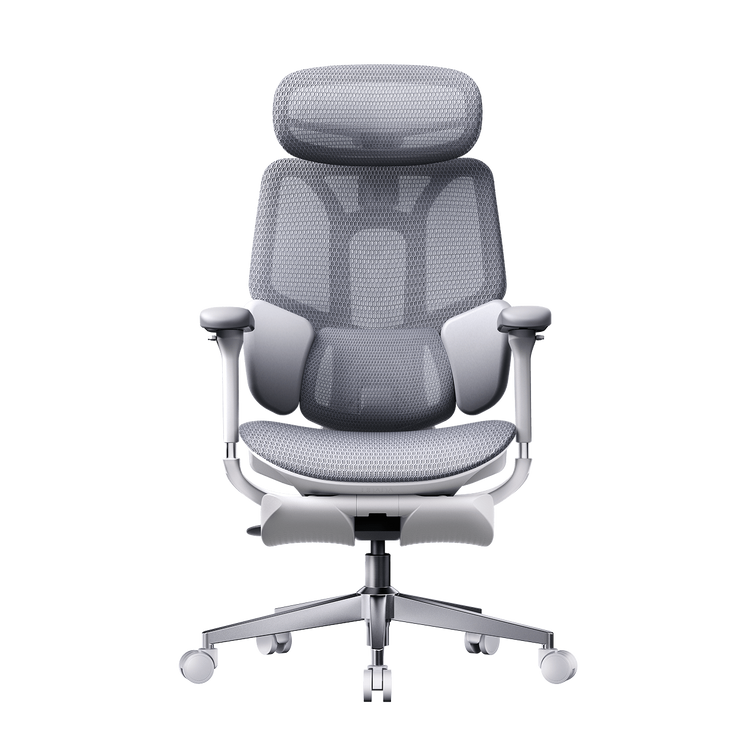
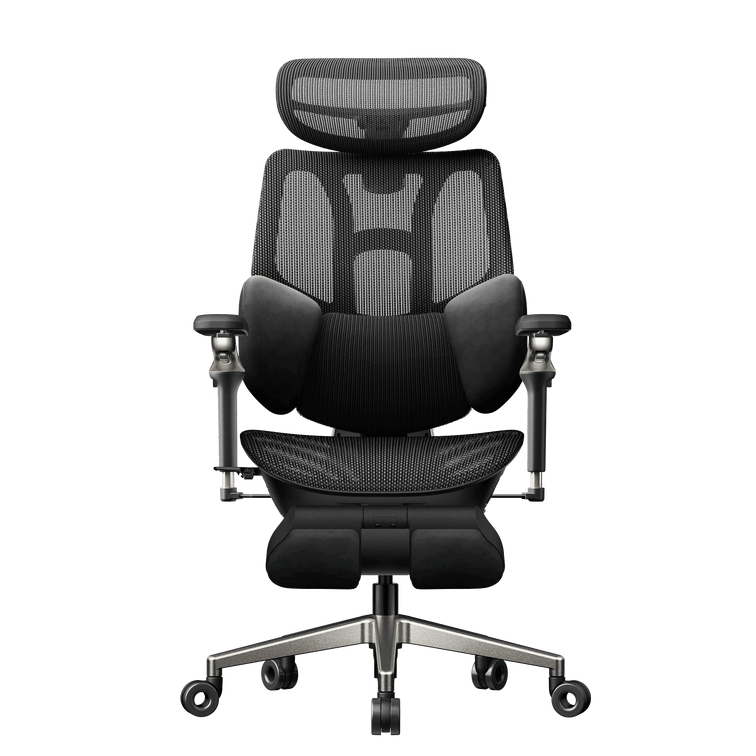
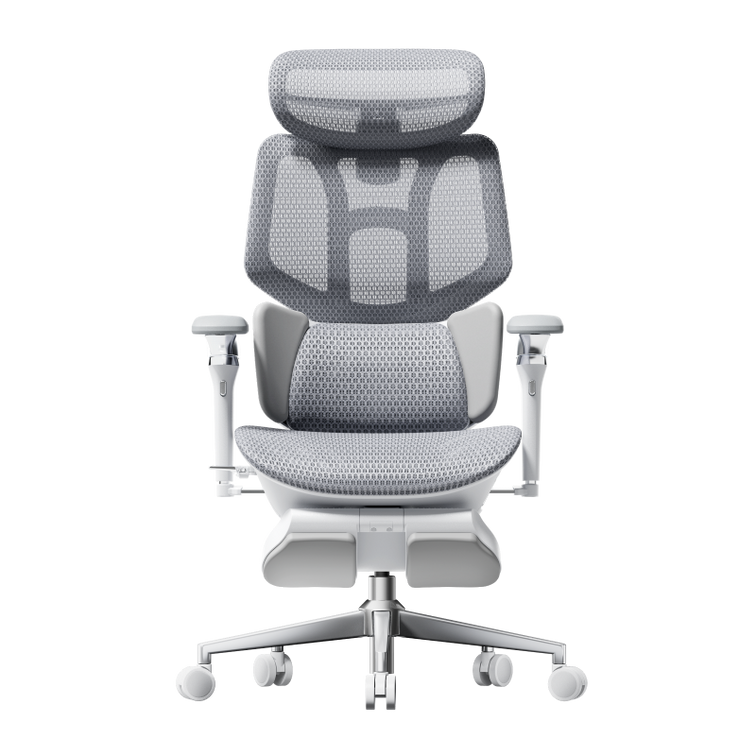
Hbada E3 Air

Painel High-Elasticity CloudMesh

Limpeza dos poros da malha e remoção de resíduos das rodas

Acessório para aspirador e escova macia

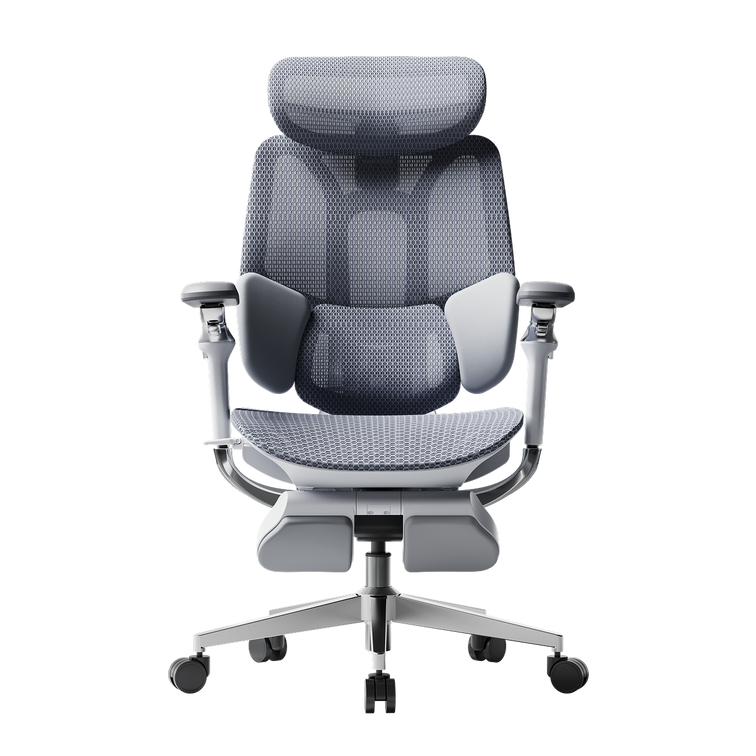
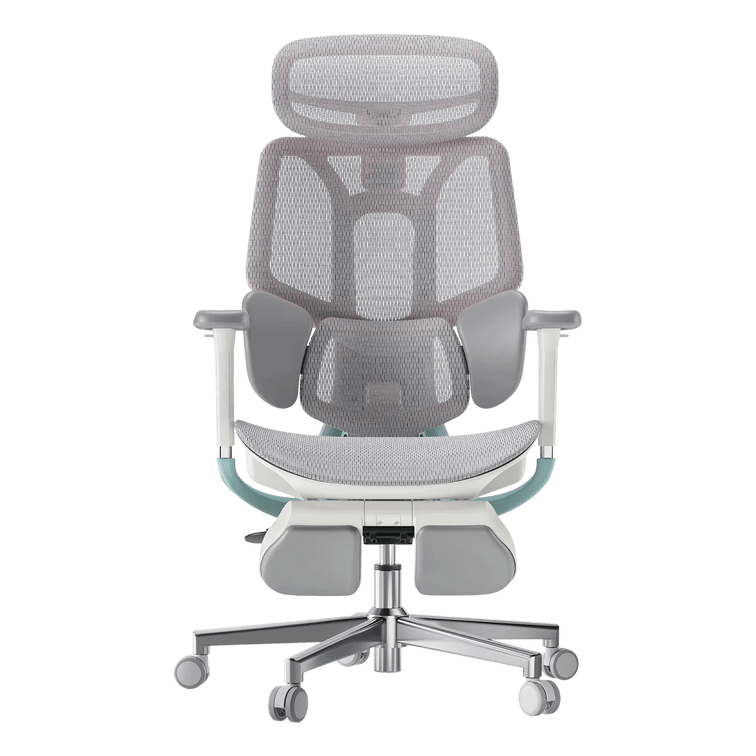
HBADA E3 Pro

3-Zone Adaptive Floating Wings

Verificação da tensão das molas internas e dos parafusos dos apoios de braços

Chave Allen M6 incluída

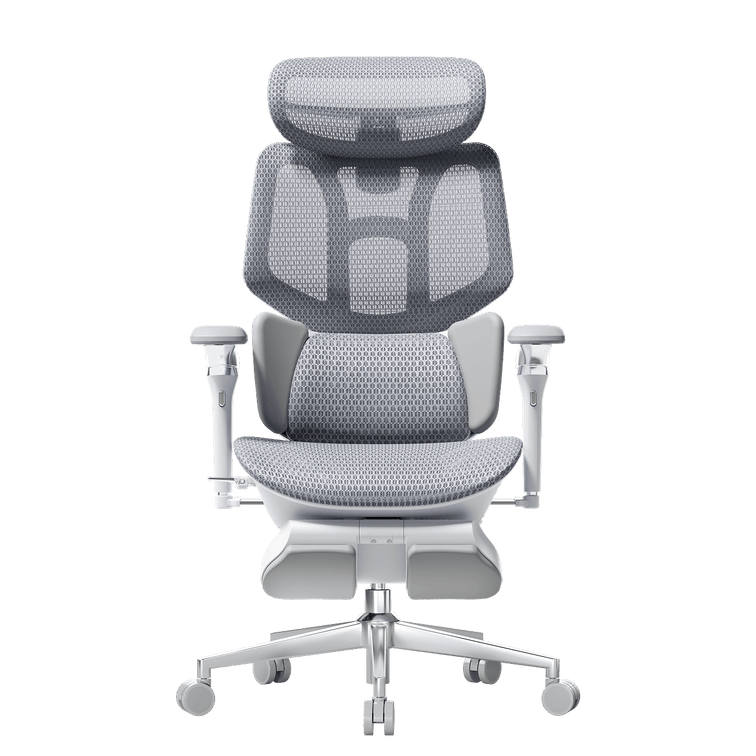
Hbada AI-Powered x7

Núcleo de sensores e calhas motorizadas

Carregamento da bateria e calibração da superfície dos sensores

Cabo USB-C e pano de microfibra


Resolução de problemas da tecnologia integrada: a nova fronteira da manutenção inteligente

Quando opta por mobiliário inteligente, cuidar do seu equipamento implica mais do que verificar porcas e parafusos.

Gestão da bateria e da alimentação principal do Hbada AI-Powered x7

O Hbada AI-Powered x7 utiliza componentes eletrónicos inteligentes para apoiar a postura, pelo que é necessário gerir o consumo de energia. Funciona com uma bateria de iões de lítio amovível de 5 200 mAh, instalada na estrutura inferior.

Para garantir o bom funcionamento contínuo das funcionalidades ativas, ligue a porta de carregamento oculta a um adaptador de corrente USB-C padrão de poucos em poucos dias. Se as funcionalidades de monitorização ativa não forem iniciadas, retire a bateria do respetivo compartimento seguro para verificar se os pontos de contacto metálicos estão completamente limpos e sem pó.

Calibração do alinhamento dos sensores

O sistema de monitorização utiliza sensores sensíveis para verificar a sua postura 1 000 vezes por segundo. Se deslocar a cadeira sobre uma alcatifa espessa ou lhe der um encontrão, poderá ser necessário reiniciar o sistema.

· Retire todo o peso do assento e certifique-se de que a cadeira está apoiada numa superfície plana e nivelada.

· Mantenha premido durante cinco segundos o botão principal de calibração, situado no comando magnético montado na lateral.

· Deixe o módulo lombar motorizado percorrer todo o seu curso para a frente e para trás durante o autoteste.

· Quando o sistema emitir um sinal sonoro, sente-se na sua postura habitual de trabalho para que o software de monitorização ativo possa captar a forma do seu corpo com precisão.


Perguntas frequentes (FAQ)

Que ferramentas devo ter na gaveta da secretária para a manutenção básica de uma cadeira?

Só precisa de algumas ferramentas básicas para manter a sua cadeira de escritório a funcionar na perfeição. Se tiver por perto uma chave de fendas normal com duas pontas, uma chave Allen M6/M8, uma lata pequena de spray lubrificante de silicone e uma chave inglesa ajustável simples, poderá fazer quase qualquer ajuste ou reparação habitual em menos de 10 minutos.

Como posso limpar e manter uma malha elástica de elevado desempenho sem danificar as fibras do tecido?

Para limpar em segurança uma malha de elevado desempenho, aspire semanalmente os painéis do assento e do encosto com um acessório de cerdas macias para remover o pó. Se derramar alguma coisa, absorva imediatamente a mancha com um pano de microfibra húmido e uma gota de detergente suave, evitando produtos químicos agressivos que possam enfraquecer as fibras elásticas.

A atualização para uma cadeira com acompanhamento lombar por IA ativo complica a manutenção regular?

De modo algum. Embora a Hbada AI-Powered x7 tenha sensores e motores avançados, a sua estrutura principal utiliza as mesmas ferragens resistentes em alumínio das cadeiras de escritório convencionais. As funcionalidades inteligentes ajustam-se automaticamente, por isso basta manter a bateria carregada.

Com que frequência devo verificar e apertar os parafusos estruturais na parte inferior do mobiliário de escritório?

Em escritórios domésticos convencionais, o ideal é verificar as principais ferragens de fixação de seis em seis meses. Se as cadeiras estiverem em zonas empresariais de utilização intensiva ou em espaços de trabalho híbridos com secretárias partilhadas, inspecionar os parafusos da parte inferior de três em três meses garante que as estruturas se mantêm perfeitamente estáveis e seguras para todos.


Conclusão

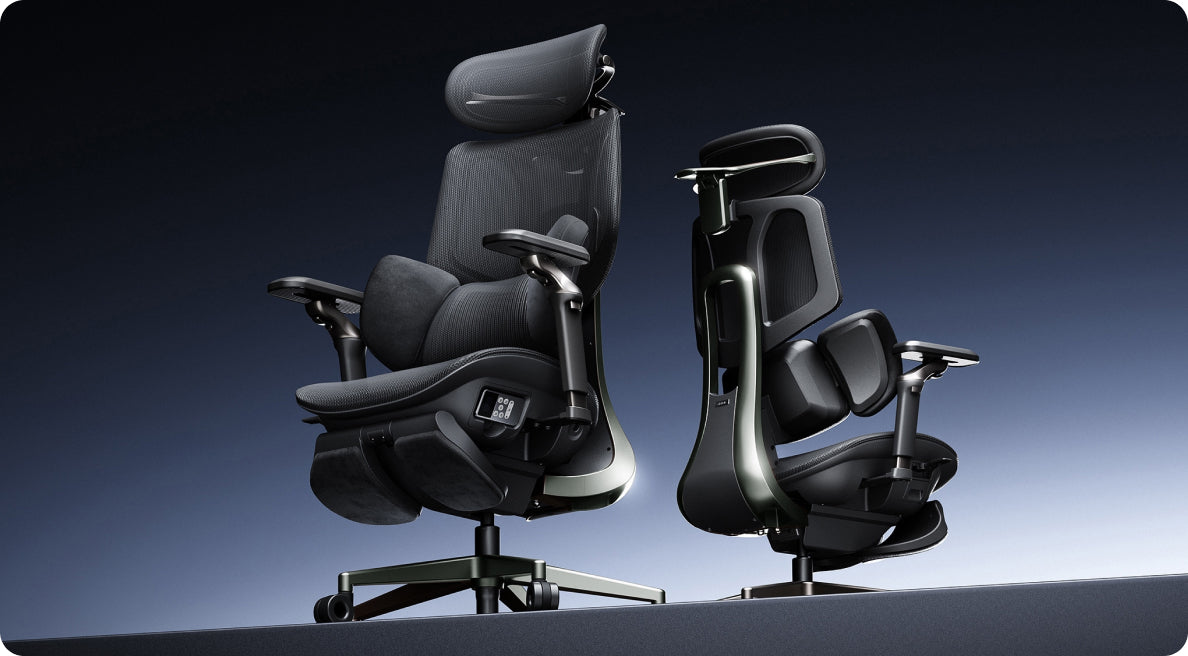
O tempo que dedica à manutenção do seu espaço de trabalho depende inteiramente do design e da qualidade da engenharia que escolher. Se pretende uma estrutura robusta, totalmente mecânica, com componentes acessíveis acionados por molas e fáceis de ajustar manualmente, a HBADA E3 Pro proporciona uma base excecionalmente estável e de baixa manutenção.

No entanto, se quiser eliminar totalmente os ajustes manuais, a atualização para a Hbada AI-Powered x7 é a solução ideal. A Hbada AI-Powered x7 combina ferragens duradouras em alumínio de qualidade aeronáutica com software inteligente de autocalibração, que acompanha automaticamente a sua postura, reduzindo a manutenção física e proporcionando proteção ativa e contínua para a coluna.
 

Produto Relevante

Também pode gostar

Black Friday or Cyber Monday: When Should You Buy an Office Chair in 2026? Black Friday or Cyber Monday: When Should You Buy an Office Chair in 2026? HBADA Europe · Black Friday 2026 Your Black Friday upgrade.With more to enjoy. Our Black Friday savings have arrived early. Save up to €470, unlock subscriber coupons and enjoy extra rewards on eligible purchases. This is your moment to give your workspace the upgrade you have been planning. €470Maximum advertised savings €130Total value of three subscriber coupons 2X pointsEligible purchases, 6–30 November Shop European Black Friday deals → Quick answer / The savings have already started You do not need to wait until Cyber Monday to enjoy HBADA’s Black Friday offers. Our European event brings early flash prices, a subscriber coupon pack, complimentary gift cards with eligible chairs and double points. Selected early benefits end on 15 November, so now is a great time to choose your upgrade. 01 / Standout chair offers Serious comfort. Substantial savings. Whether you want adaptive lumbar support or a smart chair with more advanced features, our Black Friday selection gives you meaningful savings across the range. ADAPTIVE SUPPORT · SAVE €200 HBADA E3 Pro 2026 €509 Listed comparison price: €709 The grey configuration with a footrest pairs three-zone lumbar support with a €200 saving. A rewarding upgrade for your home office—and an eligible purchase may also qualify for our promotional gift-card offer. Shop E3 Pro 2026 → SMART LUMBAR TRACKING · SAVE €410 HBADA X7 €1,099 Listed comparison price: €1,509 Save €410 on the grey X7. Bring smart lumbar tracking into your workspace, then check the eligible coupon and promotional gift-card benefits available with your order. Get the X7 Black Friday offer → New arrival / HBADA E3 Ultra Gen 5 Make massage and warmth part of your workspace. €719 Listed comparison price: €1,099 Save €380 on the Pearl White E3 Ultra Gen 5. Our new chair combines 4D bionic massage, graphene heating and full-body dynamic support for a more comfortable transition from work to relaxation. With three-zone lumbar support, 8D armrests and a 150° recline, it brings a richer feature set to your desk at a compelling early-event price. Shop E3 Ultra Gen 5 → The new E3 Ultra is excluded from the subscriber coupon pack. Looking for our premium upgrade? The event also lists X7 Prestige at €1,629 against a listed comparison price of €2,099: a €470 saving. See the full Black Friday selection for this and other available offers. Prices are for the configurations stated and precede any additional eligible coupon. Confirm current pricing, VAT information, delivery and availability for your destination at checkout. 02 / Unlock extra value There is more than one reason to shop early. Our European Black Friday event goes beyond product discounts. Here is how to make the available benefits work for your purchase. Subscribe for a coupon pack worth €130 in total Sign up on our Black Friday page to receive three separate coupons: €20 OFFOrders of €300+ €50 OFFOrders of €550+ €60 OFFOrders of €1,000+ Choose the coupon that matches your eligible order. A useful extra saving makes a strong chair deal even more appealing. Valid 6–30 November 2026. €130 is the combined value of three coupons, not a single-order discount. The new E3 Ultra is excluded. Each coupon is usable once per customer and cannot be combined with other discount codes. Minimum spend is calculated before applying the coupon. Buy an eligible chair. Receive a gift card for later. Until 15 November, qualifying purchases include an €80 promotional gift card with an eligible X7 or an €30 promotional gift card with an eligible E3. Enjoy your new chair now and keep a little extra HBADA value ready for a future purchase. Promotional gift cards are valid for 90 days from issuance and are for future purchases, not an immediate reduction of the current order total. Eligibility and redemption terms apply. Earn double points throughout the event Sign in before checkout and earn 2X points from 6–30 November on eligible purchases. It is an additional reward for choosing your next workspace upgrade during our Black Friday event. Points are credited within 24 hours of payment, subject to the programme and promotion terms. Give more with discounted gift-card credit Shopping for someone else? Our event advertises €100 in credit for €95 and €500 in credit for €470. Let them choose the HBADA chair that suits their own desk. Select the qualifying gift-card offer and check the displayed price and redemption terms before paying. Purchased gift cards and complimentary promotional gift cards have separate conditions. A chair you have been waiting for.More savings to enjoy with it. 03 / Buy early with added reassurance Enjoy the offer now—with price protection behind it. Our European campaign advertises a 60-day price guarantee: qualifying price drops are covered by a refund of the difference under the applicable terms. It is another reason to feel confident about shopping early, alongside the current chair discounts and eligible promotional rewards. Check the coverage and claim conditions on the Black Friday event page. Black Friday is 27 November 2026, and Cyber Monday is 30 November. Our early-access offers are already live, while the qualifying chair gift-card promotion ends on 15 November. You have good reasons to start before the busiest shopping weekend. 04 / Your shopping plan Three simple steps to your Black Friday upgrade. 1. Choose your HBADA chair Pick E3 Pro for adaptive lumbar support, E3 Ultra for integrated massage and heat, or X7 for smart lumbar tracking. Select your preferred colour and configuration. 2. Claim the eligible benefits Subscribe for the coupon pack, sign in for double points and check whether your chair qualifies for a promotional gift card before 15 November. 3. Secure your offer Apply your eligible code, confirm delivery to your destination and complete checkout while the offer is available. Selected flash deals are limited to their displayed dates and promotional stock. 05 / Quick answers Your European Black Friday questions, answered. Can I get Black Friday prices before Black Friday? Yes. Our European early-access event includes selected flash offers advertised at our lowest Black Friday prices for those models and colours. Shop during the stated offer period while promotional stock is available. Does the €130 coupon pack give me €130 off one order? It contains three separate coupons: €20 off €300+, €50 off €550+ and €60 off €1,000+. Use the appropriate eligible coupon for your order. The new E3 Ultra is excluded, and the coupons cannot be combined with other discount codes. Which purchases include a promotional gift card? The offer gives an €80 promotional gift card with an eligible X7 purchase or €30 with an eligible E3 purchase during the warm-up promotion ending 15 November. Confirm eligibility for your chosen product on the event page. Is the new E3 Ultra included in the sale? Yes. The event lists the Pearl White E3 Ultra Gen 5 at €719 against a comparison price of €1,099, a €380 saving. Its product offer is separate from the subscriber coupon pack, which excludes the new E3 Ultra. When can I earn double points? The double-points promotion runs from 6–30 November. Sign in before checkout so eligible purchases can receive the promotional points. Black Friday starts here Your next chair.A deal worth making room for. Save on your HBADA upgrade and enjoy the eligible extras: subscriber coupons, promotional gift cards and double points. The early offers are live—make the most of them. Get my Black Friday offer → Keep good workspace advice close. Add HBADA Europe as a preferred source on Google for more chair-buying guides, workspace ideas and brand updates. Add HBADA Europe to your preferred sources ↗ Opens Google in a new tab. Confirm your selection if HBADA Europe is available. How to Choose the Best Ergonomic Office Chair This Black Friday: 2026 European Buyer's Guide How to Choose the Best Ergonomic Office Chair This Black Friday: 2026 European Buyer's Guide The HBADA Black Friday Buying Guide Fit first.Features second.Then find your deal. A Black Friday ergonomic office chair deal can make a chair look like a bargain. It cannot make that chair fit. Start with your body and your desk, then choose the adjustments that deserve a place in your workspace. Shop Black Friday offers → A practical 2026 European buyer’s guide to fit, features and the final checkout price. The quick answer: check these six things. 01 / Your measurements Know your seated leg measurements, hip width and desk clearance. 02 / Seat fit Compare usable seat depth and seat height with your needs. 03 / Lumbar contact Find support that meets your lower back without pushing you forward. 04 / Armrest clearance Check whether the armrests suit your desk and elbow position. 05 / Delivered cost Review the price, VAT information and any delivery charges for your country. 06 / Exact configuration Match the generation, colour and footrest option before comparing offers. Inside the guide 01 — Define your needs 02 — Check seat fit 03 — Choose lumbar support 04 — Match your armrests 05 — Calculate the total cost 06 — Read the offer details 07 — Build your HBADA shortlist 08 — Check before you buy 09 — Common questions 01 / Start with your workspace Best for whom, and for what? There is no single best ergonomic office chair for every body and every desk. A chair that suits a shorter student at a low desk may not suit a taller remote worker using the same setup. Before comparing Black Friday office chair deals, write down how you actually spend your day. Frequent typing makes armrest positioning important. Reading and calls may make recline more useful. A shared workspace needs adjustments that are easy to reset. Decide what you need the chair to do before deciding how much a discount is worth. Your five-point brief Hours: How long do you sit between breaks? Tasks: Typing, calls, reading, gaming or a mix? Body: Height, weight, leg length and hip width. Space: Desk clearance and room to recline. Budget: Your total spending limit in euros. The best chair is the one whose adjustment ranges include your numbers. 02 / Get the foundation right Seat fit comes before the feature list. Lumbar support, headrests and massage are easier to appreciate when the seat already fits. Check these three dimensions before comparing more advanced features. 01 Seat height With your usual footwear on, check that your feet can rest comfortably on the floor or a suitable footrest, without pressure building under your thighs. 02 Seat depth Sit back against the backrest. Leave a small, comfortable gap behind your knees rather than allowing the seat edge to press into them. 03 Usable width Check the space available to your hips, including the distance between the armrests. Overall chair width is not the same as usable sitting space. Record your measurements in centimetres and compare them with the dimensions of the exact model. A recommended user-height range is a starting point, not a personal fit guarantee: two people of the same height can have different leg and torso proportions. Our office chair fit measurement guide explains how to assess height, depth, width and lumbar positioning. Use those measurements when checking the E3 Pro 2026 or another model on your shortlist. 03 / Support where you need it Lumbar placement matters more than the label. Lower-back support should make comfortable contact when you sit back in the chair. If you have to slide forward to escape the pressure, or stretch backwards to reach the support, the setup needs attention. Manually adjustable systems let you set the support position. Adaptive systems respond to movement. Motorised tracking adds another way to maintain contact as your posture changes. Our E3 Air 2026 and E3 Pro 2026 offer three-zone lumbar support, while the HBADA X7 offers AI lumbar tracking. Choose the adjustment approach you prefer, then check the actual fit. Try more than one position. Check how the support feels when you sit upright, shift position and recline. Look for comfortable contact, not the strongest possible pressure. 04 / Make the chair work with the desk Check the lowest armrest setting, too. A chair can have a long list of armrest adjustments and still clash with your desk. Measure the underside clearance, including any drawer or support rail, and check the armrest height at your working seat height. For keyboard and mouse use, look for a position that lets your shoulders relax and keeps your elbows comfortably near your body. The pads should not force you to sit too far from the desk. Instead of comparing “D” labels alone, compare the movements: height, forward and backward travel, sideways positioning and rotation. Our E3 Pro 2026 has 720° OmniMechanical armrests . Check the exact model and configuration you are ordering. 05 / Look beyond the discount The real price is the complete order. A lower headline price is useful only when you know what is included. Compare the same configuration and select your delivery country before deciding which offer works best for you. Check What to confirm Model and generation Compare the same edition, rather than an older clearance model with a newer release. Colour and options Confirm your selected colour and whether a footrest or other accessories are included. VAT and delivery Check the displayed VAT information and any delivery charges for your address. Use the final checkout total for your comparison. Returns and trial Review the applicable conditions, deadlines, packaging requirements and return process for your order. Warranty Read which components are covered, for how long and under what conditions. Discount combinations Check whether your selected offer can be combined with a code or gift card. A warranty period is not a prediction of a chair’s lifespan. Likewise, an accessory has value only if you will use it. Keep the comparison focused on the setup you actually want. Buying from another country? Use the EU storefront and enter your actual delivery address. Do not assume that a US or UK promotion, delivery estimate or product configuration also applies to your EU order. 06 / Shop with the details in front of you Black Friday offers: five checks before checkout. Our EU Black Friday sale page is the place to check current promotions. Use this guide to choose your chair, then use the activity and product pages to confirm the offer available for your selection. Dates: Confirm when your selected promotion ends and which time zone applies. Configuration: Check that the offer applies to your model, colour and options. Stacking: Verify which discounts or gift cards can be used together. Delivery: Distinguish in-stock items from pre-orders and check your destination. Final total: Review the applied savings, VAT information and order summary. Buying early? If your order includes price protection, keep the applicable terms and order confirmation. Check the protection period, eligible comparisons and how to request an adjustment rather than assuming that every later promotion qualifies. 07 / Match the chair to your priorities Build your HBADA shortlist. Start with the features you expect to use most. These models offer different approaches to support and adjustment; your measurements should make the final decision. Everyday support and flexibility HBADA E3 Air 2026 Consider E3 Air 2026 if you want three-zone lumbar support and adjustable seating for your everyday desk setup. Compare its dimensions and available options with your measurements. See E3 Air 2026 details → Fine-tune your working position HBADA E3 Pro 2026 Put E3 Pro 2026 on your shortlist if three-zone lumbar support, seat-depth adjustment and 720° armrest positioning are priorities for your desk-based routine. See E3 Pro 2026 details → Support meets massage and heat HBADA E3 Ultra Gen 5 E3 Ultra Gen 5 combines dynamic support with 4D bionic massage and graphene heat. Consider it when lower-back relaxation during seated breaks is an important part of your wish list. Look at the seating adjustments first, then decide how massage, warmth and recline would fit into your routine. A chair for focused work can also make room for a more relaxing pause. Meet E3 Ultra Gen 5 → Automatic lumbar tracking HBADA X7 If you prefer automatic lumbar tracking, put X7 on your shortlist. Review how its smart support system works alongside its dimensions and available adjustments. See X7 details → Another route to smart support HBADA X7 Air X7 Air offers another option for shoppers interested in AI lumbar tracking. Compare its frame, configuration and current price with X7 before choosing between them. See X7 Air details → Prices and availability can change during the promotion. Product links show the current options. This shortlist is organised by features, not an overall comfort ranking. 08 / Your final fit check Eight boxes before you buy. Keep your measurements beside the product page and work through this list. You can tick each item as you check it. I checked seat height, usable seat depth and width in centimetres. The chair’s dimensions and weight capacity suit my needs. I understand how the lumbar support adjusts. I checked armrest clearance against my desk. There is enough space behind the chair for reclining. I selected the correct generation, colour and footrest option. I checked delivery availability and the return and warranty conditions. I reviewed the final euro price, VAT information and promotion terms. This checklist is for your own reference. Your selections are not submitted and may reset when you leave or reload the page. 09 / Questions answered Before you call it a bargain. What is the best ergonomic office chair to buy on Black Friday? Start with a chair whose seat dimensions, lumbar support and armrest adjustments suit your body and desk. Then compare the complete cost and the terms of the offer. The largest discount does not necessarily identify the best chair for you. Should I buy an office chair before Black Friday or wait? Compare the offer available now with your budget and delivery needs. If price protection is offered, read its conditions. Do not assume that a later sale will be cheaper or that an early purchase is automatically covered. How do I choose a chair if I am between recommended sizes? Use your seated measurements rather than height alone. Check usable seat depth, the seat-height range and the position of the back and arm supports. Our chair fit guide can help you organise the measurements before comparing models. Is an office chair with a footrest worth it? A pull-out footrest can be useful for reclined breaks if that is how you plan to use the chair. It is different from an under-desk footrest used to support your feet during upright work. Choose it for your routine, not simply because it appears in a bundle. Which HBADA chair should I consider for massage and heat? Start with E3 Ultra Gen 5 if you want dynamic ergonomic support with built-in lower-back massage and warmth. Check the seating dimensions and adjustments alongside these comfort features. Are HBADA Black Friday offers the same in every country? Do not assume that offers are identical across storefronts. Use the EU website, select your delivery country and check the applicable product configuration, promotion terms and checkout total for your address. Where can I find current HBADA Black Friday deals in Europe? Visit our EU Black Friday offers page . Confirm your selected product’s price, availability and discount eligibility before paying. Can an ergonomic chair help with lower-back discomfort? A well-fitted chair can support a more comfortable sitting setup. Massage and warmth can also provide a relaxing experience. Our chairs are not intended to diagnose or treat medical conditions. Persistent or severe pain needs professional assessment. Choose your fit. Then choose your offer. A better deal startswith a better fit. Measure once. Shortlist carefully. Choose the features you will use. When the chair works for your body and your desk, Black Friday savings become something worth bringing home. Find your Black Friday chair → Keep good advice close. Choose HBADA EU as a preferred source on Google for more chair-buying guides and practical workspace advice. Confirm your selection on Google if HBADA EU is available. Add HBADA EU on Google ↗ HBADA vs Steelcase: Which Fits the Way You Sit? HBADA vs Steelcase: Which Fits the Way You Sit? HBADA The everyday fit comparison Different chairs.Different adjustments.Your way of sitting. HBADA E3 Pro 2026, Steelcase Leap and Gesture—compared through the things you actually do at your desk. Fit beforefeature count. Start with your body, your desk and your daily routine. Then decide which adjustments matter. 01 Typing 02 Leaning back 03 Changing tasks The useful question in an HBADA vs Steelcase comparison is not which brand has the longest feature list. It is whether a particular chair can be adjusted around your body and the way you spend your working day. The shortanswer. Our E3 Pro 2026 combines three-zone lumbar support, adjustable armrests, a headrest and a multi-position recline. Leap and Gesture use different back-support and adjustment systems. Compare the model-specific controls, then check whether the available positions suit your desk and body. Specifications explain the design; they cannot decide personal comfort. This is a HBADA-authored, specification-based comparison, not an independent hands-on test. It compares the E3 Pro 2026 with Leap and Gesture, not every chair from either brand. Features and options can vary by configuration and market; confirm the version available for your European destination. How to compare Typing Recline Side by side Fit checks FAQs Start with the right distinction What the specifications tell you.What they cannot. Design facts An adjustable seat, a lumbar-height control or a recline stop is a feature you can identify. Published dimensions help you decide whether the chair deserves a closer look. Personal comfort The pressure of a lumbar pad, the feel of an armrest and the effort needed to recline depend on your body and preferences. More adjustment directions do not automatically mean a better fit. Start by measuring your existing setup. Our office chair fit guide explains how seat height, usable depth, width and lumbar position work together. 01 / At the keyboard Support your work.Not just a showroom posture. Keyboard work involves small movements: reaching for the mouse, reading a second screen and shifting between tasks. You should be able to reach your controls without repeatedly pulling your body away from the backrest. Lumbar support: compare the mechanism and the contact The E3 Pro’s three-zone design combines a central lumbar area with side support sections. Its adjustable lumbar height lets you position the support around your lower back. Leap uses LiveBack technology; Gesture uses 3D LiveBack. These designs differ from a separate three-zone lumbar assembly. The presence of a different mechanism does not, by itself, establish which will feel more comfortable. When comparing lumbar support, ask two questions: can you position it where you need it, and does the contact remain comfortable as you move? Armrests: look beyond the adjustment label Our E3 Pro offers multiple armrest adjustments, including pad and arm-body rotation. Leap’s adjustable arms provide height, width, depth and pivot adjustment, while Gesture uses its articulated 360 arms. The practical test is the same: can your elbows rest naturally while your shoulders stay relaxed? Check whether the arms let you move close enough to the desk without blocking the edge or pushing your elbows outwards. A useful desk check Can you reach without leaning? Sit back, bring the keyboard and mouse within easy reach, and check your shoulder position. If you have to reach forwards constantly, review the desk arrangement as well as the chair settings. A different lumbar mechanism cannot solve every mismatch between a chair and a workstation. 02 / Changing the angle Lean back.Compare the whole movement. The E3 Pro 2026 provides four recline positions, up to 140°. The positions below are the published settings for this model, not instructions to use a particular angle for every task. 105° Position one 115° Position two 130° Position three 140° Maximum recline Leap and Gesture also provide recline controls and back-stop settings. Configuration descriptions and adjustment terminology can differ between markets, so compare the exact version rather than assuming that every listing is equivalent. A meaningful comparison includes the effort needed to lean back, the support you feel through the movement and how easily you return to a working position—not only the maximum angle. Check headrest fit too. The E3 Pro includes an adjustable headrest. Headrest configurations exist within the Leap and Gesture ranges, but availability depends on the version offered in your market. 03 / Switching between tasks The differences,without the scorecard. This overview compares design approaches. It does not assign comfort scores or imply that an unlisted measurement means a feature is absent. Model-specific overview. Confirm the selected configuration and local availability before purchasing. What to compare HBADA E3 Pro 2026 Steelcase Leap Steelcase Gesture Back support Three-zone lumbar design with lumbar-height adjustment. LiveBack backrest design. 3D LiveBack; additional lumbar support may be specified. Arm support Multiple adjustments, including dual rotation. Adjustable arms with height, width, depth and pivot controls. Articulated 360 arms. Seat adjustment Adjustable height and depth; 5 cm seat-depth travel. Adjustable seat height and depth. Adjustable seat height and depth. Recline Four positions, up to 140°. Recline and back-stop controls; check the selected version. Recline tension and back-stop controls; check the selected version. Headrest Adjustable 4D dual-axis headrest. Headrest configurations exist; local availability varies. Headrest configurations exist; local availability varies. Your fit check Check usable seat depth, foot support, armrest clearance, lumbar contact and comfort during your usual tasks. On a smaller screen, swipe the comparison table sideways. This is a feature overview, not a ranking of independently measured performance. For the configuration offered through our EU store, explore the E3 Pro 2026 product page . Make the comparison personal Three tasks.A much more useful fit test. When you have an opportunity to try a chair, repeat the activities you actually perform. Adjust one setting at a time so you can tell what changes the experience. 01 Type and use the mouse Sit back with your feet supported. Check whether your elbows rest naturally and whether the chair allows you to approach the desk comfortably. Notice any need to shrug your shoulders or repeatedly reach away from the backrest. 02 Lean back and read Try the recline within a comfortable range. Notice the effort, lower-back contact and headrest position. A deeper angle is only useful if the supported position feels appropriate for you. 03 Change the task Switch from keyboard work to a call or reading. Check whether the controls are easy to reach and whether you can return to your preferred setup. An adjustment matters most when you can use it comfortably in your actual workspace. If a return or trial option is part of your purchase, check its conditions before ordering. Return procedures, shipping arrangements and packaging requirements should be checked for your seller and destination. A better fit is not alwaysone more adjustment. Before you shortlist The measurements deserveas much attention as the mechanism. Height recommendations are useful starting points, but two people of the same height can have different leg and torso proportions. Check the chair against your own measurements, not height alone. Seat height: can your feet remain supported while the desk is at a comfortable working height? Usable seat depth: can you sit against the backrest without pressure behind your knees? Armrest clearance: can the chair move close enough to the desk without the arms getting in the way? Lumbar contact: does the support meet your lower back without forcing you forwards? Capacity and configuration: does the exact version meet your requirements? Use our chair measurement guide to organise these checks before comparing product specifications. Record the measurements in centimetres so you can compare them consistently with the EU product information. Our perspective Why consider the E3 Pro 2026? The E3 Pro brings a three-zone lumbar assembly, adjustable headrest, flexible arm positioning and recline settings into one ergonomic office chair. If those are the adjustments you want to explore, start by checking how they match your workspace. That is a more useful reason to shortlist it than assuming that a brand name, a higher price or an adjustment label determines comfort. We encourage you to compare the specific model, configuration and fit. For a broader overview, read our European ergonomic office chair buyer’s guide . When you are ready to order, check the selected configuration, delivery details and applicable purchase terms for your country. The details, answered Questions worth asking. Is HBADA or Steelcase better for lumbar support? The models use different support designs. The E3 Pro has a three-zone lumbar assembly, while Leap and Gesture use LiveBack designs. Your decision should consider support position, pressure and comfort during movement—not the brand name alone. Does more adjustability always mean better comfort? No. An adjustment is useful when its range and control help you reach a comfortable position. The number of adjustment directions does not tell you how a chair will feel. Which chair reclines further? The E3 Pro 2026 lists a maximum recline of 140°. A count of recline stops is not an angle measurement, so this comparison does not use stop counts to claim a greater maximum angle than Leap or Gesture. Do Leap and Gesture have headrest options? Headrest configurations exist within both model ranges. Local availability and the version being offered matter. A product image without a headrest does not establish that none is available. Does optional additional lumbar support mean no basic support? No. An additional support option is separate from the support provided by the chair’s underlying backrest design. Compare the standard configuration and optional equipment separately. Is this an independent hands-on comparison? No. This is a HBADA-authored comparison of published product designs and features. It does not claim independent comfort testing or assign a universal winner. What should I measure before buying an office chair? Start with seat height, usable seat depth, seating width and desk clearance. Then consider lumbar and headrest position. Your own proportions matter alongside overall height. What should I check when buying in Europe? Confirm the configuration offered in your market, delivery availability, final checkout price and applicable warranty and return terms. Do not assume an overseas listing describes the same package or purchase conditions. Find your fit.Then make it your own. Explore the E3 Pro 2026 on our EU store and see how its adjustable support, headrest and recline fit the way you work, read and take a pause. Explore the E3 Pro 2026 → Start with your chair fit → Keep good advice close Enjoyed this guide?Stay connected with HBADA. Make HBADA Europe one of your preferred sources on Google for more ergonomic chair guides, workspace tips and practical advice. Add HBADA to your preferred sources on Google ↗ Opens Google in a new tab. Confirm your selection there if HBADA is available. Steelcase, Leap, Gesture and LiveBack are trademarks of their respective owners. Their use identifies the products being compared and does not imply affiliation or endorsement. Product options may change; confirm the exact configuration and applicable purchase terms.