

How to Order the Best Great Value for Money Ergonomic Office Chairs in Bulk for Your Business?

How to Order the Best Great Value for Money Ergonomic Office Chairs in Bulk for Your Business?

Setting up a modern office or expanding a hybrid workspace means protecting employee health while staying within your budget. Choosing standard contract furniture for your team can lead to poor posture, increased fatigue, and lower productivity.

Transitioning to high-performance seating at scale does not have to break your company’s budget. By shifting to commercial corporate channels, your business can source high-tier bulk ergonomic office chairs that deliver advanced lumbar protection and long-term durability at highly favorable corporate rates.

can bad sitting posture cause chest pain 


Why Corporate Procurement Is Shifting to Performance Ergonomics

Standard task chairs force every employee, regardless of height, weight, or daily habits, into a rigid, unyielding posture. Over an eight-hour shift, this lack of structural adaptability creates deep muscular tension, reduces focus, and drives up workplace discomfort.

In 2026, forward-thinking companies see office chairs as an investment in employee wellness. Using high-quality chairs helps your workspace support each person’s movements. Adjustable seating reduces physical stress and shows you care about your team’s health.


Navigating the Bulk Buying Process: Tips and Guides

Buying furniture for an entire office or multiple locations is not the same as buying a single chair. Here are four tips to help you get the best value:

1. Evaluate BIFMA and SGS Certifications

Home furniture is not designed for the heavy use that offices require. Look for BIFMA-certified office chairs. Chairs tested for over 100,000 recline and stress cycles will last longer and reduce the need for replacements.

2. Prioritize Multi-Point Adjustability over Fixed Designs

Everyone has different needs, so flexible office furniture is important. Avoid chairs with fixed back support or basic armrests. Instead, pick chairs that can be adjusted in several ways, such as:

· Dynamic seat depth sliding mechanisms (to accommodate various leg lengths).

· Multi-axial adjustable headrests (to alleviate upper neck pressure).

· Adaptive lower back support modules that adjust to different spinal curves.

3. Leverage Direct B2B Wholesale Channels

Avoid purchasing large quantities through standard consumer retail sites. Sourcing your office setup via structured wholesale ergonomic chair portals unlocks tier-based volume pricing, dedicated freight shipping, and extended commercial warranties unavailable to retail buyers.

4. Optimize Logistics and Delivery Timelines

Big furniture deliveries can disrupt your office if not handled well. Work with business logistics managers to plan delivery, set up phased shipping, and arrange on-site unpacking so your new workspace is ready quickly.

 X7-BLACK~1

Tiered Matching: Aligning Product Tiers with Employee Profiles

Many companies make the mistake of buying the same chair for every department. Each role has different work routines, sitting habits, and comfort needs.

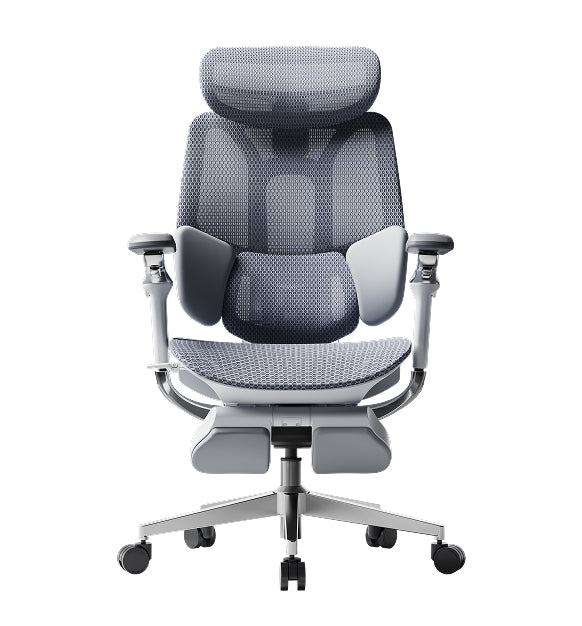
The General Workstation Standard: Hbada E3 Air

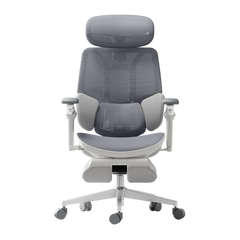
The Hbada E3 Air is a great choice for open offices, hot-desking, and admin teams. Its strong, breathable mesh keeps employees cool, and the frame offers reliable support without needing complicated adjustments.

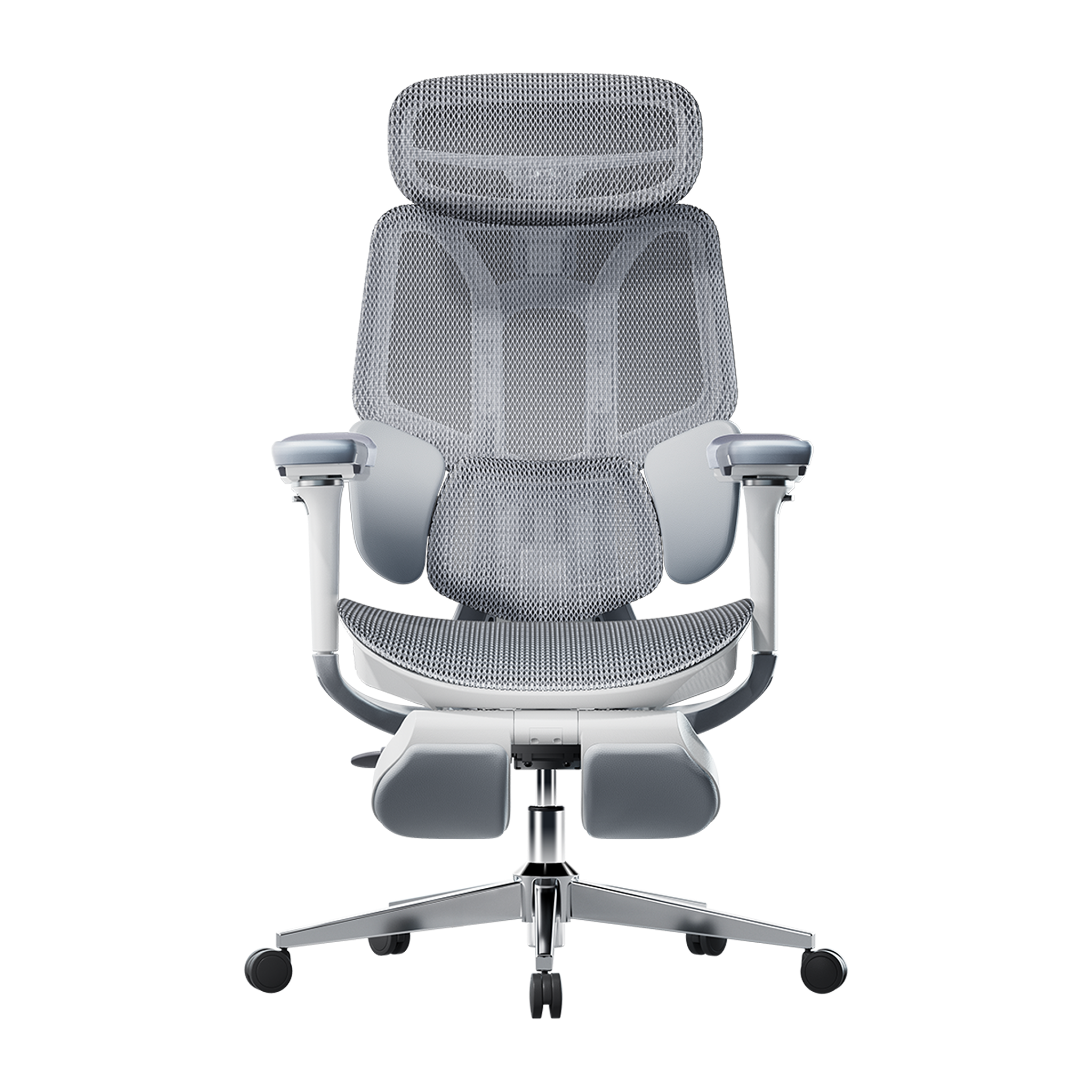
The Executive and Power-User Anchor: HBADA E3 Pro

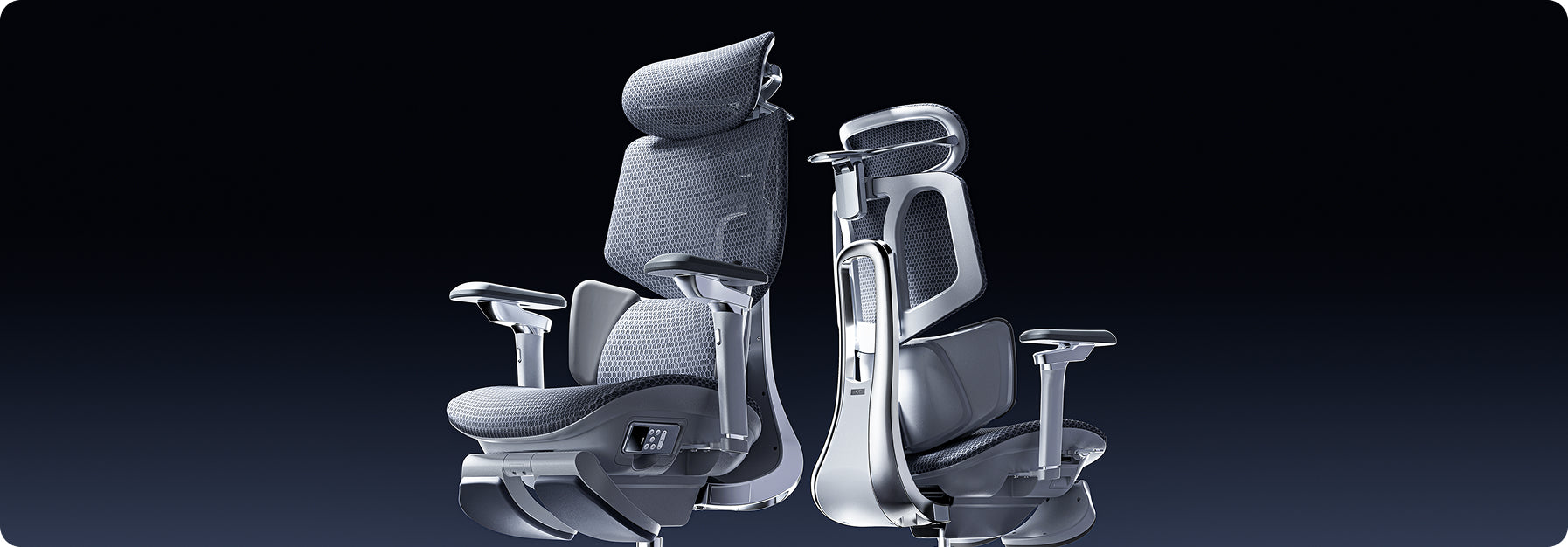
The HBADA E3 Pro is a good fit for developers, analysts, and executives who spend long hours at their desks. It features a three-zone lumbar support system: the center keeps your spine steady, and the side wings adjust to support your lower back. The 720° armrests help reduce strain on your neck and shoulders during long typing sessions.

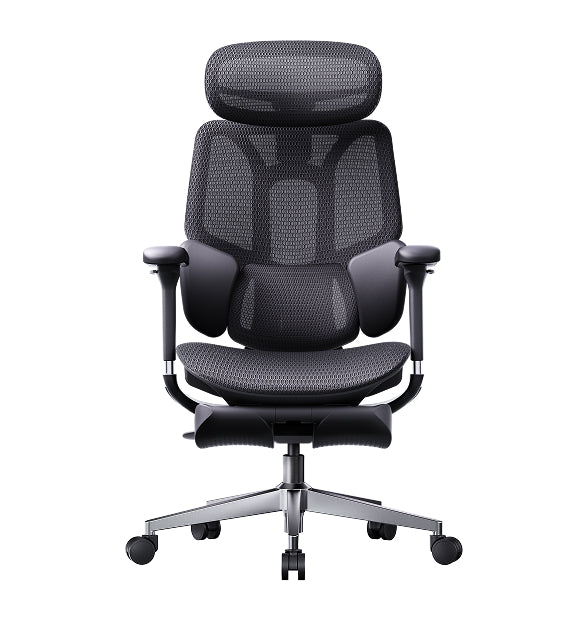
The Executive Suite and High-Tech Hubs: Hbada AI-Powered x7

The Hbada AI-Powered x7 is a top pick for executive offices, engineering teams, or main conference rooms. It has smart posture tracking, built-in heating, and massage rollers. The chair automatically adjusts to the user’s posture, making it a great option for leaders who want the best comfort and performance.


Product Comparison Matrix for Commercial Purchasing

Specification Category

Hbada E3 Air

HBADA E3 Pro

Hbada AI-Powered x7

Primary Target Group

General workstations & hybrid spaces

Power users, developers & managers

Executive suites & tech innovators

Lumbar Support Tech

Adaptive Elastic Support

3-Zone Mechanical Floating Wings

Active AI Automated Smart Tracking

Armrest Adjustability

3D Structural Adjustability

720° Omni-Mechanical Movement

720° Bio-Sync Robotic Tracking

Structural Frame

High-Strength Industrial Polymer

Reinforced Double-Diamond Frame

High-Tensile Aircraft Aluminum Alloy

Weight Rating

330 lbs

330 lbs

330 lbs

Commercial Compliance

SGS Certified Class-4 Gas Lift

BIFMA / SGS Commercial Grade

IGR Ergonomics / BIFMA Certified


Architectural and Layout Considerations for Office Design

When ordering chairs in bulk, think about how their size and materials will fit into your office space:

· Spatial Floor Footprint: Ensure the five-star base fits well within your floor plan. Our standard bases move easily within 28-inch workstation spaces and won’t bump into desk legs.

· Noise Control: Busy offices need quiet. Our top models use soft casters that roll quietly on hard floors and carpets, helping reduce distractions.

· Temperature Control: Foam chairs help prevent being uncomfortable. Using mesh chairs improves airflow and helps keep the office cooler.


Frequently Asked Questions (FAQ)

What is the minimum order quantity for corporate volume pricing?

Bulk pricing begins at 10 chairs; the more you order, the greater the discount. This lets businesses get custom prices, account support, and better shipping to help manage setup costs.

How do bulk ergonomic office chairs improve business productivity?

The best ergonomic chairs help reduce fatigue and muscle strain caused by poor sitting habits. With proper back support, your team can stay focused, take fewer breaks, and get more done each day.

What commercial warranty protection comes with bulk orders?

All our office chairs come with a 5-year warranty. This covers the main parts, such as gas lifts, controls, backrest frames, and casters, for normal office use.

Can we combine different models within a single wholesale order?

Yes, you can combine different chair models in a single order to meet each department’s needs. For example, use E3 Air for general work, E3 Pro for development, and Hbada AI-Powered x7 for executives, all while keeping your bulk discount.


Conclusion

The best chair for your office depends on your layout and budget. If your team needs strong support and durability, the HBADA E3 Pro is a great choice. For executive offices or tech hubs focused on wellness, the Hbada AI-Powered x7 offers advanced comfort and health features.
 

Relevant Product

You May Also Like

New Product Launch: HBADA E3 Air vs E3 Pro 2026 Edition — Full Breakdown New Product Launch: HBADA E3 Air vs E3 Pro 2026 Edition — Full Breakdown Introduction Picking the right ergonomic chair can be tough. Many chairs claim to be comfortable but don’t hold up during long hours of sitting. The new HBADA E3 Air and E3 Pro 2026 models address these issues with precise ergonomics, adaptive support, and a design that saves space. This guide will help you decide which model is best for you. Overview of the HBADA 2026 New Product Line In 2026, HBADA is focusing on posture correction and spinal health. They use AI-driven ergonomics and designs that move with your body. Both the E3 Air and E3 Pro offer strong lumbar support, but each is made for a different kind of user. · E3 Pro 2026: Premium performance with advanced ergonomic features · E3 Air 2026: Lightweight, compact ergonomic chair for small apartments Both chairs are made to support you during long hours at your computer. However, they differ in how adjustable they are and how much ergonomic support they offer. Core Differences at a Glance Product Comparison Table Target User Home office, students Professionals, long-hour users Lumbar System Elastic lumbar support 3-zone dynamic lumbar support chair Adjustment Level Essential adjustments Full adaptive system Armrests 4D adjustable 720° omni-adjustable armrests chair Weight & Size Lightweight, compact Larger, premium build Smart Features Manual + assisted Adaptive lumbar tracking ergonomic chair Best Use Small apartments Long sitting duration (6–10 hours) Lumbar Support Technology Breakdown E3 Pro — 3-Zone Dynamic Precision The E3 Pro stands out for its 3-zone lumbar support system, which means it provides targeted support for your upper, middle, and lower back. This approach helps keep your spine aligned throughout the day rather than focusing on just one area. Key benefits: · Continuous spinal alignment · Reduced lower back pressure · Adaptive response to posture shifts With that said, the E3 Pro is a great choice if you spend 8+ hours at your desk each day, such as remote workers or professionals who need reliable support for extended periods. E3 Air — Essential Ergonomic Support The E3 Air takes a simpler approach. Instead of multiple adjustment zones, it uses elastic lumbar support to help you maintain good posture without fiddling with many settings. It performs well for: · Short to medium work sessions · Students and remote workers · Users who prefer minimal setup Armrest Engineering and Upper Body Support 720° Omni-Adjustable Armrests (E3 Pro) The E3 Pro features a 720° omni-adjustable armrest chair system. This allows: · Vertical, horizontal, and rotational movement · Precise elbow positioning · Reduced shoulder tension These ergonomic armrests are especially helpful for reducing shoulder tension and maintaining proper posture, which can make a big difference when you’re typing or using a mouse for hours at a time. Functional Armrests (E3 Air) The E3 Air includes 4D adjustable armrests. While less complex, they still support: · Basic height and depth adjustment · Comfortable typing posture · Balanced arm positioning If you want a practical chair that lets you adjust your armrests for comfortable typing, the E3 Air covers the basics without making things complicated. Space Efficiency and Design Philosophy Compact Ergonomic Chair for Small Apartments If you don’t have much space, the E3 Air has a small footprint. It’s easy to slide under most desks and move around in tight rooms. · Easy placement under desks · Better mobility in limited rooms · Reduced visual clutter If you live in a U.S. apartment with limited space, this model fits seamlessly into your setup. Premium Structure for Stability (E3 Pro) The E3 Pro prioritizes performance over compactness. Its structure supports: · Enhanced durability · Full-body ergonomic alignment · Stability during reclining The E3 Pro is better if you have a dedicated home office or workspace with enough room for a larger, sturdier chair. Smart Ergonomics and Adaptive Technology Adaptive Lumbar Tracking (E3 Pro) The E3 Pro introduces adaptive lumbar tracking ergonomic chair technology. It automatically adjusts based on your posture. This results in: · Continuous support without manual changes · Improved posture correction and spinal health · Reduced fatigue over long sessions Assisted Ergonomics (E3 Air) The E3 Air, by comparison, relies on manual adjustments. While it doesn’t have the same level of automation, you can still get solid ergonomic support as long as you take a few minutes to set it up to fit your body. Which Is the Best Ergonomic Chair for Your Needs? Choose E3 Pro If You Need: · The best ergonomic chair for long hours · Advanced posture correction · Premium / advanced ergonomic features · Full adjustability and automation This model is built for users who prioritize performance and long-term spinal health. Choose E3 Air If You Need: · A compact ergonomic chair for small apartments · Lightweight and easy-to-move design · Reliable ergonomic support without complexity · A straightforward solution for your home and office  Practical Setup Tips for Maximum Benefit To get the most from either chair: · Adjust the seat height so your feet stay flat on the floor. · Align lumbar support with your lower back. · Set armrests to keep elbows at 90 degrees. · Position your screen at eye level. Following these steps will help you get the most out of your chair and maintain proper posture, no matter which model you choose. Common Buying Mistakes to Avoid · Choosing based on appearance instead of ergonomics · Ignoring lumbar support quality · Overlooking armrest adjustability · Buying oversized chairs for small spaces · Not adjusting the chair after purchase. Even the best chair will fail if improperly selected or configured. FAQ Q: What is the main difference between HBADA E3 Air vs E3 Pro? A: The E3 Pro offers advanced features such as 3-zone lumbar support and adaptive tracking, while the E3 Air focuses on simplicity and a compact design. The Pro is better for long hours, while the Air suits smaller spaces and lighter use. Q: Is the E3 Pro worth it for long sitting durations? A: Yes. Its adaptive lumbar system and advanced adjustability provide continuous support. This reduces fatigue and improves posture during extended work sessions, making it suitable for users who sit for 6–10 hours daily. Q: Which chair is better for small apartments? A: The E3 Air is the better choice. Its compact design and lightweight structure make it ideal for limited spaces while still delivering reliable ergonomic support. Q: Do both chairs support proper posture? A: Yes. Both models are designed as ergonomic chairs for a correct sitting posture. The difference lies in the support system's level of advancement, with the E3 Pro offering more dynamic adjustments. Conclusion The new launch of the HBADA E3 Air vs E3 Pro 2026 delivers two clear paths. One focuses on compact efficiency, the other on advanced ergonomic precision. If you value simplicity and need to make the most of a small space, the E3 Air is a solid pick. On the other hand, if you’re after maximum support for long workdays, the E3 Pro is worth considering. Ultimately, think about your daily routine and how you actually use your chair-choosing based on your habits will help you get the most comfort and value out of your investment. For more information, please click to check: https://www.hbada.eu/products/e3-air-ergonomic-office-chair https://www.hbada.eu/products/e3-pro-ergonomic-office-chair All the Things You Need to Know About Healthy Sitting Posture at Work All the Things You Need to Know About Healthy Sitting Posture at Work You don’t have to accept back pain as part of your workday. Good posture is important for your health and productivity. It helps reduce strain on your spine, increases your energy, and prevents joint injuries. The best approach is to build healthy habits and use supportive seating. Here’s how you can set up your workspace for comfort and focus.   What is Ergonomic Posture? Meaning and Benefits The Hidden Costs of Poor Alignment Many people don’t realize how much a typical office setup can affect their bodies. Slouching at your desk can put pressure on your spine, make it harder to breathe, and slow your digestion. Over time, this can lead to back pain, headaches, and fatigue. To feel better at work, it’s important to learn about posture and how your body moves. Ergonomic Posture: Meaning and Benefits What does ergonomic posture mean, and why is it helpful? It means keeping your body in a natural, relaxed position. This reduces tired muscles and takes pressure off your joints. You’ll notice fewer headaches, less back pain, and better blood flow in your legs. With a good setup, your muscles don’t have to work extra hard to keep you upright, so you can stay focused and avoid feeling tired in the afternoon.   Proper Sitting Posture for Office Workers: A Step-by-Step Guide Just reminding yourself to “sit up straight” isn’t enough. Good sitting posture means your whole body works together with your desk, monitor, and chair. Here’s how to get it right from head to toe. Spinal Alignment and Sitting Position in Front of Computer Ergonomics When you set up your computer workspace, start by making sure your monitor is at eye level and about an arm’s length away. This helps keep your neck straight and avoids strain. Sit with your hips all the way back in your chair. If you have an adjustable chair, set the seat depth so your back is supported and there’s a small gap between the seat and the back of your knees. Feet, Legs, and Circulation Your lower body matters for posture. Keep your knees at or just below hip level, and keep your feet flat on the floor. If your feet don’t reach, use a footrest. Try not to cross your legs, since it can twist your hips and reduce circulation, which may cause numbness or discomfort. Ergonomic Armrests for Shoulder Relief and Posture Pay attention to your arms and wrists. Keep your elbows close to your sides at a natural angle, about 90 to 100 degrees. Good armrests help support your arms and take pressure off your neck and shoulders. Place your keyboard and mouse so your wrists stay straight, not bent up or down.   Why Your Office Chair is Your Most Important Tool Healthy habits are important, but your chair matters just as much. If your seat is stiff and doesn’t support you, it’s hard to keep good posture all day. The Search for the Best Ergonomic Chair for Long Hours If you spend many hours at your desk, you need a chair that’s made for long use. The best ergonomic chairs move with you and support your spine’s natural curve as you shift positions. Investing in a chair with lumbar support is a smart choice for your health and comfort, whether you work at home or in an office. Advanced Support: The Science of Lumbar Tracking Regular lumbar support doesn’t always work well because we move a lot during the day. An adaptive lumbar chair adjusts as you change positions, like when you lean forward or recline. Some chairs have three zones of support that fit the shape of your lower back and give relief to your muscles, spine, and pelvis. This way, your spine always gets the support it needs, no matter how you sit.   Hbada Ergonomic Chair Comparison: Elevate Your Workspace We focus on creating chairs that support your health and help you work at your best. Whether you want a top ergonomic chair or a simple, lightweight option for your home office, our products are designed to deliver. Here’s a comparison to help you choose what’s right for your workspace.   Product Model Ideal User Scenario Key Ergonomic Features Lumbar Support Technology Hbada E3 Air Home Office / Remote Workers Breathable mesh, dynamic tilt, ergonomic armrests for shoulder relief and posture. Standard Dynamic Lumbar Hbada E3 Pro Intensive Desk Work / Corporates Premium / advanced ergonomic features, gravity-sensing recline, ultimate comfort. best ergonomic chair with 3-zone lumbar support Hbada AI-Powered X7 Tech Enthusiasts / Posture Focus Bio-synchronized tracking, real-time posture correction, AI health monitoring. Adaptive lumbar tracking ergonomic chair   If you want to improve your posture, some new chairs give real-time feedback to help you adjust while you work. Some use smart technology to guide you, while others offer strong, multi-zone support for comfort all day. Consider which features are most important to you, like active feedback or steady support.   Frequently Asked Questions About Healthy Sitting Q: How often should I take breaks from sitting at my desk?A: Even with perfect posture, sitting still for extended periods restricts blood flow and stiffens your muscles. You should stand, stretch, or walk for at least five minutes every single hour. Q: Can a high-quality chair actually correct my bad posture?A: A chair cannot forcefully lock you into perfect posture, but it provides the necessary biomechanical foundation. An ergonomic chair gently guides your spine into proper alignment and greatly reduces the muscular effort needed to sit upright. Q: How do I know if my chair’s lumbar support is positioned correctly?A: Your lumbar support should fit seamlessly into the deepest inward curve of your lower back, resting just above your belt line. It should feel highly supportive but never intrusive. If it pushes your pelvis too far forward or feels too high up on your ribcage, you must adjust the height immediately. Q: Are armrests strictly necessary for a home office chair?A: Yes, adjustable armrests are crucial for long-term comfort. Without them, the entire weight of your arms pulls down on your delicate neck and shoulder muscles, leading to severe tension. Q: What makes an adaptive lumbar system better than standard support?A: Standard lumbar support is completely static; it only works when you sit perfectly still in one highly specific position. An adaptive lumbar system moves dynamically with your body.   Conclusion Mastering your desk posture is an ongoing, vital commitment to your physical health. Improving your desk posture is important for your health, focus, and comfort at work. When you sit correctly and use supportive equipment, you can avoid pain and discomfort during your workday. Don’t accept aches and fatigue as normal. Check your workspace, make these changes, and choose an ergonomic setup that supports you.For more information, please click to: https://www.hbada.eu/products/e3-air-ergonomic-office-chair https://www.hbada.eu/products/e3-pro-ergonomic-office-chair https://www.hbada.eu/products/hbada-x7-smart-ergonomic-chair HBADA E3 vs X7: What Do You Actually Get for the Extra Money? HBADA E3 vs X7: What Do You Actually Get for the Extra Money? Compare the HBADA E3 vs X7. Discover what you get for the extra money, from adaptive wings to the advanced Hbada AI-Powered x7 smart tracking.