




All posts Ergonomic & Health
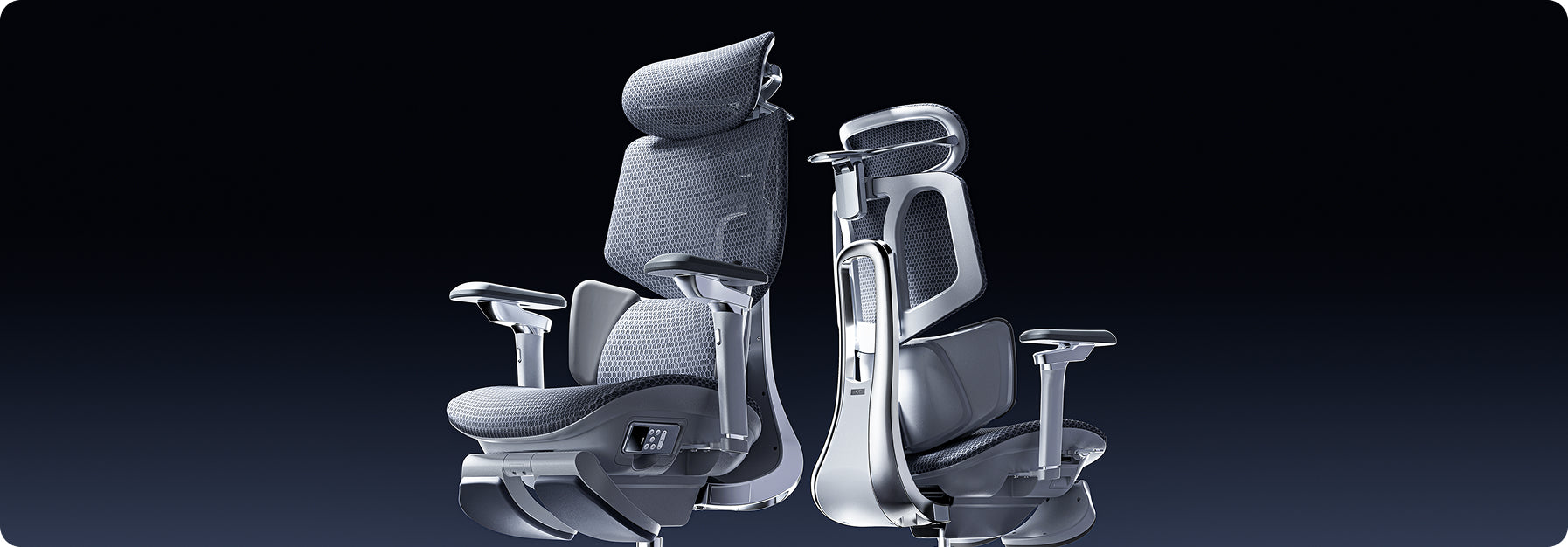
 Why Ergonomics is Your SMB’s Most Strategic Asset
Discover why ergonomic seating is a strategic growth asset for SMBs. Upgrade your existing workspace instantly with HBADA’s plug-and-play bulk solutions. No expensive design teams required. Get your corporate quote today.
Jun 04, 2026
Why Ergonomics is Your SMB’s Most Strategic Asset
Discover why ergonomic seating is a strategic growth asset for SMBs. Upgrade your existing workspace instantly with HBADA’s plug-and-play bulk solutions. No expensive design teams required. Get your corporate quote today.
Jun 04, 2026
 Prevent Hair in Chair Wheels: Maintenance Tips for Pet Owners & Long Hair
Learn how to get hair out of office chair wheels quickly. Master simple maintenance steps to prevent hair from getting caught in chair wheels for a smoother, cleaner workspace.
May 29, 2026
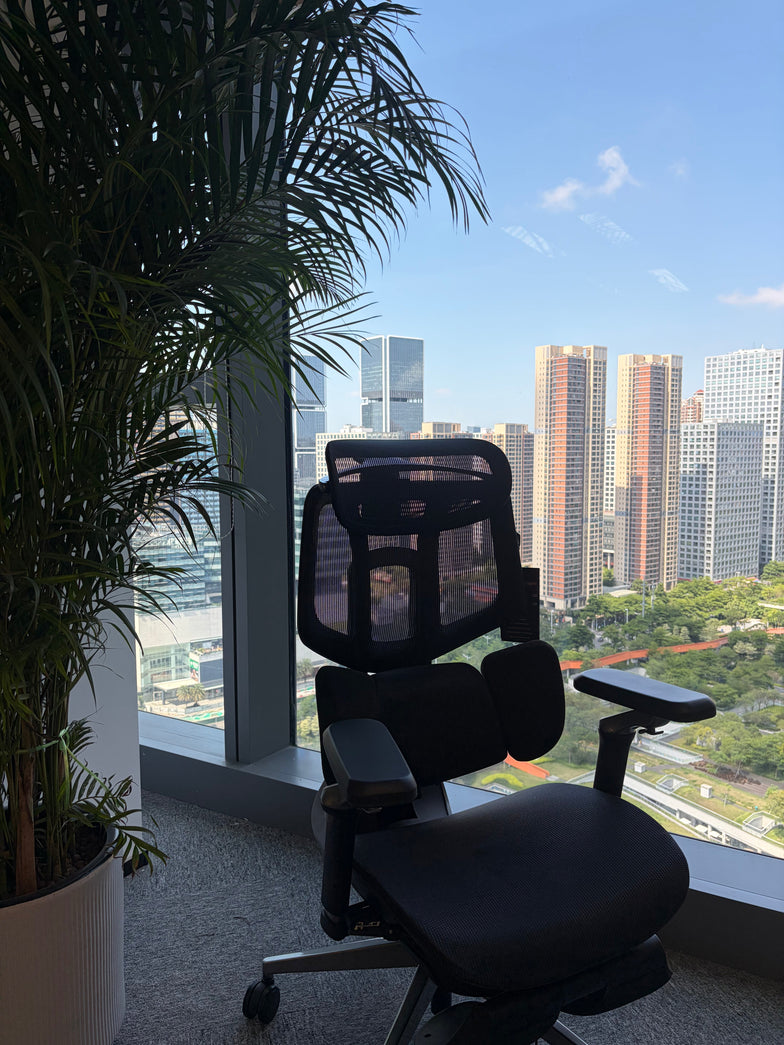
Prevent Hair in Chair Wheels: Maintenance Tips for Pet Owners & Long Hair
Learn how to get hair out of office chair wheels quickly. Master simple maintenance steps to prevent hair from getting caught in chair wheels for a smoother, cleaner workspace.
May 29, 2026
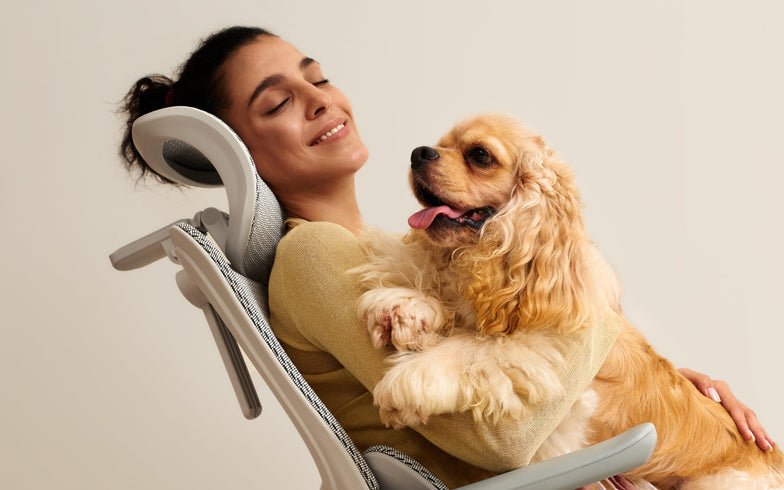 Upgrading from Other Brands to Hbada: Experience the Difference in Bio-Synchronized Support
Many people think their current office chair is good enough, but still end up with lower back pain after a full workday. Most traditional chairs, even expensive ones, use stiff frames and manual levers that keep you stuck in one position, causing fatigue over time. Switching to a more advanced chair gives you real support that moves with your body.
Investing in bio-synchronized seating ensures your back remains continuously protected across every task, making it the best ergonomic office chair 2026 has to offer for long-term health and focus.
Static Posture vs. Dynamic Sitting: Why Traditional Chairs Fail
To see why upgrading your chair matters, consider how sitting still compares to moving naturally.
The Hidden Toll of Sustained Static Loading
When analyzing dynamic sitting vs static posture, medical data highlights a clear problem with standard corporate furniture. Traditional task chairs keep your pelvis locked in a single position. This forces your paraspinal muscles to fire continuously to maintain balance, leading to rapid muscle fatigue, deep-tissue inflammation, and restricted blood circulation.
Our advanced furniture lines fix this problem by incorporating a highly responsive anti-gravity recline mechanism. This custom structural system perfectly balances your physical center of mass, taking the heavy downward pressure off your hips and upper thighs.
Transitioning to Continuous Movement
To stay healthy during long hours at your desk, your body needs to move rather than stay stiff. Regular chairs only support you if you sit up straight the whole time.
Our chairs use gravity-sensing systems that adjust the seat and backrest together as you move. This takes pressure off your spine, improves blood flow, and helps prevent pain from old-fashioned chairs.
The Bio-Synchronized Advantage: Real-Time Spine Tracking
Traditional chairs make your body adjust to them, but our advanced models move with you and support your spine.
How Bio-Synchronized Seating Optimizes Your Recline Pivot
Our design is built around bio-synchronized seating. In a regular chair, leaning back pulls the backrest away from your lower back, leaving it unsupported.
Our chairs use a special mechanism that moves the seat forward and down as you lean back, up to 140°. This keeps the lumbar support in contact with your lower back at every angle.
Mechanical Adaptation: The HBADA E3 Pro
If you prefer a pure mechanical workspace that does not require charging cables or manual adjustment knobs, the HBADA E3 Pro offers exceptional structural performance. This professional model uses our patented 3-zone adaptive lumbar support framework to protect your spine. The central zone stabilizes your vertebrae, while twin bionic adaptive backrest panels flex up to 40° automatically to wrap around your lower back muscles.
Whenever you twist, lean to the side, or adjust your typing habits, the spring-loaded wings track your movements instantly, distributing your upper body weight evenly and providing a reliable ergonomic chair upgrade for back pain relief.
The Ultimate Premium Upgrade: Settle into the Hbada AI-Powered x7
If you want a chair that handles everything for you, our top model removes the need for any manual adjustments.
Active Automated Posture Care
The Hbada AI-Powered x7 represents the absolute peak of modern active office ergonomics. This advanced model replaces traditional mechanical springs with an integrated automotive-grade compute chip and microsecond-level Hall magnetic pressure sensors. As an office chair with active lumbar tracking, the Hbada AI-Powered x7 scans your exact sitting pressure 1,000 times per second.
The chair’s system moves the lumbar support forward or back up to 50mm as needed. This keeps your pelvis upright and helps stop the slouching that can harm your back over time.
Comprehensive Therapeutic Recovery
Beyond automated posture correction, the chair functions as an active spinal decompression office chair by incorporating a professional therapeutic recovery suite into the mesh frame. Powered by a high-capacity, removable 5,200 mAh USB-C battery pack, the system features:
· 8D Bionic Hand Massage: Dual-core mechanical rollers mimic the kneading motions of a professional masseur to relieve deep tissue tightness.
· Graphene Heat Therapy: Built-in heating elements warm your lower back to 129°F, increasing blood circulation to stiff lumbar muscles.
· Dual Fan Ventilation: Integrated 3,000 RPM fans pull fresh air through the mesh seat cushion, eliminating trapped body heat during intense tasks.
Beyond the Lower Back: Complete Mechanical Personalization
To really protect your body, your chair should adjust to fit you from head to arms.
Eliminating Shoulder Hunching and Neck Strain
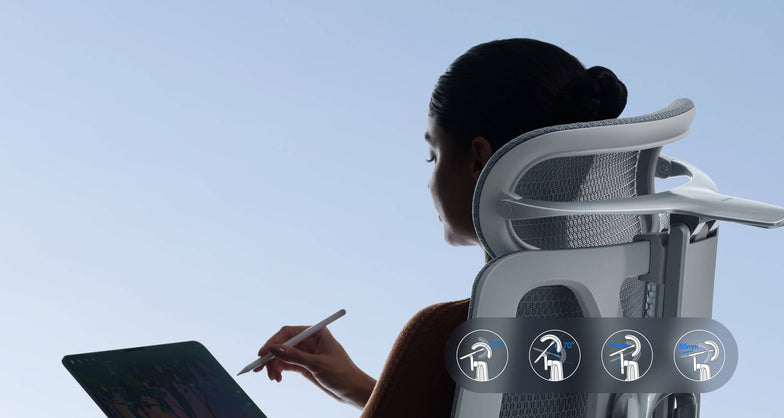
Standard office setups often overlook the strain on your upper body, leading to severe tension headaches and rounded shoulders. Our advanced seating configurations solve this by using an extra-wide, 4-way dual-axis headrest that precisely targets and cradles the cervical vertebrae.
To complement this neck care, our chairs feature 720-degree, omni-adjustable armrests. These mechanical supports lift, widen, slide, and rotate a full 360°, letting you position your elbows comfortably whether you are typing on a keyboard, using a mouse, or reviewing a document on a tablet.
Technical Comparison Matrix: Hbada Tiers vs. Traditional Standards
Performance Feature
Standard Task Chair
HBADA Mechanical Tier (E3 Pro)
Advanced Smart Tier (X7)
Ergonomic Strategy
Rigid Static Support
Adaptive Mechanical Alignment
Automated Robotic Personalization
Lumbar Mechanics
Fixed Plastic Pad
3-Zone Spring-Loaded Floating Wings
Motorized AI Active Tracking
Recline Integration
Manual Tension Knobs
Weight-Sensing Recline Tension
Posture Memory + Active Calibration
Armrest Flexibility
Basic 1D/2D Arms
Multi-Axial 6-Way Adjustment
720 Degree Omni Adjustable Armrests
Thermal Control
Thick Foam Padding
High-Elasticity CloudMesh Panel
Dual 3,000 RPM Cushion Cooling Fans
Therapeutic Care
None
Ergonomic Muscle Stabilization
8D Bionic Massage & Infrared Heat
Frequently Asked Questions (FAQ)
Why does a bio-synchronized seating system perform better for back pain than standard foam chairs?
Old foam chairs wear out, making your muscles work harder to keep your back straight. Bio-synchronized chairs always support your lower back, no matter how you sit. This spreads your weight, takes pressure off your spine, and helps prevent back pain.
How long does it take for my body to adjust to an upgrade to an advanced ergonomic chair for back pain?
Most people need about 7 to 14 days to get used to a new ergonomic chair. During this time, your back muscles adjust to better posture. After that, sitting with good support feels natural.
Does the integrated technology on the Hbada AI-Powered x7 complicate daily operations?
Not at all. The Hbada AI-Powered x7 is built to operate completely automatically. The internal sensors and active tracking motors read your height and weight distribution the moment you sit down, and handle the fine-tuning for you. You can adjust the heating, cooling fans, and bionic massage features using a simple side-mounted remote control.
What is the structural advantage of an anti-gravity recline mechanism for office workers?
Standard office chairs require you to manually adjust heavy tension knobs to change your recline angle. An anti-gravity recline mechanism features a built-in weight-sensing chassis that automatically reads your weight, applying the ideal resistance to keep your body balanced and weightless at any recline angle.
Conclusion
When upgrading your workspace, you can either keep struggling with a stiff chair or choose one that supports you. If you want a strong, fully mechanical chair with flexible support, the HBADA E3 Pro is a reliable option.
If you want a chair that adjusts on its own, the Hbada AI-Powered x7 is the answer. It uses strong materials and smart software to track your posture and help you stay healthy and focused.
May 29, 2026
Upgrading from Other Brands to Hbada: Experience the Difference in Bio-Synchronized Support
Many people think their current office chair is good enough, but still end up with lower back pain after a full workday. Most traditional chairs, even expensive ones, use stiff frames and manual levers that keep you stuck in one position, causing fatigue over time. Switching to a more advanced chair gives you real support that moves with your body.
Investing in bio-synchronized seating ensures your back remains continuously protected across every task, making it the best ergonomic office chair 2026 has to offer for long-term health and focus.
Static Posture vs. Dynamic Sitting: Why Traditional Chairs Fail
To see why upgrading your chair matters, consider how sitting still compares to moving naturally.
The Hidden Toll of Sustained Static Loading
When analyzing dynamic sitting vs static posture, medical data highlights a clear problem with standard corporate furniture. Traditional task chairs keep your pelvis locked in a single position. This forces your paraspinal muscles to fire continuously to maintain balance, leading to rapid muscle fatigue, deep-tissue inflammation, and restricted blood circulation.
Our advanced furniture lines fix this problem by incorporating a highly responsive anti-gravity recline mechanism. This custom structural system perfectly balances your physical center of mass, taking the heavy downward pressure off your hips and upper thighs.
Transitioning to Continuous Movement
To stay healthy during long hours at your desk, your body needs to move rather than stay stiff. Regular chairs only support you if you sit up straight the whole time.
Our chairs use gravity-sensing systems that adjust the seat and backrest together as you move. This takes pressure off your spine, improves blood flow, and helps prevent pain from old-fashioned chairs.
The Bio-Synchronized Advantage: Real-Time Spine Tracking
Traditional chairs make your body adjust to them, but our advanced models move with you and support your spine.
How Bio-Synchronized Seating Optimizes Your Recline Pivot
Our design is built around bio-synchronized seating. In a regular chair, leaning back pulls the backrest away from your lower back, leaving it unsupported.
Our chairs use a special mechanism that moves the seat forward and down as you lean back, up to 140°. This keeps the lumbar support in contact with your lower back at every angle.
Mechanical Adaptation: The HBADA E3 Pro
If you prefer a pure mechanical workspace that does not require charging cables or manual adjustment knobs, the HBADA E3 Pro offers exceptional structural performance. This professional model uses our patented 3-zone adaptive lumbar support framework to protect your spine. The central zone stabilizes your vertebrae, while twin bionic adaptive backrest panels flex up to 40° automatically to wrap around your lower back muscles.
Whenever you twist, lean to the side, or adjust your typing habits, the spring-loaded wings track your movements instantly, distributing your upper body weight evenly and providing a reliable ergonomic chair upgrade for back pain relief.
The Ultimate Premium Upgrade: Settle into the Hbada AI-Powered x7
If you want a chair that handles everything for you, our top model removes the need for any manual adjustments.
Active Automated Posture Care
The Hbada AI-Powered x7 represents the absolute peak of modern active office ergonomics. This advanced model replaces traditional mechanical springs with an integrated automotive-grade compute chip and microsecond-level Hall magnetic pressure sensors. As an office chair with active lumbar tracking, the Hbada AI-Powered x7 scans your exact sitting pressure 1,000 times per second.
The chair’s system moves the lumbar support forward or back up to 50mm as needed. This keeps your pelvis upright and helps stop the slouching that can harm your back over time.
Comprehensive Therapeutic Recovery
Beyond automated posture correction, the chair functions as an active spinal decompression office chair by incorporating a professional therapeutic recovery suite into the mesh frame. Powered by a high-capacity, removable 5,200 mAh USB-C battery pack, the system features:
· 8D Bionic Hand Massage: Dual-core mechanical rollers mimic the kneading motions of a professional masseur to relieve deep tissue tightness.
· Graphene Heat Therapy: Built-in heating elements warm your lower back to 129°F, increasing blood circulation to stiff lumbar muscles.
· Dual Fan Ventilation: Integrated 3,000 RPM fans pull fresh air through the mesh seat cushion, eliminating trapped body heat during intense tasks.
Beyond the Lower Back: Complete Mechanical Personalization
To really protect your body, your chair should adjust to fit you from head to arms.
Eliminating Shoulder Hunching and Neck Strain
Standard office setups often overlook the strain on your upper body, leading to severe tension headaches and rounded shoulders. Our advanced seating configurations solve this by using an extra-wide, 4-way dual-axis headrest that precisely targets and cradles the cervical vertebrae.
To complement this neck care, our chairs feature 720-degree, omni-adjustable armrests. These mechanical supports lift, widen, slide, and rotate a full 360°, letting you position your elbows comfortably whether you are typing on a keyboard, using a mouse, or reviewing a document on a tablet.
Technical Comparison Matrix: Hbada Tiers vs. Traditional Standards
Performance Feature
Standard Task Chair
HBADA Mechanical Tier (E3 Pro)
Advanced Smart Tier (X7)
Ergonomic Strategy
Rigid Static Support
Adaptive Mechanical Alignment
Automated Robotic Personalization
Lumbar Mechanics
Fixed Plastic Pad
3-Zone Spring-Loaded Floating Wings
Motorized AI Active Tracking
Recline Integration
Manual Tension Knobs
Weight-Sensing Recline Tension
Posture Memory + Active Calibration
Armrest Flexibility
Basic 1D/2D Arms
Multi-Axial 6-Way Adjustment
720 Degree Omni Adjustable Armrests
Thermal Control
Thick Foam Padding
High-Elasticity CloudMesh Panel
Dual 3,000 RPM Cushion Cooling Fans
Therapeutic Care
None
Ergonomic Muscle Stabilization
8D Bionic Massage & Infrared Heat
Frequently Asked Questions (FAQ)
Why does a bio-synchronized seating system perform better for back pain than standard foam chairs?
Old foam chairs wear out, making your muscles work harder to keep your back straight. Bio-synchronized chairs always support your lower back, no matter how you sit. This spreads your weight, takes pressure off your spine, and helps prevent back pain.
How long does it take for my body to adjust to an upgrade to an advanced ergonomic chair for back pain?
Most people need about 7 to 14 days to get used to a new ergonomic chair. During this time, your back muscles adjust to better posture. After that, sitting with good support feels natural.
Does the integrated technology on the Hbada AI-Powered x7 complicate daily operations?
Not at all. The Hbada AI-Powered x7 is built to operate completely automatically. The internal sensors and active tracking motors read your height and weight distribution the moment you sit down, and handle the fine-tuning for you. You can adjust the heating, cooling fans, and bionic massage features using a simple side-mounted remote control.
What is the structural advantage of an anti-gravity recline mechanism for office workers?
Standard office chairs require you to manually adjust heavy tension knobs to change your recline angle. An anti-gravity recline mechanism features a built-in weight-sensing chassis that automatically reads your weight, applying the ideal resistance to keep your body balanced and weightless at any recline angle.
Conclusion
When upgrading your workspace, you can either keep struggling with a stiff chair or choose one that supports you. If you want a strong, fully mechanical chair with flexible support, the HBADA E3 Pro is a reliable option.
If you want a chair that adjusts on its own, the Hbada AI-Powered x7 is the answer. It uses strong materials and smart software to track your posture and help you stay healthy and focused.
May 29, 2026
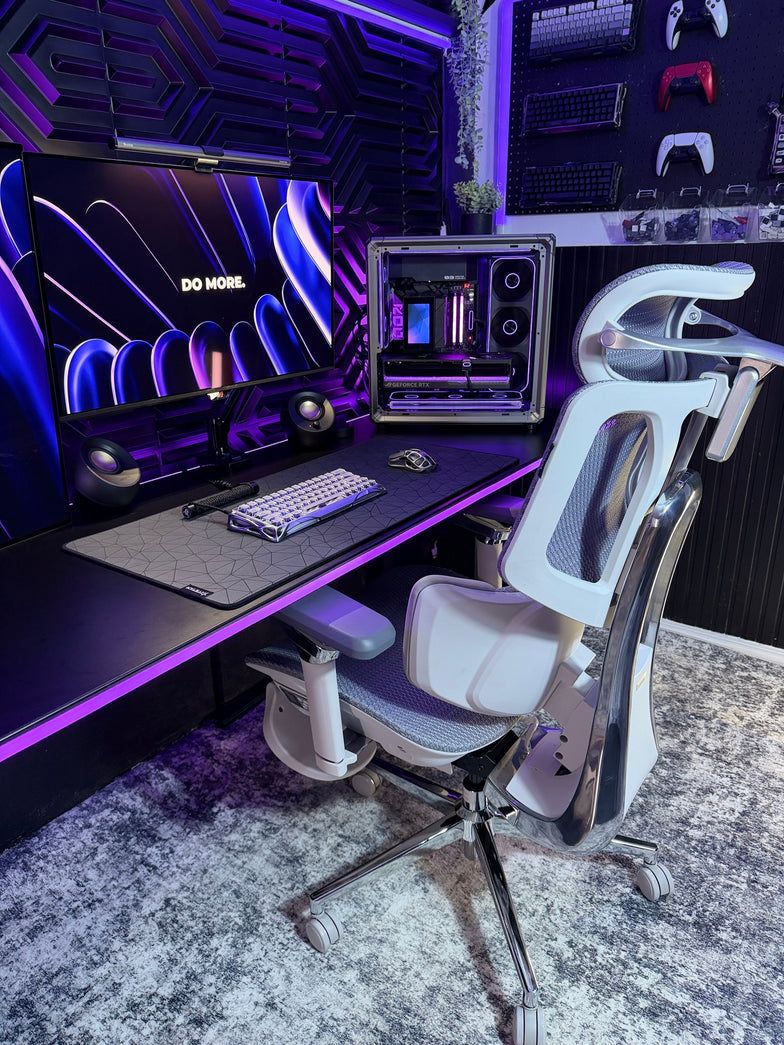 What Is the 20-8-2 Rule? Everything You Need to Know About Healthier Sitting and Productive Work
Sitting at your desk all day can quietly harm your health, making it harder to focus and putting stress on your lower back. Some people think standing all day is the answer, but too much standing can also lead to tired muscles and poor circulation.
The key to keeping your spine healthy is to keep changing your position throughout the day. Dr. Alan Hedge, an ergonomics professor at Cornell University, created the 20-8-2 rule to help you add movement to your work routine and boost your energy.
Deconstructing the Formula: The 30-Minute Ergonomic Cycle
The 20-8-2 rule divides each half hour of your workday into three easy steps. Following this routine helps keep your muscles loose and your blood flowing.
20 Minutes: Focused Sitting ➔ 8 Minutes: Active Standing ➔ 2 Minutes: Dynamic Movement
The 20 Minutes: Focused Sitting (With Proper Alignment)
Start with 20 minutes of focused work while sitting. Make sure your feet are flat on the floor, your elbows are at 90 degrees, and your lower back is well supported.
The 8 Minutes: Active Standing
After 20 minutes, stand up for the next 8 minutes. Standing changes the pressure on your spine, activates your core, and helps your body work better. This is a good time to take calls, review documents, or check your email.
The 2 minutes: Dynamic Movement
For the last 2 minutes, leave your desk. Use this time to walk around, get some water, or do light stretches. This short break helps relax your muscles and refresh your mind for the next round.
Architectural Pairing: Selecting the Right Desk Environment
To follow this movement routine easily, your workspace should let you change positions quickly. Manual crank desks can slow you down and make it harder to stick with the routine.
A premium adjustable desk system makes transitioning effortless. For example, pairing this cycle with a high-end Herman Miller standing desk provides programmable, single-touch height adjustments that move to your exact standing and sitting heights in seconds. This speed allows you to transition between positions seamlessly without interrupting your train of thought or slowing down your output.
Seating Engineering: Maximizing Your 20-Minute Sitting Window
The 20-minute sitting phase of this rule is only effective if your chair provides active support for your body. If you spend those 20 minutes slouching in a rigid, unyielding chair, your muscles will tighten before you even begin the standing phase.
Our advanced seating designs align with this movement philosophy by replacing manual levers with responsive, automated engineering:
Adaptive Structural Control: HBADA E3 Pro
The HBADA E3 Pro 2026 Edition is designed for users who move frequently while working. Its 3-zone lumbar support system features a central section for spinal support and side wings that adjust up to 40 degrees to accommodate lower back movement.
When you change positions or lean forward, the chair’s tracking system moves with you and fills the gap in your lower back, so you don’t have to adjust anything yourself.
Smart Automated Wellness: Hbada AI-Powered x7
For posture support, the Hbada AI-Powered x7 functions as a smart wellness assistant. It uses sensors to monitor your sitting position and adjusts in real time.
When you start your 20-minute work session, the chair automatically adjusts its support to fit your body. If you begin to slouch, it shifts its support to keep your posture straight and comfortable.
Feature Synergy Matrix: Enhancing the 20-8-2 Workflow
Workspace Component
Core Function in the Cycle
Mechanical Option (E3 Pro)
Advanced Active Option (X7)
Lumbar Support Strategy
Protects the spine during the 20-minute focus window
3-Zone Adaptive Wings with 5° Elastic Tracking
Motorized AI Smart Tracking with Real-Time Adjustments
Armrest Integration
Unloads weight from neck and shoulders while typing
720° Omni-Mechanical Positioning
720° Bio-Sync Robotic Tracking
Muscle Relief Systems
Relieves deep tissue tension during transitions
Breathable, High-Elasticity CloudMesh
8D Bionic Massage & Graphene Heat Therapy
Movement Compatibility
Adapts to changing postures without manual levers
Auto-Balance Gravity-Sensing Chassis
Posture Memory with Sensor-Driven Adjustment
Practical Checklist: Tips and Guides to Automate Your Routine
Starting a new routine can seem tough at first. Here are some simple tips to help you add the 20-8-2 method to your day:
· Deploy Digital Triggers: Use a browser extension or a smartwatch application to manage your intervals. Set a recurring 20-minute alert to prompt your transition to standing, followed by an 8-minute reminder to start your movement break.
· Batch Your Work Tasks: Align your daily tasks with your physical positions. Use your 20-minute sitting window for deep, focused work, such as coding or writing. Save your 8-minute standing window for low-intensity tasks, such as checking team updates or reviewing presentations.
· Utilize Thermal Therapy: If you feel muscle stiffness during your sitting window, activating the built-in heat settings on an advanced chair can help soothe lower back muscles, keeping your body limber for the upcoming movement phases.
Frequently Asked Questions (FAQ)
Can I stand for 20 minutes and sit for 8 minutes instead?
No. Dr. Hedge’s research shows that standing still for more than 10 minutes can cause blood to pool in your lower extremities, increasing static strain on your veins and feet. Keeping your standing window to 8 minutes provides the ideal vascular reset without creating structural discomfort.
How does an adaptive lumbar support chair help with the 20-8-2 rule?
A standard office chair stays locked in a single position, forcing your body to adapt to the frame. An adaptive chair automatically moves with you, keeping your lower back continuously supported throughout your sitting window so you can transition to standing without muscle stiffness.
What should I do during the 2-minute movement window?
Use this time for light, active movement to boost your circulation. You can walk down the hall, refill your water, or perform simple stretches like shoulder rolls and gentle calf extensions. Avoid looking at your phone during this phase to give your eyes a much-needed break.
Is a standing desk absolutely mandatory to use the 20-8-2 rule?
While a high-quality motorized desk makes changing positions effortless, you can start without one. You can use your 8-minute standing phase to take phone calls at a high counter or use a portable laptop riser on a standard table to keep your workflow moving smoothly.
Conclusion
The right workspace configuration depends on how much manual control you want over your daily routine. If you prefer a robust mechanical setup that uses your body weight to instantly adjust its support zones, the HBADA E3 Pro offers an incredibly effective foundation for active ergonomics. However, if you want a workspace that automatically tracks your posture, adjusts in real time with built-in sensors, and includes built-in massage therapy to relieve muscle tension between tasks, upgrading your office with the HBADA AI-Powered x7 is the ultimate investment for your health and daily focus.
May 25, 2026
What Is the 20-8-2 Rule? Everything You Need to Know About Healthier Sitting and Productive Work
Sitting at your desk all day can quietly harm your health, making it harder to focus and putting stress on your lower back. Some people think standing all day is the answer, but too much standing can also lead to tired muscles and poor circulation.
The key to keeping your spine healthy is to keep changing your position throughout the day. Dr. Alan Hedge, an ergonomics professor at Cornell University, created the 20-8-2 rule to help you add movement to your work routine and boost your energy.
Deconstructing the Formula: The 30-Minute Ergonomic Cycle
The 20-8-2 rule divides each half hour of your workday into three easy steps. Following this routine helps keep your muscles loose and your blood flowing.
20 Minutes: Focused Sitting ➔ 8 Minutes: Active Standing ➔ 2 Minutes: Dynamic Movement
The 20 Minutes: Focused Sitting (With Proper Alignment)
Start with 20 minutes of focused work while sitting. Make sure your feet are flat on the floor, your elbows are at 90 degrees, and your lower back is well supported.
The 8 Minutes: Active Standing
After 20 minutes, stand up for the next 8 minutes. Standing changes the pressure on your spine, activates your core, and helps your body work better. This is a good time to take calls, review documents, or check your email.
The 2 minutes: Dynamic Movement
For the last 2 minutes, leave your desk. Use this time to walk around, get some water, or do light stretches. This short break helps relax your muscles and refresh your mind for the next round.
Architectural Pairing: Selecting the Right Desk Environment
To follow this movement routine easily, your workspace should let you change positions quickly. Manual crank desks can slow you down and make it harder to stick with the routine.
A premium adjustable desk system makes transitioning effortless. For example, pairing this cycle with a high-end Herman Miller standing desk provides programmable, single-touch height adjustments that move to your exact standing and sitting heights in seconds. This speed allows you to transition between positions seamlessly without interrupting your train of thought or slowing down your output.
Seating Engineering: Maximizing Your 20-Minute Sitting Window
The 20-minute sitting phase of this rule is only effective if your chair provides active support for your body. If you spend those 20 minutes slouching in a rigid, unyielding chair, your muscles will tighten before you even begin the standing phase.
Our advanced seating designs align with this movement philosophy by replacing manual levers with responsive, automated engineering:
Adaptive Structural Control: HBADA E3 Pro
The HBADA E3 Pro 2026 Edition is designed for users who move frequently while working. Its 3-zone lumbar support system features a central section for spinal support and side wings that adjust up to 40 degrees to accommodate lower back movement.
When you change positions or lean forward, the chair’s tracking system moves with you and fills the gap in your lower back, so you don’t have to adjust anything yourself.
Smart Automated Wellness: Hbada AI-Powered x7
For posture support, the Hbada AI-Powered x7 functions as a smart wellness assistant. It uses sensors to monitor your sitting position and adjusts in real time.
When you start your 20-minute work session, the chair automatically adjusts its support to fit your body. If you begin to slouch, it shifts its support to keep your posture straight and comfortable.
Feature Synergy Matrix: Enhancing the 20-8-2 Workflow
Workspace Component
Core Function in the Cycle
Mechanical Option (E3 Pro)
Advanced Active Option (X7)
Lumbar Support Strategy
Protects the spine during the 20-minute focus window
3-Zone Adaptive Wings with 5° Elastic Tracking
Motorized AI Smart Tracking with Real-Time Adjustments
Armrest Integration
Unloads weight from neck and shoulders while typing
720° Omni-Mechanical Positioning
720° Bio-Sync Robotic Tracking
Muscle Relief Systems
Relieves deep tissue tension during transitions
Breathable, High-Elasticity CloudMesh
8D Bionic Massage & Graphene Heat Therapy
Movement Compatibility
Adapts to changing postures without manual levers
Auto-Balance Gravity-Sensing Chassis
Posture Memory with Sensor-Driven Adjustment
Practical Checklist: Tips and Guides to Automate Your Routine
Starting a new routine can seem tough at first. Here are some simple tips to help you add the 20-8-2 method to your day:
· Deploy Digital Triggers: Use a browser extension or a smartwatch application to manage your intervals. Set a recurring 20-minute alert to prompt your transition to standing, followed by an 8-minute reminder to start your movement break.
· Batch Your Work Tasks: Align your daily tasks with your physical positions. Use your 20-minute sitting window for deep, focused work, such as coding or writing. Save your 8-minute standing window for low-intensity tasks, such as checking team updates or reviewing presentations.
· Utilize Thermal Therapy: If you feel muscle stiffness during your sitting window, activating the built-in heat settings on an advanced chair can help soothe lower back muscles, keeping your body limber for the upcoming movement phases.
Frequently Asked Questions (FAQ)
Can I stand for 20 minutes and sit for 8 minutes instead?
No. Dr. Hedge’s research shows that standing still for more than 10 minutes can cause blood to pool in your lower extremities, increasing static strain on your veins and feet. Keeping your standing window to 8 minutes provides the ideal vascular reset without creating structural discomfort.
How does an adaptive lumbar support chair help with the 20-8-2 rule?
A standard office chair stays locked in a single position, forcing your body to adapt to the frame. An adaptive chair automatically moves with you, keeping your lower back continuously supported throughout your sitting window so you can transition to standing without muscle stiffness.
What should I do during the 2-minute movement window?
Use this time for light, active movement to boost your circulation. You can walk down the hall, refill your water, or perform simple stretches like shoulder rolls and gentle calf extensions. Avoid looking at your phone during this phase to give your eyes a much-needed break.
Is a standing desk absolutely mandatory to use the 20-8-2 rule?
While a high-quality motorized desk makes changing positions effortless, you can start without one. You can use your 8-minute standing phase to take phone calls at a high counter or use a portable laptop riser on a standard table to keep your workflow moving smoothly.
Conclusion
The right workspace configuration depends on how much manual control you want over your daily routine. If you prefer a robust mechanical setup that uses your body weight to instantly adjust its support zones, the HBADA E3 Pro offers an incredibly effective foundation for active ergonomics. However, if you want a workspace that automatically tracks your posture, adjusts in real time with built-in sensors, and includes built-in massage therapy to relieve muscle tension between tasks, upgrading your office with the HBADA AI-Powered x7 is the ultimate investment for your health and daily focus.
May 25, 2026
 Are You at Risk of a Herniated Disc? How Your Chair Could Be the Cause
Sitting all day at work shouldn’t be risky, but for many people, it is. If you feel sharp pains or a dull ache in your lower back, your chair could be to blame. Learning how your workstation affects your spine is the first step to feeling better. Here’s how your chair can impact your discs and what you can do about it.
The Hidden Connection Between Sitting and Spinal Health
People often ask if office chairs can cause herniated discs. The answer is yes. While a chair doesn’t cause the injury right away, a poorly designed chair can set the stage for spinal problems. Sitting in a chair without good support flattens your spine’s natural S-shape into a C-shape, putting uneven pressure on your discs.
Understanding Spinal Compression from Sitting
When you sit still for hours, your spine gets compressed. This pressure pushes fluid out of your spinal discs, making them dry and more likely to tear. Over time, this ongoing stress can cause the soft center of a disc to bulge or leak, pressing on sensitive nerves and causing a herniation.
The Dangers of Bad Posture and Herniated Discs
Orthopedic specialists have shown that poor posture is closely linked to herniated discs. Slouching or sitting on the edge of your seat puts up to 150% more pressure on your lower back than standing. If you already feel a twinge, sitting without good support can turn a small problem into a serious one.
Identifying the Signs: Is Your Chair Causing Lower Back Pain?
If you find yourself constantly shifting, stretching, or standing up to escape discomfort, you are likely using a chair that causes lower back pain. This discomfort is your body’s early warning system.
From Aches to Sciatica
If you ignore back fatigue, it can turn into nerve problems like radiculopathy. Many people look for office chairs that relieve sciatica because their current chair puts pressure on the sciatic nerve. This can cause numbness, tingling, or a sharp, shooting feeling down your leg. Without proper lumbar support, your lower back takes all the weight, which can lead to these symptoms.
The Solution: Engineering Support for a Healthy Spine
To protect your back, you need more than a simple cushion. At Hbada, we focus on Bio-Synchronization, which means designing chairs that move with your body.
The Power of an Adaptive Lumbar Tracking Ergonomic Chair
A regular chair only supports you if you sit completely still, but work involves movement. An adaptive lumbar tracking ergonomic chair has a backrest that moves with your spine. Whether you lean forward or recline, the support stays in place, helping keep your lower back supported and closing the gap that can cause injuries.
Benefits of a 3-Zone Dynamic Lumbar Support Chair
If you already have back pain, a dynamic lumbar support chair can make a big difference. A 3-zone lumbar support chair gives targeted relief: the middle zone supports your spine, and the side zones support your waist muscles. This spreads your weight out, reducing pressure on any one disc and helping your back stay healthy over time.
Mastering Your Workday: How to Sit with a Herniated Disc
If you already have a back injury, it’s important to set up your workspace carefully. Knowing how to sit at your desk with a herniated disc can help you avoid more pain and recover faster.
What is the Best Sitting Position for a Herniated Disc?
When people ask, “What is the best sitting position for a herniated disc?” we suggest the Neutral Reach position. Line up your ears, shoulders, and hips vertically. Keep your feet flat on the floor and your knees just below your hips. This helps open your pelvis and lowers pressure on your spinal discs.
Does Lumbar Support Help a Herniated Disc?
You might wonder, “Does lumbar support help a herniated disc?” The answer is yes. Good support works like a brace for your spine. It maintains the natural curve of your lower back, spreading your weight evenly across the disc rather than putting pressure on the edges where herniations often occur.
Choosing the Right Hbada Chair for Spinal Protection
We have developed a range of chairs designed specifically for proper sitting posture for office workers with back pain. Use the table below to find the best fit for your specific needs.
Feature
Hbada E3
Hbada E3 Pro
Hbada AI-Powered
Primary Focus
Daily Comfort
Advanced Pain Relief
Maximum Posture Correction
Lumbar Tech
Dynamic Support
3-Zone Support
AI Bio-Synchronized
Ideal For
General Office Work
Existing Back Pain
Office chair sciatica relief
Adjustment
4D Armrests
5D Armrests + Leg Rest
Fully Automated Tracking
When you use an ergonomic chair to improve your posture, you go from just managing pain to actively preventing injuries. Our AI-powered chairs can even remind you to move if you’ve been sitting too long, helping keep your discs healthy.
Frequently Asked Questions (FAQ)
Q: Can a good chair really fix a herniated disc?A: A chair won’t cure a herniated disc, but it’s an important part of recovery. An ergonomic chair lowers the stress on your discs each day, which helps inflammation go down. Without good support, you might keep hurting your disc every time you sit at your desk.
Q: How do I know if my lumbar support is in the right place?A: The lumbar support should fit comfortably in the small of your back, just above your belt. It should feel like a firm hand supporting your spine, helping you sit upright without straining your muscles. If it pushes against your ribs, it’s set too high.
Q: Why does my back hurt more in a “comfy” plush chair?A: Soft, plush chairs usually don’t give enough support. They let your pelvis tilt backward, causing your spine to slouch. This slumping puts more pressure on your discs than a firm, supportive ergonomic chair, which keeps your body in the right position.
Q: How often should I adjust my chair settings?A: Adjust your chair whenever you switch tasks. For example, if you go from typing to a long video call, you should also change your recline and lumbar support. Our adaptive lumbar tracking chair makes this easy by adjusting automatically for you.
Conclusion
A herniated disc is a serious condition, but it is often preventable with good habits and the right equipment. Your chair is a key part of your work life, so make sure it supports you. Choosing a chair with active, 3-zone support and bio-synchronized movement helps protect your spine for the long term. Don’t wait for the pain to get worse. Invest in your health now.
For more information, please click here:
https://www.hbada.eu/products/e3-pro-ergonomic-office-chair
https://www.hbada.eu/products/hbada-x7-smart-ergonomic-chair
May 21, 2026
Are You at Risk of a Herniated Disc? How Your Chair Could Be the Cause
Sitting all day at work shouldn’t be risky, but for many people, it is. If you feel sharp pains or a dull ache in your lower back, your chair could be to blame. Learning how your workstation affects your spine is the first step to feeling better. Here’s how your chair can impact your discs and what you can do about it.
The Hidden Connection Between Sitting and Spinal Health
People often ask if office chairs can cause herniated discs. The answer is yes. While a chair doesn’t cause the injury right away, a poorly designed chair can set the stage for spinal problems. Sitting in a chair without good support flattens your spine’s natural S-shape into a C-shape, putting uneven pressure on your discs.
Understanding Spinal Compression from Sitting
When you sit still for hours, your spine gets compressed. This pressure pushes fluid out of your spinal discs, making them dry and more likely to tear. Over time, this ongoing stress can cause the soft center of a disc to bulge or leak, pressing on sensitive nerves and causing a herniation.
The Dangers of Bad Posture and Herniated Discs
Orthopedic specialists have shown that poor posture is closely linked to herniated discs. Slouching or sitting on the edge of your seat puts up to 150% more pressure on your lower back than standing. If you already feel a twinge, sitting without good support can turn a small problem into a serious one.
Identifying the Signs: Is Your Chair Causing Lower Back Pain?
If you find yourself constantly shifting, stretching, or standing up to escape discomfort, you are likely using a chair that causes lower back pain. This discomfort is your body’s early warning system.
From Aches to Sciatica
If you ignore back fatigue, it can turn into nerve problems like radiculopathy. Many people look for office chairs that relieve sciatica because their current chair puts pressure on the sciatic nerve. This can cause numbness, tingling, or a sharp, shooting feeling down your leg. Without proper lumbar support, your lower back takes all the weight, which can lead to these symptoms.
The Solution: Engineering Support for a Healthy Spine
To protect your back, you need more than a simple cushion. At Hbada, we focus on Bio-Synchronization, which means designing chairs that move with your body.
The Power of an Adaptive Lumbar Tracking Ergonomic Chair
A regular chair only supports you if you sit completely still, but work involves movement. An adaptive lumbar tracking ergonomic chair has a backrest that moves with your spine. Whether you lean forward or recline, the support stays in place, helping keep your lower back supported and closing the gap that can cause injuries.
Benefits of a 3-Zone Dynamic Lumbar Support Chair
If you already have back pain, a dynamic lumbar support chair can make a big difference. A 3-zone lumbar support chair gives targeted relief: the middle zone supports your spine, and the side zones support your waist muscles. This spreads your weight out, reducing pressure on any one disc and helping your back stay healthy over time.
Mastering Your Workday: How to Sit with a Herniated Disc
If you already have a back injury, it’s important to set up your workspace carefully. Knowing how to sit at your desk with a herniated disc can help you avoid more pain and recover faster.
What is the Best Sitting Position for a Herniated Disc?
When people ask, “What is the best sitting position for a herniated disc?” we suggest the Neutral Reach position. Line up your ears, shoulders, and hips vertically. Keep your feet flat on the floor and your knees just below your hips. This helps open your pelvis and lowers pressure on your spinal discs.
Does Lumbar Support Help a Herniated Disc?
You might wonder, “Does lumbar support help a herniated disc?” The answer is yes. Good support works like a brace for your spine. It maintains the natural curve of your lower back, spreading your weight evenly across the disc rather than putting pressure on the edges where herniations often occur.
Choosing the Right Hbada Chair for Spinal Protection
We have developed a range of chairs designed specifically for proper sitting posture for office workers with back pain. Use the table below to find the best fit for your specific needs.
Feature
Hbada E3
Hbada E3 Pro
Hbada AI-Powered
Primary Focus
Daily Comfort
Advanced Pain Relief
Maximum Posture Correction
Lumbar Tech
Dynamic Support
3-Zone Support
AI Bio-Synchronized
Ideal For
General Office Work
Existing Back Pain
Office chair sciatica relief
Adjustment
4D Armrests
5D Armrests + Leg Rest
Fully Automated Tracking
When you use an ergonomic chair to improve your posture, you go from just managing pain to actively preventing injuries. Our AI-powered chairs can even remind you to move if you’ve been sitting too long, helping keep your discs healthy.
Frequently Asked Questions (FAQ)
Q: Can a good chair really fix a herniated disc?A: A chair won’t cure a herniated disc, but it’s an important part of recovery. An ergonomic chair lowers the stress on your discs each day, which helps inflammation go down. Without good support, you might keep hurting your disc every time you sit at your desk.
Q: How do I know if my lumbar support is in the right place?A: The lumbar support should fit comfortably in the small of your back, just above your belt. It should feel like a firm hand supporting your spine, helping you sit upright without straining your muscles. If it pushes against your ribs, it’s set too high.
Q: Why does my back hurt more in a “comfy” plush chair?A: Soft, plush chairs usually don’t give enough support. They let your pelvis tilt backward, causing your spine to slouch. This slumping puts more pressure on your discs than a firm, supportive ergonomic chair, which keeps your body in the right position.
Q: How often should I adjust my chair settings?A: Adjust your chair whenever you switch tasks. For example, if you go from typing to a long video call, you should also change your recline and lumbar support. Our adaptive lumbar tracking chair makes this easy by adjusting automatically for you.
Conclusion
A herniated disc is a serious condition, but it is often preventable with good habits and the right equipment. Your chair is a key part of your work life, so make sure it supports you. Choosing a chair with active, 3-zone support and bio-synchronized movement helps protect your spine for the long term. Don’t wait for the pain to get worse. Invest in your health now.
For more information, please click here:
https://www.hbada.eu/products/e3-pro-ergonomic-office-chair
https://www.hbada.eu/products/hbada-x7-smart-ergonomic-chair
May 21, 2026
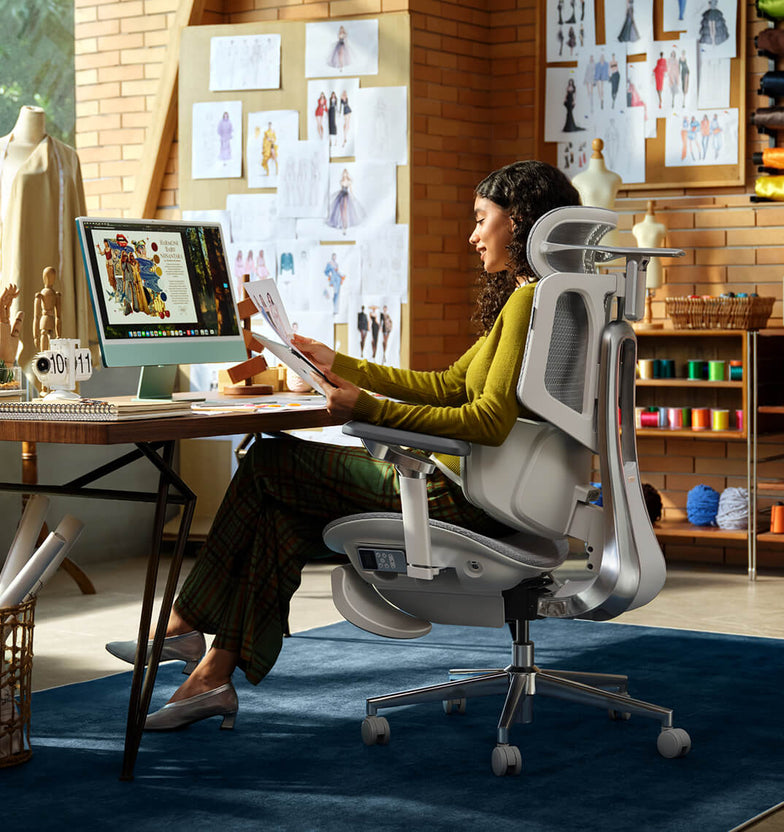 All the Things You Need to Know About Healthy Sitting Posture at Work
You don’t have to accept back pain as part of your workday. Good posture is important for your health and productivity. It helps reduce strain on your spine, increases your energy, and prevents joint injuries. The best approach is to build healthy habits and use supportive seating. Here’s how you can set up your workspace for comfort and focus.
What is Ergonomic Posture? Meaning and Benefits
The Hidden Costs of Poor Alignment
Many people don’t realize how much a typical office setup can affect their bodies. Slouching at your desk can put pressure on your spine, make it harder to breathe, and slow your digestion. Over time, this can lead to back pain, headaches, and fatigue. To feel better at work, it’s important to learn about posture and how your body moves.
Ergonomic Posture: Meaning and Benefits
What does ergonomic posture mean, and why is it helpful? It means keeping your body in a natural, relaxed position. This reduces tired muscles and takes pressure off your joints. You’ll notice fewer headaches, less back pain, and better blood flow in your legs. With a good setup, your muscles don’t have to work extra hard to keep you upright, so you can stay focused and avoid feeling tired in the afternoon.
Proper Sitting Posture for Office Workers: A Step-by-Step Guide
Just reminding yourself to “sit up straight” isn’t enough. Good sitting posture means your whole body works together with your desk, monitor, and chair. Here’s how to get it right from head to toe.
Spinal Alignment and Sitting Position in Front of Computer Ergonomics
When you set up your computer workspace, start by making sure your monitor is at eye level and about an arm’s length away. This helps keep your neck straight and avoids strain. Sit with your hips all the way back in your chair. If you have an adjustable chair, set the seat depth so your back is supported and there’s a small gap between the seat and the back of your knees.
Feet, Legs, and Circulation
Your lower body matters for posture. Keep your knees at or just below hip level, and keep your feet flat on the floor. If your feet don’t reach, use a footrest. Try not to cross your legs, since it can twist your hips and reduce circulation, which may cause numbness or discomfort.
Ergonomic Armrests for Shoulder Relief and Posture
Pay attention to your arms and wrists. Keep your elbows close to your sides at a natural angle, about 90 to 100 degrees. Good armrests help support your arms and take pressure off your neck and shoulders. Place your keyboard and mouse so your wrists stay straight, not bent up or down.
Why Your Office Chair is Your Most Important Tool
Healthy habits are important, but your chair matters just as much. If your seat is stiff and doesn’t support you, it’s hard to keep good posture all day.
The Search for the Best Ergonomic Chair for Long Hours
If you spend many hours at your desk, you need a chair that’s made for long use. The best ergonomic chairs move with you and support your spine’s natural curve as you shift positions. Investing in a chair with lumbar support is a smart choice for your health and comfort, whether you work at home or in an office.
Advanced Support: The Science of Lumbar Tracking
Regular lumbar support doesn’t always work well because we move a lot during the day. An adaptive lumbar chair adjusts as you change positions, like when you lean forward or recline. Some chairs have three zones of support that fit the shape of your lower back and give relief to your muscles, spine, and pelvis. This way, your spine always gets the support it needs, no matter how you sit.
Hbada Ergonomic Chair Comparison: Elevate Your Workspace
We focus on creating chairs that support your health and help you work at your best. Whether you want a top ergonomic chair or a simple, lightweight option for your home office, our products are designed to deliver. Here’s a comparison to help you choose what’s right for your workspace.
Product Model
Ideal User Scenario
Key Ergonomic Features
Lumbar Support Technology
Hbada E3 Air
Home Office / Remote Workers
Breathable mesh, dynamic tilt, ergonomic armrests for shoulder relief and posture.
Standard Dynamic Lumbar
Hbada E3 Pro
Intensive Desk Work / Corporates
Premium / advanced ergonomic features, gravity-sensing recline, ultimate comfort.
best ergonomic chair with 3-zone lumbar support
Hbada AI-Powered X7
Tech Enthusiasts / Posture Focus
Bio-synchronized tracking, real-time posture correction, AI health monitoring.
Adaptive lumbar tracking ergonomic chair
If you want to improve your posture, some new chairs give real-time feedback to help you adjust while you work. Some use smart technology to guide you, while others offer strong, multi-zone support for comfort all day. Consider which features are most important to you, like active feedback or steady support.
Frequently Asked Questions About Healthy Sitting
Q: How often should I take breaks from sitting at my desk?A: Even with perfect posture, sitting still for extended periods restricts blood flow and stiffens your muscles. You should stand, stretch, or walk for at least five minutes every single hour.
Q: Can a high-quality chair actually correct my bad posture?A: A chair cannot forcefully lock you into perfect posture, but it provides the necessary biomechanical foundation. An ergonomic chair gently guides your spine into proper alignment and greatly reduces the muscular effort needed to sit upright.
Q: How do I know if my chair’s lumbar support is positioned correctly?A: Your lumbar support should fit seamlessly into the deepest inward curve of your lower back, resting just above your belt line. It should feel highly supportive but never intrusive. If it pushes your pelvis too far forward or feels too high up on your ribcage, you must adjust the height immediately.
Q: Are armrests strictly necessary for a home office chair?A: Yes, adjustable armrests are crucial for long-term comfort. Without them, the entire weight of your arms pulls down on your delicate neck and shoulder muscles, leading to severe tension.
Q: What makes an adaptive lumbar system better than standard support?A: Standard lumbar support is completely static; it only works when you sit perfectly still in one highly specific position. An adaptive lumbar system moves dynamically with your body.
Conclusion
Mastering your desk posture is an ongoing, vital commitment to your physical health. Improving your desk posture is important for your health, focus, and comfort at work. When you sit correctly and use supportive equipment, you can avoid pain and discomfort during your workday. Don’t accept aches and fatigue as normal. Check your workspace, make these changes, and choose an ergonomic setup that supports you.For more information, please click to:
https://www.hbada.eu/products/e3-air-ergonomic-office-chair
https://www.hbada.eu/products/e3-pro-ergonomic-office-chair
https://www.hbada.eu/products/hbada-x7-smart-ergonomic-chair
Apr 27, 2026
All the Things You Need to Know About Healthy Sitting Posture at Work
You don’t have to accept back pain as part of your workday. Good posture is important for your health and productivity. It helps reduce strain on your spine, increases your energy, and prevents joint injuries. The best approach is to build healthy habits and use supportive seating. Here’s how you can set up your workspace for comfort and focus.
What is Ergonomic Posture? Meaning and Benefits
The Hidden Costs of Poor Alignment
Many people don’t realize how much a typical office setup can affect their bodies. Slouching at your desk can put pressure on your spine, make it harder to breathe, and slow your digestion. Over time, this can lead to back pain, headaches, and fatigue. To feel better at work, it’s important to learn about posture and how your body moves.
Ergonomic Posture: Meaning and Benefits
What does ergonomic posture mean, and why is it helpful? It means keeping your body in a natural, relaxed position. This reduces tired muscles and takes pressure off your joints. You’ll notice fewer headaches, less back pain, and better blood flow in your legs. With a good setup, your muscles don’t have to work extra hard to keep you upright, so you can stay focused and avoid feeling tired in the afternoon.
Proper Sitting Posture for Office Workers: A Step-by-Step Guide
Just reminding yourself to “sit up straight” isn’t enough. Good sitting posture means your whole body works together with your desk, monitor, and chair. Here’s how to get it right from head to toe.
Spinal Alignment and Sitting Position in Front of Computer Ergonomics
When you set up your computer workspace, start by making sure your monitor is at eye level and about an arm’s length away. This helps keep your neck straight and avoids strain. Sit with your hips all the way back in your chair. If you have an adjustable chair, set the seat depth so your back is supported and there’s a small gap between the seat and the back of your knees.
Feet, Legs, and Circulation
Your lower body matters for posture. Keep your knees at or just below hip level, and keep your feet flat on the floor. If your feet don’t reach, use a footrest. Try not to cross your legs, since it can twist your hips and reduce circulation, which may cause numbness or discomfort.
Ergonomic Armrests for Shoulder Relief and Posture
Pay attention to your arms and wrists. Keep your elbows close to your sides at a natural angle, about 90 to 100 degrees. Good armrests help support your arms and take pressure off your neck and shoulders. Place your keyboard and mouse so your wrists stay straight, not bent up or down.
Why Your Office Chair is Your Most Important Tool
Healthy habits are important, but your chair matters just as much. If your seat is stiff and doesn’t support you, it’s hard to keep good posture all day.
The Search for the Best Ergonomic Chair for Long Hours
If you spend many hours at your desk, you need a chair that’s made for long use. The best ergonomic chairs move with you and support your spine’s natural curve as you shift positions. Investing in a chair with lumbar support is a smart choice for your health and comfort, whether you work at home or in an office.
Advanced Support: The Science of Lumbar Tracking
Regular lumbar support doesn’t always work well because we move a lot during the day. An adaptive lumbar chair adjusts as you change positions, like when you lean forward or recline. Some chairs have three zones of support that fit the shape of your lower back and give relief to your muscles, spine, and pelvis. This way, your spine always gets the support it needs, no matter how you sit.
Hbada Ergonomic Chair Comparison: Elevate Your Workspace
We focus on creating chairs that support your health and help you work at your best. Whether you want a top ergonomic chair or a simple, lightweight option for your home office, our products are designed to deliver. Here’s a comparison to help you choose what’s right for your workspace.
Product Model
Ideal User Scenario
Key Ergonomic Features
Lumbar Support Technology
Hbada E3 Air
Home Office / Remote Workers
Breathable mesh, dynamic tilt, ergonomic armrests for shoulder relief and posture.
Standard Dynamic Lumbar
Hbada E3 Pro
Intensive Desk Work / Corporates
Premium / advanced ergonomic features, gravity-sensing recline, ultimate comfort.
best ergonomic chair with 3-zone lumbar support
Hbada AI-Powered X7
Tech Enthusiasts / Posture Focus
Bio-synchronized tracking, real-time posture correction, AI health monitoring.
Adaptive lumbar tracking ergonomic chair
If you want to improve your posture, some new chairs give real-time feedback to help you adjust while you work. Some use smart technology to guide you, while others offer strong, multi-zone support for comfort all day. Consider which features are most important to you, like active feedback or steady support.
Frequently Asked Questions About Healthy Sitting
Q: How often should I take breaks from sitting at my desk?A: Even with perfect posture, sitting still for extended periods restricts blood flow and stiffens your muscles. You should stand, stretch, or walk for at least five minutes every single hour.
Q: Can a high-quality chair actually correct my bad posture?A: A chair cannot forcefully lock you into perfect posture, but it provides the necessary biomechanical foundation. An ergonomic chair gently guides your spine into proper alignment and greatly reduces the muscular effort needed to sit upright.
Q: How do I know if my chair’s lumbar support is positioned correctly?A: Your lumbar support should fit seamlessly into the deepest inward curve of your lower back, resting just above your belt line. It should feel highly supportive but never intrusive. If it pushes your pelvis too far forward or feels too high up on your ribcage, you must adjust the height immediately.
Q: Are armrests strictly necessary for a home office chair?A: Yes, adjustable armrests are crucial for long-term comfort. Without them, the entire weight of your arms pulls down on your delicate neck and shoulder muscles, leading to severe tension.
Q: What makes an adaptive lumbar system better than standard support?A: Standard lumbar support is completely static; it only works when you sit perfectly still in one highly specific position. An adaptive lumbar system moves dynamically with your body.
Conclusion
Mastering your desk posture is an ongoing, vital commitment to your physical health. Improving your desk posture is important for your health, focus, and comfort at work. When you sit correctly and use supportive equipment, you can avoid pain and discomfort during your workday. Don’t accept aches and fatigue as normal. Check your workspace, make these changes, and choose an ergonomic setup that supports you.For more information, please click to:
https://www.hbada.eu/products/e3-air-ergonomic-office-chair
https://www.hbada.eu/products/e3-pro-ergonomic-office-chair
https://www.hbada.eu/products/hbada-x7-smart-ergonomic-chair
Apr 27, 2026