

Blog

HBADA vs Hinomi: come confrontare la vestibilità delle sedie da ufficio

HBADA vs Hinomi: come confrontare la vestibilità delle sedie da ufficio

Parti dalle tue misure.Trova il supporto giusto per te.

Un metodo pratico per confrontare HBADA e Hinomi: confronta le sedie esatte, verifica le dimensioni e scopri se le regolazioni funzionano per te.

Risposta rapida

Confronta l’altezza del sedile, la sua profondità utile, il contatto con il supporto lombare e la posizione dei braccioli. Prima di scegliere, considera anche la larghezza del sedile e lo spazio sotto la scrivania. Le etichette di taglia e il numero di regolazioni sono punti di partenza, non garanzie di adattamento. Per entrambi i prodotti, usa i dati del modello, dell’edizione e della configurazione esatti, insieme alle definizioni delle misure.

È facile confrontare le liste di funzioni, ma non raccontano tutta la storia. «Braccioli 5D» o «supporto lombare a tre zone» descrivono un design o una capacità di movimento. Non indicano se la sedia si adatterà alle tue gambe, al busto o alla scrivania.

Questa guida a HBADA vs Hinomi parte dalle misure del tuo corpo e procede verso l’esterno. Spiega come confrontare l’adattamento delle sedie senza trasformare le specifiche di modelli diversi in una classifica generale dei marchi.

01 / IL PUNTO DI PARTENZA GIUSTO

Perché le misure contano più del numero di funzioni

Una sedia può avere un supporto lombare regolabile e comunque non essere adatta alle tue proporzioni. Se il sedile è troppo profondo, potresti scivolare in avanti e perdere il contatto con lo schienale. Se è troppo alto, i piedi potrebbero non poggiare bene a terra. Se i braccioli sono d’intralcio, potresti faticare ad avvicinarti abbastanza alla tastiera.

La domanda utile su «Hinomi vs HBADA» non è quindi semplicemente «quale offre più regolazioni?», ma «quale modello include, nei suoi intervalli di regolazione, le posizioni di cui ho bisogno?»

Confronta elementi omogenei

Annota modello, edizione, taglia e configurazione esatti. Non abbinare le specifiche di una versione a una raccomandazione sull’altezza o a un limite di peso di un’altra.

Distingui le etichette di taglia dall’adattamento

Una fascia di taglia può restringere la scelta, ma non basta a decidere. Anche le sedie regolabili vanno valutate in base alle tue proporzioni e al tuo spazio di lavoro.

02 / IL TUO PROFILO PERSONALE DI ADATTAMENTO

Misurati prima di confrontare le sedie

Usa una seduta stabile e le calzature che indossi abitualmente al lavoro. Annota le misure in centimetri. Se un prodotto riporta i millimetri, converti sempre allo stesso modo: 10 mm equivalgono a 1 cm.

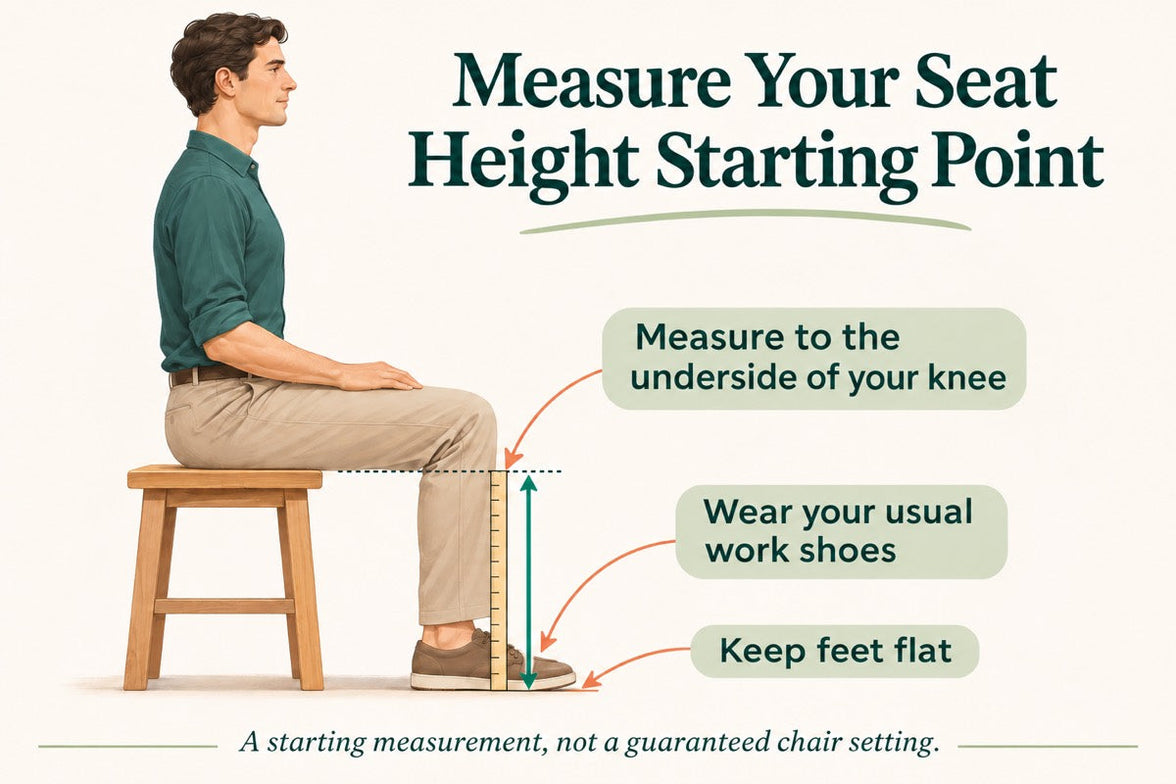
  1. Misura l'altezza della parte inferiore della gamba da seduto. Con i piedi appoggiati, misura dal pavimento alla parte inferiore del ginocchio. Usala come punto di partenza per valutare l'altezza della seduta, non come formula esatta per l'acquisto.
  2. Misura la distanza tra l'anca e il ginocchio. Misura dalla parte posteriore dei glutei alla parte posteriore del ginocchio. La seduta utile dovrebbe sostenere le cosce lasciando uno spazio confortevole dietro le ginocchia.
  3. Rileva separatamente la posizione dei gomiti e lo spazio libero sotto la scrivania. Annota l'altezza dei gomiti, in posizione rilassata, rispetto alla seduta. Poi misura lo spazio sotto la scrivania, compresi cassetti, traverse di supporto e ripiani per la tastiera.
  4. Misura la larghezza dei fianchi da seduto. Confrontala con la larghezza utile della seduta e con lo spazio tra i braccioli. La larghezza complessiva della sedia è una misura diversa.

La nostra guida alla vestibilità delle sedie da ufficio spiega come altezza, profondità, larghezza e posizione del supporto lombare interagiscono tra loro. Tieni a portata di mano le tue misure quando confronti le specifiche dei prodotti.

03 / PARTI DAL PAVIMENTO

Altezza della seduta: controlla entrambi gli estremi dell'intervallo

L'altezza della seduta deve essere adatta sia alle gambe sia alla postazione di lavoro. Dovresti riuscire ad appoggiare i piedi senza sederti sul bordo anteriore per raggiungere il pavimento.

Controlla cosa misura il dato pubblicato. «Dal pavimento alla base della seduta» potrebbe non indicare lo stesso punto di «dal pavimento alla superficie della seduta». Anche la flessione della rete e la compressione del cuscino possono modificare la posizione di seduta quando ci si siede.

Se hai bisogno di una seduta più bassa

Inizia dall'altezza minima utile della seduta, poi controlla la profondità. Un intervallo di altezza consigliato non sostituisce queste misure.

Se hai bisogno di una seduta più alta

Controlla l'impostazione più alta insieme al supporto per le cosce e alla posizione dello schienale. Una sedia che si solleva abbastanza potrebbe comunque essere troppo poco profonda per te.

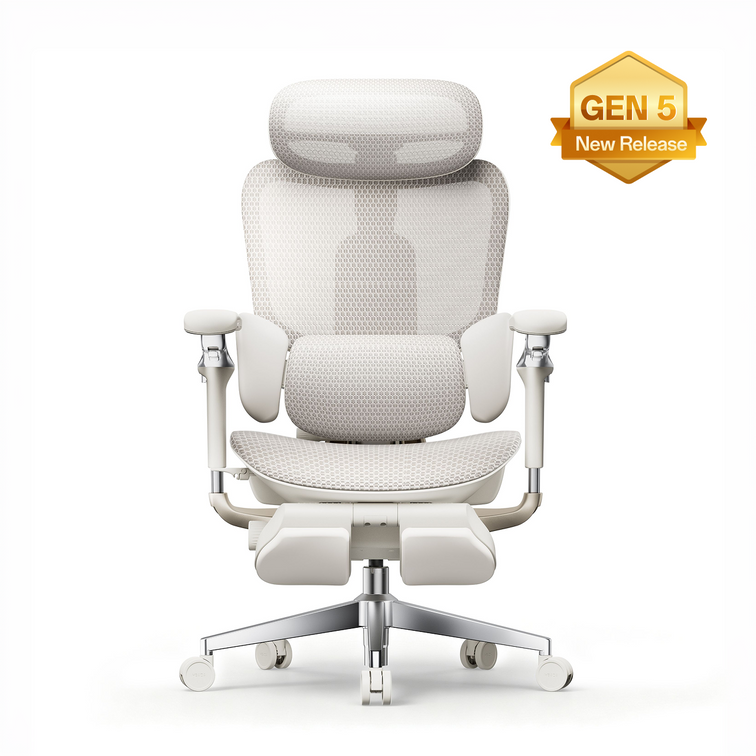
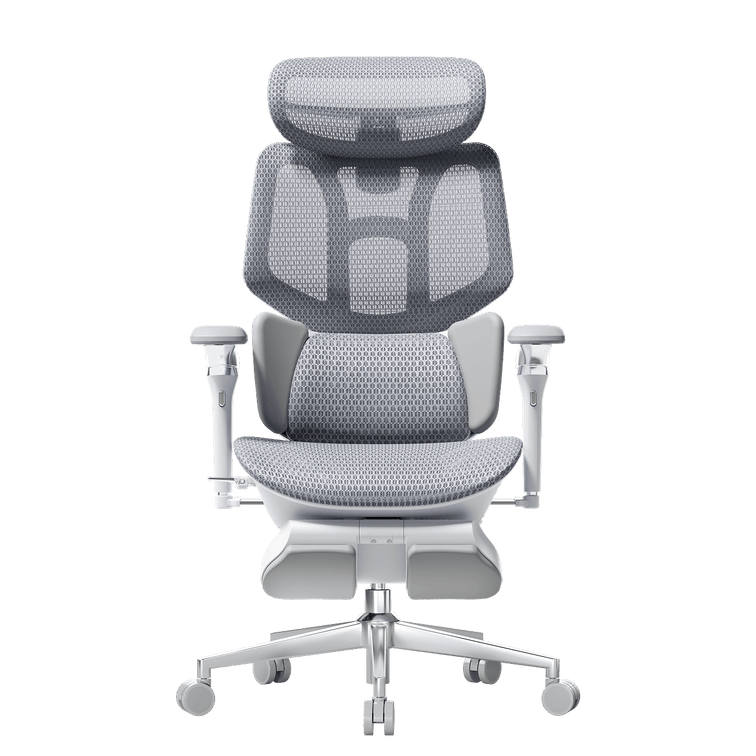
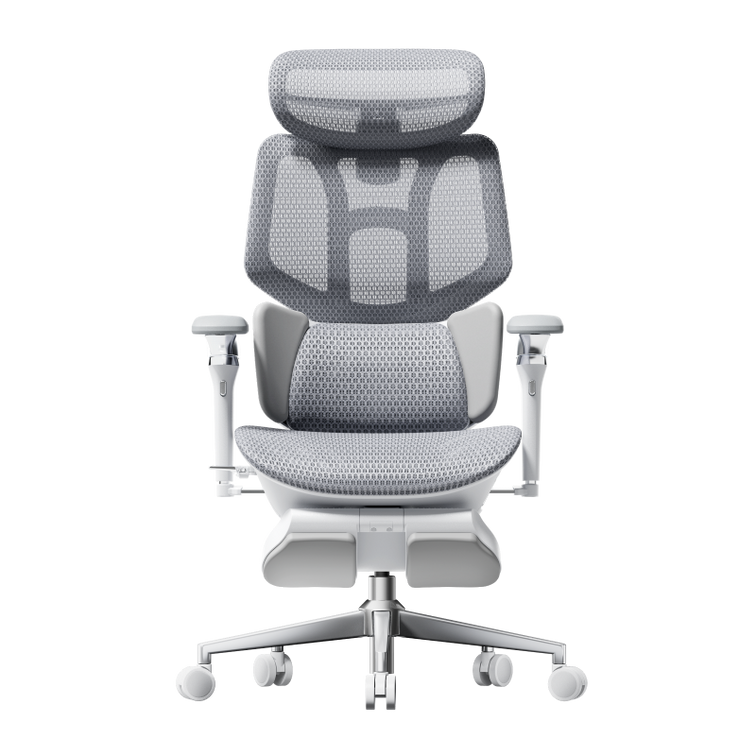
Confronta le specifiche UE attuali di E3 Air 2026, E3 Pro 2026 e X7. Non riportare dimensioni di una generazione diversa o di una scheda relativa a un'altra area geografica.

04 / IL DATO CHE MOLTI TRASCURANO

Profondità utile della seduta: l’intervallo non equivale alla corsa

La profondità del sedile influisce sulla possibilità di restare appoggiati allo schienale lasciando uno spazio confortevole dietro le ginocchia. Nel confronto tra sedie si confondono spesso tre misurazioni.

Comprendi la misurazione prima di confrontare il valore.
Misurazione Cosa descrive Cosa non indica
Profondità complessiva della sedia L'ingombro della sedia in profondità. La superficie utile che sostiene le cosce.
Intervallo di profondità utile del sedile La profondità minima e massima utilizzabile, con punti di riferimento definiti. Comfort senza considerare il corpo e la posizione dello schienale.
Escursione di scorrimento del sedile Di quanto si sposta il sedile tra i limiti della regolazione. La profondità minima o massima effettivamente utilizzabile.

Per le cosce più corte, controlla l'impostazione utilizzabile meno profonda. Per quelle più lunghe, controlla quella più profonda. In entrambi i casi, l'obiettivo è ottenere supporto restando appoggiati allo schienale, non semplicemente scegliere il numero più alto.

Quando una scheda prodotto indica solo l'escursione di scorrimento del sedile o la profondità della seduta, verifica i limiti effettivamente utilizzabili prima di confrontare le dimensioni di marchi diversi.

05 / DOVE IL SUPPORTO INCONTRA IL CORPO

Forma dello schienale, adattamento del supporto lombare e comfort quotidiano

Il supporto lombare è pensato per favorire una posizione seduta confortevole. Una configurazione adatta può contribuire ad alleviare i fastidi legati alla posizione seduta, ma il solo numero di zone di supporto non permette di prevedere l'esperienza.

Gli aspetti importanti da verificare sono il punto di contatto del supporto con la parte bassa della schiena, la possibilità di posizionarlo comodamente e come si percepisce quando cambi postura.

Supporto regolabile

Il nostro E3 Pro 2026 offre un supporto lombare a tre zone. Esplora gradualmente i comandi, senza presumere che il contatto più intenso o l'impostazione più alta siano i più confortevoli.

Supporto reattivo

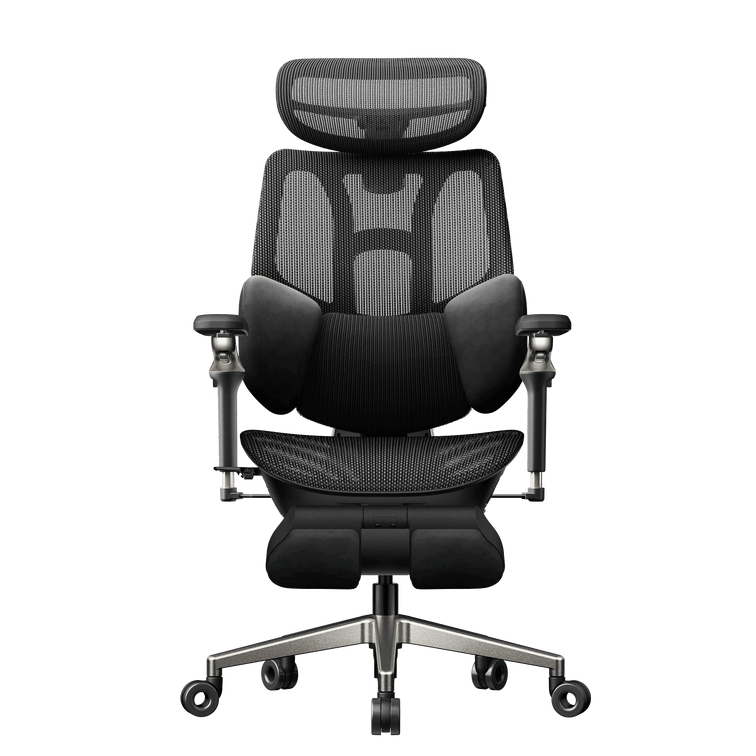
HBADA X7 utilizza un sistema di tracciamento lombare basato sull'intelligenza artificiale. Si tratta di un approccio diverso al supporto, non di una garanzia di un risultato specifico per ogni utente.

Per un confronto con Hinomi, tieni presente il modello e la versione specifici. Non trasferire descrizioni dello schienale o dettagli sulle regolazioni tra H1 Pro V2, H2 Pro o altre famiglie di modelli.

  • Puoi posizionare il supporto a un'altezza confortevole?
  • Puoi appoggiarti allo schienale senza sentirti spinto in avanti?
  • Il contatto rimane confortevole quando cambi posizione?
  • I comandi sono accessibili e pratici da usare?

06 / CONSIDERA LA SCRIVANIA

Posizione dei braccioli: supporto e spazio libero vanno verificati separatamente

I braccioli dovrebbero essere adatti alla posizione rilassata dei gomiti e allo spazio sotto la scrivania. Sono aspetti correlati, ma richiedono misurazioni diverse.

Verifica se l’altezza del bracciolo è misurata dal pavimento o dalla seduta. Una misura dal pavimento al bracciolo dipende anche dalla regolazione dell’altezza della seduta.

Per esempio, una scrivania con 70 cm di spazio libero sotto il piano non può accogliere un bracciolo alto 72 cm in quella posizione, anche se il piano stesso è alto 75 cm.

Se una sedia specifica è dotata di braccioli ribaltabili, verifica in che modo questa funzione incide sull’accesso alla scrivania e quale supporto rimane disponibile durante il lavoro. Diciture come “5D” o “720°” non indicano l’altezza minima per i gomiti né lo spazio libero sotto la scrivania.

07 / CONFRONTO EQUO

HBADA vs Hinomi: scheda per verificare l’adattabilità dei singoli modelli

Applica gli stessi criteri a entrambi i marchi. Se un dato non è confermato, lascialo come non confermato invece di riportare un valore relativo a un altro modello o mercato.

Compila questa scheda per le due sedie esatte presenti nella tua selezione.
Verifica dell’adattabilità Modello HBADA Modello Hinomi Criterio decisionale
Identificazione Annota il modello, l’edizione e la configurazione. Annota il modello, l’edizione e la taglia, se pertinenti. Non mescolare le specifiche di versioni diverse.
Altezza della seduta Verifica i valori minimo e massimo e il punto di misurazione. Verifica gli stessi dettagli per la versione selezionata. Verifica che i piedi siano ben appoggiati e che la posizione alla scrivania sia adeguata.
Profondità utile Distingui la profondità utile dalla corsa di scorrimento. Distingui la profondità utile dalle dimensioni della seduta. Mantieni il contatto con lo schienale e uno spazio confortevole per le ginocchia.
Larghezza del sedile Verifica la larghezza utile e la distanza tra i braccioli. Verifica le stesse misure. La larghezza complessiva della sedia non è un parametro sostitutivo.
Contatto lombare Verifica la posizione del supporto e i comandi disponibili. Verifica la posizione del supporto e i comandi del modello esatto. Il numero di pannelli o zone non determina se la sedia è adatta.
Braccioli Verifica il supporto per i gomiti e l’altezza nella posizione di seduta scelta. Verifica anche che sia presente una funzione di reclinazione. Confronta con l'ostacolo più basso sotto la scrivania.
Limite di peso Usa il limite di peso pubblicato in kg per il modello selezionato. Usa il limite di peso pubblicato in kg per il modello selezionato. La portata non è una classifica di comfort o durata.
Dettagli dell'acquisto Verifica la configurazione UE selezionata e il paese di consegna. Verifica la configurazione e le condizioni applicabili nella tua area geografica. Non applicare prezzi o condizioni di un altro mercato.

Scorri orizzontalmente sugli schermi più piccoli. Questo foglio di lavoro è un metodo di confronto, non il resoconto di un test completo del prodotto.

08 / DALLE MISURE ALLA ROSA DI MODELLI

Quali misure dovrebbero guidare la scelta?

Parte inferiore delle gambe più corta

Dai priorità all'altezza minima del sedile, poi verifica che non sia troppo profondo. L'etichetta della taglia o la fascia di altezza consigliata, da sole, non bastano.

Cosce più lunghe

Controlla la profondità massima utile del sedile, non solo la corsa di scorrimento. Verifica di riuscire comunque a sederti comodamente appoggiandoti allo schienale.

Una scrivania compatta

Misura il punto più basso sotto la scrivania che potrebbe essere d'intralcio e la larghezza della sedia all'altezza dei braccioli. Verifica di poterti avvicinare abbastanza alla tastiera.

Uno spazio di lavoro condiviso

Confronta gli intervalli con le misure di entrambi gli utenti. Un ampio intervallo è utile solo se comprende le regolazioni necessarie a ciascuno e se è pratico da reimpostare.

All'interno della nostra gamma, esplora E3 Air 2026, E3 Pro 2026 e X7 per creare una rosa di modelli adatti alle tue esigenze. Una volta verificate le dimensioni, confronta le caratteristiche di supporto e i comandi più importanti per la tua routine.

09 / RISPOSTE UTILI

Domande frequenti

Per la mia altezza è meglio HBADA o Hinomi?

L'altezza da sola non basta per stabilirlo. Confronta l'altezza e la profondità utile del sedile, la posizione del supporto lombare e le regolazioni dei braccioli dei modelli esatti con le tue proporzioni. Il nome del marchio non garantisce un adattamento universale.

Si tratta di un test comparativo indipendente?

No. Pubblichiamo questa guida come HBADA. Spiega come confrontare dimensioni e regolazioni; non riporta i risultati di un test fisico controllato né una classifica indipendente del comfort.

Un supporto lombare adeguato può contribuire ad alleviare il disagio?

Una sedia adatta e regolazioni appropriate possono contribuire ad alleviare il disagio legato alla seduta e rendere più confortevole una posizione sostenuta. I risultati variano. Questo non significa che una sedia tratti le cause alla base del mal di schiena.

Le specifiche di H1 Pro V2 e H2 Pro sono intercambiabili?

No. Considerali modelli distinti. Nomi simili o una scheda prodotto aggiornata non giustificano il trasferimento di dimensioni, fasce di misure o caratteristiche da un modello all'altro.

Le diverse opzioni di misura sono automaticamente migliori?

No. Ogni misura ha dimensioni specifiche da verificare. Allo stesso modo, una sedia con un ampio intervallo di regolazione è utile solo se comprende le posizioni di cui hai bisogno.

Una maggiore escursione del sedile significa una seduta più profonda?

Non necessariamente. L'escursione indica quanto si sposta il sedile. Per confrontare lo spazio effettivo di seduta, ti servono la profondità minima e quella massima utilizzabili.

Un bracciolo passa sotto una scrivania di altezza standard?

La sola altezza del piano non basta a rispondere. Misura il punto più basso dell'ingombro sotto la scrivania e confrontalo con il bracciolo all'altezza del sedile che intendi usare.

Cosa devo fare se le specifiche sono discordanti?

Verifica il modello, l'edizione, il mercato, la configurazione e il criterio di misurazione. Chiedi chiarimenti prima di fare affidamento su un dato contestato. Non fare la media tra specifiche discordanti.

Cosa devo verificare quando ordino in Europa?

Verifica la configurazione esatta del prodotto nell'UE, il prezzo e le imposte applicabili, la disponibilità della consegna nel tuo paese e le condizioni pertinenti di reso e garanzia. Non applicare al tuo ordine le politiche di un altro mercato.

10 / RIASSUMENDO

La vestibilità dipende dall'adattamento, non dal numero di funzionalità

Per un confronto pratico tra HBADA e Hinomi, parti da due modelli identificati con chiarezza e dalle tue misure. Più funzionalità non compensano una seduta o una posizione dei braccioli inadatte alle tue esigenze.

  • Conosco il modello, l'edizione e la configurazione esatti.
  • Ho verificato l'altezza del sedile e la profondità utile della seduta in centimetri.
  • Ho confrontato la larghezza utile della seduta e la distanza tra i braccioli.
  • Ho misurato lo spazio effettivamente disponibile sotto la scrivania.
  • Ho compreso i comandi lombari e la posizione del supporto.
  • Ho verificato le condizioni di acquisto per il paese di consegna.

Una volta verificate le dimensioni, scopri i comandi e perfeziona la configurazione. Consulta il nostro hub di manuali e istruzioni di montaggio per trovare le istruzioni del tuo modello di sedia. Modifica un'impostazione alla volta per valutarne l'effetto.

Trova la HBADA più adatta alla tua postazione.

Confronta la gamma europea, verifica le dimensioni e scegli un supporto adatto alle tue esigenze durante la giornata lavorativa.
Prodotto rilevante

Potrebbe piacerti anche

HBADA X7 Long-Term Review: Smart Features After 90 Days HBADA X7 Long-Term Review: Smart Features After 90 Days HBADA The X7 ownership review Beyond thefirst impression.Into real life. Unboxing is only the beginning. Here is a closer look at the HBADA X7’s smart features, everyday comfort and long-term ownership experience. 90 DAYS 01 Setup & assembly 02 Responsive support 03 Everyday ownership A smart ergonomic office chair should do more than impress on day one. It should remain useful after the controls become familiar and the chair becomes part of your normal working routine. This HBADA X7 long-term review brings together media testing and verified owner feedback, covering assembly, AI lumbar support, powered comfort features and the practical details worth considering before you buy. The shortanswer. The X7’s defining feature is responsive lower-back support. Reviewers and owners describe lumbar contact that follows changes in sitting position. Its weight, setup and powered components require consideration, but its appeal goes beyond extra features: it is about support that remains useful throughout an ordinary working day. This brand-authored roundup draws on separate reviewer and owner experiences across different usage periods and markets. It is not presented as a single continuous in-house 90-day test. For an EU purchase, check the selected configuration and local product information. Unboxing Assembly AI lumbar support Comfort features Long-term use Verdict FAQs 01 / The arrival Make room.This is not a lightweight delivery. The X7 arrives as a substantial piece of office furniture. Reviewers highlight the size and weight of the package, making delivery planning a useful first step—not something to think about once the box is already in the doorway. Clear the route to your workspace, check narrow doorways and consider any stairs along the way. If you live in a flat, think about lift access and the space available for unpacking. Arrange assistance with lifting when needed. The chair combines mechanical adjustments with powered functions. Its main electronic components are housed within the chair, but connections still need attention during setup. Leave enough space to identify the parts before assembly. Before you begin Keep the packaging for now. Check the components, complete assembly and confirm that the controls operate as described before disposing of the protective materials. A clear floor and an unhurried setup are more useful than trying to finish in record time. 02 / Getting started Build it once.Take the connections seriously. Assembly accounts collected for this review generally fall within a roughly 20–45-minute window. Your own timing will depend on experience, assistance and the time spent checking the instructions. 01 Lay out the components Identify the parts and fasteners using the supplied manual. Protect the chair’s surfaces while working. 02 Follow the cable routing Pay attention to the specified connection points. Do not force connectors or trap cables between components. 03 Check before settling in Confirm that the mechanical adjustments and powered controls work as described before a full day at your desk. Tom’s Hardware 30–40 min Extra attention was needed around routing and connecting the power cable. The Gadgeteer 35–45 min A second person can help with handling the larger components. Verified owner feedback 30–40 min Checking the instructions around the cable connection was a recurring point. Reported assembly times describe individual experiences, not a guaranteed setup time. Follow the instructions supplied with your specific chair. 03 / The defining feature Support that follows.Not a position you have to find. A conventional lumbar pad offers support when your body meets it. The X7’s responsive lumbar system is designed to adapt as your sitting position changes, helping maintain contact with the lower back. That distinction appears repeatedly in the review material: the support follows movement rather than depending entirely on the user returning to one fixed position. Responsive contact Reviewer accounts describe the lumbar support responding as the seated position changes. A personal setting The Gadgeteer describes a gentler sensation at lower settings and a more noticeable presence at higher settings. Everyday convenience Owner feedback highlights support staying close without repeated manual repositioning during desk work. Start with fit, then adjust the support. Set the seat height and depth first. Your feet should be supported, with comfortable clearance behind your knees. Then adjust the lumbar contact to suit your body. 04 / Beyond the basics Comfort features.Useful when they fit your routine. The reviewed X7 setups also bring massage, heating and cooling or ventilation features into the experience. These functions are separate from the chair’s core seat, back and arm support adjustments. Before ordering, check the X7 configuration available on our EU store . A review describes the package that person used; it should not be taken as a list of what every package includes. For focused work Let support do the quiet work. Prioritise a comfortable seat position, relaxed shoulders and supportive lumbar contact. Choose powered settings that complement your routine without distracting you. For a seated pause Change the pace, not just the setting. Explore the available comfort functions gradually and follow the operating instructions. A seated break can feel relaxing, but it does not replace getting up and moving. More intensity is not automatically more comfortable. Airflow is not the same as room air-conditioning, and a relaxing massage function is not a medical treatment. 05 / Living with it When the featuresbecome familiar. Long-term value is easier to understand once the chair becomes an ordinary part of the workspace. What stays useful? What do you still adjust? What do you stop thinking about? Early ownership / Setup experience Learn the chair before judging the settings. Assembly and initial adjustment shape the first impression. Take time to establish comfortable seat height, seat depth and arm support before deciding how much lumbar contact you prefer. One-month account / Verified owner feedback Comfort becomes part of the working routine. A designer in the owner feedback collected for this article described a comfortable, stable sitting experience after a month, with less need to reposition for comfort. Ongoing use / Verified owner feedback Lower-back contact without constant readjustment. An IT professional highlighted support remaining close during desk-based work without repeatedly repositioning the lumbar support. The 90-day perspective / What to assess Look for consistency, not novelty. Consider whether the chair still fits comfortably, frequently used adjustments operate as expected and the powered functions continue to earn a place in your routine. A three-month experience is useful context, not a prediction of the chair’s entire lifespan. These are separate experiences, not a single owner’s timeline. Individual comfort and usage patterns vary. The best feature is the oneyou still appreciate on an ordinary day. 06 / The practical side What deserves a closer look? A powered ergonomic office chair brings ownership considerations beyond upholstery and seat dimensions. Weight & moving Reviewers highlight the chair’s substantial weight. Think about stairs and room changes, especially if you regularly move furniture between floors. Your EU configuration Compare the specific package offered on the EU store with the version shown in a review. Included accessories and powered features should be checked against your selected order. Component coverage Review the warranty terms applicable to your purchase. Structural parts, electronics and batteries may have different coverage terms. Use the information for your purchase market, rather than assuming an overseas review describes the same terms. Price & delivery Check the displayed price, delivery availability and final checkout details for your destination. A price quoted in an overseas review is not a current EU offer. Long-term expectations Early comfort feedback and durability testing answer different questions. Daily use, care and maintenance all influence the ownership experience beyond the first few months. 07 / Our verdict Buy for the way you work.Not just the feature list. Across the review material, responsive lower-back support is the most consistent theme. The additional comfort functions add flexibility, but the central question remains whether this kind of support matches your working habits and preferences. A strong reason to consider it You want responsive support. Lumbar contact that adapts as you change sitting position. Adjustable ergonomic seating with powered functionality. Features you can use during both desk work and seated breaks. Think through the trade-offs You prioritise simplicity. You need a lightweight chair to move between floors. You prefer a setup without powered components. Your main priority is the lowest initial purchase cost. Start with your body fit, desk setup and the adjustments you expect to use regularly. Then compare the HBADA X7’s features and available options against those priorities. The X7 is designed for supportive seating and everyday comfort, not to diagnose or treat a medical condition. Persistent pain should be discussed with a qualified healthcare professional. The details, answered Before you decide. How long does HBADA X7 assembly take? The experiences collected for this review range from roughly 20 to 45 minutes. Allow extra time for checking the connections and follow the manual supplied with your exact model. What makes the X7’s AI lumbar support different? The responsive lumbar system is designed to adapt support as your sitting position changes. Reviewers and owners describe lower-back contact that follows movement rather than relying only on a fixed pad. Does the EU version include everything shown in overseas reviews? Check the selected configuration and included accessories on the EU product page. A reviewed package or regional version may differ from the one you are ordering. Is the X7 suitable for a home office? It can suit a home office where responsive lumbar support and powered functionality are priorities. Check body fit, desk compatibility, delivery access and the space available for assembly. What should I check before ordering in Europe? Confirm the configuration, included accessories, delivery availability for your destination and applicable warranty terms. Refer to the EU store and checkout for current pricing rather than a price quoted in an overseas review. Are all the experiences from one 90-day test? No. This brand-authored roundup brings together separate media tests and verified owner experiences covering different usage periods. A one-month owner observation is identified separately from the broader long-term discussion. Does a 90-day review establish the chair’s lifespan? No. It can help describe early ownership, comfort and feature usability, but total service life also depends on use, care, loading and maintenance. Smart support.A more personal way to sit. Explore the HBADA X7 on our EU store, compare the available configuration and see how responsive lumbar support fits into your working day. Explore the HBADA X7 → Explore HBADA Europe → Keep good advice close Enjoyed this guide?Stay connected with HBADA. Make HBADA Europe one of your preferred sources on Google for more ergonomic chair guides, workspace tips and practical advice. Add HBADA to your preferred sources on Google ↗ Opens Google in a new tab. Confirm your selection there if HBADA is available. Office Chair Seat Height: How to Measure Your Best Fit Office Chair Seat Height: How to Measure Your Best Fit A better chair fit starts at floor level. Your feet, your legs and your desk all influence the right office chair seat height. A tape measure gives you a useful starting point. Sitting at your actual workspace helps you finish the adjustment. Quick answer: Sit on a firm, stable surface with your usual work shoes on and your feet flat. Measure vertically from the floor to the underside of your thigh at the crease behind your knee. Use this as a starting reference when comparing chair seat heights, then check the fit while seated. It is not an exact setting that every chair must match. How to measure Check the chair Match your desk Common questions Seat height is not the same as overall chair height. In a product specification, seat height describes the distance from the floor to the seating surface. Overall chair height includes the backrest or headrest and does not tell you whether your feet will reach the floor. Your body measurement is different again: it measures your lower-leg clearance while seated. It helps narrow your options, but the final fit also depends on the seat shape, how the material settles under your weight and your desk setup. If you are checking more than height, start with our guide to office chair height, depth, width and lumbar fit . A chair can be the right height and still have a seat that is too deep for you. How to measure your seat-height starting point You will need a tape measure or ruler, a firm and stable seating surface, and the shoes you normally wear at your desk. Having someone help makes it easier to keep the measurement vertical. Measure from the floor to the underside of the knee crease, not to the top of the kneecap. Illustration is schematic, not a scale drawing. 01 Keep your footwear consistent Measure in the shoes you usually wear while working. If you work barefoot or in slippers, use that setup instead. A measurement taken in thick-soled trainers may not reflect your everyday home-office position. 02 Sit with both feet supported Use a stable surface that lets your feet rest flat and your lower legs sit approximately upright. Keep your knees bent around a right angle without forcing the position. Avoid a deep sofa or a surface that leaves your feet dangling. 03 Measure to the crease behind your knee Place the ruler beside your lower leg and measure straight up from the floor to the underside of your thigh where it meets the back of your knee. Do not follow the angle of your shin or measure to the top of your knee. 04 Record the result in centimetres Repeat the measurement to check it. Note your footwear alongside the number, then compare it with the seat-height adjustment range of the chair you are considering. Do not subtract a fixed amount automatically. This measurement is a reference, not a universal formula. Seat materials and measurement methods vary, so the adjustment range and your seated fit matter more than a perfect match on paper. Turn the measurement into a real chair fit Before buying, look for a chair whose published seat-height range covers your likely starting position, ideally with room to adjust either way. Check whether the measurements describe an occupied or unoccupied seat. If the method is unclear, ask before treating two specifications as directly comparable. Once you have the chair, sit back and adjust it in small steps. The goal is comfortable support, not making your body hold a precise diagram. Your seated fit checklist Your feet rest securely on the floor or a suitable footrest. The seat supports your thighs without digging into their underside. There is clearance between the seat edge and the backs of your knees. You can use the backrest without sliding forward to reach the floor. You can change position without feeling trapped by the desk or armrests. If the seat edge presses behind your knees even after changing the height, investigate seat depth as well. Lowering the chair cannot always compensate for a seat that is too long. For model-specific controls, use our HBADA user manuals and assembly guides . What if the right seat height does not match your desk? A comfortable leg position is only part of the setup. Your keyboard should also be within easy reach, with your shoulders relaxed rather than lifted towards your ears. If you have a height-adjustable desk Start with a comfortable seated position, then adjust the desk so the keyboard sits around or slightly below elbow level. Recheck your screen position after changing the desk height. If your fixed desk is too high Raising the chair may improve your arm position but leave your feet unsupported. A stable under-desk footrest can bridge that gap. Check that there is still enough space for your thighs beneath the desktop. If your fixed desk is too low Avoid lowering the chair so far that your legs become cramped simply to fit underneath. The desk itself may need changing. Raising armrests will not create missing legroom. A reclining leg rest has a different job. A chair’s pull-out footrest is intended for reclined breaks. It is not automatically a replacement for stable foot support during upright keyboard work. Use fit to narrow your HBADA shortlist Compare the current dimensions on each product page before choosing features. A massage function, headrest or advanced armrest system cannot make up for a seat-height range that does not suit your setup. HBADA E3 Air : check its seat dimensions and adjustment range against your measurements. HBADA E3 Pro : compare the seating dimensions and available adjustments with your desk setup. HBADA E3 Ultra : confirm the fit first if you also want built-in massage and heating for seated breaks. Before ordering, review our current return policy and the delivery information for your country. Keep your measurements handy if you need help checking a particular model. Office chair seat height: common questions Can I choose seat height from my standing height? Standing height is a rough screening tool, not a precise fit measurement. People of the same height can have different leg proportions. Measure your seated lower-leg height and check the chair at your desk. Should my knees stay at exactly 90 degrees? No. A right angle is a useful starting reference for measuring, not a position you need to hold all day. Look for supported feet, comfortable thigh contact and room to move. What if the chair is still too high at its lowest setting? Check whether a suitable footrest works with your desk height and available legroom. If the overall setup still feels wrong, a chair with a lower seat-height range may be a better fit. Avoid modifying the chair with unapproved components. Why does the seat feel lower when I sit down? Cushioning can compress and mesh can flex under load. That is why an unoccupied measurement may differ from your seated experience. Check how the manufacturer measures seat height and make the final adjustment while seated. Should I adjust the chair again when I change shoes? Recheck the fit if the sole height changes noticeably. You may only need a small adjustment, but your feet should remain supported without creating uncomfortable pressure beneath your thighs. Measure first. Compare second. Start with one useful measurement, then check the rest of your fit: seat depth, usable width, back support and desk height. The right setup works as a whole. Explore the complete chair-fit guide → More practical guides for your workspace. Choose HBADA as a preferred source on Google to stay connected with our chair guides and workspace advice. Add HBADA to your preferred sources ↗ Opens Google in a new tab. Confirm your selection there if HBADA is available. Which Office Chair Is Right for You? A 12-Question Buying Guide Which Office Chair Is Right for You? A 12-Question Buying Guide HBADA / THE WORKSPACE JOURNAL THE CHAIR FIT SERIES A more personal way to choose Find your priorities.Then find your chair. Your height is only the beginning. Work through 12 questions about body fit, support, your desk and your budget to build a more useful office chair shortlist. Body fit Comfort Workspace Purchase planning Compare models Quick answer: Start with suitable seat dimensions and weight capacity. Then compare lumbar support, armrest movement, materials and optional features. The right office chair should fit your body and work with your desk—not simply have the longest feature list. Choose an option in each dropdown, then read the guidance beside or below it. Use centimetres for dimensions and kilograms for weight when comparing specifications. A self-guided worksheet, not an automatic matcher. Your selections do not change the advice or calculate a recommendation. This worksheet does not submit or save answers. Keep your own notes if you want to retain your checklist. 01 / Body fit Start with what needs to fit. Check dimensions before adding features to your wishlist. QUESTION 01 What is your height? Choose your height range Under 160 cm 160 cm to under 170 cm 170 cm to under 180 cm 180 cm to under 190 cm 190 cm or taller I need to measure first Height helps you start a comparison, but people of the same height can have different leg lengths and torso proportions. Shorter users should check minimum seat height and depth. Taller users should also check thigh support, backrest positioning and headrest reach. Check next: Compare actual adjustment ranges. These height bands are not model suitability guarantees. QUESTION 02 Which weight range applies to you? Choose a weight range Under 60 kg 60 kg to under 80 kg 80 kg to under 100 kg 100 kg to under 120 kg 120 kg or more I prefer to check the capacity privately Check your exact weight against the published capacity of the model and configuration you are considering. Selecting a broad range here does not confirm compatibility. Capacity and seat size are different. A chair may support your weight but still have unsuitable dimensions. Check next: Verify weight capacity, usable seat width and armrest spacing separately. QUESTION 03 What would you change about your current seat? Choose your main fit concern The seat feels too deep The seat feels too short The seat or armrests feel too narrow The armrests feel too far apart The size works well I am not sure Sit against the backrest. Check whether the seat presses behind your knees and whether your hips have comfortable room. Your forearms should reach the armrests without stretching outwards. If the current size works, record those dimensions rather than assuming a bigger chair will be better. Check next: Follow our chair-fit measurement guide to measure usable height, depth and width. 02 / Comfort preferences Choose the feel you enjoy. Think about how you want the chair to support your day. QUESTION 04 What seat material or feel do you prefer? Choose your preference Breathable mesh A padded seat is essential A softer feel matters most A firmer feel matters most I am open to different materials Mesh allows airflow; padding offers cushioning with a different feel. Comfort also depends on seat shape, construction and personal preference. If cushioning is essential, keep it on your must-have list. Adding a cushion later can change seated height and contact with the backrest. Check next: Confirm the actual seat construction. Mesh provides ventilation, not active cooling. QUESTION 05 How do you prefer your lower back to be supported? Choose your support preference Gentle contact without strong pressure Noticeable support that I can adjust Support that responds as I move My current support feels too strong I am not sure yet Look for comfortable contact, not maximum pressure. Lumbar support should not force you towards the front of the seat. If support feels badly positioned, check seat depth and backrest settings. Both affect where the lumbar section meets your body. Check next: Compare positioning and adjustment range. A feature name cannot predict your preferred firmness. QUESTION 06 Which features would you use during breaks? Choose your main preference A headrest and reclining backrest A pull-out footrest Massage and warmth A combination of these features None of these is essential Check headrest positioning and the room needed to recline. A headrest should not push your head forwards during regular desk work. A pull-out footrest supports reclined breaks. A separate under-desk footrest serves a different purpose: supporting your feet during upright work. Check next: Confirm the selected version includes your preferred features. Massage and warmth do not replace a good fit. Choose the features that serve your workday, not simply the longest feature list. 03 / Your workspace Make the desk part of the decision. The chair and the space around it need to work together. QUESTION 07 How do you usually sit during your main tasks? Choose your usual pattern Mostly upright for keyboard and mouse work I often lean forwards I recline for reading or calls I switch between positions and devices For keyboard work, prioritise comfortable access without reaching or raising your shoulders. If you lean forwards, check screen visibility and keyboard distance too. If you switch between devices, compare useful armrest movements rather than simply counting adjustment directions. Check next: Identify your two main tasks. Allow for movement and breaks instead of holding one rigid position all day. QUESTION 08 What kind of desk do you use? Choose your desk type A fixed-height office desk A height-adjustable desk A dining table or shared table I switch between desks I have not chosen my desk yet Measure desktop height and usable space underneath. Drawers, thick edges and support bars may reduce room for your legs and armrests. If raising the chair helps you reach the desk but leaves your feet unsupported, consider a separate footrest or a suitable change to the work surface. Check next: Record underside clearance separately from desktop height. Adjustable desks also have range limits. QUESTION 09 Where are your keyboard and mouse? Choose your setup On the desktop, close to me On a separate keyboard tray I use a laptop’s built-in keyboard Farther away, so I reach forwards My setup changes during the day Armrests should not stop you from moving close enough to your input devices. Check their height and spacing against the desktop or keyboard tray. A laptop links screen position with keyboard position. For longer desk sessions, an external keyboard and mouse may make the setup easier to arrange. Check next: Decide whether the chair, the input devices, or both need repositioning. 04 / Purchase planning Turn preferences into priorities. Keep the practical details in view before ordering. QUESTION 10 What is the main improvement you want? Choose your top priority A better size and fit More comfortable lower-back contact Better arm support A more breathable seat More comfortable reclined breaks Massage and warmth Name the improvement that would make the biggest difference. Then separate must-have requirements from optional extras. Keep suitable dimensions as a requirement even when another feature is the main attraction. Check next: Write down one main priority and two secondary preferences. Persistent discomfort deserves professional advice, not just a different chair. QUESTION 11 What is your chair budget? Choose a product budget in EUR Under €300 €300 to under €500 €500 to under €800 €800 or more Flexible for the right fit and features Prioritise suitable dimensions, capacity and useful adjustments. Then decide which extras are worth paying for. Check the final total for your destination, including the displayed tax treatment and any delivery charges. These budget bands are not current product prices. Check next: Keep a preferred product budget and a maximum total purchase budget. QUESTION 12 Which delivery situation applies to you? Choose your delivery situation A home address in an EU country A business address in an EU country A European address outside the EU An island or remote-area address I need to confirm my destination Confirm availability for your exact country and postcode. Selecting a region here does not confirm that it is served. Review stock or preorder status and the current delivery and return conditions. Do not assume that one country’s shipping arrangements apply across Europe. Check next: Confirm destination eligibility, assembly needs and any applicable return costs before ordering. Your answers, organised. There is no submission step. Review your selections and turn them into three short lists: Must fit: seat height, usable depth, width, capacity and desk clearance. Should suit you: lumbar feel, armrest movement, material and working positions. Nice to have: additional break-time features and styling preferences. Compare HBADA options below → Use your priorities to compare Where should you start with HBADA? These are model comparison starting points, not calculated results from your selections. Check the exact specifications, configuration and current price before choosing. Everyday desk features HBADA E3 Air 2026 Start by comparing its mesh seating, three-zone lumbar support and adjustable armrests with the features you need for regular desk tasks. Check usable dimensions and adjustment ranges against your measurements. Explore E3 Air specifications → Arm-position flexibility HBADA E3 Pro 2026 Look at its 720° OmniMechanical armrests if flexible positioning matters when switching between tasks and devices. Compare the movements you need and your desk clearance rather than treating more adjustment as automatically better. Explore E3 Pro adjustments → Massage and warmth HBADA E3 Ultra Gen 5 Explore E3 Ultra if built-in lower-back massage and graphene heating are features you would use during seated breaks. Keep everyday fit first: additional comfort features do not compensate for unsuitable seat dimensions. Explore E3 Ultra → Do not force a match. If a padded seat or a different dimension range is essential, these three mesh-seat models may not meet your requirements. Ask our team rather than overlooking a must-have. Before you place an order. Confirm usable seat dimensions and the exact model’s weight capacity. Check armrest clearance, base footprint and space to recline. Verify the generation and configuration include the features you expect. Review the current price, delivery availability and return conditions. Our user manuals and assembly guides help explain model-specific controls. For measurement methods, return to our office chair fit guide . Questions about this guide. Will my answers automatically recommend a model? No. The dropdowns help organise your preferences. Use the model descriptions to compare those preferences, then verify specifications before purchasing. Can I choose a chair from my height alone? No. Leg length, torso proportions, desk height and personal preferences also matter. Check usable dimensions and adjustment ranges. Will these answers be sent to HBADA? This worksheet does not submit answers or create an enquiry. If you contact our team, you decide what information to share. A clearer checklist.A more considered choice. Keep the requirements that matter to you. Confirm the measurements. Choose features that serve your working day. If a specification is unclear, ask us before ordering. Ask HBADA about chair fit → Opens your email app. Worksheet answers are not included automatically. Regular movement and breaks remain important; persistent pain should be discussed with a qualified healthcare professional. More useful advice for your everyday workspace. Choose HBADA as a preferred source on Google, where available, to stay connected with our chair guides and workspace advice. Choose HBADA on Google ↗ Confirm your selection on Google if HBADA is available.