
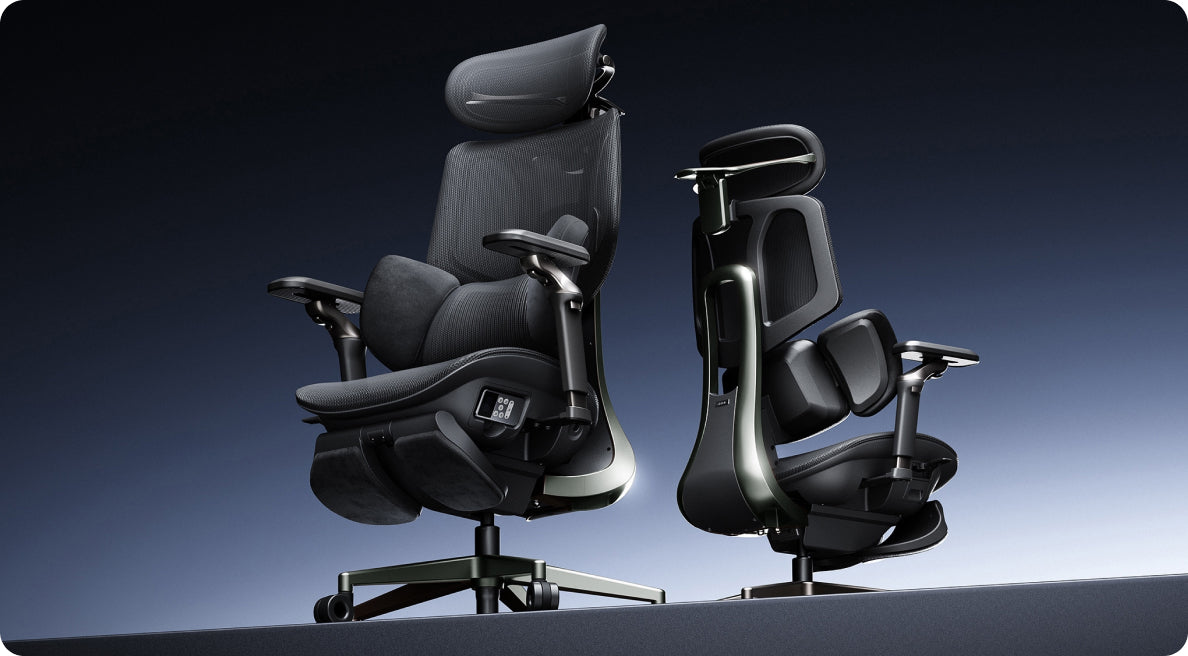

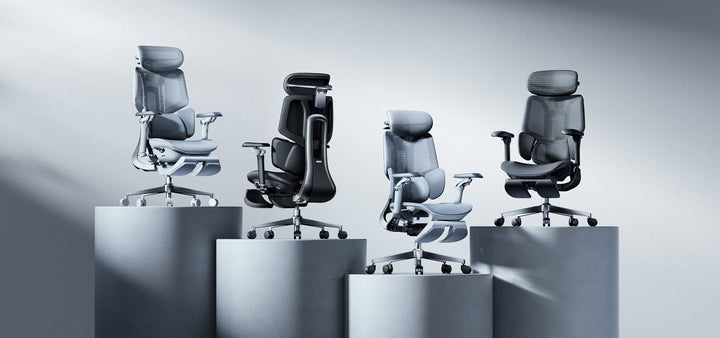
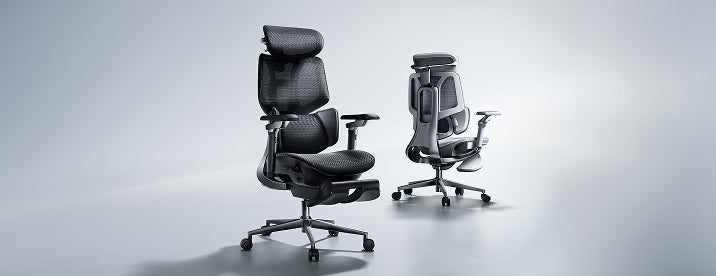


Tutti gli articoli
 How Often Should You Replace an Ergonomic Office Chair? Seven Warning Signs
Dark reading mode
Still supportive?Or time for a change?
Before replacing your office chair, check what has actually changed. A worn component may be repairable; a damaged structure needs a different response.
Condition mattersmore than the calendar.
Keep what can be safely maintained. Replace what can no longer provide reliable support.
When should you replace an ergonomic office chair? Replace it when damage or wear cannot be safely and reasonably repaired. Check for sagging support, sinking height adjustment, cracks and unreliable mechanisms. An isolated fault may only need a compatible replacement part. Stop using an unstable or structurally damaged chair until it has been assessed.
In this guide
How long does a chair last?
Seven warning signs
Repair or replace?
Make your chair last longer
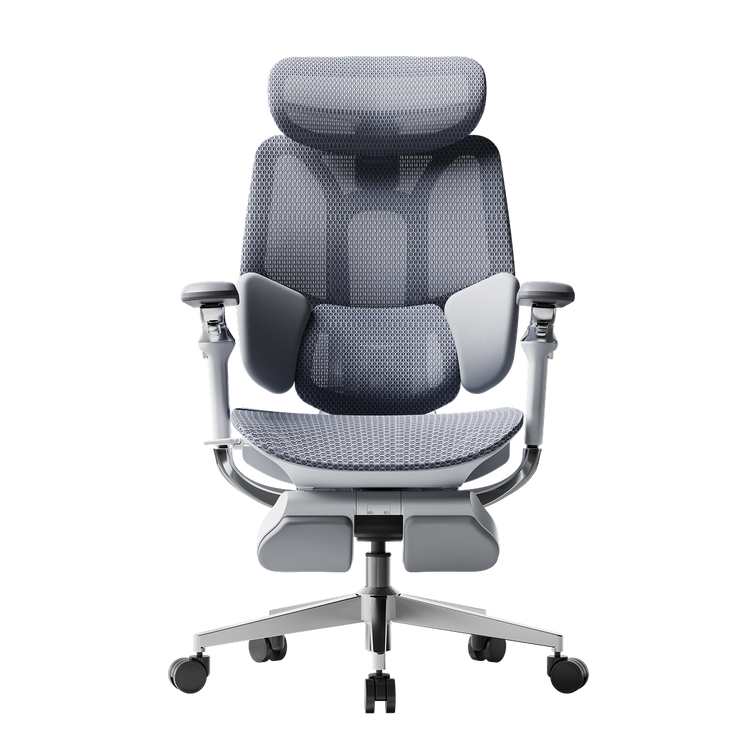
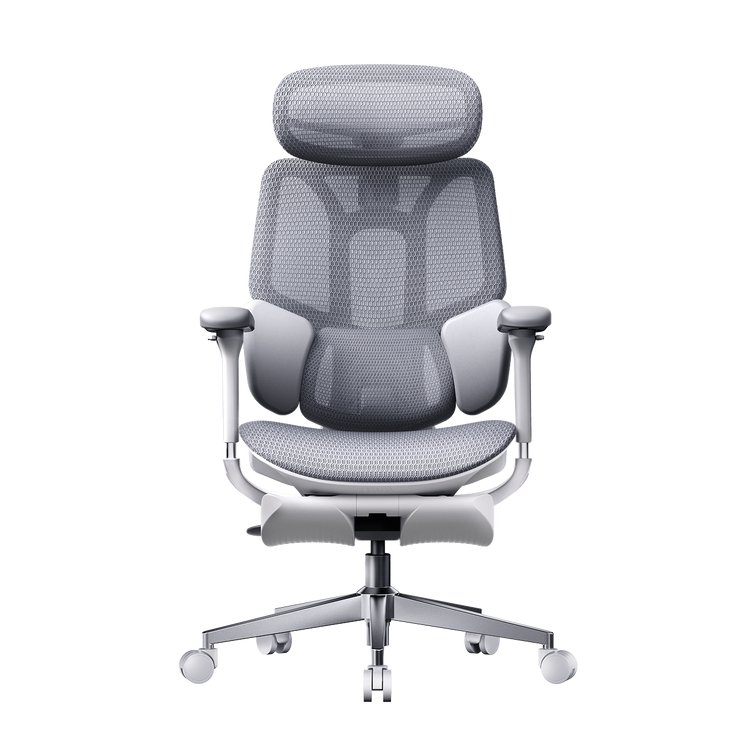
HBADA models and durability
When to get help
The takeaway
Frequently asked questions
Sources
How long does an ergonomic office chair last?
There is no universal lifespan for every ergonomic office chair. Materials, daily sitting time, user load, maintenance and environmental conditions all affect how quickly individual components wear.
Judge your chair by its condition rather than replacing it automatically after a particular number of years. A chair used occasionally at home faces different demands from one shared across long working shifts.
Ask whether the seat still supports you, the frame is stable and the controls work as intended. Those checks are more useful than relying on age alone.
Warranty is not an expiry date. Warranty coverage, laboratory testing and useful service life describe different things. A test-cycle figure cannot be directly converted into years, and the end of warranty coverage does not automatically mean the chair needs replacing.
What are the seven warning signs?
Look for changes in support and function. Some faults can be corrected with maintenance or a replacement assembly; others require you to stop using the chair.
Seven signs that deserve attention
Warning sign
What it may indicate
What to do
1. Sagging padding or stretched mesh
The support surface no longer holds you evenly.
Ask whether the seat assembly can be replaced. Replace the chair if support cannot be restored.
2. A seat that keeps sinking
A worn cylinder or a problem with the height-control mechanism.
Have the cause checked and request a compatible part.
3. A cracked base or structural instability
A damaged load-bearing part or connection.
Stop using the chair. Seek an approved repair or replace it if safe restoration is not possible.
4. Broken lumbar support or backrest
Support or attachment has failed.
Request service or a compatible assembly. Do not use a loose or damaged backrest.
5. An unreliable recline lock
The mechanism releases unexpectedly or cannot hold its position.
Stop using the chair until assessed; repair or replace as advised.
6. Broken castors or armrests
A worn part or damaged mounting point.
Replace compatible parts if the remaining structure is sound.
7. Persistent noise, wobbling or discomfort
Loose fixings, wear, poor fit or another workstation issue.
Investigate the cause. Noise alone does not prove the chair needs replacing.
Lost support does not always mean a new chair
A replacement seat or backrest assembly may restore comfort if the rest of the chair is in good condition. Ask about repair options before assuming that stretched mesh means the entire chair must be discarded.
Instability needs a prompt response
Cosmetic marks and structural cracks are not the same. Stop using a chair that shifts unexpectedly or has damaged load-bearing parts.
EU-OSHA’s office ergonomics guide includes chair stability among its workstation checks. Read the office ergonomics guide.
Should you repair or replace?
Repair can be a practical choice when one component fails on an otherwise sound chair. Replacement is more appropriate when multiple major faults remain or a safe repair is not available.
Repair when…
The fault has been identified.
The remaining structure is sound.
A suitable part is available.
The repair restores reliable function at a reasonable cost.
Replace when…
Structural damage cannot be safely resolved.
Several major components have failed.
Compatible parts cannot be sourced.
The repair cannot restore suitable support.
Do not assume castors, cylinders and bases share universal dimensions. Check the part number, fittings, load rating and manufacturer’s compatibility guidance. Include delivery and labour when comparing repair costs with a replacement chair.
Contact support before dismantling. Keep your order details and model information ready, and provide clear photos of the fault. Check the HBADA EU warranty and service information before paying for a replacement part.
Never open, drill, heat or attempt to refill a gas lift cylinder. It is a sealed pressure component. Replacement must follow the model’s instructions; seek qualified help if the process is unclear.
How do you make a chair last longer?
Care is about both cleaning and noticing changes. Use the maintenance schedule and methods supplied for your model.
Stay within the load limit: do not stand on the chair or use its footrest as a step.
Check fixings: inspect for looseness as instructed and avoid overtightening.
Clean mesh gently: use suitable tools and approved cleaners, without soaking electrical components.
Keep castors clear: remove accessible hair and debris according to the care instructions.
Protect materials: avoid prolonged direct sunlight, excessive heat and damp storage.
Act on new faults: investigate sinking, unusual movement or visible damage rather than waiting for failure.
Routine inspection does not mean dismantling the chair. Check accessible areas and ask support before attempting an unfamiliar repair.
Which HBADA chairs should you consider for long-term use?
If replacement is the right decision, look at fit, adjustment, product testing and support for the components you are buying.
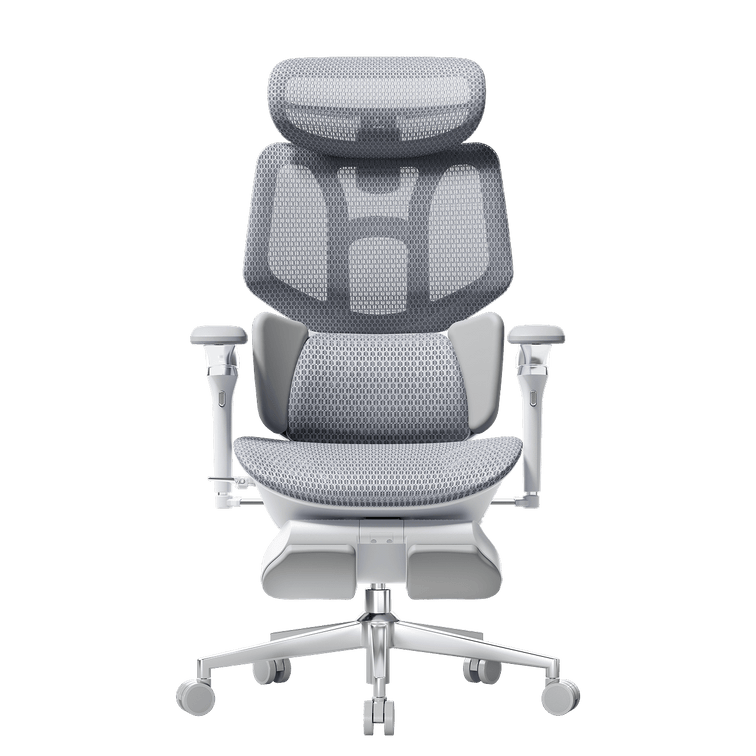
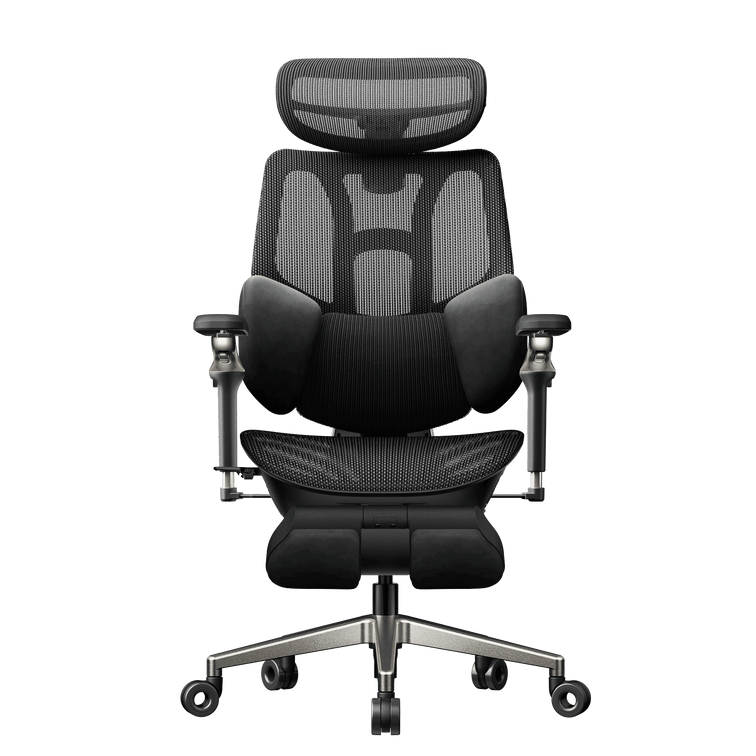
X7 and E3 Pro 2026: ownership considerations
Consideration
HBADA X7
E3 Pro 2026
Support approach
Powered automatic lumbar tracking
Mechanical three-zone adaptive support
Comfort functions
Massage, heating and fan-assisted ventilation
Mechanical adjustments and breathable mesh
What to ask about
Support for structural parts, powered components and the battery
Support for the mesh seat, lumbar assembly and adjustment mechanisms
Warranty and parts
Confirm terms and parts availability for your exact purchase.
Confirm terms and parts availability for your exact purchase.
The E3 Pro 2026 EU listing reports 120,000 cycles for recline, gas lift and rotation testing. These manufacturer-published test figures provide information about testing, not a guaranteed number of years of use.
HBADA X7
Consider X7 if powered lumbar tracking and additional comfort functions suit your routine.
Explore X7 →
HBADA E3 Pro 2026
Consider E3 Pro 2026 if you prefer adaptive mechanical support and hands-on adjustment.
Explore E3 Pro 2026 →
Check the selected model, purchase terms and applicable component coverage. Do not assume every part carries the same warranty period.
Limitations and when to get help
A visual inspection cannot identify every internal fault.
Follow instructions for your exact model, not a similar-looking chair.
Do not force jammed controls or improvise repairs to load-bearing parts.
Discomfort can involve workstation fit, movement habits or health as well as chair wear.
Seek qualified healthcare advice for persistent, severe or radiating pain.
The takeaway: repair what is sound, replace what is not
An ergonomic office chair does not need replacing simply because it is old. Check the support surface, height adjustment, base and mechanisms, then find out whether suitable parts can restore reliable use.
Maintain the chair while it remains sound, stop using it when structural safety is in doubt, and replace it when a safe, practical repair is no longer possible.
Frequently asked questions
How often should you replace an office chair?
There is no fixed interval for every chair. Inspect its stability, support and mechanisms. Replace it when damage or wear cannot be safely and reasonably repaired.
Is it worth repairing an office chair?
It can be, particularly when a single replaceable part has failed. Confirm compatibility, the condition of the remaining chair and the total cost before choosing a repair.
How do you know whether mesh is worn out?
Look for tearing, detached edges or persistent sagging that changes how the seat supports you. Ask whether the mesh or seat assembly is replaceable before discarding the whole chair.
Does a sinking chair always need replacing?
No. The fault may be in the cylinder or height-control mechanism. Have it diagnosed and check for a compatible replacement part. Never attempt to open or refill the cylinder.
Does an old chair cause back pain?
Worn support or poor fit may contribute to discomfort, but chair age does not establish the cause of pain. Review your workstation and seek medical advice for persistent or severe symptoms.
How long is an office chair warranty?
It varies by model, component and purchase terms. Check your order documentation and the relevant warranty policy. Warranty duration is not the same as the chair’s expected usable lifespan.
Sources
EU-OSHA — Office Ergonomics
HBADA EU — Warranty and Service
HBADA EU — X7
HBADA EU — E3 Pro 2026
Sep 30, 2026
How Often Should You Replace an Ergonomic Office Chair? Seven Warning Signs
Dark reading mode
Still supportive?Or time for a change?
Before replacing your office chair, check what has actually changed. A worn component may be repairable; a damaged structure needs a different response.
Condition mattersmore than the calendar.
Keep what can be safely maintained. Replace what can no longer provide reliable support.
When should you replace an ergonomic office chair? Replace it when damage or wear cannot be safely and reasonably repaired. Check for sagging support, sinking height adjustment, cracks and unreliable mechanisms. An isolated fault may only need a compatible replacement part. Stop using an unstable or structurally damaged chair until it has been assessed.
In this guide
How long does a chair last?
Seven warning signs
Repair or replace?
Make your chair last longer
HBADA models and durability
When to get help
The takeaway
Frequently asked questions
Sources
How long does an ergonomic office chair last?
There is no universal lifespan for every ergonomic office chair. Materials, daily sitting time, user load, maintenance and environmental conditions all affect how quickly individual components wear.
Judge your chair by its condition rather than replacing it automatically after a particular number of years. A chair used occasionally at home faces different demands from one shared across long working shifts.
Ask whether the seat still supports you, the frame is stable and the controls work as intended. Those checks are more useful than relying on age alone.
Warranty is not an expiry date. Warranty coverage, laboratory testing and useful service life describe different things. A test-cycle figure cannot be directly converted into years, and the end of warranty coverage does not automatically mean the chair needs replacing.
What are the seven warning signs?
Look for changes in support and function. Some faults can be corrected with maintenance or a replacement assembly; others require you to stop using the chair.
Seven signs that deserve attention
Warning sign
What it may indicate
What to do
1. Sagging padding or stretched mesh
The support surface no longer holds you evenly.
Ask whether the seat assembly can be replaced. Replace the chair if support cannot be restored.
2. A seat that keeps sinking
A worn cylinder or a problem with the height-control mechanism.
Have the cause checked and request a compatible part.
3. A cracked base or structural instability
A damaged load-bearing part or connection.
Stop using the chair. Seek an approved repair or replace it if safe restoration is not possible.
4. Broken lumbar support or backrest
Support or attachment has failed.
Request service or a compatible assembly. Do not use a loose or damaged backrest.
5. An unreliable recline lock
The mechanism releases unexpectedly or cannot hold its position.
Stop using the chair until assessed; repair or replace as advised.
6. Broken castors or armrests
A worn part or damaged mounting point.
Replace compatible parts if the remaining structure is sound.
7. Persistent noise, wobbling or discomfort
Loose fixings, wear, poor fit or another workstation issue.
Investigate the cause. Noise alone does not prove the chair needs replacing.
Lost support does not always mean a new chair
A replacement seat or backrest assembly may restore comfort if the rest of the chair is in good condition. Ask about repair options before assuming that stretched mesh means the entire chair must be discarded.
Instability needs a prompt response
Cosmetic marks and structural cracks are not the same. Stop using a chair that shifts unexpectedly or has damaged load-bearing parts.
EU-OSHA’s office ergonomics guide includes chair stability among its workstation checks. Read the office ergonomics guide.
Should you repair or replace?
Repair can be a practical choice when one component fails on an otherwise sound chair. Replacement is more appropriate when multiple major faults remain or a safe repair is not available.
Repair when…
The fault has been identified.
The remaining structure is sound.
A suitable part is available.
The repair restores reliable function at a reasonable cost.
Replace when…
Structural damage cannot be safely resolved.
Several major components have failed.
Compatible parts cannot be sourced.
The repair cannot restore suitable support.
Do not assume castors, cylinders and bases share universal dimensions. Check the part number, fittings, load rating and manufacturer’s compatibility guidance. Include delivery and labour when comparing repair costs with a replacement chair.
Contact support before dismantling. Keep your order details and model information ready, and provide clear photos of the fault. Check the HBADA EU warranty and service information before paying for a replacement part.
Never open, drill, heat or attempt to refill a gas lift cylinder. It is a sealed pressure component. Replacement must follow the model’s instructions; seek qualified help if the process is unclear.
How do you make a chair last longer?
Care is about both cleaning and noticing changes. Use the maintenance schedule and methods supplied for your model.
Stay within the load limit: do not stand on the chair or use its footrest as a step.
Check fixings: inspect for looseness as instructed and avoid overtightening.
Clean mesh gently: use suitable tools and approved cleaners, without soaking electrical components.
Keep castors clear: remove accessible hair and debris according to the care instructions.
Protect materials: avoid prolonged direct sunlight, excessive heat and damp storage.
Act on new faults: investigate sinking, unusual movement or visible damage rather than waiting for failure.
Routine inspection does not mean dismantling the chair. Check accessible areas and ask support before attempting an unfamiliar repair.
Which HBADA chairs should you consider for long-term use?
If replacement is the right decision, look at fit, adjustment, product testing and support for the components you are buying.
X7 and E3 Pro 2026: ownership considerations
Consideration
HBADA X7
E3 Pro 2026
Support approach
Powered automatic lumbar tracking
Mechanical three-zone adaptive support
Comfort functions
Massage, heating and fan-assisted ventilation
Mechanical adjustments and breathable mesh
What to ask about
Support for structural parts, powered components and the battery
Support for the mesh seat, lumbar assembly and adjustment mechanisms
Warranty and parts
Confirm terms and parts availability for your exact purchase.
Confirm terms and parts availability for your exact purchase.
The E3 Pro 2026 EU listing reports 120,000 cycles for recline, gas lift and rotation testing. These manufacturer-published test figures provide information about testing, not a guaranteed number of years of use.
HBADA X7
Consider X7 if powered lumbar tracking and additional comfort functions suit your routine.
Explore X7 →
HBADA E3 Pro 2026
Consider E3 Pro 2026 if you prefer adaptive mechanical support and hands-on adjustment.
Explore E3 Pro 2026 →
Check the selected model, purchase terms and applicable component coverage. Do not assume every part carries the same warranty period.
Limitations and when to get help
A visual inspection cannot identify every internal fault.
Follow instructions for your exact model, not a similar-looking chair.
Do not force jammed controls or improvise repairs to load-bearing parts.
Discomfort can involve workstation fit, movement habits or health as well as chair wear.
Seek qualified healthcare advice for persistent, severe or radiating pain.
The takeaway: repair what is sound, replace what is not
An ergonomic office chair does not need replacing simply because it is old. Check the support surface, height adjustment, base and mechanisms, then find out whether suitable parts can restore reliable use.
Maintain the chair while it remains sound, stop using it when structural safety is in doubt, and replace it when a safe, practical repair is no longer possible.
Frequently asked questions
How often should you replace an office chair?
There is no fixed interval for every chair. Inspect its stability, support and mechanisms. Replace it when damage or wear cannot be safely and reasonably repaired.
Is it worth repairing an office chair?
It can be, particularly when a single replaceable part has failed. Confirm compatibility, the condition of the remaining chair and the total cost before choosing a repair.
How do you know whether mesh is worn out?
Look for tearing, detached edges or persistent sagging that changes how the seat supports you. Ask whether the mesh or seat assembly is replaceable before discarding the whole chair.
Does a sinking chair always need replacing?
No. The fault may be in the cylinder or height-control mechanism. Have it diagnosed and check for a compatible replacement part. Never attempt to open or refill the cylinder.
Does an old chair cause back pain?
Worn support or poor fit may contribute to discomfort, but chair age does not establish the cause of pain. Review your workstation and seek medical advice for persistent or severe symptoms.
How long is an office chair warranty?
It varies by model, component and purchase terms. Check your order documentation and the relevant warranty policy. Warranty duration is not the same as the chair’s expected usable lifespan.
Sources
EU-OSHA — Office Ergonomics
HBADA EU — Warranty and Service
HBADA EU — X7
HBADA EU — E3 Pro 2026
Sep 30, 2026
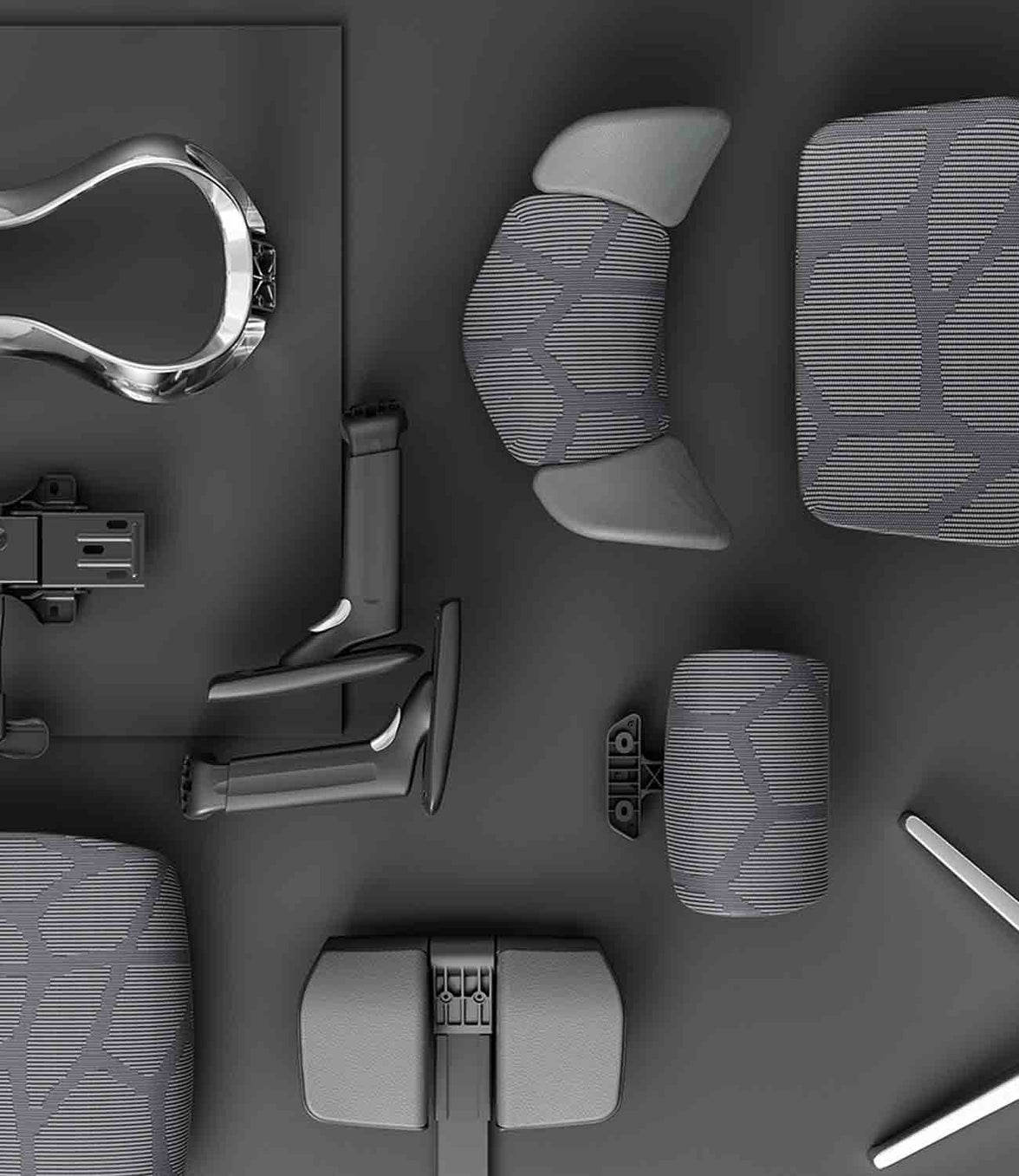 HBADA Ergonomic Office Chairs With Footrests: Models and Fit Compared
Dark reading mode
Room to focus.Space to lean back.
From focused home-office work to a quiet reclined break, an ergonomic office chair with a footrest adds flexibility to your setup. Start with fit, then choose the support and comfort features that suit your day.
Fit first.Footrest second.
Check seat height, seat depth and lumbar support before deciding which reclining features matter to you.
Which HBADA ergonomic office chair with a footrest should you choose? Consider X7 for a pull-out footrest alongside powered lumbar tracking, massage, heating and ventilation. Choose E3 Pro 2026 with footrest for adaptive mechanical support and hands-on adjustment. Always confirm the exact configuration on the EU product page.
In this guide
Do you need a footrest?
HBADA model options
Chair comparison
Finding the right fit
Setup routine
Which should you choose?
Limitations
The takeaway
Frequently asked questions
Sources
Do you need an ergonomic office chair with a footrest?
A footrest is useful when it supports the position you actually use. Before choosing a chair, separate two different needs: resting your legs while reclining and keeping your feet supported during upright work.
For reclined breaks
A retractable chair footrest
This extends from beneath the seat to support your legs as you lean back. It stores away when you return to a more upright working position.
For upright work
A separate floor footrest
This provides a stable surface for your feet when your seat needs to be raised to match a fixed-height desk.
EU-OSHA’s office ergonomics guidance includes checking whether the feet can rest on the floor or a footrest without excessive pressure behind the legs. A chair’s pull-out leg support should not automatically be treated as a substitute for an under-desk footrest. Read the EU-OSHA office ergonomics guide .
Who benefits most from a built-in footrest?
People who use their chair for desk work and reclined rest breaks.
Users who want leg support that stores neatly beneath the seat.
People who prefer an integrated solution rather than a separate ottoman.
If your feet hang above the floor while typing, first assess seat height, desk height and whether you need a separate floor footrest.
Which HBADA models offer a footrest?
HBADA X7: powered support
The HBADA X7 combines reclining leg support with automatic lumbar tracking, massage, heating and fan-assisted ventilation. Check the selected model and included configuration before ordering, particularly when comparing different chairs in the X7 family.
HBADA E3 Pro 2026: mechanical adjustment
The E3 Pro 2026 combines three-zone adaptive lumbar support with a CloudMesh seat, adjustable headrest and multi-directional armrests. Choose the With Footrest configuration to include the retractable footrest.
Compare like with like. E3 Pro 2026 is not the same model as every older E3 Pro listing. Check the generation and configuration before comparing dimensions, controls or accessories.
HBADA footrest chair comparison
The main difference is the approach to support: powered functions on X7 versus mechanical adjustment on E3 Pro 2026. Their seat dimensions also differ.
X7 vs E3 Pro 2026: EU model comparison
Feature
HBADA X7
E3 Pro 2026
Footrest
Pull-out leg support; confirm selected configuration
Select With Footrest
Lumbar support
Powered automatic tracking
Mechanical three-zone adaptive support
Seat height
44.5–53 cm
46–54.5 cm
Seat depth
40.5–45.5 cm
45–50 cm
Seat width
52 cm
51.5 cm
Additional functions
Massage, heating and fan-assisted ventilation
Mechanical adjustments without powered comfort functions
Main choice
Powered comfort features
Hands-on mechanical adjustment
Dimensions refer to the linked EU product listings. Confirm the latest specifications and included features before purchase. The chair’s overall weight capacity is not a separate load rating for the extended footrest.
How should a footrest chair fit?
Start with your seated position, not the footrest. Compare seat height and depth with your proportions, then check lumbar contact and armrest placement.
A deeper seat is not automatically better. You should be able to sit against the backrest with comfortable clearance behind your knees. Your shoulders should remain relaxed when you reach the keyboard.
Match the adjustment to the problem
If you notice
Check this
Aim for
Feet do not reach the floor
Seat and desk height; a floor footrest if needed
Supported feet during upright work
The seat edge presses behind your knees
Seat depth and height
Comfortable clearance without sliding forwards
Your lower back loses contact
Seat depth, lumbar position and sitting position
Comfortable support while sitting back
Your shoulders rise while typing
Desk, keyboard and armrest height
Relaxed shoulders with easy reach
The extended footrest feels uncomfortable
Recline, extension and your leg proportions
Leg support without concentrated pressure
Recommended user-height ranges are only a starting point. Two people of the same height can have different leg lengths and need different seat settings.
How to set up your chair and footrest correctly
Set up for upright work first. Adjust the seat and work surface so your shoulders stay relaxed. Support your feet on the floor or a separate floor footrest.
Adjust seat depth. Sit back fully and leave comfortable space between the seat edge and the backs of your knees.
Position the lumbar support and armrests. Aim for supportive contact without pushing your torso forwards or lifting your shoulders.
Arrange your screen and keyboard. Keep the screen in front of you and avoid reaching forwards to use the keyboard or mouse.
Test a reclined break. Leave space around the chair, extend the footrest according to the instructions and recline gradually. Do not use the footrest as a step or additional seat.
Include movement. Retract the footrest when returning to your desk setup as appropriate. Alternate seated work with opportunities to stand and walk.
Which HBADA chair should you choose?
Powered comfort
Choose X7
Choose X7 if you want automatic lumbar tracking and additional comfort functions such as massage, heating and cooling airflow alongside reclining leg support.
Explore X7 →
Mechanical support
Choose E3 Pro 2026
Choose the With Footrest version if you prefer adaptive mechanical lumbar support, breathable mesh and adjustment without powered comfort functions.
Explore E3 Pro 2026 →
Before ordering, check the selected variant, delivery availability for your country and the applicable return and warranty terms. Do not choose on the basis of feature count alone.
Limitations and when this advice may not apply
A chair and footrest support comfort; they do not treat medical conditions.
A retractable leg support does not automatically solve an upright desk-height mismatch.
A height-adjustable desk helps only if its range and the chair’s dimensions suit you.
Footrest instructions and load limits must be checked for the exact model.
Seek professional advice for severe, persistent or radiating pain.
The takeaway: match the chair to your day
The best ergonomic office chair with a footrest for you is one that supports comfortable upright work and gives you a useful option for reclined breaks.
Compare the X7’s powered features with the E3 Pro 2026’s mechanical support, check your seat dimensions and confirm the footrest configuration. Keep regular movement in your routine whichever model you choose.
Frequently asked questions
Are office chairs with footrests good for your back?
A built-in footrest can make a reclined break more comfortable by supporting your legs. Back comfort also depends on chair fit, lumbar support and movement. A footrest is not a medical treatment.
Do all HBADA chairs include a footrest?
No. Availability depends on the model and configuration. Select With Footrest for E3 Pro 2026 and check the included features of the exact X7 model before ordering.
Is a built-in footrest better than a separate one?
A built-in footrest is convenient for reclining and stores under the seat. A separate floor footrest supports the feet during upright work when the floor is out of reach. Choose by purpose rather than treating them as interchangeable.
Which HBADA chair should I choose for long workdays?
Start with dimensions and fit. X7 adds powered lumbar tracking, massage, heating and ventilation. E3 Pro 2026 offers adaptive mechanical support and a footrest configuration. Both still need to be adjusted to your body.
Can a footrest help with short legs or a tall desk?
A separate floor footrest may help when you need a higher seat position to reach a fixed desk. Check the chair’s minimum height and seat depth as well. Do not rely on an extended reclining footrest to correct every fit issue.
How much space does a footrest chair need?
Allow space in front for the extended footrest and behind for recline. Measure your available area and compare it with the model’s dimensions, including its reclined position where supplied. Keep walkways clear.
Sources
EU-OSHA — Office Ergonomics
EU-OSHA OSHwiki — Prolonged Static Sitting
HBADA EU — X7 Smart Ergonomic Chair
HBADA EU — E3 Pro 2026
Sep 29, 2026
HBADA Ergonomic Office Chairs With Footrests: Models and Fit Compared
Dark reading mode
Room to focus.Space to lean back.
From focused home-office work to a quiet reclined break, an ergonomic office chair with a footrest adds flexibility to your setup. Start with fit, then choose the support and comfort features that suit your day.
Fit first.Footrest second.
Check seat height, seat depth and lumbar support before deciding which reclining features matter to you.
Which HBADA ergonomic office chair with a footrest should you choose? Consider X7 for a pull-out footrest alongside powered lumbar tracking, massage, heating and ventilation. Choose E3 Pro 2026 with footrest for adaptive mechanical support and hands-on adjustment. Always confirm the exact configuration on the EU product page.
In this guide
Do you need a footrest?
HBADA model options
Chair comparison
Finding the right fit
Setup routine
Which should you choose?
Limitations
The takeaway
Frequently asked questions
Sources
Do you need an ergonomic office chair with a footrest?
A footrest is useful when it supports the position you actually use. Before choosing a chair, separate two different needs: resting your legs while reclining and keeping your feet supported during upright work.
For reclined breaks
A retractable chair footrest
This extends from beneath the seat to support your legs as you lean back. It stores away when you return to a more upright working position.
For upright work
A separate floor footrest
This provides a stable surface for your feet when your seat needs to be raised to match a fixed-height desk.
EU-OSHA’s office ergonomics guidance includes checking whether the feet can rest on the floor or a footrest without excessive pressure behind the legs. A chair’s pull-out leg support should not automatically be treated as a substitute for an under-desk footrest. Read the EU-OSHA office ergonomics guide .
Who benefits most from a built-in footrest?
People who use their chair for desk work and reclined rest breaks.
Users who want leg support that stores neatly beneath the seat.
People who prefer an integrated solution rather than a separate ottoman.
If your feet hang above the floor while typing, first assess seat height, desk height and whether you need a separate floor footrest.
Which HBADA models offer a footrest?
HBADA X7: powered support
The HBADA X7 combines reclining leg support with automatic lumbar tracking, massage, heating and fan-assisted ventilation. Check the selected model and included configuration before ordering, particularly when comparing different chairs in the X7 family.
HBADA E3 Pro 2026: mechanical adjustment
The E3 Pro 2026 combines three-zone adaptive lumbar support with a CloudMesh seat, adjustable headrest and multi-directional armrests. Choose the With Footrest configuration to include the retractable footrest.
Compare like with like. E3 Pro 2026 is not the same model as every older E3 Pro listing. Check the generation and configuration before comparing dimensions, controls or accessories.
HBADA footrest chair comparison
The main difference is the approach to support: powered functions on X7 versus mechanical adjustment on E3 Pro 2026. Their seat dimensions also differ.
X7 vs E3 Pro 2026: EU model comparison
Feature
HBADA X7
E3 Pro 2026
Footrest
Pull-out leg support; confirm selected configuration
Select With Footrest
Lumbar support
Powered automatic tracking
Mechanical three-zone adaptive support
Seat height
44.5–53 cm
46–54.5 cm
Seat depth
40.5–45.5 cm
45–50 cm
Seat width
52 cm
51.5 cm
Additional functions
Massage, heating and fan-assisted ventilation
Mechanical adjustments without powered comfort functions
Main choice
Powered comfort features
Hands-on mechanical adjustment
Dimensions refer to the linked EU product listings. Confirm the latest specifications and included features before purchase. The chair’s overall weight capacity is not a separate load rating for the extended footrest.
How should a footrest chair fit?
Start with your seated position, not the footrest. Compare seat height and depth with your proportions, then check lumbar contact and armrest placement.
A deeper seat is not automatically better. You should be able to sit against the backrest with comfortable clearance behind your knees. Your shoulders should remain relaxed when you reach the keyboard.
Match the adjustment to the problem
If you notice
Check this
Aim for
Feet do not reach the floor
Seat and desk height; a floor footrest if needed
Supported feet during upright work
The seat edge presses behind your knees
Seat depth and height
Comfortable clearance without sliding forwards
Your lower back loses contact
Seat depth, lumbar position and sitting position
Comfortable support while sitting back
Your shoulders rise while typing
Desk, keyboard and armrest height
Relaxed shoulders with easy reach
The extended footrest feels uncomfortable
Recline, extension and your leg proportions
Leg support without concentrated pressure
Recommended user-height ranges are only a starting point. Two people of the same height can have different leg lengths and need different seat settings.
How to set up your chair and footrest correctly
Set up for upright work first. Adjust the seat and work surface so your shoulders stay relaxed. Support your feet on the floor or a separate floor footrest.
Adjust seat depth. Sit back fully and leave comfortable space between the seat edge and the backs of your knees.
Position the lumbar support and armrests. Aim for supportive contact without pushing your torso forwards or lifting your shoulders.
Arrange your screen and keyboard. Keep the screen in front of you and avoid reaching forwards to use the keyboard or mouse.
Test a reclined break. Leave space around the chair, extend the footrest according to the instructions and recline gradually. Do not use the footrest as a step or additional seat.
Include movement. Retract the footrest when returning to your desk setup as appropriate. Alternate seated work with opportunities to stand and walk.
Which HBADA chair should you choose?
Powered comfort
Choose X7
Choose X7 if you want automatic lumbar tracking and additional comfort functions such as massage, heating and cooling airflow alongside reclining leg support.
Explore X7 →
Mechanical support
Choose E3 Pro 2026
Choose the With Footrest version if you prefer adaptive mechanical lumbar support, breathable mesh and adjustment without powered comfort functions.
Explore E3 Pro 2026 →
Before ordering, check the selected variant, delivery availability for your country and the applicable return and warranty terms. Do not choose on the basis of feature count alone.
Limitations and when this advice may not apply
A chair and footrest support comfort; they do not treat medical conditions.
A retractable leg support does not automatically solve an upright desk-height mismatch.
A height-adjustable desk helps only if its range and the chair’s dimensions suit you.
Footrest instructions and load limits must be checked for the exact model.
Seek professional advice for severe, persistent or radiating pain.
The takeaway: match the chair to your day
The best ergonomic office chair with a footrest for you is one that supports comfortable upright work and gives you a useful option for reclined breaks.
Compare the X7’s powered features with the E3 Pro 2026’s mechanical support, check your seat dimensions and confirm the footrest configuration. Keep regular movement in your routine whichever model you choose.
Frequently asked questions
Are office chairs with footrests good for your back?
A built-in footrest can make a reclined break more comfortable by supporting your legs. Back comfort also depends on chair fit, lumbar support and movement. A footrest is not a medical treatment.
Do all HBADA chairs include a footrest?
No. Availability depends on the model and configuration. Select With Footrest for E3 Pro 2026 and check the included features of the exact X7 model before ordering.
Is a built-in footrest better than a separate one?
A built-in footrest is convenient for reclining and stores under the seat. A separate floor footrest supports the feet during upright work when the floor is out of reach. Choose by purpose rather than treating them as interchangeable.
Which HBADA chair should I choose for long workdays?
Start with dimensions and fit. X7 adds powered lumbar tracking, massage, heating and ventilation. E3 Pro 2026 offers adaptive mechanical support and a footrest configuration. Both still need to be adjusted to your body.
Can a footrest help with short legs or a tall desk?
A separate floor footrest may help when you need a higher seat position to reach a fixed desk. Check the chair’s minimum height and seat depth as well. Do not rely on an extended reclining footrest to correct every fit issue.
How much space does a footrest chair need?
Allow space in front for the extended footrest and behind for recline. Measure your available area and compare it with the model’s dimensions, including its reclined position where supplied. Keep walkways clear.
Sources
EU-OSHA — Office Ergonomics
EU-OSHA OSHwiki — Prolonged Static Sitting
HBADA EU — X7 Smart Ergonomic Chair
HBADA EU — E3 Pro 2026
Sep 29, 2026
 How to Adjust a Shared Ergonomic Office Chair for Hot Desking
Dark reading mode
A shared desk.A setup that is yours.
Someone else’s chair settings do not have to become your working posture. A simple reset helps you make a shared ergonomic office chair fit your body before the day begins.
One routine.Five adjustments.
Seat height
Seat depth
Lumbar support
Armrests
Recline
How do you adjust a shared ergonomic office chair? Start with seat height, then seat depth, lumbar support, armrests and recline. Check the desk and screen afterwards. Once you know the controls, aim for a quick one-minute check, taking longer whenever you need to fine-tune the fit.
In this guide
Why reset a shared chair?
The adjustment order
The 60-second reset
What to look for
Shared-chair hygiene
HBADA chair comparison
Limitations
The takeaway
Frequently asked questions
Sources
Why must you reset a shared chair?
A hot-desk chair usually arrives set for whoever used it last. Their legs, back and arms may differ from yours, so the seat, lumbar support and armrests may not be in the right position for you.
A seat that feels slightly too high or armrests that keep you away from the desk can become distracting over a full day. Resetting the chair gives you a better starting point than adapting your posture to someone else’s settings.
EU-OSHA’s guidance on office ergonomics specifically discusses hot desking: shared workstations should be easy to adjust, and users need clear information about making those adjustments. Read the office ergonomics guidance.
What order should you adjust the chair in?
Start with the settings that establish your overall position. Seat height sets your relationship to the desk; seat depth determines how far back you can sit. You can then position the lumbar support and armrests around that foundation.
Your reset sequence:Seat height → seat depth → lumbar support → armrests → recline → desk and screen check.
At a height-adjustable desk, set the chair for supported feet and then bring the work surface to a comfortable working height. At a fixed-height desk, you may need to raise the chair to reach the keyboard comfortably and add a separate floor footrest.
Use the sequence as a starting point, not a rigid rule. Recheck earlier settings if a later adjustment changes how you sit.
The 60-second hot-desking reset
Learn the controls first, then use these five steps as a quick daily routine. The aim is a repeatable setup—not finishing before a timer runs out.
Set the seat height
Sit back and position yourself so you can use the keyboard with relaxed shoulders. Keep your feet supported on the floor or a stable floor footrest. Avoid pressure from the seat edge under your thighs.
Slide the seat to fit your legs
Adjust the depth while keeping your back against the backrest. Leave roughly two to three fingers of clearance behind your knees as a starting point, then check comfort.
Position the lumbar support
Move the support towards the curve of your lower back. It should feel supportive rather than push you forwards. If the chair has automatic tracking, check the initial position and available settings.
Bring the armrests to you
Adjust the available height, width or rotation so your forearms can rest without lifting your shoulders. Make sure the armrests do not stop you moving close enough to the desk.
Check the recline
Lean back gently and familiarise yourself with the tilt lock. Adjust resistance if the chair offers a manual tension control; on an automatic mechanism, check that the movement feels controlled and supportive.
Your final fit check
Adjustment
Aim for
Quick check
Seat height
Comfortable access to the work surface
Feet supported; shoulders relaxed
Seat depth
Thigh support with knee clearance
You can sit against the backrest without pressure behind the knees
Lumbar support
Contact with the lower-back curve
Support feels comfortable, not forceful
Armrests
Supported forearms and relaxed shoulders
You can move close to the keyboard
Recline
Controlled, supported movement
You understand the lock and resistance controls
Floor footrest
Foot support when the floor is out of reach
Both feet rest securely without stretching down
What makes a chair good for hot desking?
A shared chair earns its place when different users can adjust it easily and understand how its controls work. Look beyond the number of features to how practical they are in daily use.
A useful adjustment range: compare seat height, depth and width with the people using the space. One chair may not fit everyone.
Clear, accessible controls: levers and buttons should be easy to identify and reach.
Suitable build and service support: check intended use, maintenance needs, replacement parts and warranty coverage for the shared workspace.
Practical materials: breathable mesh can help with airflow, but cleaning suitability depends on the material and manufacturer’s instructions.
Appropriate capacity and dimensions: check both the weight limit and physical fit.
A useful office addition: keep a simple adjustment card or a link to the chair’s instructions at each desk. Users should not have to guess which lever changes which setting.
How do you keep a shared chair hygienic?
Armrests, adjustment controls and headrests are frequent touch points. A consistent cleaning routine helps keep the chair pleasant for the next person.
Follow the chair’s care instructions and your workplace cleaning procedure.
Use a suitable cloth and a cleaner approved for the relevant surface. Do not assume every disinfectant is compatible with mesh, padding or finishes.
Avoid soaking the seat or spraying liquid directly into controls, ventilation openings or electrical components.
Allow cleaned surfaces to dry before the next use.
Report spills, loose parts or damaged controls promptly. Remove an unsafe chair from use.
Breathability and hygiene are different considerations: mesh allows airflow, but it still needs appropriate care.
Which HBADA chair suits shared desks?
The X7 and E3 Pro 2026 offer different approaches to lumbar support. Compare their adjustment ranges with your users, then decide whether powered tracking or mechanical adjustment better suits the workspace.
HBADA X7 vs E3 Pro 2026: EU specifications
Feature
HBADA X7
E3 Pro 2026
Seat height
44.5–53 cm
46–54.5 cm
Seat depth
40.5–45.5 cm
45–50 cm
Seat width
52 cm
51.5 cm
Lumbar support
Powered automatic tracking
3-zone adaptive support; 60 mm height adjustment across six levels
Seat material
Breathable mesh
CloudMesh
Maximum weight capacity
150 kg
150 kg
Recommended user height
150–195 cm
155–195 cm
X7: powered lumbar tracking
Consider the X7 if you want lumbar support that responds automatically to posture changes. Each user should still check seat fit, armrests and their preferred support settings.
Explore HBADA X7 →
E3 Pro 2026: mechanical adjustment
Consider the E3 Pro 2026 if you prefer hands-on adjustment with adaptive lumbar support and a breathable mesh seat.
Explore E3 Pro 2026 →
Specifications refer to the linked EU listings. User-height ranges are a guide, not a substitute for checking fit. For office-wide purchasing, confirm shared or intensive use requirements and warranty terms before ordering.
Limitations and when to get help
A chair reset is one part of setting up a shared workstation. It cannot compensate for every desk, screen or individual fit issue.
Check screen position, keyboard reach and available leg space after adjusting the chair.
If the chair’s adjustment range does not fit you, ask for a suitable alternative rather than forcing a position.
Change posture and take movement breaks throughout the day.
Seek a workstation assessment if you cannot find a comfortable setup.
For severe, persistent or radiating pain, consult a qualified healthcare professional.
The takeaway: reset the chair, not your expectations
Hot desking works better when you take a moment to make the workstation yours. Start with seat height, then work through depth, lumbar support, armrests and recline. Finish by checking the desk and screen.
Choose powered lumbar tracking if that suits your workspace, or mechanical adjustment if you prefer a hands-on setup. Either way, learning the controls once makes every future reset more straightforward.
Frequently asked questions
How do you adjust an office chair for your body?
Begin with seat height and depth, then position the lumbar support and armrests. Check the recline controls and finish by reviewing the desk and screen. Your feet should be supported, your shoulders relaxed and the seat clear of the backs of your knees.
Is hot desking bad for your back?
Hot desking does not automatically mean an uncomfortable setup. Problems can arise when the chair or workstation does not fit the user or is difficult to adjust. Familiarise yourself with the controls, review your fit and keep movement in your day.
What should you look for in a shared office chair?
Look for an appropriate adjustment range, clear controls, suitable seat dimensions and materials you can maintain according to the care instructions. Check intended use, weight capacity and after-sales support. Do not assume a single model will suit every colleague.
How do you know a chair fits after resetting it?
Check that your feet are supported, your thighs rest comfortably, there is clearance behind your knees and the lumbar support meets your lower back. You should also be able to reach the keyboard with relaxed shoulders. These are useful starting checks; reassess comfort as you work.
Should a shared chair have a footrest?
Some users need a separate floor footrest when a fixed desk requires a higher seat position. A retractable chair footrest is intended for supporting the legs while reclining and serves a different purpose. Choose support according to the user’s working position.
Does automatic lumbar tracking adjust the whole chair?
No. Automatic lumbar tracking responds to posture changes, but it does not replace checking seat height, seat depth, armrests or workstation fit. A new user should still run through the adjustment routine.
Can you really reset a chair in 60 seconds?
A familiar chair can be quick to check, but a minute is a practical target rather than a guarantee. Allow more time when using a new model, learning its controls or adjusting an unfamiliar desk.
Sources
EU-OSHA OSHwiki — Ergonomics in office work
HBADA EU — X7 Smart Ergonomic Chair
HBADA EU — E3 Pro Ergonomic Office Chair 2026 Edition
Sep 24, 2026
How to Adjust a Shared Ergonomic Office Chair for Hot Desking
Dark reading mode
A shared desk.A setup that is yours.
Someone else’s chair settings do not have to become your working posture. A simple reset helps you make a shared ergonomic office chair fit your body before the day begins.
One routine.Five adjustments.
Seat height
Seat depth
Lumbar support
Armrests
Recline
How do you adjust a shared ergonomic office chair? Start with seat height, then seat depth, lumbar support, armrests and recline. Check the desk and screen afterwards. Once you know the controls, aim for a quick one-minute check, taking longer whenever you need to fine-tune the fit.
In this guide
Why reset a shared chair?
The adjustment order
The 60-second reset
What to look for
Shared-chair hygiene
HBADA chair comparison
Limitations
The takeaway
Frequently asked questions
Sources
Why must you reset a shared chair?
A hot-desk chair usually arrives set for whoever used it last. Their legs, back and arms may differ from yours, so the seat, lumbar support and armrests may not be in the right position for you.
A seat that feels slightly too high or armrests that keep you away from the desk can become distracting over a full day. Resetting the chair gives you a better starting point than adapting your posture to someone else’s settings.
EU-OSHA’s guidance on office ergonomics specifically discusses hot desking: shared workstations should be easy to adjust, and users need clear information about making those adjustments. Read the office ergonomics guidance.
What order should you adjust the chair in?
Start with the settings that establish your overall position. Seat height sets your relationship to the desk; seat depth determines how far back you can sit. You can then position the lumbar support and armrests around that foundation.
Your reset sequence:Seat height → seat depth → lumbar support → armrests → recline → desk and screen check.
At a height-adjustable desk, set the chair for supported feet and then bring the work surface to a comfortable working height. At a fixed-height desk, you may need to raise the chair to reach the keyboard comfortably and add a separate floor footrest.
Use the sequence as a starting point, not a rigid rule. Recheck earlier settings if a later adjustment changes how you sit.
The 60-second hot-desking reset
Learn the controls first, then use these five steps as a quick daily routine. The aim is a repeatable setup—not finishing before a timer runs out.
Set the seat height
Sit back and position yourself so you can use the keyboard with relaxed shoulders. Keep your feet supported on the floor or a stable floor footrest. Avoid pressure from the seat edge under your thighs.
Slide the seat to fit your legs
Adjust the depth while keeping your back against the backrest. Leave roughly two to three fingers of clearance behind your knees as a starting point, then check comfort.
Position the lumbar support
Move the support towards the curve of your lower back. It should feel supportive rather than push you forwards. If the chair has automatic tracking, check the initial position and available settings.
Bring the armrests to you
Adjust the available height, width or rotation so your forearms can rest without lifting your shoulders. Make sure the armrests do not stop you moving close enough to the desk.
Check the recline
Lean back gently and familiarise yourself with the tilt lock. Adjust resistance if the chair offers a manual tension control; on an automatic mechanism, check that the movement feels controlled and supportive.
Your final fit check
Adjustment
Aim for
Quick check
Seat height
Comfortable access to the work surface
Feet supported; shoulders relaxed
Seat depth
Thigh support with knee clearance
You can sit against the backrest without pressure behind the knees
Lumbar support
Contact with the lower-back curve
Support feels comfortable, not forceful
Armrests
Supported forearms and relaxed shoulders
You can move close to the keyboard
Recline
Controlled, supported movement
You understand the lock and resistance controls
Floor footrest
Foot support when the floor is out of reach
Both feet rest securely without stretching down
What makes a chair good for hot desking?
A shared chair earns its place when different users can adjust it easily and understand how its controls work. Look beyond the number of features to how practical they are in daily use.
A useful adjustment range: compare seat height, depth and width with the people using the space. One chair may not fit everyone.
Clear, accessible controls: levers and buttons should be easy to identify and reach.
Suitable build and service support: check intended use, maintenance needs, replacement parts and warranty coverage for the shared workspace.
Practical materials: breathable mesh can help with airflow, but cleaning suitability depends on the material and manufacturer’s instructions.
Appropriate capacity and dimensions: check both the weight limit and physical fit.
A useful office addition: keep a simple adjustment card or a link to the chair’s instructions at each desk. Users should not have to guess which lever changes which setting.
How do you keep a shared chair hygienic?
Armrests, adjustment controls and headrests are frequent touch points. A consistent cleaning routine helps keep the chair pleasant for the next person.
Follow the chair’s care instructions and your workplace cleaning procedure.
Use a suitable cloth and a cleaner approved for the relevant surface. Do not assume every disinfectant is compatible with mesh, padding or finishes.
Avoid soaking the seat or spraying liquid directly into controls, ventilation openings or electrical components.
Allow cleaned surfaces to dry before the next use.
Report spills, loose parts or damaged controls promptly. Remove an unsafe chair from use.
Breathability and hygiene are different considerations: mesh allows airflow, but it still needs appropriate care.
Which HBADA chair suits shared desks?
The X7 and E3 Pro 2026 offer different approaches to lumbar support. Compare their adjustment ranges with your users, then decide whether powered tracking or mechanical adjustment better suits the workspace.
HBADA X7 vs E3 Pro 2026: EU specifications
Feature
HBADA X7
E3 Pro 2026
Seat height
44.5–53 cm
46–54.5 cm
Seat depth
40.5–45.5 cm
45–50 cm
Seat width
52 cm
51.5 cm
Lumbar support
Powered automatic tracking
3-zone adaptive support; 60 mm height adjustment across six levels
Seat material
Breathable mesh
CloudMesh
Maximum weight capacity
150 kg
150 kg
Recommended user height
150–195 cm
155–195 cm
X7: powered lumbar tracking
Consider the X7 if you want lumbar support that responds automatically to posture changes. Each user should still check seat fit, armrests and their preferred support settings.
Explore HBADA X7 →
E3 Pro 2026: mechanical adjustment
Consider the E3 Pro 2026 if you prefer hands-on adjustment with adaptive lumbar support and a breathable mesh seat.
Explore E3 Pro 2026 →
Specifications refer to the linked EU listings. User-height ranges are a guide, not a substitute for checking fit. For office-wide purchasing, confirm shared or intensive use requirements and warranty terms before ordering.
Limitations and when to get help
A chair reset is one part of setting up a shared workstation. It cannot compensate for every desk, screen or individual fit issue.
Check screen position, keyboard reach and available leg space after adjusting the chair.
If the chair’s adjustment range does not fit you, ask for a suitable alternative rather than forcing a position.
Change posture and take movement breaks throughout the day.
Seek a workstation assessment if you cannot find a comfortable setup.
For severe, persistent or radiating pain, consult a qualified healthcare professional.
The takeaway: reset the chair, not your expectations
Hot desking works better when you take a moment to make the workstation yours. Start with seat height, then work through depth, lumbar support, armrests and recline. Finish by checking the desk and screen.
Choose powered lumbar tracking if that suits your workspace, or mechanical adjustment if you prefer a hands-on setup. Either way, learning the controls once makes every future reset more straightforward.
Frequently asked questions
How do you adjust an office chair for your body?
Begin with seat height and depth, then position the lumbar support and armrests. Check the recline controls and finish by reviewing the desk and screen. Your feet should be supported, your shoulders relaxed and the seat clear of the backs of your knees.
Is hot desking bad for your back?
Hot desking does not automatically mean an uncomfortable setup. Problems can arise when the chair or workstation does not fit the user or is difficult to adjust. Familiarise yourself with the controls, review your fit and keep movement in your day.
What should you look for in a shared office chair?
Look for an appropriate adjustment range, clear controls, suitable seat dimensions and materials you can maintain according to the care instructions. Check intended use, weight capacity and after-sales support. Do not assume a single model will suit every colleague.
How do you know a chair fits after resetting it?
Check that your feet are supported, your thighs rest comfortably, there is clearance behind your knees and the lumbar support meets your lower back. You should also be able to reach the keyboard with relaxed shoulders. These are useful starting checks; reassess comfort as you work.
Should a shared chair have a footrest?
Some users need a separate floor footrest when a fixed desk requires a higher seat position. A retractable chair footrest is intended for supporting the legs while reclining and serves a different purpose. Choose support according to the user’s working position.
Does automatic lumbar tracking adjust the whole chair?
No. Automatic lumbar tracking responds to posture changes, but it does not replace checking seat height, seat depth, armrests or workstation fit. A new user should still run through the adjustment routine.
Can you really reset a chair in 60 seconds?
A familiar chair can be quick to check, but a minute is a practical target rather than a guarantee. Allow more time when using a new model, learning its controls or adjusting an unfamiliar desk.
Sources
EU-OSHA OSHwiki — Ergonomics in office work
HBADA EU — X7 Smart Ergonomic Chair
HBADA EU — E3 Pro Ergonomic Office Chair 2026 Edition
Sep 24, 2026
 How to Choose an Ergonomic Office Chair for 12-Hour Shifts
Dark reading mode
A longer shift.A better way to sit.
Choosing an ergonomic office chair for 12-hour shifts means looking beyond the first comfortable five minutes. Focus on support that follows your movement, a seat that fits and adjustments you will actually use.
Support your work.Make room for movement.
A well-adjusted chair belongs in your long-shift routine. So do standing up, changing tasks and taking short breaks.
How do you choose an ergonomic office chair for 12-hour shifts? Prioritise adjustable lumbar support, a seat that matches your body, a useful recline range, breathable materials and a durable build. A retractable footrest can support your legs during reclined breaks. Pair these features with regular movement throughout your shift.
01 · Find your fit Seat height, depth and everyday comfort. 02 · Support your back Adjustability that works with your posture. 03 · Change position Upright work and supported reclined breaks. 04 · Keep moving Small changes across a demanding day.
In this guide
What matters most
Dynamic lumbar support
Posture variety
Heat and seat pressure
Long-shift checklist
Your movement routine
X7 or E3 Pro?
Limitations
The takeaway
Frequently asked questions
Sources
What matters most for a 12-hour chair?
Over a long shift, a small mismatch can become distracting. A seat that is too deep, armrests that push your shoulders upwards or lumbar support that sits too high may feel increasingly noticeable as the day goes on.
Five things deserve particular attention: lower-back support, posture variety, heat and pressure management, build quality and freedom to move. Think of it as choosing an office chair for long hours, with extra emphasis on how the chair feels after your initial adjustment.
Seat height: your feet should rest on the floor or a separate floor footrest without the seat pressing into the backs of your thighs.
Seat depth: sit back against the backrest while leaving clearance behind your knees.
Lumbar position: the support should meet your lower back rather than force you forwards.
Armrest fit: support your forearms without lifting your shoulders or preventing you from moving close to the desk.
Fit comes before extra features. A useful adjustment range matters more than a long list of controls that do not suit your body or workstation.
Why does dynamic lumbar support matter over 12 hours?
You rarely stay in exactly the same position throughout a shift. You lean towards the screen, settle back for a call and change position between tasks. Dynamic lumbar support is designed to respond to those movements rather than support only one fixed sitting position.
The HBADA E3 Pro 2026 uses a 3-zone adaptive lumbar system with spring-based support and 60 mm of lumbar height adjustment across six levels. The HBADA X7 offers powered lumbar tracking that automatically responds to changes in posture.
The practical question is not simply whether a chair has dynamic support. It is whether that support meets your lower back comfortably when you work and when you lean back. Adjust it gradually rather than assuming that the strongest setting is the best one.
How does posture variety help on long shifts?
No single sitting position needs to last for an entire shift. A useful recline range gives you more ways to sit between focused work, reading and short rest breaks.
Both the X7 and E3 Pro 2026 offer recline up to 140° with four locking positions. An adjustable headrest helps you position support when leaning back, while a retractable footrest can support your legs during reclined breaks. Choose the footrest-equipped configuration where applicable.
Keep your working posture matched to your desk and screen. A deep recline is more useful for a pause than for reaching forwards to type.
Vary more than the chair angle. EU-OSHA resources encourage movement and changes of posture at work. Reclining adds variety, but getting up and walking remain part of the routine. Read EU-OSHA’s movement guidance .
Why do heat and pressure matter after hours of sitting?
Seat comfort is about both temperature and fit. Breathable mesh allows airflow, while appropriate seat depth helps support your thighs without crowding the backs of your knees.
The E3 Pro 2026 uses a CloudMesh seat. The X7 combines breathable mesh with three-level fan-assisted cooling ventilation. This adds airflow around the seat for users who prefer a cooler sitting experience.
Both models provide 50 mm of seat-depth adjustment. However, their actual seat-depth ranges differ: the X7 adjusts from 40.5 to 45.5 cm, while the E3 Pro 2026 adjusts from 45 to 50 cm. That difference is worth checking before choosing between them.
Mesh and cushioned seats can both work well. Pay attention to how evenly the seat supports you, whether its front edge feels comfortable and whether you can sit against the backrest without sliding forwards.
The 12-hour shift chair checklist
Use this checklist to compare practical adjustments rather than relying on an “all-day comfort” headline alone.
What to check before buying
Feature
Why it matters
What to check
Lumbar support
Supports your lower back as your posture changes.
Position, adjustment range and comfortable contact.
Seat fit
Helps you sit back without pressure behind the knees.
Actual height, depth and width—not just user-height guidance.
Recline
Adds options for working and taking a supported break.
Recline controls, locking positions and ease of use.
Footrest
Supports the legs during reclined breaks.
Whether your selected chair configuration includes one.
Breathability
Allows airflow during longer sessions.
Seat material and whether powered ventilation is included.
Armrests and headrest
Let you position support around your desk and tasks.
Reach, clearance and adjustment directions.
Build and capacity
Help determine whether the chair suits its intended use.
Maximum load, model-specific testing and maintenance instructions.
After-sales support
Makes repairs and ongoing ownership easier to plan.
Warranty coverage, replacement parts and return conditions.
How to build movement into a long shift
A supportive chair works best as part of a varied working day. Build small changes into tasks you already do rather than saving all your movement for the end of the shift.
Set up before you start. Adjust seat height, seat depth, lumbar support and armrests, then check your screen and keyboard position.
Change position between tasks. Move between focused upright work and a more relaxed sitting position when the task allows.
Take frequent movement breaks. Stand, stretch or walk when practical. A call, a refill of water or a change of task can provide a natural cue.
Use recline for a supported pause. Lean back and use the retractable footrest if fitted. Treat this as an additional option, not a substitute for leaving the chair.
Give screen-focused work a break. Look away from the display and alternate with tasks that do not require the same fixed viewing position.
Recheck comfort mid-shift. If you start perching on the seat edge or reaching forwards, review your setup instead of simply tolerating it.
For practical ideas, see EU-OSHA’s guidance on promoting movement at work .
Which HBADA chair suits 12-hour shifts?
The X7 and E3 Pro 2026 take different approaches to support. Start with their fit, then decide how much powered adjustment and additional comfort functionality you want.
HBADA X7 vs E3 Pro 2026: EU model comparison
Feature
HBADA X7
E3 Pro 2026
Lumbar support
Powered automatic tracking
3-zone adaptive; 60 mm height adjustment, six levels
Recline
Up to 140°; four locking positions
Up to 140°; four locking positions
Seat depth
40.5–45.5 cm
45–50 cm
Seat height
44.5–53 cm
46–54.5 cm
Seat width
52 cm
51.5 cm
Heat management
Breathable mesh and fan-assisted ventilation
Breathable CloudMesh
Extra comfort features
Massage and heating
Mechanical ergonomic adjustments
Maximum weight capacity
150 kg
150 kg
Recommended user height
150–195 cm
155–195 cm
Choose X7 for powered comfort
Consider the X7 if you want automatic lumbar tracking, cooling airflow, heating and massage alongside your ergonomic adjustments.
Explore HBADA X7 →
Choose E3 Pro for mechanical support
Consider the E3 Pro 2026 if you prefer adaptive lumbar support, breathable mesh and hands-on adjustment without powered comfort functions.
Explore E3 Pro 2026 →
Specifications refer to the linked EU product pages. Check the selected model and footrest configuration before ordering; X7, X7 Air and X7 Prestige are not interchangeable.
Limitations and when to get help
A good chair supports your working position, but comfort also depends on your desk, tasks, movement and individual needs.
A chair is not a medical treatment or a replacement for regular movement.
Recommended user-height ranges are a starting point. Check actual seat dimensions and your proportions.
For shared shift work or continuous workplace use, confirm that the intended usage is covered by the model’s specifications and warranty.
If pain is persistent, severe or spreading, seek advice from a qualified healthcare professional rather than relying on chair adjustments alone.
The takeaway: choose support you can adjust
Choosing an ergonomic office chair for 12-hour shifts comes down to fit, responsive support and opportunities to change position. Breathable materials and a comfortable recline add useful options, but they work best when the chair is correctly adjusted to your body.
Choose the X7 if powered lumbar tracking and additional comfort functions suit your routine. Choose the E3 Pro 2026 if you prefer mechanical adjustability and adaptive support. Whichever you choose, make movement part of the shift—not something you postpone until it ends.
Frequently asked questions
What kind of chair is best for long shifts?
Look for adjustable lumbar support, a seat that matches your body, usable recline controls and comfortable materials. The best fit lets you sit against the backrest with supported feet and clearance behind your knees. Compare dimensions before deciding which extra features matter to you.
Is it bad to sit for 12 hours?
A 12-hour shift does not need to mean 12 hours of uninterrupted sitting. Break up seated work with movement, changes of activity and opportunities to stand or walk. A supportive chair does not remove the need for those changes.
Do you need a footrest for a 12-hour shift?
A retractable chair footrest can support your legs during reclined breaks. If your feet do not reach the floor while working upright at the correct desk height, a separate floor footrest serves a different purpose. Choose the type that matches your setup.
Is mesh or a cushioned seat better for long shifts?
Both can work well. Mesh allows airflow, while a cushioned seat offers a different sitting feel. Fit, support and comfort matter more than material alone. Test whether the seat supports your thighs without pressure behind the knees.
How often should you take breaks on a long shift?
Build frequent short movement opportunities into your work rather than staying still until one long break. EU-OSHA’s practical guidance suggests getting up for a microbreak at least every 20–30 minutes where feasible. Adapt your routine to your tasks and workplace arrangements.
Does the X7 have cooling?
The X7 offers fan-assisted cooling ventilation with three airflow levels. It moves air through the seating area for a cooler sitting experience; it does not use refrigerated air-conditioning.
How does the E3 Pro 2026 differ from the X7?
The E3 Pro 2026 centres on mechanical adjustment and adaptive lumbar support. The X7 adds powered tracking, ventilation, heating and massage. Their seat-depth ranges also differ, so compare fit as well as features.
Sources
Product details are based on HBADA EU listings. Workplace movement guidance is drawn from EU-OSHA resources.
HBADA EU — X7 Smart Ergonomic Chair
HBADA EU — E3 Pro 2026 Ergonomic Office Chair
EU-OSHA — Get moving at work
EU-OSHA OSHwiki — Promoting movement and exercise at work
Sep 24, 2026
How to Choose an Ergonomic Office Chair for 12-Hour Shifts
Dark reading mode
A longer shift.A better way to sit.
Choosing an ergonomic office chair for 12-hour shifts means looking beyond the first comfortable five minutes. Focus on support that follows your movement, a seat that fits and adjustments you will actually use.
Support your work.Make room for movement.
A well-adjusted chair belongs in your long-shift routine. So do standing up, changing tasks and taking short breaks.
How do you choose an ergonomic office chair for 12-hour shifts? Prioritise adjustable lumbar support, a seat that matches your body, a useful recline range, breathable materials and a durable build. A retractable footrest can support your legs during reclined breaks. Pair these features with regular movement throughout your shift.
01 · Find your fit Seat height, depth and everyday comfort. 02 · Support your back Adjustability that works with your posture. 03 · Change position Upright work and supported reclined breaks. 04 · Keep moving Small changes across a demanding day.
In this guide
What matters most
Dynamic lumbar support
Posture variety
Heat and seat pressure
Long-shift checklist
Your movement routine
X7 or E3 Pro?
Limitations
The takeaway
Frequently asked questions
Sources
What matters most for a 12-hour chair?
Over a long shift, a small mismatch can become distracting. A seat that is too deep, armrests that push your shoulders upwards or lumbar support that sits too high may feel increasingly noticeable as the day goes on.
Five things deserve particular attention: lower-back support, posture variety, heat and pressure management, build quality and freedom to move. Think of it as choosing an office chair for long hours, with extra emphasis on how the chair feels after your initial adjustment.
Seat height: your feet should rest on the floor or a separate floor footrest without the seat pressing into the backs of your thighs.
Seat depth: sit back against the backrest while leaving clearance behind your knees.
Lumbar position: the support should meet your lower back rather than force you forwards.
Armrest fit: support your forearms without lifting your shoulders or preventing you from moving close to the desk.
Fit comes before extra features. A useful adjustment range matters more than a long list of controls that do not suit your body or workstation.
Why does dynamic lumbar support matter over 12 hours?
You rarely stay in exactly the same position throughout a shift. You lean towards the screen, settle back for a call and change position between tasks. Dynamic lumbar support is designed to respond to those movements rather than support only one fixed sitting position.
The HBADA E3 Pro 2026 uses a 3-zone adaptive lumbar system with spring-based support and 60 mm of lumbar height adjustment across six levels. The HBADA X7 offers powered lumbar tracking that automatically responds to changes in posture.
The practical question is not simply whether a chair has dynamic support. It is whether that support meets your lower back comfortably when you work and when you lean back. Adjust it gradually rather than assuming that the strongest setting is the best one.
How does posture variety help on long shifts?
No single sitting position needs to last for an entire shift. A useful recline range gives you more ways to sit between focused work, reading and short rest breaks.
Both the X7 and E3 Pro 2026 offer recline up to 140° with four locking positions. An adjustable headrest helps you position support when leaning back, while a retractable footrest can support your legs during reclined breaks. Choose the footrest-equipped configuration where applicable.
Keep your working posture matched to your desk and screen. A deep recline is more useful for a pause than for reaching forwards to type.
Vary more than the chair angle. EU-OSHA resources encourage movement and changes of posture at work. Reclining adds variety, but getting up and walking remain part of the routine. Read EU-OSHA’s movement guidance .
Why do heat and pressure matter after hours of sitting?
Seat comfort is about both temperature and fit. Breathable mesh allows airflow, while appropriate seat depth helps support your thighs without crowding the backs of your knees.
The E3 Pro 2026 uses a CloudMesh seat. The X7 combines breathable mesh with three-level fan-assisted cooling ventilation. This adds airflow around the seat for users who prefer a cooler sitting experience.
Both models provide 50 mm of seat-depth adjustment. However, their actual seat-depth ranges differ: the X7 adjusts from 40.5 to 45.5 cm, while the E3 Pro 2026 adjusts from 45 to 50 cm. That difference is worth checking before choosing between them.
Mesh and cushioned seats can both work well. Pay attention to how evenly the seat supports you, whether its front edge feels comfortable and whether you can sit against the backrest without sliding forwards.
The 12-hour shift chair checklist
Use this checklist to compare practical adjustments rather than relying on an “all-day comfort” headline alone.
What to check before buying
Feature
Why it matters
What to check
Lumbar support
Supports your lower back as your posture changes.
Position, adjustment range and comfortable contact.
Seat fit
Helps you sit back without pressure behind the knees.
Actual height, depth and width—not just user-height guidance.
Recline
Adds options for working and taking a supported break.
Recline controls, locking positions and ease of use.
Footrest
Supports the legs during reclined breaks.
Whether your selected chair configuration includes one.
Breathability
Allows airflow during longer sessions.
Seat material and whether powered ventilation is included.
Armrests and headrest
Let you position support around your desk and tasks.
Reach, clearance and adjustment directions.
Build and capacity
Help determine whether the chair suits its intended use.
Maximum load, model-specific testing and maintenance instructions.
After-sales support
Makes repairs and ongoing ownership easier to plan.
Warranty coverage, replacement parts and return conditions.
How to build movement into a long shift
A supportive chair works best as part of a varied working day. Build small changes into tasks you already do rather than saving all your movement for the end of the shift.
Set up before you start. Adjust seat height, seat depth, lumbar support and armrests, then check your screen and keyboard position.
Change position between tasks. Move between focused upright work and a more relaxed sitting position when the task allows.
Take frequent movement breaks. Stand, stretch or walk when practical. A call, a refill of water or a change of task can provide a natural cue.
Use recline for a supported pause. Lean back and use the retractable footrest if fitted. Treat this as an additional option, not a substitute for leaving the chair.
Give screen-focused work a break. Look away from the display and alternate with tasks that do not require the same fixed viewing position.
Recheck comfort mid-shift. If you start perching on the seat edge or reaching forwards, review your setup instead of simply tolerating it.
For practical ideas, see EU-OSHA’s guidance on promoting movement at work .
Which HBADA chair suits 12-hour shifts?
The X7 and E3 Pro 2026 take different approaches to support. Start with their fit, then decide how much powered adjustment and additional comfort functionality you want.
HBADA X7 vs E3 Pro 2026: EU model comparison
Feature
HBADA X7
E3 Pro 2026
Lumbar support
Powered automatic tracking
3-zone adaptive; 60 mm height adjustment, six levels
Recline
Up to 140°; four locking positions
Up to 140°; four locking positions
Seat depth
40.5–45.5 cm
45–50 cm
Seat height
44.5–53 cm
46–54.5 cm
Seat width
52 cm
51.5 cm
Heat management
Breathable mesh and fan-assisted ventilation
Breathable CloudMesh
Extra comfort features
Massage and heating
Mechanical ergonomic adjustments
Maximum weight capacity
150 kg
150 kg
Recommended user height
150–195 cm
155–195 cm
Choose X7 for powered comfort
Consider the X7 if you want automatic lumbar tracking, cooling airflow, heating and massage alongside your ergonomic adjustments.
Explore HBADA X7 →
Choose E3 Pro for mechanical support
Consider the E3 Pro 2026 if you prefer adaptive lumbar support, breathable mesh and hands-on adjustment without powered comfort functions.
Explore E3 Pro 2026 →
Specifications refer to the linked EU product pages. Check the selected model and footrest configuration before ordering; X7, X7 Air and X7 Prestige are not interchangeable.
Limitations and when to get help
A good chair supports your working position, but comfort also depends on your desk, tasks, movement and individual needs.
A chair is not a medical treatment or a replacement for regular movement.
Recommended user-height ranges are a starting point. Check actual seat dimensions and your proportions.
For shared shift work or continuous workplace use, confirm that the intended usage is covered by the model’s specifications and warranty.
If pain is persistent, severe or spreading, seek advice from a qualified healthcare professional rather than relying on chair adjustments alone.
The takeaway: choose support you can adjust
Choosing an ergonomic office chair for 12-hour shifts comes down to fit, responsive support and opportunities to change position. Breathable materials and a comfortable recline add useful options, but they work best when the chair is correctly adjusted to your body.
Choose the X7 if powered lumbar tracking and additional comfort functions suit your routine. Choose the E3 Pro 2026 if you prefer mechanical adjustability and adaptive support. Whichever you choose, make movement part of the shift—not something you postpone until it ends.
Frequently asked questions
What kind of chair is best for long shifts?
Look for adjustable lumbar support, a seat that matches your body, usable recline controls and comfortable materials. The best fit lets you sit against the backrest with supported feet and clearance behind your knees. Compare dimensions before deciding which extra features matter to you.
Is it bad to sit for 12 hours?
A 12-hour shift does not need to mean 12 hours of uninterrupted sitting. Break up seated work with movement, changes of activity and opportunities to stand or walk. A supportive chair does not remove the need for those changes.
Do you need a footrest for a 12-hour shift?
A retractable chair footrest can support your legs during reclined breaks. If your feet do not reach the floor while working upright at the correct desk height, a separate floor footrest serves a different purpose. Choose the type that matches your setup.
Is mesh or a cushioned seat better for long shifts?
Both can work well. Mesh allows airflow, while a cushioned seat offers a different sitting feel. Fit, support and comfort matter more than material alone. Test whether the seat supports your thighs without pressure behind the knees.
How often should you take breaks on a long shift?
Build frequent short movement opportunities into your work rather than staying still until one long break. EU-OSHA’s practical guidance suggests getting up for a microbreak at least every 20–30 minutes where feasible. Adapt your routine to your tasks and workplace arrangements.
Does the X7 have cooling?
The X7 offers fan-assisted cooling ventilation with three airflow levels. It moves air through the seating area for a cooler sitting experience; it does not use refrigerated air-conditioning.
How does the E3 Pro 2026 differ from the X7?
The E3 Pro 2026 centres on mechanical adjustment and adaptive lumbar support. The X7 adds powered tracking, ventilation, heating and massage. Their seat-depth ranges also differ, so compare fit as well as features.
Sources
Product details are based on HBADA EU listings. Workplace movement guidance is drawn from EU-OSHA resources.
HBADA EU — X7 Smart Ergonomic Chair
HBADA EU — E3 Pro 2026 Ergonomic Office Chair
EU-OSHA — Get moving at work
EU-OSHA OSHwiki — Promoting movement and exercise at work
Sep 24, 2026
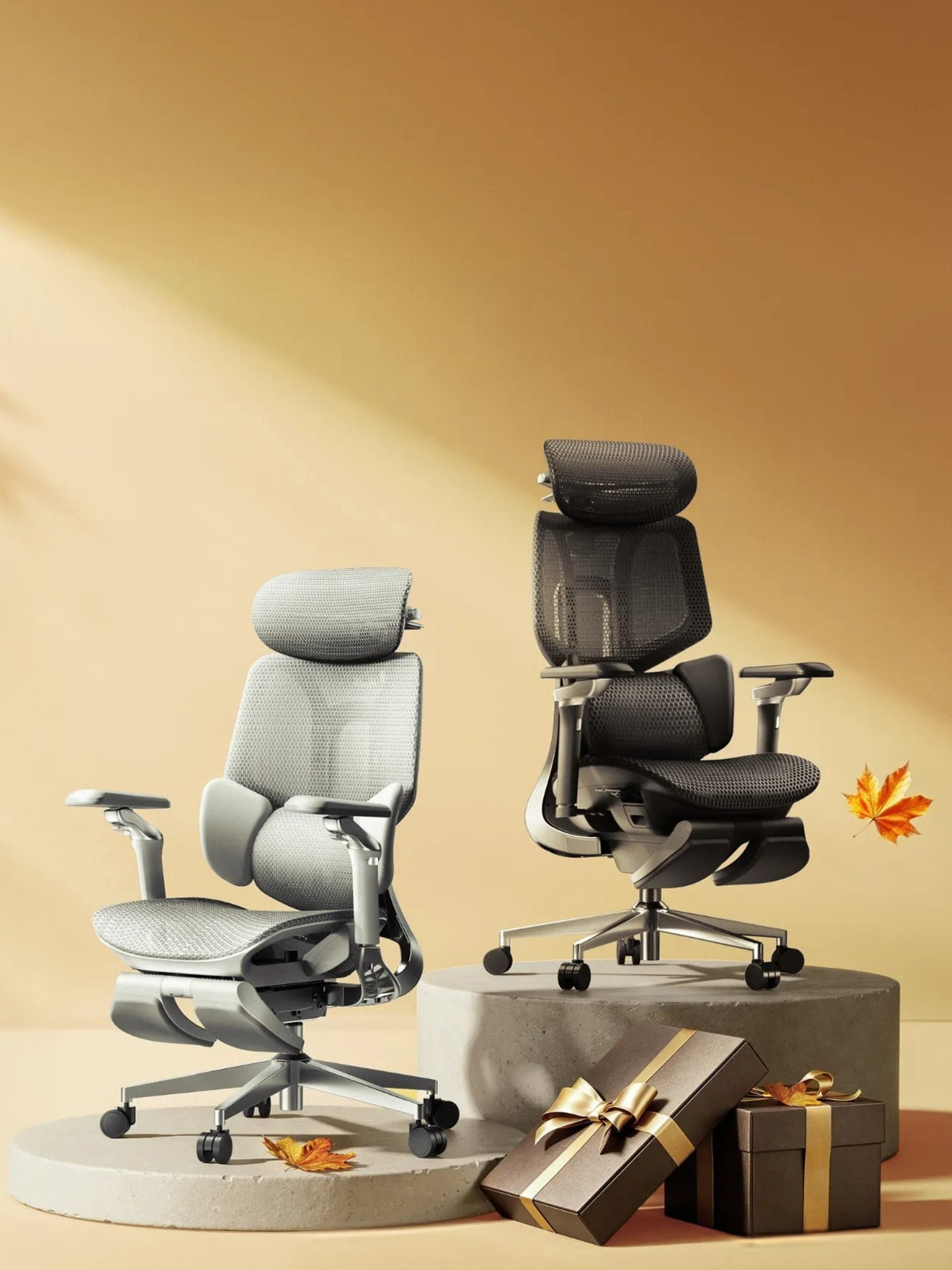 How HBADA Measures Office Chair Fit: Height, Depth, Width and Lumbar
HBADA A better fit starts with you.
Dark mode
Don't fit the chair.Find the chair that fits.
How to measure office chair fit: height, depth, width and lumbar support.
Two people of the same height can need very different chairs. Start with four measurements to check whether your feet, thighs, hips and lower back will get the support they need.
4
Measurements. One personal fit.
Match seat height, seat depth, seat width and lumbar adjustment to your body. A recommended height range is a starting point, not a comfort guarantee.
Start measuring ↗
01 / HEIGHT Seat height Keep your feet supported. 02 / DEPTH Seat depth Leave room behind your knees. 03 / WIDTH Seat width Give your hips enough space. 04 / LUMBAR Lumbar range Position your lower-back support. Fit basics Compare models Measure yourself Choose your chair Limitations Final checklist FAQs Sources
Which measurements decide office chair fit?
Fit is not one number. People of the same height can have different lower-leg lengths, thigh lengths and torso proportions. The chair's adjustment ranges need to work with those differences.
Seat height affects how your feet meet the floor. Seat depth determines how much of your thighs the seat supports. Seat width provides space for your hips. Lumbar range helps position support against the inward curve of your lower back.
These measurements narrow your options. Armrest spacing, desk height and how the seat feels under your weight also matter. An ergonomic chair can support a more comfortable working position, but it is not a medical treatment.
01
Seat height: start from the floor.
Seat height is the distance from the floor to the top of the seat. The height you experience while sitting may differ slightly from an unloaded measurement because the surface can compress or flex.
Start with your feet supported and your thighs approximately level. Check that you can reach your keyboard with relaxed shoulders rather than raising them to meet the desk.
The HBADA X7 lists a seat-height range of 44.5–53 cm. The E3 Pro 2026 lists 46–54.5 cm. Both provide 8.5 cm of travel, but their minimum heights are different.
Feet not reaching the floor? A stable under-desk footrest can help when you need to raise the chair to suit your desk. It is different from an extendable chair footrest used while reclining. HSE workstation guidance recommends providing a footrest where needed.
02
Seat depth: support without pressure.
Seat depth describes the front-to-back seating space. Manufacturers may use different reference points, so look at the dimension diagram rather than the chair's overall depth.
Sit fully back against the backrest. About two to three finger widths between the front edge and the backs of your knees is a useful starting check, not a precise measurement rule.
Too deep, and you may slide forward to avoid pressure behind your knees, losing back support. Too shallow, and you may feel that too little of your thighs is supported.
X7 lists a depth range of 40.5–45.5 cm, while E3 Pro 2026 lists 45–50 cm. Both have 5 cm of adjustment travel, but they do not offer the same minimum seating depth.
03
Seat width: room to sit naturally.
Seat width is the usable space across the seat, not the overall chair width. Your hips need room without pressure from the seat frame or armrests.
X7 lists a seat width of 52 cm; E3 Pro 2026 lists 51.5 cm. When comparing either chair with your body measurements, check the clearance between the armrests as well.
A wider seat is not automatically a better fit. If the armrests are too far apart, you may have to move your elbows outward to reach them.
Width and weight capacity answer different questions. A chair can support your weight while still being too narrow, too deep or too tall for you.
04
Lumbar range: height is only half the story.
Vertical adjustment changes where support sits. Front-to-back movement changes how it meets your back. Start with the support at the small of your back. It should feel supportive, not push you forward or press into one uncomfortable point.
X7: powered tracking, manual height
X7 lists 45 mm of manual lumbar-height adjustment and 50 mm of powered front-to-back movement. Automatic tracking does not replace the manual height setting.
E3 Pro 2026: mechanical adaptability
E3 Pro 2026 lists 60 mm of independent lumbar-height adjustment and 80 mm of backrest-height adjustment. Its mechanical lumbar system also offers adaptive movement; it is not simply a fixed pad.
HBADA fit measurements, side by side.
The important distinction is between adjustment travel and the actual size range. Two chairs can offer the same amount of movement while starting at different heights or depths.
Swipe sideways to see the full comparison.
HBADA X7 and E3 Pro 2026: EU fit reference
Measurement
HBADA X7
HBADA E3 Pro 2026
Seat height
44.5–53 cm
46–54.5 cm
Seat-height travel
8.5 cm
8.5 cm
Seat depth
40.5–45.5 cm
45–50 cm
Seat-depth travel
5 cm
5 cm
Seat width
52 cm
51.5 cm
Lumbar-height adjustment
45 mm, manually adjusted
60 mm independent adjustment
Lumbar movement
50 mm powered front-to-back movement
Mechanical adaptive support
Recommended user height
150–195 cm
155–195 cm
Maximum load
150 kg
150 kg
Figures refer to the linked HBADA EU product specifications. Specifications and configurations may change. Confirm the exact edition before ordering; recommended height is a screening guide, not a guarantee of comfort.
One tape measure. Six simple checks.
Use a firm seat and the footwear you normally wear at your desk. Having someone help can make the measurements easier. Record your measurements in centimetres so they are easy to compare with the product specifications.
Measure lower-leg height → seat height
With your feet supported, measure from the floor to the crease behind your knee. Use this as a starting reference, then check your actual seated position.
Measure thigh length → seat depth
Measure horizontally from the back of your buttocks to the crease behind your knee. Allow knee clearance rather than choosing a seat that fills the entire distance.
Measure seated hip width → seat width
Measure the widest part of your hips while seated. Allow some room on both sides and check armrest clearance too.
Find your lower-back contact point → lumbar height
Sit back and position the support against the inward curve of your lower back. Contact and comfort matter more than a universal height setting.
Relax your shoulders → armrests and desk
Keep the keyboard close enough that you do not have to reach forward. Adjust the armrests so they support your arms without lifting your shoulders.
Try everyday tasks → fine-tune the setup
Type, use the mouse and lean back. A position that feels fine for a minute may need small changes during normal work. Change position and take breaks throughout the day.
Which HBADA chair fits you best?
Start with dimensions, then compare how the adjustments work. Neither automatic support nor a longer feature list can compensate for a seat that does not fit your body.
Prefer powered lumbar tracking?
Consider X7 if you prefer powered front-to-back lumbar tracking. Check the seat fit first, then set the manual lumbar height to suit your lower back.
Explore HBADA X7 →
Prefer mechanical adjustability?
E3 Pro 2026 combines a sliding seat with separate backrest and lumbar-height adjustments. Compare its 45–50 cm seat-depth range with your thigh measurement before choosing a configuration.
Explore E3 Pro 2026 →
Still comparing options? Browse the HBADA EU office chair collection. Compare each model individually instead of applying one model's measurements to the whole range.
What measurements cannot tell you.
Dimensions do not guarantee comfort. Check the applicable return conditions before ordering and test normal work tasks after assembly.
A footrest has a specific role. It can support your feet when the chair is raised for desk access, but it does not fix an excessively deep or narrow seat.
Desk height matters. A height-adjustable desk may let you bring the work surface closer to your preferred seated position.
Configurations can differ. Confirm the model year, seat dimensions, armrest clearance and selected footrest option on the EU product page.
Do not push through pain as a fit test. Seek qualified healthcare advice for severe, persistent or radiating pain. A chair is not a medical treatment.
Measure first. Choose second.
Before buying, check that your feet can be supported, there is clearance behind your knees, your hips have enough room and the lumbar support can meet your lower back. Then consider the desk, armrests and adjustment method.
X7 offers powered lumbar tracking; E3 Pro 2026 offers mechanical adaptive support and separate height adjustments. Choose the model that matches your body and working setup, rather than relying on height recommendations alone.
Frequently asked questions
What is the correct seat height for an office chair?
There is no single correct height for everyone. Start with your feet supported, thighs approximately level and shoulders relaxed while reaching the desk. Your lower-leg measurement is a starting point; check the position while actually sitting.
How do I know if my seat depth is right?
Sit fully back. The seat should support your thighs without pressing behind your knees. About two to three finger widths is a practical starting clearance, not an exact rule for every body.
Does seat width matter?
Yes. Your hips need room without pressure from the frame, and the armrests should be reachable without spreading your elbows uncomfortably. Check usable seat width and armrest clearance, not just overall chair width.
Does automatic lumbar tracking still need manual adjustment?
Different directions of adjustment serve different purposes. On X7, powered front-to-back tracking does not replace the manual lumbar-height setting. Set the height to match your lower back first.
Can one office chair fit different body sizes at home?
Often, provided each person fits within the usable dimensions and adjustment ranges. Each user should reset the seat, lumbar support and armrests. Check the shortest and tallest users separately before buying a shared chair.
Does the same adjustment travel mean two chairs fit the same?
No. Adjustment travel describes how far a component moves, not where the range begins. For example, a chair with a lower minimum seat height may suit a different leg length even when both chairs offer the same vertical travel.
Sources
Health and Safety Executive: Working with Display Screen Equipment — general workstation and footrest guidance from the UK regulator, referenced here for practical setup advice, not as a statement of EU legal requirements.
HBADA EU: X7 product specifications — model dimensions and adjustment details.
HBADA EU: E3 Pro 2026 product specifications — model-specific dimensions, adjustments and recommended user range.
This article provides general product-selection guidance. Refer to the current EU product information and assembly instructions for your exact chair.
Sep 20, 2026
How HBADA Measures Office Chair Fit: Height, Depth, Width and Lumbar
HBADA A better fit starts with you.
Dark mode
Don't fit the chair.Find the chair that fits.
How to measure office chair fit: height, depth, width and lumbar support.
Two people of the same height can need very different chairs. Start with four measurements to check whether your feet, thighs, hips and lower back will get the support they need.
4
Measurements. One personal fit.
Match seat height, seat depth, seat width and lumbar adjustment to your body. A recommended height range is a starting point, not a comfort guarantee.
Start measuring ↗
01 / HEIGHT Seat height Keep your feet supported. 02 / DEPTH Seat depth Leave room behind your knees. 03 / WIDTH Seat width Give your hips enough space. 04 / LUMBAR Lumbar range Position your lower-back support. Fit basics Compare models Measure yourself Choose your chair Limitations Final checklist FAQs Sources
Which measurements decide office chair fit?
Fit is not one number. People of the same height can have different lower-leg lengths, thigh lengths and torso proportions. The chair's adjustment ranges need to work with those differences.
Seat height affects how your feet meet the floor. Seat depth determines how much of your thighs the seat supports. Seat width provides space for your hips. Lumbar range helps position support against the inward curve of your lower back.
These measurements narrow your options. Armrest spacing, desk height and how the seat feels under your weight also matter. An ergonomic chair can support a more comfortable working position, but it is not a medical treatment.
01
Seat height: start from the floor.
Seat height is the distance from the floor to the top of the seat. The height you experience while sitting may differ slightly from an unloaded measurement because the surface can compress or flex.
Start with your feet supported and your thighs approximately level. Check that you can reach your keyboard with relaxed shoulders rather than raising them to meet the desk.
The HBADA X7 lists a seat-height range of 44.5–53 cm. The E3 Pro 2026 lists 46–54.5 cm. Both provide 8.5 cm of travel, but their minimum heights are different.
Feet not reaching the floor? A stable under-desk footrest can help when you need to raise the chair to suit your desk. It is different from an extendable chair footrest used while reclining. HSE workstation guidance recommends providing a footrest where needed.
02
Seat depth: support without pressure.
Seat depth describes the front-to-back seating space. Manufacturers may use different reference points, so look at the dimension diagram rather than the chair's overall depth.
Sit fully back against the backrest. About two to three finger widths between the front edge and the backs of your knees is a useful starting check, not a precise measurement rule.
Too deep, and you may slide forward to avoid pressure behind your knees, losing back support. Too shallow, and you may feel that too little of your thighs is supported.
X7 lists a depth range of 40.5–45.5 cm, while E3 Pro 2026 lists 45–50 cm. Both have 5 cm of adjustment travel, but they do not offer the same minimum seating depth.
03
Seat width: room to sit naturally.
Seat width is the usable space across the seat, not the overall chair width. Your hips need room without pressure from the seat frame or armrests.
X7 lists a seat width of 52 cm; E3 Pro 2026 lists 51.5 cm. When comparing either chair with your body measurements, check the clearance between the armrests as well.
A wider seat is not automatically a better fit. If the armrests are too far apart, you may have to move your elbows outward to reach them.
Width and weight capacity answer different questions. A chair can support your weight while still being too narrow, too deep or too tall for you.
04
Lumbar range: height is only half the story.
Vertical adjustment changes where support sits. Front-to-back movement changes how it meets your back. Start with the support at the small of your back. It should feel supportive, not push you forward or press into one uncomfortable point.
X7: powered tracking, manual height
X7 lists 45 mm of manual lumbar-height adjustment and 50 mm of powered front-to-back movement. Automatic tracking does not replace the manual height setting.
E3 Pro 2026: mechanical adaptability
E3 Pro 2026 lists 60 mm of independent lumbar-height adjustment and 80 mm of backrest-height adjustment. Its mechanical lumbar system also offers adaptive movement; it is not simply a fixed pad.
HBADA fit measurements, side by side.
The important distinction is between adjustment travel and the actual size range. Two chairs can offer the same amount of movement while starting at different heights or depths.
Swipe sideways to see the full comparison.
HBADA X7 and E3 Pro 2026: EU fit reference
Measurement
HBADA X7
HBADA E3 Pro 2026
Seat height
44.5–53 cm
46–54.5 cm
Seat-height travel
8.5 cm
8.5 cm
Seat depth
40.5–45.5 cm
45–50 cm
Seat-depth travel
5 cm
5 cm
Seat width
52 cm
51.5 cm
Lumbar-height adjustment
45 mm, manually adjusted
60 mm independent adjustment
Lumbar movement
50 mm powered front-to-back movement
Mechanical adaptive support
Recommended user height
150–195 cm
155–195 cm
Maximum load
150 kg
150 kg
Figures refer to the linked HBADA EU product specifications. Specifications and configurations may change. Confirm the exact edition before ordering; recommended height is a screening guide, not a guarantee of comfort.
One tape measure. Six simple checks.
Use a firm seat and the footwear you normally wear at your desk. Having someone help can make the measurements easier. Record your measurements in centimetres so they are easy to compare with the product specifications.
Measure lower-leg height → seat height
With your feet supported, measure from the floor to the crease behind your knee. Use this as a starting reference, then check your actual seated position.
Measure thigh length → seat depth
Measure horizontally from the back of your buttocks to the crease behind your knee. Allow knee clearance rather than choosing a seat that fills the entire distance.
Measure seated hip width → seat width
Measure the widest part of your hips while seated. Allow some room on both sides and check armrest clearance too.
Find your lower-back contact point → lumbar height
Sit back and position the support against the inward curve of your lower back. Contact and comfort matter more than a universal height setting.
Relax your shoulders → armrests and desk
Keep the keyboard close enough that you do not have to reach forward. Adjust the armrests so they support your arms without lifting your shoulders.
Try everyday tasks → fine-tune the setup
Type, use the mouse and lean back. A position that feels fine for a minute may need small changes during normal work. Change position and take breaks throughout the day.
Which HBADA chair fits you best?
Start with dimensions, then compare how the adjustments work. Neither automatic support nor a longer feature list can compensate for a seat that does not fit your body.
Prefer powered lumbar tracking?
Consider X7 if you prefer powered front-to-back lumbar tracking. Check the seat fit first, then set the manual lumbar height to suit your lower back.
Explore HBADA X7 →
Prefer mechanical adjustability?
E3 Pro 2026 combines a sliding seat with separate backrest and lumbar-height adjustments. Compare its 45–50 cm seat-depth range with your thigh measurement before choosing a configuration.
Explore E3 Pro 2026 →
Still comparing options? Browse the HBADA EU office chair collection. Compare each model individually instead of applying one model's measurements to the whole range.
What measurements cannot tell you.
Dimensions do not guarantee comfort. Check the applicable return conditions before ordering and test normal work tasks after assembly.
A footrest has a specific role. It can support your feet when the chair is raised for desk access, but it does not fix an excessively deep or narrow seat.
Desk height matters. A height-adjustable desk may let you bring the work surface closer to your preferred seated position.
Configurations can differ. Confirm the model year, seat dimensions, armrest clearance and selected footrest option on the EU product page.
Do not push through pain as a fit test. Seek qualified healthcare advice for severe, persistent or radiating pain. A chair is not a medical treatment.
Measure first. Choose second.
Before buying, check that your feet can be supported, there is clearance behind your knees, your hips have enough room and the lumbar support can meet your lower back. Then consider the desk, armrests and adjustment method.
X7 offers powered lumbar tracking; E3 Pro 2026 offers mechanical adaptive support and separate height adjustments. Choose the model that matches your body and working setup, rather than relying on height recommendations alone.
Frequently asked questions
What is the correct seat height for an office chair?
There is no single correct height for everyone. Start with your feet supported, thighs approximately level and shoulders relaxed while reaching the desk. Your lower-leg measurement is a starting point; check the position while actually sitting.
How do I know if my seat depth is right?
Sit fully back. The seat should support your thighs without pressing behind your knees. About two to three finger widths is a practical starting clearance, not an exact rule for every body.
Does seat width matter?
Yes. Your hips need room without pressure from the frame, and the armrests should be reachable without spreading your elbows uncomfortably. Check usable seat width and armrest clearance, not just overall chair width.
Does automatic lumbar tracking still need manual adjustment?
Different directions of adjustment serve different purposes. On X7, powered front-to-back tracking does not replace the manual lumbar-height setting. Set the height to match your lower back first.
Can one office chair fit different body sizes at home?
Often, provided each person fits within the usable dimensions and adjustment ranges. Each user should reset the seat, lumbar support and armrests. Check the shortest and tallest users separately before buying a shared chair.
Does the same adjustment travel mean two chairs fit the same?
No. Adjustment travel describes how far a component moves, not where the range begins. For example, a chair with a lower minimum seat height may suit a different leg length even when both chairs offer the same vertical travel.
Sources
Health and Safety Executive: Working with Display Screen Equipment — general workstation and footrest guidance from the UK regulator, referenced here for practical setup advice, not as a statement of EU legal requirements.
HBADA EU: X7 product specifications — model dimensions and adjustment details.
HBADA EU: E3 Pro 2026 product specifications — model-specific dimensions, adjustments and recommended user range.
This article provides general product-selection guidance. Refer to the current EU product information and assembly instructions for your exact chair.
Sep 20, 2026
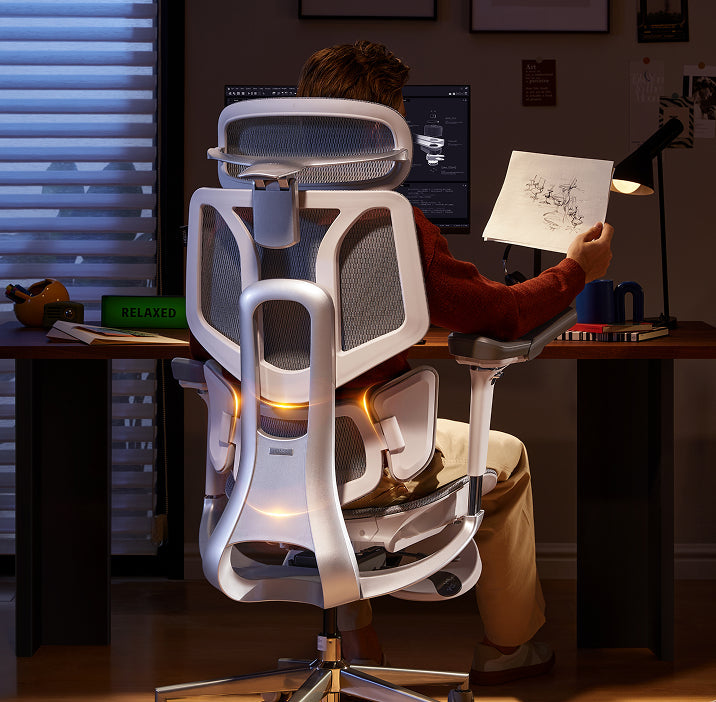 How to Test an Ergonomic Office Chair During a 30-Day Home Trial
The quick answer
To test an ergonomic office chair during a 30-day home trial, use it for your real work each day and check fit, lumbar support, breathability, recline, armrests and noise. Keep the packaging, avoid damage, and decide before the window closes. If the chair does not suit you, contact support early enough to complete the required return steps within the applicable deadline.
Table of Contents
Jump to the part of the trial you need.
01. What is a 30-day home trial?
02. How should you set up the chair?
03. What should you test in week one?
04. What should you test in weeks two to four?
05. How do you protect return eligibility?
06. What are your EU return rights?
07. Which HBADA chairs can you test?
08. Your 30-day test plan
09. Limitations and when to get help
10. Conclusion
11. Frequently asked questions
12. Sources and useful links
What Is a 30-Day Home Trial and How Does It Work?
A home trial is a return window that lets you assess the chair in your real setup. HBADA EU’s current return and refund policy provides a 30-day satisfaction guarantee from receipt, subject to its terms. This commercial offer does not limit your statutory consumer rights.
This gives you time to judge an adjustable ergonomic chair at your own desk, not in a showroom. Testing may help you find a more comfortable sitting position, but it is not a medical treatment.
How Should You Set Up the Chair for Testing?
Start well, because a fair test needs a proper setup. Assemble the chair using the HBADA user manual and assembly guide, and keep every part of the packaging, including the box, foam and spare hardware. Then set it to your body before you judge it.
Set the seat height so your feet rest flat on the floor or a suitable footrest.
Set the seat depth so two to three fingers fit behind your knees.
Set the lumbar support to meet your lower back.
Set the armrests so your forearms are supported and your shoulders stay relaxed.
Check that you can reach your keyboard and mouse comfortably.
Only after this setup should you decide how the chair feels.
What Should You Test in the First Week?
Your first week is about first impressions and daily fit.
Fit: Check you can reach a feet-flat, back-supported position within the chair’s adjustment ranges.
Lumbar support: Notice whether the support meets your lower back through your normal workday.
Breathability: Watch for heat build-up and check whether the mesh and seat feel comfortable in your room.
Noise and castors: Roll across your floor and listen for creaks or scuffs. Check that the castors are suitable for the surface.
What Should You Test in Weeks Two to Four?
Later weeks reveal how the chair holds up over real work.
Now test the chair as an office chair for long hours. Work a normal week, keeping your usual movement breaks, and notice whether early comfort lasts into the afternoon. Move through the available recline positions and check that the locks hold. Use the armrests while you type, write and relax.
Give yourself time to learn the controls and fine-tune the settings, but do not treat pain as a required adjustment phase. If discomfort eases after a setting change, note what helped. If it persists after reasonable adjustments, the chair may not fit you.
A Quick Test-and-Decide Table
Use this table to turn each check into a clear next step.
What to test
How to test it
Keep or return signal
Fit
Set seat height, depth and lumbar support to your body, then sit back fully.
Consider a return if you cannot achieve supported feet and back within the adjustment ranges.
Lumbar support
Use it during a normal working day and note lower-back comfort.
Consider a return if the support cannot meet your lower back comfortably after adjustment.
Breathability
Check for heat build-up during ordinary work sessions.
Consider another material or model if the seat consistently feels too warm for you.
Recline and lock
Try the recline settings according to the manual.
Stop using the chair and contact support if the recline is unstable or a lock fails.
Armrests
Type, write and relax while checking forearm support.
Consider a return if the armrests prevent a relaxed working position or access to your desk.
Noise and castors
Roll gently across a suitable floor surface and listen for persistent noise.
Contact support about recurring creaks or floor marking before continuing use.
Long-session comfort
Work a normal week in the chair, with movement breaks.
Reassess the fit if discomfort persists after you fine-tune the settings.
How Do You Protect Your Return Eligibility?
Test thoroughly, but handle the chair carefully while you decide.
Keep the original box, foam and hardware for the whole trial.
Keep the chair clean and unmarked, and use a suitable floor mat if needed.
Note your delivery date and the relevant return deadlines.
Contact support early if you are unsure, rather than on the final day.
For its commercial guarantee, HBADA EU recommends retaining the original packaging and specifies condition requirements. Missing or inadequate packaging may lead to fees under that policy, subject to mandatory consumer law. These commercial terms do not override statutory withdrawal rights.
What Are Your Rights If You Want to Return It?
The 30-day commercial offer and your statutory right of withdrawal are separate. For most online purchases from a trader in the EU, you normally have 14 days from delivery to notify the seller that you wish to withdraw, followed by another 14 days to send the goods back. Exceptions apply.
The statutory withdrawal period allows inspection of the product. Handling beyond what is necessary to establish its nature, characteristics and functioning may result in a deduction for diminished value. Keeping the original packaging is practical, but losing it does not automatically remove your statutory right.
A commercial trial does not turn the statutory 14-day notification period into 30 days. If you want to use your statutory right, notify the seller within the applicable legal deadline. See the EU guidance on returns and withdrawal for details.
Warranty coverage is also separate from a change-of-mind return. Refer to HBADA EU warranty and service information for product support after purchase.
Which HBADA Chairs Can You Test at Home?
If you are considering the HBADA X7 or E3 Pro 2026, check the current EU product page and the return terms for your order before purchasing.
Use the same testing checklist for either chair, but pay attention to the features that make each model different.
What to compare
HBADA X7
HBADA E3 Pro 2026
Lumbar support
Test how the AI lumbar-tracking system responds when you change position.
Test how the three-zone adaptive lumbar support fits your lower back.
Seat fit
Check the selected model’s seat dimensions and adjustment range against your body and desk.
Check the selected model’s seat dimensions and adjustment range against your body and desk.
Recline and armrests
Check support and control access while typing, leaning back and relaxing.
Check the headrest, armrest and recline adjustments during your usual tasks.
Additional features
Try the comfort functions included with your selected version, following its manual.
Focus on mechanical adjustments, mesh comfort and any optional footrest.
Before ordering
Confirm the exact configuration, delivery availability, return conditions and warranty.
Confirm the exact configuration, delivery availability, return conditions and warranty.
If you want automatic lumbar tracking, explore the HBADA X7 smart ergonomic chair and check the comfort features included with your selected version.
If you want a mechanically adjustable chair to test for long workdays, compare the HBADA E3 Pro 2026. You can also browse the HBADA ergonomic office chair collection before your trial begins.
Your 30-Day Test Plan
Follow this simple plan so nothing is missed before the commercial trial ends. Keep the separate statutory withdrawal deadline in mind if you intend to use that right.
Day 1
Assemble and Adjust
Assemble by the manual, keep all packaging, and set the chair to your body.
Days 2–7
Check Daily Fit
Test daily fit, lumbar support, breathability, noise and castors.
Days 8–21
Test Your Normal Work Routine
Work your usual schedule and test recline, armrests and long-session comfort. Keep taking movement breaks. If you wish to exercise the statutory withdrawal right, do not wait beyond its notification deadline.
Days 22–27
Fine-Tune and Decide
Fine-tune settings and review your notes. If you are continuing under the commercial trial and the chair is not right, contact support now to confirm the return steps and deadline.
Days 28–30
Complete Your Decision
Keep the chair if it fits your needs, or complete the steps required under the commercial return policy within the applicable deadline. Do not assume contacting support on day 30 automatically extends the window.
Limitations and When to Get Help
A trial answers many questions, but not every one.
A trial checks comfort and fit for you; it cannot promise a health outcome.
Thirty days cannot establish the chair’s lifespan or long-term durability.
Keep the chair and packaging in good condition while deciding.
Commercial return terms and warranty coverage may vary by market and order. Mandatory consumer rights remain unaffected.
If you have severe, persistent or radiating pain, consult a qualified healthcare professional. A chair is not a medical treatment.
Conclusion
The best way to judge an ergonomic office chair is to test it where you actually work. Assemble it, set it to your body, use it for real tasks, and keep the packaging until you are sure. Compare the X7 if you want automatic lumbar tracking, or the E3 Pro if you prefer mechanical adjustments. Make your decision before the relevant deadline, and keep the chair that fits you.
Frequently Asked Questions
How long is the HBADA EU home trial?
HBADA EU currently offers a 30-day satisfaction guarantee from receipt. Check the applicable policy for the return procedure. It is separate from your statutory withdrawal right.
Can you return an office chair after using it?
Check whether you are returning under the commercial trial or exercising a statutory right. The conditions differ. Keep the chair clean, avoid damage and retain its packaging while deciding.
How long does it take to get used to a new ergonomic chair?
There is no fixed adjustment period for everyone. You may need several sessions to learn the controls and fine-tune the seat height, depth, lumbar support and armrests. Change one setting at a time. Do not keep sitting through pain in the hope that you will eventually adapt.
Who pays for return shipping?
Under HBADA EU’s commercial policy, change-of-mind returns involve a customer contribution to shipping, while damaged, defective or incorrect items are handled at HBADA’s shipping expense. Confirm the process before booking a courier; statutory rights remain unaffected.
What should you check before the trial ends?
Confirm the essentials: fit, long-session comfort, lumbar support, breathability, recline, armrests and noise. Also check that the chair suits your desk height and floor. Decide early enough to meet the deadline for the return route you are using.
Sources and Useful Links
HBADA EU Return and Refund Policy
HBADA EU Warranty and Service
HBADA User Manuals and Assembly Guides
HBADA X7 Product Details
HBADA E3 Pro 2026 Product Details
Your Europe: Returns and the Right of Withdrawal
Sep 16, 2026
How to Test an Ergonomic Office Chair During a 30-Day Home Trial
The quick answer
To test an ergonomic office chair during a 30-day home trial, use it for your real work each day and check fit, lumbar support, breathability, recline, armrests and noise. Keep the packaging, avoid damage, and decide before the window closes. If the chair does not suit you, contact support early enough to complete the required return steps within the applicable deadline.
Table of Contents
Jump to the part of the trial you need.
01. What is a 30-day home trial?
02. How should you set up the chair?
03. What should you test in week one?
04. What should you test in weeks two to four?
05. How do you protect return eligibility?
06. What are your EU return rights?
07. Which HBADA chairs can you test?
08. Your 30-day test plan
09. Limitations and when to get help
10. Conclusion
11. Frequently asked questions
12. Sources and useful links
What Is a 30-Day Home Trial and How Does It Work?
A home trial is a return window that lets you assess the chair in your real setup. HBADA EU’s current return and refund policy provides a 30-day satisfaction guarantee from receipt, subject to its terms. This commercial offer does not limit your statutory consumer rights.
This gives you time to judge an adjustable ergonomic chair at your own desk, not in a showroom. Testing may help you find a more comfortable sitting position, but it is not a medical treatment.
How Should You Set Up the Chair for Testing?
Start well, because a fair test needs a proper setup. Assemble the chair using the HBADA user manual and assembly guide, and keep every part of the packaging, including the box, foam and spare hardware. Then set it to your body before you judge it.
Set the seat height so your feet rest flat on the floor or a suitable footrest.
Set the seat depth so two to three fingers fit behind your knees.
Set the lumbar support to meet your lower back.
Set the armrests so your forearms are supported and your shoulders stay relaxed.
Check that you can reach your keyboard and mouse comfortably.
Only after this setup should you decide how the chair feels.
What Should You Test in the First Week?
Your first week is about first impressions and daily fit.
Fit: Check you can reach a feet-flat, back-supported position within the chair’s adjustment ranges.
Lumbar support: Notice whether the support meets your lower back through your normal workday.
Breathability: Watch for heat build-up and check whether the mesh and seat feel comfortable in your room.
Noise and castors: Roll across your floor and listen for creaks or scuffs. Check that the castors are suitable for the surface.
What Should You Test in Weeks Two to Four?
Later weeks reveal how the chair holds up over real work.
Now test the chair as an office chair for long hours. Work a normal week, keeping your usual movement breaks, and notice whether early comfort lasts into the afternoon. Move through the available recline positions and check that the locks hold. Use the armrests while you type, write and relax.
Give yourself time to learn the controls and fine-tune the settings, but do not treat pain as a required adjustment phase. If discomfort eases after a setting change, note what helped. If it persists after reasonable adjustments, the chair may not fit you.
A Quick Test-and-Decide Table
Use this table to turn each check into a clear next step.
What to test
How to test it
Keep or return signal
Fit
Set seat height, depth and lumbar support to your body, then sit back fully.
Consider a return if you cannot achieve supported feet and back within the adjustment ranges.
Lumbar support
Use it during a normal working day and note lower-back comfort.
Consider a return if the support cannot meet your lower back comfortably after adjustment.
Breathability
Check for heat build-up during ordinary work sessions.
Consider another material or model if the seat consistently feels too warm for you.
Recline and lock
Try the recline settings according to the manual.
Stop using the chair and contact support if the recline is unstable or a lock fails.
Armrests
Type, write and relax while checking forearm support.
Consider a return if the armrests prevent a relaxed working position or access to your desk.
Noise and castors
Roll gently across a suitable floor surface and listen for persistent noise.
Contact support about recurring creaks or floor marking before continuing use.
Long-session comfort
Work a normal week in the chair, with movement breaks.
Reassess the fit if discomfort persists after you fine-tune the settings.
How Do You Protect Your Return Eligibility?
Test thoroughly, but handle the chair carefully while you decide.
Keep the original box, foam and hardware for the whole trial.
Keep the chair clean and unmarked, and use a suitable floor mat if needed.
Note your delivery date and the relevant return deadlines.
Contact support early if you are unsure, rather than on the final day.
For its commercial guarantee, HBADA EU recommends retaining the original packaging and specifies condition requirements. Missing or inadequate packaging may lead to fees under that policy, subject to mandatory consumer law. These commercial terms do not override statutory withdrawal rights.
What Are Your Rights If You Want to Return It?
The 30-day commercial offer and your statutory right of withdrawal are separate. For most online purchases from a trader in the EU, you normally have 14 days from delivery to notify the seller that you wish to withdraw, followed by another 14 days to send the goods back. Exceptions apply.
The statutory withdrawal period allows inspection of the product. Handling beyond what is necessary to establish its nature, characteristics and functioning may result in a deduction for diminished value. Keeping the original packaging is practical, but losing it does not automatically remove your statutory right.
A commercial trial does not turn the statutory 14-day notification period into 30 days. If you want to use your statutory right, notify the seller within the applicable legal deadline. See the EU guidance on returns and withdrawal for details.
Warranty coverage is also separate from a change-of-mind return. Refer to HBADA EU warranty and service information for product support after purchase.
Which HBADA Chairs Can You Test at Home?
If you are considering the HBADA X7 or E3 Pro 2026, check the current EU product page and the return terms for your order before purchasing.
Use the same testing checklist for either chair, but pay attention to the features that make each model different.
What to compare
HBADA X7
HBADA E3 Pro 2026
Lumbar support
Test how the AI lumbar-tracking system responds when you change position.
Test how the three-zone adaptive lumbar support fits your lower back.
Seat fit
Check the selected model’s seat dimensions and adjustment range against your body and desk.
Check the selected model’s seat dimensions and adjustment range against your body and desk.
Recline and armrests
Check support and control access while typing, leaning back and relaxing.
Check the headrest, armrest and recline adjustments during your usual tasks.
Additional features
Try the comfort functions included with your selected version, following its manual.
Focus on mechanical adjustments, mesh comfort and any optional footrest.
Before ordering
Confirm the exact configuration, delivery availability, return conditions and warranty.
Confirm the exact configuration, delivery availability, return conditions and warranty.
If you want automatic lumbar tracking, explore the HBADA X7 smart ergonomic chair and check the comfort features included with your selected version.
If you want a mechanically adjustable chair to test for long workdays, compare the HBADA E3 Pro 2026. You can also browse the HBADA ergonomic office chair collection before your trial begins.
Your 30-Day Test Plan
Follow this simple plan so nothing is missed before the commercial trial ends. Keep the separate statutory withdrawal deadline in mind if you intend to use that right.
Day 1
Assemble and Adjust
Assemble by the manual, keep all packaging, and set the chair to your body.
Days 2–7
Check Daily Fit
Test daily fit, lumbar support, breathability, noise and castors.
Days 8–21
Test Your Normal Work Routine
Work your usual schedule and test recline, armrests and long-session comfort. Keep taking movement breaks. If you wish to exercise the statutory withdrawal right, do not wait beyond its notification deadline.
Days 22–27
Fine-Tune and Decide
Fine-tune settings and review your notes. If you are continuing under the commercial trial and the chair is not right, contact support now to confirm the return steps and deadline.
Days 28–30
Complete Your Decision
Keep the chair if it fits your needs, or complete the steps required under the commercial return policy within the applicable deadline. Do not assume contacting support on day 30 automatically extends the window.
Limitations and When to Get Help
A trial answers many questions, but not every one.
A trial checks comfort and fit for you; it cannot promise a health outcome.
Thirty days cannot establish the chair’s lifespan or long-term durability.
Keep the chair and packaging in good condition while deciding.
Commercial return terms and warranty coverage may vary by market and order. Mandatory consumer rights remain unaffected.
If you have severe, persistent or radiating pain, consult a qualified healthcare professional. A chair is not a medical treatment.
Conclusion
The best way to judge an ergonomic office chair is to test it where you actually work. Assemble it, set it to your body, use it for real tasks, and keep the packaging until you are sure. Compare the X7 if you want automatic lumbar tracking, or the E3 Pro if you prefer mechanical adjustments. Make your decision before the relevant deadline, and keep the chair that fits you.
Frequently Asked Questions
How long is the HBADA EU home trial?
HBADA EU currently offers a 30-day satisfaction guarantee from receipt. Check the applicable policy for the return procedure. It is separate from your statutory withdrawal right.
Can you return an office chair after using it?
Check whether you are returning under the commercial trial or exercising a statutory right. The conditions differ. Keep the chair clean, avoid damage and retain its packaging while deciding.
How long does it take to get used to a new ergonomic chair?
There is no fixed adjustment period for everyone. You may need several sessions to learn the controls and fine-tune the seat height, depth, lumbar support and armrests. Change one setting at a time. Do not keep sitting through pain in the hope that you will eventually adapt.
Who pays for return shipping?
Under HBADA EU’s commercial policy, change-of-mind returns involve a customer contribution to shipping, while damaged, defective or incorrect items are handled at HBADA’s shipping expense. Confirm the process before booking a courier; statutory rights remain unaffected.
What should you check before the trial ends?
Confirm the essentials: fit, long-session comfort, lumbar support, breathability, recline, armrests and noise. Also check that the chair suits your desk height and floor. Decide early enough to meet the deadline for the return route you are using.
Sources and Useful Links
HBADA EU Return and Refund Policy
HBADA EU Warranty and Service
HBADA User Manuals and Assembly Guides
HBADA X7 Product Details
HBADA E3 Pro 2026 Product Details
Your Europe: Returns and the Right of Withdrawal
Sep 16, 2026