





Blog

Il futuro della seduta: come HBADA sta progettando comfort sostenibile senza il prezzo premium

Il futuro della seduta: come HBADA sta progettando comfort sostenibile senza il prezzo premium

Quando pensi a una sedia ergonomica ad alte prestazioni, probabilmente ti concentri su come avvolge la colonna vertebrale, allevia lo stress sulla zona lombare o ti mantiene fresco durante una massacrante giornata di lavoro di 8 ore. Ma in HBADA crediamo che una sedia da ufficio non debba solo prendersi cura della tua salute, ma anche della salute del pianeta.

Per decenni, il mercato dell'arredamento per ufficio di lusso ha fatto credere ai consumatori che il design sostenibile e l'ingegneria premium con attenzione al carbonio fossero privilegi riservati esclusivamente a sedi aziendali da milioni di dollari e a sedie firmate da 1.200 dollari.

Siamo qui per sfidare questo status quo. Ispirati dai movimenti globali verso le emissioni nette zero, HBADA sta ridefinendo attivamente ciò che significa costruire la migliore sedia ergonomica ecoconsapevole per meno di 500 dollari.

Revolutionary 6D and dual 360-degree adjustable armrests operation on HBADA chair video.


Riprogettare l'impronta: perché la sostenibilità inizia dalla colonna vertebrale

Sapevi che nell'industria del mobile commerciale, fino all'80% dell'impronta di carbonio di un prodotto viene determinato in fase di progettazione? Dipende dalle materie prime scelte, dal peso dei componenti e dai processi di produzione coinvolti.

In HBADA, il nostro team di ingegneri opera all'interno di un rigoroso quadro di progettazione del prodotto sostenibile. Non consideriamo la coscienza ecologica come un ripensamento di marketing; la vediamo come una sfida di ingegneria di precisione.

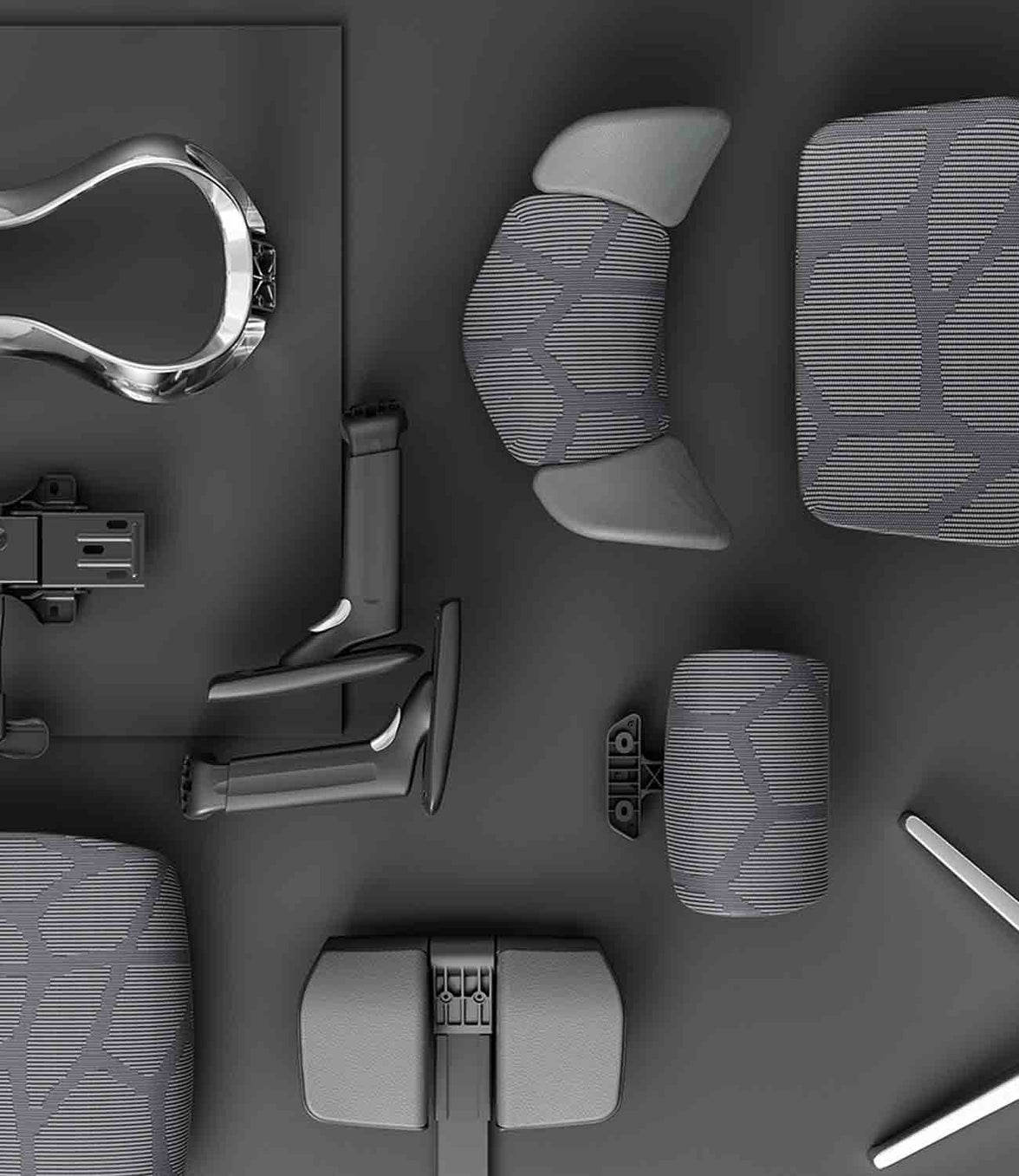
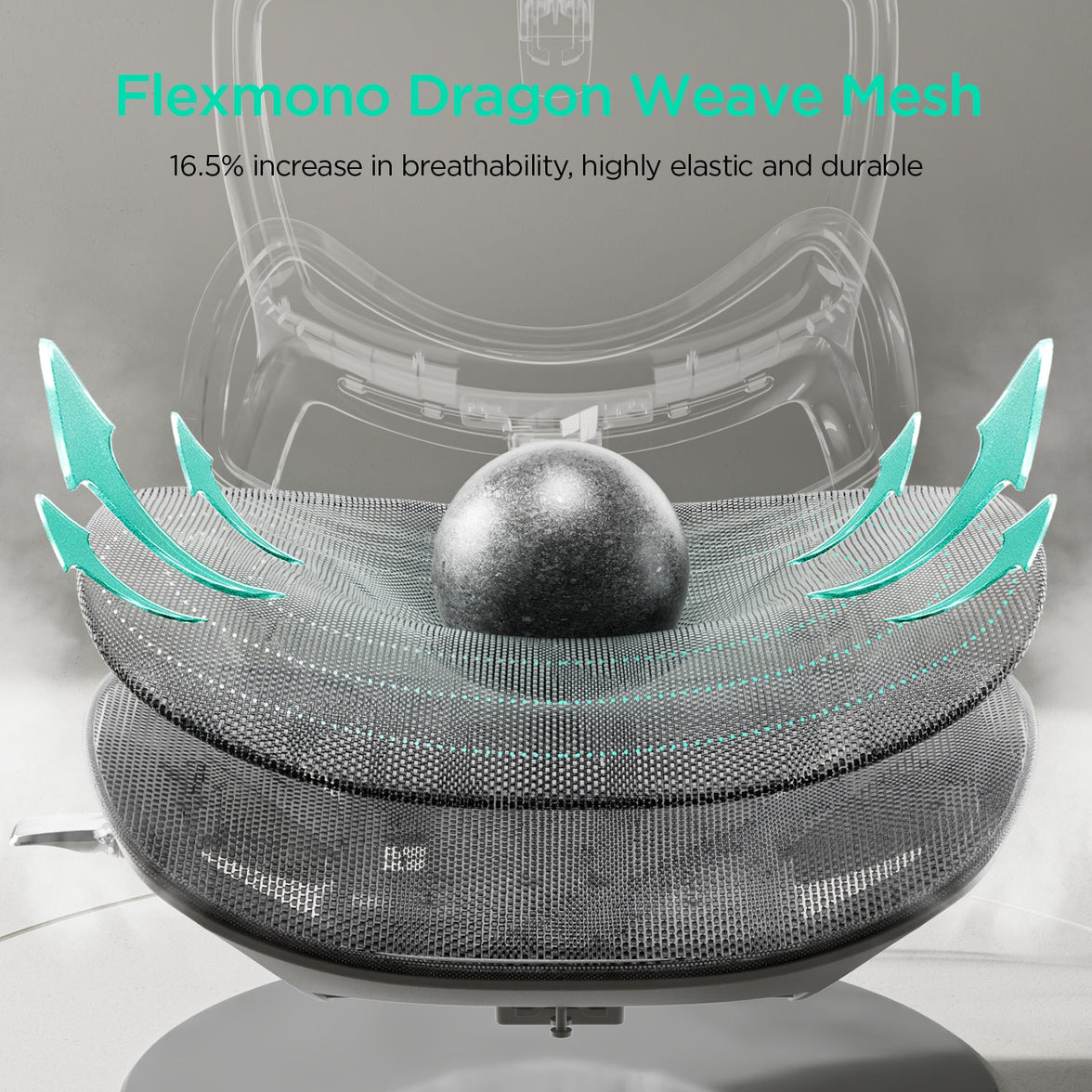
Rete traspirante in polimero ad alta resistenza vs. schiuma tradizionale: Le sedie executive tradizionali si affidano pesantemente a spessi cuscini in schiuma di poliuretano derivata dal petrolio. Questi materiali non solo sono difficili da riciclare, ma intrappolano anche il calore corporeo, riducendo la durata del prodotto poiché la schiuma si degrada nel tempo. HBADA utilizza ampiamente la sua rete brevettata in polimero ad alta resistenza, tessuta con tecnologia di tensione brevettata, per ridurre drasticamente la massa del materiale e il carbonio incorporato, offrendo al contempo un supporto strutturale e un flusso d'aria notevolmente superiori.

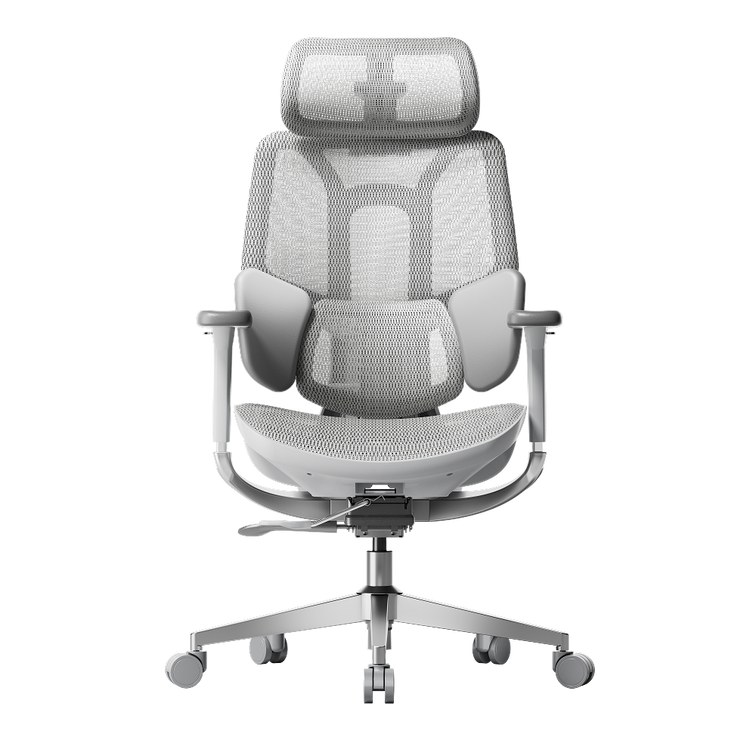
Componenti modulari progettati per durare: La sedia più sostenibile è quella che non devi buttare. Le sedie da ufficio economiche di fascia bassa sono note per guastarsi entro un anno e finire direttamente in discarica. Progettando le serie E3 e X7 con componenti altamente modulari e testati con precisione — dai moduli lombari indipendenti 4D al telaio con rilevamento della gravità — garantiamo una facile manutenzione, permettendoti di riparare i componenti anziché gettare l'intera sedia.


Casi studio reali: una configurazione sostenibile per tutti gli stili di vita

E3 Ultra 4D armrest rotation mechanics presentation graphic mobile variant

Per capire come HBADA traduca l'ingegneria sostenibile in sollievo fisico personalizzato, vediamo come quattro diversi professionisti ottimizzano il loro flusso di lavoro quotidiano con la serie HBADA E3.

Caso studio 1: Il maratoneta creativo (Kevin, designer)

E3 Ultra high density foam seat cushion pressure relief graphic mobile version

  • Profilo: 1,85 m, 86 kg, seduto 8+ ore al giorno.

  • La sfida: Come designer che passa molte ore a disegnare, renderizzare e fare revisioni per i clienti, Kevin ha bisogno di una configurazione robusta e altamente personalizzabile che mantenga la colonna vertebrale allineata durante le sessioni creative intensive.

  • L'impatto HBADA: Kevin utilizza la profondità estesa del sedile e lo schienale progettato specificamente per utenti più alti per eliminare l'affaticamento lombare. Il supporto lombare brevettato 4D a 3 zone ruota automaticamente per seguire la sua postura quando si piega in avanti per disegnare, riducendo lo stress spinale quotidiano senza compromettere l'integrità strutturale.

Caso studio 2: La sviluppatrice di profonda concentrazione (Janice, programmatrice)

  • Profilo: 1,67 m, 52 kg, seduta 8+ ore al giorno.

  • La sfida: Scrivere e debuggare migliaia di righe di codice richiede massima concentrazione. Janice soffriva spesso di accumulo di calore nella parte superiore del corpo e rigidità del collo a causa della classica schiuma imbottita.

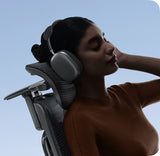
  • L'impatto HBADA: Si affida alla rete altamente traspirante in polimero ad alta resistenza per un flusso d'aria massimo, mantenendola fresca durante le intense sessioni di programmazione. Il poggiatesta 4D a curva ampia si allinea perfettamente al suo collo, distribuendo uniformemente la pressione sulla parte superiore del corpo ed eliminando la tensione alle spalle.

Caso studio 3: Il coordinatore ibrido (Lucas, project manager in smart working)

  • Profilo: 1,87 m, 84 kg, seduto 6+ ore al giorno.

  • La sfida: Gestire team remoti globali significa infinite riunioni virtuali consecutive, passando continuamente dal monitoraggio amministrativo alle presentazioni collaborative in video.

  • L'impatto HBADA: Lucas sfrutta il rivoluzionario sistema di regolazione dei braccioli 6D e doppia rotazione a 360°. Che stia digitando intensamente o reclinandosi durante una riunione a più punti, i braccioli si integrano perfettamente con la sua scrivania standing, offrendo un monitoraggio posturale ergonomico personalizzato a ogni angolazione.

Caso studio 4: Il broadcaster di resistenza (Alex, streamer e gamer)

  • Profilo: 1,77 m, 122 kg, seduto 10+ ore al giorno.

  • La sfida: Le sessioni di streaming e gaming competitivo a maratona richiedono una sedia ergonomica per gioco robusta che bilanci la stabilità del telaio a prova di proiettile con una protezione lombare morbida e adattiva.

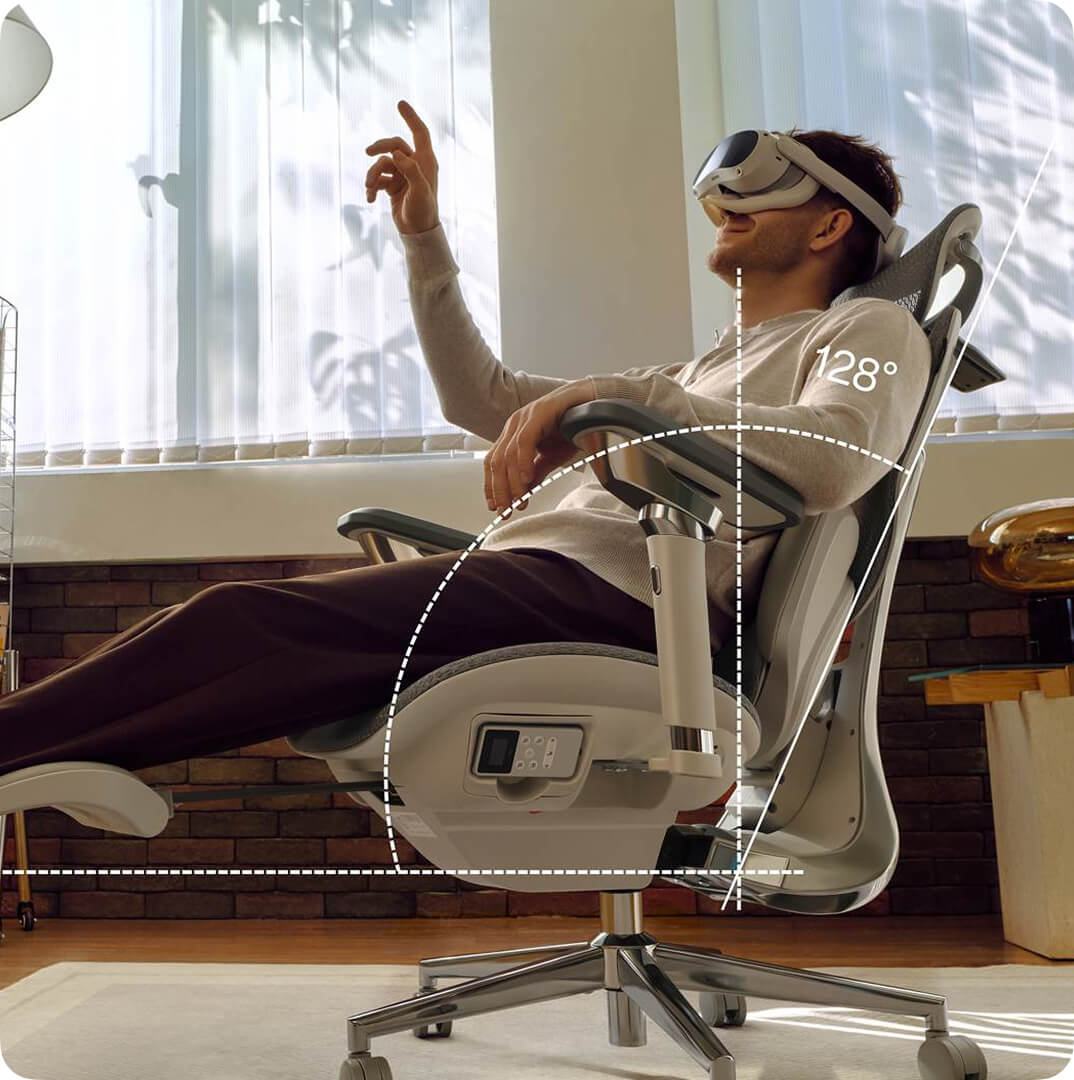
  • L'impatto HBADA: Costruita su un telaio robusto con rilevamento della gravità, la E3 supporta perfettamente la corporatura di Alex per sessioni di oltre 10 ore. Quando passa a uno stato di riposo, la reclinazione senza sforzo da 90° a 140°, abbinata al poggiapiedi retrattile integrato, offre un'esperienza di relax a gravità zero definitiva tra una partita e l'altra.


Domande frequenti: massimizzare ergonomia e sostenibilità

D: Cosa rende la HBADA E3 la migliore sedia ergonomica da ufficio per il mal di schiena a meno di 500 dollari?
R: La HBADA E3 è progettata con il primo sistema di supporto lombare elastico a 3 zone 4D brevettato al mondo. A differenza degli schienali statici, questa struttura agisce simultaneamente sui muscoli erettori della colonna, sul quadrato dei lombi e sulle vertebre sacrali S1-S2 per tracciare dinamicamente ed eliminare lo stress lombare, offrendo benefici per la salute di livello aziendale premium a un prezzo accessibile.

D: In che modo la rete in polimero ad alta resistenza contribuisce sia al comfort che alla sostenibilità?
R: La nostra rete in polimero ad alta resistenza è realizzata con tecnologia di tessitura brevettata che garantisce una distribuzione uniforme del peso e una resistenza alla trazione duratura. Eliminando la voluminosa schiuma di poliuretano, massimizza il flusso d'aria continuo per prevenire l'accumulo di calore corporeo, riducendo al contempo in modo significativo la massa di materia prima e l'impronta di carbonio del processo di produzione.

D: La serie HBADA E3 può adattarsi a grandi variazioni di altezza e peso?
R: Sì. La serie HBADA E3 dispone di oltre 20 punti di micro-regolazione precisi, tra cui la selezione dell'altezza dello schienale, lo spostamento della profondità del sedile e la regolazione multiassiale del poggiatesta. Ciò consente alla sedia di adattarsi perfettamente a individui con altezze che vanno da 155 cm a 195 cm.

D: La sedia è dotata di un meccanismo di reclinazione adatto per riposare in ufficio?
R: Assolutamente. La serie E3 integra un telaio robusto con rilevamento della gravità che consente una reclinazione senza sforzo da 90° per carichi di lavoro concentrati fino a 140° per un rilassamento profondo. Accompagnata da un poggiapiedi retrattile integrato, è meticolosamente progettata per servire perfettamente sia come spazio di lavoro ad alta produttività che come configurazione di riposo.

Prodotto rilevante

Potrebbe piacerti anche

HBADA Ergonomic Office Chairs With Footrests: Models and Fit Compared HBADA Ergonomic Office Chairs With Footrests: Models and Fit Compared Dark reading mode Room to focus.Space to lean back. From focused home-office work to a quiet reclined break, an ergonomic office chair with a footrest adds flexibility to your setup. Start with fit, then choose the support and comfort features that suit your day. Fit first.Footrest second. Check seat height, seat depth and lumbar support before deciding which reclining features matter to you. Which HBADA ergonomic office chair with a footrest should you choose? Consider X7 for a pull-out footrest alongside powered lumbar tracking, massage, heating and ventilation. Choose E3 Pro 2026 with footrest for adaptive mechanical support and hands-on adjustment. Always confirm the exact configuration on the EU product page. In this guide Do you need a footrest? HBADA model options Chair comparison Finding the right fit Setup routine Which should you choose? Limitations The takeaway Frequently asked questions Sources Do you need an ergonomic office chair with a footrest? A footrest is useful when it supports the position you actually use. Before choosing a chair, separate two different needs: resting your legs while reclining and keeping your feet supported during upright work. For reclined breaks A retractable chair footrest This extends from beneath the seat to support your legs as you lean back. It stores away when you return to a more upright working position. For upright work A separate floor footrest This provides a stable surface for your feet when your seat needs to be raised to match a fixed-height desk. EU-OSHA’s office ergonomics guidance includes checking whether the feet can rest on the floor or a footrest without excessive pressure behind the legs. A chair’s pull-out leg support should not automatically be treated as a substitute for an under-desk footrest. Read the EU-OSHA office ergonomics guide . Who benefits most from a built-in footrest? People who use their chair for desk work and reclined rest breaks. Users who want leg support that stores neatly beneath the seat. People who prefer an integrated solution rather than a separate ottoman. If your feet hang above the floor while typing, first assess seat height, desk height and whether you need a separate floor footrest. Which HBADA models offer a footrest? HBADA X7: powered support The HBADA X7 combines reclining leg support with automatic lumbar tracking, massage, heating and fan-assisted ventilation. Check the selected model and included configuration before ordering, particularly when comparing different chairs in the X7 family. HBADA E3 Pro 2026: mechanical adjustment The E3 Pro 2026 combines three-zone adaptive lumbar support with a CloudMesh seat, adjustable headrest and multi-directional armrests. Choose the With Footrest configuration to include the retractable footrest. Compare like with like. E3 Pro 2026 is not the same model as every older E3 Pro listing. Check the generation and configuration before comparing dimensions, controls or accessories. HBADA footrest chair comparison The main difference is the approach to support: powered functions on X7 versus mechanical adjustment on E3 Pro 2026. Their seat dimensions also differ. X7 vs E3 Pro 2026: EU model comparison Feature HBADA X7 E3 Pro 2026 Footrest Pull-out leg support; confirm selected configuration Select With Footrest Lumbar support Powered automatic tracking Mechanical three-zone adaptive support Seat height 44.5–53 cm 46–54.5 cm Seat depth 40.5–45.5 cm 45–50 cm Seat width 52 cm 51.5 cm Additional functions Massage, heating and fan-assisted ventilation Mechanical adjustments without powered comfort functions Main choice Powered comfort features Hands-on mechanical adjustment Dimensions refer to the linked EU product listings. Confirm the latest specifications and included features before purchase. The chair’s overall weight capacity is not a separate load rating for the extended footrest. How should a footrest chair fit? Start with your seated position, not the footrest. Compare seat height and depth with your proportions, then check lumbar contact and armrest placement. A deeper seat is not automatically better. You should be able to sit against the backrest with comfortable clearance behind your knees. Your shoulders should remain relaxed when you reach the keyboard. Match the adjustment to the problem If you notice Check this Aim for Feet do not reach the floor Seat and desk height; a floor footrest if needed Supported feet during upright work The seat edge presses behind your knees Seat depth and height Comfortable clearance without sliding forwards Your lower back loses contact Seat depth, lumbar position and sitting position Comfortable support while sitting back Your shoulders rise while typing Desk, keyboard and armrest height Relaxed shoulders with easy reach The extended footrest feels uncomfortable Recline, extension and your leg proportions Leg support without concentrated pressure Recommended user-height ranges are only a starting point. Two people of the same height can have different leg lengths and need different seat settings. How to set up your chair and footrest correctly Set up for upright work first. Adjust the seat and work surface so your shoulders stay relaxed. Support your feet on the floor or a separate floor footrest. Adjust seat depth. Sit back fully and leave comfortable space between the seat edge and the backs of your knees. Position the lumbar support and armrests. Aim for supportive contact without pushing your torso forwards or lifting your shoulders. Arrange your screen and keyboard. Keep the screen in front of you and avoid reaching forwards to use the keyboard or mouse. Test a reclined break. Leave space around the chair, extend the footrest according to the instructions and recline gradually. Do not use the footrest as a step or additional seat. Include movement. Retract the footrest when returning to your desk setup as appropriate. Alternate seated work with opportunities to stand and walk. Which HBADA chair should you choose? Powered comfort Choose X7 Choose X7 if you want automatic lumbar tracking and additional comfort functions such as massage, heating and cooling airflow alongside reclining leg support. Explore X7 → Mechanical support Choose E3 Pro 2026 Choose the With Footrest version if you prefer adaptive mechanical lumbar support, breathable mesh and adjustment without powered comfort functions. Explore E3 Pro 2026 → Before ordering, check the selected variant, delivery availability for your country and the applicable return and warranty terms. Do not choose on the basis of feature count alone. Limitations and when this advice may not apply A chair and footrest support comfort; they do not treat medical conditions. A retractable leg support does not automatically solve an upright desk-height mismatch. A height-adjustable desk helps only if its range and the chair’s dimensions suit you. Footrest instructions and load limits must be checked for the exact model. Seek professional advice for severe, persistent or radiating pain. The takeaway: match the chair to your day The best ergonomic office chair with a footrest for you is one that supports comfortable upright work and gives you a useful option for reclined breaks. Compare the X7’s powered features with the E3 Pro 2026’s mechanical support, check your seat dimensions and confirm the footrest configuration. Keep regular movement in your routine whichever model you choose. Frequently asked questions Are office chairs with footrests good for your back? A built-in footrest can make a reclined break more comfortable by supporting your legs. Back comfort also depends on chair fit, lumbar support and movement. A footrest is not a medical treatment. Do all HBADA chairs include a footrest? No. Availability depends on the model and configuration. Select With Footrest for E3 Pro 2026 and check the included features of the exact X7 model before ordering. Is a built-in footrest better than a separate one? A built-in footrest is convenient for reclining and stores under the seat. A separate floor footrest supports the feet during upright work when the floor is out of reach. Choose by purpose rather than treating them as interchangeable. Which HBADA chair should I choose for long workdays? Start with dimensions and fit. X7 adds powered lumbar tracking, massage, heating and ventilation. E3 Pro 2026 offers adaptive mechanical support and a footrest configuration. Both still need to be adjusted to your body. Can a footrest help with short legs or a tall desk? A separate floor footrest may help when you need a higher seat position to reach a fixed desk. Check the chair’s minimum height and seat depth as well. Do not rely on an extended reclining footrest to correct every fit issue. How much space does a footrest chair need? Allow space in front for the extended footrest and behind for recline. Measure your available area and compare it with the model’s dimensions, including its reclined position where supplied. Keep walkways clear. Sources EU-OSHA — Office Ergonomics EU-OSHA OSHwiki — Prolonged Static Sitting HBADA EU — X7 Smart Ergonomic Chair HBADA EU — E3 Pro 2026 How to Adjust a Shared Ergonomic Office Chair for Hot Desking How to Adjust a Shared Ergonomic Office Chair for Hot Desking Dark reading mode A shared desk.A setup that is yours. Someone else’s chair settings do not have to become your working posture. A simple reset helps you make a shared ergonomic office chair fit your body before the day begins. One routine.Five adjustments. Seat height Seat depth Lumbar support Armrests Recline How do you adjust a shared ergonomic office chair? Start with seat height, then seat depth, lumbar support, armrests and recline. Check the desk and screen afterwards. Once you know the controls, aim for a quick one-minute check, taking longer whenever you need to fine-tune the fit. In this guide Why reset a shared chair? The adjustment order The 60-second reset What to look for Shared-chair hygiene HBADA chair comparison Limitations The takeaway Frequently asked questions Sources Why must you reset a shared chair? A hot-desk chair usually arrives set for whoever used it last. Their legs, back and arms may differ from yours, so the seat, lumbar support and armrests may not be in the right position for you. A seat that feels slightly too high or armrests that keep you away from the desk can become distracting over a full day. Resetting the chair gives you a better starting point than adapting your posture to someone else’s settings. EU-OSHA’s guidance on office ergonomics specifically discusses hot desking: shared workstations should be easy to adjust, and users need clear information about making those adjustments. Read the office ergonomics guidance. What order should you adjust the chair in? Start with the settings that establish your overall position. Seat height sets your relationship to the desk; seat depth determines how far back you can sit. You can then position the lumbar support and armrests around that foundation. Your reset sequence:Seat height → seat depth → lumbar support → armrests → recline → desk and screen check. At a height-adjustable desk, set the chair for supported feet and then bring the work surface to a comfortable working height. At a fixed-height desk, you may need to raise the chair to reach the keyboard comfortably and add a separate floor footrest. Use the sequence as a starting point, not a rigid rule. Recheck earlier settings if a later adjustment changes how you sit. The 60-second hot-desking reset Learn the controls first, then use these five steps as a quick daily routine. The aim is a repeatable setup—not finishing before a timer runs out. Set the seat height Sit back and position yourself so you can use the keyboard with relaxed shoulders. Keep your feet supported on the floor or a stable floor footrest. Avoid pressure from the seat edge under your thighs. Slide the seat to fit your legs Adjust the depth while keeping your back against the backrest. Leave roughly two to three fingers of clearance behind your knees as a starting point, then check comfort. Position the lumbar support Move the support towards the curve of your lower back. It should feel supportive rather than push you forwards. If the chair has automatic tracking, check the initial position and available settings. Bring the armrests to you Adjust the available height, width or rotation so your forearms can rest without lifting your shoulders. Make sure the armrests do not stop you moving close enough to the desk. Check the recline Lean back gently and familiarise yourself with the tilt lock. Adjust resistance if the chair offers a manual tension control; on an automatic mechanism, check that the movement feels controlled and supportive. Your final fit check Adjustment Aim for Quick check Seat height Comfortable access to the work surface Feet supported; shoulders relaxed Seat depth Thigh support with knee clearance You can sit against the backrest without pressure behind the knees Lumbar support Contact with the lower-back curve Support feels comfortable, not forceful Armrests Supported forearms and relaxed shoulders You can move close to the keyboard Recline Controlled, supported movement You understand the lock and resistance controls Floor footrest Foot support when the floor is out of reach Both feet rest securely without stretching down What makes a chair good for hot desking? A shared chair earns its place when different users can adjust it easily and understand how its controls work. Look beyond the number of features to how practical they are in daily use. A useful adjustment range: compare seat height, depth and width with the people using the space. One chair may not fit everyone. Clear, accessible controls: levers and buttons should be easy to identify and reach. Suitable build and service support: check intended use, maintenance needs, replacement parts and warranty coverage for the shared workspace. Practical materials: breathable mesh can help with airflow, but cleaning suitability depends on the material and manufacturer’s instructions. Appropriate capacity and dimensions: check both the weight limit and physical fit. A useful office addition: keep a simple adjustment card or a link to the chair’s instructions at each desk. Users should not have to guess which lever changes which setting. How do you keep a shared chair hygienic? Armrests, adjustment controls and headrests are frequent touch points. A consistent cleaning routine helps keep the chair pleasant for the next person. Follow the chair’s care instructions and your workplace cleaning procedure. Use a suitable cloth and a cleaner approved for the relevant surface. Do not assume every disinfectant is compatible with mesh, padding or finishes. Avoid soaking the seat or spraying liquid directly into controls, ventilation openings or electrical components. Allow cleaned surfaces to dry before the next use. Report spills, loose parts or damaged controls promptly. Remove an unsafe chair from use. Breathability and hygiene are different considerations: mesh allows airflow, but it still needs appropriate care. Which HBADA chair suits shared desks? The X7 and E3 Pro 2026 offer different approaches to lumbar support. Compare their adjustment ranges with your users, then decide whether powered tracking or mechanical adjustment better suits the workspace. HBADA X7 vs E3 Pro 2026: EU specifications Feature HBADA X7 E3 Pro 2026 Seat height 44.5–53 cm 46–54.5 cm Seat depth 40.5–45.5 cm 45–50 cm Seat width 52 cm 51.5 cm Lumbar support Powered automatic tracking 3-zone adaptive support; 60 mm height adjustment across six levels Seat material Breathable mesh CloudMesh Maximum weight capacity 150 kg 150 kg Recommended user height 150–195 cm 155–195 cm X7: powered lumbar tracking Consider the X7 if you want lumbar support that responds automatically to posture changes. Each user should still check seat fit, armrests and their preferred support settings. Explore HBADA X7 → E3 Pro 2026: mechanical adjustment Consider the E3 Pro 2026 if you prefer hands-on adjustment with adaptive lumbar support and a breathable mesh seat. Explore E3 Pro 2026 → Specifications refer to the linked EU listings. User-height ranges are a guide, not a substitute for checking fit. For office-wide purchasing, confirm shared or intensive use requirements and warranty terms before ordering. Limitations and when to get help A chair reset is one part of setting up a shared workstation. It cannot compensate for every desk, screen or individual fit issue. Check screen position, keyboard reach and available leg space after adjusting the chair. If the chair’s adjustment range does not fit you, ask for a suitable alternative rather than forcing a position. Change posture and take movement breaks throughout the day. Seek a workstation assessment if you cannot find a comfortable setup. For severe, persistent or radiating pain, consult a qualified healthcare professional. The takeaway: reset the chair, not your expectations Hot desking works better when you take a moment to make the workstation yours. Start with seat height, then work through depth, lumbar support, armrests and recline. Finish by checking the desk and screen. Choose powered lumbar tracking if that suits your workspace, or mechanical adjustment if you prefer a hands-on setup. Either way, learning the controls once makes every future reset more straightforward. Frequently asked questions How do you adjust an office chair for your body? Begin with seat height and depth, then position the lumbar support and armrests. Check the recline controls and finish by reviewing the desk and screen. Your feet should be supported, your shoulders relaxed and the seat clear of the backs of your knees. Is hot desking bad for your back? Hot desking does not automatically mean an uncomfortable setup. Problems can arise when the chair or workstation does not fit the user or is difficult to adjust. Familiarise yourself with the controls, review your fit and keep movement in your day. What should you look for in a shared office chair? Look for an appropriate adjustment range, clear controls, suitable seat dimensions and materials you can maintain according to the care instructions. Check intended use, weight capacity and after-sales support. Do not assume a single model will suit every colleague. How do you know a chair fits after resetting it? Check that your feet are supported, your thighs rest comfortably, there is clearance behind your knees and the lumbar support meets your lower back. You should also be able to reach the keyboard with relaxed shoulders. These are useful starting checks; reassess comfort as you work. Should a shared chair have a footrest? Some users need a separate floor footrest when a fixed desk requires a higher seat position. A retractable chair footrest is intended for supporting the legs while reclining and serves a different purpose. Choose support according to the user’s working position. Does automatic lumbar tracking adjust the whole chair? No. Automatic lumbar tracking responds to posture changes, but it does not replace checking seat height, seat depth, armrests or workstation fit. A new user should still run through the adjustment routine. Can you really reset a chair in 60 seconds? A familiar chair can be quick to check, but a minute is a practical target rather than a guarantee. Allow more time when using a new model, learning its controls or adjusting an unfamiliar desk. Sources EU-OSHA OSHwiki — Ergonomics in office work HBADA EU — X7 Smart Ergonomic Chair HBADA EU — E3 Pro Ergonomic Office Chair 2026 Edition How to Choose an Ergonomic Office Chair for 12-Hour Shifts How to Choose an Ergonomic Office Chair for 12-Hour Shifts  Dark reading mode A longer shift.A better way to sit. Choosing an ergonomic office chair for 12-hour shifts means looking beyond the first comfortable five minutes. Focus on support that follows your movement, a seat that fits and adjustments you will actually use. Support your work.Make room for movement. A well-adjusted chair belongs in your long-shift routine. So do standing up, changing tasks and taking short breaks. How do you choose an ergonomic office chair for 12-hour shifts? Prioritise adjustable lumbar support, a seat that matches your body, a useful recline range, breathable materials and a durable build. A retractable footrest can support your legs during reclined breaks. Pair these features with regular movement throughout your shift. 01 · Find your fit Seat height, depth and everyday comfort. 02 · Support your back Adjustability that works with your posture. 03 · Change position Upright work and supported reclined breaks. 04 · Keep moving Small changes across a demanding day. In this guide What matters most Dynamic lumbar support Posture variety Heat and seat pressure Long-shift checklist Your movement routine X7 or E3 Pro? Limitations The takeaway Frequently asked questions Sources What matters most for a 12-hour chair? Over a long shift, a small mismatch can become distracting. A seat that is too deep, armrests that push your shoulders upwards or lumbar support that sits too high may feel increasingly noticeable as the day goes on. Five things deserve particular attention: lower-back support, posture variety, heat and pressure management, build quality and freedom to move. Think of it as choosing an office chair for long hours, with extra emphasis on how the chair feels after your initial adjustment. Seat height: your feet should rest on the floor or a separate floor footrest without the seat pressing into the backs of your thighs. Seat depth: sit back against the backrest while leaving clearance behind your knees. Lumbar position: the support should meet your lower back rather than force you forwards. Armrest fit: support your forearms without lifting your shoulders or preventing you from moving close to the desk. Fit comes before extra features. A useful adjustment range matters more than a long list of controls that do not suit your body or workstation. Why does dynamic lumbar support matter over 12 hours? You rarely stay in exactly the same position throughout a shift. You lean towards the screen, settle back for a call and change position between tasks. Dynamic lumbar support is designed to respond to those movements rather than support only one fixed sitting position. The HBADA E3 Pro 2026 uses a 3-zone adaptive lumbar system with spring-based support and 60 mm of lumbar height adjustment across six levels. The HBADA X7 offers powered lumbar tracking that automatically responds to changes in posture. The practical question is not simply whether a chair has dynamic support. It is whether that support meets your lower back comfortably when you work and when you lean back. Adjust it gradually rather than assuming that the strongest setting is the best one. How does posture variety help on long shifts? No single sitting position needs to last for an entire shift. A useful recline range gives you more ways to sit between focused work, reading and short rest breaks. Both the X7 and E3 Pro 2026 offer recline up to 140° with four locking positions. An adjustable headrest helps you position support when leaning back, while a retractable footrest can support your legs during reclined breaks. Choose the footrest-equipped configuration where applicable. Keep your working posture matched to your desk and screen. A deep recline is more useful for a pause than for reaching forwards to type. Vary more than the chair angle. EU-OSHA resources encourage movement and changes of posture at work. Reclining adds variety, but getting up and walking remain part of the routine. Read EU-OSHA’s movement guidance . Why do heat and pressure matter after hours of sitting? Seat comfort is about both temperature and fit. Breathable mesh allows airflow, while appropriate seat depth helps support your thighs without crowding the backs of your knees. The E3 Pro 2026 uses a CloudMesh seat. The X7 combines breathable mesh with three-level fan-assisted cooling ventilation. This adds airflow around the seat for users who prefer a cooler sitting experience. Both models provide 50 mm of seat-depth adjustment. However, their actual seat-depth ranges differ: the X7 adjusts from 40.5 to 45.5 cm, while the E3 Pro 2026 adjusts from 45 to 50 cm. That difference is worth checking before choosing between them. Mesh and cushioned seats can both work well. Pay attention to how evenly the seat supports you, whether its front edge feels comfortable and whether you can sit against the backrest without sliding forwards. The 12-hour shift chair checklist Use this checklist to compare practical adjustments rather than relying on an “all-day comfort” headline alone. What to check before buying Feature Why it matters What to check Lumbar support Supports your lower back as your posture changes. Position, adjustment range and comfortable contact. Seat fit Helps you sit back without pressure behind the knees. Actual height, depth and width—not just user-height guidance. Recline Adds options for working and taking a supported break. Recline controls, locking positions and ease of use. Footrest Supports the legs during reclined breaks. Whether your selected chair configuration includes one. Breathability Allows airflow during longer sessions. Seat material and whether powered ventilation is included. Armrests and headrest Let you position support around your desk and tasks. Reach, clearance and adjustment directions. Build and capacity Help determine whether the chair suits its intended use. Maximum load, model-specific testing and maintenance instructions. After-sales support Makes repairs and ongoing ownership easier to plan. Warranty coverage, replacement parts and return conditions. How to build movement into a long shift A supportive chair works best as part of a varied working day. Build small changes into tasks you already do rather than saving all your movement for the end of the shift. Set up before you start. Adjust seat height, seat depth, lumbar support and armrests, then check your screen and keyboard position. Change position between tasks. Move between focused upright work and a more relaxed sitting position when the task allows. Take frequent movement breaks. Stand, stretch or walk when practical. A call, a refill of water or a change of task can provide a natural cue. Use recline for a supported pause. Lean back and use the retractable footrest if fitted. Treat this as an additional option, not a substitute for leaving the chair. Give screen-focused work a break. Look away from the display and alternate with tasks that do not require the same fixed viewing position. Recheck comfort mid-shift. If you start perching on the seat edge or reaching forwards, review your setup instead of simply tolerating it. For practical ideas, see EU-OSHA’s guidance on promoting movement at work . Which HBADA chair suits 12-hour shifts? The X7 and E3 Pro 2026 take different approaches to support. Start with their fit, then decide how much powered adjustment and additional comfort functionality you want. HBADA X7 vs E3 Pro 2026: EU model comparison Feature HBADA X7 E3 Pro 2026 Lumbar support Powered automatic tracking 3-zone adaptive; 60 mm height adjustment, six levels Recline Up to 140°; four locking positions Up to 140°; four locking positions Seat depth 40.5–45.5 cm 45–50 cm Seat height 44.5–53 cm 46–54.5 cm Seat width 52 cm 51.5 cm Heat management Breathable mesh and fan-assisted ventilation Breathable CloudMesh Extra comfort features Massage and heating Mechanical ergonomic adjustments Maximum weight capacity 150 kg 150 kg Recommended user height 150–195 cm 155–195 cm Choose X7 for powered comfort Consider the X7 if you want automatic lumbar tracking, cooling airflow, heating and massage alongside your ergonomic adjustments. Explore HBADA X7 → Choose E3 Pro for mechanical support Consider the E3 Pro 2026 if you prefer adaptive lumbar support, breathable mesh and hands-on adjustment without powered comfort functions. Explore E3 Pro 2026 → Specifications refer to the linked EU product pages. Check the selected model and footrest configuration before ordering; X7, X7 Air and X7 Prestige are not interchangeable. Limitations and when to get help A good chair supports your working position, but comfort also depends on your desk, tasks, movement and individual needs. A chair is not a medical treatment or a replacement for regular movement. Recommended user-height ranges are a starting point. Check actual seat dimensions and your proportions. For shared shift work or continuous workplace use, confirm that the intended usage is covered by the model’s specifications and warranty. If pain is persistent, severe or spreading, seek advice from a qualified healthcare professional rather than relying on chair adjustments alone. The takeaway: choose support you can adjust Choosing an ergonomic office chair for 12-hour shifts comes down to fit, responsive support and opportunities to change position. Breathable materials and a comfortable recline add useful options, but they work best when the chair is correctly adjusted to your body. Choose the X7 if powered lumbar tracking and additional comfort functions suit your routine. Choose the E3 Pro 2026 if you prefer mechanical adjustability and adaptive support. Whichever you choose, make movement part of the shift—not something you postpone until it ends. Frequently asked questions What kind of chair is best for long shifts? Look for adjustable lumbar support, a seat that matches your body, usable recline controls and comfortable materials. The best fit lets you sit against the backrest with supported feet and clearance behind your knees. Compare dimensions before deciding which extra features matter to you. Is it bad to sit for 12 hours? A 12-hour shift does not need to mean 12 hours of uninterrupted sitting. Break up seated work with movement, changes of activity and opportunities to stand or walk. A supportive chair does not remove the need for those changes. Do you need a footrest for a 12-hour shift? A retractable chair footrest can support your legs during reclined breaks. If your feet do not reach the floor while working upright at the correct desk height, a separate floor footrest serves a different purpose. Choose the type that matches your setup. Is mesh or a cushioned seat better for long shifts? Both can work well. Mesh allows airflow, while a cushioned seat offers a different sitting feel. Fit, support and comfort matter more than material alone. Test whether the seat supports your thighs without pressure behind the knees. How often should you take breaks on a long shift? Build frequent short movement opportunities into your work rather than staying still until one long break. EU-OSHA’s practical guidance suggests getting up for a microbreak at least every 20–30 minutes where feasible. Adapt your routine to your tasks and workplace arrangements. Does the X7 have cooling? The X7 offers fan-assisted cooling ventilation with three airflow levels. It moves air through the seating area for a cooler sitting experience; it does not use refrigerated air-conditioning. How does the E3 Pro 2026 differ from the X7? The E3 Pro 2026 centres on mechanical adjustment and adaptive lumbar support. The X7 adds powered tracking, ventilation, heating and massage. Their seat-depth ranges also differ, so compare fit as well as features. Sources Product details are based on HBADA EU listings. Workplace movement guidance is drawn from EU-OSHA resources. HBADA EU — X7 Smart Ergonomic Chair HBADA EU — E3 Pro 2026 Ergonomic Office Chair EU-OSHA — Get moving at work EU-OSHA OSHwiki — Promoting movement and exercise at work