
Carrello
GTA 6 Gaming Setup Guide: Build a More Comfortable Space for Vice City
HBADA EUROPE / THE GAMING ROOM EDIT GTA 6 SETUP GUIDE
A NEW CITY. A FRESH LOOK AT YOUR SETUP.
Vice Cityon the screen.Comfort at home.
Before you settle into GTA 6, give your real-world gaming space a little attention. A controller-friendly chair setup can make your desk feel ready for the evening.
CONSOLE AT A DESK THE CHAIR COMES INTO FOCUS
THE SETUP QUESTION
The game gets the attention. Your elbows get the desk edge. If that sounds familiar, start your GTA 6 gaming setup with the position you actually play in. Holding a controller changes where your arms rest, and a console connected to a desk monitor may need a different seating arrangement from a keyboard setup. At HBADA, we would start with the chair and build outwards.
The official release: Rockstar lists Grand Theft Auto VI for PlayStation 5 and Xbox Series X|S on 19 November 2026, at midnight local time. For regional details, see Rockstar’s official release guidance. This guide focuses on your physical gaming space.
01
Set the chair with the controller in your hands.
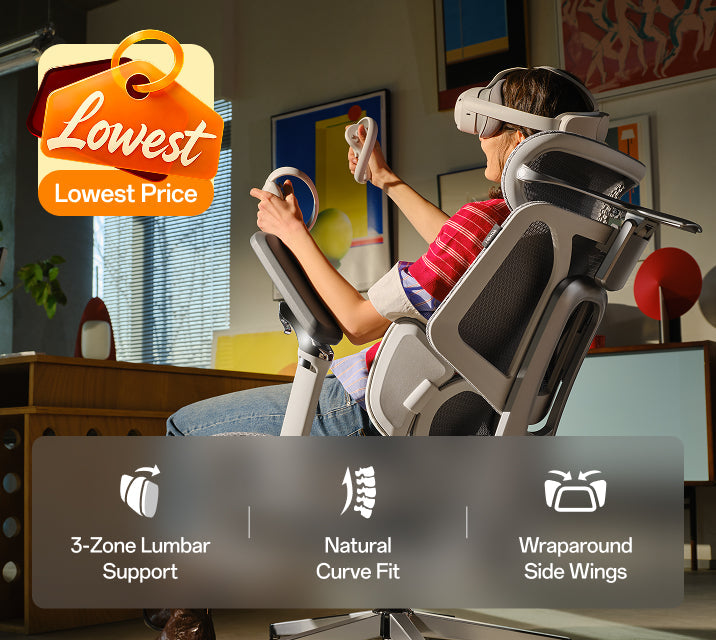
Sit back, pick up your controller and let your elbows settle naturally. Then adjust the armrests. If you are lifting your shoulders to reach them, bring the supports down. If your arms hang without support, try a little more height.
Keep enough room for your hands to move freely. Armrests that feel fine for typing may sit too far forward or too wide when you hold a controller. Make these changes in your playing position.
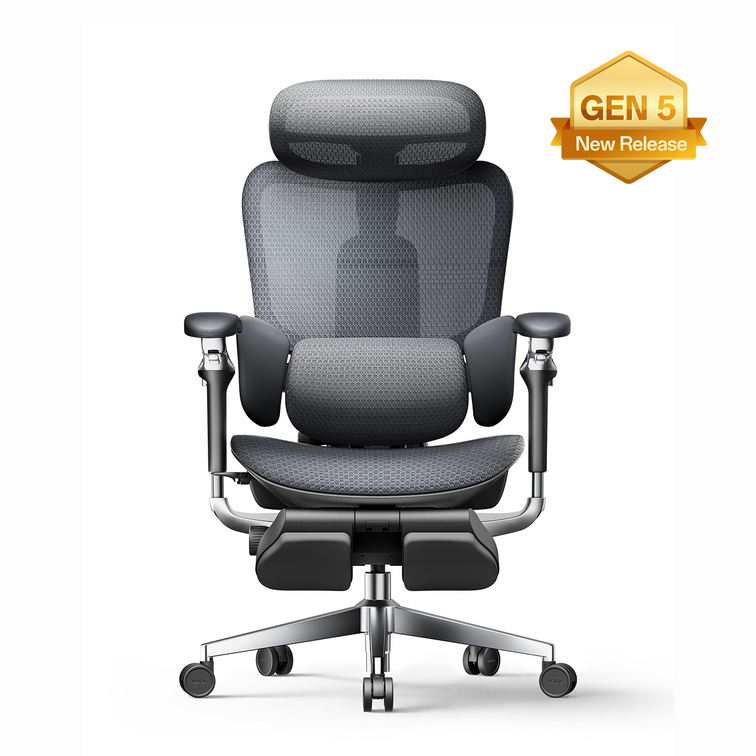
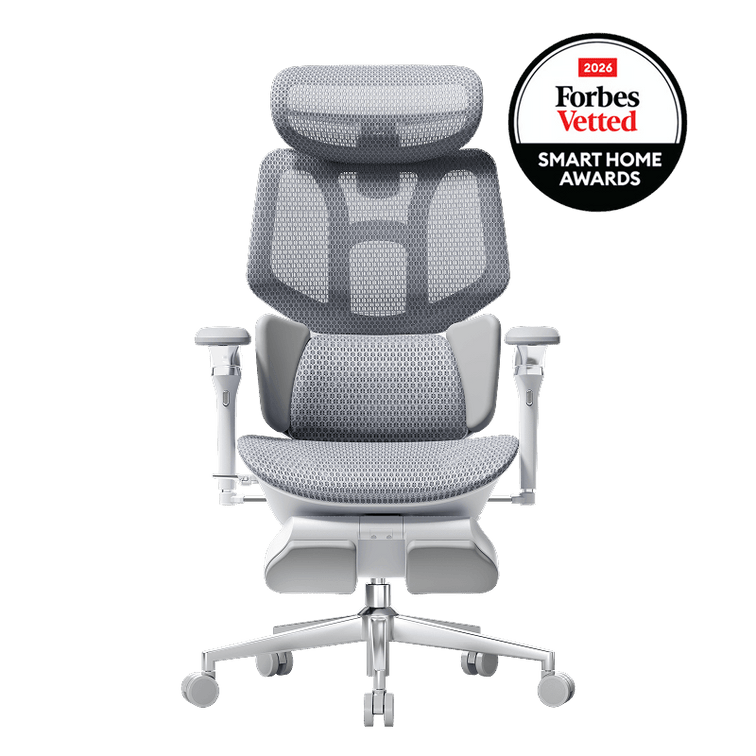
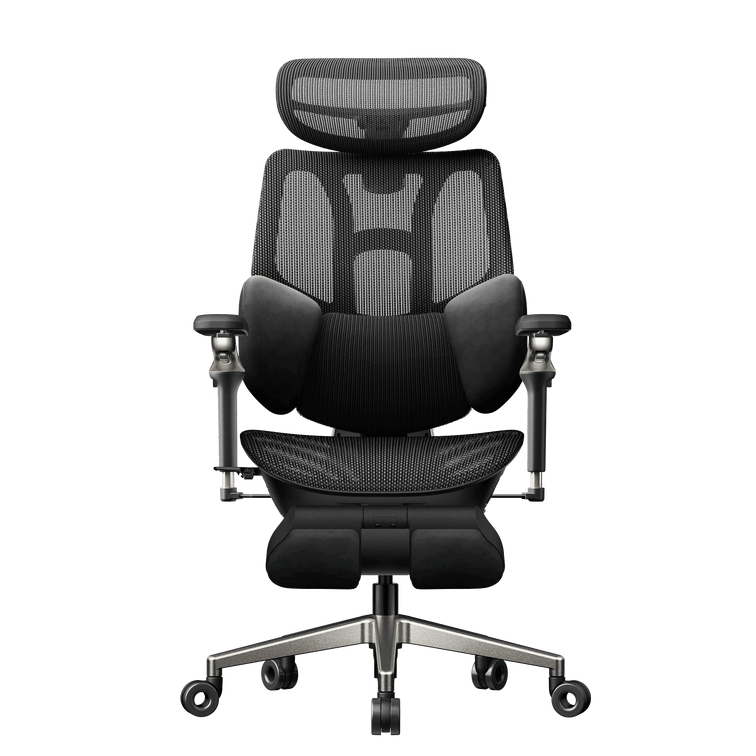
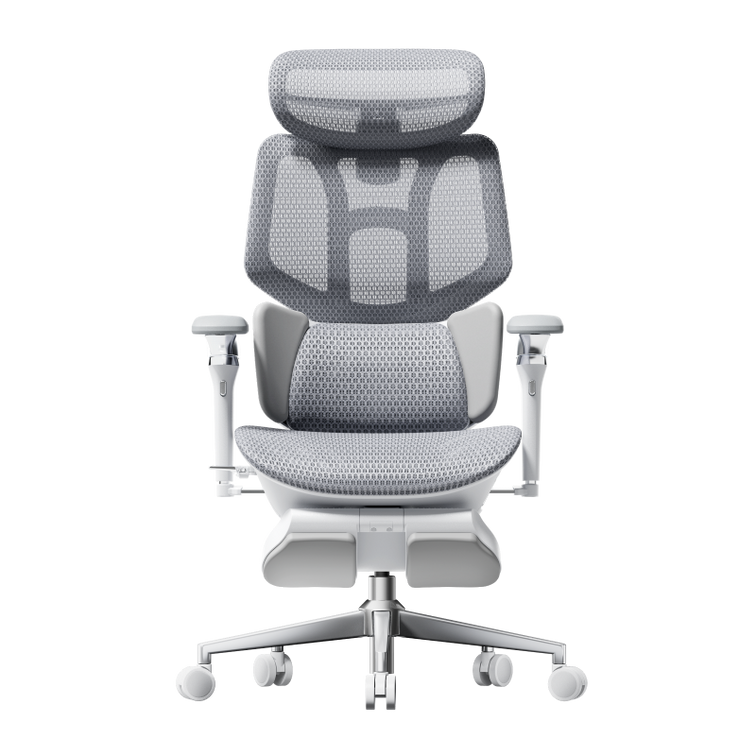
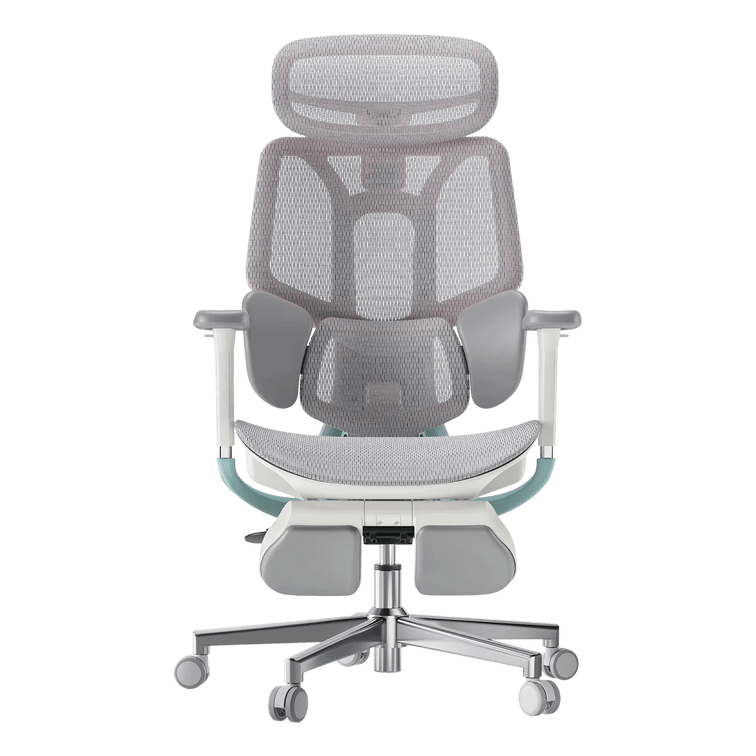
Our E3 Pro 2026 gives you adjustable arm support alongside seat-depth and lumbar adjustments. Use those controls together so you can sit back while keeping the controller close.
02
Bring the screen into your comfortable view.
After changing the chair, check where the screen sits. You should be able to see the information you need without repeatedly reaching your head towards it or tilting your chin upwards.
For a desk monitor, start with the display directly in front of you and adjust its height and distance. If you play on a television, consider whether a slight recline gives you a comfortable view. Recheck your head position rather than assuming the deepest recline is the best one.
Try your setup with another controller-based game you already own. It is a useful way to notice an awkward screen position before you commit to the new arrangement.
Adjust for the way you play,with the controller already in your hands.
03
Give your legs somewhere comfortable to go.
In an upright position, set the seat so your feet feel supported. Leave comfortable clearance behind your knees and enough space underneath the desk to change your leg position.
A pull-out leg rest can suit a reclined pause. For upright play at a desk, a separate floor footrest may be more useful if your feet do not reach the floor. Check that controller cables and charging leads stay clear of the chair’s wheels.
04
Borrow the sunset mood, keep the room usable.
A muted pink light against a dark blue wall can give your gaming corner a coastal evening feel. Keep decorative lighting outside your direct line of sight and check for reflections on the display.
Leave space around your console according to its manufacturer’s ventilation instructions. A clean shelf and a nearby controller charging spot make everyday use easier than a crowded display. Your chair also needs room to roll out and recline without meeting a cabinet behind it.
Which HBADA chair suits your gaming corner?
SHARED WORK + PLAY DESK
HBADA E3 Pro 2026
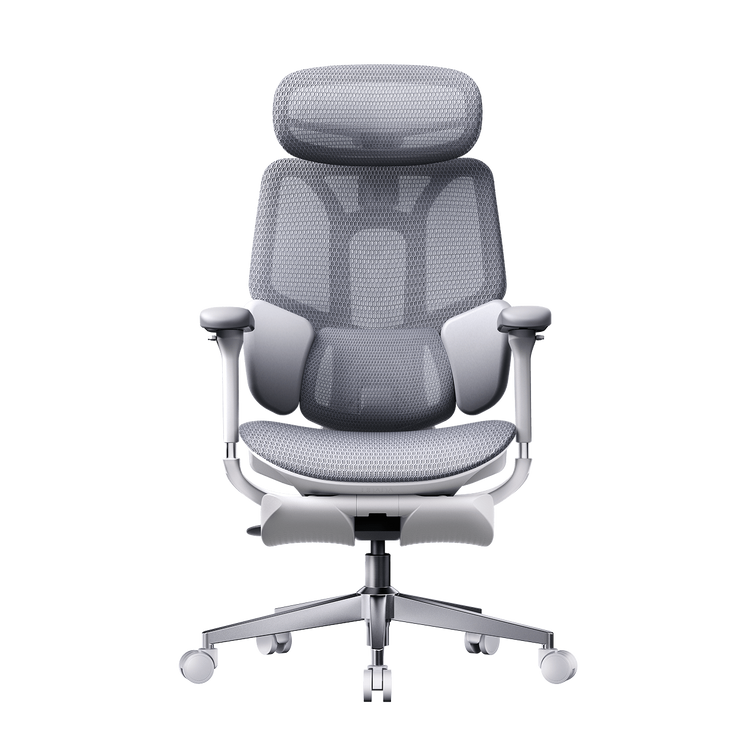
Consider the E3 Pro when the same desk handles work during the day and controller gaming later. Its three-zone lumbar support and adjustable seating let you change your setup between activities. Save your preferred positions as a short note if you switch frequently.
See E3 Pro 2026 adjustments ↗
A PLACE FOR SEATED BREAKS
HBADA E3 Ultra Gen 5
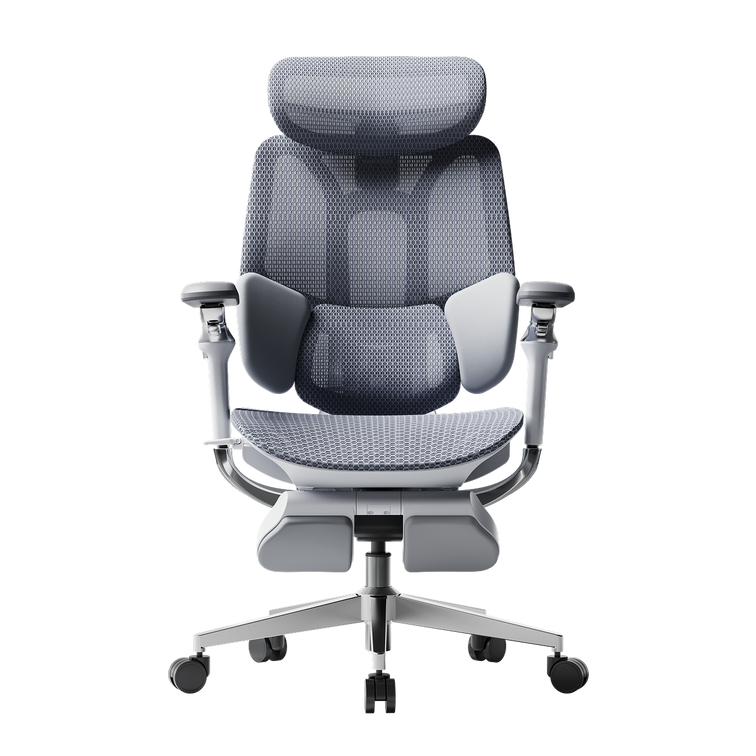
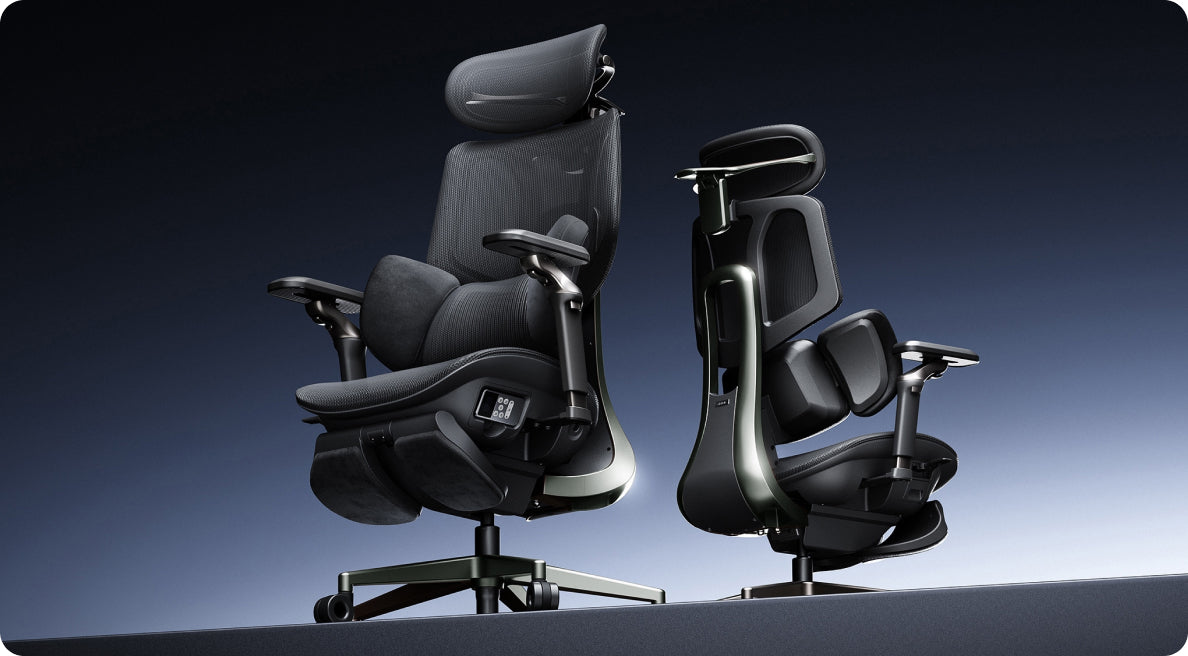
The E3 Ultra adds lower-back massage and graphene warmth to an adjustable ergonomic chair. Its reclining backrest and integrated footrest give you another way to settle back during a pause. Choose it for those comfort features, then check the dimensions against your desk and room.
Discover E3 Ultra Gen 5 ↗
05
Build a pause into the evening.
An adjustable chair gives you options, and movement still matters. Stand up between sessions, stretch your legs and look away from the screen. Set a reminder if you tend to lose track of time.
Massage and warmth can make a seated break feel relaxing. Give yourself time out of the chair too, especially when you notice you have stayed in one position for a while.
Your controller-ready setup check
Arms: Your shoulders feel relaxed while you hold the controller.
View: The screen is easy to see from your chosen seating position.
Space: Your legs and chair can move without catching cables.
Routine: You have a plan to stand up and take breaks.
A few questions before you rearrange the room.
Do I need a racing-style gaming chair for GTA 6?
The game does not require a particular chair style. For a desk-based setup, compare seat fit, armrest positioning and back support. An adjustable ergonomic office chair can work for controller gaming as well as your daily desk tasks.
Can I use an HBADA chair with a console and television?
Yes, provided the chair fits your room and gives you a comfortable view of the television. Check the screen position from the chair before deciding where to place it.
What should I measure before ordering?
Record your desk clearance and available floor space in centimetres. Compare these with the selected chair’s dimensions, leaving room for the recline and any extended leg rest.
Is this an official GTA 6 chair or collaboration?
No. This is an independent HBADA setup guide. The chairs featured here are HBADA products, with no GTA VI licensing or endorsement implied.
New game on your list?Put your setup on it too.
Our European Black Friday sale is a chance to upgrade the chair you use for both work and play. Browse the current offers and choose your preferred configuration. Check availability and delivery to your country before completing your order.
Shop HBADA Europe Black Friday Deals ↗
Keep your next setup idea close.
Add HBADA Europe to your preferred sources on Google for more workspace and gaming-chair guides.
Add HBADA Europe to your preferred sources ↗
Grand Theft Auto VI and related names are trademarks of their respective owners. HBADA is not affiliated with or endorsed by Rockstar Games or Take-Two Interactive. This article provides independent setup advice and does not review GTA VI gameplay.
Nov 19, 2026
How to Stack HBADA Black Friday Deals for Bigger Savings - All The Things You Need to Know
HBADA EUROPE / THE BLACK FRIDAY EDIT YOUR SAVINGS, ITEMISED
A great chair.An even better receipt.
Make our Black Friday offer go further. With an eligible code and the advertised discounted gift-card offers, this E3 Ultra example comes to €724 in combined spending.
E3 ULTRA / GEN 5 / MASSAGE + HEAT
HBADA
BLACK FRIDAY SAVINGS RECEIPT
E3 Ultra Gen 5 with Footrest
Regular price €1,099.00
Black Friday price €809.00
Code: BF50 −€50.00
Chair subtotal €759.00
Buy €500 gift credit €470.00
Buy €100 gift credit €95.00
Total card purchase cost €565.00
Redeem €600 against €759 −€600.00
Remaining chair payment €159.00
ILLUSTRATIVE COMBINED SPEND
€724 €375 below the €1,099 regular price
€565 for gift cards + €159 remaining chair payment. Requires the €809 chair, BF50 eligibility and both discounted card offers to be available and honoured. Confirm card purchase prices before paying. Destination-specific charges, if any, are additional.
Here’s how to get there.
01
Start with your chair
Select the eligible E3 Ultra Gen 5 at €809. Apply BF50 to reach a €759 chair subtotal.
02
Check the gift-card offers
Choose the €500 card and €100 card. Proceed only if their combined purchase price is €565.
03
Redeem both codes
Once the cards arrive by email, apply their €600 balance to the eligible chair order. Pay the remaining €159.
Gift-card credit and coupons work differently.
Multiple gift cards can pay towards one order alongside an eligible discount code. BF50 cannot be combined with another promotional discount code. The example includes the original cost of buying the cards; their €600 face value is not treated as a €600 saving.
Discounted cards are subject to availability. If they are unavailable or the advertised reduction does not appear before payment, the €724 example does not apply. Check the chair’s dispatch estimate before purchasing gift credit.
And yes, the extras count too.
E3 Ultra Gen 5 An extra 6 months of warranty with the eligible Black Friday offer.
X7 in Black or Grey A €50 promotional gift card with a qualifying purchase. Valid for 90 days from issue.
Daily early birds A complimentary cup for the first 3 eligible orders each day, with separate dispatch.
HBADA Rewards Earn double points on eligible event purchases. Sign in before checkout.
Model eligibility and promotion terms apply. The X7 promotional card is a separate benefit and is not deducted from this E3 Ultra example. Check the live sale page for benefit dates and gift dispatch details.
Shop HBADA Europe Black Friday Deals ↗
Review the selected configuration, card purchase costs and final checkout total before completing payment.
Keep our next shopping guide close.
Add HBADA Europe to your preferred sources ↗
Nov 18, 2026
Buying a Home Office Chair This Black Friday? Check These 7 Things
HBADA / THE HOME OFFICE EDIT
THE BLACK FRIDAY CHECKLIST
A LITTLE MEASURING GOES A LONG WAY
Your space.Your chair.A better fit.
Buying a home office chair this Black Friday?
Seven practical checks will help you choose
an HBADA chair that works with your body and your desk.
HBADA E3 AIR / 2026 EDITION
7
A home office chair has to work in a real room.
Your desk may have a drawer underneath, the wall may be
closer than it looks, and your legs need space to settle.
Keep a tape measure nearby as you browse our Black Friday
offers. These checks connect the dimensions on the product
page with the way you actually sit.
The quick answer: seven things to check
01 / Seat height
02 / Usable seat depth
03 / Seat width
04 / Armrest clearance
05 / Lumbar adjustment
06 / Available floor space
07 / Purchase terms
Your final buying checklist ↗
01
SEAT HEIGHT
Start where your feet land.
Wearing your usual footwear, sit on a firm surface with
your feet flat. Measure from the floor to the crease
behind your knee and record the result in centimetres.
Use this as a starting point when comparing the chair’s
seat-height range.
In your working position, your feet should feel supported
and the seat edge should sit comfortably beneath your
thighs. Your desk height also matters, especially if
you need to raise the chair to reach the keyboard.
For your HBADA shortlist:
Compare the seat-height ranges on the
E3 Air 2026
and
E3 Pro 2026
pages. For upright desk work, a separate under-desk
footrest can help when your feet need support.
The chair’s pull-out leg rest is intended for reclined breaks.
02
USABLE SEAT DEPTH
Leave a gap behind your knees.
Sit back against the backrest. There should be a small,
comfortable gap between the seat’s front edge and the
backs of your knees.
A seat that extends too far forward can make you slide
away from the lumbar support. Measure from the back of
your buttocks to the crease behind your knee, then allow
for that clearance when comparing usable seat depth.
Both the
E3 Air
and
E3 Pro 2026
offer seat-depth adjustment. Compare the adjustment range
in centimetres with your own measurement so you can sit
back with your legs comfortably supported.
03
SEAT WIDTH
Measure the space you sit in.
Measure across your hips while seated, allowing room
for clothing and small changes in position. Compare
this with both the usable seat width and the space
between the armrests.
The chair’s overall width includes its frame and armrests.
Use that measurement for room planning, while keeping
the actual sitting space as a separate fit check.
If a dimension is unclear, contact our team at
service@hbada.eu
with the exact model and configuration.
The most useful measurement is the one you take
at your own desk.
04
ARMREST CLEARANCE
Look underneath the desktop.
Measure from the floor to the lowest obstruction under
your desk. A drawer, apron or support rail can reduce
clearance even when the top of the desk looks high enough.
Check the armrest height at a seat setting that fits you.
Lowering the entire chair simply to tuck it away may
change your working position. During use, bring the
keyboard close enough that your shoulders can relax.
Before ordering an
E3 Pro 2026
or
E3 Air 2026,
compare the armrest dimensions with your desk’s underside.
Desktop height alone cannot confirm clearance.
05
LUMBAR ADJUSTMENT
Find support that meets your lower back.
Sit back and adjust the lumbar support towards the curve
of your lower back. It should feel comfortably supportive
without pushing you towards the front of the seat.
Begin with a gentle setting, then change one adjustment
at a time. Shift position and try the recline.
Notice whether the contact remains comfortable as
you move between activities.
Our
E3 Pro 2026
and
E3 Air 2026
bring three-zone lumbar support into your shortlist.
Compare the adjustment controls alongside seat fit
to decide which setup suits your workspace.
06
AVAILABLE FLOOR SPACE
Give the recline some room.
Measure behind the desk as well as beneath it.
The chair needs space to roll out, turn and lean back.
An extended leg rest also takes up space in front.
Check nearby doors, bed frames and rug edges.
Mark the planned chair area with removable tape if it
helps you picture the setup. In a compact home office,
comfortable upright access may matter more than using
the deepest recline.
Keep your measurements in centimetres when comparing
the selected model’s dimensions. Allow extra clearance
for movement, especially when your desk shares a bedroom
or living room.
07
PURCHASE TERMS
Make the offer work for your order.
Confirm the colour and footrest configuration before
comparing prices. Select your delivery country and
check the estimate for your address, including any
preorder information.
Read our
return and refund policy
for eligibility, return costs and packaging requirements.
Our
warranty and service guide
explains the applicable coverage. Check these details
on the European store where you place your order.
Your measurements are ready. Here are the deals.
E3 Air 2026, grey, without footrest
€359
E3 Air 2026, black, without footrest
€359
E3 Pro 2026, grey, with footrest
€509
E3 Pro 2026, black, with footrest
€509
Listed EU Black Friday prices checked 18 November 2026,
before additional eligible coupon discounts.
Prices, delivery availability and offers may vary by
destination and configuration. Confirm the final total
at checkout and see our
Black Friday page
for current promotion terms.
Review the coupon threshold and combination rules for
your chosen offer. If more than one coupon is available,
compare the eligible final totals before completing
your purchase.
Eight boxes before you buy.
Use this final pass while you compare your preferred HBADA
chair with your home setup.
I measured my seated knee height in my usual shoes.
I checked usable seat depth and clearance behind my knees.
I compared seat width and the space between the armrests.
I measured the underside of my desk, including drawers.
I reviewed the lumbar adjustment controls.
I allowed room to move and recline.
I selected the right colour and footrest configuration.
I checked delivery to my country, return terms and warranty coverage.
This is a personal checklist. Your selections are not
submitted and may reset when you reload the page.
Before you click buy.
What should I check when buying an office chair for a small space?
Compare overall width and base size with your available
floor space. Leave room to roll away from the desk,
and account for the backrest and leg rest when reclined.
A chair can fit beneath a desk yet still need more room to use.
Can I choose an office chair using my height alone?
Height is a useful starting point. Your leg proportions
and desk clearance also affect fit, so compare seat height
and usable seat depth with your own measurements.
Which measurement matters for a low desk?
Measure floor-to-underside clearance at the lowest
obstruction. Compare it with the armrests at your intended
working seat height, allowing a little space for movement.
Nov 18, 2026
How to Spot a Good Office Chair Deal on Black Friday 2026
The HBADA buying edit
Look beyond the discount.
Buy with confidence.
Shopping Black Friday office chair deals is easier when you
understand the details behind the savings. Check the exact
chair and your final order total, then make the most of our
European Black Friday offers.
Shop HBADA Black Friday deals →
The quick answer: check these five things
01 / Same edition
Make sure both offers are for the same model and generation.
02 / Same configuration
Match the colour, footrest and included accessories.
03 / Documented history
Use a recorded price when comparing savings over time.
04 / Full order cost
Check the final amount for your delivery country and postcode.
05 / Return and protection terms
Know the deadlines, fees and eligibility conditions.
Inside the guide
Start with the right question
Compare the same chair
Understand the reference price
Count the whole order
Run your final checklist
Shop HBADA offers
Common questions
01 / Start with the right question
Are Black Friday office chair deals worth it?
Black Friday can be a rewarding time to upgrade your workspace.
When the chair fits your body and desk, a lower purchase price
makes that upgrade easier to bring home.
Start with fit: your measurements, desk clearance and the
adjustments you will actually use. Then judge the offer.
A footrest may matter if you enjoy reclining during breaks,
while seat-depth adjustment deserves attention when you
are checking how comfortably your legs fit.
Measure your available space in centimetres, including the
clearance beneath your desk. Our
guide to measuring office chair fit
explains how seat height, depth and width work together.
Choose the chair you want to use.
Then make the most of the offer.
02 / Compare like with like
Same edition. Same configuration.
A useful office chair price comparison starts with identical
products. Two listings can share a model name and still
differ in generation, colour or what comes in the box.
Open the product pages side by side. Check the full variant
name and delivery destination before comparing the euro amounts.
What to compare before choosing an offer
Check
What to confirm
Why it matters
Edition
The model year or generation matches.
An older clearance model may be priced differently from a newer release.
Configuration
The colour, footrest option and included extras are the same.
One chair can have several variants with different prices.
Reference price
You understand what the regular price refers to.
The percentage saving depends on the price used for comparison.
Price record
You have a documented history or your own saved price.
A dated record helps you compare the offer over time.
Delivery and tax
The total is checked for your country and postcode.
Destination-specific charges can affect the final amount.
Returns
You know the return window, fees and packaging requirements.
Return conditions affect the practical value of the purchase.
Stacking
You know which codes, gift cards or rewards can combine.
A gift-card balance and a promotional discount may follow different rules.
03 / Understand the reference price
Give the savings a clear starting point.
A crossed-out price provides a reference for the advertised
saving. To understand how an offer compares with earlier
prices, use a documented price history where one is available.
That could be a price-tracking tool or your own dated
screenshots of the exact product page. Check that the record
refers to the same edition and configuration.
If you have no historical record, focus on the information
you can confirm: the current checkout total, what the order
includes and the terms that apply to your purchase.
A useful habit:
save the selected variant and its price before ordering.
Keep the screenshot with your order confirmation so you
have a clear record of what you purchased.
04 / Add up the whole order
Delivery, accessories and returns.
The advertised chair price is the starting point.
A few more checks will give you the complete picture.
Delivery: check your country and postcode
We offer free delivery across most eligible EU destinations.
Certain products or locations may carry an additional charge,
which is shown at checkout. Check availability for your
postcode before placing an order.
Norway and Switzerland have separate tax and import-charge
arrangements. If you are ordering to either destination,
review the full checkout breakdown.
Our
European shipping policy
explains the destination restrictions and delivery terms.
For a preorder, also check the dispatch information for
your selected chair.
Accessories: choose what you will use
A footrest or accessory adds value when it suits your routine.
Compare the footrest and non-footrest options on the
E3 Air product page
or
E3 Pro product page
.
Check the included features of each selected variant rather
than assuming every listing has the same specification.
Returns: keep the original box
Our published satisfaction guarantee allows returns within
30 days of receipt, subject to the return conditions.
We cover return shipping for damaged, defective or incorrect
items. Customers returning a chair for personal preference
are responsible for a portion of the return shipping cost.
Keep the original packaging while you assess the chair.
Review the condition and packaging requirements in our
return and refund policy
.
The commercial satisfaction guarantee is additional to
your applicable statutory consumer rights.
Warranty: check the coverage for your series
Our E3 and X7 series have five-year coverage for specified
core load-bearing components and three-year coverage for
other covered components. Other series have three-year
coverage under the published policy.
Coverage depends on the component and the nature of the issue.
Read the
European warranty and service policy
for the details that apply to your chair.
Price protection: check the conditions before ordering
Our European store advertises a 60-day price guarantee.
Review the qualifying conditions for your order and keep
your purchase records if you need to request a price-difference
refund. Contact our support team when you need clarification
about a particular offer.
05 / Your final check
Ten boxes before you pay.
Keep the product page open and finish your office chair
price comparison with this list.
Tick each item as you check it.
I am comparing the same model and edition.
The colour and footrest option match on every offer.
I know what the regular price refers to.
I have checked a price record or saved the current price myself.
I have checked delivery availability and charges for my postcode.
I have reviewed the tax or import charges shown for my destination.
I have read the return window, fees and packaging requirements.
I know which parts the warranty covers and for how long.
I have checked how my discount code, gift card and rewards apply.
I have confirmed the final total and the eligibility of any gifts.
This is a personal checklist. Your selections are not
submitted or saved by this checklist.
06 / Check the offer
Put your Black Friday savings to work.
Our European Black Friday event offers
up to €500 off selected chairs.
Two configurations to consider:
E3 Air 2026, grey, without footrest
€359
E3 Pro 2026, grey, with footrest
€509
Order codes:
use BF20 for €20 off €300 or more,
BF50 for €50 off €550 or more,
or BF60 for €60 off €1,000 or more.
X7 gift:
eligible black or grey X7 orders receive a €50 gift card.
It is emailed to the order address and cannot be
exchanged for cash.
Daily gift:
the first three orders each day receive a free cup,
shipped separately within seven business days after
15 December.
These codes and gift offers run 16–26 November 2026.
Members can also earn double points from 6–30 November
by signing in before checkout.
Confirm eligibility, code compatibility and the final total
before paying.
See all European Black Friday offers →
07 / Questions answered
Before you click buy.
Are Black Friday office chair deals worth it?
They can offer a useful saving on a chair that fits your
body and workspace. Compare the exact configuration and
final order total, then check which event benefits apply
to your purchase.
How can I tell whether a price is genuinely low?
Compare the same chair against a documented price record,
such as your own dated screenshots or a suitable tracking
tool. If no record is available, assess the current price
alongside the included features and purchase terms.
Why can two offers for the same chair have different prices?
Check the generation, colour and footrest selection first.
A bundle may include accessories that another listing
sells separately. Delivery destination and applied
promotions can also affect the checkout total.
How do I redeem a gift card at checkout?
Find the gift-card code in your email. Enter it in the
“Discount code or gift card” field at checkout and select
“Apply”. Check the updated balance before completing
payment. If an amount remains, use an available payment
method to pay the difference.
What should I keep after ordering?
Save your confirmation and a screenshot of the selected
variant and offer. Keep the original packaging while
assessing the chair. These records can help when you
contact us about a return or price-protection request.
A better deal starts with a better check.
Once you have confirmed the configuration and checkout
total, you can choose your HBADA chair with a clear view
of the savings. Visit our European Black Friday page to
find the offer for your next workspace upgrade.
Find your HBADA Black Friday deal →
Keep good advice within reach.
Add HBADA EU to your preferred sources on Google for
more chair-buying guides and practical workspace advice.
Add HBADA EU to your preferred sources ↗
Opens Google in a new tab. Confirm your selection there
if the option is available.
Nov 17, 2026
HBADA Black Friday 2026 FAQ: Coupons, Free Gifts & Orders
HBADA EU / Black Friday help desk
Your questions.Your savings, explained.
Ready to upgrade your chair? This Black Friday guide explains how to use our European offers and what to check before placing your order.
Keep it open while you shop. You will find help with discount codes, promotional gifts and the practical details that follow checkout.
01 / Sale dates 02 / Discount codes 03 / Free gifts 04 / Gift cards & points 05 / Orders & payment 06 / Delivery 07 / Price protection 08 / Returns & support 09 / Choosing your chair
Start here: choose your chair, then check your benefits.
Select the exact colour and configuration you want. Apply an eligible offer at checkout and review the final total before paying. Keep your confirmation email for tracking and after-sales support.
Open the HBADA EU Black Friday sale →
01 / Event dates
When should I shop?
When are Black Friday and Cyber Monday 2026?
Black Friday falls on 27 November, followed by Cyber Monday on 30 November. Our sale is already live, so you can choose your upgrade before the main shopping weekend.
Do all offers run for the whole event?
Individual benefits have their own dates. Check the terms attached to the code or gift you want, especially if you return to complete your purchase later.
Can I use these offers on another regional HBADA store?
This guide covers purchases on www.hbada.eu. Regional stores may have different codes, currencies and fulfilment arrangements. Use the store serving your delivery address.
02 / Discount codes
How do I claim my savings?
Order codes: 16–26 November 2026
Code
Minimum order
Discount
BF20
€300
€20
BF50
€550
€50
BF60
€1,000
€60
Where do I enter a discount e ecode?
Add your chosen configuration to the basket.
Continue to checkout and find the discount-code field.
Enter the code exactly as shown, then select Apply.
Check the discount line and final total before paying.
On a phone, expand the order summary if the code field is not immediately visible.
Which code should I choose?
Choose the code matching your eligible order value. A basket below the stated threshold will not qualify for that code. Avoid adding an item you do not need simply to reach a higher discount.
Is there an E3 Ultra Gen 5 code?
The campaign lists ULTRA50 for an extra €50 off E3 Ultra Gen 5. Check its current availability before payment.
Can I combine multiple coupons or a new-customer discount?
Do not assume different codes combine. Enter the offer you want to use and review what checkout accepts. If applying a second code removes the first, compare the resulting totals before choosing.
Why is my code not working?
Remove accidental spaces when copying the code.
Check the offer dates and minimum order value.
Confirm that your product and regional store qualify.
Look for an existing discount that may conflict.
If it still fails, send a screenshot of the message and your selected items to service@hbada.eu. Never send full payment-card details.
I forgot the code. Can it be added after payment?
Contact us promptly with your order number and the code you intended to use. Our team can review the request; a retrospective discount is not automatic.
03 / Promotional gifts
What comes with my order?
How does the daily free-cup offer work?
From 16–26 November, the first three daily orders qualify. No extra action is required. Cups ship separately, within seven business days after 15 December, to the checkout address.
Does an X7 purchase include a gift card?
Qualifying black or grey X7 purchases from 16–26 November receive a €50 gift card by order email. It is not redeemable for cash.
Does every chair include the same gift?
Gifts are tied to their own qualifying conditions. Check the offer for your exact model rather than assuming a benefit shown beside another chair applies to your basket.
My promotional gift is missing. What should I do?
First check whether the benefit is a separately shipped item or an email-delivered gift card. Review your spam folder as well. If you need help, contact us with the order number and the promotion you expected to receive.
What happens to a promotional gift if I return the chair?
Ask our support team to confirm the gift treatment before sending anything back. Keep the gift and associated emails available while your return request is reviewed.
04 / Gift cards & rewards
How do I use my balance?
How do I redeem a pre-purchased gift card?
Copy its code from your email, enter it in the checkout gift-card field and apply it. Pay any remaining amount using an available payment method.
Is a gift card the same as a discount coupon?
A coupon changes the price when its conditions are met. A gift card provides a balance used towards payment. Check that both entries appear correctly in the order summary if you are using them.
Can I use the X7 bonus gift card on the order that earns it?
Wait until the card has been issued to your email. Do not subtract an expected bonus from the amount due for your current order.
How do I receive double reward points?
Sign in before checkout. Double points run 6–30 November and are credited within 24 hours of payment, subject to programme terms.
What if my points have not appeared?
Check that you are signed into the account used for the purchase. If the stated crediting period has passed, send your order number to our support team.
05 / Checkout & orders
Before you press Pay.
Which payment methods can I use?
Use the methods displayed at checkout for your delivery country and order. If instalments are offered, review the provider's eligibility checks and repayment terms before selecting them.
Why is the final price different from a sale banner?
A banner may feature a particular colour or configuration. Footrest options, delivery charges and destination-related charges can affect your total. Check the selected variant and the full checkout breakdown.
How do I know my payment succeeded?
Look for an order confirmation and order number. If payment appears pending but no confirmation arrives, contact us before repeatedly placing the same order.
Can I change my colour, address or configuration?
Contact us as soon as possible with your order number and requested change. Fulfilment may already be underway, so wait for confirmation before assuming the update is complete.
Can I cancel an order?
Send your request promptly and review our cancellation and refund policy. The next step depends on the order's fulfilment status.
06 / Shipping & arrival
When will my chair arrive?
Is shipping free everywhere in Europe?
We offer free shipping across most deliverable EU regions. Some products or locations may incur a fee, which is shown at checkout. Check your postcode against our shipping policy.
How long does delivery take?
Our shipping policy lists one business day for processing and delivery within five business days, with timing varying by location. Pre-orders and product-specific dispatch notices should be checked separately.
Are Norway and Switzerland covered?
Shipping is available to both destinations. The current policy specifies a 20% import charge at checkout covering applicable taxes and customs processing. Review your final total before payment.
Where should UK customers order?
Use our UK store for UK delivery and local offers.
How do I track my delivery?
Use the tracking details provided for your shipment. If tracking has not updated, contact us with the order number. A promotional gift may have a separate dispatch schedule from the chair.
What if the parcel arrives damaged or incomplete?
Photograph the packaging and affected parts, keep the delivery labels and contact us with your order number. These details help our team identify the shipment and arrange the appropriate next step.
07 / Price protection
What if the price drops?
Is price protection advertised for the event?
The EU campaign advertises 60-day price protection. Ask support to confirm eligibility and claim terms.
What should I send with a price-protection enquiry?
Include your order number, the exact colour and configuration purchased, and a screenshot or link showing the lower offer and its date. This lets our team compare the relevant products and conditions.
Does price protection mean every external offer is matched?
Do not assume marketplace listings, another country's store or different configurations qualify. Contact us for a review before treating a lower advertised figure as an approved refund.
08 / Returns & after-sales care
Help after your chair arrives.
Can I return the chair if the fit is not right?
Our EU refund policy provides a 30-day satisfaction return period from receipt, with conditions explained in the policy. This is additional to your applicable statutory withdrawal rights.
Is return shipping always free?
Check the return conditions for your situation. A satisfaction return should not automatically be treated as a free return. Contact us before arranging transport or sending the chair to an address.
What warranty applies to my chair?
Review the model and component coverage in our warranty and service information. Keep your proof of purchase. A promotional price does not replace the written warranty terms.
How should I prepare a support request?
Email service@hbada.eu with your order number, a short explanation and relevant photos or screenshots. Include the model and affected part when asking about assembly or a product issue.
09 / Choose your upgrade
Which chair should I add to my basket?
How do I choose between E3 Air and E3 Pro?
Begin with your desk clearance and the adjustments you expect to use. Compare the available configurations on the E3 Air and E3 Pro product pages.
Which model should I check for massage and warmth?
Take a closer look at E3 Ultra Gen 5 and its listed massage, heating and adjustment features. Confirm that the selected configuration matches what you want.
Should I select a footrest version?
Choose it if you want leg support during reclined breaks. For upright desk work, your feet should be supported at your working seat height.
Can I get help before ordering?
Use our chair finder or contact us with your height, desk clearance and preferred features. Your measurements make the conversation more useful.
Your next step: choose your configuration.
Keep the relevant code handy, review your order benefits and check the final total. Our Black Friday sale page brings the current European offers together.
Shop HBADA EU Black Friday →
Keep useful buying advice close.
Add HBADA EU to your preferred sources on Google for more chair guides and practical workspace advice.
Add HBADA EU to your preferred sources ↗
Opens Google in a new tab. Confirm your selection there if the feature is available.
Nov 16, 2026
HBADA vs Autonomous: Which Features Will You Actually Use?
HBADA / The workspace edit A closer look at chair fit
Choose the featuresyou will actually use.
A long specification sheet can make a chair look impressive. Your desk tells you which adjustments matter. When comparing HBADA and Autonomous, begin with the positions you work in and the support you want to change.
Our model HBADA E3 Pro 2026
The comparison Autonomous ErgoChair Ultra 2
The short answer
Direct control over your fit is the reason to consider E3 Pro.
Our E3 Pro 2026 combines independently adjustable three-zone lumbar support with a 4D dual-axis headrest and 720° armrest positioning. These features are particularly useful when you want to fine-tune where the chair meets your body.
The ErgoChair Ultra 2 takes a flexible-backrest approach to lower-back support. The comparison centres on how those designs fit your preferences, alongside the seat dimensions and armrest positions you need.
Your working day Seat fit Armrests Lumbar support Comparison table Black Friday offers Questions
01 / Your workspace needs
Which controls belong in your working day?
Some adjustments establish your fit when the chair arrives. Others become part of your routine. You might change the armrest angle when picking up a controller, then return to a different position for typing.
Think about where your current setup interrupts your concentration. If your shoulders rise while using the mouse, examine the relationship between desk height and forearm support.
If you keep sliding forward, check whether the seat depth allows you to sit against the backrest without pressure behind your knees.
Your quick brief
Working patternWhich tasks make you change position?
Fit concernWhere does your present chair feel poorly positioned?
Desk clearanceMeasure beneath drawers and cable trays.
BudgetKeep the complete order total in mind.
02 / Establish the fit
Start with the seat.
Set a workable height.
Your feet should be supported while your hands reach the desk comfortably. Our E3 Pro lists a recommended user-height range of 155–195 cm. Use this as an initial screen, then check the actual seat measurements against your proportions.
Adjustment travel and seat-height range describe different things. A travel figure tells you how far the seat moves, while the minimum and maximum measurements show where it can sit.
Check usable seat depth.
Sit back against the chair and leave comfortable clearance behind your knees. An adjustable seat lets you change thigh support while maintaining contact with the backrest.
A larger seat can feel too long for shorter thighs. Compare the usable range on your selected configuration, rather than relying on overall chair dimensions.
Understand the recline figure.
Our E3 Pro reclines up to 140°. A tilt figure measured from a starting position uses a different reference from a seat-to-backrest angle. Check that convention before treating two numbers as directly comparable.
A useful adjustment solves somethingyou notice at your desk.
03 / Forearm support
Look at the position you can achieve.
The ErgoChair Ultra 2 offers armrest adjustment across height, width, depth and rotation. Our E3 Pro uses 720° Omni-Mechanical armrests, with rotation at the pad and arm structure.
That positioning freedom is useful when your working day includes different devices. You can angle the support towards your body for one task and reposition it when your hands move.
Test the idea against your desk. The armrests should support your forearms without lifting your shoulders or preventing you from sitting close enough to work.
The shoulder check
Sit back and relax your shoulders. Bring the armrests beneath your forearms, then check your keyboard and mouse reach. Measure desk clearance at the seat height you actually use.
04 / Lower-back support
Two approaches to the same contact point.
Autonomous ErgoChair Ultra 2
A flexible backrest structure.
Lower-back support comes from the flexible structure of the backrest. This model is described as using that design without a separate lumbar dial.
HBADA E3 Pro 2026
Lumbar placement you can adjust.
Our three-zone system combines a central support area with side sections. Independent height adjustment helps you place that support around your own lower-back position.
This is a clear reason to consider E3 Pro if you prefer direct control over lumbar placement. Start with the height, then adjust the depth and side wings until contact feels comfortable.
Check the setting again when you lean back. The support should feel appropriate across the positions you use, without creating concentrated pressure.
05 / The comparison sheet
Focus on the design decisions.
HBADA E3 Pro 2026 vs Autonomous ErgoChair Ultra 2
What to compare
HBADA E3 Pro 2026
Autonomous ErgoChair Ultra 2
Lower-back support
Three-zone system with independently adjustable placement
Support through a flexible backrest structure
Armrests
720° Omni-Mechanical positioning
Height, width, depth and rotation adjustment
Seat fit
Adjustable seat height and depth
Headrest
4D dual-axis headrest
Check the selected headrest configuration
Recline
Maximum listed angle of 140°
Check the tilt range and its measurement reference
Decision point
Do you want direct control over lumbar placement and rotating arm support?
Does the flexible-backrest approach suit your preferred support feel?
Model names and configurations matter. This comparison concerns E3 Pro 2026 and ErgoChair Ultra 2, rather than every chair sold by either brand.
06 / The value of your upgrade
Put the price beside what you will use.
Compare the complete configuration, including your chosen headrest or footrest options. Review delivery charges and applicable taxes for your destination before deciding how the totals compare.
With E3 Pro, your investment brings independently adjustable lumbar support together with flexible arm positioning. When those controls address your everyday fit needs, they give you a practical reason to choose our chair.
See the current European configurations on the HBADA E3 Pro 2026 product page.
Your Black Friday opportunity
Your workspace upgrade.A better moment to buy.
Our European Black Friday sale brings seasonal savings to your chair upgrade. Once you have chosen the configuration that fits, check the current E3 Pro offer and available order discounts.
€20 off On orders of €300 or more BF20
€50 off On orders of €550 or more BF50
These codes are listed for November 16–26, 2026, including new arrivals. Eligibility depends on the applicable order threshold and campaign terms. Check the final discount at checkout.
Put your measurements to work, choose your E3 Pro configuration and make the most of the offers available during our Black Friday event.
Shop Black Friday & Cyber Monday offers →
07 / Before checkout
Keep these checks beside the product page.
Measure beneath the desk, including drawers and cable trays.
Compare usable seat depth with your own thigh length.
Check that your working seat height allows supported feet.
Identify where you want the lumbar support to meet your back.
Confirm the headrest and footrest configuration.
Review the complete order total in euros.
Read the current return conditions and component warranty coverage.
For help comparing HBADA models, you can also use our chair finder to narrow down the features you want.
08 / Common questions
A few details worth settling.
Why choose HBADA E3 Pro 2026 over ErgoChair Ultra 2?
E3 Pro is a strong option when independent lumbar placement and versatile arm positioning are priorities. Its three-zone system, 4D headrest and 720° armrests give you several ways to fine-tune the contact points around your working position.
Does ErgoChair Ultra 2 provide lumbar support?
It supports the lower back through its flexible backrest structure. That approach differs from the independently adjustable lumbar section on E3 Pro.
Is E3 Pro suitable for someone 185 cm tall?
The recommended height range is 155–195 cm, so 185 cm falls within that range. Check seat depth and headrest position against your proportions, as height alone cannot establish personal fit.
Can I compare recline angles directly?
Only when both figures use the same reference. A seat-to-backrest angle and degrees of tilt from an initial position describe different measurements.
What should I prioritise during a long working day?
Begin with a seat that fits and lumbar contact you can position comfortably. Set your armrests around your keyboard and mouse reach. Change position as tasks change and take regular movement breaks.
Where can I check European Black Friday savings?
Visit our European Black Friday event page, then select your preferred chair configuration. Checkout shows the discount available for your order.
The HBADA choice
Give your adjustments a purpose.
If you want to position lumbar support yourself and move your forearm support as tasks change, take a closer look at our E3 Pro 2026. Start with your measurements, then select your configuration.
Find your E3 Pro configuration →
Autonomous and ErgoChair are trademarks of their respective owners. This comparison is published by HBADA and does not imply an affiliation or endorsement.
Keep reading with us
Good workspace advice deserves a place in your reading list.
Add HBADA EU to your preferred sources on Google for more chair-fitting guides and practical workspace advice.
Add HBADA EU to your preferred sources ↗
Opens Google in a new tab. Confirm your selection there if the feature is available.
Nov 16, 2026