









Blog

Guida ai Prezzi delle Sedie da Ufficio 2026: Quanto Dovresti Investire per una Sedia da Ufficio per Casa?

Guida ai Prezzi delle Sedie da Ufficio 2026: Quanto Dovresti Investire per una Sedia da Ufficio per Casa?

Aggiornare il tuo spazio di lavoro remoto spesso solleva una domanda cruciale: vale davvero la pena pagare di più per una sedia ergonomica premium o una sedia economica di base è sufficiente? Molti professionisti scelgono l’opzione più economica disponibile, solo per scoprire che la schiuma di bassa qualità e le strutture rigide causano dolori cronici alla schiena, riducono la produttività e richiedono la sostituzione entro un anno. Comprendere il legame diretto tra progettazione della sedia e salute fisica a lungo termine cambia completamente il modo in cui vedi questo acquisto. La nostra guida ai prezzi delle sedie da ufficio 2026 spiega esattamente cosa ottieni a ogni fascia di prezzo e ti aiuta a decidere quanto dovresti investire per una sedia da ufficio per la casa per raggiungere un comfort fisico permanente e garantire un alto ritorno sull’investimento per la tua salute personale.

Il vero costo delle sedute economiche rispetto all’investimento premium

I dati clinici indicano che usare sedute non ergonomiche per più di 4 ore al giorno accelera la compressione dei dischi intervertebrali del 30%, causando una perdita stimata di produttività e costi di fisioterapia di 1.200 $ all’anno. Investire in un supporto biomeccanico di qualità commerciale dalla nostra gamma ingegnerizzata inverte questa tendenza mantenendo l’allineamento pelvico neutro e riducendo drasticamente il carico spinale cumulativo.

La tassa nascosta per la salute delle sedie economiche

Usare sedie da ufficio economiche pesa quotidianamente sul tuo corpo. Queste sedie spesso utilizzano schiuma di bassa qualità e schienali rigidi in plastica che non supportano la forma naturale della colonna vertebrale. Senza un adeguato supporto, la parte bassa della schiena si incurva, costringendo i muscoli del core a lavorare di più per sostenerti. Dopo otto ore, questo può causare infiammazione muscolare, ridotto flusso sanguigno alle gambe e rigidità persistente alla schiena, rendendo più difficile concentrarsi sul lavoro.

Frequenza di sostituzione e ritorno sull’investimento a lungo termine

Una sedia economica tipica da 150 $ spesso si rompe entro 12-18 mesi a causa di problemi come cilindri che si sgonfiano, ruote usurate e schiuma schiacciata. Se compri una sedia economica nuova ogni anno, potresti spendere 750 $ in cinque anni, senza contare i costi medici aggiuntivi dovuti a una postura scorretta. D’altra parte, investire in una sedia di alta qualità progettata per durare dieci anni può farti risparmiare nel lungo periodo evitando sostituzioni frequenti e riducendo le spese sanitarie.

Spiegazione delle fasce di prezzo delle sedie da ufficio nel 2026

Nel 2026, le sedie ergonomiche si dividono in tre fasce di prezzo principali: modelli economici sotto i 200 $, sedie performanti da 200 a 600 $ e sedie terapeutiche intelligenti oltre i 600 $. Ogni livello superiore offre materiali migliori, funzioni di supporto più avanzate e un comfort migliorato per un uso prolungato.

stesso limite di peso della sedia ergonomica dinamica Libernovo Omni

La fascia economica (sotto i 200 $ / 150 £)

Le sedie sotto i 200$ di solito offrono una semplice regolazione dell’altezza e un supporto lombare fisso. Sono realizzate con rete a singolo strato e schiuma base che perde gran parte della sua forma entro sei mesi di uso quotidiano. Sebbene queste sedie vadano bene per brevi periodi, mancano delle regolazioni necessarie per lunghe ore. Sono ideali per un uso occasionale, non per il lavoro remoto a tempo pieno.

La fascia di prestazioni media (200$ - 600$ / 150£ - 450£)

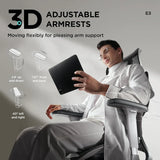
Che va da 200$ a 600$, la fascia di prestazioni media integra componenti del telaio in alluminio pesante con tracciamento dinamico della postura. In questa categoria, i nostri modelli ingegnerizzati presentano il nostro brevetto supporto lombare adattivo a 3 zone, che utilizza ali laterali a molla per cullare continuamente la parte bassa della schiena durante i micro-movimenti. Inoltre, caratteristiche ergonomiche avanzate, come il nostro braccioli omni-regolabili a 720 gradi, sono ora standard, offrendo un sollievo multiassiale senza pari per la tensione alle spalle tracciando perfettamente il pivot dell’avambraccio. Questa fascia è ottimizzata per professionisti che cercano una robusta, seduta bio-sincronizzata esperienza che può resistere a turni estenuanti di otto ore.

Scopri l’ingegneria robusta e il sollievo adattivo della nostra HBADA E3 Pro Edizione 2026.

La fascia Premium & Smart (600$+ / 450£+)

Smontaggio mobile della base ruote in acciaio pesante e certificazioni di sicurezza per HBADA E3.

A partire da 600$ e oltre, la seduta trascende il semplice supporto meccanico, diventando un ecosistema sanitario completamente automatizzato. I dispositivi in questa categoria operano come un intelligente sedia da ufficio per decompressione spinale, offrendo massaggi bionici integrati, terapia termica attiva e tracciamento predittivo. Questa categoria è definita dal nostro modello di punta HBADA x7 con intelligenza artificiale, rappresentando l’assoluto migliore sedia ergonomica da ufficio 2026 ha visto. È progettata specificamente per utenti tecnologici avanzati che richiedono un recupero fisico attivo e senza latenza direttamente alla loro scrivania.

Quanto dovresti investire per una sedia da ufficio per la casa?

Per ottenere il massimo valore per la tua salute, gli esperti suggeriscono di spendere almeno 400$ per una sedia se stai seduto più di cinque ore al giorno. Le tue esigenze personali, come problemi alla schiena o al collo, ti aiuteranno a decidere se hai bisogno di una sedia con regolazioni manuali o con supporto intelligente e automatizzato.

Valutare il tempo quotidiano trascorso seduti

Il modo migliore per stabilire il budget per la tua sedia è contare quante ore stai seduto ogni giorno. Dopo quattro ore, la pressione sulla parte bassa della schiena aumenta rapidamente. Se lavori spesso 8-10 ore alla scrivania, è importante scegliere una sedia di alta qualità con rete traspirante e schienale reclinabile regolabile per mantenerti comodo e prevenire il surriscaldamento.

Considerare le esigenze di salute preesistenti

Per chi gestisce attivamente rigidità articolare cronica, sciatica o lesioni da sforzo ripetitivo (RSI), migliorare la propria seduta non è un lusso, ma una necessità medica inderogabile. Un upgrade sedia ergonomica per mal di schiena nel livello premium si ripaga quasi immediatamente mitigando la necessità di appuntamenti continui di fisioterapia, aggiustamenti chiropratici e accessori ergonomici costosi come le fasce lombari esterne.

Giustificare l’upgrade premium: l’HBADA x7 con intelligenza artificiale

Il HBADA x7 con intelligenza artificiale rivoluziona il settore degli spazi di lavoro premium utilizzando sensori di pressione magnetici Hall a livello di microsecondi per spostare attivamente il modulo lombare fino a 50 mm in tempo reale. Questa transizione dalla resistenza meccanica passiva alla calibrazione algoritmica predittiva garantisce una correzione posturale a latenza zero per i professionisti ad alta intensità che cercano l’investimento definitivo nella salute fisica.

Sostituire le regolazioni manuali con la tecnologia AI

Acquista le migliori offerte scontate intestazione negozio menu categoria navigazione icona

Le sedie ergonomiche tradizionali richiedono agli utenti di raggiungere costantemente leve di tensione manuali e manopole di regolazione per perfezionare il supporto spinale. Questo processo manuale spesso porta a calibrazioni errate e frustrazione dell’utente. Passando a un sedia da ufficio con tracciamento lombare attivo, un chip di calcolo interno di qualità automobilistica assume la piena responsabilità del tuo allineamento fisico. Mentre ti inclini in avanti per digitare o ti reclini durante una chiamata in conferenza, i motori interni a doppio asse rilevano il cambiamento di pressione e spostano il cuscino lombare per colmare lo spazio, garantendo la massima sicurezza spinale senza richiedere alcun intervento manuale.

Il Risparmio dei Costi della Terapia Integrata

Quando si valuta il prezzo iniziale più alto del livello smart, i consumatori devono calcolare il valore finanziario consolidato degli strumenti di recupero integrati. Il telaio smart presenta un sistema di massaggio a mano bionica 8D e una terapia termica a infrarossi in grafene a 129°F, offrendo un sollievo profondo di livello clinico su richiesta. Nel corso di un ciclo di vita di tre anni, il costo di questa sedia è significativamente inferiore alla spesa cumulativa per l’acquisto di massaggiatori indipendenti, cuscinetti riscaldanti e prenotazioni di sedute di massoterapia professionale per trattare l’affaticamento muscolare da scrivania.

Esplora le funzionalità di terapia automatizzata di livello clinico all’interno della nostra serie smart di punta.

Matrice Prezzo vs. Prestazioni tra i Livelli

Confrontando su cinque anni, le sedie intelligenti premium offrono un ritorno sull'investimento del 45% migliore rispetto alle opzioni economiche. Questo perché si evitano sostituzioni frequenti e si riducono i costi sanitari. I nostri dati mostrano i benefici specifici che si ottengono a ogni fascia di prezzo.

Livello di investimento

Tecnologia Core Lombare

Tracciamento della parte superiore del corpo

Durata prevista

Analisi costi-benefici

Economica (150$)

Cuscino statico fisso

Braccioli in plastica fissi

12 - 18 mesi

Richiede sostituzioni frequenti; alto costo di affaticamento fisico.

Fascia media (450$)

Supporto lombare adattivo a 3 zone

Braccioli regolabili omni a 720 gradi

5 - 8 anni

Alta durabilità; eccezionale ritorno sull'investimento meccanico manuale.

Premium (oltre 800$)

Tracciamento attivo intelligente motorizzato

Supporto per collo a doppio asse a 4 vie

Oltre 10 anni

Massimo rendimento sanitario; elimina completamente la calibrazione manuale.

Conformità sul luogo di lavoro nel Regno Unito e impatto finanziario normativo

Secondo il Regno Unito Health and Safety Executive (HSE), datori di lavoro e professionisti remoti devono rispettare il Regolamenti sulla salute e sicurezza (attrezzature con schermo) 1992 utilizzando sedute altamente regolabili e stabili per mitigare i disturbi muscoloscheletrici industriali. L'acquisto di mobili ergonomici certificati previene costose responsabilità per non conformità e sopprime attivamente i rischi fisiologici del lavoro sedentario prolungato. Per i responsabili degli acquisti aziendali che equipaggiano team remoti, investire in sedute ampiamente testate e certificate BIFMA di HBADA garantisce la conformità normativa, protegge l'organizzazione da potenziali richieste di risarcimento per lesioni da sforzi ripetitivi e aumenta dimostrabilmente la produttività della forza lavoro locale.

Domande frequenti

Vale davvero la pena spendere oltre 500$ per una sedia da ufficio per i lavoratori remoti?

Sì. Su una durata di 5-10 anni, una sedia premium da oltre 500$ costa pochi centesimi al giorno. Questo investimento iniziale previene direttamente le gravi spese mediche a lungo termine, la perdita di produttività e il degrado cronico della zona lombare causati da sedute economiche e poco supportive.

Quanto dovrebbe durare una sedia ergonomica premium prima di dover essere sostituita?

Una sedia premium di qualità commerciale costruita con alluminio di grado aeronautico e CloudMesh è progettata per durare oltre un decennio. A differenza dei modelli economici con schiuma che si degrada, le nostre giunture meccaniche certificate BIFMA e i cilindri a gas resistono a anni di stress quotidiano intenso senza guasti.

La tecnologia avanzata della HBADA AI-Powered x7 richiede una manutenzione costosa?

No, i sistemi intelligenti sono praticamente privi di manutenzione. I motori di tracciamento e i sensori sono sigillati in un involucro antipolvere per prevenire l'usura ambientale. La batteria agli ioni di litio da 5.200 mAh richiede solo una ricarica magnetica di base, simile alla manutenzione di uno smartphone premium.

Le sedie da ufficio premium sono deducibili dalle tasse per i lavoratori da casa nel Regno Unito?

In molti casi, sì. I lavoratori autonomi nel Regno Unito possono spesso richiedere una sedia da scrivania ergonomica come deduzione fiscale per beni capitali ammessi. I dipendenti remoti dovrebbero consultare il loro reparto risorse umane o HMRC riguardo ai rimborsi per la conformità DSE e all'idoneità per le detrazioni fiscali personali.


Prodotto rilevante

Potrebbe piacerti anche

How to Test an Ergonomic Office Chair During a 30-Day Home Trial How to Test an Ergonomic Office Chair During a 30-Day Home Trial The quick answer To test an ergonomic office chair during a 30-day home trial, use it for your real work each day and check fit, lumbar support, breathability, recline, armrests and noise. Keep the packaging, avoid damage, and decide before the window closes. If the chair does not suit you, contact support early enough to complete the required return steps within the applicable deadline. Table of Contents Jump to the part of the trial you need. 01. What is a 30-day home trial? 02. How should you set up the chair? 03. What should you test in week one? 04. What should you test in weeks two to four? 05. How do you protect return eligibility? 06. What are your EU return rights? 07. Which HBADA chairs can you test? 08. Your 30-day test plan 09. Limitations and when to get help 10. Conclusion 11. Frequently asked questions 12. Sources and useful links What Is a 30-Day Home Trial and How Does It Work? A home trial is a return window that lets you assess the chair in your real setup. HBADA EU’s current return and refund policy provides a 30-day satisfaction guarantee from receipt, subject to its terms. This commercial offer does not limit your statutory consumer rights. This gives you time to judge an adjustable ergonomic chair at your own desk, not in a showroom. Testing may help you find a more comfortable sitting position, but it is not a medical treatment. How Should You Set Up the Chair for Testing? Start well, because a fair test needs a proper setup. Assemble the chair using the HBADA user manual and assembly guide, and keep every part of the packaging, including the box, foam and spare hardware. Then set it to your body before you judge it. Set the seat height so your feet rest flat on the floor or a suitable footrest. Set the seat depth so two to three fingers fit behind your knees. Set the lumbar support to meet your lower back. Set the armrests so your forearms are supported and your shoulders stay relaxed. Check that you can reach your keyboard and mouse comfortably. Only after this setup should you decide how the chair feels. What Should You Test in the First Week? Your first week is about first impressions and daily fit. Fit: Check you can reach a feet-flat, back-supported position within the chair’s adjustment ranges. Lumbar support: Notice whether the support meets your lower back through your normal workday. Breathability: Watch for heat build-up and check whether the mesh and seat feel comfortable in your room. Noise and castors: Roll across your floor and listen for creaks or scuffs. Check that the castors are suitable for the surface. What Should You Test in Weeks Two to Four? Later weeks reveal how the chair holds up over real work. Now test the chair as an office chair for long hours. Work a normal week, keeping your usual movement breaks, and notice whether early comfort lasts into the afternoon. Move through the available recline positions and check that the locks hold. Use the armrests while you type, write and relax. Give yourself time to learn the controls and fine-tune the settings, but do not treat pain as a required adjustment phase. If discomfort eases after a setting change, note what helped. If it persists after reasonable adjustments, the chair may not fit you. A Quick Test-and-Decide Table Use this table to turn each check into a clear next step. What to test How to test it Keep or return signal Fit Set seat height, depth and lumbar support to your body, then sit back fully. Consider a return if you cannot achieve supported feet and back within the adjustment ranges. Lumbar support Use it during a normal working day and note lower-back comfort. Consider a return if the support cannot meet your lower back comfortably after adjustment. Breathability Check for heat build-up during ordinary work sessions. Consider another material or model if the seat consistently feels too warm for you. Recline and lock Try the recline settings according to the manual. Stop using the chair and contact support if the recline is unstable or a lock fails. Armrests Type, write and relax while checking forearm support. Consider a return if the armrests prevent a relaxed working position or access to your desk. Noise and castors Roll gently across a suitable floor surface and listen for persistent noise. Contact support about recurring creaks or floor marking before continuing use. Long-session comfort Work a normal week in the chair, with movement breaks. Reassess the fit if discomfort persists after you fine-tune the settings. How Do You Protect Your Return Eligibility? Test thoroughly, but handle the chair carefully while you decide. Keep the original box, foam and hardware for the whole trial. Keep the chair clean and unmarked, and use a suitable floor mat if needed. Note your delivery date and the relevant return deadlines. Contact support early if you are unsure, rather than on the final day. For its commercial guarantee, HBADA EU recommends retaining the original packaging and specifies condition requirements. Missing or inadequate packaging may lead to fees under that policy, subject to mandatory consumer law. These commercial terms do not override statutory withdrawal rights. What Are Your Rights If You Want to Return It? The 30-day commercial offer and your statutory right of withdrawal are separate. For most online purchases from a trader in the EU, you normally have 14 days from delivery to notify the seller that you wish to withdraw, followed by another 14 days to send the goods back. Exceptions apply. The statutory withdrawal period allows inspection of the product. Handling beyond what is necessary to establish its nature, characteristics and functioning may result in a deduction for diminished value. Keeping the original packaging is practical, but losing it does not automatically remove your statutory right. A commercial trial does not turn the statutory 14-day notification period into 30 days. If you want to use your statutory right, notify the seller within the applicable legal deadline. See the EU guidance on returns and withdrawal for details. Warranty coverage is also separate from a change-of-mind return. Refer to HBADA EU warranty and service information for product support after purchase. Which HBADA Chairs Can You Test at Home? If you are considering the HBADA X7 or E3 Pro 2026, check the current EU product page and the return terms for your order before purchasing. Use the same testing checklist for either chair, but pay attention to the features that make each model different. What to compare HBADA X7 HBADA E3 Pro 2026 Lumbar support Test how the AI lumbar-tracking system responds when you change position. Test how the three-zone adaptive lumbar support fits your lower back. Seat fit Check the selected model’s seat dimensions and adjustment range against your body and desk. Check the selected model’s seat dimensions and adjustment range against your body and desk. Recline and armrests Check support and control access while typing, leaning back and relaxing. Check the headrest, armrest and recline adjustments during your usual tasks. Additional features Try the comfort functions included with your selected version, following its manual. Focus on mechanical adjustments, mesh comfort and any optional footrest. Before ordering Confirm the exact configuration, delivery availability, return conditions and warranty. Confirm the exact configuration, delivery availability, return conditions and warranty. If you want automatic lumbar tracking, explore the HBADA X7 smart ergonomic chair and check the comfort features included with your selected version. If you want a mechanically adjustable chair to test for long workdays, compare the HBADA E3 Pro 2026. You can also browse the HBADA ergonomic office chair collection before your trial begins. Your 30-Day Test Plan Follow this simple plan so nothing is missed before the commercial trial ends. Keep the separate statutory withdrawal deadline in mind if you intend to use that right. Day 1 Assemble and Adjust Assemble by the manual, keep all packaging, and set the chair to your body. Days 2–7 Check Daily Fit Test daily fit, lumbar support, breathability, noise and castors. Days 8–21 Test Your Normal Work Routine Work your usual schedule and test recline, armrests and long-session comfort. Keep taking movement breaks. If you wish to exercise the statutory withdrawal right, do not wait beyond its notification deadline. Days 22–27 Fine-Tune and Decide Fine-tune settings and review your notes. If you are continuing under the commercial trial and the chair is not right, contact support now to confirm the return steps and deadline. Days 28–30 Complete Your Decision Keep the chair if it fits your needs, or complete the steps required under the commercial return policy within the applicable deadline. Do not assume contacting support on day 30 automatically extends the window. Limitations and When to Get Help A trial answers many questions, but not every one. A trial checks comfort and fit for you; it cannot promise a health outcome. Thirty days cannot establish the chair’s lifespan or long-term durability. Keep the chair and packaging in good condition while deciding. Commercial return terms and warranty coverage may vary by market and order. Mandatory consumer rights remain unaffected. If you have severe, persistent or radiating pain, consult a qualified healthcare professional. A chair is not a medical treatment. Conclusion The best way to judge an ergonomic office chair is to test it where you actually work. Assemble it, set it to your body, use it for real tasks, and keep the packaging until you are sure. Compare the X7 if you want automatic lumbar tracking, or the E3 Pro if you prefer mechanical adjustments. Make your decision before the relevant deadline, and keep the chair that fits you. Frequently Asked Questions How long is the HBADA EU home trial? HBADA EU currently offers a 30-day satisfaction guarantee from receipt. Check the applicable policy for the return procedure. It is separate from your statutory withdrawal right. Can you return an office chair after using it? Check whether you are returning under the commercial trial or exercising a statutory right. The conditions differ. Keep the chair clean, avoid damage and retain its packaging while deciding. How long does it take to get used to a new ergonomic chair? There is no fixed adjustment period for everyone. You may need several sessions to learn the controls and fine-tune the seat height, depth, lumbar support and armrests. Change one setting at a time. Do not keep sitting through pain in the hope that you will eventually adapt. Who pays for return shipping? Under HBADA EU’s commercial policy, change-of-mind returns involve a customer contribution to shipping, while damaged, defective or incorrect items are handled at HBADA’s shipping expense. Confirm the process before booking a courier; statutory rights remain unaffected. What should you check before the trial ends? Confirm the essentials: fit, long-session comfort, lumbar support, breathability, recline, armrests and noise. Also check that the chair suits your desk height and floor. Decide early enough to meet the deadline for the return route you are using. Sources and Useful Links HBADA EU Return and Refund Policy HBADA EU Warranty and Service HBADA User Manuals and Assembly Guides HBADA X7 Product Details HBADA E3 Pro 2026 Product Details Your Europe: Returns and the Right of Withdrawal How to Clean a Mesh Ergonomic Office Chair Without Damaging the Material How to Clean a Mesh Ergonomic Office Chair Without Damaging the Material Safe, simple care for mesh, spills, stains, casters and smart-chair components. Quick answer: Remove dust with a soft dry cloth or a vacuum on a low setting. Blot spills with a well-wrung cloth and mild soapy water, then let the mesh air-dry naturally. Avoid bleach, hot water, solvents and abrasive cleaners. Contents What can damage mesh? How to remove everyday dust How to clean spills and stains Frame, armrests and casters Cleaning methods at a glance How to clean a smart chair Safe deep-clean routine HBADA chair care FAQs What Can Damage a Mesh Chair? Mesh is designed to breathe and flex, but it can be damaged by unsuitable cleaning methods. Bleach, strong chemicals, solvents, hot water and abrasive cleaners can weaken or discolour the fibres. Stiff brushes and hard scrubbing can also snag or stretch the weave. Keep the chair out of prolonged direct sunlight, do not soak the mesh, and avoid spraying liquid directly onto it. Regular light cleaning is safer than occasional heavy cleaning. How Do You Clean Everyday Dust? Use a soft dry cloth Wipe the mesh with a dry microfiber cloth to remove surface dust, lint and light debris. Vacuum on a low setting If dust is caught in the weave, use gentle suction and move across the surface without pressing into it. A short weekly clean helps prevent dust and skin oils from building up, particularly when the chair is used every day. How Do You Clean Spills and Stains? For a fresh spill, dampen a soft cloth with mild soapy water and wring it out well. Blot the area from the outside of the mark toward the centre so it does not spread. Do not soak the mesh or scrub hard. For a stubborn mark, test an alcohol wipe on a hidden area first, then dab gently. Let the chair air-dry completely in a ventilated room before use. How Do You Care for the Frame, Armrests and Casters? Use a separate soft, damp cloth for the frame, armrests and base. Keep water away from the gas lift, recline mechanism and other moving parts. Never attempt to open the gas cylinder. Casters can collect hair and dust over time. Remove anything wrapped around the wheels, then wipe them clean so the chair can move smoothly. Cleaning Methods at a Glance What to Clean Safe Method What to Avoid Everyday dust Soft dry cloth or low-suction vacuum Hard brushing or scratching the mesh Fresh spills Blot with mild soapy water Soaking or rubbing the mesh Stubborn marks Spot-test, then dab gently Bleach, hot water or solvents Frame and armrests Soft damp cloth Abrasive or harsh cleaners Casters Remove hair and debris, then wipe Forcing debris deeper into the wheel How Do You Clean a Smart Chair With Electronics? Important: Switch the chair off and follow its supplied care instructions before cleaning around powered components. Use a dry cloth around controls, sensors, fans, batteries and powered adjustment areas. Never spray liquid directly onto the chair. Clean the mesh and non-electronic surfaces gently, then allow the chair to dry completely before use. Step by Step: A Safe Deep Clean Switch off a smart or powered chair before cleaning. Vacuum or dry-dust the mesh to remove loose debris. Mix a small amount of mild soap with lukewarm water. Dampen and thoroughly wring out a soft cloth. Blot the mesh without soaking it. Spot-test before treating stubborn marks. Wipe the frame, armrests and base separately. Remove hair and dust from the casters. Let the chair air-dry away from direct sunlight. Which HBADA Chairs Does This Apply To? This guide is suitable for HBADA mesh office chairs sold through HBADA EU, including the E3 Pro and X7 Prestige. For an E3 Pro, regular care means keeping the mesh clean and keeping moisture away from the gas lift and mechanism. For a smart or powered model, follow the model-specific guidance before cleaning around controls or powered areas. Frequently Asked Questions Can you wash a mesh office chair? You can clean it, but you should not soak it. Vacuum or dry-dust the mesh first, blot it with mild soapy water, and let it air-dry completely. What should you not use to clean a mesh chair? Avoid bleach, hot water, solvents, abrasive cleaners, stiff brushes and hard scrubbing. These can weaken, discolour or snag the mesh. How do you remove a stain from mesh? Blot the stain with a well-wrung cloth and mild soapy water. For a stubborn mark, spot-test an alcohol wipe first, then dab gently rather than scrub. How often should you clean a mesh office chair? Dust or vacuum the mesh once a week, deal with spills promptly, and carry out a deeper clean whenever needed. Does cleaning damage mesh over time? Not when it is done gently. Mesh damage usually comes from harsh chemicals, excess water, heat or heavy scrubbing. Sources HBADA EU E3 Pro Ergonomic Office Chair HBADA EU X7 Prestige Smart Ergonomic Chair HBADA EU FAQs ``` How to Set Up an Ergonomic Office Chair for Laptop Work How to Set Up an Ergonomic Office Chair for Laptop Work A more comfortable home office Start with the chair, then separate screen height from typing height. Adjust your seat to the desk, support your feet and lower back, and keep your shoulders relaxed. For longer laptop sessions, use a stand with a separate keyboard and mouse so you can position the screen without lifting your arms to type. In this guide The laptop setup challenge Five chair adjustments Screen and keyboard position Common problems and fixes Your setup checklist Choosing an HBADA chair Limitations and when to get help Final thoughts Frequently asked questions Sources Why Can Laptop Work Feel Uncomfortable? A laptop is easy to move between rooms, but its screen and keyboard remain joined together. A comfortable keyboard position can leave the screen too low. Raising the laptop may improve the view while making the keys harder to reach. An ergonomic office chair helps you build a supported sitting position. It does not solve this screen-and-keyboard trade-off on its own. For regular work at one desk, a separate keyboard and mouse allow more flexibility. Whether your workspace is a dedicated home office or a shared desk, check how the chair, work surface and laptop fit together. Comfortable working also depends on changing position, not holding one posture all day. How Should You Set Up the Chair First? Use the keyboard position and desk height as your starting points. Then adjust the chair to support you without making you reach or raise your shoulders. Step 01 Match the seat height to the work surface Adjust the seat until you can type with your shoulders relaxed, elbows close to your body and wrists roughly straight. If the desk height is adjustable, use both adjustments to find a comfortable position. Step 02 Support your feet Your feet should rest securely on the floor or a suitable footrest. If a fixed desk requires a higher seat position, a footrest can bridge the gap without forcing you to lower the chair below a comfortable typing height. Step 03 Check the seat depth Sit against the backrest and check the space behind your knees. Around two to three fingers is a useful starting point. If the model allows seat-depth adjustment, use it to avoid pressure from the front edge. Step 04 Align the lumbar support Position the support against your lower-back curve. It should not feel as though it is pushing you away from the backrest. Adjust the available settings gradually and recheck them during normal work. Step 05 Keep the armrests clear of the desk Set the armrests for light support with relaxed shoulders. Make sure they do not stop you moving close enough to the keyboard. Lower or reposition them if they catch on the desk edge. How Should You Position the Laptop Screen and Keyboard? With the chair adjusted, place the laptop on a stable stand and connect a separate keyboard and mouse. Start with the top of the screen at or just below eye level, roughly an arm's length away. Adjust text size and screen distance until you can read without moving your head forwards. Place the mouse beside the keyboard, rather than far to one side, and keep enough desk space for comfortable use. Working without extra equipment? Avoid raising the built-in keyboard to a height that makes you lift your shoulders. Keep the laptop in a manageable typing position and change tasks or take breaks regularly. A stand and separate input devices are worth considering when the same space becomes your everyday workstation. Common Laptop Setup Problems and Their Fixes Use these checks to review your workspace. They do not identify the medical cause of pain or discomfort. What you notice What to check Adjustment to try You look down for long periods Screen height and readability Use a stand with an external keyboard, and adjust text size. You lift your shoulders to type Keyboard and seat height Rebalance the chair and desk heights while keeping your feet supported. Your feet do not reach the floor Desk height and foot support Add a stable under-desk footrest if the working height requires it. You sit on the front edge of the seat Equipment reach and seat depth Move the keyboard closer and check whether you can use the backrest. Your armrests hit the desk Armrest height and width Lower or reposition them to allow closer access. You feel stiff after a long session Time spent sitting still Change position and include short walking or standing breaks. Your Laptop Workstation Checklist Adjust the seat for comfortable access to the keyboard. Keep both feet securely supported. Leave room behind your knees. Set the lumbar support against your lower back. Check that the armrests do not prevent desk access. Use a separate keyboard and mouse when raising the laptop. Adjust screen distance and text size for easy reading. Make time for movement and changes of task. Which HBADA Chair Suits Laptop Work? The right model is the one that fits both you and your desk. Before choosing from the HBADA EU office chair range, compare the adjustments available on the exact product and configuration. If you are considering an E3 or X7 model, check its regional product information rather than relying on specifications from another market. Seat dimensions, adjustment options and footrest availability should be confirmed for the version you intend to order. What to compare What to look for Seat-height range A suitable working height for your desk with stable support for your feet. Seat dimensions Enough room to sit comfortably while reaching the backrest. Lumbar support A support position and adjustment range that suit your lower back. Armrest adjustments Comfortable forearm support without blocking access to the work surface. Footrest type Distinguish a reclining leg rest from a footrest used during upright typing. Regional configuration Confirm the selected model, dimensions, capacity and availability on HBADA EU. No chair feature removes the need to position the laptop correctly. Reserve space in your setup for a stable stand, keyboard and mouse as well as the chair. Limitations and When to Get Help Chair adjustments support your working position; they do not treat medical conditions. Screen placement and equipment reach still need separate attention. A reclining position is not automatically suitable for keyboard work at a fixed desk. Speak to a qualified healthcare professional if discomfort persists or becomes severe. For an employer-provided workstation, ask about the assessment and guidance applicable in your country. Final Thoughts A practical laptop workstation starts with a chair that fits the desk and supports your feet and back. Keep the keyboard close, position the screen independently where possible, and check that your armrests do not get in the way. Small adjustments are useful, but regular movement remains part of the setup. Frequently Asked Questions How should you sit when working on a laptop? Sit back with your lower back supported and your feet stable. Keep your shoulders relaxed and the keyboard close enough to reach without leaning forwards. A separate keyboard and mouse allow you to raise the screen while keeping a comfortable typing height. Do you need a footrest for laptop work? Only if your feet lack stable support at the seat height needed for your desk. Check the chair and desk adjustments first. If the desk is fixed and your feet still dangle, an under-desk footrest can help support them. Is an ergonomic chair enough for working on a laptop all day? No. The chair supports your sitting position, but screen height, keyboard reach and movement breaks also matter. For regular desk work, consider a laptop stand with a separate keyboard and mouse. Can you use the same setup at a dining table? Check the table height, legroom and how close the chair can move to the edge. If the surface is too high, raising the chair may require a footrest. A table that prevents comfortable keyboard access may not suit extended work, even with an adjustable chair. How often should you move during laptop work? Include short, regular opportunities to move rather than staying in one position until you feel uncomfortable. Stand, walk or switch tasks when practical. Follow any workstation guidance provided by your employer and applicable in your country. Sources and Product Information HSE: Working with display screen equipment — a UK practical reference, not a statement of legal requirements across the EU. HBADA EU: Current office chair range and product information Availability and specifications vary by model and configuration. Use the relevant HBADA EU product page to check the version available for your delivery location.