

Cart
Your shopping cart is empty
Continue Shopping
Every Order, Backed by HBADA
30-day in-home Trial
Free 2-Business-Day Shipping
5-Year Hassle-Free Warranty
24/7 Customer Support
You are currently shopping on our Europe Store.
Remove this item from your cart?
Cart
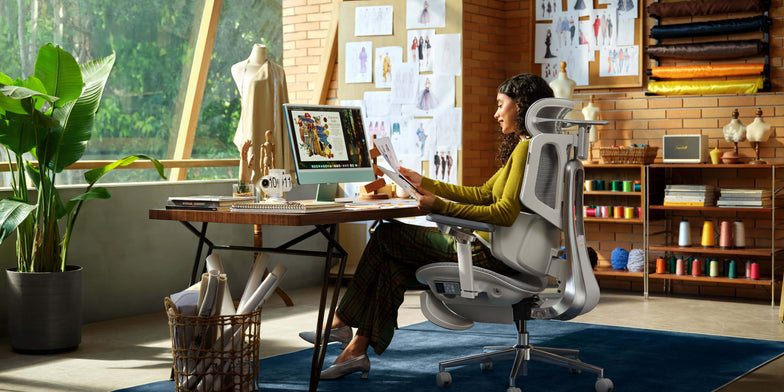 How Often Should You Clean Your Fabric Office Chair? Maintenance Schedule
Master our professional office chair maintenance schedule. Learn how to clean a fabric office chair safely to preserve your workspace upholstery.
Jun 04, 2026
How Often Should You Clean Your Fabric Office Chair? Maintenance Schedule
Master our professional office chair maintenance schedule. Learn how to clean a fabric office chair safely to preserve your workspace upholstery.
Jun 04, 2026
 Why Traditional Gaming Chairs Are Wrecking Your Back (and the Ergonomic Fix You Need)
Traditional bucket seats cage you; HBADA technology actively stabilizes your core. Patented T-Shaped Systems and multi-zone lumbar mechanics neutralize neck and L1-L5 stress, allowing you to execute peak plays across marathon sessions. Stop fighting gravity. Secure the win; we’ll handle the alignment.
Jun 04, 2026
Why Traditional Gaming Chairs Are Wrecking Your Back (and the Ergonomic Fix You Need)
Traditional bucket seats cage you; HBADA technology actively stabilizes your core. Patented T-Shaped Systems and multi-zone lumbar mechanics neutralize neck and L1-L5 stress, allowing you to execute peak plays across marathon sessions. Stop fighting gravity. Secure the win; we’ll handle the alignment.
Jun 04, 2026
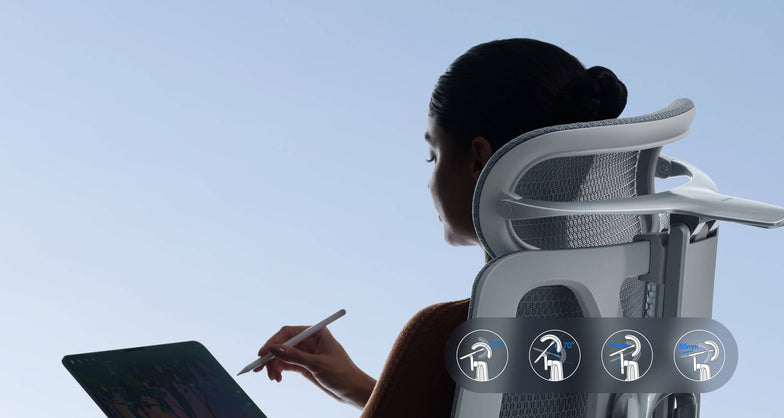 Prevent Hair in Chair Wheels: Maintenance Tips for Pet Owners & Long Hair
Learn how to get hair out of office chair wheels quickly. Master simple maintenance steps to prevent hair from getting caught in chair wheels for a smoother, cleaner workspace.
May 29, 2026
Prevent Hair in Chair Wheels: Maintenance Tips for Pet Owners & Long Hair
Learn how to get hair out of office chair wheels quickly. Master simple maintenance steps to prevent hair from getting caught in chair wheels for a smoother, cleaner workspace.
May 29, 2026
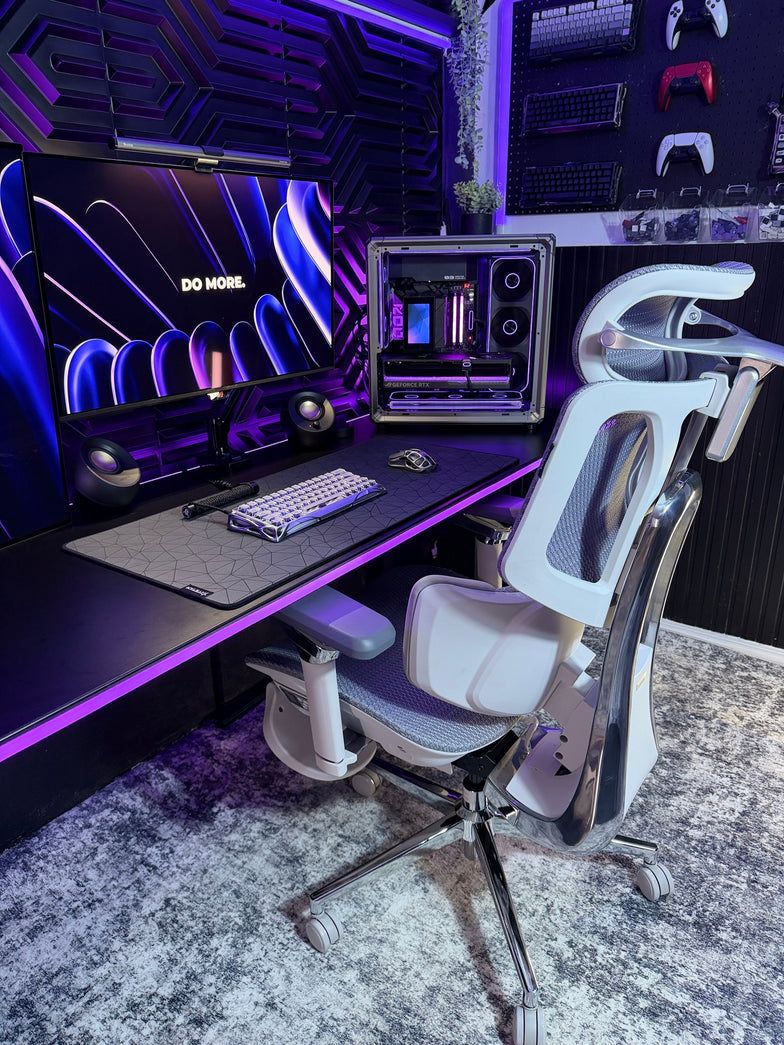 What Is the 20-8-2 Rule? Everything You Need to Know About Healthier Sitting and Productive Work
Sitting at your desk all day can quietly harm your health, making it harder to focus and putting stress on your lower back. Some people think standing all day is the answer, but too much standing can also lead to tired muscles and poor circulation.
The key to keeping your spine healthy is to keep changing your position throughout the day. Dr. Alan Hedge, an ergonomics professor at Cornell University, created the 20-8-2 rule to help you add movement to your work routine and boost your energy.
Deconstructing the Formula: The 30-Minute Ergonomic Cycle
The 20-8-2 rule divides each half hour of your workday into three easy steps. Following this routine helps keep your muscles loose and your blood flowing.
20 Minutes: Focused Sitting ➔ 8 Minutes: Active Standing ➔ 2 Minutes: Dynamic Movement
The 20 Minutes: Focused Sitting (With Proper Alignment)
Start with 20 minutes of focused work while sitting. Make sure your feet are flat on the floor, your elbows are at 90 degrees, and your lower back is well supported.
The 8 Minutes: Active Standing
After 20 minutes, stand up for the next 8 minutes. Standing changes the pressure on your spine, activates your core, and helps your body work better. This is a good time to take calls, review documents, or check your email.
The 2 minutes: Dynamic Movement
For the last 2 minutes, leave your desk. Use this time to walk around, get some water, or do light stretches. This short break helps relax your muscles and refresh your mind for the next round.
Architectural Pairing: Selecting the Right Desk Environment
To follow this movement routine easily, your workspace should let you change positions quickly. Manual crank desks can slow you down and make it harder to stick with the routine.
A premium adjustable desk system makes transitioning effortless. For example, pairing this cycle with a high-end Herman Miller standing desk provides programmable, single-touch height adjustments that move to your exact standing and sitting heights in seconds. This speed allows you to transition between positions seamlessly without interrupting your train of thought or slowing down your output.
Seating Engineering: Maximizing Your 20-Minute Sitting Window
The 20-minute sitting phase of this rule is only effective if your chair provides active support for your body. If you spend those 20 minutes slouching in a rigid, unyielding chair, your muscles will tighten before you even begin the standing phase.
Our advanced seating designs align with this movement philosophy by replacing manual levers with responsive, automated engineering:
Adaptive Structural Control: HBADA E3 Pro
The HBADA E3 Pro 2026 Edition is designed for users who move frequently while working. Its 3-zone lumbar support system features a central section for spinal support and side wings that adjust up to 40 degrees to accommodate lower back movement.
When you change positions or lean forward, the chair’s tracking system moves with you and fills the gap in your lower back, so you don’t have to adjust anything yourself.
Smart Automated Wellness: Hbada AI-Powered x7
For posture support, the Hbada AI-Powered x7 functions as a smart wellness assistant. It uses sensors to monitor your sitting position and adjusts in real time.
When you start your 20-minute work session, the chair automatically adjusts its support to fit your body. If you begin to slouch, it shifts its support to keep your posture straight and comfortable.
Feature Synergy Matrix: Enhancing the 20-8-2 Workflow
Workspace Component
Core Function in the Cycle
Mechanical Option (E3 Pro)
Advanced Active Option (X7)
Lumbar Support Strategy
Protects the spine during the 20-minute focus window
3-Zone Adaptive Wings with 5° Elastic Tracking
Motorized AI Smart Tracking with Real-Time Adjustments
Armrest Integration
Unloads weight from neck and shoulders while typing
720° Omni-Mechanical Positioning
720° Bio-Sync Robotic Tracking
Muscle Relief Systems
Relieves deep tissue tension during transitions
Breathable, High-Elasticity CloudMesh
8D Bionic Massage & Graphene Heat Therapy
Movement Compatibility
Adapts to changing postures without manual levers
Auto-Balance Gravity-Sensing Chassis
Posture Memory with Sensor-Driven Adjustment
Practical Checklist: Tips and Guides to Automate Your Routine
Starting a new routine can seem tough at first. Here are some simple tips to help you add the 20-8-2 method to your day:
· Deploy Digital Triggers: Use a browser extension or a smartwatch application to manage your intervals. Set a recurring 20-minute alert to prompt your transition to standing, followed by an 8-minute reminder to start your movement break.
· Batch Your Work Tasks: Align your daily tasks with your physical positions. Use your 20-minute sitting window for deep, focused work, such as coding or writing. Save your 8-minute standing window for low-intensity tasks, such as checking team updates or reviewing presentations.
· Utilize Thermal Therapy: If you feel muscle stiffness during your sitting window, activating the built-in heat settings on an advanced chair can help soothe lower back muscles, keeping your body limber for the upcoming movement phases.
Frequently Asked Questions (FAQ)
Can I stand for 20 minutes and sit for 8 minutes instead?
No. Dr. Hedge’s research shows that standing still for more than 10 minutes can cause blood to pool in your lower extremities, increasing static strain on your veins and feet. Keeping your standing window to 8 minutes provides the ideal vascular reset without creating structural discomfort.
How does an adaptive lumbar support chair help with the 20-8-2 rule?
A standard office chair stays locked in a single position, forcing your body to adapt to the frame. An adaptive chair automatically moves with you, keeping your lower back continuously supported throughout your sitting window so you can transition to standing without muscle stiffness.
What should I do during the 2-minute movement window?
Use this time for light, active movement to boost your circulation. You can walk down the hall, refill your water, or perform simple stretches like shoulder rolls and gentle calf extensions. Avoid looking at your phone during this phase to give your eyes a much-needed break.
Is a standing desk absolutely mandatory to use the 20-8-2 rule?
While a high-quality motorized desk makes changing positions effortless, you can start without one. You can use your 8-minute standing phase to take phone calls at a high counter or use a portable laptop riser on a standard table to keep your workflow moving smoothly.
Conclusion
The right workspace configuration depends on how much manual control you want over your daily routine. If you prefer a robust mechanical setup that uses your body weight to instantly adjust its support zones, the HBADA E3 Pro offers an incredibly effective foundation for active ergonomics. However, if you want a workspace that automatically tracks your posture, adjusts in real time with built-in sensors, and includes built-in massage therapy to relieve muscle tension between tasks, upgrading your office with the HBADA AI-Powered x7 is the ultimate investment for your health and daily focus.
May 25, 2026
What Is the 20-8-2 Rule? Everything You Need to Know About Healthier Sitting and Productive Work
Sitting at your desk all day can quietly harm your health, making it harder to focus and putting stress on your lower back. Some people think standing all day is the answer, but too much standing can also lead to tired muscles and poor circulation.
The key to keeping your spine healthy is to keep changing your position throughout the day. Dr. Alan Hedge, an ergonomics professor at Cornell University, created the 20-8-2 rule to help you add movement to your work routine and boost your energy.
Deconstructing the Formula: The 30-Minute Ergonomic Cycle
The 20-8-2 rule divides each half hour of your workday into three easy steps. Following this routine helps keep your muscles loose and your blood flowing.
20 Minutes: Focused Sitting ➔ 8 Minutes: Active Standing ➔ 2 Minutes: Dynamic Movement
The 20 Minutes: Focused Sitting (With Proper Alignment)
Start with 20 minutes of focused work while sitting. Make sure your feet are flat on the floor, your elbows are at 90 degrees, and your lower back is well supported.
The 8 Minutes: Active Standing
After 20 minutes, stand up for the next 8 minutes. Standing changes the pressure on your spine, activates your core, and helps your body work better. This is a good time to take calls, review documents, or check your email.
The 2 minutes: Dynamic Movement
For the last 2 minutes, leave your desk. Use this time to walk around, get some water, or do light stretches. This short break helps relax your muscles and refresh your mind for the next round.
Architectural Pairing: Selecting the Right Desk Environment
To follow this movement routine easily, your workspace should let you change positions quickly. Manual crank desks can slow you down and make it harder to stick with the routine.
A premium adjustable desk system makes transitioning effortless. For example, pairing this cycle with a high-end Herman Miller standing desk provides programmable, single-touch height adjustments that move to your exact standing and sitting heights in seconds. This speed allows you to transition between positions seamlessly without interrupting your train of thought or slowing down your output.
Seating Engineering: Maximizing Your 20-Minute Sitting Window
The 20-minute sitting phase of this rule is only effective if your chair provides active support for your body. If you spend those 20 minutes slouching in a rigid, unyielding chair, your muscles will tighten before you even begin the standing phase.
Our advanced seating designs align with this movement philosophy by replacing manual levers with responsive, automated engineering:
Adaptive Structural Control: HBADA E3 Pro
The HBADA E3 Pro 2026 Edition is designed for users who move frequently while working. Its 3-zone lumbar support system features a central section for spinal support and side wings that adjust up to 40 degrees to accommodate lower back movement.
When you change positions or lean forward, the chair’s tracking system moves with you and fills the gap in your lower back, so you don’t have to adjust anything yourself.
Smart Automated Wellness: Hbada AI-Powered x7
For posture support, the Hbada AI-Powered x7 functions as a smart wellness assistant. It uses sensors to monitor your sitting position and adjusts in real time.
When you start your 20-minute work session, the chair automatically adjusts its support to fit your body. If you begin to slouch, it shifts its support to keep your posture straight and comfortable.
Feature Synergy Matrix: Enhancing the 20-8-2 Workflow
Workspace Component
Core Function in the Cycle
Mechanical Option (E3 Pro)
Advanced Active Option (X7)
Lumbar Support Strategy
Protects the spine during the 20-minute focus window
3-Zone Adaptive Wings with 5° Elastic Tracking
Motorized AI Smart Tracking with Real-Time Adjustments
Armrest Integration
Unloads weight from neck and shoulders while typing
720° Omni-Mechanical Positioning
720° Bio-Sync Robotic Tracking
Muscle Relief Systems
Relieves deep tissue tension during transitions
Breathable, High-Elasticity CloudMesh
8D Bionic Massage & Graphene Heat Therapy
Movement Compatibility
Adapts to changing postures without manual levers
Auto-Balance Gravity-Sensing Chassis
Posture Memory with Sensor-Driven Adjustment
Practical Checklist: Tips and Guides to Automate Your Routine
Starting a new routine can seem tough at first. Here are some simple tips to help you add the 20-8-2 method to your day:
· Deploy Digital Triggers: Use a browser extension or a smartwatch application to manage your intervals. Set a recurring 20-minute alert to prompt your transition to standing, followed by an 8-minute reminder to start your movement break.
· Batch Your Work Tasks: Align your daily tasks with your physical positions. Use your 20-minute sitting window for deep, focused work, such as coding or writing. Save your 8-minute standing window for low-intensity tasks, such as checking team updates or reviewing presentations.
· Utilize Thermal Therapy: If you feel muscle stiffness during your sitting window, activating the built-in heat settings on an advanced chair can help soothe lower back muscles, keeping your body limber for the upcoming movement phases.
Frequently Asked Questions (FAQ)
Can I stand for 20 minutes and sit for 8 minutes instead?
No. Dr. Hedge’s research shows that standing still for more than 10 minutes can cause blood to pool in your lower extremities, increasing static strain on your veins and feet. Keeping your standing window to 8 minutes provides the ideal vascular reset without creating structural discomfort.
How does an adaptive lumbar support chair help with the 20-8-2 rule?
A standard office chair stays locked in a single position, forcing your body to adapt to the frame. An adaptive chair automatically moves with you, keeping your lower back continuously supported throughout your sitting window so you can transition to standing without muscle stiffness.
What should I do during the 2-minute movement window?
Use this time for light, active movement to boost your circulation. You can walk down the hall, refill your water, or perform simple stretches like shoulder rolls and gentle calf extensions. Avoid looking at your phone during this phase to give your eyes a much-needed break.
Is a standing desk absolutely mandatory to use the 20-8-2 rule?
While a high-quality motorized desk makes changing positions effortless, you can start without one. You can use your 8-minute standing phase to take phone calls at a high counter or use a portable laptop riser on a standard table to keep your workflow moving smoothly.
Conclusion
The right workspace configuration depends on how much manual control you want over your daily routine. If you prefer a robust mechanical setup that uses your body weight to instantly adjust its support zones, the HBADA E3 Pro offers an incredibly effective foundation for active ergonomics. However, if you want a workspace that automatically tracks your posture, adjusts in real time with built-in sensors, and includes built-in massage therapy to relieve muscle tension between tasks, upgrading your office with the HBADA AI-Powered x7 is the ultimate investment for your health and daily focus.
May 25, 2026
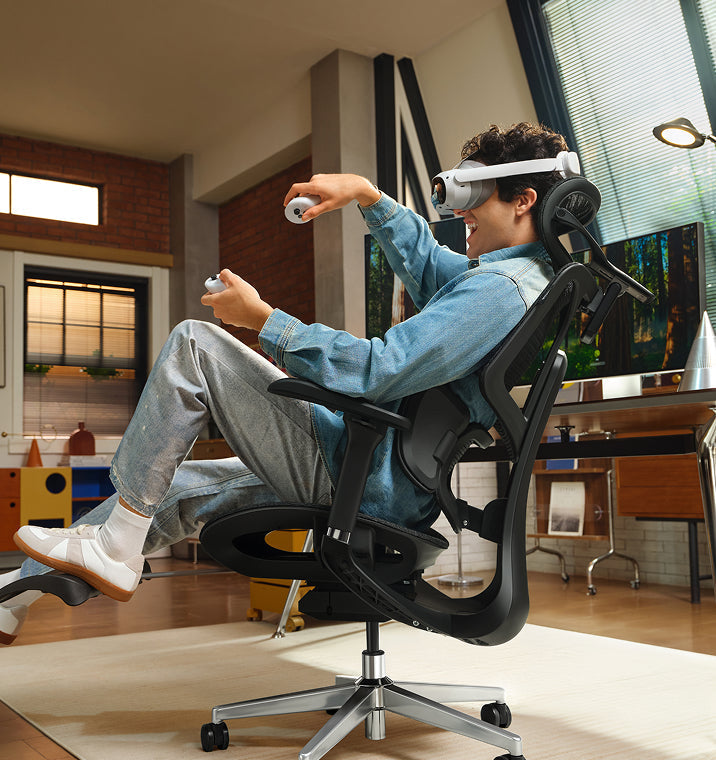 5 Reasons Why More Europeans Are Switching to Ergonomic Chairs
Office spaces across Europe are changing fast. More and more professionals are leaving behind old, stiff office furniture and choosing chairs that offer better support. Sitting for eight to ten hours a day takes a real toll on your body, making it harder to focus and putting extra strain on your lower back.
To address this, companies are now prioritizing employee health over cheap, basic furniture. Upgrading to an ergonomic chair helps protect your spine, reduces daily fatigue, and keeps you productive during long workdays.
1. Compliance with Stricter Health and Safety Laws
The primary driver behind this continent-wide change is the strict enforcement of updated workplace safety regulations. In the United Kingdom, employers must strictly follow the Health and Safety (Display Screen Equipment) Regulations 1992. These strict laws require that any employee who uses display screen equipment for an hour or more per day have a workstation assessment.
The regulations require that seating must be completely stable, allow freedom of movement, and feature adjustable seat height and backrest tilt. Furthermore, under the Equality Act 2010, UK organizations must provide specialized ergonomic equipment as reasonable adjustments for employees with chronic back conditions. These clear legal mandates require employers to provide highly adjustable, health-focused chairs to protect workers from long-term musculoskeletal disorders.
2. Moving Away from Restrictive, Outdated Desk Layouts
Many offices still use basic, rigid furniture that isn't good for your health. When setting up a modern workspace, buyers often wonder why so many office chairs come with fixed arms.
· Fixed Armrests: These parts restrict natural movement, block the chair from sliding close to the desk, and force users into a forward slouch.
· Multi-Axial Tracking Arms: These modules align perfectly with your desk height, keeping your elbows supported and reducing strain on your neck and shoulders.
Fixed armrests are still common because they're cheaper to make with simple plastic molds. But they make you sit too far from your keyboard, which strains your arms and upper back. That's why many Europeans now prefer chairs with adjustable armrests that fit different tasks.
3. Targeted Lower Back Care for Sciatica Relief
Sitting for long periods can apply uneven pressure to your lower intervertebral discs. When a chair lacks proper spinal support, your pelvis tilts backward, pinching nerve pathways and triggering deep, radiating aches across your lower body.
· Continuous Spinal Tracking: Prevents the dangerous pelvic tilting that compresses nerves.
· Even Pressure Distribution: Spreads your upper body weight safely across the seat cushion.
· Muscle Tension Reduction: Relaxes the deep gluteal muscles that can irritate the sciatic nerve pathway.
If you want real relief from sciatica, switching to a chair that responds to your movements is key. Instead of hard plastic backs, our ergonomic chairs use flexible support zones that move with you, spread your weight evenly, and take pressure off your sciatic nerve.
4. Embracing Proactive Health and Dynamic Engineering
People in Europe now prefer smart wellness tools instead of old-fashioned, manual furniture. Most want their office chairs to adjust automatically as they move during the day.
Our advanced seating lineup reflects this shift by replacing manual control levers with responsive, automated engineering:
The Mechanical Choice: Hbada E3 Pro
The HBADA E3 Pro is designed for people who want great support without needing power or many adjustments. It has a special 3-zone lumbar support system. The middle part keeps your spine steady, and the two side wings can rotate up to 40 degrees to support your lower back. As you move, the chair follows your posture to keep you comfortable.
The Automated Frontier: Hbada AI-Powered x7
If you want the latest in automated health tech, the Hbada AI-Powered x7 gives you a smart, responsive chair. It uses built-in sensors to watch your posture in real time.
The chair’s system automatically adjusts the lumbar support to fit your lower back. If you start to slouch during a long day, it changes shape to support you before you feel any discomfort.
Product Comparison Matrix for Corporate Seating
· Hbada E3 Air: Designed for compact spaces and daily hybrid work, featuring 3D adjustable armrests and responsive elastic lumbar support.
· HBADA E3 Pro: Built for long shifts and power users, utilizing 720° omni-mechanical armrests and a 3-zone adaptive floating wing system.
· Hbada AI-Powered x7: Engineered for premium executive suites, offering active AI automated smart tracking, 8D bionic massage, and infrared heat therapy.
5. Optimal Airflow and Temperature Regulation
Old-style foam chairs retain heat and moisture, leaving you tired and uncomfortable for long hours. Modern European offices now focus on using breathable materials and advanced fabrics.
Chairs with mesh seats and backs let air move freely around you. This keeps your body cool and dry, so you can stay focused even when work gets busy.
Technical Guides: Setting Up Your Workstation Geometry
Getting a good chair works best when you also set up your workspace properly. Here’s a checklist to help you get started:
· Align Your Line of Sight: Adjust your monitor height so the top third of your display is at eye level, reducing neck strain.
· Ground Your Feet: Adjust your seat height so your feet rest flat on the floor with your knees bent at a comfortable 90-degree angle.
· Match Armrest Heights: Set your armrest heights to align perfectly with your desk surface, keeping your wrists straight while typing.
· Activate Onboard Heat: If your chair includes built-in thermal heating, turn it on during cooler morning hours to keep your lower back muscles flexible.
Frequently Asked Questions (FAQ)
How does an ergonomic posture chair help prevent daily physical fatigue?
A standard office chair forces your back and neck muscles to work overtime to keep you upright, leading to exhaustion. An ergonomic posture chair cradles your spine’s natural curves, distributing your body weight and allowing your muscles to relax, helping you maintain higher energy levels all day.
Why do so many office chairs have fixed arms on cheap models?
Fixed armrests are common on cheap chairs because they are inexpensive to manufacture using a single plastic mold. However, they block the chair from rolling close to a desk, forcing you to lean forward and strain your spine, whereas adjustable arms support healthy alignment.
Can an adjustable office chair provide dependable sciatica relief during long shifts?
Yes. An adjustable chair provides sciatica relief by using flexible support zones that adapt to your movements. This adaptive pressure management prevents pelvic tilt, reduces direct pressure on your lower intervertebral discs, and prevents your lumbar nerves from getting pinched while sitting.
How long does it take to adjust to a professional ergonomic chair?
Most users experience an adjustment period of 7 to 14 days. During this time, your muscles are adapting to proper posture and unlearning years of slouching. Once this adjustment phase passes, sitting in correct alignment feels completely natural, comfortable, and supportive.
Conclusion
The right model depends on your daily workflow and the level of control you want over your setup. If you want a reliable, heavy-duty mechanical chair with highly flexible manual adjustments, the HBADA E3 Pro offers an exceptional balance of performance and value. If you want to experience the future of workplace wellness, with automated posture tracking, built-in thermal relief, and deep-kneading massage therapy, upgrading to the HBADA AI-Powered x7 is an excellent investment for your long-term health and daily focus.
May 21, 2026
5 Reasons Why More Europeans Are Switching to Ergonomic Chairs
Office spaces across Europe are changing fast. More and more professionals are leaving behind old, stiff office furniture and choosing chairs that offer better support. Sitting for eight to ten hours a day takes a real toll on your body, making it harder to focus and putting extra strain on your lower back.
To address this, companies are now prioritizing employee health over cheap, basic furniture. Upgrading to an ergonomic chair helps protect your spine, reduces daily fatigue, and keeps you productive during long workdays.
1. Compliance with Stricter Health and Safety Laws
The primary driver behind this continent-wide change is the strict enforcement of updated workplace safety regulations. In the United Kingdom, employers must strictly follow the Health and Safety (Display Screen Equipment) Regulations 1992. These strict laws require that any employee who uses display screen equipment for an hour or more per day have a workstation assessment.
The regulations require that seating must be completely stable, allow freedom of movement, and feature adjustable seat height and backrest tilt. Furthermore, under the Equality Act 2010, UK organizations must provide specialized ergonomic equipment as reasonable adjustments for employees with chronic back conditions. These clear legal mandates require employers to provide highly adjustable, health-focused chairs to protect workers from long-term musculoskeletal disorders.
2. Moving Away from Restrictive, Outdated Desk Layouts
Many offices still use basic, rigid furniture that isn't good for your health. When setting up a modern workspace, buyers often wonder why so many office chairs come with fixed arms.
· Fixed Armrests: These parts restrict natural movement, block the chair from sliding close to the desk, and force users into a forward slouch.
· Multi-Axial Tracking Arms: These modules align perfectly with your desk height, keeping your elbows supported and reducing strain on your neck and shoulders.
Fixed armrests are still common because they're cheaper to make with simple plastic molds. But they make you sit too far from your keyboard, which strains your arms and upper back. That's why many Europeans now prefer chairs with adjustable armrests that fit different tasks.
3. Targeted Lower Back Care for Sciatica Relief
Sitting for long periods can apply uneven pressure to your lower intervertebral discs. When a chair lacks proper spinal support, your pelvis tilts backward, pinching nerve pathways and triggering deep, radiating aches across your lower body.
· Continuous Spinal Tracking: Prevents the dangerous pelvic tilting that compresses nerves.
· Even Pressure Distribution: Spreads your upper body weight safely across the seat cushion.
· Muscle Tension Reduction: Relaxes the deep gluteal muscles that can irritate the sciatic nerve pathway.
If you want real relief from sciatica, switching to a chair that responds to your movements is key. Instead of hard plastic backs, our ergonomic chairs use flexible support zones that move with you, spread your weight evenly, and take pressure off your sciatic nerve.
4. Embracing Proactive Health and Dynamic Engineering
People in Europe now prefer smart wellness tools instead of old-fashioned, manual furniture. Most want their office chairs to adjust automatically as they move during the day.
Our advanced seating lineup reflects this shift by replacing manual control levers with responsive, automated engineering:
The Mechanical Choice: Hbada E3 Pro
The HBADA E3 Pro is designed for people who want great support without needing power or many adjustments. It has a special 3-zone lumbar support system. The middle part keeps your spine steady, and the two side wings can rotate up to 40 degrees to support your lower back. As you move, the chair follows your posture to keep you comfortable.
The Automated Frontier: Hbada AI-Powered x7
If you want the latest in automated health tech, the Hbada AI-Powered x7 gives you a smart, responsive chair. It uses built-in sensors to watch your posture in real time.
The chair’s system automatically adjusts the lumbar support to fit your lower back. If you start to slouch during a long day, it changes shape to support you before you feel any discomfort.
Product Comparison Matrix for Corporate Seating
· Hbada E3 Air: Designed for compact spaces and daily hybrid work, featuring 3D adjustable armrests and responsive elastic lumbar support.
· HBADA E3 Pro: Built for long shifts and power users, utilizing 720° omni-mechanical armrests and a 3-zone adaptive floating wing system.
· Hbada AI-Powered x7: Engineered for premium executive suites, offering active AI automated smart tracking, 8D bionic massage, and infrared heat therapy.
5. Optimal Airflow and Temperature Regulation
Old-style foam chairs retain heat and moisture, leaving you tired and uncomfortable for long hours. Modern European offices now focus on using breathable materials and advanced fabrics.
Chairs with mesh seats and backs let air move freely around you. This keeps your body cool and dry, so you can stay focused even when work gets busy.
Technical Guides: Setting Up Your Workstation Geometry
Getting a good chair works best when you also set up your workspace properly. Here’s a checklist to help you get started:
· Align Your Line of Sight: Adjust your monitor height so the top third of your display is at eye level, reducing neck strain.
· Ground Your Feet: Adjust your seat height so your feet rest flat on the floor with your knees bent at a comfortable 90-degree angle.
· Match Armrest Heights: Set your armrest heights to align perfectly with your desk surface, keeping your wrists straight while typing.
· Activate Onboard Heat: If your chair includes built-in thermal heating, turn it on during cooler morning hours to keep your lower back muscles flexible.
Frequently Asked Questions (FAQ)
How does an ergonomic posture chair help prevent daily physical fatigue?
A standard office chair forces your back and neck muscles to work overtime to keep you upright, leading to exhaustion. An ergonomic posture chair cradles your spine’s natural curves, distributing your body weight and allowing your muscles to relax, helping you maintain higher energy levels all day.
Why do so many office chairs have fixed arms on cheap models?
Fixed armrests are common on cheap chairs because they are inexpensive to manufacture using a single plastic mold. However, they block the chair from rolling close to a desk, forcing you to lean forward and strain your spine, whereas adjustable arms support healthy alignment.
Can an adjustable office chair provide dependable sciatica relief during long shifts?
Yes. An adjustable chair provides sciatica relief by using flexible support zones that adapt to your movements. This adaptive pressure management prevents pelvic tilt, reduces direct pressure on your lower intervertebral discs, and prevents your lumbar nerves from getting pinched while sitting.
How long does it take to adjust to a professional ergonomic chair?
Most users experience an adjustment period of 7 to 14 days. During this time, your muscles are adapting to proper posture and unlearning years of slouching. Once this adjustment phase passes, sitting in correct alignment feels completely natural, comfortable, and supportive.
Conclusion
The right model depends on your daily workflow and the level of control you want over your setup. If you want a reliable, heavy-duty mechanical chair with highly flexible manual adjustments, the HBADA E3 Pro offers an exceptional balance of performance and value. If you want to experience the future of workplace wellness, with automated posture tracking, built-in thermal relief, and deep-kneading massage therapy, upgrading to the HBADA AI-Powered x7 is an excellent investment for your long-term health and daily focus.
May 21, 2026
 Are You at Risk of a Herniated Disc? How Your Chair Could Be the Cause
Sitting all day at work shouldn’t be risky, but for many people, it is. If you feel sharp pains or a dull ache in your lower back, your chair could be to blame. Learning how your workstation affects your spine is the first step to feeling better. Here’s how your chair can impact your discs and what you can do about it.
The Hidden Connection Between Sitting and Spinal Health
People often ask if office chairs can cause herniated discs. The answer is yes. While a chair doesn’t cause the injury right away, a poorly designed chair can set the stage for spinal problems. Sitting in a chair without good support flattens your spine’s natural S-shape into a C-shape, putting uneven pressure on your discs.
Understanding Spinal Compression from Sitting
When you sit still for hours, your spine gets compressed. This pressure pushes fluid out of your spinal discs, making them dry and more likely to tear. Over time, this ongoing stress can cause the soft center of a disc to bulge or leak, pressing on sensitive nerves and causing a herniation.
The Dangers of Bad Posture and Herniated Discs
Orthopedic specialists have shown that poor posture is closely linked to herniated discs. Slouching or sitting on the edge of your seat puts up to 150% more pressure on your lower back than standing. If you already feel a twinge, sitting without good support can turn a small problem into a serious one.
Identifying the Signs: Is Your Chair Causing Lower Back Pain?
If you find yourself constantly shifting, stretching, or standing up to escape discomfort, you are likely using a chair that causes lower back pain. This discomfort is your body’s early warning system.
From Aches to Sciatica
If you ignore back fatigue, it can turn into nerve problems like radiculopathy. Many people look for office chairs that relieve sciatica because their current chair puts pressure on the sciatic nerve. This can cause numbness, tingling, or a sharp, shooting feeling down your leg. Without proper lumbar support, your lower back takes all the weight, which can lead to these symptoms.
The Solution: Engineering Support for a Healthy Spine
To protect your back, you need more than a simple cushion. At Hbada, we focus on Bio-Synchronization, which means designing chairs that move with your body.
The Power of an Adaptive Lumbar Tracking Ergonomic Chair
A regular chair only supports you if you sit completely still, but work involves movement. An adaptive lumbar tracking ergonomic chair has a backrest that moves with your spine. Whether you lean forward or recline, the support stays in place, helping keep your lower back supported and closing the gap that can cause injuries.
Benefits of a 3-Zone Dynamic Lumbar Support Chair
If you already have back pain, a dynamic lumbar support chair can make a big difference. A 3-zone lumbar support chair gives targeted relief: the middle zone supports your spine, and the side zones support your waist muscles. This spreads your weight out, reducing pressure on any one disc and helping your back stay healthy over time.
Mastering Your Workday: How to Sit with a Herniated Disc
If you already have a back injury, it’s important to set up your workspace carefully. Knowing how to sit at your desk with a herniated disc can help you avoid more pain and recover faster.
What is the Best Sitting Position for a Herniated Disc?
When people ask, “What is the best sitting position for a herniated disc?” we suggest the Neutral Reach position. Line up your ears, shoulders, and hips vertically. Keep your feet flat on the floor and your knees just below your hips. This helps open your pelvis and lowers pressure on your spinal discs.
Does Lumbar Support Help a Herniated Disc?
You might wonder, “Does lumbar support help a herniated disc?” The answer is yes. Good support works like a brace for your spine. It maintains the natural curve of your lower back, spreading your weight evenly across the disc rather than putting pressure on the edges where herniations often occur.
Choosing the Right Hbada Chair for Spinal Protection
We have developed a range of chairs designed specifically for proper sitting posture for office workers with back pain. Use the table below to find the best fit for your specific needs.
Feature
Hbada E3
Hbada E3 Pro
Hbada AI-Powered
Primary Focus
Daily Comfort
Advanced Pain Relief
Maximum Posture Correction
Lumbar Tech
Dynamic Support
3-Zone Support
AI Bio-Synchronized
Ideal For
General Office Work
Existing Back Pain
Office chair sciatica relief
Adjustment
4D Armrests
5D Armrests + Leg Rest
Fully Automated Tracking
When you use an ergonomic chair to improve your posture, you go from just managing pain to actively preventing injuries. Our AI-powered chairs can even remind you to move if you’ve been sitting too long, helping keep your discs healthy.
Frequently Asked Questions (FAQ)
Q: Can a good chair really fix a herniated disc?A: A chair won’t cure a herniated disc, but it’s an important part of recovery. An ergonomic chair lowers the stress on your discs each day, which helps inflammation go down. Without good support, you might keep hurting your disc every time you sit at your desk.
Q: How do I know if my lumbar support is in the right place?A: The lumbar support should fit comfortably in the small of your back, just above your belt. It should feel like a firm hand supporting your spine, helping you sit upright without straining your muscles. If it pushes against your ribs, it’s set too high.
Q: Why does my back hurt more in a “comfy” plush chair?A: Soft, plush chairs usually don’t give enough support. They let your pelvis tilt backward, causing your spine to slouch. This slumping puts more pressure on your discs than a firm, supportive ergonomic chair, which keeps your body in the right position.
Q: How often should I adjust my chair settings?A: Adjust your chair whenever you switch tasks. For example, if you go from typing to a long video call, you should also change your recline and lumbar support. Our adaptive lumbar tracking chair makes this easy by adjusting automatically for you.
Conclusion
A herniated disc is a serious condition, but it is often preventable with good habits and the right equipment. Your chair is a key part of your work life, so make sure it supports you. Choosing a chair with active, 3-zone support and bio-synchronized movement helps protect your spine for the long term. Don’t wait for the pain to get worse. Invest in your health now.
For more information, please click here:
https://www.hbada.eu/products/e3-pro-ergonomic-office-chair
https://www.hbada.eu/products/hbada-x7-smart-ergonomic-chair
May 21, 2026
Are You at Risk of a Herniated Disc? How Your Chair Could Be the Cause
Sitting all day at work shouldn’t be risky, but for many people, it is. If you feel sharp pains or a dull ache in your lower back, your chair could be to blame. Learning how your workstation affects your spine is the first step to feeling better. Here’s how your chair can impact your discs and what you can do about it.
The Hidden Connection Between Sitting and Spinal Health
People often ask if office chairs can cause herniated discs. The answer is yes. While a chair doesn’t cause the injury right away, a poorly designed chair can set the stage for spinal problems. Sitting in a chair without good support flattens your spine’s natural S-shape into a C-shape, putting uneven pressure on your discs.
Understanding Spinal Compression from Sitting
When you sit still for hours, your spine gets compressed. This pressure pushes fluid out of your spinal discs, making them dry and more likely to tear. Over time, this ongoing stress can cause the soft center of a disc to bulge or leak, pressing on sensitive nerves and causing a herniation.
The Dangers of Bad Posture and Herniated Discs
Orthopedic specialists have shown that poor posture is closely linked to herniated discs. Slouching or sitting on the edge of your seat puts up to 150% more pressure on your lower back than standing. If you already feel a twinge, sitting without good support can turn a small problem into a serious one.
Identifying the Signs: Is Your Chair Causing Lower Back Pain?
If you find yourself constantly shifting, stretching, or standing up to escape discomfort, you are likely using a chair that causes lower back pain. This discomfort is your body’s early warning system.
From Aches to Sciatica
If you ignore back fatigue, it can turn into nerve problems like radiculopathy. Many people look for office chairs that relieve sciatica because their current chair puts pressure on the sciatic nerve. This can cause numbness, tingling, or a sharp, shooting feeling down your leg. Without proper lumbar support, your lower back takes all the weight, which can lead to these symptoms.
The Solution: Engineering Support for a Healthy Spine
To protect your back, you need more than a simple cushion. At Hbada, we focus on Bio-Synchronization, which means designing chairs that move with your body.
The Power of an Adaptive Lumbar Tracking Ergonomic Chair
A regular chair only supports you if you sit completely still, but work involves movement. An adaptive lumbar tracking ergonomic chair has a backrest that moves with your spine. Whether you lean forward or recline, the support stays in place, helping keep your lower back supported and closing the gap that can cause injuries.
Benefits of a 3-Zone Dynamic Lumbar Support Chair
If you already have back pain, a dynamic lumbar support chair can make a big difference. A 3-zone lumbar support chair gives targeted relief: the middle zone supports your spine, and the side zones support your waist muscles. This spreads your weight out, reducing pressure on any one disc and helping your back stay healthy over time.
Mastering Your Workday: How to Sit with a Herniated Disc
If you already have a back injury, it’s important to set up your workspace carefully. Knowing how to sit at your desk with a herniated disc can help you avoid more pain and recover faster.
What is the Best Sitting Position for a Herniated Disc?
When people ask, “What is the best sitting position for a herniated disc?” we suggest the Neutral Reach position. Line up your ears, shoulders, and hips vertically. Keep your feet flat on the floor and your knees just below your hips. This helps open your pelvis and lowers pressure on your spinal discs.
Does Lumbar Support Help a Herniated Disc?
You might wonder, “Does lumbar support help a herniated disc?” The answer is yes. Good support works like a brace for your spine. It maintains the natural curve of your lower back, spreading your weight evenly across the disc rather than putting pressure on the edges where herniations often occur.
Choosing the Right Hbada Chair for Spinal Protection
We have developed a range of chairs designed specifically for proper sitting posture for office workers with back pain. Use the table below to find the best fit for your specific needs.
Feature
Hbada E3
Hbada E3 Pro
Hbada AI-Powered
Primary Focus
Daily Comfort
Advanced Pain Relief
Maximum Posture Correction
Lumbar Tech
Dynamic Support
3-Zone Support
AI Bio-Synchronized
Ideal For
General Office Work
Existing Back Pain
Office chair sciatica relief
Adjustment
4D Armrests
5D Armrests + Leg Rest
Fully Automated Tracking
When you use an ergonomic chair to improve your posture, you go from just managing pain to actively preventing injuries. Our AI-powered chairs can even remind you to move if you’ve been sitting too long, helping keep your discs healthy.
Frequently Asked Questions (FAQ)
Q: Can a good chair really fix a herniated disc?A: A chair won’t cure a herniated disc, but it’s an important part of recovery. An ergonomic chair lowers the stress on your discs each day, which helps inflammation go down. Without good support, you might keep hurting your disc every time you sit at your desk.
Q: How do I know if my lumbar support is in the right place?A: The lumbar support should fit comfortably in the small of your back, just above your belt. It should feel like a firm hand supporting your spine, helping you sit upright without straining your muscles. If it pushes against your ribs, it’s set too high.
Q: Why does my back hurt more in a “comfy” plush chair?A: Soft, plush chairs usually don’t give enough support. They let your pelvis tilt backward, causing your spine to slouch. This slumping puts more pressure on your discs than a firm, supportive ergonomic chair, which keeps your body in the right position.
Q: How often should I adjust my chair settings?A: Adjust your chair whenever you switch tasks. For example, if you go from typing to a long video call, you should also change your recline and lumbar support. Our adaptive lumbar tracking chair makes this easy by adjusting automatically for you.
Conclusion
A herniated disc is a serious condition, but it is often preventable with good habits and the right equipment. Your chair is a key part of your work life, so make sure it supports you. Choosing a chair with active, 3-zone support and bio-synchronized movement helps protect your spine for the long term. Don’t wait for the pain to get worse. Invest in your health now.
For more information, please click here:
https://www.hbada.eu/products/e3-pro-ergonomic-office-chair
https://www.hbada.eu/products/hbada-x7-smart-ergonomic-chair
May 21, 2026


