
Blog

HBADA E3 Air vs E3 Pro: Which Should You Buy on Black Friday 2026?

HBADA E3 Air vs E3 Pro: Which Should You Buy on Black Friday 2026?

The HBADA comparison edit

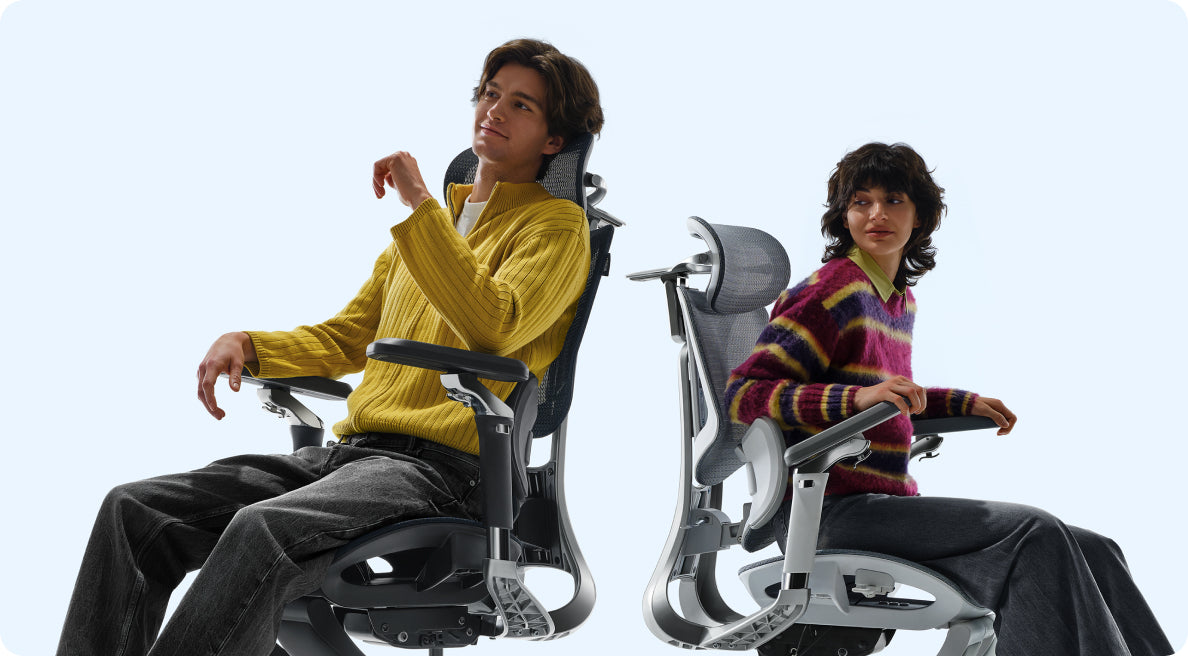
Two chairs. One desk.
Let your measurements pick.

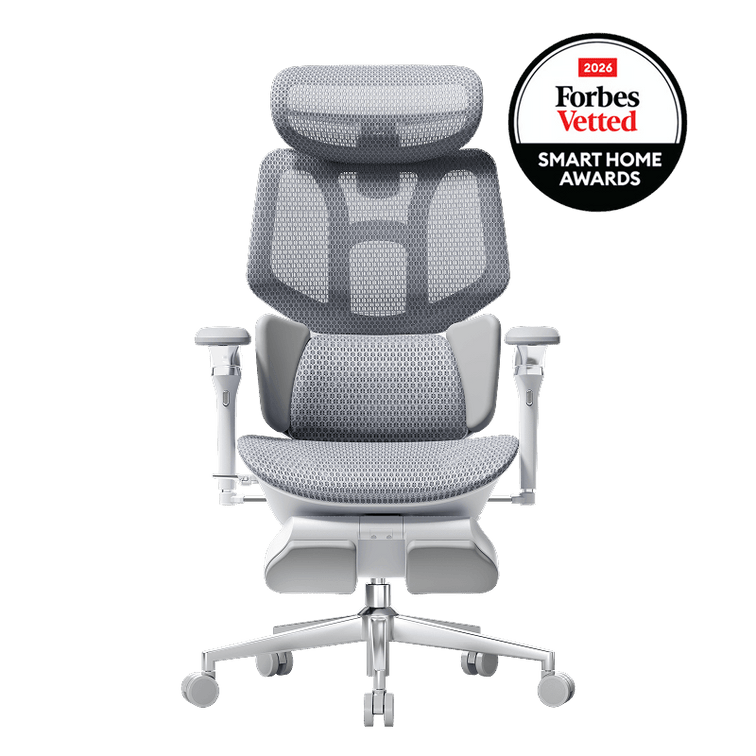
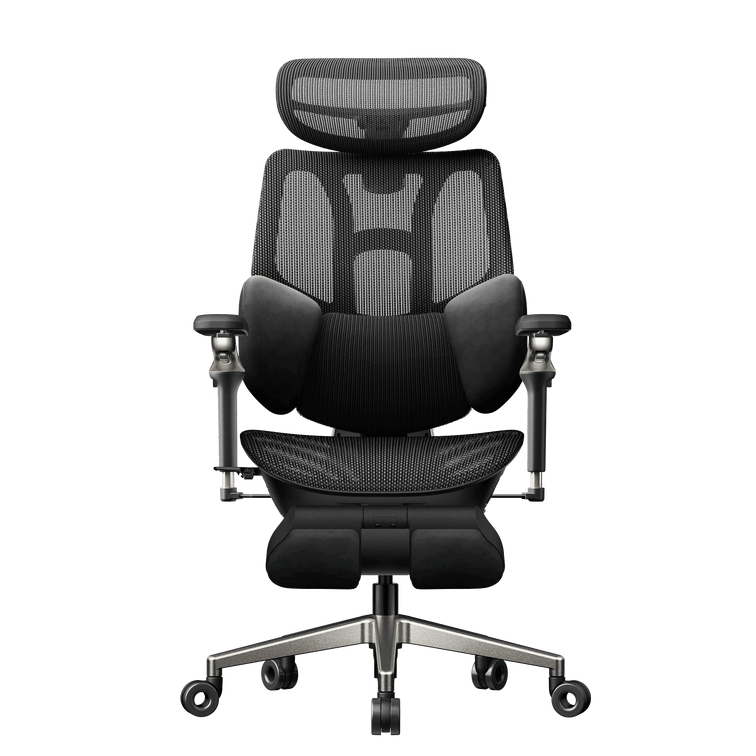
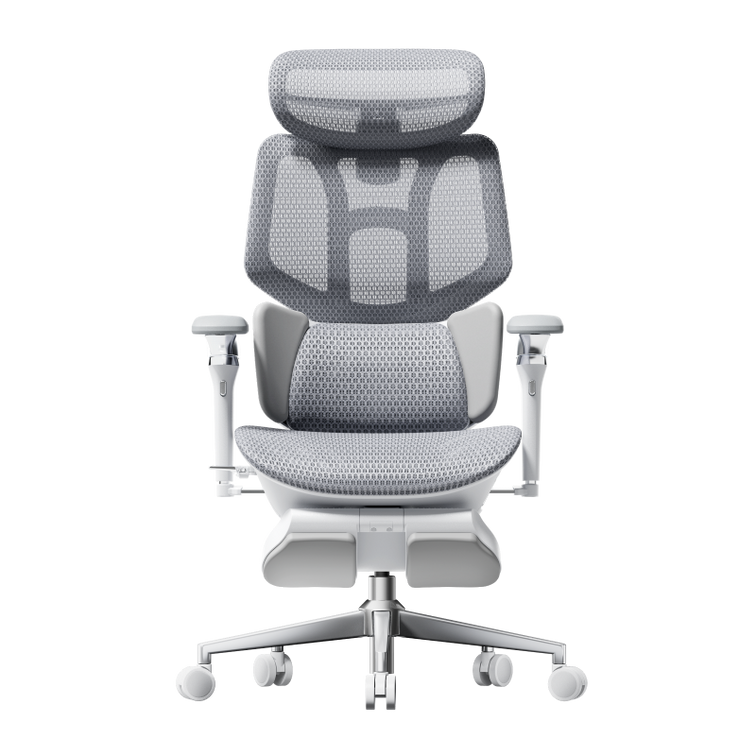
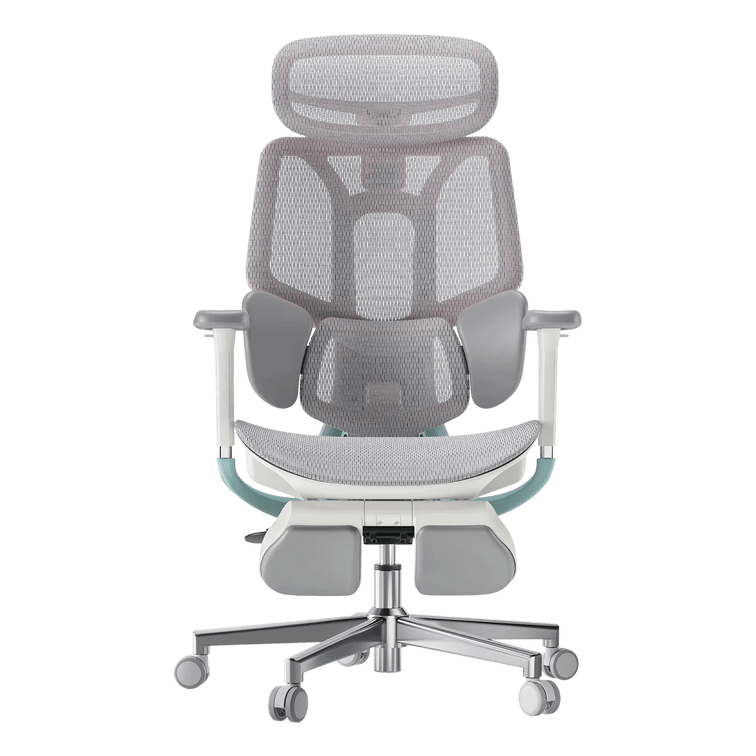
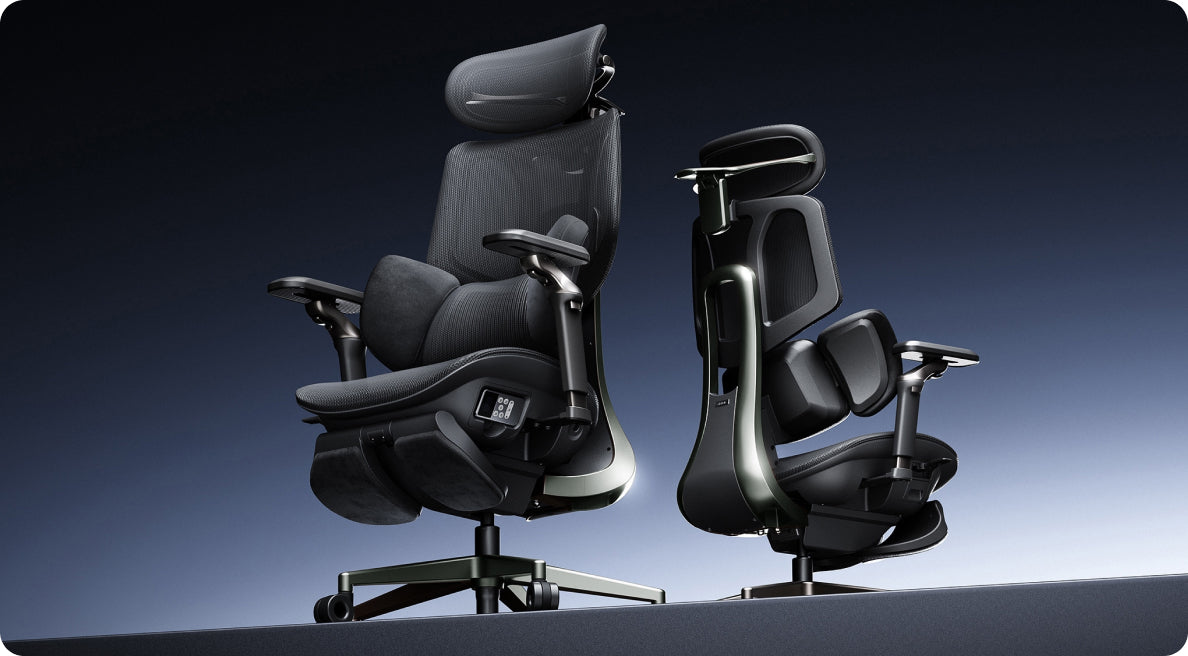
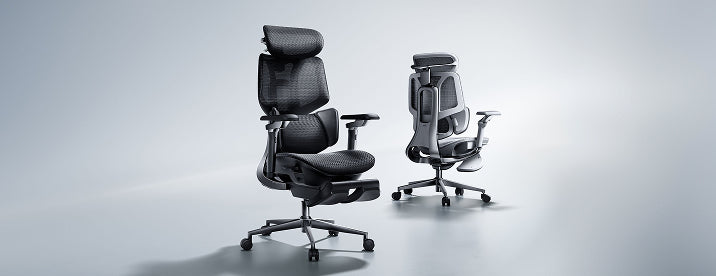
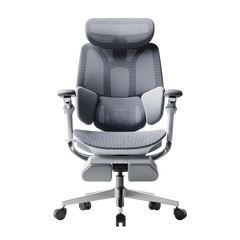
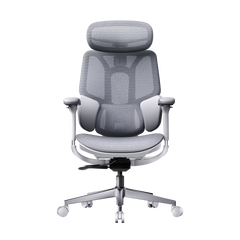
Two chairs can look almost identical in a product photo and still behave differently at your desk. Our E3 Air and E3 Pro 2026 share much of their ergonomic foundation. The choice becomes clearer when you look at the lumbar adjustments and the way you position your arms.

This guide compares the European configurations and helps you choose your next workspace upgrade during our Black Friday 2026 event.

The quick answer: choose around your working position.

The E3 Air 2026 is a strong starting point if you want lower armrests and generous forward-back movement. Choose the E3 Pro 2026 when extra swivel and flip positions would help you move between different tasks.

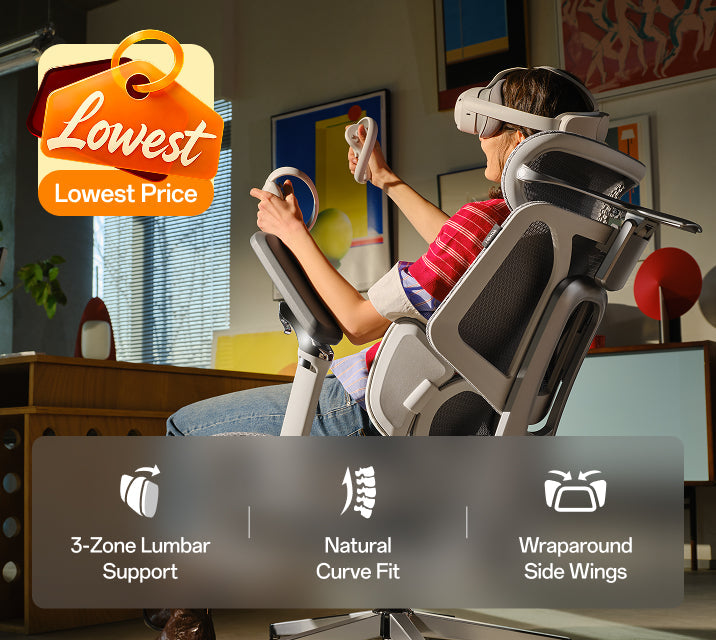
Both offer three-zone lumbar support. The Pro provides 6 cm of lumbar height adjustment, compared with 5 cm on the Air.

01 / The shared foundation

Start with what they have in common.

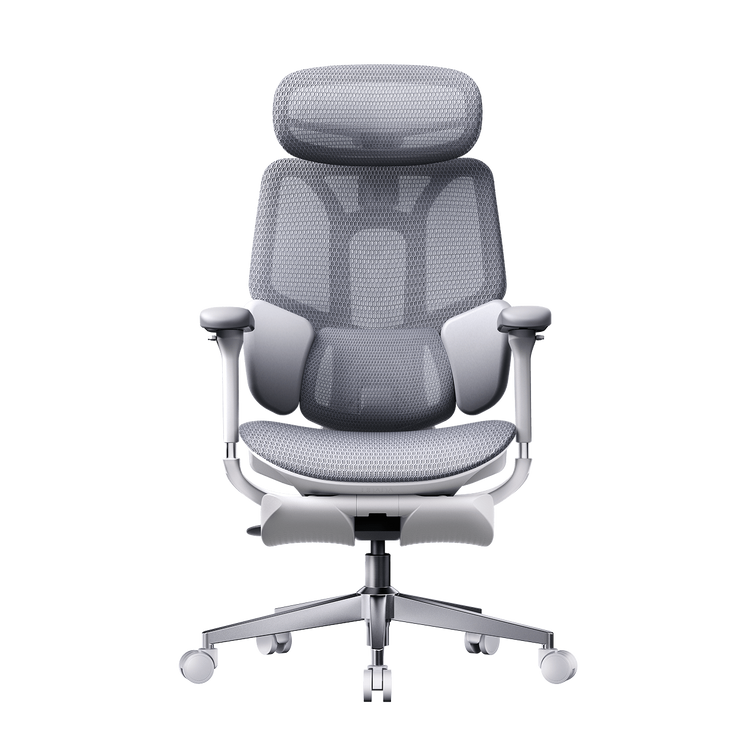
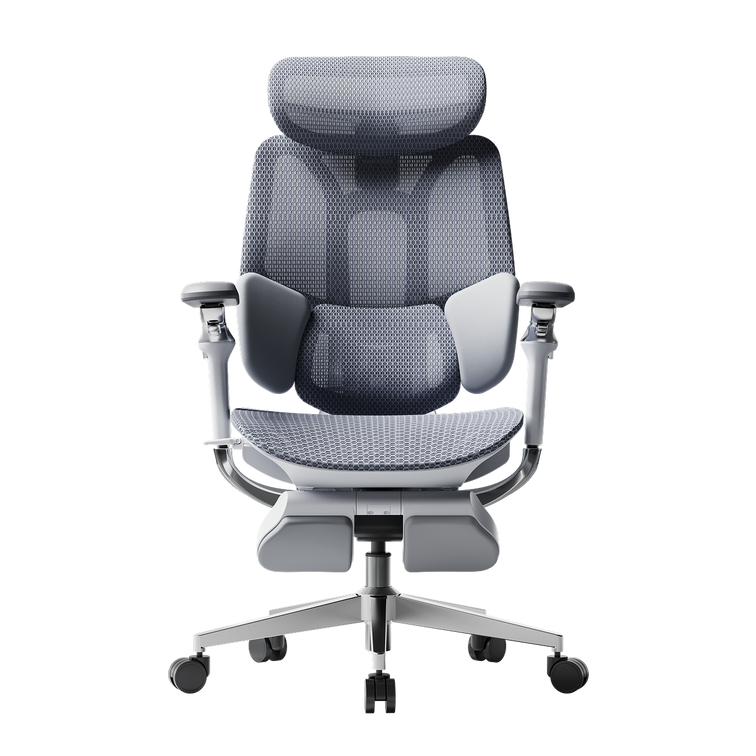
Both chairs combine breathable CloudMesh seating with a 4D dual-axis headrest. Adjustable backrest height and seat depth help you bring the support closer to your own proportions.

  • Recommended user-height range of 155–195 cm.
  • Maximum recommended weight capacity of 150 kg.
  • Three-zone lumbar support with adjustable side wings.
  • Headrest height, depth and rotational adjustment.
  • 8 cm of backrest height adjustment.
  • Adjustable seat depth and a maximum recline of 140°.

Your height is a useful starting point. Leg length and torso proportions still influence where the seat edge, lumbar block and headrest meet your body.

The shared features are the foundation.
The differences are the fine-tuning.

02 / Side by side

The adjustments worth comparing.

Focus on the rows that affect your desk setup. A lower armrest range can matter more than another adjustment direction when space beneath your desktop is limited.

HBADA E3 Air 2026 vs E3 Pro 2026: European configurations
Feature E3 Air 2026 E3 Pro 2026
Lumbar design Three-zone support Three-zone adaptive support
Lumbar height adjustment 5 cm 6 cm
Lumbar side wings Up to 40° adjustment Up to 40° adjustment
Armrest design 4D Omni-Motion 720° Omni-Mechanical
Armrest emphasis Long forward-back travel and rotating pads Dual rotation with flip positioning
Backrest height adjustment 8 cm 8 cm
Maximum recline 140° 140°
Recommended height 155–195 cm 155–195 cm
Maximum recommended load 150 kg 150 kg
European offers See E3 Air pricing See E3 Pro pricing

Compare the same colour and footrest configuration. Prices and availability depend on the selected option.

03 / Lower-back fit

Similar support concept. A different adjustment range.

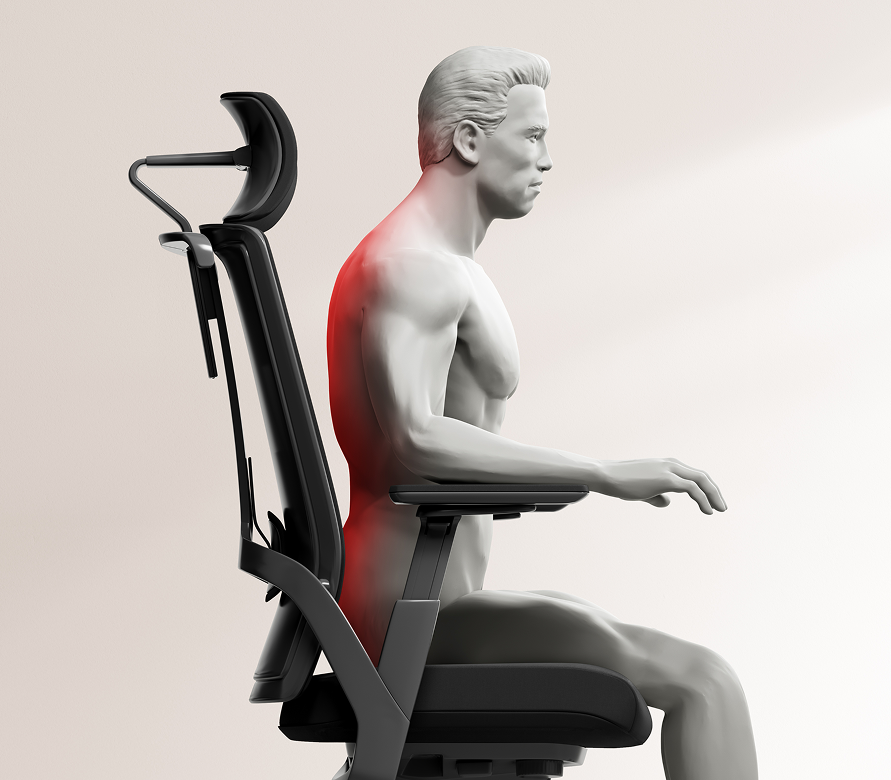
On either chair, begin by placing the lumbar block against the curve of your lower back. Adjust its forward position, then set the side wings so that contact feels supportive without pushing you towards the seat edge.

The Pro's additional centimetre of lumbar height adjustment is worth checking if you tend to position support higher. The Air offers its own spring-based movement as you shift. Each mechanism should be judged by how comfortably it follows your working position.

04 / Work with your desk

Armrests make the everyday difference.

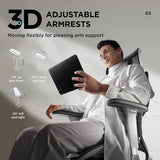
The Air gives you 10 cm of forward-back armrest movement. This is useful when you want to bring forearm support closer for typing, then move it away when changing tasks. Its listed armrest height starts at 68.5 cm from the floor.

The Pro's 720° armrest design offers more ways to rotate and angle the support. If you frequently move from keyboard work to a tablet or controller, those extra positions may become part of your daily routine.

Measure beneath your desktop before ordering. Include drawers, a desk apron and any cable tray. The height of the top surface does not tell you how much clearance is available underneath.

Keep the chair at your working seat height while checking clearance. Your shoulders should feel relaxed and your feet should remain supported.

05 / Space for a break

Leave room to recline.

Both models recline up to 140°, giving you room to lean back when you pause between tasks. Check the space behind your desk chair before choosing its position.

If you select a footrest configuration, leave space in front as well. The pull-out footrest supports reclined breaks. During upright work, adjust your setup so your feet rest on the floor or a suitable under-desk footrest.

06 / Your everyday routine

Which adjustments will you reach for?

A compact home office

Start by checking the Air's armrest range against your desk. Its lower minimum height may help with clearance, provided your preferred seat height also suits the workspace.

Different devices throughout the day

Look closely at the Pro's rotating and flip-position armrests. They offer more ways to reposition your forearms when your hands move away from a keyboard.

A shared chair

Both models need manual adjustment between users. Keep a note of your preferred settings, especially seat height and lumbar position, to make the reset easier.

A longer torso

Check the Pro's 6 cm lumbar height range against your preferred support position. Compare headrest and backrest fit as well before deciding.

Mostly typing and calls

The Air provides flexible everyday adjustment. If you often angle your armrests or change your arm position, the Pro deserves a closer look.

07 / Choosing your upgrade

Where each chair earns its place.

E3 Air 2026

A practical choice for everyday desk work when generous armrest travel and a lower starting position suit your setup.

View E3 Air configurations →

E3 Pro 2026

A compelling upgrade when you will regularly use the additional armrest positions and larger lumbar height adjustment range.

View E3 Pro configurations →

Picture a normal working day. The adjustments you expect to use regularly are the ones that should carry the most weight in your decision.

08 / Your Black Friday upgrade

Found your fit? Bring it home with our Black Friday offers.

Our European Black Friday event brings promotional chair pricing to your workspace upgrade. Once you have chosen between E3 Air and E3 Pro, visit the sale page to see the current offers for your preferred model.

Match the colour and footrest option when comparing prices. Check the available promotional benefits for your order, then review the final total in euros before completing checkout.

Whether you are refreshing a home office or choosing a practical gift, this is a good time to put your measurements to work and choose the HBADA chair you will use every day.

09 / The final details

HBADA E3 Air vs E3 Pro: common questions

What is the main difference between E3 Air and E3 Pro 2026?

The main differences are the lumbar adjustment range and armrest design. The Air offers long forward-back armrest travel. The Pro adds swivel and flip positioning, alongside a larger lumbar height adjustment range.

Which lumbar support should I choose?

Both models offer three-zone support. Compare where the height and depth settings position the lumbar block on your body. The Pro's additional height range may help if you prefer support higher on your lower back.

Will the E3 Air fit beneath my desk?

Its listed armrest height starts at 68.5 cm from the floor. Measure your desk's underside clearance and check the chair at the seat height you use for working.

Are both chairs suitable for someone 180 cm tall?

Both list a recommended height range of 155–195 cm. At 180 cm you fall within that range, although seat depth and torso proportions still affect personal fit.

Do I need a footrest version?

Choose one if you enjoy reclining with your legs supported during breaks. Check the selected configuration on the European product page before ordering.

Where can I see the current European Black Friday price?

Visit our European Black Friday page, then select your preferred colour and configuration on the product page. Checkout shows the applicable order total.

Your next step is a measurement.

Check beneath your desk and consider how you move your arms during the day. Those details will help you choose between E3 Air and E3 Pro with confidence.
Prodotto rilevante

Potrebbe piacerti anche

GTA 6 Gaming Setup Guide: Build a More Comfortable Space for Vice City GTA 6 Gaming Setup Guide: Build a More Comfortable Space for Vice City HBADA EUROPE / THE GAMING ROOM EDIT GTA 6 SETUP GUIDE A NEW CITY. A FRESH LOOK AT YOUR SETUP. Vice Cityon the screen.Comfort at home. Before you settle into GTA 6, give your real-world gaming space a little attention. A controller-friendly chair setup can make your desk feel ready for the evening. CONSOLE AT A DESK THE CHAIR COMES INTO FOCUS THE SETUP QUESTION The game gets the attention. Your elbows get the desk edge. If that sounds familiar, start your GTA 6 gaming setup with the position you actually play in. Holding a controller changes where your arms rest, and a console connected to a desk monitor may need a different seating arrangement from a keyboard setup. At HBADA, we would start with the chair and build outwards. The official release: Rockstar lists Grand Theft Auto VI for PlayStation 5 and Xbox Series X|S on 19 November 2026, at midnight local time. For regional details, see Rockstar’s official release guidance. This guide focuses on your physical gaming space. 01 Set the chair with the controller in your hands. Sit back, pick up your controller and let your elbows settle naturally. Then adjust the armrests. If you are lifting your shoulders to reach them, bring the supports down. If your arms hang without support, try a little more height. Keep enough room for your hands to move freely. Armrests that feel fine for typing may sit too far forward or too wide when you hold a controller. Make these changes in your playing position. Our E3 Pro 2026 gives you adjustable arm support alongside seat-depth and lumbar adjustments. Use those controls together so you can sit back while keeping the controller close. 02 Bring the screen into your comfortable view. After changing the chair, check where the screen sits. You should be able to see the information you need without repeatedly reaching your head towards it or tilting your chin upwards. For a desk monitor, start with the display directly in front of you and adjust its height and distance. If you play on a television, consider whether a slight recline gives you a comfortable view. Recheck your head position rather than assuming the deepest recline is the best one. Try your setup with another controller-based game you already own. It is a useful way to notice an awkward screen position before you commit to the new arrangement. Adjust for the way you play,with the controller already in your hands. 03 Give your legs somewhere comfortable to go. In an upright position, set the seat so your feet feel supported. Leave comfortable clearance behind your knees and enough space underneath the desk to change your leg position. A pull-out leg rest can suit a reclined pause. For upright play at a desk, a separate floor footrest may be more useful if your feet do not reach the floor. Check that controller cables and charging leads stay clear of the chair’s wheels. 04 Borrow the sunset mood, keep the room usable. A muted pink light against a dark blue wall can give your gaming corner a coastal evening feel. Keep decorative lighting outside your direct line of sight and check for reflections on the display. Leave space around your console according to its manufacturer’s ventilation instructions. A clean shelf and a nearby controller charging spot make everyday use easier than a crowded display. Your chair also needs room to roll out and recline without meeting a cabinet behind it. Which HBADA chair suits your gaming corner? SHARED WORK + PLAY DESK HBADA E3 Pro 2026 Consider the E3 Pro when the same desk handles work during the day and controller gaming later. Its three-zone lumbar support and adjustable seating let you change your setup between activities. Save your preferred positions as a short note if you switch frequently. See E3 Pro 2026 adjustments ↗ A PLACE FOR SEATED BREAKS HBADA E3 Ultra Gen 5 The E3 Ultra adds lower-back massage and graphene warmth to an adjustable ergonomic chair. Its reclining backrest and integrated footrest give you another way to settle back during a pause. Choose it for those comfort features, then check the dimensions against your desk and room. Discover E3 Ultra Gen 5 ↗ 05 Build a pause into the evening. An adjustable chair gives you options, and movement still matters. Stand up between sessions, stretch your legs and look away from the screen. Set a reminder if you tend to lose track of time. Massage and warmth can make a seated break feel relaxing. Give yourself time out of the chair too, especially when you notice you have stayed in one position for a while. Your controller-ready setup check Arms: Your shoulders feel relaxed while you hold the controller. View: The screen is easy to see from your chosen seating position. Space: Your legs and chair can move without catching cables. Routine: You have a plan to stand up and take breaks. A few questions before you rearrange the room. Do I need a racing-style gaming chair for GTA 6? The game does not require a particular chair style. For a desk-based setup, compare seat fit, armrest positioning and back support. An adjustable ergonomic office chair can work for controller gaming as well as your daily desk tasks. Can I use an HBADA chair with a console and television? Yes, provided the chair fits your room and gives you a comfortable view of the television. Check the screen position from the chair before deciding where to place it. What should I measure before ordering? Record your desk clearance and available floor space in centimetres. Compare these with the selected chair’s dimensions, leaving room for the recline and any extended leg rest. Is this an official GTA 6 chair or collaboration? No. This is an independent HBADA setup guide. The chairs featured here are HBADA products, with no GTA VI licensing or endorsement implied. New game on your list?Put your setup on it too. Our European Black Friday sale is a chance to upgrade the chair you use for both work and play. Browse the current offers and choose your preferred configuration. Check availability and delivery to your country before completing your order. Shop HBADA Europe Black Friday Deals ↗ Keep your next setup idea close. Add HBADA Europe to your preferred sources on Google for more workspace and gaming-chair guides. Add HBADA Europe to your preferred sources ↗ Grand Theft Auto VI and related names are trademarks of their respective owners. HBADA is not affiliated with or endorsed by Rockstar Games or Take-Two Interactive. This article provides independent setup advice and does not review GTA VI gameplay. How to Stack HBADA Black Friday Deals for Bigger Savings - All The Things You Need to Know How to Stack HBADA Black Friday Deals for Bigger Savings - All The Things You Need to Know HBADA EUROPE / THE BLACK FRIDAY EDIT YOUR SAVINGS, ITEMISED A great chair.An even better receipt. Make our Black Friday offer go further. With an eligible code and the advertised discounted gift-card offers, this E3 Ultra example comes to €724 in combined spending. E3 ULTRA / GEN 5 / MASSAGE + HEAT HBADA BLACK FRIDAY SAVINGS RECEIPT E3 Ultra Gen 5 with Footrest Regular price €1,099.00 Black Friday price €809.00 Code: BF50 −€50.00 Chair subtotal €759.00 Buy €500 gift credit €470.00 Buy €100 gift credit €95.00 Total card purchase cost €565.00 Redeem €600 against €759 −€600.00 Remaining chair payment €159.00 ILLUSTRATIVE COMBINED SPEND €724 €375 below the €1,099 regular price €565 for gift cards + €159 remaining chair payment. Requires the €809 chair, BF50 eligibility and both discounted card offers to be available and honoured. Confirm card purchase prices before paying. Destination-specific charges, if any, are additional. Here’s how to get there. 01 Start with your chair Select the eligible E3 Ultra Gen 5 at €809. Apply BF50 to reach a €759 chair subtotal. 02 Check the gift-card offers Choose the €500 card and €100 card. Proceed only if their combined purchase price is €565. 03 Redeem both codes Once the cards arrive by email, apply their €600 balance to the eligible chair order. Pay the remaining €159. Gift-card credit and coupons work differently. Multiple gift cards can pay towards one order alongside an eligible discount code. BF50 cannot be combined with another promotional discount code. The example includes the original cost of buying the cards; their €600 face value is not treated as a €600 saving. Discounted cards are subject to availability. If they are unavailable or the advertised reduction does not appear before payment, the €724 example does not apply. Check the chair’s dispatch estimate before purchasing gift credit. And yes, the extras count too. E3 Ultra Gen 5 An extra 6 months of warranty with the eligible Black Friday offer. X7 in Black or Grey A €50 promotional gift card with a qualifying purchase. Valid for 90 days from issue. Daily early birds A complimentary cup for the first 3 eligible orders each day, with separate dispatch. HBADA Rewards Earn double points on eligible event purchases. Sign in before checkout. Model eligibility and promotion terms apply. The X7 promotional card is a separate benefit and is not deducted from this E3 Ultra example. Check the live sale page for benefit dates and gift dispatch details. Shop HBADA Europe Black Friday Deals ↗ Review the selected configuration, card purchase costs and final checkout total before completing payment. Keep our next shopping guide close. Add HBADA Europe to your preferred sources ↗ Buying a Home Office Chair This Black Friday? Check These 7 Things Buying a Home Office Chair This Black Friday? Check These 7 Things HBADA / THE HOME OFFICE EDIT THE BLACK FRIDAY CHECKLIST A LITTLE MEASURING GOES A LONG WAY Your space.Your chair.A better fit. Buying a home office chair this Black Friday? Seven practical checks will help you choose an HBADA chair that works with your body and your desk. HBADA E3 AIR / 2026 EDITION 7 A home office chair has to work in a real room. Your desk may have a drawer underneath, the wall may be closer than it looks, and your legs need space to settle. Keep a tape measure nearby as you browse our Black Friday offers. These checks connect the dimensions on the product page with the way you actually sit. The quick answer: seven things to check 01 / Seat height 02 / Usable seat depth 03 / Seat width 04 / Armrest clearance 05 / Lumbar adjustment 06 / Available floor space 07 / Purchase terms Your final buying checklist ↗ 01 SEAT HEIGHT Start where your feet land. Wearing your usual footwear, sit on a firm surface with your feet flat. Measure from the floor to the crease behind your knee and record the result in centimetres. Use this as a starting point when comparing the chair’s seat-height range. In your working position, your feet should feel supported and the seat edge should sit comfortably beneath your thighs. Your desk height also matters, especially if you need to raise the chair to reach the keyboard. For your HBADA shortlist: Compare the seat-height ranges on the E3 Air 2026 and E3 Pro 2026 pages. For upright desk work, a separate under-desk footrest can help when your feet need support. The chair’s pull-out leg rest is intended for reclined breaks. 02 USABLE SEAT DEPTH Leave a gap behind your knees. Sit back against the backrest. There should be a small, comfortable gap between the seat’s front edge and the backs of your knees. A seat that extends too far forward can make you slide away from the lumbar support. Measure from the back of your buttocks to the crease behind your knee, then allow for that clearance when comparing usable seat depth. Both the E3 Air and E3 Pro 2026 offer seat-depth adjustment. Compare the adjustment range in centimetres with your own measurement so you can sit back with your legs comfortably supported. 03 SEAT WIDTH Measure the space you sit in. Measure across your hips while seated, allowing room for clothing and small changes in position. Compare this with both the usable seat width and the space between the armrests. The chair’s overall width includes its frame and armrests. Use that measurement for room planning, while keeping the actual sitting space as a separate fit check. If a dimension is unclear, contact our team at service@hbada.eu with the exact model and configuration. The most useful measurement is the one you take at your own desk. 04 ARMREST CLEARANCE Look underneath the desktop. Measure from the floor to the lowest obstruction under your desk. A drawer, apron or support rail can reduce clearance even when the top of the desk looks high enough. Check the armrest height at a seat setting that fits you. Lowering the entire chair simply to tuck it away may change your working position. During use, bring the keyboard close enough that your shoulders can relax. Before ordering an E3 Pro 2026 or E3 Air 2026, compare the armrest dimensions with your desk’s underside. Desktop height alone cannot confirm clearance. 05 LUMBAR ADJUSTMENT Find support that meets your lower back. Sit back and adjust the lumbar support towards the curve of your lower back. It should feel comfortably supportive without pushing you towards the front of the seat. Begin with a gentle setting, then change one adjustment at a time. Shift position and try the recline. Notice whether the contact remains comfortable as you move between activities. Our E3 Pro 2026 and E3 Air 2026 bring three-zone lumbar support into your shortlist. Compare the adjustment controls alongside seat fit to decide which setup suits your workspace. 06 AVAILABLE FLOOR SPACE Give the recline some room. Measure behind the desk as well as beneath it. The chair needs space to roll out, turn and lean back. An extended leg rest also takes up space in front. Check nearby doors, bed frames and rug edges. Mark the planned chair area with removable tape if it helps you picture the setup. In a compact home office, comfortable upright access may matter more than using the deepest recline. Keep your measurements in centimetres when comparing the selected model’s dimensions. Allow extra clearance for movement, especially when your desk shares a bedroom or living room. 07 PURCHASE TERMS Make the offer work for your order. Confirm the colour and footrest configuration before comparing prices. Select your delivery country and check the estimate for your address, including any preorder information. Read our return and refund policy for eligibility, return costs and packaging requirements. Our warranty and service guide explains the applicable coverage. Check these details on the European store where you place your order. Your measurements are ready. Here are the deals. E3 Air 2026, grey, without footrest €359 E3 Air 2026, black, without footrest €359 E3 Pro 2026, grey, with footrest €509 E3 Pro 2026, black, with footrest €509 Listed EU Black Friday prices checked 18 November 2026, before additional eligible coupon discounts. Prices, delivery availability and offers may vary by destination and configuration. Confirm the final total at checkout and see our Black Friday page for current promotion terms. Review the coupon threshold and combination rules for your chosen offer. If more than one coupon is available, compare the eligible final totals before completing your purchase. Eight boxes before you buy. Use this final pass while you compare your preferred HBADA chair with your home setup. I measured my seated knee height in my usual shoes. I checked usable seat depth and clearance behind my knees. I compared seat width and the space between the armrests. I measured the underside of my desk, including drawers. I reviewed the lumbar adjustment controls. I allowed room to move and recline. I selected the right colour and footrest configuration. I checked delivery to my country, return terms and warranty coverage. This is a personal checklist. Your selections are not submitted and may reset when you reload the page. Before you click buy. What should I check when buying an office chair for a small space? Compare overall width and base size with your available floor space. Leave room to roll away from the desk, and account for the backrest and leg rest when reclined. A chair can fit beneath a desk yet still need more room to use. Can I choose an office chair using my height alone? Height is a useful starting point. Your leg proportions and desk clearance also affect fit, so compare seat height and usable seat depth with your own measurements. Which measurement matters for a low desk? Measure floor-to-underside clearance at the lowest obstruction. Compare it with the armrests at your intended working seat height, allowing a little space for movement.