




Tutti gli articoli Review
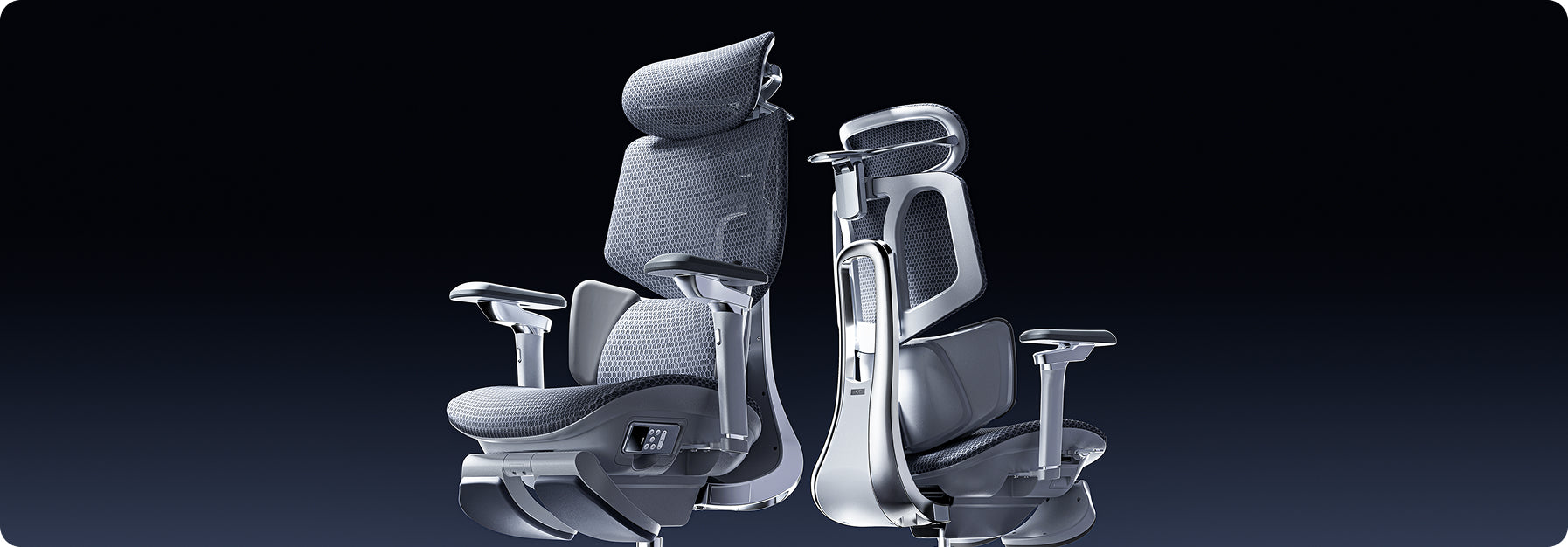
 5 Reasons Why More Europeans Are Switching to Ergonomic Chairs
Office spaces across Europe are changing fast. More and more professionals are leaving behind old, stiff office furniture and choosing chairs that offer better support. Sitting for eight to ten hours a day takes a real toll on your body, making it harder to focus and putting extra strain on your lower back.
To address this, companies are now prioritizing employee health over cheap, basic furniture. Upgrading to an ergonomic chair helps protect your spine, reduces daily fatigue, and keeps you productive during long workdays.
1. Compliance with Stricter Health and Safety Laws
The primary driver behind this continent-wide change is the strict enforcement of updated workplace safety regulations. In the United Kingdom, employers must strictly follow the Health and Safety (Display Screen Equipment) Regulations 1992. These strict laws require that any employee who uses display screen equipment for an hour or more per day have a workstation assessment.
The regulations require that seating must be completely stable, allow freedom of movement, and feature adjustable seat height and backrest tilt. Furthermore, under the Equality Act 2010, UK organizations must provide specialized ergonomic equipment as reasonable adjustments for employees with chronic back conditions. These clear legal mandates require employers to provide highly adjustable, health-focused chairs to protect workers from long-term musculoskeletal disorders.
2. Moving Away from Restrictive, Outdated Desk Layouts
Many offices still use basic, rigid furniture that isn't good for your health. When setting up a modern workspace, buyers often wonder why so many office chairs come with fixed arms.
· Fixed Armrests: These parts restrict natural movement, block the chair from sliding close to the desk, and force users into a forward slouch.
· Multi-Axial Tracking Arms: These modules align perfectly with your desk height, keeping your elbows supported and reducing strain on your neck and shoulders.
Fixed armrests are still common because they're cheaper to make with simple plastic molds. But they make you sit too far from your keyboard, which strains your arms and upper back. That's why many Europeans now prefer chairs with adjustable armrests that fit different tasks.
3. Targeted Lower Back Care for Sciatica Relief
Sitting for long periods can apply uneven pressure to your lower intervertebral discs. When a chair lacks proper spinal support, your pelvis tilts backward, pinching nerve pathways and triggering deep, radiating aches across your lower body.
· Continuous Spinal Tracking: Prevents the dangerous pelvic tilting that compresses nerves.
· Even Pressure Distribution: Spreads your upper body weight safely across the seat cushion.
· Muscle Tension Reduction: Relaxes the deep gluteal muscles that can irritate the sciatic nerve pathway.
If you want real relief from sciatica, switching to a chair that responds to your movements is key. Instead of hard plastic backs, our ergonomic chairs use flexible support zones that move with you, spread your weight evenly, and take pressure off your sciatic nerve.
4. Embracing Proactive Health and Dynamic Engineering
People in Europe now prefer smart wellness tools instead of old-fashioned, manual furniture. Most want their office chairs to adjust automatically as they move during the day.
Our advanced seating lineup reflects this shift by replacing manual control levers with responsive, automated engineering:
The Mechanical Choice: Hbada E3 Pro
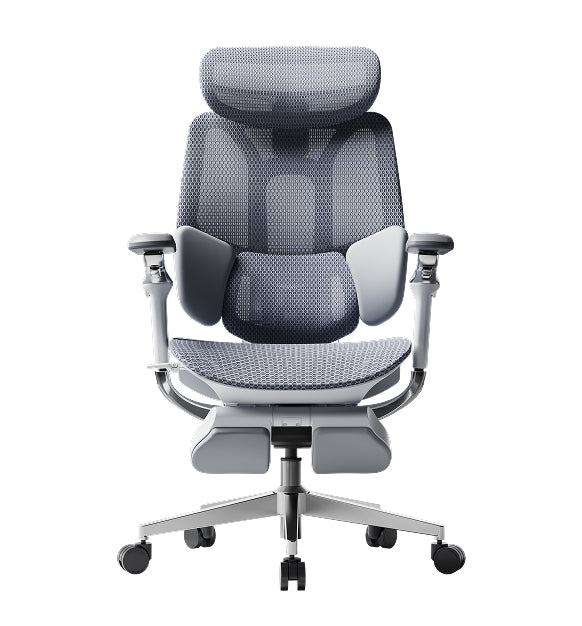
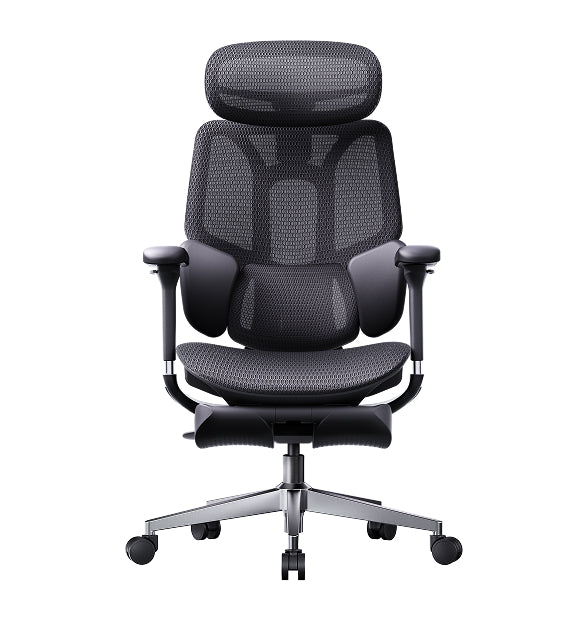
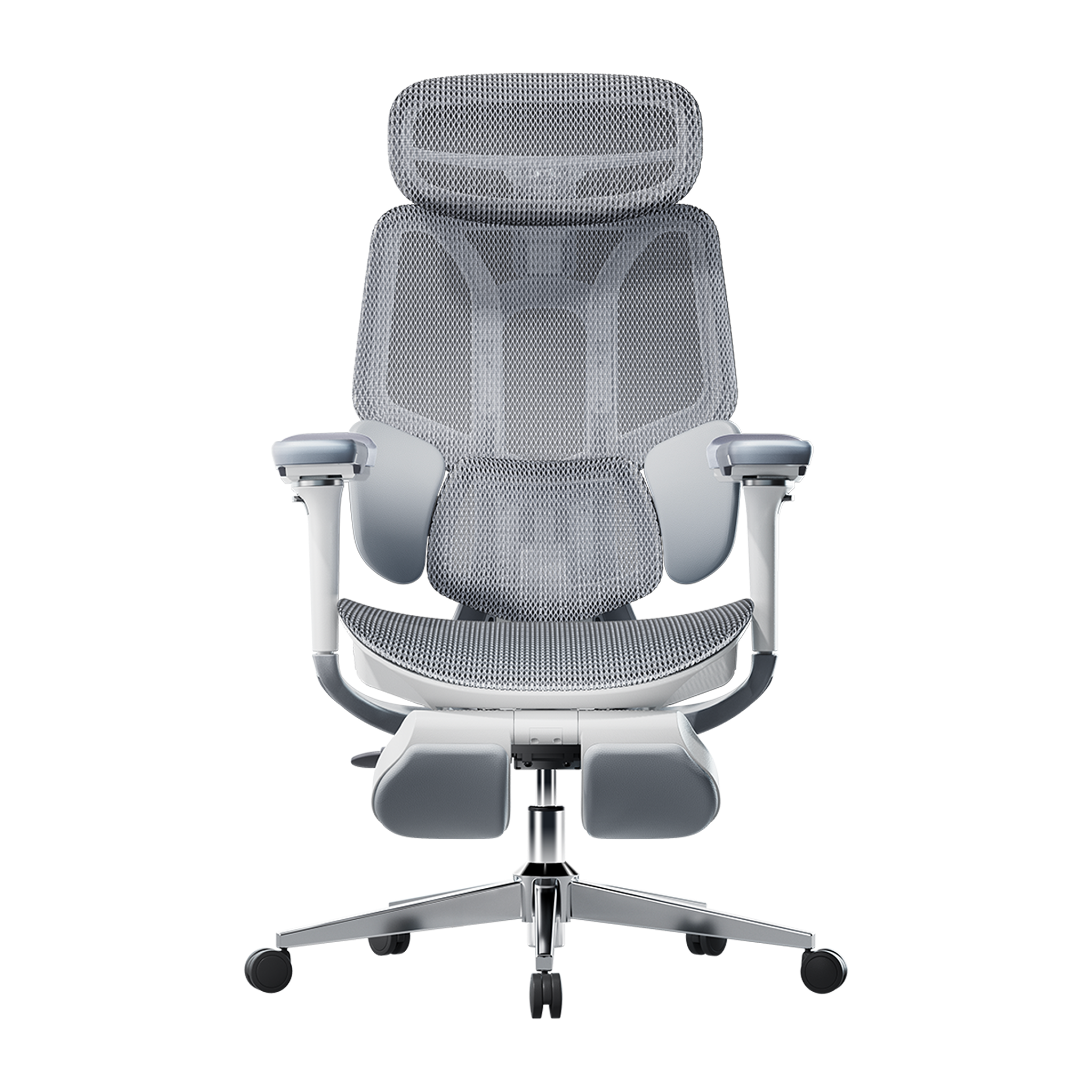
The HBADA E3 Pro is designed for people who want great support without needing power or many adjustments. It has a special 3-zone lumbar support system. The middle part keeps your spine steady, and the two side wings can rotate up to 40 degrees to support your lower back. As you move, the chair follows your posture to keep you comfortable.
The Automated Frontier: Hbada AI-Powered x7
If you want the latest in automated health tech, the Hbada AI-Powered x7 gives you a smart, responsive chair. It uses built-in sensors to watch your posture in real time.
The chair’s system automatically adjusts the lumbar support to fit your lower back. If you start to slouch during a long day, it changes shape to support you before you feel any discomfort.
Product Comparison Matrix for Corporate Seating
· Hbada E3 Air: Designed for compact spaces and daily hybrid work, featuring 3D adjustable armrests and responsive elastic lumbar support.
· HBADA E3 Pro: Built for long shifts and power users, utilizing 720° omni-mechanical armrests and a 3-zone adaptive floating wing system.
· Hbada AI-Powered x7: Engineered for premium executive suites, offering active AI automated smart tracking, 8D bionic massage, and infrared heat therapy.
5. Optimal Airflow and Temperature Regulation
Old-style foam chairs retain heat and moisture, leaving you tired and uncomfortable for long hours. Modern European offices now focus on using breathable materials and advanced fabrics.
Chairs with mesh seats and backs let air move freely around you. This keeps your body cool and dry, so you can stay focused even when work gets busy.
Technical Guides: Setting Up Your Workstation Geometry
Getting a good chair works best when you also set up your workspace properly. Here’s a checklist to help you get started:
· Align Your Line of Sight: Adjust your monitor height so the top third of your display is at eye level, reducing neck strain.
· Ground Your Feet: Adjust your seat height so your feet rest flat on the floor with your knees bent at a comfortable 90-degree angle.
· Match Armrest Heights: Set your armrest heights to align perfectly with your desk surface, keeping your wrists straight while typing.
· Activate Onboard Heat: If your chair includes built-in thermal heating, turn it on during cooler morning hours to keep your lower back muscles flexible.
Frequently Asked Questions (FAQ)
How does an ergonomic posture chair help prevent daily physical fatigue?
A standard office chair forces your back and neck muscles to work overtime to keep you upright, leading to exhaustion. An ergonomic posture chair cradles your spine’s natural curves, distributing your body weight and allowing your muscles to relax, helping you maintain higher energy levels all day.
Why do so many office chairs have fixed arms on cheap models?
Fixed armrests are common on cheap chairs because they are inexpensive to manufacture using a single plastic mold. However, they block the chair from rolling close to a desk, forcing you to lean forward and strain your spine, whereas adjustable arms support healthy alignment.
Can an adjustable office chair provide dependable sciatica relief during long shifts?
Yes. An adjustable chair provides sciatica relief by using flexible support zones that adapt to your movements. This adaptive pressure management prevents pelvic tilt, reduces direct pressure on your lower intervertebral discs, and prevents your lumbar nerves from getting pinched while sitting.
How long does it take to adjust to a professional ergonomic chair?
Most users experience an adjustment period of 7 to 14 days. During this time, your muscles are adapting to proper posture and unlearning years of slouching. Once this adjustment phase passes, sitting in correct alignment feels completely natural, comfortable, and supportive.
Conclusion
The right model depends on your daily workflow and the level of control you want over your setup. If you want a reliable, heavy-duty mechanical chair with highly flexible manual adjustments, the HBADA E3 Pro offers an exceptional balance of performance and value. If you want to experience the future of workplace wellness, with automated posture tracking, built-in thermal relief, and deep-kneading massage therapy, upgrading to the HBADA AI-Powered x7 is an excellent investment for your long-term health and daily focus.
May 21, 2026
5 Reasons Why More Europeans Are Switching to Ergonomic Chairs
Office spaces across Europe are changing fast. More and more professionals are leaving behind old, stiff office furniture and choosing chairs that offer better support. Sitting for eight to ten hours a day takes a real toll on your body, making it harder to focus and putting extra strain on your lower back.
To address this, companies are now prioritizing employee health over cheap, basic furniture. Upgrading to an ergonomic chair helps protect your spine, reduces daily fatigue, and keeps you productive during long workdays.
1. Compliance with Stricter Health and Safety Laws
The primary driver behind this continent-wide change is the strict enforcement of updated workplace safety regulations. In the United Kingdom, employers must strictly follow the Health and Safety (Display Screen Equipment) Regulations 1992. These strict laws require that any employee who uses display screen equipment for an hour or more per day have a workstation assessment.
The regulations require that seating must be completely stable, allow freedom of movement, and feature adjustable seat height and backrest tilt. Furthermore, under the Equality Act 2010, UK organizations must provide specialized ergonomic equipment as reasonable adjustments for employees with chronic back conditions. These clear legal mandates require employers to provide highly adjustable, health-focused chairs to protect workers from long-term musculoskeletal disorders.
2. Moving Away from Restrictive, Outdated Desk Layouts
Many offices still use basic, rigid furniture that isn't good for your health. When setting up a modern workspace, buyers often wonder why so many office chairs come with fixed arms.
· Fixed Armrests: These parts restrict natural movement, block the chair from sliding close to the desk, and force users into a forward slouch.
· Multi-Axial Tracking Arms: These modules align perfectly with your desk height, keeping your elbows supported and reducing strain on your neck and shoulders.
Fixed armrests are still common because they're cheaper to make with simple plastic molds. But they make you sit too far from your keyboard, which strains your arms and upper back. That's why many Europeans now prefer chairs with adjustable armrests that fit different tasks.
3. Targeted Lower Back Care for Sciatica Relief
Sitting for long periods can apply uneven pressure to your lower intervertebral discs. When a chair lacks proper spinal support, your pelvis tilts backward, pinching nerve pathways and triggering deep, radiating aches across your lower body.
· Continuous Spinal Tracking: Prevents the dangerous pelvic tilting that compresses nerves.
· Even Pressure Distribution: Spreads your upper body weight safely across the seat cushion.
· Muscle Tension Reduction: Relaxes the deep gluteal muscles that can irritate the sciatic nerve pathway.
If you want real relief from sciatica, switching to a chair that responds to your movements is key. Instead of hard plastic backs, our ergonomic chairs use flexible support zones that move with you, spread your weight evenly, and take pressure off your sciatic nerve.
4. Embracing Proactive Health and Dynamic Engineering
People in Europe now prefer smart wellness tools instead of old-fashioned, manual furniture. Most want their office chairs to adjust automatically as they move during the day.
Our advanced seating lineup reflects this shift by replacing manual control levers with responsive, automated engineering:
The Mechanical Choice: Hbada E3 Pro
The HBADA E3 Pro is designed for people who want great support without needing power or many adjustments. It has a special 3-zone lumbar support system. The middle part keeps your spine steady, and the two side wings can rotate up to 40 degrees to support your lower back. As you move, the chair follows your posture to keep you comfortable.
The Automated Frontier: Hbada AI-Powered x7
If you want the latest in automated health tech, the Hbada AI-Powered x7 gives you a smart, responsive chair. It uses built-in sensors to watch your posture in real time.
The chair’s system automatically adjusts the lumbar support to fit your lower back. If you start to slouch during a long day, it changes shape to support you before you feel any discomfort.
Product Comparison Matrix for Corporate Seating
· Hbada E3 Air: Designed for compact spaces and daily hybrid work, featuring 3D adjustable armrests and responsive elastic lumbar support.
· HBADA E3 Pro: Built for long shifts and power users, utilizing 720° omni-mechanical armrests and a 3-zone adaptive floating wing system.
· Hbada AI-Powered x7: Engineered for premium executive suites, offering active AI automated smart tracking, 8D bionic massage, and infrared heat therapy.
5. Optimal Airflow and Temperature Regulation
Old-style foam chairs retain heat and moisture, leaving you tired and uncomfortable for long hours. Modern European offices now focus on using breathable materials and advanced fabrics.
Chairs with mesh seats and backs let air move freely around you. This keeps your body cool and dry, so you can stay focused even when work gets busy.
Technical Guides: Setting Up Your Workstation Geometry
Getting a good chair works best when you also set up your workspace properly. Here’s a checklist to help you get started:
· Align Your Line of Sight: Adjust your monitor height so the top third of your display is at eye level, reducing neck strain.
· Ground Your Feet: Adjust your seat height so your feet rest flat on the floor with your knees bent at a comfortable 90-degree angle.
· Match Armrest Heights: Set your armrest heights to align perfectly with your desk surface, keeping your wrists straight while typing.
· Activate Onboard Heat: If your chair includes built-in thermal heating, turn it on during cooler morning hours to keep your lower back muscles flexible.
Frequently Asked Questions (FAQ)
How does an ergonomic posture chair help prevent daily physical fatigue?
A standard office chair forces your back and neck muscles to work overtime to keep you upright, leading to exhaustion. An ergonomic posture chair cradles your spine’s natural curves, distributing your body weight and allowing your muscles to relax, helping you maintain higher energy levels all day.
Why do so many office chairs have fixed arms on cheap models?
Fixed armrests are common on cheap chairs because they are inexpensive to manufacture using a single plastic mold. However, they block the chair from rolling close to a desk, forcing you to lean forward and strain your spine, whereas adjustable arms support healthy alignment.
Can an adjustable office chair provide dependable sciatica relief during long shifts?
Yes. An adjustable chair provides sciatica relief by using flexible support zones that adapt to your movements. This adaptive pressure management prevents pelvic tilt, reduces direct pressure on your lower intervertebral discs, and prevents your lumbar nerves from getting pinched while sitting.
How long does it take to adjust to a professional ergonomic chair?
Most users experience an adjustment period of 7 to 14 days. During this time, your muscles are adapting to proper posture and unlearning years of slouching. Once this adjustment phase passes, sitting in correct alignment feels completely natural, comfortable, and supportive.
Conclusion
The right model depends on your daily workflow and the level of control you want over your setup. If you want a reliable, heavy-duty mechanical chair with highly flexible manual adjustments, the HBADA E3 Pro offers an exceptional balance of performance and value. If you want to experience the future of workplace wellness, with automated posture tracking, built-in thermal relief, and deep-kneading massage therapy, upgrading to the HBADA AI-Powered x7 is an excellent investment for your long-term health and daily focus.
May 21, 2026
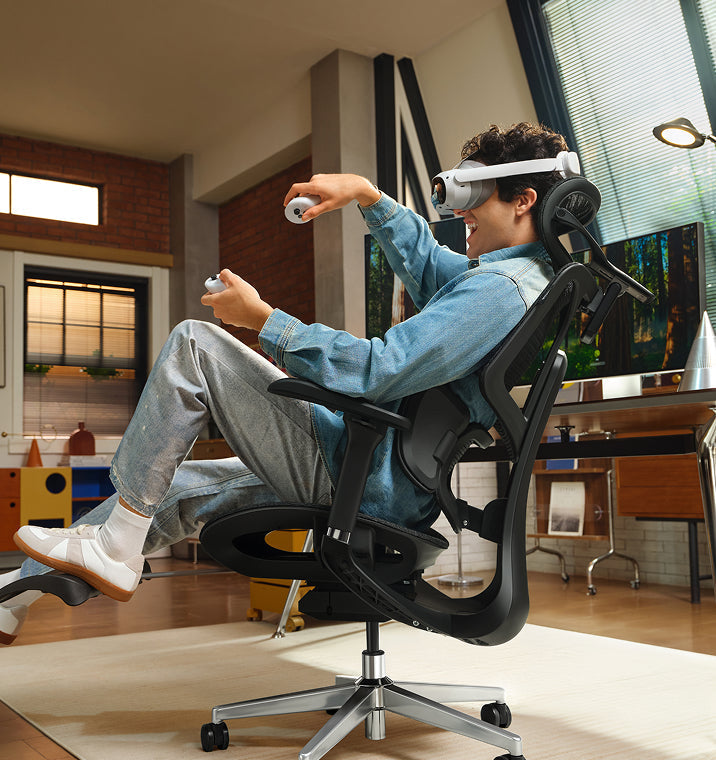
 Le migliori sedie ergonomiche per appartamenti piccoli nel 2026
Introduzione
Avere poco spazio non significa rinunciare a una buona postura. Le sedie ergonomiche compatte offrono un supporto completo senza ingombrare la stanza. Nel 2026, le sedie migliori uniscono design intelligente, profili salvaspazio e un solido supporto posturale, così puoi lavorare in modo efficiente e proteggere la colonna vertebrale.
Cosa rende una sedia ideale per gli appartamenti piccoli
Ingombro ridotto senza rinunciare all’ergonomia
Scegli una sedia che combini dimensioni ridotte e comfort. Cerca queste caratteristiche:
· Schienali sottili e basi salvaspazio
· Braccioli pieghevoli o ribaltabili
· Strutture leggere, facili da spostare
La tua sedia deve poter stare sotto la scrivania e sostenere una buona postura, anche per molte ore.
Regolazione multifunzionale
In uno spazio ridotto, la versatilità è fondamentale. Scegli una sedia che si adatti quando passi da un’attività all’altra.
· Postura da seduti davanti al computer
· Reclinazione rilassata per leggere
· Postura eretta per lavorare concentrati
Queste sedie si adattano a qualsiasi attività, riducendo la necessità di mobili aggiuntivi.
Cosa significa postura ergonomica e perché conta
Una postura ergonomica significa mantenere la colonna allineata mentre sei seduto. Questo riduce la tensione su muscoli, articolazioni e dischi vertebrali.
Una cattiva postura porta a:
· Compressione della zona lombare
· Tensione alle spalle
· Affaticamento cervicale
Le sedie ergonomiche moderne accompagnano il corpo in una postura corretta, sia per gli studenti sia per i professionisti.
Le sedie HBADA sono progettate per adattarsi al tuo corpo invece di imporre una posizione fissa, migliorando la salute della colonna nel lungo periodo.
Caratteristiche chiave da cercare nelle migliori sedie ergonomiche
Supporto lombare intelligente
La zona lombare è quella che subisce più pressione quando sei seduto. Per questo le sedie migliori oggi offrono:
· Tracciamento automatico del giro vita
· Sistemi di supporto biosincronizzato
· Strutture lombari a 3 zone
Gli ultimi modelli HBADA utilizzano sistemi lombari adattivi che si regolano mentre ti muovi, garantendo un supporto costante.
Braccioli ergonomici per alleviare le spalle
Il supporto delle braccia influisce sul comfort di spalle e schiena. Cerca sedie con braccioli regolabili in altezza.
· Scorrimento avanti/indietro.
· Funzioni di rotazione e inclinazione.
Regola i braccioli in modo che i gomiti siano a 90 gradi. Questo piccolo accorgimento può alleviare la tensione alle spalle e rendere più semplice digitare.
Materiali traspiranti e salvaspazio
Le sedie con schienale in rete sono molto popolari nel 2026, e per buoni motivi:
· Ottima ventilazione per lunghe sessioni da seduti
· Meno volume rispetto alle sedie imbottite
· Distribuzione uniforme della pressione
I materiali in rete avanzata fanno circolare l’aria molto meglio rispetto ai tessuti tradizionali.
Tecnologia di regolazione smart
Le sedie con IA stanno ridefinendo l’ergonomia:
· Tracciamento posturale in tempo reale
· Posizionamento lombare automatico
· Minime regolazioni manuali
Alcuni modelli integrano sensori che monitorano come sei seduto e regolano il supporto per mantenerti ben allineato senza alcuno sforzo aggiuntivo.
Le migliori sedie ergonomiche HBADA per appartamenti piccoli (2026)
Tabella comparativa dei prodotti
HBADA E3 Pro 2026
Lunghe giornate di lavoro
Lombare a 3 zone, braccioli 6D, poggiatesta
Ingombro medio
Supporto adattivo
HBADA E3 Air 2026
Spazi compatti
Rete leggera, design sottile
Alto
Manuale + adattivo
HBADA X7 con IA
Utenti premium
Tracciamento lombare con IA, massaggio, sensori
Medio
Completamente automatica
Sedia ergonomica HBADA P2
Economica
Supporto lombare di base, braccioli pieghevoli
Alto
Manuale
Come scegliere la sedia giusta per il tuo spazio.
Misura prima la tua postazione
Prima di scegliere una sedia, prendi qualche rapida misurazione:
· Controlla l’altezza della scrivania
· Misura lo spazio libero a terra
· Assicurati che ci sia spazio per reclinarsi.
La tua sedia deve permetterti di muoverti e di reclinarti facilmente, senza urtare pareti o mobili. In stanze piccole questo è ancora più importante.
Adatta le caratteristiche all’uso
Pensa a come userai la sedia la maggior parte del tempo e lascia che questo guidi la tua scelta:
· Studenti: privilegia una postura corretta e la regolazione in altezza
· Smart worker: punta sul supporto lombare e sui braccioli
· Gamer: cerca reclinazione e poggiatesta
Punta sulla regolabilità più che sulle sole dimensioni
Una sedia piccola senza opzioni di regolazione può danneggiare la postura. Assicurati sempre che la tua sedia abbia:
· Regolazione dell’altezza del sedile
· Posizionamento lombare
· Flessibilità dei braccioli
Postura corretta da seduti (passo passo)
Postura ideale davanti al computer
Segui questo schema:
1. Piedi ben appoggiati a terra
2. Ginocchia all’altezza dei fianchi
3. Schiena completamente sostenuta
4. Schermo all’altezza degli occhi
5. Gomiti vicini al corpo
Mantenere questo allineamento aiuta la colonna a conservare la sua curva naturale, riducendo notevolmente stanchezza e fastidi durante la giornata.
Posture tipiche da seduti (e quelle da evitare)
· Stare ingobbiti: aumenta la pressione sulla colonna
· Sporgersi in avanti: affatica collo e spalle
· Accavallare le gambe: compromette la circolazione
Una buona sedia ergonomica ti aiuta a evitare queste abitudini, guidando il corpo verso una postura più sana.
Perché le sedie HBADA si distinguono nel 2026
HBADA unisce la ricerca ergonomica a un’ingegneria avanzata:
· Regolazioni multidimensionali precise per ogni tipo di corporatura
· Design ergonomico certificato che favorisce l’allineamento della colonna
· Oltre 100 test di durabilità e sicurezza per sedia
I modelli più recenti si distinguono perché puntano sulla seduta adattiva. Invece di bloccarti in una sola posizione, queste sedie si muovono con te e sostengono il corpo mentre cambi postura durante la giornata.
Errori comuni da evitare
· Scegliere lo stile invece dell’ergonomia
· Ignorare la regolabilità dei braccioli
· Comprare sedie troppo grandi per stanze piccole
· Tralasciare il supporto lombare
· Non regolare la sedia dopo l’acquisto.
Anche la sedia migliore funziona bene solo se la regoli sul tuo corpo e mantieni una buona postura per tutta la giornata.
FAQ
Qual è la migliore sedia ergonomica per appartamenti piccoli?
La migliore sedia ergonomica unisce design compatto e piena regolabilità. Cerca profili sottili, braccioli pieghevoli e un solido supporto lombare. I modelli con funzioni adattive offrono un comfort migliore nel lungo periodo, senza richiedere spazio aggiuntivo.
Come faccio a mantenere ogni giorno una postura corretta da seduto?
Mantieni la schiena allineata allo schienale, i piedi ben appoggiati e lo schermo all’altezza degli occhi. Regola i braccioli per sostenere i gomiti. Una sedia ergonomica ben progettata aiuta a mantenere questa postura in modo naturale durante tutta la giornata.
Le sedie ergonomiche valgono la spesa per gli studenti?
Sì. Una postura corretta riduce la stanchezza e migliora la concentrazione. Le sedie ergonomiche favoriscono l’allineamento della colonna durante lunghe sessioni di studio, prevenendo fastidi e problemi posturali nel lungo periodo.
Quali caratteristiche contano di più in una sedia ergonomica compatta?
Dai priorità al supporto lombare, ai braccioli regolabili, ai materiali traspiranti e al design salvaspazio. Le funzioni di regolazione smart sono un plus, ma non sono indispensabili per un supporto ergonomico efficace.
Conclusione
Scegliere la sedia ergonomica giusta può davvero migliorare il modo in cui lavori e ti senti in un appartamento piccolo. Ti consiglio di cercare una sedia che si adatti a te, sostenga la tua postura e si inserisca nel tuo spazio, invece di scegliere semplicemente quella più piccola.
Trova una sedia che si adatti al tuo spazio e al tuo corpo. Quando la sedia sostiene la postura, comfort e produttività arrivano molto più naturalmente.
Per maggiori informazioni, clicca qui:
https://www.hbada.eu/products/e3-pro-ergonomic-office-chair
https://www.hbada.eu/products/e3-air-ergonomic-office-chair
https://www.hbada.eu/products/hbada-x7-smart-ergonomic-chair
Apr 27, 2026
Le migliori sedie ergonomiche per appartamenti piccoli nel 2026
Introduzione
Avere poco spazio non significa rinunciare a una buona postura. Le sedie ergonomiche compatte offrono un supporto completo senza ingombrare la stanza. Nel 2026, le sedie migliori uniscono design intelligente, profili salvaspazio e un solido supporto posturale, così puoi lavorare in modo efficiente e proteggere la colonna vertebrale.
Cosa rende una sedia ideale per gli appartamenti piccoli
Ingombro ridotto senza rinunciare all’ergonomia
Scegli una sedia che combini dimensioni ridotte e comfort. Cerca queste caratteristiche:
· Schienali sottili e basi salvaspazio
· Braccioli pieghevoli o ribaltabili
· Strutture leggere, facili da spostare
La tua sedia deve poter stare sotto la scrivania e sostenere una buona postura, anche per molte ore.
Regolazione multifunzionale
In uno spazio ridotto, la versatilità è fondamentale. Scegli una sedia che si adatti quando passi da un’attività all’altra.
· Postura da seduti davanti al computer
· Reclinazione rilassata per leggere
· Postura eretta per lavorare concentrati
Queste sedie si adattano a qualsiasi attività, riducendo la necessità di mobili aggiuntivi.
Cosa significa postura ergonomica e perché conta
Una postura ergonomica significa mantenere la colonna allineata mentre sei seduto. Questo riduce la tensione su muscoli, articolazioni e dischi vertebrali.
Una cattiva postura porta a:
· Compressione della zona lombare
· Tensione alle spalle
· Affaticamento cervicale
Le sedie ergonomiche moderne accompagnano il corpo in una postura corretta, sia per gli studenti sia per i professionisti.
Le sedie HBADA sono progettate per adattarsi al tuo corpo invece di imporre una posizione fissa, migliorando la salute della colonna nel lungo periodo.
Caratteristiche chiave da cercare nelle migliori sedie ergonomiche
Supporto lombare intelligente
La zona lombare è quella che subisce più pressione quando sei seduto. Per questo le sedie migliori oggi offrono:
· Tracciamento automatico del giro vita
· Sistemi di supporto biosincronizzato
· Strutture lombari a 3 zone
Gli ultimi modelli HBADA utilizzano sistemi lombari adattivi che si regolano mentre ti muovi, garantendo un supporto costante.
Braccioli ergonomici per alleviare le spalle
Il supporto delle braccia influisce sul comfort di spalle e schiena. Cerca sedie con braccioli regolabili in altezza.
· Scorrimento avanti/indietro.
· Funzioni di rotazione e inclinazione.
Regola i braccioli in modo che i gomiti siano a 90 gradi. Questo piccolo accorgimento può alleviare la tensione alle spalle e rendere più semplice digitare.
Materiali traspiranti e salvaspazio
Le sedie con schienale in rete sono molto popolari nel 2026, e per buoni motivi:
· Ottima ventilazione per lunghe sessioni da seduti
· Meno volume rispetto alle sedie imbottite
· Distribuzione uniforme della pressione
I materiali in rete avanzata fanno circolare l’aria molto meglio rispetto ai tessuti tradizionali.
Tecnologia di regolazione smart
Le sedie con IA stanno ridefinendo l’ergonomia:
· Tracciamento posturale in tempo reale
· Posizionamento lombare automatico
· Minime regolazioni manuali
Alcuni modelli integrano sensori che monitorano come sei seduto e regolano il supporto per mantenerti ben allineato senza alcuno sforzo aggiuntivo.
Le migliori sedie ergonomiche HBADA per appartamenti piccoli (2026)
Tabella comparativa dei prodotti
HBADA E3 Pro 2026
Lunghe giornate di lavoro
Lombare a 3 zone, braccioli 6D, poggiatesta
Ingombro medio
Supporto adattivo
HBADA E3 Air 2026
Spazi compatti
Rete leggera, design sottile
Alto
Manuale + adattivo
HBADA X7 con IA
Utenti premium
Tracciamento lombare con IA, massaggio, sensori
Medio
Completamente automatica
Sedia ergonomica HBADA P2
Economica
Supporto lombare di base, braccioli pieghevoli
Alto
Manuale
Come scegliere la sedia giusta per il tuo spazio.
Misura prima la tua postazione
Prima di scegliere una sedia, prendi qualche rapida misurazione:
· Controlla l’altezza della scrivania
· Misura lo spazio libero a terra
· Assicurati che ci sia spazio per reclinarsi.
La tua sedia deve permetterti di muoverti e di reclinarti facilmente, senza urtare pareti o mobili. In stanze piccole questo è ancora più importante.
Adatta le caratteristiche all’uso
Pensa a come userai la sedia la maggior parte del tempo e lascia che questo guidi la tua scelta:
· Studenti: privilegia una postura corretta e la regolazione in altezza
· Smart worker: punta sul supporto lombare e sui braccioli
· Gamer: cerca reclinazione e poggiatesta
Punta sulla regolabilità più che sulle sole dimensioni
Una sedia piccola senza opzioni di regolazione può danneggiare la postura. Assicurati sempre che la tua sedia abbia:
· Regolazione dell’altezza del sedile
· Posizionamento lombare
· Flessibilità dei braccioli
Postura corretta da seduti (passo passo)
Postura ideale davanti al computer
Segui questo schema:
1. Piedi ben appoggiati a terra
2. Ginocchia all’altezza dei fianchi
3. Schiena completamente sostenuta
4. Schermo all’altezza degli occhi
5. Gomiti vicini al corpo
Mantenere questo allineamento aiuta la colonna a conservare la sua curva naturale, riducendo notevolmente stanchezza e fastidi durante la giornata.
Posture tipiche da seduti (e quelle da evitare)
· Stare ingobbiti: aumenta la pressione sulla colonna
· Sporgersi in avanti: affatica collo e spalle
· Accavallare le gambe: compromette la circolazione
Una buona sedia ergonomica ti aiuta a evitare queste abitudini, guidando il corpo verso una postura più sana.
Perché le sedie HBADA si distinguono nel 2026
HBADA unisce la ricerca ergonomica a un’ingegneria avanzata:
· Regolazioni multidimensionali precise per ogni tipo di corporatura
· Design ergonomico certificato che favorisce l’allineamento della colonna
· Oltre 100 test di durabilità e sicurezza per sedia
I modelli più recenti si distinguono perché puntano sulla seduta adattiva. Invece di bloccarti in una sola posizione, queste sedie si muovono con te e sostengono il corpo mentre cambi postura durante la giornata.
Errori comuni da evitare
· Scegliere lo stile invece dell’ergonomia
· Ignorare la regolabilità dei braccioli
· Comprare sedie troppo grandi per stanze piccole
· Tralasciare il supporto lombare
· Non regolare la sedia dopo l’acquisto.
Anche la sedia migliore funziona bene solo se la regoli sul tuo corpo e mantieni una buona postura per tutta la giornata.
FAQ
Qual è la migliore sedia ergonomica per appartamenti piccoli?
La migliore sedia ergonomica unisce design compatto e piena regolabilità. Cerca profili sottili, braccioli pieghevoli e un solido supporto lombare. I modelli con funzioni adattive offrono un comfort migliore nel lungo periodo, senza richiedere spazio aggiuntivo.
Come faccio a mantenere ogni giorno una postura corretta da seduto?
Mantieni la schiena allineata allo schienale, i piedi ben appoggiati e lo schermo all’altezza degli occhi. Regola i braccioli per sostenere i gomiti. Una sedia ergonomica ben progettata aiuta a mantenere questa postura in modo naturale durante tutta la giornata.
Le sedie ergonomiche valgono la spesa per gli studenti?
Sì. Una postura corretta riduce la stanchezza e migliora la concentrazione. Le sedie ergonomiche favoriscono l’allineamento della colonna durante lunghe sessioni di studio, prevenendo fastidi e problemi posturali nel lungo periodo.
Quali caratteristiche contano di più in una sedia ergonomica compatta?
Dai priorità al supporto lombare, ai braccioli regolabili, ai materiali traspiranti e al design salvaspazio. Le funzioni di regolazione smart sono un plus, ma non sono indispensabili per un supporto ergonomico efficace.
Conclusione
Scegliere la sedia ergonomica giusta può davvero migliorare il modo in cui lavori e ti senti in un appartamento piccolo. Ti consiglio di cercare una sedia che si adatti a te, sostenga la tua postura e si inserisca nel tuo spazio, invece di scegliere semplicemente quella più piccola.
Trova una sedia che si adatti al tuo spazio e al tuo corpo. Quando la sedia sostiene la postura, comfort e produttività arrivano molto più naturalmente.
Per maggiori informazioni, clicca qui:
https://www.hbada.eu/products/e3-pro-ergonomic-office-chair
https://www.hbada.eu/products/e3-air-ergonomic-office-chair
https://www.hbada.eu/products/hbada-x7-smart-ergonomic-chair
Apr 27, 2026
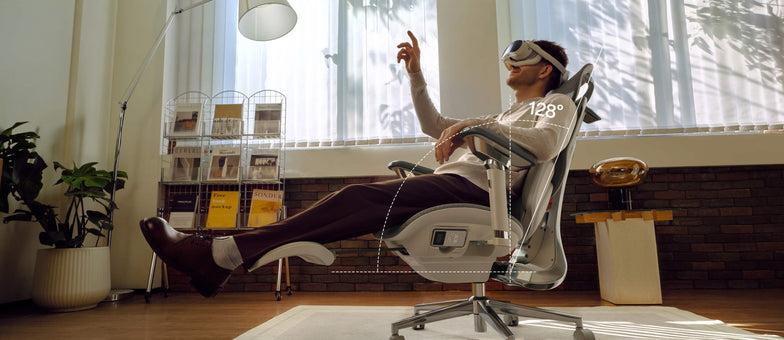
 New Product Launch: HBADA E3 Air vs E3 Pro 2026 Edition — Full Breakdown
Introduction
Picking the right ergonomic chair can be tough. Many chairs claim to be comfortable but don’t hold up during long hours of sitting. The new HBADA E3 Air and E3 Pro 2026 models address these issues with precise ergonomics, adaptive support, and a design that saves space. This guide will help you decide which model is best for you.
Overview of the HBADA 2026 New Product Line
In 2026, HBADA is focusing on posture correction and spinal health. They use AI-driven ergonomics and designs that move with your body. Both the E3 Air and E3 Pro offer strong lumbar support, but each is made for a different kind of user.
· E3 Pro 2026: Premium performance with advanced ergonomic features
· E3 Air 2026: Lightweight, compact ergonomic chair for small apartments
Both chairs are made to support you during long hours at your computer. However, they differ in how adjustable they are and how much ergonomic support they offer.
Core Differences at a Glance
Product Comparison Table
Target User
Home office, students
Professionals, long-hour users
Lumbar System
Elastic lumbar support
3-zone dynamic lumbar support chair
Adjustment Level
Essential adjustments
Full adaptive system
Armrests
4D adjustable
720° omni-adjustable armrests chair
Weight & Size
Lightweight, compact
Larger, premium build
Smart Features
Manual + assisted
Adaptive lumbar tracking ergonomic chair
Best Use
Small apartments
Long sitting duration (6–10 hours)
Lumbar Support Technology Breakdown
E3 Pro — 3-Zone Dynamic Precision
The E3 Pro stands out for its 3-zone lumbar support system, which means it provides targeted support for your upper, middle, and lower back. This approach helps keep your spine aligned throughout the day rather than focusing on just one area.
Key benefits:
· Continuous spinal alignment
· Reduced lower back pressure
· Adaptive response to posture shifts
With that said, the E3 Pro is a great choice if you spend 8+ hours at your desk each day, such as remote workers or professionals who need reliable support for extended periods.
E3 Air — Essential Ergonomic Support
The E3 Air takes a simpler approach. Instead of multiple adjustment zones, it uses elastic lumbar support to help you maintain good posture without fiddling with many settings.
It performs well for:
· Short to medium work sessions
· Students and remote workers
· Users who prefer minimal setup
Armrest Engineering and Upper Body Support
720° Omni-Adjustable Armrests (E3 Pro)
The E3 Pro features a 720° omni-adjustable armrest chair system. This allows:
· Vertical, horizontal, and rotational movement
· Precise elbow positioning
· Reduced shoulder tension
These ergonomic armrests are especially helpful for reducing shoulder tension and maintaining proper posture, which can make a big difference when you’re typing or using a mouse for hours at a time.
Functional Armrests (E3 Air)
The E3 Air includes 4D adjustable armrests. While less complex, they still support:
· Basic height and depth adjustment
· Comfortable typing posture
· Balanced arm positioning
If you want a practical chair that lets you adjust your armrests for comfortable typing, the E3 Air covers the basics without making things complicated.
Space Efficiency and Design Philosophy
Compact Ergonomic Chair for Small Apartments
If you don’t have much space, the E3 Air has a small footprint. It’s easy to slide under most desks and move around in tight rooms.
· Easy placement under desks
· Better mobility in limited rooms
· Reduced visual clutter
If you live in a U.S. apartment with limited space, this model fits seamlessly into your setup.
Premium Structure for Stability (E3 Pro)
The E3 Pro prioritizes performance over compactness. Its structure supports:
· Enhanced durability
· Full-body ergonomic alignment
· Stability during reclining
The E3 Pro is better if you have a dedicated home office or workspace with enough room for a larger, sturdier chair.
Smart Ergonomics and Adaptive Technology
Adaptive Lumbar Tracking (E3 Pro)
The E3 Pro introduces adaptive lumbar tracking ergonomic chair technology. It automatically adjusts based on your posture.
This results in:
· Continuous support without manual changes
· Improved posture correction and spinal health
· Reduced fatigue over long sessions
Assisted Ergonomics (E3 Air)
The E3 Air, by comparison, relies on manual adjustments. While it doesn’t have the same level of automation, you can still get solid ergonomic support as long as you take a few minutes to set it up to fit your body.
Which Is the Best Ergonomic Chair for Your Needs?
Choose E3 Pro If You Need:
· The best ergonomic chair for long hours
· Advanced posture correction
· Premium / advanced ergonomic features
· Full adjustability and automation
This model is built for users who prioritize performance and long-term spinal health.
Choose E3 Air If You Need:
· A compact ergonomic chair for small apartments
· Lightweight and easy-to-move design
· Reliable ergonomic support without complexity
· A straightforward solution for your home and office
Practical Setup Tips for Maximum Benefit
To get the most from either chair:
· Adjust the seat height so your feet stay flat on the floor.
· Align lumbar support with your lower back.
· Set armrests to keep elbows at 90 degrees.
· Position your screen at eye level.
Following these steps will help you get the most out of your chair and maintain proper posture, no matter which model you choose.
Common Buying Mistakes to Avoid
· Choosing based on appearance instead of ergonomics
· Ignoring lumbar support quality
· Overlooking armrest adjustability
· Buying oversized chairs for small spaces
· Not adjusting the chair after purchase.
Even the best chair will fail if improperly selected or configured.
FAQ
Q: What is the main difference between HBADA E3 Air vs E3 Pro?
A: The E3 Pro offers advanced features such as 3-zone lumbar support and adaptive tracking, while the E3 Air focuses on simplicity and a compact design. The Pro is better for long hours, while the Air suits smaller spaces and lighter use.
Q: Is the E3 Pro worth it for long sitting durations?
A: Yes. Its adaptive lumbar system and advanced adjustability provide continuous support. This reduces fatigue and improves posture during extended work sessions, making it suitable for users who sit for 6–10 hours daily.
Q: Which chair is better for small apartments?
A: The E3 Air is the better choice. Its compact design and lightweight structure make it ideal for limited spaces while still delivering reliable ergonomic support.
Q: Do both chairs support proper posture?
A: Yes. Both models are designed as ergonomic chairs for a correct sitting posture. The difference lies in the support system's level of advancement, with the E3 Pro offering more dynamic adjustments.
Conclusion
The new launch of the HBADA E3 Air vs E3 Pro 2026 delivers two clear paths. One focuses on compact efficiency, the other on advanced ergonomic precision.
If you value simplicity and need to make the most of a small space, the E3 Air is a solid pick. On the other hand, if you’re after maximum support for long workdays, the E3 Pro is worth considering.
Ultimately, think about your daily routine and how you actually use your chair-choosing based on your habits will help you get the most comfort and value out of your investment.
For more information, please click to check:
https://www.hbada.eu/products/e3-air-ergonomic-office-chair
https://www.hbada.eu/products/e3-pro-ergonomic-office-chair
Apr 26, 2026
New Product Launch: HBADA E3 Air vs E3 Pro 2026 Edition — Full Breakdown
Introduction
Picking the right ergonomic chair can be tough. Many chairs claim to be comfortable but don’t hold up during long hours of sitting. The new HBADA E3 Air and E3 Pro 2026 models address these issues with precise ergonomics, adaptive support, and a design that saves space. This guide will help you decide which model is best for you.
Overview of the HBADA 2026 New Product Line
In 2026, HBADA is focusing on posture correction and spinal health. They use AI-driven ergonomics and designs that move with your body. Both the E3 Air and E3 Pro offer strong lumbar support, but each is made for a different kind of user.
· E3 Pro 2026: Premium performance with advanced ergonomic features
· E3 Air 2026: Lightweight, compact ergonomic chair for small apartments
Both chairs are made to support you during long hours at your computer. However, they differ in how adjustable they are and how much ergonomic support they offer.
Core Differences at a Glance
Product Comparison Table
Target User
Home office, students
Professionals, long-hour users
Lumbar System
Elastic lumbar support
3-zone dynamic lumbar support chair
Adjustment Level
Essential adjustments
Full adaptive system
Armrests
4D adjustable
720° omni-adjustable armrests chair
Weight & Size
Lightweight, compact
Larger, premium build
Smart Features
Manual + assisted
Adaptive lumbar tracking ergonomic chair
Best Use
Small apartments
Long sitting duration (6–10 hours)
Lumbar Support Technology Breakdown
E3 Pro — 3-Zone Dynamic Precision
The E3 Pro stands out for its 3-zone lumbar support system, which means it provides targeted support for your upper, middle, and lower back. This approach helps keep your spine aligned throughout the day rather than focusing on just one area.
Key benefits:
· Continuous spinal alignment
· Reduced lower back pressure
· Adaptive response to posture shifts
With that said, the E3 Pro is a great choice if you spend 8+ hours at your desk each day, such as remote workers or professionals who need reliable support for extended periods.
E3 Air — Essential Ergonomic Support
The E3 Air takes a simpler approach. Instead of multiple adjustment zones, it uses elastic lumbar support to help you maintain good posture without fiddling with many settings.
It performs well for:
· Short to medium work sessions
· Students and remote workers
· Users who prefer minimal setup
Armrest Engineering and Upper Body Support
720° Omni-Adjustable Armrests (E3 Pro)
The E3 Pro features a 720° omni-adjustable armrest chair system. This allows:
· Vertical, horizontal, and rotational movement
· Precise elbow positioning
· Reduced shoulder tension
These ergonomic armrests are especially helpful for reducing shoulder tension and maintaining proper posture, which can make a big difference when you’re typing or using a mouse for hours at a time.
Functional Armrests (E3 Air)
The E3 Air includes 4D adjustable armrests. While less complex, they still support:
· Basic height and depth adjustment
· Comfortable typing posture
· Balanced arm positioning
If you want a practical chair that lets you adjust your armrests for comfortable typing, the E3 Air covers the basics without making things complicated.
Space Efficiency and Design Philosophy
Compact Ergonomic Chair for Small Apartments
If you don’t have much space, the E3 Air has a small footprint. It’s easy to slide under most desks and move around in tight rooms.
· Easy placement under desks
· Better mobility in limited rooms
· Reduced visual clutter
If you live in a U.S. apartment with limited space, this model fits seamlessly into your setup.
Premium Structure for Stability (E3 Pro)
The E3 Pro prioritizes performance over compactness. Its structure supports:
· Enhanced durability
· Full-body ergonomic alignment
· Stability during reclining
The E3 Pro is better if you have a dedicated home office or workspace with enough room for a larger, sturdier chair.
Smart Ergonomics and Adaptive Technology
Adaptive Lumbar Tracking (E3 Pro)
The E3 Pro introduces adaptive lumbar tracking ergonomic chair technology. It automatically adjusts based on your posture.
This results in:
· Continuous support without manual changes
· Improved posture correction and spinal health
· Reduced fatigue over long sessions
Assisted Ergonomics (E3 Air)
The E3 Air, by comparison, relies on manual adjustments. While it doesn’t have the same level of automation, you can still get solid ergonomic support as long as you take a few minutes to set it up to fit your body.
Which Is the Best Ergonomic Chair for Your Needs?
Choose E3 Pro If You Need:
· The best ergonomic chair for long hours
· Advanced posture correction
· Premium / advanced ergonomic features
· Full adjustability and automation
This model is built for users who prioritize performance and long-term spinal health.
Choose E3 Air If You Need:
· A compact ergonomic chair for small apartments
· Lightweight and easy-to-move design
· Reliable ergonomic support without complexity
· A straightforward solution for your home and office
Practical Setup Tips for Maximum Benefit
To get the most from either chair:
· Adjust the seat height so your feet stay flat on the floor.
· Align lumbar support with your lower back.
· Set armrests to keep elbows at 90 degrees.
· Position your screen at eye level.
Following these steps will help you get the most out of your chair and maintain proper posture, no matter which model you choose.
Common Buying Mistakes to Avoid
· Choosing based on appearance instead of ergonomics
· Ignoring lumbar support quality
· Overlooking armrest adjustability
· Buying oversized chairs for small spaces
· Not adjusting the chair after purchase.
Even the best chair will fail if improperly selected or configured.
FAQ
Q: What is the main difference between HBADA E3 Air vs E3 Pro?
A: The E3 Pro offers advanced features such as 3-zone lumbar support and adaptive tracking, while the E3 Air focuses on simplicity and a compact design. The Pro is better for long hours, while the Air suits smaller spaces and lighter use.
Q: Is the E3 Pro worth it for long sitting durations?
A: Yes. Its adaptive lumbar system and advanced adjustability provide continuous support. This reduces fatigue and improves posture during extended work sessions, making it suitable for users who sit for 6–10 hours daily.
Q: Which chair is better for small apartments?
A: The E3 Air is the better choice. Its compact design and lightweight structure make it ideal for limited spaces while still delivering reliable ergonomic support.
Q: Do both chairs support proper posture?
A: Yes. Both models are designed as ergonomic chairs for a correct sitting posture. The difference lies in the support system's level of advancement, with the E3 Pro offering more dynamic adjustments.
Conclusion
The new launch of the HBADA E3 Air vs E3 Pro 2026 delivers two clear paths. One focuses on compact efficiency, the other on advanced ergonomic precision.
If you value simplicity and need to make the most of a small space, the E3 Air is a solid pick. On the other hand, if you’re after maximum support for long workdays, the E3 Pro is worth considering.
Ultimately, think about your daily routine and how you actually use your chair-choosing based on your habits will help you get the most comfort and value out of your investment.
For more information, please click to check:
https://www.hbada.eu/products/e3-air-ergonomic-office-chair
https://www.hbada.eu/products/e3-pro-ergonomic-office-chair
Apr 26, 2026
 Come scegliere la migliore sedia da ufficio ergonomica in Europa: Guida all'acquisto 2026
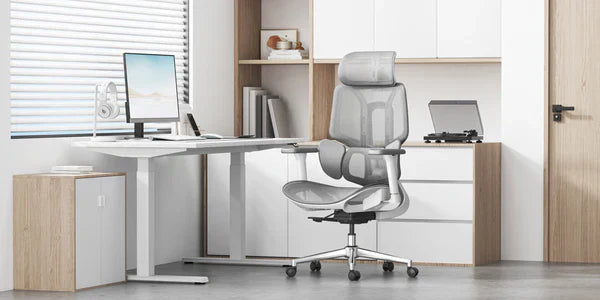
Il lavoro d'ufficio è cambiato molto negli ultimi tempi, e anche la sua sedia dovrebbe stare al passo. Nel 2026, le classiche sedie da ufficio semplicemente non bastano più. Oggi gli utenti cercano arredi per l'ufficio che si prendano cura della loro salute, non solo un posto dove sedersi. Quando acquista una sedia nuova, dia meno peso all'estetica e più attenzione a come sostiene il suo corpo nel tempo. In questa guida le mostrerò le caratteristiche fondamentali da cercare in una sedia ergonomica moderna, così potrà fare una scelta consapevole.
Dia priorità a un allineamento dinamico della colonna vertebrale
Le sedie che la costringono in un'unica posizione sono spesso la causa del classico calo di energia pomeridiano. Quando acquista una nuova sedia da ufficio, verifichi che le permetta di muoversi e cambiare posizione con facilità. Se una sedia la blocca in un punto, i muscoli devono lavorare più del necessario, ed è proprio questo che porta ai fastidi e ai dolori che vuole evitare.
I vantaggi di una sedia ergonomica con tracciamento lombare adattivo
Una delle grandi novità per il 2026 è la sedia con tracciamento lombare adattivo. Questa sedia utilizza sensori per mantenere il supporto lombare sempre a contatto con la parte bassa della schiena, indipendentemente dalla posizione in cui si trova. Che si pieghi in avanti per lavorare o si appoggi all'indietro per riflettere, il supporto si muove con lei. In questo modo si evita quel vuoto nella zona lombare — a volte chiamato «vita vuota» — che spesso è all'origine del mal di schiena dei lavoratori d'ufficio.
Perché vale la pena scegliere una sedia con supporto lombare dinamico a 3 zone
Per un sostegno ergonomico di alto livello, scelga una sedia lombare a 3 zone con design split-wing ad ali divise. Questo supporto dinamico asseconda la curvatura naturale della colonna, mentre le ali laterali flessibili si adattano per alleviare la tensione nella zona lombare bassa, offrendo un sollievo mirato a chi trascorre più di 6 ore al giorno seduto.
Scelga una sedia con regolazione «total body»
Nelle realtà lavorative così diverse di oggi, le sedie standard non bastano più. Per mantenere una postura sana, la sua sedia deve adattarsi alla sua altezza e al suo peso.
· Braccioli omnimeccanici a 720°: Le braccia pesano, e senza un supporto adeguato tirano direttamente su collo e spalle. I braccioli ergonomici di ultima generazione, pensati per alleggerire le spalle e migliorare la postura, offrono una rotazione su più assi. Così potrà appoggiare i gomiti con stabilità, sia che stia scrivendo al portatile, usando il cellulare o reclinandosi a 140°.
· Poggiatesta 4D a doppio asse: Eviti il cosiddetto «tech neck» (collo da tecnologia) scegliendo un poggiatesta regolabile sia in altezza che in profondità. Un sistema a doppio asse permette al poggiatesta di «trovare» il collo, creando un punto d'appoggio sospeso che libera completamente la muscolatura cervicale.
· Profondità del sedile e tensione di reclinazione indipendenti: Una vera sedia ergonomica per il lavoro al computer deve avere uno slider del sedile. Regolando la profondità del sedile, le cosce vengono sostenute senza comprimere la circolazione dietro le ginocchia. Grazie alla tensione di reclinazione regolabile, può decidere quanta forza serve per reclinarsi, adattando la sedia al suo peso.
· Schienale regolabile in altezza: Non tutti i busti hanno la stessa lunghezza. Uno schienale regolabile in altezza garantisce che il supporto lombare dinamico si allinei perfettamente con la parte bassa della schiena, senza risultare né troppo alto né troppo basso.
Confronti le migliori sedie ergonomiche del 2026
Per facilitarle la scelta, abbiamo riunito i modelli principali della nostra collezione 2026. Ognuno è progettato per risolvere i problemi posturali più comuni negli uffici e nelle case di oggi.
Modello
Principale vantaggio per l'utente
Tecnologia principale
Ideale per
Hbada E3 Air
Leggera e versatile
Sedia con supporto lombare dinamico
Smart working / Uso occasionale
Hbada E3 Pro
Sostegno intensivo
Migliore sedia ergonomica con supporto lombare a 3 zone
Giornate lavorative di oltre 8 ore
Hbada X7 Smart
Integrazione salute con IA
Sedia ergonomica con tracciamento lombare adattivo
Correzione posturale / Utenti tech
Se trascorre molte ore alla scrivania e cerca una sedia che sostenga davvero la sua postura, vale la pena dare un'occhiata ai modelli E3 Pro e X7 Smart. Queste sedie sono molto più di un semplice posto a sedere: sono progettate per sostenere la sua schiena e tutto il corpo durante l'intera giornata.
Domande frequenti (FAQ)
D: Come faccio a capire se una sedia è davvero «ergonomica»?R: Una vera sedia ergonomica deve avere almeno cinque punti di regolazione: altezza del sedile, profondità del sedile, tensione lombare, inclinazione dello schienale e posizione dei braccioli. Se mancano questi elementi, la sedia non può essere adattata alle dimensioni uniche del suo corpo, che è il requisito fondamentale per parlare davvero di postura ergonomica, del suo significato e dei suoi benefici.
D: Qual è la posizione migliore per sedersi in caso di ernia del disco?R: Dovrebbe puntare a una posizione a «colonna neutra». Appoggi i piedi ben piatti a terra, mantenga le ginocchia a 90 gradi e aderisca con la zona lombare a una sedia ergonomica con tracciamento lombare adattivo. Eviti di accavallare le gambe, perché questo inclina il bacino e scarica una pressione disomogenea sui dischi intervertebrali.
D: Una sedia ergonomica leggera per lo smart working può essere all'altezza di una sedia da ufficio aziendale?R: Assolutamente sì. Materiali moderni come l'acciaio rinforzato e la rete ad alta resistenza permettono di realizzare sedie ergonomiche leggere per lo smart working che offrono lo stesso livello di sostegno industriale dei modelli direzionali più pesanti. Scelga sedie che rispettano gli standard di durata BIFMA.
D: Perché i braccioli sono così importanti per la postura?R: Braccioli ergonomici ben regolati alleggeriscono le spalle e migliorano la postura, scaricando la tensione dai muscoli trapezi. Quando le braccia sono ben sostenute, le spalle possono rilassarsi in una posizione naturale, riducendo notevolmente il rischio di mal di testa da tensione e dolori nella parte alta della schiena.
Conclusione
Scegliere la sedia da ufficio giusta è, in fondo, un investimento nella propria salute a lungo termine. Le migliori sedie del 2026 offrono molto più di un semplice posto a sedere: la aiutano a mantenere una buona postura e a restare comodo per tutta la giornata. Se punta su caratteristiche come il supporto lombare a 3 zone e il tracciamento adattivo, potrà creare uno spazio di lavoro che favorisce sia la produttività sia il benessere. Detto questo, non si accontenti di una sedia che a fine giornata la lascia dolorante o stanco. Si prenda il tempo per trovare quella giusta per le sue esigenze, e noterà la differenza ogni giorno.
Per maggiori informazioni, clicchi qui:
https://www.hbada.eu/products/e3-air-ergonomic-office-chair
https://www.hbada.eu/products/e3-pro-ergonomic-office-chair
https://www.hbada.eu/products/hbada-x7-smart-ergonomic-chair
Apr 17, 2026
Come scegliere la migliore sedia da ufficio ergonomica in Europa: Guida all'acquisto 2026
Il lavoro d'ufficio è cambiato molto negli ultimi tempi, e anche la sua sedia dovrebbe stare al passo. Nel 2026, le classiche sedie da ufficio semplicemente non bastano più. Oggi gli utenti cercano arredi per l'ufficio che si prendano cura della loro salute, non solo un posto dove sedersi. Quando acquista una sedia nuova, dia meno peso all'estetica e più attenzione a come sostiene il suo corpo nel tempo. In questa guida le mostrerò le caratteristiche fondamentali da cercare in una sedia ergonomica moderna, così potrà fare una scelta consapevole.
Dia priorità a un allineamento dinamico della colonna vertebrale
Le sedie che la costringono in un'unica posizione sono spesso la causa del classico calo di energia pomeridiano. Quando acquista una nuova sedia da ufficio, verifichi che le permetta di muoversi e cambiare posizione con facilità. Se una sedia la blocca in un punto, i muscoli devono lavorare più del necessario, ed è proprio questo che porta ai fastidi e ai dolori che vuole evitare.
I vantaggi di una sedia ergonomica con tracciamento lombare adattivo
Una delle grandi novità per il 2026 è la sedia con tracciamento lombare adattivo. Questa sedia utilizza sensori per mantenere il supporto lombare sempre a contatto con la parte bassa della schiena, indipendentemente dalla posizione in cui si trova. Che si pieghi in avanti per lavorare o si appoggi all'indietro per riflettere, il supporto si muove con lei. In questo modo si evita quel vuoto nella zona lombare — a volte chiamato «vita vuota» — che spesso è all'origine del mal di schiena dei lavoratori d'ufficio.
Perché vale la pena scegliere una sedia con supporto lombare dinamico a 3 zone
Per un sostegno ergonomico di alto livello, scelga una sedia lombare a 3 zone con design split-wing ad ali divise. Questo supporto dinamico asseconda la curvatura naturale della colonna, mentre le ali laterali flessibili si adattano per alleviare la tensione nella zona lombare bassa, offrendo un sollievo mirato a chi trascorre più di 6 ore al giorno seduto.
Scelga una sedia con regolazione «total body»
Nelle realtà lavorative così diverse di oggi, le sedie standard non bastano più. Per mantenere una postura sana, la sua sedia deve adattarsi alla sua altezza e al suo peso.
· Braccioli omnimeccanici a 720°: Le braccia pesano, e senza un supporto adeguato tirano direttamente su collo e spalle. I braccioli ergonomici di ultima generazione, pensati per alleggerire le spalle e migliorare la postura, offrono una rotazione su più assi. Così potrà appoggiare i gomiti con stabilità, sia che stia scrivendo al portatile, usando il cellulare o reclinandosi a 140°.
· Poggiatesta 4D a doppio asse: Eviti il cosiddetto «tech neck» (collo da tecnologia) scegliendo un poggiatesta regolabile sia in altezza che in profondità. Un sistema a doppio asse permette al poggiatesta di «trovare» il collo, creando un punto d'appoggio sospeso che libera completamente la muscolatura cervicale.
· Profondità del sedile e tensione di reclinazione indipendenti: Una vera sedia ergonomica per il lavoro al computer deve avere uno slider del sedile. Regolando la profondità del sedile, le cosce vengono sostenute senza comprimere la circolazione dietro le ginocchia. Grazie alla tensione di reclinazione regolabile, può decidere quanta forza serve per reclinarsi, adattando la sedia al suo peso.
· Schienale regolabile in altezza: Non tutti i busti hanno la stessa lunghezza. Uno schienale regolabile in altezza garantisce che il supporto lombare dinamico si allinei perfettamente con la parte bassa della schiena, senza risultare né troppo alto né troppo basso.
Confronti le migliori sedie ergonomiche del 2026
Per facilitarle la scelta, abbiamo riunito i modelli principali della nostra collezione 2026. Ognuno è progettato per risolvere i problemi posturali più comuni negli uffici e nelle case di oggi.
Modello
Principale vantaggio per l'utente
Tecnologia principale
Ideale per
Hbada E3 Air
Leggera e versatile
Sedia con supporto lombare dinamico
Smart working / Uso occasionale
Hbada E3 Pro
Sostegno intensivo
Migliore sedia ergonomica con supporto lombare a 3 zone
Giornate lavorative di oltre 8 ore
Hbada X7 Smart
Integrazione salute con IA
Sedia ergonomica con tracciamento lombare adattivo
Correzione posturale / Utenti tech
Se trascorre molte ore alla scrivania e cerca una sedia che sostenga davvero la sua postura, vale la pena dare un'occhiata ai modelli E3 Pro e X7 Smart. Queste sedie sono molto più di un semplice posto a sedere: sono progettate per sostenere la sua schiena e tutto il corpo durante l'intera giornata.
Domande frequenti (FAQ)
D: Come faccio a capire se una sedia è davvero «ergonomica»?R: Una vera sedia ergonomica deve avere almeno cinque punti di regolazione: altezza del sedile, profondità del sedile, tensione lombare, inclinazione dello schienale e posizione dei braccioli. Se mancano questi elementi, la sedia non può essere adattata alle dimensioni uniche del suo corpo, che è il requisito fondamentale per parlare davvero di postura ergonomica, del suo significato e dei suoi benefici.
D: Qual è la posizione migliore per sedersi in caso di ernia del disco?R: Dovrebbe puntare a una posizione a «colonna neutra». Appoggi i piedi ben piatti a terra, mantenga le ginocchia a 90 gradi e aderisca con la zona lombare a una sedia ergonomica con tracciamento lombare adattivo. Eviti di accavallare le gambe, perché questo inclina il bacino e scarica una pressione disomogenea sui dischi intervertebrali.
D: Una sedia ergonomica leggera per lo smart working può essere all'altezza di una sedia da ufficio aziendale?R: Assolutamente sì. Materiali moderni come l'acciaio rinforzato e la rete ad alta resistenza permettono di realizzare sedie ergonomiche leggere per lo smart working che offrono lo stesso livello di sostegno industriale dei modelli direzionali più pesanti. Scelga sedie che rispettano gli standard di durata BIFMA.
D: Perché i braccioli sono così importanti per la postura?R: Braccioli ergonomici ben regolati alleggeriscono le spalle e migliorano la postura, scaricando la tensione dai muscoli trapezi. Quando le braccia sono ben sostenute, le spalle possono rilassarsi in una posizione naturale, riducendo notevolmente il rischio di mal di testa da tensione e dolori nella parte alta della schiena.
Conclusione
Scegliere la sedia da ufficio giusta è, in fondo, un investimento nella propria salute a lungo termine. Le migliori sedie del 2026 offrono molto più di un semplice posto a sedere: la aiutano a mantenere una buona postura e a restare comodo per tutta la giornata. Se punta su caratteristiche come il supporto lombare a 3 zone e il tracciamento adattivo, potrà creare uno spazio di lavoro che favorisce sia la produttività sia il benessere. Detto questo, non si accontenti di una sedia che a fine giornata la lascia dolorante o stanco. Si prenda il tempo per trovare quella giusta per le sue esigenze, e noterà la differenza ogni giorno.
Per maggiori informazioni, clicchi qui:
https://www.hbada.eu/products/e3-air-ergonomic-office-chair
https://www.hbada.eu/products/e3-pro-ergonomic-office-chair
https://www.hbada.eu/products/hbada-x7-smart-ergonomic-chair
Apr 17, 2026
 The Hbada E3 professional chair with many years of ergonomic experience!
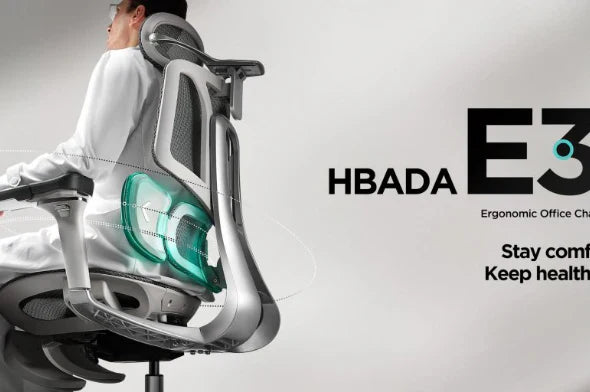
Looking for a professional office chair that provides comfort and support for long hours? Discover Hbada's E3 model, which offers a personalized fit and advanced ergonomics, while incorporating many cutting-edge technologies.
Founded in 2008, Hbada is a brand specializing in ergonomic furniture, particularly office chairs, which has rapidly established itself on the international market thanks to its technological innovations.
It has over 10 million users worldwide, partners in more than 30 countries and more than 300 technological patents, notably for its T-shaped support system and three-zone floating wing lumbar support.
The E3 chair, which we're about to present, won a Silver Award at the London Design Award, an international competition that rewards excellence in design across disciplines such as architecture, product design, digital innovation, graphic design and many others.
Finally, as a guarantee of quality, the brand also holds the following (many) certifications:
BIFMA, which sets safety, durability and performance standards for office furniture,
TUV, which guarantees that a product complies with rigorous, internationally recognized safety and quality standards,
SGS Level 4, which ensures a high degree of safety and reliability of components, such as the gas springs in ergonomic chairs,
IGR, which guarantees the quality of the raw materials used.
With 17 years' experience in the field of ergonomics, and the use of advanced technologies, here's the Hbada E3 professional chair.
It features a T-shaped system that supports the waist, neck and shoulders, with multi-dimensional adjustments for optimum comfort.
The patented three-zone elastic lumbar support, with floating wings, offers precise adjustment in 8 directions, providing full envelopment and dynamic back support.
The headrest can be adjusted in 4 dimensions with two axes of movement (70° headrest frame rotation, 70° headrest tilt and rotation, up/down and front/back adjustment) enabling customized settings for optimal neck and neck support, effectively relieving the pressure exerted on your cervical spine during long periods of sitting.
The armrests can be adjusted in 6 dimensions, in three different directions, and the breathable micro-porous mesh adapts naturally to your body and movements, offering additional support. Seat depth and backrest height are also adjustable.
The wide 140° recline is ideal for naps, with an integrated footrest for maximum comfort (depending on model).
The chair is also equipped with an SGS Level 4-certified gas lift, silent castors and a sturdy five-star base, ensuring safety and longevity.
Jul 08, 2025
The Hbada E3 professional chair with many years of ergonomic experience!
Looking for a professional office chair that provides comfort and support for long hours? Discover Hbada's E3 model, which offers a personalized fit and advanced ergonomics, while incorporating many cutting-edge technologies.
Founded in 2008, Hbada is a brand specializing in ergonomic furniture, particularly office chairs, which has rapidly established itself on the international market thanks to its technological innovations.
It has over 10 million users worldwide, partners in more than 30 countries and more than 300 technological patents, notably for its T-shaped support system and three-zone floating wing lumbar support.
The E3 chair, which we're about to present, won a Silver Award at the London Design Award, an international competition that rewards excellence in design across disciplines such as architecture, product design, digital innovation, graphic design and many others.
Finally, as a guarantee of quality, the brand also holds the following (many) certifications:
BIFMA, which sets safety, durability and performance standards for office furniture,
TUV, which guarantees that a product complies with rigorous, internationally recognized safety and quality standards,
SGS Level 4, which ensures a high degree of safety and reliability of components, such as the gas springs in ergonomic chairs,
IGR, which guarantees the quality of the raw materials used.
With 17 years' experience in the field of ergonomics, and the use of advanced technologies, here's the Hbada E3 professional chair.
It features a T-shaped system that supports the waist, neck and shoulders, with multi-dimensional adjustments for optimum comfort.
The patented three-zone elastic lumbar support, with floating wings, offers precise adjustment in 8 directions, providing full envelopment and dynamic back support.
The headrest can be adjusted in 4 dimensions with two axes of movement (70° headrest frame rotation, 70° headrest tilt and rotation, up/down and front/back adjustment) enabling customized settings for optimal neck and neck support, effectively relieving the pressure exerted on your cervical spine during long periods of sitting.
The armrests can be adjusted in 6 dimensions, in three different directions, and the breathable micro-porous mesh adapts naturally to your body and movements, offering additional support. Seat depth and backrest height are also adjustable.
The wide 140° recline is ideal for naps, with an integrated footrest for maximum comfort (depending on model).
The chair is also equipped with an SGS Level 4-certified gas lift, silent castors and a sturdy five-star base, ensuring safety and longevity.
Jul 08, 2025
 Hbada E3 Schreibtischstuhl mit eigens entwickeltem T-förmigen Stützsystem
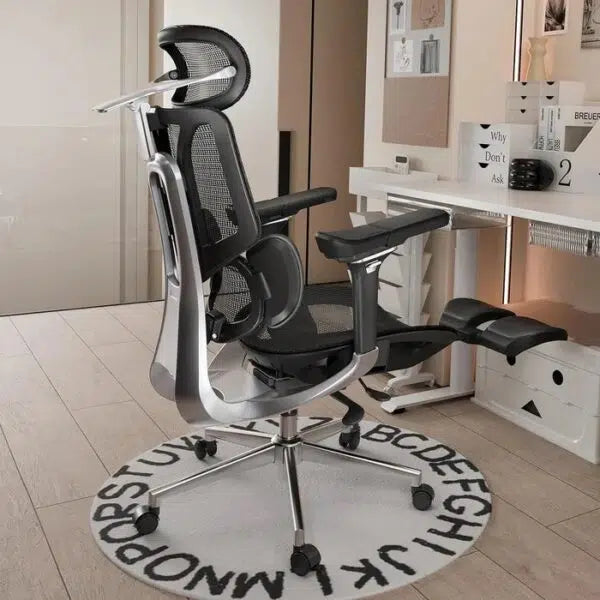
Besonders in den Hochzeiten des Home Office ist das Angebot an Bürostühlen ins Unermessliche gestiegen. Davon mal abgesehen, dass es auch richtig abgedrehte Modelle mit Massagefunktion gibt, bleibt der ergonomische Schreibtischstuhl wohl weiterhin das Modell der Wahl. Der Hbada E3 Ergonomischer Bürostuhl unterstützt dabei alle wichtigen Bereiche eures Körpers, ganz nach euren eigenen Wünschen. Der Hersteller hat auch schon über 16 Jahre Erfahrung in der Branche.
Individuelle Einstellungen für Kopf, Lende & Co.
Fangen wir mit dem gesamten Aufbau des Stuhls an, denn Hbada hat dafür ein (angeblich) eigens entwickeltes T-förmiges Stützsystem implementiert. Dieses soll gerade bei längerem Sitzen Schmerzen in Nacken, Taille und Schulter vermeiden, indem diese Körperteile besonders gestützt werden. Das fängt mit der elastischen Dreizonen-Lendenwirbelstütze an. Der aufwendige Name beschreibt den Mittelteil der Rückenlehne, der aus drei Einzelteilen besteht, einer dynamischen Lordosenstütze mit zwei seitlichen Flügeln. Diese können um bis zu 40° nach Innen oder Außen bewegt werden, die Stütze an sich kann um 14° geneigt, um circa 4 cm in der Höhe und circa 2,5 cm in der Tiefe eingestellt werden.
Unser wichtigstes Werkzeug im Büro, unser Kopf, braucht natürlich auch eine angenehme Anlehnungsmöglichkeit. Die 4D Kopfstütze kann um 70° gedreht, 70° geneigt, 4,5 cm in der Höhe und 5,5 cm in der Tiefe eingestellt werden. Die Funktion finde ich ziemlich praktisch, denn gerade der Kopfteil eines Bürostuhls kann schnell der Grund sein Nackenschmerzen zu bekommen, wenn es nicht gut passt.
Unser Popöchen möchte für intensive Arbeitsstunden natürlich auch gut gepolstert werden, wofür die Sitzfläche aus einem bequemen 52 x 50 cm Kissen besteht. Bei dem Obermaterial handelt es sich um 16,5 % atmungsaktiven Mesh aus Nylon, ihr bleibt also auch hintenrum frisch, mit nackter Haut könnte es aber unangenehm werden. Ihr könnt die Sitzfläche auch noch um bis zu 5 cm nach Vorne oder Hinten verschieben.
Auch die Armlehnen lassen sich sehr individuell einstellen, weswegen sie hier auch als 6D mechanische Armlehnen betitelt werden. Genaugenommen könnt ihr sie in Höhe, Breite, Tiefe und Rotation anpassen. Zudem lässt sich der vordere Teil auch noch nach oben abknicken, wenn man es denn so möchte. Persönlich sind mir das schon fast zu viele Einstellungsmöglichkeiten für meine Arme, die wahrscheinlich den Großteil des Tages eh eher auf dem Tisch aufliegen, dennoch ein nettes Feature.
Zur Pause einfach mal Zurücklehnen
Wie wir alle wissen, sind kleine Pausen zwischendurch sehr wichtig, am besten natürlich auch aufzustehen und sich zu bewegen. Wer aber lieber ein 20-minütiges Powernapping einlegt, der kann sich mit dem Hbada E3 und seiner integrierten Fußstütze um bis zu 140° nach hinten neigen. Würde ich mir tatsächlich auch manchmal im Büro wünschen.
Die Sitzhöhe lässt sich zudem noch von 119 bis 51 cm einstellen und hält bis zu 135 Kilo Gewicht. Der Stuhl selbst wiegt circa 27 Kilo, mit seinem Metallsockel und Gestell mit automatischer Schwerkrafterkennung, die Veränderungen in Körperhaltung und Gewicht automatisch erkennen soll.
Viele verschiedene Einstellungsmöglichkeiten für den perfekten Stuhl
Wie immer gilt bei Schreibtischstühlen: ohne drin gesessen zu haben, ist es schwer ein abschließendes Fazit zu ziehen. Rein vom Datenblatt her klingt der Hbada E3 natürlich ziemlich gut, wer vielleicht häufig seine Positionen wechselt oder oft Schwierigkeiten mit „normalen“ Stühlen und eingeschränkten Einstellungsmöglichkeiten hatte, der bekommt hier zumindest viel zum Individualisieren. Außerdem scheint der Hersteller über ausreichend Erfahrungen in der Branche zu verfügen, das selbstentwickelte Stützsystem kann von Vorteil sein.
Was man in der Preisklasse aber auch durchaus erwarten kann, wie ich finde. Ja, Bürostühle können echt teuer sein, so viel wie für einen Kleinwagen würde ich trotzdem nicht dafür ausgeben. Zum Glück gibt es da zumindest Rabattaktionen, die den Preis drücken. Ob man das Geld wirklich so investieren möchte, muss jeder für sich selbst entscheiden. Ihr hättet bei Hbada zumindest eine kostenlose Lieferung an eure Tür, 3 Jahre Garantie auf Ersatzteile und eine 30-Tage Rückgabe. Leider nicht ganz kostenlos, außer der Stuhl hat einen Defekt. Was haltet ihr von dem Modell?
Jul 08, 2025
Hbada E3 Schreibtischstuhl mit eigens entwickeltem T-förmigen Stützsystem
Besonders in den Hochzeiten des Home Office ist das Angebot an Bürostühlen ins Unermessliche gestiegen. Davon mal abgesehen, dass es auch richtig abgedrehte Modelle mit Massagefunktion gibt, bleibt der ergonomische Schreibtischstuhl wohl weiterhin das Modell der Wahl. Der Hbada E3 Ergonomischer Bürostuhl unterstützt dabei alle wichtigen Bereiche eures Körpers, ganz nach euren eigenen Wünschen. Der Hersteller hat auch schon über 16 Jahre Erfahrung in der Branche.
Individuelle Einstellungen für Kopf, Lende & Co.
Fangen wir mit dem gesamten Aufbau des Stuhls an, denn Hbada hat dafür ein (angeblich) eigens entwickeltes T-förmiges Stützsystem implementiert. Dieses soll gerade bei längerem Sitzen Schmerzen in Nacken, Taille und Schulter vermeiden, indem diese Körperteile besonders gestützt werden. Das fängt mit der elastischen Dreizonen-Lendenwirbelstütze an. Der aufwendige Name beschreibt den Mittelteil der Rückenlehne, der aus drei Einzelteilen besteht, einer dynamischen Lordosenstütze mit zwei seitlichen Flügeln. Diese können um bis zu 40° nach Innen oder Außen bewegt werden, die Stütze an sich kann um 14° geneigt, um circa 4 cm in der Höhe und circa 2,5 cm in der Tiefe eingestellt werden.
Unser wichtigstes Werkzeug im Büro, unser Kopf, braucht natürlich auch eine angenehme Anlehnungsmöglichkeit. Die 4D Kopfstütze kann um 70° gedreht, 70° geneigt, 4,5 cm in der Höhe und 5,5 cm in der Tiefe eingestellt werden. Die Funktion finde ich ziemlich praktisch, denn gerade der Kopfteil eines Bürostuhls kann schnell der Grund sein Nackenschmerzen zu bekommen, wenn es nicht gut passt.
Unser Popöchen möchte für intensive Arbeitsstunden natürlich auch gut gepolstert werden, wofür die Sitzfläche aus einem bequemen 52 x 50 cm Kissen besteht. Bei dem Obermaterial handelt es sich um 16,5 % atmungsaktiven Mesh aus Nylon, ihr bleibt also auch hintenrum frisch, mit nackter Haut könnte es aber unangenehm werden. Ihr könnt die Sitzfläche auch noch um bis zu 5 cm nach Vorne oder Hinten verschieben.
Auch die Armlehnen lassen sich sehr individuell einstellen, weswegen sie hier auch als 6D mechanische Armlehnen betitelt werden. Genaugenommen könnt ihr sie in Höhe, Breite, Tiefe und Rotation anpassen. Zudem lässt sich der vordere Teil auch noch nach oben abknicken, wenn man es denn so möchte. Persönlich sind mir das schon fast zu viele Einstellungsmöglichkeiten für meine Arme, die wahrscheinlich den Großteil des Tages eh eher auf dem Tisch aufliegen, dennoch ein nettes Feature.
Zur Pause einfach mal Zurücklehnen
Wie wir alle wissen, sind kleine Pausen zwischendurch sehr wichtig, am besten natürlich auch aufzustehen und sich zu bewegen. Wer aber lieber ein 20-minütiges Powernapping einlegt, der kann sich mit dem Hbada E3 und seiner integrierten Fußstütze um bis zu 140° nach hinten neigen. Würde ich mir tatsächlich auch manchmal im Büro wünschen.
Die Sitzhöhe lässt sich zudem noch von 119 bis 51 cm einstellen und hält bis zu 135 Kilo Gewicht. Der Stuhl selbst wiegt circa 27 Kilo, mit seinem Metallsockel und Gestell mit automatischer Schwerkrafterkennung, die Veränderungen in Körperhaltung und Gewicht automatisch erkennen soll.
Viele verschiedene Einstellungsmöglichkeiten für den perfekten Stuhl
Wie immer gilt bei Schreibtischstühlen: ohne drin gesessen zu haben, ist es schwer ein abschließendes Fazit zu ziehen. Rein vom Datenblatt her klingt der Hbada E3 natürlich ziemlich gut, wer vielleicht häufig seine Positionen wechselt oder oft Schwierigkeiten mit „normalen“ Stühlen und eingeschränkten Einstellungsmöglichkeiten hatte, der bekommt hier zumindest viel zum Individualisieren. Außerdem scheint der Hersteller über ausreichend Erfahrungen in der Branche zu verfügen, das selbstentwickelte Stützsystem kann von Vorteil sein.
Was man in der Preisklasse aber auch durchaus erwarten kann, wie ich finde. Ja, Bürostühle können echt teuer sein, so viel wie für einen Kleinwagen würde ich trotzdem nicht dafür ausgeben. Zum Glück gibt es da zumindest Rabattaktionen, die den Preis drücken. Ob man das Geld wirklich so investieren möchte, muss jeder für sich selbst entscheiden. Ihr hättet bei Hbada zumindest eine kostenlose Lieferung an eure Tür, 3 Jahre Garantie auf Ersatzteile und eine 30-Tage Rückgabe. Leider nicht ganz kostenlos, außer der Stuhl hat einen Defekt. Was haltet ihr von dem Modell?
Jul 08, 2025